

 Apple Podcasts
 Spotify
 Youtube Music
 Spreaker
 Podchaser
 Amazon Music
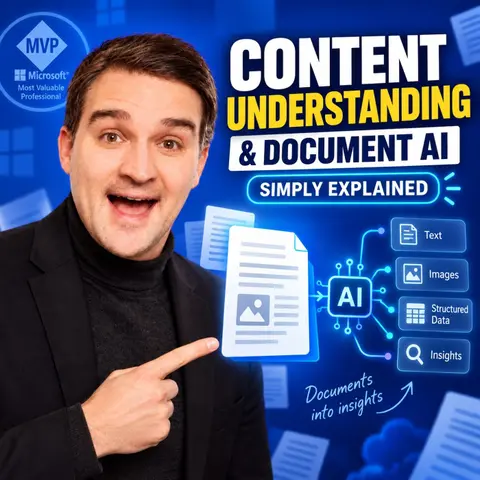
 Content Understanding & Document AI - Simply Explained

Key Takeaways
- Traditional optical character recognition (OCR) captures visible text, but Content Understanding and Document AI add the context and business meaning required to turn unstructured documents into reliable, structured data.
- Defining a strict schema prevents vague AI responses by telling the system exactly which fields—such as supplier names, invoice numbers, and line items—to extract and return.
- Power Platform connects extracted document data to real business processes, using Power Automate for workflow routing, Dataverse for tracking history, and Power Apps for human-in-the-loop review.
- High confidence scores do not replace business validation rules; systems must still check totals, match purchase orders, verify vendors, and prevent duplicate processing.
- Successful document automation projects should always start narrow, focusing on a single document type with a clear decision pathway, a named owner, and a defined exception handling process.
Invoices, contracts, receipts, forms, scanned PDFs, and email attachments contain valuable business information — but most automation still struggles to turn those documents into reliable, structured data.
In this episode of M365 FM – Simply Explained, we break down Microsoft Content Understanding, Document AI, OCR, AI Builder, Power Automate, Dataverse, and Power Apps and explain how they work together to transform documents into usable business data and automated processes.
You’ll learn why traditional OCR is only the beginning. OCR can recognize text such as an invoice number or amount, but it does not automatically understand whether a number represents an invoice ID, purchase order, bank account, tax value, or phone number. Document AI adds context, structure, and business meaning to extracted information.
We explain how Microsoft Content Understanding can take documents and images, extract defined fields, classify information, and return structured results that downstream systems can use. Instead of asking AI to summarize an entire document, organizations can define a schema containing fields such as supplier name, invoice date, invoice number, invoice total, document type, and line items.
The episode also shows how Microsoft Power Platform turns document extraction into a complete business workflow. Power Automate can detect new documents in email or SharePoint, send them for extraction, validate the returned information, create records, trigger approvals, and route exceptions to the right person.
Dataverse can store structured document records and process history, while Power Apps can provide a human review interface for correcting uncertain or missing information.
We also cover one of the most important parts of Document AI: confidence scores and human-in-the-loop review. A high confidence score does not automatically mean a value should be trusted.
Critical information such as invoice totals, payment instructions, bank details, or contract dates may still require additional validation against business rules and existing systems.
You’ll discover how validation can check whether suppliers exist, purchase orders match, totals make sense, dates are valid, and duplicate invoices have already been processed.
This combination of AI extraction, validation rules, governance, and human review is what turns Document AI from an impressive demo into a reliable business process.
We also look at practical first use cases including invoice processing, employee onboarding forms, claims, contract expiry dates, supplier documents, procurement workflows, HR documents, legal documents, service requests, and customer forms.
The key is to start with one document type, one clear decision, a defined owner, and a review path for exceptions.
By the end of this episode, you’ll understand the complete Document AI pattern:
Document → Content Understanding → Structured Data → Validation → Power Automate → Dataverse → Human Review → Business Action
The goal is not simply to process more PDFs. It is to stop people searching through documents for basic information and instead move structured, validated data directly into the business process where decisions happen.
Subscribe to M365 FM for practical episodes about Microsoft Content Understanding, Power Platform, Power Automate, AI Builder, Microsoft AI, automation, Copilot, document processing, and the future of work.
Become a supporter of this podcast: https://www.spreaker.com/podcast/m365-fm-a-microsoft-mvp-podcast-by-mirko-peters--6704921/support.
🚀 Want to be part of m365.fm?
Then stop just listening… and start showing up.
👉 Connect with me on LinkedIn and let’s make something happen:
- 🎙️ Be a podcast guest and share your story
- 🎧 Host your own episode (yes, seriously)
- 💡 Pitch topics the community actually wants to hear
- 🌍 Build your personal brand in the Microsoft 365 space
This isn’t just a podcast — it’s a platform for people who take action.
🔥 Most people wait. The best ones don’t.
👉 Connect with me on LinkedIn and send me a message:
"I want in"
Let’s build something awesome 👊
Frequently Asked Questions
What is the difference between OCR and Content Understanding?
OCR simply recognizes characters and text within an image or scanned document, whereas Content Understanding uses Document AI to understand context and business meaning, assigning extracted data to specific fields like invoice totals or purchase order numbers.
How does Power Platform handle document automation?
Power Automate monitors shared inboxes or SharePoint folders to trigger extraction, Dataverse stores the structured records and process history, and Power Apps provides a human-in-the-loop review interface for verifying uncertain information.
Why are confidence scores not enough to fully trust automated document processing?
While a confidence score indicates how sure the AI is about a specific extraction, it does not guarantee the value is business-correct. Critical information still requires validation against business rules, such as checking vendor lists or ensuring math adds up.
What is the best way to start a document AI project?
You should start narrow by picking a single document type with a predictable pattern and a clear business outcome, mapping out the current manual process before introducing any automation.
00:00:00,000 --> 00:00:04,460
Your team might have plenty of automation, yet a shared inbox still fills with invoices,
2
00:00:04,460 --> 00:00:07,900
receipts, forms, contracts and PDFs that somebody has to open and read.
3
00:00:07,900 --> 00:00:12,400
Each document looks harmless on its own, but manual copying turns that pile into slow
4
00:00:12,400 --> 00:00:15,440
work, missed details and errors that show up later.
5
00:00:15,440 --> 00:00:17,800
You might think the challenge is scanning paper, it isn't.
6
00:00:17,800 --> 00:00:22,280
The real tension here is turning messy content into business data your process can trust.
7
00:00:22,280 --> 00:00:27,720
Welcome to the M365 FM podcast, where we explore the people, ideas and technologies shaping
8
00:00:27,720 --> 00:00:29,020
the future of work.
9
00:00:29,020 --> 00:00:33,760
We're looking at content understanding, OCR, AI builder and power platform.
10
00:00:33,760 --> 00:00:37,740
So when does the document stop being an attachment and become usable data?
11
00:00:37,740 --> 00:00:39,680
Why documents break automation?
12
00:00:39,680 --> 00:00:41,920
Picture three invoices arriving before lunch.
13
00:00:41,920 --> 00:00:45,440
The first is a clean PDF from a supplier you've worked with for years.
14
00:00:45,440 --> 00:00:49,540
The second is a phone photo, slightly crooked, with a shadow across the total.
15
00:00:49,540 --> 00:00:53,080
The third comes from a new supplier and the invoice number sits in a completely different
16
00:00:53,080 --> 00:00:55,720
spot, to a person they're all invoices.
17
00:00:55,720 --> 00:00:58,640
To a basic automation they can look like three unrelated problems.
18
00:00:58,640 --> 00:01:02,140
That's because most business documents aren't neat database records.
19
00:01:02,140 --> 00:01:04,820
A database gives every field a fixed home.
20
00:01:04,820 --> 00:01:07,620
Supply a name here, total there, due date in this column.
21
00:01:07,620 --> 00:01:11,580
A document gives you words, tables, logos, stamps, notes and blank space arranged for a
22
00:01:11,580 --> 00:01:12,580
human reader.
23
00:01:12,580 --> 00:01:17,060
It may look organized, but the computer doesn't automatically know which parts matter.
24
00:01:17,060 --> 00:01:18,860
Some documents are unstructured.
25
00:01:18,860 --> 00:01:22,700
Think of a contract and email attachment, or a letter where the useful information lives
26
00:01:22,700 --> 00:01:24,780
inside normal sentences.
27
00:01:24,780 --> 00:01:28,740
Examples are semi-structured and invoice usually contains familiar details, but every supplier
28
00:01:28,740 --> 00:01:30,340
lays those details out differently.
29
00:01:30,340 --> 00:01:32,540
The fields exist, just not in the same place every time.
30
00:01:32,540 --> 00:01:35,140
Now think about the worker person does without noticing it.
31
00:01:35,140 --> 00:01:38,780
You open the file, spot the supplier name, find the invoice number, check the date, read
32
00:01:38,780 --> 00:01:42,940
the total, compare it to a purchase order, enter it into a system, then send it to somebody
33
00:01:42,940 --> 00:01:44,300
if something doesn't match.
34
00:01:44,300 --> 00:01:48,100
That isn't just reading, it's a chain of small decisions, rules-based automation struggles
35
00:01:48,100 --> 00:01:49,820
because it expects consistency.
36
00:01:49,820 --> 00:01:54,700
You can tell it, read the text beside this label and it may work for one invoice template.
37
00:01:54,700 --> 00:01:58,260
With the supplier changes, invoice number, to reference.
38
00:01:58,260 --> 00:01:59,980
A scant page moves the label.
39
00:01:59,980 --> 00:02:01,620
A photo blurs one digit.
40
00:02:01,620 --> 00:02:03,620
The document arrives in another language.
41
00:02:03,620 --> 00:02:06,940
Suddenly, the rule doesn't know where to look, even though a person would understand the
42
00:02:06,940 --> 00:02:08,100
intent in seconds.
43
00:02:08,100 --> 00:02:12,380
This is why teams often build a flow that works beautifully in a demo, then watch it fail
44
00:02:12,380 --> 00:02:14,100
when real documents arrive.
45
00:02:14,100 --> 00:02:18,060
Real documents contain bad scans, unexpected layouts, missing fields, handwritten notes and
46
00:02:18,060 --> 00:02:20,780
people who don't follow the template you hoped they would.
47
00:02:20,780 --> 00:02:25,140
OCR helps, but only up to a point, OCR means optical character recognition.
48
00:02:25,140 --> 00:02:28,540
Put simply, it reads the characters it can see in an image or document.
49
00:02:28,540 --> 00:02:32,420
It can turn a picture of INV10482 into text, that's useful.
50
00:02:32,420 --> 00:02:34,780
But OCR doesn't always know what that text means.
51
00:02:34,780 --> 00:02:38,700
A page may contain several long numbers, one might be an invoice number, another a purchase
52
00:02:38,700 --> 00:02:42,380
order number, another bank account, and another a phone number.
53
00:02:42,380 --> 00:02:45,740
Reading the characters doesn't answer the business question, which one should enter
54
00:02:45,740 --> 00:02:47,060
your invoice system.
55
00:02:47,060 --> 00:02:49,260
The same problem appears with dates and amounts.
56
00:02:49,260 --> 00:02:53,460
OCR may capture 0.4, 0.526, but is that April 5th or May 4th?
57
00:02:53,460 --> 00:02:59,500
It may read 1,000,000,000,000, but does that mean the invoice total, align item, tax or a
58
00:02:59,500 --> 00:03:01,300
previous balance?
59
00:03:01,300 --> 00:03:02,700
Context decides the answer.
60
00:03:02,700 --> 00:03:06,660
So if reading text isn't enough, the process needs a layer that can look at the document's
61
00:03:06,660 --> 00:03:10,660
purpose and pull out the information that the business actually needs.
62
00:03:10,660 --> 00:03:12,540
Content understanding simply explained.
63
00:03:12,540 --> 00:03:16,420
Microsoft content understanding is the layer that takes a file, people can read, and
64
00:03:16,420 --> 00:03:19,140
returns information a business process can use.
65
00:03:19,140 --> 00:03:23,020
You give it content, tell it what matters, and it helps turn that content into structured
66
00:03:23,020 --> 00:03:24,020
results.
67
00:03:24,020 --> 00:03:27,300
Instead of leaving it trapped inside an attachment, think of structured information as a
68
00:03:27,300 --> 00:03:29,380
clean answer with named boxes.
69
00:03:29,380 --> 00:03:33,580
Rather than handing your process a whole invoice and asking it to figure things out later, you
70
00:03:33,580 --> 00:03:38,460
can receive a supplier name, invoice date, invoice number, total, and the items listed
71
00:03:38,460 --> 00:03:39,460
on the invoice.
72
00:03:39,460 --> 00:03:42,820
Each result has a label, so the next system knows what it received.
73
00:03:42,820 --> 00:03:44,780
The flow starts with the content itself.
74
00:03:44,780 --> 00:03:48,620
That could be a document, an image, or another, supported type of business content where
75
00:03:48,620 --> 00:03:50,420
you need to pull out information.
76
00:03:50,420 --> 00:03:52,620
Next, you describe the information you want back.
77
00:03:52,620 --> 00:03:56,780
Then content understanding examines the content, extracts the fields you asked for, and
78
00:03:56,780 --> 00:03:59,860
returns those results in a format software can work with.
79
00:03:59,860 --> 00:04:01,780
That description step changes the conversation.
80
00:04:01,780 --> 00:04:05,380
You aren't asking AI to read every word and give you a long explanation.
81
00:04:05,380 --> 00:04:06,740
You're giving it a job.
82
00:04:06,740 --> 00:04:10,580
Find the supplier, identify the date, pull the total, classify the document, and
83
00:04:10,580 --> 00:04:12,060
return a clear answer.
84
00:04:12,060 --> 00:04:13,380
Take the invoice number.
85
00:04:13,380 --> 00:04:17,060
To a person an invoice number means the number that identifies this specific bill.
86
00:04:17,060 --> 00:04:21,100
You use it to find the record later, spot a duplicate, and link the invoice to the supplier
87
00:04:21,100 --> 00:04:22,100
that sent it.
88
00:04:22,100 --> 00:04:25,100
The meaning matters more than the shape of the text.
89
00:04:25,100 --> 00:04:27,540
A document might label it invoice no.
90
00:04:27,540 --> 00:04:29,460
Another might use bill reference.
91
00:04:29,460 --> 00:04:33,060
A third might place the number beside a logo with no label at all.
92
00:04:33,060 --> 00:04:37,780
The same page may include an order number, customer number, delivery note number, and tax
93
00:04:37,780 --> 00:04:39,380
registration number.
94
00:04:39,380 --> 00:04:42,980
Content understanding aims to identify the number that plays the invoice number role,
95
00:04:42,980 --> 00:04:45,540
not merely copy the first code that looks convincing.
96
00:04:45,540 --> 00:04:49,660
The distinction is why people often describe this as document AI rather than just text
97
00:04:49,660 --> 00:04:50,660
capture.
98
00:04:50,660 --> 00:04:53,860
The system works from the structure and context of the content along with the instructions
99
00:04:53,860 --> 00:04:55,260
and fields you define.
100
00:04:55,260 --> 00:04:58,540
It is trying to answer a business question, not produce a transcript.
101
00:04:58,540 --> 00:05:01,180
To keep those answers consistent, you define a schema.
102
00:05:01,180 --> 00:05:04,780
A schema sounds technical, but it simply means an agreed shape for the result.
103
00:05:04,780 --> 00:05:08,740
It tells the system, for this type of content, these are the answers we need, and this is
104
00:05:08,740 --> 00:05:10,740
what each answer should look like.
105
00:05:10,740 --> 00:05:15,220
For an invoice, your schema might include supplier name as text, invoice date as a date,
106
00:05:15,220 --> 00:05:17,900
invoice total as a number, and invoice number as text.
107
00:05:17,900 --> 00:05:21,900
You could add a document type field, because the same mailbox might receive credit notes,
108
00:05:21,900 --> 00:05:23,660
statements, purchase orders and invoices.
109
00:05:23,660 --> 00:05:28,500
If you need detail from the table, the schema can also describe line items such as description,
110
00:05:28,500 --> 00:05:30,740
quantity, unit price, and amount.
111
00:05:30,740 --> 00:05:33,740
The schema matters because it prevents a vague outcome.
112
00:05:33,740 --> 00:05:37,820
Without it, you might receive a broad explanation of the page that sounds useful, but doesn't
113
00:05:37,820 --> 00:05:38,820
fit anywhere.
114
00:05:38,820 --> 00:05:41,700
With it, you ask for data that a business process can check and use.
115
00:05:41,700 --> 00:05:46,780
You're moving from, tell me what this document contains to return these fields in this format,
116
00:05:46,780 --> 00:05:50,060
and you don't need every document to look identical for that idea to work.
117
00:05:50,060 --> 00:05:53,820
Content understanding can apply the same approach across business documents and images, where
118
00:05:53,820 --> 00:05:58,500
the job is to recognize useful information from content that wasn't built as a need record.
119
00:05:58,500 --> 00:06:02,940
A photo of a receipt and a supplier PDF can both contain details you need, even though
120
00:06:02,940 --> 00:06:04,780
they arrive in very different forms.
121
00:06:04,780 --> 00:06:08,460
Now, you might hear AI and picture a chatbot waiting for a question.
122
00:06:08,460 --> 00:06:09,460
That's a different job.
123
00:06:09,460 --> 00:06:11,020
A chatbot holds a conversation.
124
00:06:11,020 --> 00:06:14,900
It responds to prompts, explains concepts, and generates language.
125
00:06:14,900 --> 00:06:18,260
Content understanding focuses on the content you give it, and the fields you need returned
126
00:06:18,260 --> 00:06:19,260
from that content.
127
00:06:19,260 --> 00:06:22,860
You can think of it less like a colleague answering questions, and more like a specialist
128
00:06:22,860 --> 00:06:25,700
who receives a stack of files with a clear request attached.
129
00:06:25,700 --> 00:06:29,620
Find this, classify that, pull these details, return the results in the agreed shape.
130
00:06:29,620 --> 00:06:31,180
That focus gives you control.
131
00:06:31,180 --> 00:06:35,580
You define what matters for the use case, rather than hoping a general conversation produces
132
00:06:35,580 --> 00:06:37,540
a result that fits your process.
133
00:06:37,540 --> 00:06:41,940
The system can help with the hard part, finding meaning and varied content, while the schema
134
00:06:41,940 --> 00:06:45,140
keeps the output tied to the work you actually need done.
135
00:06:45,140 --> 00:06:49,140
But extracting a supplier name and a total only solves the first half of the problem.
136
00:06:49,140 --> 00:06:53,140
If those results sit inside a response that nobody checks and no system uses, the document
137
00:06:53,140 --> 00:06:55,060
still hasn't moved the business forward.
138
00:06:55,060 --> 00:06:59,420
The next question becomes much more practical, once content understanding returns the fields,
139
00:06:59,420 --> 00:07:00,420
what should happen next?
140
00:07:00,420 --> 00:07:05,540
That's where Power Platform turns extracted information into a real business process.
141
00:07:05,540 --> 00:07:10,260
The Power Platform connection, Power Platform gives those extracted fields somewhere to go
142
00:07:10,260 --> 00:07:11,860
and something useful to do.
143
00:07:11,860 --> 00:07:14,340
Power Automate acts as the process engine.
144
00:07:14,340 --> 00:07:18,580
It watches for an event, follows the steps you set, and passes the result to the right person
145
00:07:18,580 --> 00:07:19,580
or system.
146
00:07:19,580 --> 00:07:22,180
Imagine an invoice landing in a shared finance mailbox.
147
00:07:22,180 --> 00:07:26,700
A Power Automate flow can notice the new email, save the attachment, send that file to content
148
00:07:26,700 --> 00:07:29,140
understanding, and receive the fields it needs.
149
00:07:29,140 --> 00:07:31,980
From there, the flow checks the result against your business rules.
150
00:07:31,980 --> 00:07:36,140
You can store the record, root it for approval, or send a notification when somebody needs
151
00:07:36,140 --> 00:07:37,140
to look at it.
152
00:07:37,140 --> 00:07:38,940
The document starts the process, it doesn't end it.
153
00:07:38,940 --> 00:07:41,140
The same pattern works with a SharePoint folder.
154
00:07:41,140 --> 00:07:45,980
A supplier drops a PDF into a folder or a team scans receipts into a document library.
155
00:07:45,980 --> 00:07:49,940
Power Automate sees the new file and starts the flow without someone sorting attachments
156
00:07:49,940 --> 00:07:50,940
by hand.
157
00:07:50,940 --> 00:07:52,500
Content understanding reads the file.
158
00:07:52,500 --> 00:07:55,700
The flow takes the returned fields and decides what comes next.
159
00:07:55,700 --> 00:07:57,620
That decision can stay simple at first.
160
00:07:57,620 --> 00:08:01,420
If the invoice includes a purchase order number and the required fields come back cleanly,
161
00:08:01,420 --> 00:08:03,180
create a record and send it to finance.
162
00:08:03,180 --> 00:08:06,860
If the purchase order number is missing, send it to the person responsible for that supplier
163
00:08:06,860 --> 00:08:07,860
or request.
164
00:08:07,860 --> 00:08:10,540
The point isn't to automate every possible outcome on day one.
165
00:08:10,540 --> 00:08:13,340
The point is to send each document to a clear next step.
166
00:08:13,340 --> 00:08:16,700
Dataverse can hold the structured record behind that process, think of it as the business
167
00:08:16,700 --> 00:08:17,900
table for the work.
168
00:08:17,900 --> 00:08:19,500
Not just a folder full of files.
169
00:08:19,500 --> 00:08:22,900
Each document can have a record with its supplier, invoice number, date, total current
170
00:08:22,900 --> 00:08:26,300
status assigned owner, and the confidence returned for each field.
171
00:08:26,300 --> 00:08:27,380
You also keep a history.
172
00:08:27,380 --> 00:08:31,100
The record can show when the document arrived, when extraction ran, who reviewed it, what
173
00:08:31,100 --> 00:08:33,540
they corrected and where the process sent it next.
174
00:08:33,540 --> 00:08:37,980
When someone asks why an invoice sits in a queue, you don't need to hunt through an email
175
00:08:37,980 --> 00:08:38,980
chain.
176
00:08:38,980 --> 00:08:41,020
You can open the record and see the path it followed.
177
00:08:41,020 --> 00:08:44,220
That history matters once more than one person touches the process.
178
00:08:44,220 --> 00:08:47,580
Finance may only approval, procurement may need to check a purchase order.
179
00:08:47,580 --> 00:08:50,180
The person who uploaded the file may need an update.
180
00:08:50,180 --> 00:08:53,780
Dataverse gives the process one shared place to track ownership and status rather than
181
00:08:53,780 --> 00:08:56,420
letting each team keep its own version in email.
182
00:08:56,420 --> 00:08:59,980
Then Power Apps gives people a simple place to handle exceptions.
183
00:08:59,980 --> 00:09:04,280
Instead of receiving an attachment, a vague message, and a request to check this, the
184
00:09:04,280 --> 00:09:06,660
reviewer can open a screen build for that job.
185
00:09:06,660 --> 00:09:09,340
They see the original document next to the extracted fields.
186
00:09:09,340 --> 00:09:13,180
They can correct a supplier name, enter a missing reference, confirm the total, and send
187
00:09:13,180 --> 00:09:14,580
the item back into the flow.
188
00:09:14,580 --> 00:09:18,740
That makes human review part of the process rather than a detour around it.
189
00:09:18,740 --> 00:09:21,380
A few examples make the pattern easier to see.
190
00:09:21,380 --> 00:09:25,260
An invoice arrives, its fields pass the checks, and the flow roots it to finance for the
191
00:09:25,260 --> 00:09:26,700
next approval step.
192
00:09:26,700 --> 00:09:30,780
Another invoice arrives without a purchase order number, so the flow assigns it to a reviewer
193
00:09:30,780 --> 00:09:33,660
instead of letting it move forward with a gap.
194
00:09:33,660 --> 00:09:38,540
A contract enters a SharePoint library, content understanding pulls out an expiry date, and
195
00:09:38,540 --> 00:09:42,380
Power Automate creates a reminder for the contract owner before that date gets buried
196
00:09:42,380 --> 00:09:44,060
in a PDF.
197
00:09:44,060 --> 00:09:47,820
Different teams can use different rules, but the motion stays familiar, content arrives,
198
00:09:47,820 --> 00:09:52,140
information comes out, a decision follows, and the right person sees it when judgment
199
00:09:52,140 --> 00:09:53,140
is needed.
200
00:09:53,140 --> 00:09:57,220
No code means the hard part has disappeared, but no code only reduces how much software
201
00:09:57,220 --> 00:09:58,220
you write.
202
00:09:58,220 --> 00:10:02,740
It doesn't decide which fields matter, who owns an exception, what counts as an approval,
203
00:10:02,740 --> 00:10:04,620
or where the final record belongs.
204
00:10:04,620 --> 00:10:09,100
If the process is unclear before automation, it becomes unclear faster after automation,
205
00:10:09,100 --> 00:10:10,620
with more records moving through it.
206
00:10:10,620 --> 00:10:12,900
Good design starts with a plain question.
207
00:10:12,900 --> 00:10:15,780
After this document arrives, what decision needs to happen?
208
00:10:15,780 --> 00:10:18,500
Once you can answer that, the flow has a job.
209
00:10:18,500 --> 00:10:20,620
Content understanding supplies the information.
210
00:10:20,620 --> 00:10:24,740
Power Automate moves the work, data verse tracks it, power apps gives people a place to step
211
00:10:24,740 --> 00:10:25,740
in.
212
00:10:25,740 --> 00:10:29,740
The next part depends on how much the process should trust each result.
213
00:10:29,740 --> 00:10:33,300
Confidence scores help decide when a document can keep moving and when it needs a person
214
00:10:33,300 --> 00:10:34,620
to check it.
215
00:10:34,620 --> 00:10:36,340
Trust, confidence and human review.
216
00:10:36,340 --> 00:10:40,820
A confidence score helps the process judge how sure the AI is about a result.
217
00:10:40,820 --> 00:10:43,300
It isn't a promise that the value is correct.
218
00:10:43,300 --> 00:10:47,740
It's an estimate tied to a specific extraction, such as the supplier name, invoice date, or
219
00:10:47,740 --> 00:10:50,900
total based on what the system found in that document.
220
00:10:50,900 --> 00:10:51,900
That difference matters.
221
00:10:51,900 --> 00:10:55,820
A document can produce a strong result for the total because it's clearly printed, while
222
00:10:55,820 --> 00:10:59,820
the invoice number earns a weaker score because of folds, stamp, or blurry scan covers part
223
00:10:59,820 --> 00:11:00,820
of it.
224
00:11:00,820 --> 00:11:04,220
Treating the entire document as simply good or bad loses that detail.
225
00:11:04,220 --> 00:11:06,420
You need to judge the fields that carry the risk.
226
00:11:06,420 --> 00:11:10,420
For a low-risk internal request, you may let a high-confidence result move ahead with
227
00:11:10,420 --> 00:11:11,700
little friction.
228
00:11:11,700 --> 00:11:13,860
For an invoice total, the bar may be higher.
229
00:11:13,860 --> 00:11:17,700
For a payment instruction, a bank detail, or a date inside a legal agreement, you may
230
00:11:17,700 --> 00:11:20,140
require a person to confirm the field every time.
231
00:11:20,140 --> 00:11:23,740
Even when the score looks strong, the rule should follow the consequence of an error,
232
00:11:23,740 --> 00:11:25,140
not just the score.
233
00:11:25,140 --> 00:11:28,900
Picture an invoice total that returns with 98% confidence.
234
00:11:28,900 --> 00:11:32,540
That sounds reassuring, but the process still needs to ask whether the number makes sense.
235
00:11:32,540 --> 00:11:35,140
Does the total equal the line items plus tax?
236
00:11:35,140 --> 00:11:37,540
Does the supplier exist in your approved vendor list?
237
00:11:37,540 --> 00:11:38,900
Does the purchase order match?
238
00:11:38,900 --> 00:11:41,980
Has this supplier already sent an invoice with the same number and amount?
239
00:11:41,980 --> 00:11:43,580
AI reads the document.
240
00:11:43,580 --> 00:11:46,540
Validation checks test the result against the rest of your business.
241
00:11:46,540 --> 00:11:47,540
Some checks are simple.
242
00:11:47,540 --> 00:11:51,540
A date shouldn't sit in the future if your process only accepts completed work.
243
00:11:51,540 --> 00:11:55,220
A total shouldn't be negative unless the document is a credit note.
244
00:11:55,220 --> 00:11:59,620
A supplier name should match a known vendor, or at least trigger a review when it doesn't.
245
00:11:59,620 --> 00:12:03,140
Duplicate checks can stop the same invoice from entering the queue twice because someone
246
00:12:03,140 --> 00:12:05,900
forwarded the email or uploaded the PDF again.
247
00:12:05,900 --> 00:12:08,260
These controls don't compete with content understanding.
248
00:12:08,260 --> 00:12:09,740
They give its output a safety net.
249
00:12:09,740 --> 00:12:13,460
The extraction identifies a likely answer, then your rules decide whether that answer
250
00:12:13,460 --> 00:12:15,540
fits the business conditions around it.
251
00:12:15,540 --> 00:12:19,500
That's how you turn a useful AI response into a process people can rely on.
252
00:12:19,500 --> 00:12:23,020
Governance belongs in that same conversation, even though the word can sound like a policy
253
00:12:23,020 --> 00:12:24,940
meeting nobody wants to attend.
254
00:12:24,940 --> 00:12:27,900
In practical terms, governance answers a few plain questions.
255
00:12:27,900 --> 00:12:29,380
Who can create or change a model?
256
00:12:29,380 --> 00:12:31,340
Who can open the documents and extract it fields?
257
00:12:31,340 --> 00:12:32,740
Where does that content live?
258
00:12:32,740 --> 00:12:36,060
Who approves a change before it affects finance, HR or legal work?
259
00:12:36,060 --> 00:12:38,900
Those answers protect both the data and the people using it.
260
00:12:38,900 --> 00:12:42,780
If anyone can alter the extraction rules without review, a small change can quietly send
261
00:12:42,780 --> 00:12:44,220
documents down the wrong path.
262
00:12:44,220 --> 00:12:48,200
If access is too broad, private employee or customer information can land in the wrong
263
00:12:48,200 --> 00:12:49,200
hands.
264
00:12:49,200 --> 00:12:53,220
If nobody owns the process, error sit in a queue, while every team assumes someone else
265
00:12:53,220 --> 00:12:54,220
will fix them.
266
00:12:54,220 --> 00:12:57,980
Don't treat extracted data as automatically correct just because it arrived in a clean
267
00:12:57,980 --> 00:12:58,980
field.
268
00:12:58,980 --> 00:13:01,220
Clean formatting can create false confidence.
269
00:13:01,220 --> 00:13:05,740
A wrong total in a payment process, a wrong date in a contract or a wrong name in a compliance
270
00:13:05,740 --> 00:13:10,780
record can still cause a real problem, even if the automation completed every step exactly
271
00:13:10,780 --> 00:13:12,060
as designed.
272
00:13:12,060 --> 00:13:16,020
The safest first use case usually isn't the biggest pile of documents waiting in a shared
273
00:13:16,020 --> 00:13:17,020
mailbox.
274
00:13:17,020 --> 00:13:21,540
It's the document type with one clear decision, a known owner and a review path when the answer
275
00:13:21,540 --> 00:13:22,540
looks uncertain.
276
00:13:22,540 --> 00:13:25,980
Start there because a pilot with unclear rules doesn't stay small for long.
277
00:13:25,980 --> 00:13:27,460
It becomes technical debt.
278
00:13:27,460 --> 00:13:30,020
Only now the confusion runs automatically.
279
00:13:30,020 --> 00:13:31,860
Choosing a first use case that works.
280
00:13:31,860 --> 00:13:33,940
Start narrower than you think you need to.
281
00:13:33,940 --> 00:13:37,620
Pick one document type that arrives often enough to create annoying manual work, follows
282
00:13:37,620 --> 00:13:41,420
a broadly familiar pattern and leads to one clear business outcome.
283
00:13:41,420 --> 00:13:45,500
One voice intake can work well when the goal is to capture fields and root the item into
284
00:13:45,500 --> 00:13:46,980
an existing finance process.
285
00:13:46,980 --> 00:13:50,780
An employee onboarding form can work when the goal is to create a task list and make sure
286
00:13:50,780 --> 00:13:52,140
nothing gets missed.
287
00:13:52,140 --> 00:13:56,620
Claims, internal request forms and contract expiry dates can also work because each document
288
00:13:56,620 --> 00:13:59,060
can trigger a defined next action.
289
00:13:59,060 --> 00:14:00,460
The document isn't the project.
290
00:14:00,460 --> 00:14:02,780
The decision after the document is the project.
291
00:14:02,780 --> 00:14:07,180
Before anyone opens power automate or starts defining a schema, map the current path in
292
00:14:07,180 --> 00:14:08,420
plain language.
293
00:14:08,420 --> 00:14:09,460
What starts the process?
294
00:14:09,460 --> 00:14:11,140
Which fields does someone look for?
295
00:14:11,140 --> 00:14:12,260
What decision follows?
296
00:14:12,260 --> 00:14:14,540
What happens when information is missing or unclear?
297
00:14:14,540 --> 00:14:15,820
Where should the record end up?
298
00:14:15,820 --> 00:14:17,620
And who owns the item at each point?
299
00:14:17,620 --> 00:14:18,620
Write those answers down.
300
00:14:18,620 --> 00:14:22,260
If the team can't agree on them in a short conversation, AI won't solve the gap.
301
00:14:22,260 --> 00:14:25,220
It will just move the uncertainty from an inbox into a flow.
302
00:14:25,220 --> 00:14:29,940
For example, a simple contract use case might start when someone uploads assigned agreement.
303
00:14:29,940 --> 00:14:33,580
The process needs the supplier name, contract and date and contract owner.
304
00:14:33,580 --> 00:14:36,460
If the date is clear, create a reminder before the agreement expires.
305
00:14:36,460 --> 00:14:40,260
If the owner can't be identified, assign the document to a contract's coordinator.
306
00:14:40,260 --> 00:14:43,740
The final destination might be a dataverse record linked to the original file.
307
00:14:43,740 --> 00:14:46,540
Every step has a reason and every exception has a person.
308
00:14:46,540 --> 00:14:50,340
That kind of clarity creates a much better first build than a goal like let's use AI on all
309
00:14:50,340 --> 00:14:51,340
our documents.
310
00:14:51,340 --> 00:14:55,180
All documents means invoices, letters, scans, statements, contracts, handwritten forms and
311
00:14:55,180 --> 00:14:56,740
whatever arrives next Tuesday.
312
00:14:56,740 --> 00:14:59,180
Each type asks different questions and creates different risks.
313
00:14:59,180 --> 00:15:01,660
You don't learn faster by mixing all of them together.
314
00:15:01,660 --> 00:15:04,140
You just lose sight of why a result failed.
315
00:15:04,140 --> 00:15:05,660
Unclear ownership causes the same problem.
316
00:15:05,660 --> 00:15:08,780
A review queue without a named team becomes a parking lot.
317
00:15:08,780 --> 00:15:11,740
It's entered nobody acts and uses stop trusting the system.
318
00:15:11,740 --> 00:15:14,980
A process without a review path has the opposite failure.
319
00:15:14,980 --> 00:15:18,780
It forces uncertain information forward because there's nowhere else for it to go.
320
00:15:18,780 --> 00:15:21,900
Measure success through the work people no longer need to do.
321
00:15:21,900 --> 00:15:25,780
Our staff typing fewer fields by hand are documents reaching the right owner sooner,
322
00:15:25,780 --> 00:15:29,940
a few are files getting lost in inboxes, our records cleaner when someone needs to search
323
00:15:29,940 --> 00:15:31,860
report or audit them later.
324
00:15:31,860 --> 00:15:33,660
Those measures give you a real baseline.
325
00:15:33,660 --> 00:15:37,900
They also stop the project from becoming a vague demo where the AI pulls out a few fields
326
00:15:37,900 --> 00:15:39,940
and everyone agrees it looks impressive.
327
00:15:39,940 --> 00:15:42,820
Your first version won't handle every document perfectly.
328
00:15:42,820 --> 00:15:43,820
That's normal.
329
00:15:43,820 --> 00:15:47,780
Test it with real samples, including awkward ones, not only the clean examples people use
330
00:15:47,780 --> 00:15:49,020
in meetings.
331
00:15:49,020 --> 00:15:52,860
Watch where the extraction misses a field, where your instructions need clearer wording,
332
00:15:52,860 --> 00:15:57,140
and where the schema asks for data that nobody actually uses, then adjust one part at a
333
00:15:57,140 --> 00:16:01,500
time, add more samples, review the failures, tighten the process.
334
00:16:01,500 --> 00:16:04,940
Expand only after the first document type moves through its path reliably.
335
00:16:04,940 --> 00:16:09,020
Once you can see that full path from file to decision, document AI stops feeling like
336
00:16:09,020 --> 00:16:11,980
a black box, where this changes your work.
337
00:16:11,980 --> 00:16:15,860
The payoff isn't that your team processes more PDFs, it's that people stop searching
338
00:16:15,860 --> 00:16:19,900
through attachments for basic facts and spend their time deciding what needs attention.
339
00:16:19,900 --> 00:16:23,500
A document used to reach a folder or inbox and wait, now it can begin work.
340
00:16:23,500 --> 00:16:28,860
An invoice arrives, content understanding pulls the supplier, number, date, total, and
341
00:16:28,860 --> 00:16:30,180
purchase order reference.
342
00:16:30,180 --> 00:16:33,820
The process checks those fields against your records, then looks at the confidence for
343
00:16:33,820 --> 00:16:35,500
the results that carry risk.
344
00:16:35,500 --> 00:16:39,580
If the information passes your rules, a record enters dataverse and finance receives the
345
00:16:39,580 --> 00:16:41,060
item in the right queue.
346
00:16:41,060 --> 00:16:45,540
If the purchase order doesn't match or the total looks uncertain, a reviewer sees the document
347
00:16:45,540 --> 00:16:49,660
and the extracted fields together fixes what needs fixing and sends it forward.
348
00:16:49,660 --> 00:16:50,820
No scavenger hunt.
349
00:16:50,820 --> 00:16:54,180
A decision with an owner that same pattern reaches beyond finance.
350
00:16:54,180 --> 00:16:57,060
HR can pull details from onboarding documents.
351
00:16:57,060 --> 00:17:01,300
Procurement can root supplier paperwork, operations can process service requests, legal teams
352
00:17:01,300 --> 00:17:05,700
can track dates and obligations, customer service can turn incoming forms into cases.
353
00:17:05,700 --> 00:17:08,500
The document changes but the question stays the same.
354
00:17:08,500 --> 00:17:10,540
What action should this information trigger?
355
00:17:10,540 --> 00:17:12,060
There are limits and they matter.
356
00:17:12,060 --> 00:17:16,060
Blurry files, shifting layouts, unclear wording, access controls and missing process owners
357
00:17:16,060 --> 00:17:17,380
can still break the flow.
358
00:17:17,380 --> 00:17:20,740
AI doesn't remove those conditions, it exposes them faster.
359
00:17:20,740 --> 00:17:24,620
Content understanding provides the reading layer, power platform provides the action layer,
360
00:17:24,620 --> 00:17:27,180
people provide judgment when the stakes demand it.
361
00:17:27,180 --> 00:17:29,540
So don't start with can AI read this?
362
00:17:29,540 --> 00:17:30,740
Start with the harder question.
363
00:17:30,740 --> 00:17:33,940
And it does, who needs to decide and what happens next.
364
00:17:33,940 --> 00:17:37,860
Document AI earns its place when a field pulled from a file sends accountable work to the
365
00:17:37,860 --> 00:17:38,860
right next step.
366
00:17:38,860 --> 00:17:43,100
Subscribe to M365FM for practical guides on content understanding, power platform and
367
00:17:43,100 --> 00:17:45,100
the tools and mindset shaping the future of work.


