

 Apple Podcasts
 Spotify
 Youtube Music
 Spreaker
 Podchaser
 Amazon Music
 Use Copilot in Dynamics 365 Field Service

Field techs lose 15–30 minutes per job on paperwork—creating hidden costs, bad data, and delayed billing. Dynamics 365 Field Service + Copilot turns spoken updates into structured work orders (parts, labor, photos, signatures) and pushes them into scheduling, inventory, and invoicing in real time. Result: higher first-time-fix, faster cash cycle, cleaner analytics, and one less van ride.
You often face lost time, endless paperwork, and errors when working in field service. Many teams struggle with scheduling, data collection, and keeping customers informed.
Collecting signatures, approvals, surveys, customer feedback, and other information from the field and consolidating that data for meaningful reporting and insights is a time-consuming, tedious task when you don’t have the right tools. This causes frustration, delays, and inefficiencies, and, worst of all, increases the risk of data loss and human error.
Dynamics 365 Copilot for field service uses artificial intelligence and voice recognition to solve these challenges. With this tool, you can speak updates and get instant work order summaries, accurate data, and real-time support.
| Feature | Description |
|---|---|
| Natural language questions | You can ask questions in natural language about data stored in the system. |
| AI-powered work order update | You can use natural language (text or speech) to update work order fields efficiently. |
| Work order summaries | On-demand summaries of work orders help you quickly assess status and next actions. |
Key Takeaways
- Dynamics 365 Copilot uses AI to automate field service tasks, reducing paperwork and errors.
- Real-time voice recognition allows technicians to update work orders quickly without typing.
- Automated work order creation saves time and ensures accurate documentation.
- Smart scheduling features optimize technician assignments and improve response times.
- Technicians receive instant support and recommendations, enhancing their problem-solving abilities.
- Real-time inventory management helps ensure technicians have the right parts for repairs.
- Natural language querying simplifies data access, allowing for quick decision-making.
- Effective customer communication through automated updates improves satisfaction and trust.
9 Surprising Facts about Dynamics 365 Field Service with Copilot
- Copilot can generate complete, technician-ready work orders from a short incident description or an incoming service email, drastically reducing manual data entry in Dynamics 365 Field Service with Copilot.
- It uses IoT signals and predictive analytics to alert and create maintenance tasks before failures occur, enabling true predictive maintenance orchestration within Dynamics 365 Field Service with Copilot.
- Natural language scheduling lets dispatchers ask Copilot to “find the best technician for a 3-hour HVAC repair tomorrow,” and it proposes optimized appointments based on skills, location, and travel time.
- Technicians get step-by-step repair guidance and troubleshooting scripts generated on the fly, including suggested parts and safety tips, directly in their mobile Field Service app via Copilot.
- Copilot can analyze photos and short videos uploaded by customers or technicians to identify visible faults, recommend fixes, and attach annotated evidence to work orders.
- Integration with mixed reality and guided workflows enables Copilot to create context-aware checklists that align with AR overlays, improving first-time fix rates in Dynamics 365 Field Service with Copilot.
- Automated parts and inventory suggestions: Copilot recommends parts to reserve or reorder based on historical repairs and current stock, helping reduce truck roll risk and stockouts.
- It can draft customer-facing communications—service summaries, estimates, and follow-ups—in the customer’s preferred tone and language, saving time and improving satisfaction.
- Copilot surfaces root-cause trends and service performance insights by summarizing large volumes of work orders and telemetry, helping managers spot systemic issues faster in Dynamics 365 Field Service with Copilot.
Dynamics 365 Copilot Overview
Microsoft’s AI Solution for Field Service
You can transform your daily operations with Microsoft’s AI-powered field service solution. Dynamics 365 Copilot uses advanced natural language processing, allowing you to speak or type updates in plain language. The system understands your instructions and keeps track of context during your interactions. This context-aware intelligence makes responses more relevant and accurate. You benefit from automated task handling, which reduces manual errors and saves valuable time. Copilot listens to your spoken updates, maps them to work order fields, and generates structured data instantly. You no longer need to spend extra time on paperwork or worry about missing important details.
Copilot automates repetitive tasks, so you can focus on solving problems and serving customers. You gain real-time mobile assistance that adapts to your needs in the field.
Integration with Dynamics 365 Field Service
Dynamics 365 Copilot fits seamlessly into the Dynamics 365 Field Service ecosystem. You can use Copilot as a foundational layer of generative AI, enhancing workflows for technicians, dispatchers, and managers. The integration relies on several key factors:
- Quality of your underlying data ensures accurate AI recommendations.
- Security roles and configuration choices determine who can access Copilot features.
- Skilled administrators define AI field priorities and set up user access.
- Security configurations respect user roles, supporting compliance and data governance.
You do not need to overhaul your existing systems. Copilot works with your current Dynamics 365 Field Service modules, making adoption straightforward. You can customize Copilot to match your business processes and scale as your team grows.
Real-Time Voice Recognition and Data Capture
You experience the power of real-time voice recognition with Dynamics 365 Copilot. When you speak updates, Copilot captures your words and converts them into structured work orders. The system records labor, parts used, fault codes, and even photos or signatures. You get both clean data for backend systems and readable narratives for historical reference. This dual output keeps your records organized and easy to review.
You can rely on Copilot to provide instant feedback and support. The AI listens for likely failures, suggests parts, and triggers courier pickups when needed. You receive repair steps, wiring diagrams, and similar case studies from your knowledge base. This real-time mobile assistance helps you resolve issues faster and improves your first-time-fix rate.
You gain immediate updates to inventory, billing, and analytics. Copilot connects with Power BI, so you can track key performance indicators and make data-driven decisions. Your field service operations become more efficient, accurate, and responsive.
Key Features of Dynamics 365 Copilot

Automated Work Order Creation
Dynamics 365 Copilot brings automation to your work order management process. You can create, update, and summarize work orders with minimal effort. This feature saves you time and reduces errors.
Voice-to-Work Order Mapping
You can speak your updates, and the system will map your words directly to work order fields. This voice-to-work order mapping means you do not need to type or fill out forms. The AI listens for details like labor, parts, fault codes, and even captures photos or signatures. You can focus on the job while the system handles the documentation.
Structured Data and Narrative Output
Dynamics 365 Copilot generates both structured data for backend systems and readable narratives for your team. This dual output keeps your records organized and easy to review. You get clear fields for reporting and concise summaries for quick reference.
Tip: You can create work orders from emails by forwarding requests. The system will extract all the important details automatically.
Here is a table showing the main automated work order creation features:
| Feature | Description |
|---|---|
| Summarization Feature | Uses AI to summarize work orders, extracting key elements like deadlines and tasks. |
| Generate Work Orders from Emails | Allows users to create work orders by forwarding email requests, automatically extracting details. |
| Summary Configuration Feature | Automatically generates concise summaries for work orders, pulling essential information together. |
You can include details such as the type of service requested, minimum requirements, the segment to be protected, digital assets involved, and the customer’s requested completion time. This level of automation improves your work order management and ensures accuracy.
Smart Scheduling and Dispatch
You can optimize your scheduling and dispatch process with the smart features in Dynamics 365 Copilot. The AI engine predicts travel times and adjusts schedules in real time. This improves resource scheduling optimization and ensures your team works efficiently.
Technician Assignment Optimization
The system uses real-time and historical data to assign the right technician to each job. You can balance resource availability and service commitments. This feature helps you respond quickly to changes in demand and operational constraints. You will see higher technician productivity and better utilization rates.
Route Planning and ETA
You can rely on the AI to plan routes and provide accurate estimated times of arrival (ETA). The system learns from past scheduling outcomes and adapts to new situations. This reduces customer wait times and minimizes technician downtime. Your team can reach more customers and complete more jobs each day.
Note: The enhancements in scheduling focus on intelligence, usability, and performance. You can manage your resources more effectively and keep your operations running smoothly.
Technician Support Tools
Dynamics 365 Copilot offers powerful support tools for technicians in the field service environment. These features help you solve problems faster and reduce the need for escalations.
Contextual Recommendations
You receive real-time recommendations based on the context of your work order. The AI provides suggestions and answers your questions without leaving the conversation. This reduces the time you spend searching for information and helps you document your work accurately.
- AI-driven automation and real-time diagnostics eliminate traditional troubleshooting bottlenecks.
- You experience fewer escalations to higher support levels, which speeds up the resolution process.
Access to Repair Steps and Diagrams
You can access repair steps, wiring diagrams, and similar case studies from your knowledge base. This support helps you resolve issues quickly and improves your first-time-fix rate. You do not need to leave the job site or call for extra help. The information you need is always at your fingertips.
Tip: With these technician support tools, you can focus on solving customer problems and delivering excellent service.
These features make Dynamics 365 Copilot a leading ai-powered field service solution. You gain better work order management, smarter scheduling, and stronger technician support. Your field service operations become more efficient and responsive.
Real-Time Inventory and Parts Management
Efficient inventory and parts management play a crucial role in boosting first-time fix rates for your field service teams. When technicians arrive at a job site equipped with the right parts, they can resolve issues on the first visit. This reduces costly repeat trips and enhances customer satisfaction. Dynamics 365 Copilot helps you manage inventory in real time by suggesting parts needed based on the asset history and previous work orders. This proactive approach ensures that technicians carry the most relevant parts, minimizing delays and unnecessary trips.
The system also tracks stock locations and triggers courier pickups when parts are running low or are needed urgently. For example, if a technician identifies a faulty component, Copilot can recommend the exact part from nearby stock or suggest courier services to deliver parts quickly. This seamless coordination ensures that parts are available when needed, streamlining the entire repair process.
Access to comprehensive asset histories allows technicians to understand past issues and repairs. They can review previous work orders and see which parts were used, enabling more accurate diagnostics. When combined with real-time inventory updates, this information helps prevent stockouts and overstocking, optimizing resource utilization. As a result, your team can deliver faster, more reliable service, directly impacting your first-time fix rates.
Moreover, effective parts management reduces operational costs by preventing unnecessary trips and inventory overstocking. It also improves overall resource scheduling optimization, ensuring that technicians are dispatched with the right tools and parts for each job. This level of precision supports your broader goals of operational efficiency and customer satisfaction.
Analytics and Reporting
Dynamics 365 Copilot offers powerful analytics and reporting features that support decision-making for your field service operations. These tools provide insights into various aspects of your service delivery, helping you identify areas for improvement and optimize resource allocation.
One of the key features is natural language querying, which allows you to ask questions about your data in plain language. For example, you can inquire about your budget spending, overdue work orders, or technician travel times without needing complex reports. The system responds instantly, providing clear answers that help you make informed decisions quickly.
AI-assisted scheduling is another vital feature. It matches technician availability, skills, and location to optimize resource scheduling. This resource scheduling optimization ensures that your team responds promptly to service requests, reducing response times and increasing first-time fix rates. It also helps balance workloads across your team, preventing burnout and improving overall productivity.
Work order intelligence provides detailed insights into your work orders. You can monitor KPIs such as first-time fix rate (FTFR), mean time to repair (MTTR), and parts consumption. These metrics enable you to evaluate your team's performance and identify bottlenecks. For instance, if data shows a high MTTR for certain repairs, you can investigate whether additional training or better parts availability could improve outcomes.
Furthermore, decision-makers can directly ask about overdue work orders or technician efficiency, streamlining operational oversight. This real-time access to critical data supports continuous improvement and resource scheduling optimization, ultimately leading to better service quality and customer satisfaction.
Enhancing Field Service Workflows
Streamlining Work Order Processing
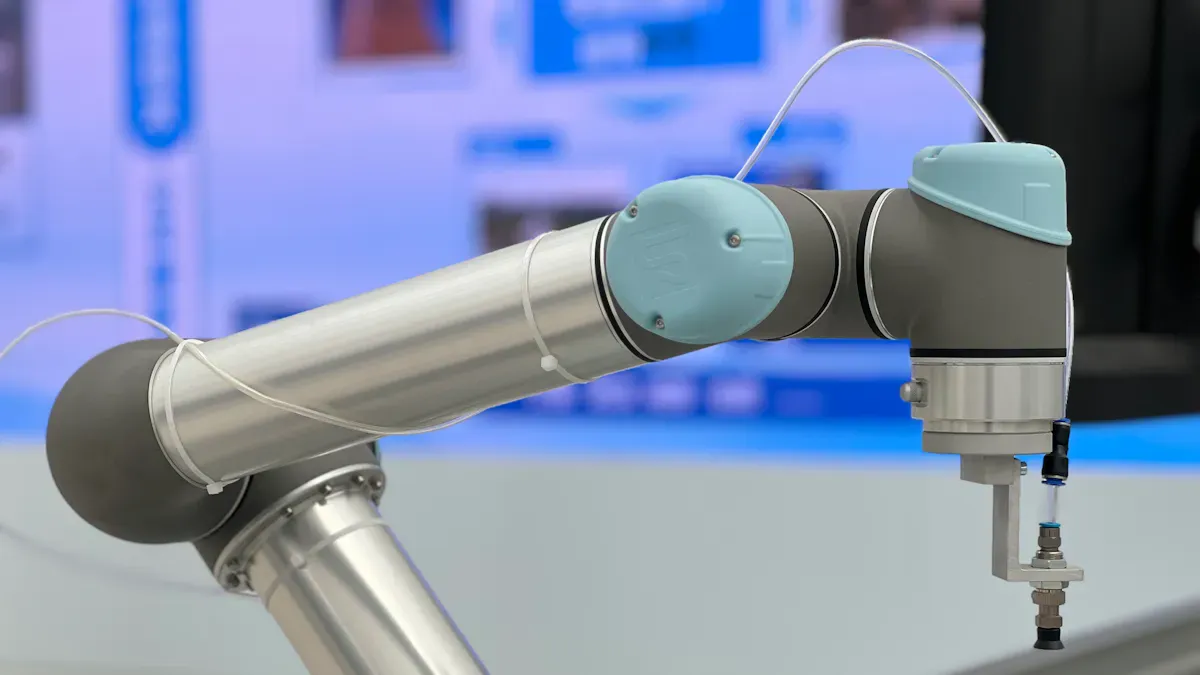
You can transform your work order management by using Dynamics 365 Copilot. Traditional field service methods often require manual data entry, which leads to errors and delays. With Copilot, you automate these tasks and reduce paperwork. When you speak updates, the system creates work orders instantly and fills in all the necessary details. This saves you time and ensures accuracy.
Here is a comparison of traditional methods and Copilot features:
| Feature | Traditional Methods | Copilot Features |
|---|---|---|
| Inventory Checks | Manual checks, often leading to delays | Real-time inventory checks, instant availability info |
| Work Order Creation | Manual entry, prone to errors | Automated work order creation, reducing admin tasks |
| Communication | Disparate systems, slower response times | Streamlined communication through integrated chat |
You can check inventory directly within the work order form. You do not need to switch between systems. Copilot provides formatted tables with product availability, so you make quick decisions. This integration reduces manual data entry and helps you start service faster. By using an ai-powered field service solution, you improve technician productivity and keep your records consistent.
Improving Scheduling Efficiency
You can boost scheduling efficiency with Copilot’s smart tools. The system uses real-time data to recommend technician assignments and adjust schedules on the fly. You no longer need to spend hours planning routes or balancing workloads. Copilot identifies task priorities and provides next-step recommendations for your team.
Companies using Copilot report significant time savings in project management. For example, Copilot can auto-generate work breakdown structures, which streamlines planning and lets you focus on important decisions. This approach supports resource scheduling optimization and ensures your team responds quickly to urgent issues.
Tip: Use Copilot’s recommendations to handle last-minute changes and keep your field service operations running smoothly.
Supporting Technicians On-Site
You give your technicians the support they need by providing real-time information and recommendations. Copilot automates work order management, generates summaries, and highlights critical job details. Before your technicians arrive at the job site, they have all the information they need, including task priorities and next steps.
This support helps technicians solve problems faster and reduces the need for follow-up visits. Copilot pulls repair steps, wiring diagrams, and similar case studies from your knowledge base. Your technicians can focus on servicing equipment instead of searching for information or filling out paperwork.
Note: Consistent post-service documentation ensures your service records are always complete and accurate, which helps with compliance and future planning.
By enhancing your workflows with Copilot, you create a more efficient, responsive, and reliable field service operation.
Reducing Administrative Overhead
You often spend valuable time on paperwork, manual data entry, and repetitive tasks in field service. These activities slow you down and distract you from serving customers. Dynamics 365 Copilot helps you reduce administrative overhead by automating many of these tasks. You can speak updates, and the system records your actions instantly. This automation means you do not need to fill out forms or chase missing information.
Copilot streamlines your workflow by capturing labor, parts, signatures, and photos in real time. You get structured data for backend systems and readable summaries for your team. This approach keeps your records organized and accurate. You save time and avoid errors that often come from manual entry.
You benefit from fewer manual steps in your daily routine. Copilot handles work order creation, inventory checks, and billing updates automatically. You do not need to switch between systems or copy information from one place to another. This integration reduces operational workload and speeds up resolutions.
You can focus on solving customer problems instead of paperwork. Copilot gives you more time to deliver quality service.
Managers and leaders also gain advantages. You get faster access to information and better insights into your operations. Copilot connects with Power BI, so you can track key performance indicators like first-time fix rates and mean time to repair. This visibility helps you make decisions quickly and reduces errors or rework.
Organizations report lower process costs and decreased support hours. You achieve greater productivity with your existing staff. Teams handle more proposals and documentation without increasing headcount. This efficiency leads to cost savings and higher output per employee.
Here is a summary of how Copilot reduces administrative overhead:
| Benefit | Description |
|---|---|
| Reduced operational workload | You experience fewer manual steps, leading to faster resolutions and less escalation. |
| Lower process cost | You see decreased support hours and administrative efforts, resulting in cost savings. |
| Higher output per employee | Your team achieves greater productivity, enhancing proposal volume and documentation. |
| Improved decision quality | You gain better insights and faster access to information, reducing errors and rework. |
You transform your field service operations by minimizing administrative tasks. Copilot empowers you to work smarter, not harder. You spend less time on paperwork and more time delivering value to your customers.
Dynamics 365 Copilot Use Cases
Work Order Automation
You can automate your work order management with Dynamics 365 Copilot. This tool transforms the way you handle service requests. When you receive a new job, Copilot creates a work order instantly. You do not need to enter details manually. The system listens to your spoken updates and fills in all the necessary fields. You save time and reduce errors.
Copilot also generates service reports after each job. These reports show what you did, how long it took, and which parts you used. You can share these reports with your team or customers. This automation keeps your records accurate and helps you track performance.
Here is a table showing how work order automation impacts service delivery times:
| Evidence Type | Description |
|---|---|
| Streamlined Processes | Copilot automates work order generation, saving time for managers and technicians. |
| Faster Response Times | AI capabilities enable quicker replies to customer requests, reducing delays in scheduling. |
| Optimized Scheduling | Algorithms suggest the best technician for each job, improving efficiency and reducing travel time. |
| On-the-Go Support for Technicians | Field technicians can access information quickly via the mobile app, enhancing their productivity. |
| Higher First-Time Fix Rates | Intelligent assistance leads to more effective service, resulting in satisfied customers. |
You can see that automation leads to faster response times and higher first-time fix rates. Copilot drafts professional replies to customer inquiries, which minimizes back-and-forth communication. Dispatchers receive a ranked list of technicians, ensuring optimal job assignments. Technicians can ask Copilot for job-related information instantly. This reduces the time spent searching for details.
Dynamic Scheduling for Mobile Teams
You can improve your scheduling process with Dynamics 365 Copilot. The system analyzes existing orders and suggests the best time slots based on technician availability. You do not need to spend hours planning routes or balancing workloads. Copilot provides scheduling suggestions that help you plan your day efficiently.
Dynamic scheduling benefits your mobile teams in several ways:
- You receive data-driven recommendations for technician allocation.
- Copilot translates service requests into work orders quickly.
- Your customers get faster responses and better service.
Here is a table showing the benefits of dynamic scheduling:
| Benefit | Description |
|---|---|
| Streamlined Work Order Management | Copilot helps create work orders directly from emails, prepopulating relevant data for efficiency. |
| Enhanced Technician Productivity | Data-driven scheduling recommendations improve technician allocation based on various factors. |
| Improved Customer Response | Faster translation of service requests into work orders leads to quicker customer responses. |
You can rely on Copilot to optimize technician assignments. The system ranks technicians based on skills, location, and availability. This ensures that each job gets the right person. You see improved customer service and higher productivity.
Tip: Use Copilot’s scheduling suggestions to handle last-minute changes and keep your operations running smoothly.
Technician Assistance in Complex Repairs
You can support your technicians during complex repairs with Dynamics 365 Copilot. The system analyzes data from similar past cases and provides quick solutions. Technicians can ask Copilot for repair steps, wiring diagrams, or case studies. This information helps them diagnose issues faster.
Copilot offers real-time recommendations based on the context of each job. Technicians do not need to leave the site or call for extra help. The knowledge they need is always available. This assistance leads to higher first-time fix rates and fewer repeat visits.
Here are some common use cases for technician assistance:
- Problem Diagnostics: Copilot analyzes past cases and suggests solutions.
- Access to Repair Steps: Technicians receive step-by-step instructions for complex repairs.
- Service Reports: The system generates detailed reports after each job, helping you track performance.
You can see that Copilot makes your field service operations more efficient. Technicians solve problems faster and deliver better customer service. You gain accurate records and valuable insights for future jobs.
Note: Copilot’s real-time support empowers your technicians to handle challenging repairs with confidence.
You can use Dynamics 365 Copilot in many ways. These use cases show how automation, dynamic scheduling, and technician support transform your field service operations. You deliver faster, more reliable service and improve customer satisfaction.
Customer Communication and Updates
Effective communication with customers remains vital in field service operations. Dynamics 365 Copilot transforms how you handle customer interactions by enabling faster, clearer, and more consistent updates. When you use Copilot, you can respond to customer concerns more rapidly. The AI suggests responses based on previous interactions, helping you craft replies that are both accurate and professional. This quick turnaround can significantly improve customer satisfaction and retention.
One of the most valuable use cases involves summarizing customer history. Instead of sifting through lengthy email threads or meeting notes, you can prompt Copilot to generate concise summaries. This feature allows you to get up to speed quickly, ensuring you understand the customer's past issues, preferences, and ongoing concerns. As a result, your communication becomes more personalized and relevant, strengthening customer trust.
Researching product information is another key use case. When customers report issues, you can ask Copilot to gather relevant product details and create summaries of potential causes and next steps. This process saves time and increases accuracy, enabling you to provide informed solutions faster. It also reduces the risk of miscommunication or oversight, which can lead to repeat visits or customer dissatisfaction.
Drafting responses is a common challenge in customer communication. Copilot can generate professional emails that explain solutions, outline repair steps, or inform customers about service schedules. For example, after resolving an issue, you can ask Copilot to draft an email summarizing the work done and next actions. This automation ensures your communication remains consistent and timely, freeing you to focus on delivering quality service.
Updating the customer relationship management (CRM) system is equally important. Copilot can automatically record the details of your interactions, including email summaries, solutions provided, and follow-up actions. This seamless update process keeps your CRM accurate and comprehensive, which is essential for maintaining a complete customer history. It also helps your team access relevant information quickly during future interactions.
Research indicates that Copilot's implementation leads to notable improvements in customer communication frequency and quality. For instance, organizations report quicker response times, more detailed updates, and higher customer satisfaction scores. These enhancements stem from the AI's ability to generate timely, relevant, and well-structured communication, making your customer interactions more effective.
Implementation Considerations for Field Service
System Integration and Compatibility
You need to make sure your systems work together smoothly when you deploy Dynamics 365 Copilot for field service. The platform relies on Microsoft Dataverse and Power Platform to connect your data and power AI features. You also need access to Azure OpenAI for generative AI, which follows Microsoft’s Responsible AI Policy. For better monitoring and troubleshooting, you can use Application Insights. Reliable internet access and proper firewall rules are important for secure communication with Microsoft Cloud services.
Here is a table that summarizes the main prerequisites and dependencies:
| Prerequisite/Dependency | Description |
|---|---|
| Power Platform Integration | Uses Microsoft Dataverse and Power Platform for data orchestration and AI capabilities. |
| Azure OpenAI Access | Needs Azure OpenAI for generative AI features, following Responsible AI Policy. |
| Application Insights (Optional) | Helps monitor performance and troubleshoot AI-related events. |
| Internet Access and Firewall | Ensures secure communication with Microsoft Cloud services. |
You should review your current infrastructure before starting. This helps you avoid delays and ensures a smooth rollout of dynamics 365 field service features.
Training and Adoption
You will get the best results from Dynamics 365 Copilot when you treat it as a transformative platform, not just a new feature. Align your implementation with your business goals and set up clear governance models. Give your team role-specific training and ongoing in-app support. A digital adoption platform can provide contextual guidance and training materials right when your team needs them.
Here are some proven strategies for successful adoption:
- Treat Copilot as a platform for transformation.
- Align your rollout with strategic business goals.
- Offer training that matches each role’s needs.
- Use digital adoption tools for in-app guidance.
- Track usage and link it to operational performance.
Organizations like NHS, VHB, and Visa have used these strategies and seen big productivity gains. You can measure your own success by connecting usage metrics to key performance indicators in field service management.
Data Security and Compliance
You must protect your data and follow compliance rules when using Dynamics 365 Copilot. The system uses a strong permissions model. Each user only sees data they are allowed to access. The semantic index respects user identity, so only authorized content is available. Copilot does not use your prompts or accessed data to train other models, which prevents data leakage.
The table below shows how Copilot keeps your information safe:
| Aspect | Description |
|---|---|
| Permissions Model | Prevents data leaks between users, groups, and tenants. |
| Semantic Index | Allows access only to content authorized for the current user. |
| Data Protection | Stops client data from being used to train other models. |
| Access Control | Pulls data only from areas users can access. |
| Unauthorized Access | Detects and prevents unauthorized access to protected material. |
| Encryption | Encrypts customer data at rest and in transit. |
| Transport Layer Security | Secures connections during data transfers. |
| Data Usage | Copilot does not learn from prompts or accessed data. |
| Data Transfer | Uses the Microsoft backbone network for safe and reliable transfers. |
You can trust that your organizational content stays secure, whether you use intelligent triage or other advanced features in dynamics 365 field service.
Scalability and Customization
You want your field service solution to grow with your business. Dynamics 365 Copilot for Field Service gives you the flexibility to scale up or down as your needs change. You can add new users, teams, or even entire departments without disrupting your daily operations. The platform supports organizations of all sizes, from small service teams to large enterprises with hundreds of technicians.
You can customize Copilot to match your unique workflows. The system lets you configure work order templates, service tasks, and approval processes. You can set up custom fields and forms to capture the exact data you need. This means you do not have to change your business to fit the software. Instead, you shape the software to fit your business.
Tip: Use Power Platform tools like Power Apps and Power Automate to build custom apps and automate repetitive tasks. This helps you save time and reduce errors.
You can also integrate Copilot with other Microsoft products and third-party solutions. For example, you can connect with Microsoft Teams for better communication or link with ERP systems for seamless billing. The open API framework makes it easy to share data across your organization.
Here is a table showing how you can scale and customize Dynamics 365 Copilot:
| Feature | How It Helps You Grow and Adapt |
|---|---|
| User Management | Add or remove users as your team changes |
| Custom Workflows | Design processes that match your business needs |
| Integration Options | Connect with other Microsoft and third-party tools |
| Power Platform Support | Build custom apps and automate tasks without coding |
| Flexible Data Models | Create custom fields and forms for specialized data collection |
You can adjust permissions and security roles as your organization evolves. This keeps your data safe while giving the right people access to the right information. You can also set up different views and dashboards for managers, dispatchers, and technicians. This makes sure everyone sees what matters most to their role.
As your business grows, you may want to expand into new regions or offer new services. Dynamics 365 Copilot supports multi-language and multi-currency features. You can serve customers around the world without extra complexity.
Note: Regularly review your customizations to make sure they still support your goals. Update your workflows and forms as your business changes.
You gain a future-proof solution with Dynamics 365 Copilot. You can scale your operations and customize your tools to stay competitive in a changing market.
Benefits of Dynamics 365 Copilot
Increased Productivity
You can achieve enhanced technician productivity with the advanced features in dynamics 365 copilot. The platform streamlines your daily tasks and helps you focus on delivering excellent customer service. When you use instant work order summaries, you save time by accessing information quickly. Intelligent recommendations guide your decisions on-site, so you resolve issues faster. Real-time insights into inventory ensure you have the right tools and parts, reducing delays. Automated updates keep everyone informed, which improves communication and efficiency across your team.
Here is a table showing how these features impact productivity:
| Capability | Impact on Productivity |
|---|---|
| Instant work order summaries | Saves time for technicians by providing quick access to information. |
| Intelligent data-driven recommendations | Enhances decision-making on-site, leading to faster resolutions. |
| Real-time insights into inventory | Reduces delays by ensuring technicians have necessary tools available. |
| Automated updates | Keeps all stakeholders informed, improving communication and efficiency. |
| Asset & service history at a glance | Enables informed decisions quickly, enhancing service quality. |
| Preventive maintenance automation | Reduces emergency calls and breakdowns, improving overall efficiency. |
| Natural language data queries | Simplifies data access, allowing technicians to focus on service rather than navigation. |
| Smart summaries | Provides essential information before arrival, improving preparation. |
| Predictive recommendations | Suggests next actions, improving resolution times and customer satisfaction. |
| Live inventory insights | Ensures technicians can check availability instantly, reducing downtime. |
| Schedule optimization | Increases efficiency by optimizing routes and reducing travel time. |
| Offline mobile access | Allows work continuity without internet, enhancing flexibility. |
These features help you complete more jobs each day and improve your first-time fix rate. You spend less time on paperwork and more time serving customers.
Enhanced Data Accuracy
You can trust the documentation and reports generated by dynamics 365 field service. The features in copilot automate routine tasks, which helps reduce errors in your records. Intelligent insights support you in creating accurate documents every time. You do not need to worry about missing details or making mistakes during data entry.
- Copilot automates mundane tasks, which helps in reducing errors in documentation.
- Intelligent insights provided by Copilot contribute to the overall accuracy of documents.
- RUX reports indicate diagnostic time reductions of up to 85%, which implies improved efficiency in generating accurate service documentation.
With these features, you maintain high standards for data quality. Accurate records support better decision-making and improve customer service outcomes.
Faster Cash Cycles
You can speed up your billing and payment processes with the automation features in dynamics 365 copilot. When you complete a job, the system updates work orders, inventory, and billing in real time. This immediate update means you can send invoices faster and reduce the time it takes to receive payments. Your team spends less time chasing paperwork, so you improve cash flow and keep your business running smoothly.
Automated documentation and accurate data also reduce disputes and delays. Customers receive clear, detailed reports, which builds trust and leads to better customer experience. You can focus on growing your business while the system handles the details.
Tip: Use the real-time features in copilot to keep your billing cycle short and your operations efficient.
Improved Customer Experience
You want your customers to feel valued and supported at every stage of their service journey. Dynamics 365 Copilot helps you deliver a better customer experience by making your field service team more responsive and reliable. When a customer reports an issue, you can respond quickly because Copilot optimizes your scheduling and resource management. This means you assign the right technician to the right job without delay. Customers notice when you arrive on time and resolve their problems faster.
You can use Copilot’s integration with Outlook to streamline your communication. Service managers receive requests and can assign resources directly from their inbox. This process reduces the time it takes to respond to customer needs. Faster response times lead to higher satisfaction and build trust with your customers. When you keep your promises, you create loyal customers who return for future service.
Your customers also benefit from clear and timely updates. Copilot helps you generate professional emails that explain what will happen next. You can send appointment confirmations, estimated arrival times, and follow-up summaries with just a few clicks. Customers appreciate knowing when to expect your team and what steps you will take to solve their issues.
You can personalize your service by using Copilot’s ability to summarize customer history. Before you arrive, you review past interactions and understand the customer’s preferences and concerns. This preparation allows you to address their needs more effectively. Customers feel heard and valued when you remember their history and tailor your service to their situation.
Here are some ways Copilot enhances your customer interactions:
- You provide faster responses to service requests.
- You keep customers informed with real-time updates.
- You personalize service based on customer history.
- You resolve issues on the first visit more often.
Tip: Consistent and clear communication helps you build long-term relationships with your customers.
The benefits of using Dynamics 365 Copilot extend beyond your team. Your customers experience less waiting, fewer repeat visits, and more reliable service. When you use technology to improve your operations, you also improve the customer experience. This leads to higher satisfaction, positive reviews, and stronger loyalty.
Next Steps for Adopting Copilot
Assessing Organizational Readiness
You need to evaluate your organization before you start using Dynamics 365 Copilot for Field Service. Begin by reviewing your current field service processes. Identify areas where you lose time or face errors. Look at your team’s digital skills and comfort with new technology. Check if your data is organized and accessible. You should also consider your IT infrastructure. Make sure your systems can connect with Microsoft’s cloud services.
Tip: Ask your team about their biggest challenges. Their feedback helps you target the right improvements.
Use this checklist to assess readiness:
- Review current workflows and identify bottlenecks.
- Evaluate digital literacy among technicians and managers.
- Confirm data quality and accessibility.
- Check IT infrastructure for compatibility.
- Set clear goals for Copilot adoption.
A readiness assessment helps you plan for a smooth transition. You can address gaps before deployment and set realistic expectations.
Planning Deployment
You need a clear plan to deploy Dynamics 365 Copilot. Start by defining your project scope. Decide which teams or regions will use Copilot first. Create a timeline with key milestones. Assign roles and responsibilities to your staff. Prepare training materials and schedule sessions for your team.
Note: Begin with a pilot program. Test Copilot with a small group before rolling it out company-wide.
Here is a sample deployment plan:
| Step | Action |
|---|---|
| Project Scope | Choose teams or regions for initial rollout |
| Timeline | Set milestones and deadlines |
| Roles | Assign responsibilities to staff |
| Training | Prepare materials and schedule sessions |
| Pilot Program | Test Copilot with a small group |
| Feedback | Collect input and adjust the plan |
You should monitor progress and adjust your plan as needed. Early feedback helps you refine your approach and maximize benefits.
Measuring Success
You need to track results after deploying Copilot. Set clear metrics to measure performance. Look at technician productivity, data accuracy, and customer satisfaction. Monitor billing cycles and operational costs. Use Power BI dashboards to visualize key performance indicators.
Callout: Celebrate quick wins. Recognize improvements in response times or first-time fix rates.
Consider these metrics for success:
- Number of work orders processed automatically
- Reduction in paperwork and manual entry
- Improvement in first-time fix rates
- Faster billing and payment cycles
- Higher customer satisfaction scores
You should review these metrics regularly. Share results with your team and adjust strategies to drive continuous improvement. Measuring success helps you prove the value of Dynamics 365 Copilot and guides future enhancements.
You can transform your field service operations with dynamics 365 copilot. The AI-driven features help you automate tasks, improve accuracy, and boost productivity. You gain real-time insights and support for your technicians. Consider reviewing your current workflows and exploring how Copilot fits your needs. For expert advice, reach out to Microsoft or a trusted partner to guide your next steps.
Dynamics 365 Copilot Field Service Checklist
Use this checklist to plan, implement, and optimize Dynamics 365 Copilot Field Service deployments.
Planning & Strategy
- Define business goals and KPIs for Dynamics 365 Copilot Field Service (response time, first-time fix rate, technician utilization)
- Identify target processes for Copilot assistance (work order creation, troubleshooting, knowledge retrieval)
- Assess existing Field Service customizations and integrations for Copilot compatibility
- Establish governance for AI usage, data privacy, and prompt approval
Environment & Licensing
- Verify Dynamics 365 Field Service and Copilot licensing and entitlements
- Provision sandboxes and test environments for Copilot configuration
- Confirm Azure resources and required connectors are available
Data Preparation
- Inventory master data: assets, products, service tasks, and service accounts
- Cleanse and normalize data to improve Copilot suggestions
- Index knowledge articles, manuals, and troubleshooting guides for Copilot access
- Map custom entities and fields to ensure Copilot understands business context
Copilot Configuration
- Enable Copilot features in Dynamics 365 Field Service settings
- Configure Copilot prompts and templates for common scenarios (work order creation, diagnostics)
- Set role-based access controls for Copilot actions
- Define safe-response rules and escalation paths for ambiguous Copilot outputs
Scheduling & Resource Optimization
- Train Copilot to suggest optimized schedules and resource assignments
- Validate Copilot recommendations against scheduling preferences and travel constraints
- Enable automatic booking and rescheduling workflows where appropriate
Mobile & Technician Experience
- Integrate Copilot into the Field Service mobile app for on-site assistance
- Provide Copilot-driven step-by-step repair procedures and checklists
- Enable voice and image input for hands-free Copilot interactions
- Test offline support and sync behavior for Copilot-assisted tasks
Knowledge & Troubleshooting
- Ensure knowledge base is up to date and accessible by Copilot
- Create curated prompt examples and troubleshooting flows for common faults
- Implement feedback loops: capture technician feedback to refine Copilot responses
Security & Compliance
- Review data access policies for Copilot and Field Service integrations
- Encrypt sensitive data and audit Copilot interactions
- Validate compliance with industry regulations and corporate policies
Training & Change Management
- Develop training materials focused on Dynamics 365 Copilot Field Service features
- Run hands-on workshops for dispatchers, planners, and technicians
- Set up a pilot group to validate Copilot workflows before full rollout
Monitoring & Continuous Improvement
- Track Copilot impact on KPIs and collect usage metrics
- Review incorrect or low-confidence Copilot suggestions and retrain prompts
- Schedule regular audits of knowledge content and Copilot configurations
Go-Live & Post-Deployment
- Execute go-live checklist with rollback and support plans
- Provide dedicated support channels for Copilot issues after launch
- Plan roadmap items for advanced Copilot capabilities and integrations
Checklist optimized for keyword: dynamics 365 copilot field service
microsoft dynamics 365 field service copilot and ai availability
What is Dynamics 365 Copilot Field Service and how does it help frontline workers?
Dynamics 365 Copilot Field Service is an AI assistant integrated in microsoft dynamics 365 field service that uses generative ai to help frontline workers plan, diagnose, and resolve issues faster; it helps deliver exceptional service by reducing manual work, surfacing relevant information stored in the system, and enabling workers to ask copilot questions in natural language about the data.
How do I get Copilot in Dynamics 365 Field Service and is there early access or public preview?
You can get copilot through availability programs within microsoft such as early access or public preview depending on the release wave; check microsoft learn and the Dynamics 365 release documentation for instructions on joining preview programs and any steps to opt in.
Can Copilot in Field Service run in the web app and on mobile devices used by frontline workers?
Yes, microsoft copilot for field service is designed to appear in the web app and mobile interfaces so frontline workers and field technicians can use the side pane or embedded assistant to ask copilot questions and receive guidance while onsite or in the office.
How does Copilot use the data and information stored in the system and is natural language supported?
Copilot and ai analyze data and information stored in the system, like work orders and asset histories, enabling natural language about the data queries; it responds using insights derived from the information stored in the system while respecting data security and privacy controls.
What security updates and compliance controls protect sensitive field service data when using Copilot?
Within microsoft, Copilot follows Dynamics 365 security models and benefits from security updates and compliance frameworks; administrators can configure role-based access, data masking, and retention policies to ensure sensitive information used by the ai assistant is protected.
How does Copilot interact with Microsoft Power Platform, Microsoft 365, and Dynamics 365 Business Central?
Copilot integrates with microsoft power and microsoft 365 services to surface documents, calendar items, and automation flows, and can enrich field service workflows with data from dynamics 365 business central for inventory and billing, enabling more informed decisions across systems.
Is there a library of predefined prompts and can I create custom prompts for common field scenarios?
Yes, Copilot in dynamics 365 field often includes a library of predefined prompts to accelerate common tasks and you can extend or create custom prompts to match your organization’s processes and reduce manual work for technicians and dispatchers.
What training and additional resources are available to learn Copilot features for Field Service?
Microsoft Learn provides tutorials and documentation, and additional resources such as release notes, technical support guides, and community forums help teams adopt copilot and ai capabilities; administrators should review microsoft learn modules and vendor materials for hands-on training.
How does pricing work for Copilot in Field Service and where can I find pricing details?
Pricing for copilot features is published by Microsoft and may vary by subscription tier and add-ons; consult the Dynamics 365 pricing pages and your Microsoft account representative for specifics about licensing, costs within microsoft subscriptions, and any bundled offers.
What technical support and release wave updates should I expect for Copilot in Field Service?
Microsoft provides technical support channels for Dynamics 365 and copilot features; regular release wave updates bring enhancements and bug fixes, and administrators should monitor release wave notes, patch schedules, and security updates to plan deployments and maintenance windows.
Can Copilot create notifications, work orders, or dispatch recommendations automatically?
Yes, the ai assistant can suggest dispatch recommendations, create work orders, and generate notifications based on analysis of historical data and real-time inputs, reducing manual work and enabling more agentic responses from your operations team.
How do I ensure Copilot respects privacy and only uses permitted information stored in the system?
Configure role-based access controls, data residency settings, and consent policies within microsoft dynamics 365; administrators can limit which data sources the copilot accesses and audit interactions to ensure the assistant only uses permitted information stored in the system.
Can Copilot assist with technical troubleshooting and provide a knowledge base during onsite repairs?
Copilot can surface relevant knowledge articles, step-by-step guides, and past incident records to support technical troubleshooting; integration with your knowledge library and the ability to ask copilot questions makes it a practical assistant for on-the-job problem solving.
How does the side pane assistant improve technician productivity in the field?
The side pane provides contextual recommendations, quick access to scripts and prompts, and the ability to ask copilot questions without leaving the task screen, helping technicians reduce context switching and deliver exceptional service quicker.
Are there agentic capabilities in Copilot that take actions on behalf of users?
Some copilot features can perform agentic tasks like submitting forms, updating records, or triggering workflows when configured; administrators should review governance and approval rules to control what automated actions the ai assistant can perform.
🚀 Want to be part of m365.fm?
Then stop just listening… and start showing up.
👉 Connect with me on LinkedIn and let’s make something happen:
- 🎙️ Be a podcast guest and share your story
- 🎧 Host your own episode (yes, seriously)
- 💡 Pitch topics the community actually wants to hear
- 🌍 Build your personal brand in the Microsoft 365 space
This isn’t just a podcast — it’s a platform for people who take action.
🔥 Most people wait. The best ones don’t.
👉 Connect with me on LinkedIn and send me a message:
"I want in"
Let’s build something awesome 👊
If your field technicians still spend 20 minutes after every job typing notes, you’re losing more than time — you’re losing data accuracy. What if those work orders wrote themselves, straight from your tech’s spoken updates? Today, we’ll unpack how Dynamics 365 Copilot is reshaping field service workflows and why it’s not just about saving minutes — it’s about creating a system that connects technicians, managers, and customers in real time. By the end, you’ll see how the gap between “job done” and “job documented” is disappearing entirely.
The Paperwork Bottleneck You Don’t See
In most service teams, the slowest part of the day isn’t the repair itself. It’s everything that happens after the tool bag goes back in the van. A technician might spend 40 minutes diagnosing and fixing an issue, and then burn another 20 or 30 minutes documenting it. That’s more than a coffee break’s worth of time per job going into forms, drop-down menus, and duplicate systems. Managers rarely see this in real time. They just notice jobs slipping off schedule by an hour or two by the end of the day. The cause looks like traffic or overbooking, but often it’s the admin drag that follows every completed job.The current process still feels like something from the 90s. A tech wraps up the task, jots down what they did in a pocket notebook or on the back of the service ticket, then maybe snaps a couple of quick photos for proof. If they’re organised, they’ll try to type notes into their tablet before driving off. More often, they save it up for the end of the shift, when they’re sitting in the van or at home, chasing the memory of what happened six or seven jobs ago. Each system needs its own form. Parts usage goes in one app, service details in another, customer comments into a third. None of it happens fast, and none of it happens while the details are fresh.That delay has hidden costs. When you’re tired at the end of the day, you fill in the basics and skip anything that isn’t mandatory. Small details disappear — which parts you swapped out, which bolts needed torque, that odd noise the customer heard before things failed. Rushed inputs lead to incomplete records, and incomplete records are bad fuel for scheduling, billing, and warranty claims. It’s not just about speed; it’s about fidelity. Cognitive research puts the average human error rate for routine manual data entry at several percent, and with each re-entry or copy-paste between systems, those errors compound. That means one wrong serial number can travel from the technician’s note into the CRM, onto the customer’s invoice, and into inventory counts before anyone catches it.Picture this: a heater repair wraps up at 10:40 AM. The tech should be on the road to the next site by 10:45. Instead, they’re in the van until 11:10, filling in a service history from scribbled notes, trying to remember if they used 1.5 metres of pipe or 2. Each job slips the rest of the day, and the pressure builds. By mid-afternoon, the team is running behind. The back-office staff is waiting on complete work orders to close out jobs, order replacement stock, and trigger invoices. If they don’t get the info until the evening, everything shifts a day.The bottleneck doesn’t just live in the field. Admin teams end up in a holding pattern, chasing details over email or phone, sometimes days after the fact. Reports that should guide next week’s routing or inventory orders are based on guesswork because the underlying data is patchy. Multiply that across a dozen technicians, each doing seven or eight jobs a day, and you see how the lag balloons into something that affects inventory accuracy, cash flow, and even customer satisfaction scores. It’s not a tech being slow; it’s the way the system forces the admin work to be done disconnected from the actual task.The key thing here is that it’s systemic. You can hire faster people or push for discipline, but when the workflow itself is built on manual capture after the event, the delays and errors are baked in. You can’t produce accurate, timely reports if the source data gets entered hours later from fragmented notes. And as much as field teams would love to keep their eyes on the job in front of them, there’s no avoiding the fact that this paperwork is part of the work — until you find a different way to capture it.Which leads to the real opportunity. Imagine removing that manual typing without changing what the technician naturally does at the end of a job. The leap from slow, repetitive form-filling to accurate, real-time documentation is closer than most teams expect — and it doesn’t need to involve retraining your whole workforce.
When Your Notes Write Themselves
Imagine stepping off the customer’s driveway, walking back to your truck, and by the time you close the door, your work order summary is already sitting in the system. No forms, no typing, no hunting for drop-downs. That’s what happens when you replace end‑of‑day data entry with something that works in step with the way the job actually ends. Copilot listens to what the technician says right after the fix, while everything’s still top of mind, and turns it into the kind of record your back office can actually use.The capture is as simple as hitting record and talking. “Replaced circulation pump on unit two, used one gasket kit, flushed lines, tested pressure, no leaks.” That’s all the tech has to do. The system isn’t just transcribing; it knows who’s speaking, which job they’re on, who the customer is, and which asset was serviced. That context means it’s not dumping a block of text into a notes field—it’s connecting each detail to the right fields without the tech having to organise it.But if you’ve ever used basic speech‑to‑text, you know it’s brittle. Miss a word, get background noise, and you end up editing half of it anyway. Copilot avoids that trap because it’s not starting from zero. It already has the service history from the CRM, the list of parts allocated to that job, the previous technician’s notes, warranty terms, and installation details. When it hears “changed pump,” it can check the model for that site, match it to stocked parts, and log the replacement against that specific part number, not just the generic term.Take a pump repair as an example. The technician spends 90 seconds dictating what was done and what was observed. By the time that audio ends, Copilot has split the update into two things the business needs: structured fields—part numbers, quantities used, labour time—and a readable narrative for the service history. That narrative might note that the failure mode was similar to a case from last year but resolved on the first visit this time. That extra insight stays attached to the asset record, which is valuable when the unit comes up for maintenance again.Because the AI pushes details straight into the right structure, it eliminates the double‑handling that dispatchers or admin staff would otherwise do—copying from raw text into reports, re‑keying inventory usage, cross‑checking warranty eligibility. The time that would have been spent cleaning up technician notes or chasing missing fields just doesn’t exist anymore. And unlike free‑form notes, this structured data slots neatly into reporting, analytics, and billing processes without someone having to fix it later.There’s another subtle advantage here. By normalising entries into a consistent format, Copilot makes trend analysis far more reliable. Abbreviations, misspellings, or different technicians naming the same part in different ways are flattened into a single, accurate reference. That means when the operations manager looks for all jobs involving that pump model, they actually get a full list—not 80% of them and a long‑tail of mismatched records.For the technician, it feels invisible. They stop spending twenty minutes per job on admin and gain that time back in their day. Over several jobs, that can mean fitting in an extra appointment without extending their shift. For the back office, it means getting richer, cleaner data instantly, without bottlenecks tied to when the field team gets around to entering it. For the customer, it means reports, invoices, and follow‑ups happen faster and with fewer errors.And while saving those minutes per job is a clear win, the accuracy upgrade downstream is just as important. Bad data at capture ripples into bad scheduling, wrong inventory orders, and missed warranty claims. A system that closes the capture gap also closes the error gap, which is harder to see but just as costly.All of this is still focused on what happened—the work just finished. But once the system understands that context in real time, it’s in a position to do more than document. It can start suggesting the next step, before the technician even asks.
Real-Time Troubleshooting Support
What if a technician could hit a roadblock in a repair and have the exact fix steps, wiring diagram, and parts verification appear on their screen before they even set their toolkit down? Not a half hour later after digging through PDFs, not after a back-and-forth with HQ, but right in that moment when they’re still next to the equipment. That’s the shift when guidance stops being something you hunt for and becomes part of the workflow itself. Today, if a fault shows up that isn’t in the basic checklist, most field techs start with whatever they carried in—usually PDFs on a tablet, maybe last year’s manual, or some saved photos of previous fixes. If those don’t cover it, the next step is calling someone—usually the service manager or another senior tech—who might be in the middle of their own job. You end up on hold, texting half-complete fault codes, waiting for someone to check the database back at the office. Every minute spent like that is another minute off schedule and another job delayed. It gets worse under time pressure. Customers want the system running again as soon as possible, so there’s a temptation to guess based on the closest match rather than confirm the exact cause. That can lead to replacing a part that isn’t the root problem, masking the issue for a day or two until it reappears. When that happens, you’ve now got a repeat visit, extra travel, and the awkward conversation about why the “fixed” equipment failed again. It’s not laziness; it’s the reality of incomplete resources in the field. This is the problem Copilot tackles by changing where the knowledge lives. Instead of the tech pulling data from static documents, Copilot pushes the right information in context. It links into the organization’s repair logs, service manuals, previous case notes, IoT sensor feeds, and even partner maintenance data. Based on the current work order, asset history, and the issue just logged by the technician, it surfaces relevant guidance instantly. Say a technician is working on a refrigeration unit with an intermittent temperature sensor fault. They describe the behavior into Copilot: “Sensor reads high for a short period then normalizes, happens twice a day.” Within seconds, the screen shows three past service records with almost identical symptoms. Case one—bad wiring harness; fixed, no recurrence. Case two—sensor replaced, fixed. Case three—controller board replaced, no further issues. It shows the exact replacement part numbers used in those fixes, the time each repair took, and related notes from the technicians who did them. The current asset’s maintenance history shows the wiring harness was already replaced six months ago, so the likely cause is narrowed down without guesswork. Because this advice isn’t scraped from the open web, it’s already aligned with the equipment models, parts inventory, and procedures the business actually uses. That means no confusion over incompatible parts or steps that don’t match the customer’s setup. And it’s not just about getting it right; it’s about getting it right the first time. Field service metrics show that each percentage point increase in first-time fix rate has a visible impact on both cost per job and customer satisfaction scores. With Copilot guiding the diagnosis as it happens, technicians reduce trial-and-error fixes, which means fewer return visits. The customer experiences a single repair visit instead of two or three. The technician gains accurate, in-the-moment learning from the org’s own repair history, building experience without formal extra training sessions. And because the support is pulled together on the spot, the tech stays at the job site instead of burning time driving back to the depot or waiting for a callback from HQ. The real change is in rhythm. Problems that used to pause the day now get resolved in the same callout. That’s more jobs completed in a shift, fewer delays spilling into tomorrow’s schedule, and less load on the back office chasing unresolved tickets. The knowledge that used to sit in a separate silo is now part of the field toolkit. And once the system starts understanding not just the current fault but the pattern of what tends to fail next, it’s in a position to act earlier—calling out likely needs before the technician even opens the housing. That’s where real efficiency gains come from.
Parts and Planning Before the Ask
The shortest repair is the one where the right part is already sitting on the van shelf. No extra calls, no follow‑up visit, no explaining to the customer why you’ll be back “once the part comes in.” But most field service today still runs on a reactive model. A technician diagnoses the fault, confirms what’s needed, and only then puts in the request. Best case, a driver runs the part out from the depot the same day. Worst case, it’s a multi‑day wait and an annoyed customer staring at equipment that still doesn’t work. We’ve all seen how easily a single missing component derails a schedule. One job that should take forty minutes stretches over two visits. That means more travel time, more rescheduling, more admin for dispatch, and the ripple effect of later jobs being pushed back. The customer feels the delay twice—first when their equipment stays offline longer and again when they have to make time for another appointment. Those delays don’t just hurt satisfaction scores—they inflate cost per job in a way that’s hard to claw back. This is where Copilot changes the sequence. Instead of waiting for the diagnosis to finish and then ordering, it listens to what the technician is reporting and starts matching parts in the background. It doesn’t just parse the words—it ties them to the job record, the specific model being serviced, its full service history, and the parts list the company uses. If the tech says “motor shaft snapped” during the voice update, Copilot can check which motor that model uses, whether it’s in current inventory, and where the closest stock is sitting. Picture a job on a warehouse conveyor system. While tightening a belt, the tech spots a seized motor. They mention it in their workflow update: “Motor on lane four has locked up, bearings gone.” Before the technician even looks up, Copilot has pulled up the exact replacement motor part number, confirmed there are two in the nearest depot 12 miles away, and flagged that one can be delivered by the end of the current job. Instead of driving to the depot or booking a new visit tomorrow, the technician can swap it today. That kind of mid‑job prediction wipes out a lot of wasted miles. You don’t need a second truck roll to deliver one part. It’s faster for the customer and cheaper for the business. The impact stacks up across the fleet. If five techs each avoid one unnecessary trip a week, that’s dozens of hours back and reduced fuel and labor costs that show up directly in the budget. It also changes how inventory behaves. Predictive suggestions keep parts moving steadily instead of sitting for months until someone needs them. Stock that turns over regularly is stock that matches actual demand. Over time, the system’s understanding of which jobs require which parts lets you fine‑tune what’s carried in each van or stored in each region. That reduces the “dead stock” problem and makes stockouts less likely. And this isn’t just point‑of‑use convenience; it’s operational intelligence. When Copilot sees the same component being requested across dozens of jobs in different areas, procurement gets an early warning. That can influence buying decisions before shortages happen, help negotiate better pricing on bulk orders, or even trigger a check for a wider product defect. On an individual job, the result is obvious—the right part in the right place at the right time. Across the service operation, it’s a shift from reacting to orders after diagnosis to proactively staging what’s needed based on patterns. Days come off repair cycles not by making people work faster, but by cutting out the “dead time” between finding the fault and getting the part on site. The technician experiences fewer stalled jobs. The customer gets resolution in one visit more often. The back office juggles fewer follow‑up appointments and spends less on overtime or rush shipping. And management gets cleaner inventory data that reflects real usage, not guesswork. With faster capture in the field and intelligent decision‑making mid‑job, you’re not just saving time—you’re building a service operation that’s always feeding better information into the next decision. And those decisions don’t stop at the van—they shape how the entire back office plans, allocates, and responds in real time.
From Van Notes to Executive Dashboards
The technician’s notes used to live on a clipboard, or get thrown into a service app nobody touched until the end of the shift. Now they can be in your analytics dashboard before the van even leaves the customer’s driveway. That shift changes who can act on the data, and how fast, because it’s not just faster capture—it’s connected capture. As soon as Copilot structures and confirms the job details, they aren’t sitting in a silo. They’re moving into the rest of the Dynamics 365 environment where billing, service management, and resource planning live. That means the second a work order is closed in the field, invoicing can trigger automatically. Service reports generate without someone having to cross‑check handwritten notes against the CRM. Inventory records adjust in real time based on the parts logged during the job, so procurement can see shifts in stock levels before they become shortages. For resource allocation, job completion updates hit the scheduling system instantly, freeing up the tech’s next slot for dispatch without a phone call to confirm they’re ready. You can see the difference when you compare this to the old lag. If a tech enters data at 6:30 p.m., the back office only sees it the next morning. That gap isn’t just a delay—it changes the quality of decision‑making. If a supervisor looks at end‑of‑day data to assign work for tomorrow, they’re doing it with stale numbers. Inventory might look fine on paper but already be short in reality. Follow‑up work that could have been scheduled while the tech was still in the field ends up pushed two days out. Now imagine opening Power BI mid‑day and seeing an accurate live map of what’s been completed, what’s in progress, and what parts have moved. You don’t need to pull multiple reports or merge spreadsheets; it’s all fed from the same connected data stream. If five compressors have been replaced across three sites before lunch, that trend is visible immediately—not next Monday when someone compiles last week’s jobs. That visibility lets you shift jobs between teams, update maintenance plans, or coordinate deliveries without waiting for manual consolidation. Back‑office workflows get leaner because they can move in parallel with field work instead of after it. Contract updates can start as soon as a specific service threshold is reached. If a warranty claim kicks in based on today’s repair, that paperwork can get filed while the job is still fresh. If a safety inspection shows an issue that needs a compliance check, the right people can be notified that afternoon. There’s no “holding pattern” while the paperwork crawls in. The standardisation baked into Copilot’s summaries is what makes this scalable. Every technician’s data lands in the same structure—same fields, same formats—so analytics aren’t fighting inconsistent inputs. If you’re tracking average repair time for a specific model, you’re not scrubbing spelling variations or trying to normalise part descriptions. That consistency pays off when you start running trend analysis or forecasting. One service company using structured, real‑time job data saw enough scheduling efficiency gain to cover an extra appointment per tech per week. Not by working faster, but because schedulers could see, with confidence, who was actually free and which jobs had wrapped. When the data is live and accurate, you stop padding schedules “just in case,” and you can fill gaps as they appear. That’s where real‑time accuracy becomes a capacity boost. And it’s not only scheduling that benefits. Finance isn’t chasing missing part numbers before invoicing. Operations can adjust routes for the afternoon based on parts usage in the morning. Service managers can pull a same‑day escalation report. All of it comes from working off a single source of truth, with no separate “field version” and “office version” of the facts. When field data flows directly into the operational backbone like this, you stop thinking about admin as a separate, delayed process. The repair ends, and the business processes downstream of that repair start immediately—because they already have the right data in the right place. The result for an organisation is a level of clarity and responsiveness that you simply can’t get when half the day’s work is still sitting in a van’s glovebox waiting to be typed up. Those operational gains start out looking tactical—faster billing, better scheduling—but they add up to something bigger. You’re not just closing gaps in the day‑to‑day; you’re building a service model where field work, data, and decision‑making happen as a single connected cycle. And that’s where the conversation shifts from speed to transformation.
Conclusion
Copilot isn’t just helping technicians finish jobs faster. It’s removing the drag between work done in the field and the decisions that depend on it. When service details, parts usage, and asset updates are captured the moment they happen, there’s no gap for errors or delays to creep in. In an AI‑enabled workflow, doing the work and documenting the work become the same action. That’s a permanent shift, not a temporary fix. Look at your own field service process and find the steps that wait until “later.” Those are the bottlenecks real‑time capture could erase—and that’s where the real gains start.
Get full access to M365 Show - Microsoft 365 Digital Workplace Daily at m365.show/subscribe

Founder of m365.fm, m365.show and m365con.net
Mirko Peters is a Microsoft 365 expert, content creator, and founder of m365.fm, a platform dedicated to sharing practical insights on modern workplace technologies. His work focuses on Microsoft 365 governance, security, collaboration, and real-world implementation strategies.
Through his podcast and written content, Mirko provides hands-on guidance for IT professionals, architects, and business leaders navigating the complexities of Microsoft 365. He is known for translating complex topics into clear, actionable advice, often highlighting common mistakes and overlooked risks in real-world environments.
With a strong emphasis on community contribution and knowledge sharing, Mirko is actively building a platform that connects experts, shares experiences, and helps organizations get the most out of their Microsoft 365 investments.




