Bandwidth Optimization: Strategies for Effective Microsoft Teams Collaboration
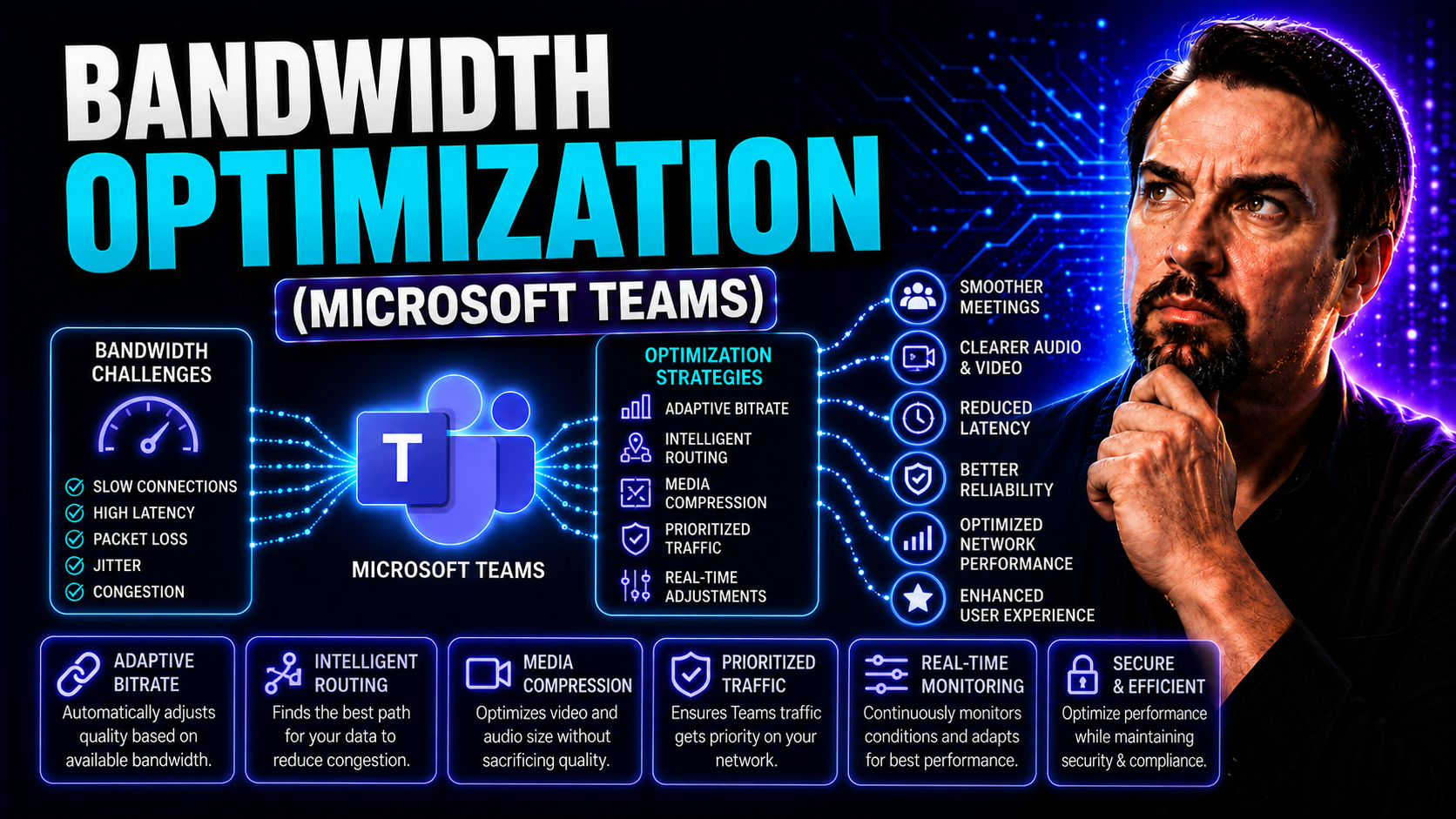
Bandwidth optimization has become the heartbeat of productive digital workplaces, especially for organizations running Microsoft Teams and SharePoint. As remote and hybrid workforces skyrocket, strained network connections and rising data demands threaten to slow collaboration to a crawl. That’s why smart bandwidth management isn’t just a “nice-to-have”—it’s essential to keeping your Teams environments fast, reliable, and cost-effective.
This guide walks you through the key strategies and technical know-how to keep everything running smoothly. You’ll get actionable insights on maintaining high-quality audio, video, and file sharing, even when your team is stuck on shaky Wi-Fi. Expect clear definitions, practical tips, and the latest best practices for IT pros who want collaboration, not congestion. We’ll also cover monitoring, training, and future trends, so you’re not just playing catch-up—you’re staying ahead of the bandwidth game.
Understanding the Basics of Bandwidth and Network Performance
Let’s kick off with the basics: bandwidth is the total amount of data that can move across a network connection in a given time, usually measured in megabits per second (Mbps). Think of it as the width of a highway—the more lanes, the more cars (data) can travel at once. Don’t confuse this with speed, though. Speed describes how quickly a single piece of data moves, but you can have a fast connection that’s totally jammed if there isn’t enough bandwidth available.
For platforms like Microsoft Teams, bandwidth makes all the difference. Your experience with video calls, file uploads, and group chats depends on whether your “highway” can handle the rush hour. A 1:1 chat with a coworker? No sweat. But throw in a 30-person video meeting and simultaneous file downloads, and suddenly everyone’s screen freezes mid-sentence. That’s a classic case of insufficient bandwidth, not necessarily a slow network.
People often assume that simply upgrading to a faster or newer connection will solve collaboration woes. But if your network is loaded with traffic, or if devices and applications aren’t configured for efficiency, “speed” doesn’t matter—your Teams meetings will still stutter. Knowing the difference between bandwidth and speed sets the foundation for smarter optimization and fewer headaches down the road.
Key Factors Affecting Bandwidth Efficiency in Modern Networks
- Network Congestion: When too many devices or applications are active at once, data streams get jammed, leading to lag and reduced quality—especially during peak work hours.
- Latency and Jitter: Delays (latency) and unpredictable timing (jitter) can cause video calls to break up or files to upload slowly, directly impacting apps like Microsoft Teams.
- Endpoint Device Capabilities: Outdated or slow devices might consume more resources and like the slowest runner in a relay race, drag down the entire network’s performance.
- Application-Specific Requirements: Some apps, particularly video conferencing tools, can be bandwidth hogs. Without Quality of Service (QoS) settings, critical apps might compete with background downloads.
- Environmental Factors: Wireless interference from nearby devices, physical barriers, or a crowded Wi-Fi spectrum can choke bandwidth efficiency even on high-end networks.
Each of these factors doesn’t just sap speed for a single user—they scale up across entire organizations using Teams and other collaboration suites. That’s why monitoring and managing these variables pays off in a smoother digital workday for everyone involved.
Bandwidth Management in Distributed Systems: Challenges and Solutions
As organizations embrace remote work and global expansion, managing bandwidth across distributed systems brings a whole new set of challenges. It’s not just about squeezing more data through a single office connection anymore. Now, you’ve got people collaborating from home, satellite offices, and everywhere from cafés to coworking spaces—each with wildly different network conditions.
Distributed architectures require a fresh approach to bandwidth allocation. A network that hums along in headquarters can quickly face bottlenecks when hundreds of remote users jump on the same video call or download large SharePoint files simultaneously. The complexity multiplies across regions and time zones, especially for teams that rely on real-time tools like Microsoft Teams.
In these environments, decentralization and smart allocation are key. It’s about balancing the network load, prioritizing mission-critical traffic, and ensuring no location—or user—is left behind due to connectivity issues. In the next section, we’ll dive deeper into specific strategies that keep Teams running smoothly, no matter where your people are dialing in from.
Optimizing Bandwidth for Microsoft Teams and Real-Time Collaboration
- Reduce Video Resolution and Frame Rates: Encourage users to turn off video when possible or use lower resolutions in large meetings. Limiting 1080p streams can save significant bandwidth without killing productivity.
- Enable Audio-Only Participation: For low-bandwidth connections, instructing users to join with audio only (and turning off incoming video) helps maintain call clarity and responsiveness.
- Leverage Microsoft 365 Integrations: Use integrated apps, like OneDrive and SharePoint, to minimize redundant file transfers. Centralized storage cuts down on bandwidth-draining email attachments and duplicate uploads.
- Apply Quality of Service (QoS) and Traffic Shaping: Network admins should assign QoS policies to prioritize Teams voice and video traffic. This ensures critical conversations don’t get stuck behind big downloads or background updates.
- Monitor Usage and Analyze Patterns: Use network monitoring tools to identify peak periods and spot bandwidth hogs. Adjust policies and user training based on real usage data for long-term efficiency.
- Implement Governance and Usage Policies: Setting up rules for meeting sizes, permissible file sizes, or appropriate device use can dramatically reduce unnecessary network load. For a more organized, efficient Teams environment, see this guide on Teams Governance.
Combining these steps means fewer dropped calls, faster file sharing, and overall smoother real-time collaboration for distributed and hybrid teams that depend on Microsoft Teams daily.
Bandwidth Optimization Strategies for Mobile Scheduling Applications
When your workforce is always on the move—field technicians, drivers, or sales teams—mobile scheduling apps become the backbone of daily operations. However, these apps can quickly eat up bandwidth, especially with real-time syncing, map updates, and status notifications flying back and forth. For teams relying on cellular or satellite networks, every byte counts.
Optimizing mobile apps goes beyond trimming flashy features. It involves rethinking architectures to balance performance with efficient data use. Bandwidth-saving settings, such as selective data sync and compressed updates, shuffle crucial info while keeping consumption in check.
By managing which data is sent live and which can wait, organizations empower field teams to stay productive, no matter how spotty or expensive the connection. Up next: we’ll break down how offline modes and caching further enhance mobile bandwidth efficiency for your crews on the go.
Using Offline Capabilities and Caching to Enhance Mobile Bandwidth Efficiency
- Local Data Storage: Save key schedules, contact info, and work orders directly on devices. This way, teams can keep working even when the network drops, syncing only when connectivity returns.
- Automatic Background Sync: Apps automatically update and push new information in small batches when a stable connection is available—minimizing real-time data transmission.
- Selective Prefetching and Caching: Frequently accessed data or recent jobs are cached locally, cutting down on repeated downloads and reducing overall bandwidth demand for mobile and field staff.
Technical Methods for Bandwidth Network Optimizing: Traffic and Load Management
- Traffic Shaping: Manages and prioritizes types of data traveling over the network, so high-priority applications like video calls get reserved “lanes” while less urgent traffic waits its turn.
- Quality of Service (QoS): Assigns different levels of service to different traffic types. This ensures that Microsoft Teams calls won’t be interrupted when someone starts a big SharePoint download.
- Load Balancing: Distributes data and requests across multiple servers or connections, keeping any one path from getting swamped and maximizing overall efficiency.
- Intelligent Routing: Uses real-time analysis to direct traffic via the most efficient network paths, adapting to congestion or outages to keep collaboration smooth.
- Adaptive Bandwidth Allocation: Dynamically assigns more bandwidth to mission-critical apps when usage spikes, rather than sticking with static rules that could leave key services under-resourced.
Each tactic plays a role in supporting modern collaboration tools—ensuring Teams meetings run without hiccups, and urgent communications don’t get bogged down in the digital fast lane.
Data Compression and Efficient Content Delivery Tactics
- File and Media Compression: Smaller files mean less data sent over the network. For Teams, compress shared documents and images to speed uploads and downloads for everyone.
- Optimized Streaming: Use adaptive streaming for video playback, delivering only as much data as each user’s connection can handle, cutting out wasted bandwidth on Teams calls or training sessions.
- Content Delivery Networks (CDNs): Store key resources close to users, reducing lag and repeated long-haul downloads for files and content hosted via SharePoint or Teams.
- Selective Synchronization: Sync only essential documents or updates, especially in shared workspaces, so unnecessary data isn’t clogging up valuable network space.
Regular Network Audits and Performance Assessments for Bandwidth Health
- Baseline Bandwidth Usage: Regular audits show how much data your network actually uses and spot unexpected spikes that could point to issues.
- Identifying Bottlenecks: Performance assessments reveal where congestion happens—be it a slow Wi-Fi zone, overloaded router, or heavy usage by a certain department.
- Upgrade Planning: Review audit data to target spending where it will fix real problems, not just throw money at guesswork.
- Department-Level Tracking: Analyze usage patterns to see which teams use the most bandwidth and adjust policies or provide training as needed.
Continuous Improvements for Sustainable Bandwidth Optimization
- Continuous Monitoring: Always keep an eye on bandwidth usage and app performance, so you can spot trends before they become problems.
- Feedback and Adjustment: Gather feedback from users about network pain points, then tune policies or configurations based on real-life experience.
- Usage Analytics: Regularly review analytics from monitoring tools to refine your optimization strategy and adapt to changing workload patterns or business priorities.
Sustainable bandwidth optimization isn’t a “set it and forget it” operation—it’s an ongoing mission that evolves as your organization grows and tech demands change.
Driving Collaboration Between IT Teams and End Users
Bandwidth optimization isn’t just a tech job—it’s a team sport. When IT professionals and everyday users work together, enforcing best practices becomes second nature. Open conversations about network expectations, clear policies, and shared responsibility keep surprises (and support tickets) to a minimum.
Effective collaboration helps bridge the knowledge gap. For example, establishing clear Microsoft Teams governance and well-defined user roles can transform chaos into confident, secure teamwork, as detailed here: how Teams Governance transforms workspace collaboration. By involving users in the process, you build trust and ensure smart bandwidth habits stick.
Training and Awareness Programs for Bandwidth-Conscious Teams
- Onboarding Training: Teach new hires the basics of responsible data use and app behavior from day one.
- Regular Awareness Updates: Provide refreshers on best practices as software and policies evolve—think quick email tips or in-app prompts.
- Scenario-Based Exercises: Run simulations or quizzes that show how bad habits hurt performance, driving home the value of bandwidth efficiency.
- Resourceful Guides: Share downloadable guides or checklists so staff always know how to minimize unnecessary network usage.
Empowered users aren’t just bandwidth guards—they’re productivity multipliers for the entire organization.
Balancing Performance, Feature Richness, and Bandwidth Constraints
- Feature Throttling for Bandwidth Savings: In bandwidth-sensitive environments, automatically limit high-bandwidth features like HD video during peak work hours or for users on slow connections.
- Off-Peak Scheduling: Move backups, large file syncs, or software updates to after-hours windows, reserving live network resources for real-time collaboration when it matters most.
- User Group Customization: Assign feature access or quality levels based on user roles, so mission-critical staff get what they need, and general users don’t clog the pipeline with non-essential workloads.
- Adaptive Application Settings: Dynamically adjust settings for Microsoft Teams or SharePoint depending on device or location, making sure efficiency and flexibility work hand-in-hand.
- Monitor and Maintain Flexibility: Stay open to revisiting policies as your organization’s needs and capabilities change, ensuring that IT and users grow together for long-term collaboration success.
Role of Satellites and High-Capacity Networks in the Future of Bandwidth Optimization
The arrival of high-throughput satellites (HTS) and boosted data-rate networks is a game-changer for bandwidth optimization, especially for remote and rural teams. These technologies extend reliable, fast connections to places traditional fiber can’t reach, bridging the digital divide for hybrid and distributed workforces.
With satellite and high-capacity networks, organizations can support richer collaboration tools, cloud access, and video calls—even from the middle of nowhere. This leap in infrastructure is set to reshape how businesses approach digital collaboration, making robust bandwidth achievable for everyone, no matter their geographic location.
Conclusion: Key Thoughts to Enhance Bandwidth Optimization and Reduce Downtime
When it comes to bandwidth optimization, there’s no single trick that fixes it all. Reliable research shows that continuous monitoring and proactive management can cut network downtime by up to 35%. Whether you’re wrangling Microsoft Teams meetings or jockeying between cloud apps, fine-tuning your bandwidth directly impacts both your bottom line and workplace morale.
Stay sharp. Smart bandwidth management keeps your users smiling and your downtime at bay—especially in hybrid and distributed environments. As new technologies like AI-driven analytics and edge computing evolve, organizations that adapt early are paying less for more performance, reducing latency, and keeping their networks ahead of the curve rather than playing catch-up.
You Should Also Listen To
If you are working on Microsoft Teams bandwidth optimization, these episodes add practical context on architecture, troubleshooting, security, and governance:
- Azure Virtual Network – Simply Explained — Understand the networking foundations behind secure Microsoft cloud connectivity.
- Teams Telephony – Simply Explained — Connect network quality, media paths, and voice reliability in Teams.
- Microsoft Teams Governance Sprawl — Learn how governance and policy decisions reduce operational troubleshooting.
- Microsoft Defender XDR – Simply Explained — See how security signals and incident response fit into Microsoft 365 operations.

Microsoft MVP | Host of M365.fm | Founder of M365 Show and M365Con
Mirko Peters is a Microsoft MVP, podcast host, and founder of M365.fm, M365 Show, and M365Con. His work connects Microsoft practitioners through podcast interviews, livestreams, and community events.
At M365.fm, Mirko hosts conversations with Microsoft MVPs, product experts, architects, and community contributors. Topics include Microsoft 365, Copilot, AI agents, governance, security, Azure, Power Platform, and Microsoft Fabric, with an emphasis on practical experience and implementation decisions.
M365.fm is the podcast and learning platform. M365 Show brings experts together for livestreams, while M365Con provides an online conference setting for community learning.
Official website: Mirko Peters (https://www.mirkopeters.com/). Recognition: Mirko Peters — Microsoft MVP profile (https://mvp.microsoft.com/de-DE/mvp/profile/9b0ca797-db5a-493a-a845-8b9158046cf5). Connect on LinkedIn (https://www.linkedin.com/in/m365showpodcast/).