
Microsoft Teams Collaboration Mistakes: What to Avoid
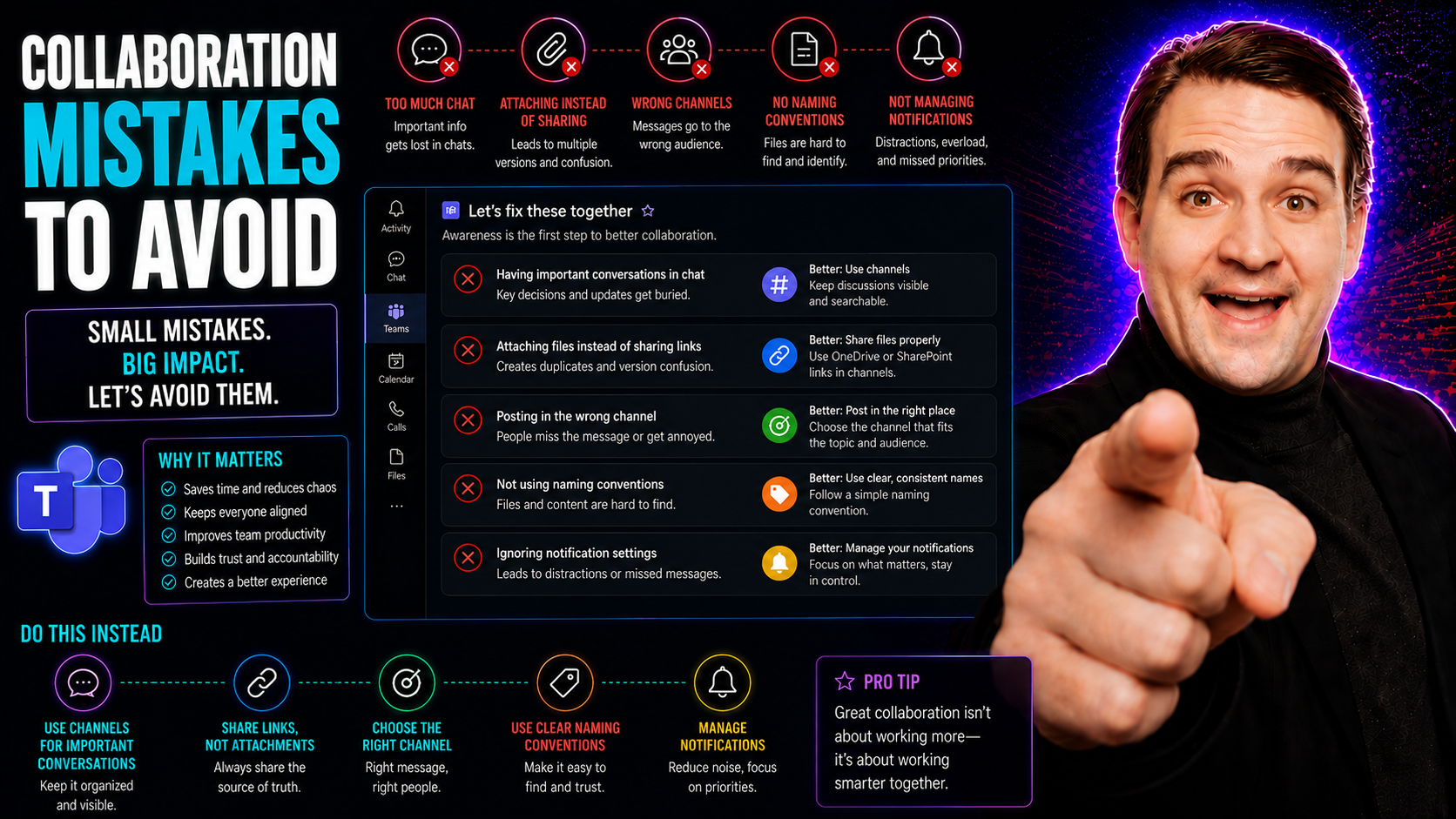
When you’re looking to get the most out of Microsoft Teams, you’ve got to know what not to do just as much as what to do. Collaboration mistakes—like unclear roles, endless meetings, or spreading work across a tangle of disconnected tools—can quietly wreck team momentum and trust. These slip-ups happen to everyone, from school project teams to enterprise IT groups, and they’re the reason your best-laid plans can unravel.
Effective governance is about setting guardrails, so your collaboration tools actually support your goals instead of getting in the way. That means clear rules, defined roles, and the right digital protections, all within your Microsoft Teams setup. With good governance, you untangle chaos, boost confidence, and protect your data—something you can see in action here: How Teams Governance Turns Chaos Into Confident Collaboration. Skipping these basics doesn’t just slow you down—it opens the door for confusion, missed deadlines, and security headaches.
This guide breaks down the most frequent missteps, shows you where the traps are, and points you toward smarter, safer collaboration. Whether you’re in IT, operations, or anywhere in between, avoiding these mistakes is the key to working smarter—not just harder—inside Microsoft Teams.
Top Collaboration Mistakes That Derail Team Success
Let’s be honest: every team wants smoother collaboration, but the roadblocks aren’t always obvious—at least not until you’re stuck. The most common misfires don’t always look like mistakes from day one. Sometimes it’s a patchwork of apps that never talk to each other, sometimes it’s a calendar full of meetings that could have been two sentences in a Teams chat, and sometimes it’s one voice dominating while everyone else tunes out. Sound familiar?
These issues crop up not just by bad luck, but often because there isn’t enough thought put into the foundations of how teams actually work together. Modern workplaces—especially those using tools like Microsoft Teams—promise easy collaboration, but without clear direction, simple mistakes multiply. That’s when intentions collide with real-world friction, like bottlenecks, duplicated work, or just plain disengagement.
This section sheds light on the big-picture patterns tripping up even seasoned teams. By understanding the “why” behind these challenges, you can zero in on practical fixes later. Think of what comes next as your guide to dodging the potholes—so that your team can get back to what really matters: problem-solving, innovation, and hitting those goals with confidence. You’ll find detailed insights into tool integration blunders, meeting overload, and group dynamics in the following subsections, setting you up for smarter, more connected teamwork.
Collaboration Tools Mistake: Fragmented Integration Undermines Productivity
- Jumping Between Disconnected Tools
- When your team uses five different chat apps, two project trackers, and random email threads to communicate, it isn’t long before information falls through the cracks. Fragmented integration means key updates get missed, files become hard to find, and folks end up duplicating work because no one knows who’s done what. A common symptom? Someone spent an hour making a chart, not knowing it was already buried in another folder somewhere.
- Inconsistent Governance and Access
- If different collaboration tools aren’t governed centrally (think clear rules for sharing, permissions, and data security), you risk both chaos and data leaks. Without consistent governance—like what’s outlined in this Microsoft Teams Governance guide—you’re opening the door to confusion, risky behaviors, and scattered accountability.
- Fragmented Project Management
- Switching between platforms for updates and status checks wastes everyone’s time and increases errors. Hybrid teams often fall into the trap of working in silos because their software doesn’t play nicely together. The right stack—preferably anchored in Teams, with structured support from SharePoint or Power BI for data presentation (comparison here)—keeps everyone aligned.
- Security Gaps and Compliance Risks
- Mixing unmanaged apps with official tools leaves nasty holes in your data protection plan. Overlapping features also lead to confusion about where sensitive work should really live. That’s why sticking to a well-governed platform like Teams, with its built-in controls, doesn’t just make collaboration easier—it keeps you compliant.
- Fix: Unified Toolset Plus Clear Rules
- Pick a standardized set of collaboration tools (Teams, SharePoint, Power BI, etc.), then enable robust governance and clear onboarding. Make sure integration is a priority—set up Teams tabs for live dashboards, use SharePoint for curated reports, and automate repetitive workflows. This approach eliminates the guesswork and helps your team stay out of trouble.
Mistake Two: Defaulting to Meetings and Overmanaging Teams
- Too Many Meetings, Too Little Progress
- There’s a myth that collaboration means a calendar full of Zoom or Teams invites. In reality, constant meetings break up your team’s flow, kill creativity, and sap energy. It’s easy to default to another meeting instead of posting a concise update in a Teams channel or letting staff problem-solve on their own time.
- Micromanaging: Smothering Autonomy
- When managers insist on approving every small task or force everyone to check in constantly, it means team members can’t think—or act—without someone breathing down their neck. This approach backfires: morale drops, initiative shrivels, and the best ideas never see daylight because no one feels trusted enough to take the lead.
- Neglecting Asynchronous Solutions
- The best Teams users lean on chat, shared OneNote pages, or workflow automation instead of bogging everyone down with real-time calls. Advanced Teams features, custom apps, and bots (learn how here) can handle regular updates or automatically gather feedback.
- Quick Wins: Trust-First Processes and Automation
- Start by setting clear boundaries—when is a meeting truly needed, and when can someone post an update? Use governance strategies to communicate these rules. Adopt tools like M365 Copilot (see examples) to automate meeting prep, summaries, and reminders, reducing the “manager headache” and helping everyone reclaim focused work time.
Pitfall Student #1: Dominant Voices and Imbalanced Collaborations
- One Person Takes Over the Conversation
- Some teams fall into a trap where the loudest member calls the shots, and everyone else either goes along or checks out. This isn’t just bad for morale—it means valuable ideas from quieter teammates get lost.
- Unequal Work Distribution
- Teams should never let the same person shoulder all the burden while others fade into the background. That kind of imbalance breeds resentment and lowers quality. Defining roles and using digital tools like Microsoft Teams—even with features highlighted in this project organization guide—helps ensure everyone gets the chance to shine (or at least carry their weight).
- Fix: Structured Roles and Digital Equity
- Assign clear responsibilities up front, use automated status updates or approval workflows, and create a culture where every voice gets time. Facilitators should step in if discussions go off balance, and Teams’ chat and comment features can help surface ideas from those who aren’t speaking up in meetings.
Misaligned Goals and Values in Collaborative Partnerships
For teams and organizations, the real collaboration struggles often begin before the project even starts. It’s tempting to jump right in, especially when a big opportunity pops up. But if you and your partners don’t see eye to eye on what “success” means—or if your values quietly clash under the surface—trouble is just waiting around the corner.
This section flips the script from technical mistakes to strategic issues: the risks of charging ahead without genuinely aligned missions, goals, or approaches. It’s about more than who brings what to the table. Are you building the same thing together, or are you heading in opposite directions right from the start? For anyone planning partnerships, joint ventures, or cross-functional projects, understanding this foundation is a game-changer.
Failing to Establish Shared Objectives Before Collaboration Begins
- No Joint Vision—No Lasting Progress
- Teams that never clarify a joint purpose usually get tangled in arguments or lose steam halfway through. Before any collaboration kicks off, everyone involved needs to agree on a vision statement and a set of clear objectives that mean the same to all parties.
- Lack of Success Criteria = Moving Goalposts
- Without concrete metrics—like project milestones, key performance indicators (KPIs), or agreed-upon deliverables—teams can’t measure progress or spot problems. Make sure you define what “done” looks like before you ever get started.
- Unclear Roles Create Conflict
- When teams don’t decide upfront who’s responsible for what, small disagreements quickly become major setbacks. Strong governance frameworks show that assigning owner roles and accountability is a must from day one.
- Build-in Templates and Alignment Rituals
- Use collaboration templates and kickoff meetings to align every stakeholder. Joint planning sessions and shared documentation—in Teams, SharePoint, or approved apps—set a strong baseline for mutual understanding. Automated Teams governance can also prevent sprawl by assigning ownership and lifecycle policies at creation, so nothing falls through the cracks.
- Summary
- Getting on the same page up front—by agreeing on direction, goals, roles, and what success looks like—is the foundation for smooth collaboration. It’s worth the extra hour at the start to avoid weeks of frustration later.
Avoiding Relationship and Team Conflict in Collaborative Work
Collaboration isn’t just about ticking off tasks—it’s about people. When trust breaks down or conflict goes unresolved, even the best-laid project plans start to wobble. In team settings, and especially with hybrid or fully remote setups, the lines of honest communication can blur fast.
This section is all about understanding how overlooked relationship issues, unclear feedback loops, and the avoidance of hard conversations slowly eat away at collaboration from the inside out. If teams don’t get ahead of communication problems or aren’t brave enough to tackle disagreements early, it’s only a matter of time before resentment builds and performance drops. Here, you’ll see where things tend to go wrong, and exactly how you can build a more resilient, open culture in your own workflows moving forward.
Collaboration Mistakes Relationship: How Poor Communication Damages Teams
- Assumption Gaps Sabotage Work
- When teams don’t clarify expectations or intentions, people fill in the blanks on their own—and usually get it wrong. These silent gaps are the quickest way to misunderstandings that torpedo trust and efficiency.
- Lack of Trust Erodes Morale
- If members worry about how their words will be received, they start holding back ideas or staying silent about issues. This breeds a cycle of poor morale, missed opportunities, and conflicts festering beneath the surface.
- Overlooked Channels Reduce Transparency
- Teams that don’t use shared spaces—like appropriate private vs. shared channels in Teams (channel selection guide here)—often miss the chance to keep critical conversations in the open, making it harder to correct course or celebrate wins together.
- Prevention: Regular Check-Ins and Open Platforms
- Set ground rules for when to escalate issues and how to use collaborative chat or video check-ins. Invest in digital platforms that enable transparency and keep everyone in the loop.
Pitfall Four: Inability to Resolve Conflict and Lack of Feedback
- Issue Avoidance Grows Resentment
- When teams dodge hard feedback or pretend problems don’t exist, frustration builds beneath the surface—and often explodes later in ways that could have been avoided with a simple, honest discussion.
- No Feedback Loops, No Progress
- Without scheduled feedback sessions, teams repeat the same mistakes or let minor issues multiply. Direct feedback—delivered early and tactfully—helps everyone improve and keeps collaboration on solid footing.
- Microsoft Teams-Specific Tactics
- Host structured feedback check-ins using Teams meetings or dedicated chat threads. Encourage raising issues promptly with the proper context, so nothing festers. Simple habits, like ending meetings with a round of constructive comments, ensure ongoing resilience.
Structural and Process Failures in Team Collaboration
Even if your team is staffed with rockstars, solid collaboration can quickly fall apart if you haven’t nailed down your processes and accountability. In Microsoft Teams and other digital workspaces, structure isn’t just paperwork—for hybrid and cross-functional groups, it’s the difference between momentum and meltdown.
This section unpacks why teams with unclear roles or fuzzy processes struggle—even if they’ve got plenty of talent. Without a shared understanding of who does what, how decisions are made, and how accountability loops work, projects stall and communication lines blur. You’ll find out how common these structural pitfalls are, why they sap morale and output, and how you can proactively design systems that keep collaboration tight and durable for the long haul. Get ready to think beyond the tools and into building processes that truly scale collaboration.
If you want to see how organizational guardrails should actually work in Microsoft Teams, check out this rundown on transforming chaos into confident teamwork through good governance.
Solution: Foster Structure and Build Interdependence In Teams
- Define Roles and Responsibilities
- Create clear role charts so everyone knows what’s theirs to own and where to go for specific needs. Responsibility matrices (like RACI) prevent duplicate work and fill in blind spots.
- Make Mutual Reliance the Standard
- Use shared templates, automated approval flows, and synced workspaces in Teams to make sure no one works in isolation. Building interdependence keeps motivation high and discourages free-riding.
- Empower Teams with Governance
- Robust Microsoft Teams governance policies (details here) help set rules for decision-making, permissions, and project visibility—enabling scalable, dependable teamwork.
Pitfall Five: Groups That Aren’t Self-Managing
Teams that always look to the boss for direction fall into decision paralysis and slow down progress. These groups often lack internal accountability—meaning no one steps up to solve small problems or drive projects forward without explicit instructions.
Specific warning signs of this pitfall include frequent bottlenecks, leaders fielding every status check, and low ownership of outcomes among team members. Without building habits and processes for peer accountability, disengagement seeps in and project timelines slip.
Developing self-managing capabilities is essential, especially in digital environments like Teams and SharePoint. Using the right collaboration governance tools empowers teams to take initiative, share leadership, and keep work moving—even when the formal boss is out of the loop.
Overcoming Groupthink and Cognitive Pitfalls in Team Decisions
It doesn’t matter how smart or creative your team is—when everyone thinks the same way or rushes to agree, you miss out on innovation and set yourself up for costly mistakes. Groupthink creeps in subtly, usually when discussion gets replaced by head-nodding and folks are more worried about rocking the boat than finding the truth.
This section tackles the real dangers of suppressed dissent in collaboration: fewer fresh ideas, overloaded risks, and missed warning signs. It’s all too easy to overlook blind spots or rubber-stamp weak plans if you don’t have systematic ways of encouraging debate and peer review. Expect to find strategies for challenging assumptions and breaking out of the echo chamber, all while using Microsoft Teams to surface more—and better—ideas. This way, collaboration becomes a space for critical thinking, not just consensus.
Pitfall Three: Groupthink and the Dangers of Suppressed Dissent
- Consensus Gets Prioritized Over Critical Debate
- When disagreement is seen as a hassle, good ideas and hard truths get buried. Teams end up with safe, mediocre outcomes and don’t spot risky decisions until it’s too late.
- Warning Signs
- No one challenges the plan, meetings are a parade of yes-men, and “going along to get along” is the unspoken rule. Watch out if your Teams chats or meetings never include pushback.
- Preventing Groupthink
- Assign a “devil’s advocate” for major decisions and encourage everyone—especially quieter folks—to voice concerns. Use Teams polls or anonymous Q&A features so dissent can emerge safely and ideas are fully tested before you move forward.
Solution: Use Intergroup Peer Feedback to Challenge Assumptions
- Peer Reviews Across Teams – Routinely get feedback from different departments or outside groups rather than just the “in crowd.” Fresh eyes spot what insiders miss.
- Anonymous Suggestion Workflows – Use digital forms or Teams bots to allow input without exposing individuals, encouraging honest critiques.
- Scheduled Cross-Functional Critique Sessions – Regularly schedule meetings where teams review each other’s ideas or plans, forcing assumptions into the open.
- Document and Track Feedback – Ensure every round of peer input is logged in a shared Teams channel or knowledge base, building a reference bank for future projects.
Optimizing Collaboration with Asynchronous Workflows and Knowledge Sharing
Lots of teams today are burned out from back-to-back meetings and constant “urgent” notifications. If everyone has to respond in real time, deep work never gets done—and collaboration starts to feel like a chore instead of a tool for success.
This section is about flipping that script. You’ll see how asynchronous workflows in Microsoft Teams and related platforms give folks room to think, respond on their own schedules, and still stay in sync. We’ll also look at how shared knowledge bases—dynamic living documents managed in platforms like Confluence—help teams capture know-how, avoid redoing old work, and stay on track no matter who’s online.
Ready to get some time back and shorten that stress cycle? The following sections walk you through changing habits and surfacing knowledge so everyone can show up at their best. If you want to see how meeting automation and streamlined knowledge sharing can supercharge Teams, check out this example: How M365 Copilot Orchestrates Meetings, Chat, and Workflow Automation.
Lean Collaboration: Shifting to Asynchronous Practices
- Replace Meetings with Status Updates
- Use Teams channels or shared docs for everyone to post updates on their schedule, minimizing the need for live calls and freeing up blocks of deep work time.
- Empower Individual Contribution
- Asynchronous workflows let folks review, comment, and refine ideas without rushing or cutting into personal obligations. It’s especially powerful for global or hybrid teams.
- Automate Routine Work
- Automate recurring reminders, note-taking, and notifications with tools like M365 Copilot (automation guide here), making async collaboration efficient and reducing meeting fatigue.
Solution: Living Knowledge Base with Confluence Templates
- Centralize Team Know-How – Use Confluence templates to capture processes, FAQs, and lessons learned, making them accessible to new members instantly.
- Keep Documents Dynamic – Set up living docs that evolve as your project changes. Version control and team editing keep them fresh.
- Align with Microsoft Teams Projects – Link knowledge articles directly in Teams channels or chats, so workers never have to ask the same question twice.
- Encourage Continuous Contribution – Ask everyone to pitch in lessons learned or shortcuts after project wrap-ups, keeping your collective knowledge base growing.
Leveraging Rovo, Atlassian, and Microsoft Teams for Hybrid Collaboration
In a world of remote and hybrid teams, the right digital tools can make or break your workflow. Microsoft Teams brings people together, but complex collaboration really takes off when you integrate it with powerful platforms like Rovo and Atlassian Collections. By investing in smart integration and clear governance, you position your team to handle any challenge—whether you’re in the same room or scattered across time zones.
This section previews how combining solutions like Rovo (for AI-powered recommendations), Atlassian’s project tracking, and Teams’ core features creates a seamless, intuitive experience. You’ll also find resources covering everything from templates to hands-on admin support, so you’re ready to match the platform to your industry’s unique requirements. Need proof that automation and governance are essential? Here’s a solid read: how M365 Copilot streamlines team automation and why Teams governance matters.
Rovo and Atlassian Collections Streamline Complex Collaboration
- Automated Knowledge Sharing – Rovo uses AI to recommend content and answers, helping hybrid teams find what they need instantly without digging.
- Organized Project Data Flows – Atlassian Collections let you link processes, documents, and updates across projects within a tidy, searchable workspace.
- Process Automation – Both solutions can automate task assignments, approvals, or reminders—freeing your team from repetitive chores so they focus on value-driving work.
- Flexible Integrations with Teams – Seamless integration with Microsoft Teams means you’re not toggling between tools, but collaborating efficiently from a single, governed hub.
Resources, Support, and Use Cases for Collaboration Tools by Industry
- Microsoft’s Official Learning Hubs – Access in-depth tutorials and documentation for Microsoft Teams administration, project templates, and automation tips for every business scale. Ideal for both IT pros and team leads.
- Support Channels & Admin Guides – Detailed help desks and user communities, as well as guides like Microsoft Copilot for IT Admins help you troubleshoot and fine-tune team setups.
- Templates by Industry – Microsoft Teams and Atlassian both provide sector-specific templates for healthcare, finance, education, and more, so organizations can get started on compliant, best-practice collaboration fast.
- Case Studies & Best Practices – Real-world examples and solution walkthroughs provide blueprints for everyone, from manufacturing to non-profits, looking to modernize their workflow.
- Governance Frameworks – Learn and adapt industry-relevant governance strategies from resources like How Teams Governance Turns Chaos Into Confident Collaboration, which offers actionable methods for securing, streamlining, and sustaining team success.
You Should Also Listen To
If you are researching Microsoft Teams collaboration mistakes, these episodes add practical context on collaboration, architecture, and governance:
- Microsoft Teams Governance – The Illusion of Control — Learn how ownership, lifecycle, and policy choices keep collaboration manageable.
- Teams Telephony – Simply Explained — Understand the communication architecture behind reliable Teams work.
- Azure AI Foundry – Simply Explained — See how modern AI and automation solutions are built and governed.
- Microsoft Defender XDR – Simply Explained — Connect collaboration design with security visibility and response.

Microsoft MVP | Host of M365.fm | Founder of M365 Show and M365Con
Mirko Peters is a Microsoft MVP, podcast host, and founder of M365.fm, M365 Show, and M365Con. His work connects Microsoft practitioners through podcast interviews, livestreams, and community events.
At M365.fm, Mirko hosts conversations with Microsoft MVPs, product experts, architects, and community contributors. Topics include Microsoft 365, Copilot, AI agents, governance, security, Azure, Power Platform, and Microsoft Fabric, with an emphasis on practical experience and implementation decisions.
M365.fm is the podcast and learning platform. M365 Show brings experts together for livestreams, while M365Con provides an online conference setting for community learning.
Official website: Mirko Peters (https://www.mirkopeters.com/). Recognition: Mirko Peters — Microsoft MVP profile (https://mvp.microsoft.com/de-DE/mvp/profile/9b0ca797-db5a-493a-a845-8b9158046cf5). Connect on LinkedIn (https://www.linkedin.com/in/m365showpodcast/).





