
Copilot Data Quality Issues and Risks: A Deep Dive
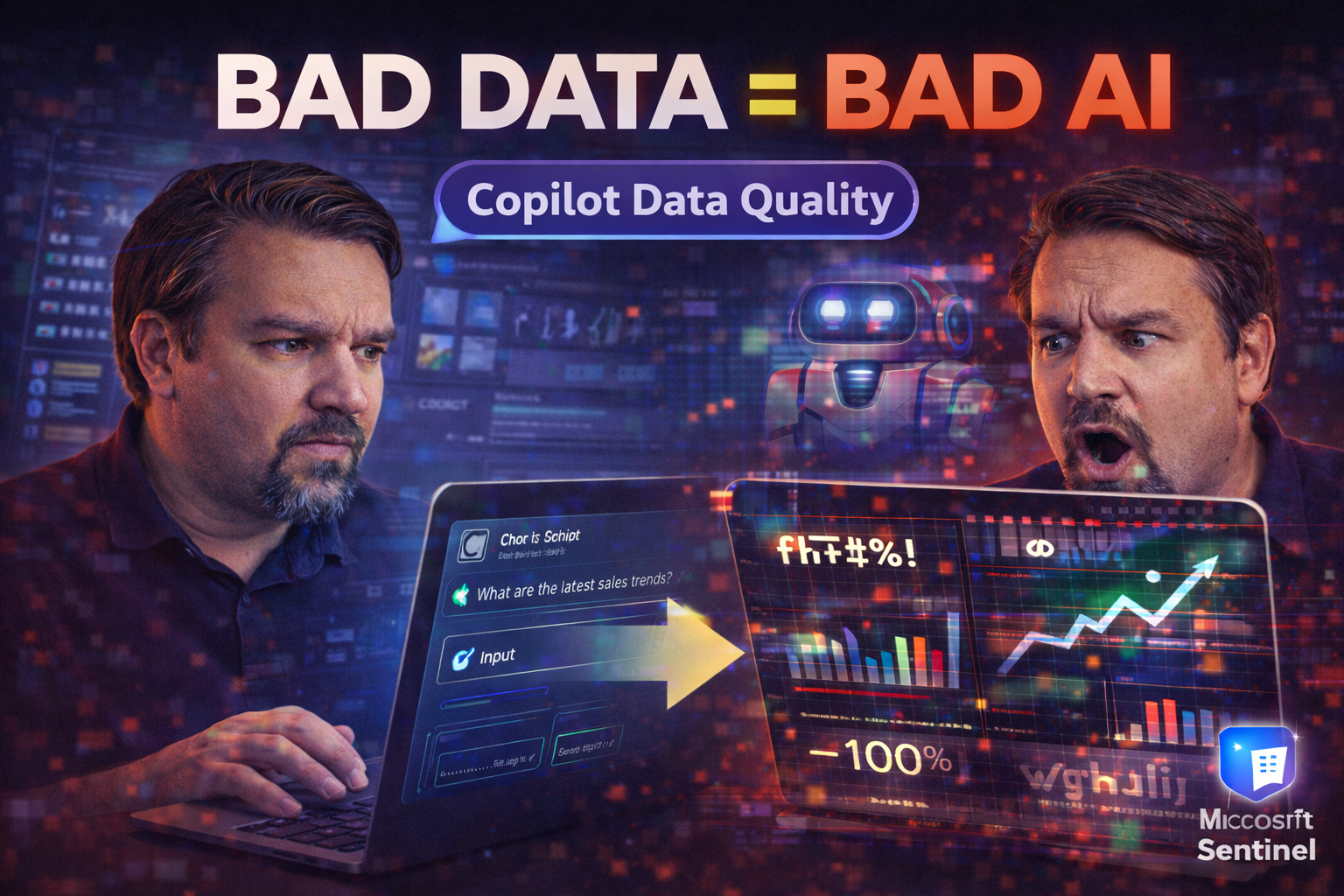
The importance of Microsoft Copilot is growing fast, especially for organizations trying to work smarter with AI-powered automation and decision support. But here's the catch: Copilot is only as reliable as the data it uses. Data quality isn't just a technical buzzword—it's the backbone of safe, effective AI.
This overview sets up a deep dive into Copilot's real-world headaches: from data quality problems and security threats to the tricky business of compliance and governance. You’ll get clarity on why Copilot’s trustworthiness depends on good data management and what could go wrong if you overlook the basics.
Whether you wear an IT, security, or data governance hat, this page gives you the lay of the land and points you to actionable steps. Explore insights to boost Copilot’s value, while keeping your enterprise safe and your workflows clear of avoidable surprises.
Understanding the Core Data Quality Risks of Microsoft Copilot
When you bring Microsoft Copilot into your organization, you're not just flipping a switch and enjoying instant productivity magic. Copilot’s suggestions and automations are completely tied to the quality, completeness, and accuracy of your existing enterprise data. In other words, the old saying “garbage in, garbage out” has never been more true.
AI like Copilot doesn’t judge your data—it just reads what's there and runs with it. That means any mistakes, gaps, or outright junk in your data sources can get magnified, sometimes in ways you don’t catch right away. Even a small blind spot in your data governance can cause Copilot to amplify misinformation or make biased decisions, all while wrapping it up in a convincing package.
Understanding these foundational risks is crucial for IT decision-makers, business leaders, and anyone trying to keep the organization’s data-driven operations on the straight and narrow. As you’ll see in the next sections, risk propagation isn’t just about messy spreadsheets—it extends to policies, training, and even ethical concerns around legacy data bias and data freshness. Setting a mature foundation for Copilot means taking your data management as seriously as your AI ambitions.
How Copilot Data Microsoft Amplifies Data Quality Problems
Microsoft Copilot heavily depends on the data it's trained on and processes every day. If your enterprise is operating with irrelevant, incomplete, or error-prone data, Copilot won’t clean up the mess—it’ll just turn it into actionable (but misleading) AI responses at a much faster pace. The root data Copilot sees is the foundation for every document summary, email suggestion, and workflow recommendation.
Let’s say your SharePoint libraries are packed with outdated or misclassified documents. Copilot might surface recommendations based on sales reports from last year instead of this quarter, or worse, pull private drafts into companywide updates. Without adequate governance, you’re looking at “AI-powered” confusion and risk spreading throughout your organization.
Because Copilot does not inherently validate, deduplicate, or cleanse data before serving up responses, any errors or biases in the underlying data set get carried forward—often at scale. That’s why organizations must enforce structured data governance, like clear file ownership, permission models, and regular quality audits. For more on how proper access and governance control Copilot outcomes, check out this breakdown of Microsoft 365 data access and ownership governance.
The bottom line: Copilot doesn’t invent quality; it mirrors what’s in your organization’s content. Failing to prepare your data sets up a breeding ground for errors, misinformation, and big compliance headaches when using generative AI. Proactive hygiene, not reactive panic, is the name of the game.
The Role of Data Management in Copilot Accuracy
Strong data management is what separates useful AI from a guessing game. To keep Copilot’s advice on point, companies need consistent efforts around cataloging, data classification, and enforcement of standards. That means curating what Copilot can see, setting up regular data quality assessments, and making sure everything’s kept current.
Data stewardship is the unsung hero here. Just having a system is not enough; it’s about proactive checks and responsible ownership. For a deeper dive on integrating governance and compliance into your document strategy, see how organizations are leveraging Microsoft Purview and SharePoint in this podcast episode on audit-ready content management.
Don’t neglect the people side, either. Building a governance-aware Copilot Learning Center, as outlined in this guide, can make adoption smoother and outcomes stronger by aligning user training with IRL governance realities.
Security and Data Exposure Risks in Copilot Deployments
With all the excitement around Copilot, it’s easy to overlook how easily AI tools can become new front doors for security threats. Copilot doesn’t just crunch numbers or draft emails—it also interacts with your sensitive documents, databases, and live business conversations. Every prompt you type or workflow you automate could accidentally let sensitive data slip, either to the AI itself or to unauthorized eyes within your organization.
Security pros are increasingly concerned about unintentional data leaks, especially when users prompt Copilot with confidential information, or when broad permissions enable access beyond what was intended. This section explores the major vulnerabilities: from carelessly crafted prompts to overexposed files and, perhaps most tricky of all, the persistent risk of insider misuse. Understanding where and why these leaks happen is vital for putting the right controls in place.
What follows are deep dives into real-world problem areas, plus guidance for plugging security gaps before they lead to incidents. As you read on, you’ll find practical resources and approaches for balancing Copilot’s convenience with your organization’s need for airtight data security.
Data Leakage Prompts: When Copilot Inputs Expose Sensitive Data
Every time a user interacts with Microsoft Copilot, whatever they type into a prompt can inadvertently reveal confidential or sensitive business information. Users might give Copilot highly specific requests containing names, contract details, or financial data—forgetting that the AI processes and stores these inputs, often alongside wider company contexts.
This risk is especially high in legal, HR, or finance departments, where prompts can accidentally become a vector for data leakage. To keep your information safe, it’s essential to train users not to include unnecessary sensitive content in their queries. For actionable moves to strengthen your DLP posture and prompt design, listen in on this episode on Power Platform data loss prevention.
Uncontrolled Exposure of Confidential Data and Oversharing Risks
It’s scary how often organizations accidentally leave the doors open. Overbroad permissions or the lack of tight data classification and DLP policies allows Copilot, or its users, to access restricted files without realizing the impact. "Data exposure oversharing" isn’t just about emailing the wrong doc—it’s about how a slip-up in Teams or SharePoint can send confidential content through Copilot’s AI lens to a much wider audience.
For many, the problem isn't just about who can see what, but who Copilot thinks should see what, based on inherited or stale sharing settings. Sometimes, documents classified for "management only" end up in response sets for frontline teams when governance isn’t enforced. This risk is amplified as AI automates cross-platform actions, with access gaps spanning across environments you might not even audit regularly.
To get ahead of this, organizations should focus on least privilege access, regular entitlement reviews, and usage pattern monitoring. Practical strategies for plugging exposure blind spots—including auditing and automation—can be found in this guide on external sharing risks. Developers should also heed Power Platform DLP policy best practices to catch exposure risks in automation pipelines before they go live.
Insider Misuse and Access Management Identity Challenges
- Regular Audit Trails: Keep a detailed log of every Copilot-triggered action using tools like Microsoft Purview Audit to spot suspicious insider activity fast. Here’s how Purview tracks user actions across your cloud.
- Privilege Reviews: Frequently review and adjust who can access what—making sure no one hangs onto unneeded rights, and catching permission drift before it becomes a problem.
- Multi-Factor Authentication (MFA): Always require MFA for sensitive Copilot interactions, cutting down on the chance that compromised credentials are used for exploitation.
- Monitor Conditional Access: Tightly configure conditional access so there aren’t hidden exclusions or loopholes in your security gatekeeping. This guide explains how to keep conditional access tight.
Staying on top of these controls helps spot both accidental mistakes and deliberate misuse—two sides of the same insider risk coin in modern Copilot-driven work.
Governance and Compliance Challenges with AI Tools
AI doesn’t operate in a regulatory vacuum, and Copilot is no exception. Bringing this tech into your enterprise comes with serious compliance baggage, especially if you work in finance, healthcare, or any sector bound by regulations like GDPR, HIPAA, or SOX. Traditional IT and security controls only get you so far when the tool in question can synthesize, remix, and share sensitive details with just a prompt.
Getting Copilot to work for you—not against you—means revisiting your compliance frameworks with fresh eyes. You’ll need transparent record-keeping, rigorous risk assessments, and, most importantly, enforceable guardrails to guide Copilot’s outputs. The real test comes when regulators ask for proof: Who accessed which data, using which AI, at what time?
This section breaks down not only the headline risks but also hands-on strategies for keeping your Copilot deployments safe and compliant. Whether you’re facing a compliance audit or want to future-proof your operation, the next sections will equip you with guides, cautionary tales, and blueprints you can act on.
Compliance Violations Risks with Copilot Data Usage
Copilot’s integration with business data is a double-edged sword, especially in regulated industries. Whenever Copilot accesses, processes, or generates content based on sensitive personal data, it opens doors to compliance headaches like unauthorized processing under GDPR, HIPAA violations in healthcare, or SOX gaps in financial reporting. If the audit trail is incomplete, or sensitive data slips through access controls, the organization could face regulatory action and heavy penalties.
Unauthorized data sharing is another lurking issue. Copilot might inadvertently combine data sources that never should mix—for example, internal HR records with external vendor communications—if guardrails aren’t set. Healthcare and banking have clear requirements for auditability and retention; failure to automate compliance checks and monitor AI access could spell disaster.
To mitigate these risks, organizations should enforce strict least-privilege permissions for Copilot and extend DLP and sensitivity labeling to AI-generated outputs. Audit logs from Microsoft Purview and Sentinel help complete the compliance picture. This guide on Copilot-specific AI governance details how to keep tabs on AI activity across Microsoft environments. Don’t forget, compliance tools sometimes miss behavioral changes—learn why focusing on user behavior and content lifecycle is vital in this compliance drift podcast episode.
Guardrails Adoption for Responsible AI Use
Introducing responsible AI guardrails isn’t just a “nice-to-have”—it’s essential for balancing innovation with acceptable enterprise risk. That means creating clear policies, well-documented user guidelines, and automated monitoring to keep Copilot on a short, safe leash.
Guardrails also involve segmenting access, building risk-based user controls, and recalibrating safeguards through continuous monitoring. For blueprints on automation and policy enforcement, dive into this advanced Copilot governance resource, or visit this deep dive on integrating contracts, roles, and technical enforcement in Copilot policy.
Operational and Implementation Challenges in Copilot Rollouts
Rolling out Copilot organization-wide isn’t exactly plug-and-play. Operational headaches stack up fast: from onboarding chaos and licensing snags to the never-ending challenge of defining clear, practical use cases. Without rock-solid infrastructure and well-scoped business scenarios, organizations can end up underutilizing Copilot or, worse, seeing it become a source of confusion instead of a productivity booster.
Shadow AI—where unsanctioned Copilot agents or custom widgets appear without IT’s blessing—creates a separate layer of risk. That includes everything from rogue workflow bots to department-level automations that escape the central security radar. This section calls out these common pitfalls and sets the tone for the detailed sections that follow, packed with step-by-step guides and cautionary tales.
If you’re navigating your own Copilot launch, what’s ahead will help you avoid the potholes that trip up even seasoned IT leaders. Learn what works—and what definitely doesn’t—when deploying Copilot at scale.
Problems Copilot Implementation: Infrastructure, Licensing, and Use Cases
- Incomplete Technical Integration: Many organizations underestimate the work needed to connect Copilot with all relevant data sources and ensure compatibility with existing enterprise architecture. Gaps here lead to unreliable results and operational slowdowns.
- Licensing and Entitlement Confusion: Mismanaged or unclear licensing is a classic roadblock. Teams often discover Copilot access isn’t uniform or properly tracked, derailing ROI and causing compliance blind spots.
- Poorly Defined Use Cases: Without targeted business scenarios, Copilot risks becoming a “solution in search of a problem.” Well-scoped use cases drive adoption and help calibrate expectations early. For more on narrowing the scope, see this advice on defining Copilot use cases.
- Training and Change Management Gaps: Failing to prepare users leads to confusion and resistance, driving up support tickets and reducing the realization of Copilot’s full capabilities.
- Lack of Post-Implementation Monitoring: Copilot can create new workflows rapidly. Ongoing oversight is vital to catch process drift, prevent shadow automations, and ensure that Copilot is used only where it brings value and does not increase risk.
For organizations troubleshooting these issues, listening to real-world challenges discussed in the latest conversations on Microsoft 365 governance and enterprise architecture can provide context, inspiration, and a little comfort that you’re not alone.
Shadow Agent Sprawl and Unmanaged AI Tools
The rise of shadow AI agents—apps, bots, and Copilot instances launched outside official IT processes—poses hefty security risks. Without formal governance, these agents can access sensitive data undetected, creating audit, compliance, and privacy blind spots. Rogue automations or unsanctioned plugins often duplicate work, fragment data, and spread organizational risk beneath the surface.
To rein in shadow agent sprawl, organizations need centralized monitoring and policies that mandate inventory, oversight, and responsible agent lifecycle management. Stories and strategies for tackling these new-age Shadow IT challenges are shared in detail on podcast episodes like Microsoft Foundry and AI agent governance, AI agents and shadow IT in Microsoft 365, and the practical Agentageddon governance crash course.
Strategies for Effective Copilot Governance and Training
Getting Copilot right is about more than plugging in technology. Real maturity around Copilot adoption comes from investing in governance frameworks, training users intelligently, and treating identity management like the foundation it is. Leadership, clear policy, and user empowerment all have to work together if you want to harness Copilot’s promise, not its problem set.
In this section, you’ll find actionable approaches for building a resilient culture of AI governance. The upcoming subtopics break down what it takes to stand up cross-functional boards, provide meaningful training, and maintain access controls that keep data and decisions locked down tight.
Whether you’re building out policies from scratch or looking to uplevel what you already have in place, the next steps offer concrete moves to reduce risk and make Copilot a sustainable, high-value asset for your whole organization.
Foster Copilot Governance Across the Organization
Creating a mature Copilot governance environment means real leadership commitment, not just a few policies sitting in a SharePoint folder. It’s about shared accountability, where leaders, IT, compliance, and business units work side-by-side.
Cross-functional governance boards create a place for oversight, risk intake, and practical decision-making on AI issues. For the inner workings and regulatory expectations, see what AI governance boards bring to the table.
Guidance on avoiding agent identity drift and unlocking stable, transparent agent architectures is highlighted in this discussion on scaling AI intelligently. Building stewardship, escalation paths, and ongoing monitoring is the key to making Copilot safe, not just functional.
Implement Effective Training for Copilot Users
- Role-Based Curriculum: Tailor content for each job—sales, HR, IT—so training is relevant, not generic.
- Hands-On Workshops: Let users practice with Copilot in safe, guided settings, using typical organizational data and scenarios.
- Just-in-Time Learning: Offer bite-sized video tips and resources directly inside Copilot tools to reinforce best practices and reduce information overload.
- Risk-Aware Real Scenarios: Use actual business cases—including common mistakes with prompts—to instill habits that improve data quality and privacy vigilance.
Lower help desk demand and boost safe adoption by investing in a governed, centralized Copilot Learning Center—see how others structured their approach in this deep dive on Copilot user training.
Access Management Identity Controls for Secure Copilot Adoption
Robust access and identity management forms the first—and sometimes last—line of defense against unauthorized Copilot usage. This means using granular permissions plus dynamic conditional access policies to ensure only the right people and systems get through.
These controls should mesh seamlessly with existing IAM platforms in Microsoft 365, Azure, and hybrid setups, reducing risk of over-privileged users or orphaned accounts. Look to identity access security strategies and zero-trust design best practices for proven playbooks that blend proactive risk reduction with business agility.
By making regular identity reviews and just-in-time privilege elevation part of your Copilot controls, you’ll keep organizational boundaries strong—even as your data and teams move faster than ever.
Copilot Data Quality: Issues and Risk Matrix

Microsoft MVP | Host of M365.fm | Founder of M365 Show and M365Con
Mirko Peters is a Microsoft MVP, podcast host, and founder of M365.fm, M365 Show, and M365Con. His work connects Microsoft practitioners through podcast interviews, livestreams, and community events.
At M365.fm, Mirko hosts conversations with Microsoft MVPs, product experts, architects, and community contributors. Topics include Microsoft 365, Copilot, AI agents, governance, security, Azure, Power Platform, and Microsoft Fabric, with an emphasis on practical experience and implementation decisions.
M365.fm is the podcast and learning platform. M365 Show brings experts together for livestreams, while M365Con provides an online conference setting for community learning.
Official website: Mirko Peters (https://www.mirkopeters.com/). Recognition: Mirko Peters — Microsoft MVP profile (https://mvp.microsoft.com/de-DE/mvp/profile/9b0ca797-db5a-493a-a845-8b9158046cf5). Connect on LinkedIn (https://www.linkedin.com/in/m365showpodcast/).




