Hybrid Telephony: Microsoft Teams Architecture Guide
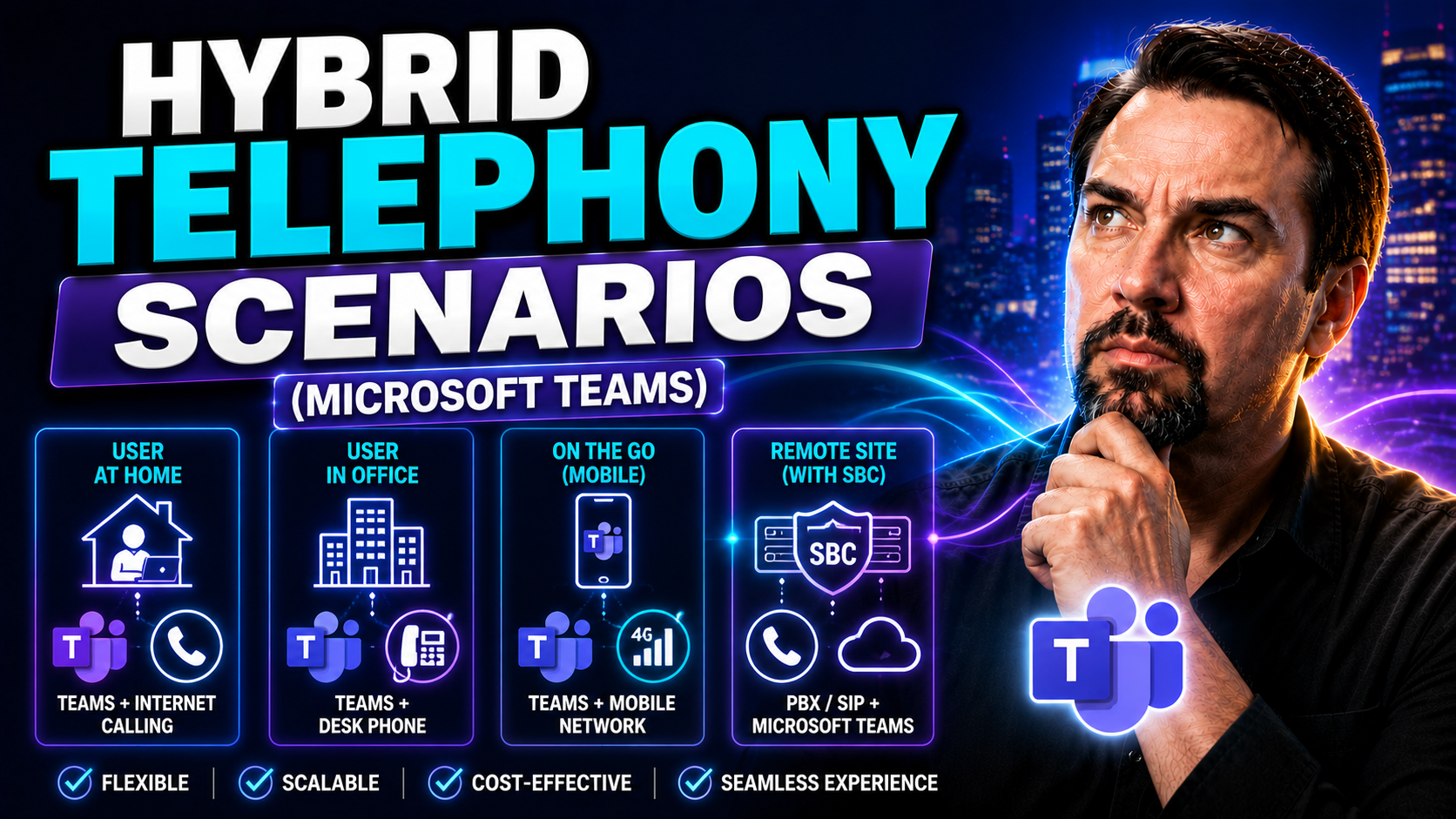
Hybrid telephony brings together the best of both worlds—traditional on-premise phone systems and modern cloud-based communications. In plain English, it means you don’t have to rip out your old PBX gear just to move forward with Microsoft Teams or other VoIP platforms. Instead, you can blend legacy infrastructure with cloud solutions, letting everyone—no matter where they sit—pick up the phone and reach out, whether it’s over the internet or an old copper wire.
This approach is catching on fast, mainly because organizations aren’t ready for a one-size-fits-all leap to the cloud. Maybe you’ve got call centers, remote branches, or compliance needs that make ripping out the old stuff risky. Hybrid systems enable gradual migration, provide redundancy (so you’re not stuck if the internet drops), and help you stay on the good side of regulators. Flexibility, cost control, and business continuity drive the move, especially if you've already invested heavily in on-premise systems or have a patchwork of locations to support.
Key Benefits of Hybrid Telephony for Microsoft Teams
- Business Continuity and RedundancyHybrid telephony ensures phone calls keep working—no matter what. If the cloud connection has a hiccup, calls can fall back to your on-premise lines. This is a lifesaver for companies with critical communications needs or unreliable internet at remote sites.
- Seamless Integration of Legacy SystemsYou don’t have to throw away your existing PBX hardware or desk phones when rolling out Teams. Hybrid lets you connect the old with the new, making sure users across departments or branches stay reachable, without disruption.
- Phased Cloud MigrationGoing all-in on the cloud overnight isn’t always realistic. Hybrid models support gradual migration—move some teams to Teams Calling, keep others on legacy systems, and flip the switch at your own pace.
- Cost Control and OptimizationWhy pay for features you don’t need yet? Hybrid setups allow you to keep capital expenses in check, avoid expensive forklift upgrades, and delay the full cloud subscription until it makes business sense.
- User Experience ImprovementsWith a hybrid approach, you can give users the Microsoft Teams interface they love while still connecting calls wherever they land—on-premise or out to the public phone network. This unified experience smooths out daily work, keeping everyone connected and productive.
Combining hybrid voice with solid Teams governance practices brings structure, security, and clarity to collaboration, ensuring that communication remains both robust and compliant as your needs grow and change.
Architectural Models of Hybrid Telephony
When it comes to rolling out hybrid telephony, organizations have several main models to pick from—especially if Microsoft Teams is front and center. Some run most of their voice in the cloud while keeping a backup connection to the public phone network. Others let the old PBX and new Teams systems work side by side for different users or offices.
The way these systems talk to each other often involves session border controllers (SBCs), which act like bouncers at the club—making sure only the right calls get through, and everything plays nice between the old and new tech. The choice of architecture is often shaped by your migration timeline, compliance demands, and how comfortable you are letting go of the old phone lines. In the next sections, we break down these models so you can see which best matches your mix of Teams and legacy gear.
Cloud PBX with PSTN Integration
This setup has Microsoft Teams or Office 365 serving as your core phone system (PBX), while still letting you make and receive calls via the traditional Public Switched Telephone Network (PSTN). It’s like having a modern smartphone but still being able to call someone using a landline—or receive a fax, if you must.
This model bridges your new cloud telephony environment with on-premise voice networks, making internal and external calls seamless for all users. It calls for technical work like deploying session border controllers and carefully setting up user and call routing rules. Pairing Teams with clear governance, such as outlined in this Teams governance guide, ensures call flows, security, and compliance are tightly managed.
Parallel Operation of Legacy PBX and Teams Calling
In a parallel operation scenario, both the traditional PBX and Microsoft Teams Calling are live, often for different sites or departments. This is especially common during migration phases, when some folks are ready for Teams but others need to stick with what they know.
This dual-running setup lets you stage your migration, manage call routing complexity, and minimize disruption to business workflows. The big catch? You’ll have to juggle management between two systems and ensure interoperability—meaning calls from legacy and Teams users can reach each other without drama. A tight integration strategy, combined with simple dial plans and staff training, will help smooth out the transition bumps along the way.
Hybrid Telephony Security and Compliance Challenges
Mixing legacy phone equipment with cloud-based systems like Microsoft Teams opens up a set of security and compliance risks you won’t find in pure cloud or strictly on-premise setups. When old analog lines, digital PBXs, and VoIP networks run side by side, the number of possible attack paths—and the complexity of protecting them—jumps considerably.
These hybrid scenarios can expose organizations to issues like unsecured endpoints, SIP trunks dangling out on the public internet, and misconfigurations that let attackers slip through the cracks. At the same time, keeping compliant with data privacy regulations (think HIPAA, GDPR, PCI-DSS) gets a lot trickier, because calls and recordings could live in multiple places, and audit trails can be harder to follow.
To navigate this landscape, you’ll need a layered approach to security and a solid strategy for compliance—especially when handling sensitive voice data across legacy and cloud systems. A strong foundation using practical tools and techniques (like those in the Teams security hardening best practices podcast) will help you close gaps and protect against both cyber threats and regulatory headaches.
Mitigating Security Vulnerabilities in Mixed Voice Networks
- Secure Your SIP TrunksMake sure SIP trunks aren’t exposed to the open internet. Use firewalls, encryption, and set up access controls for every trunk connected to your PBX or Teams gateway.
- Harden Endpoints and GatewaysPatching firmware, removing unused services, and disabling weak authentication on desk phones, SBCs, and VoIP adapters is critical. Review your device inventory and lock it down tight.
- Firewall and Network SegmentationDon’t let voice devices sit on the same VLAN or subnet as everything else. Put them on secured, monitored segments—and apply firewall rules to block risky, unnecessary traffic.
- Audit and Monitor RegularlyKeep an eye out for strange call patterns, unauthorized device registrations, or failed login attempts. Use logging and monitoring tools to flag weird activity before it becomes a breach.
Take a page from top Teams security strategies, like enforcing multi-factor authentication, blocking legacy protocols, and regular auditing for a more secure hybrid telephony environment.
Ensuring Compliance with HIPAA, GDPR, and PCI-DSS
- Voice Data Privacy – Encrypt call recordings and voice streams, especially when storing or transmitting sensitive info like personal health or payment data.
- Retention and Deletion Policies – Set up clear rules for how long you keep voice data in both cloud and on-premise systems—and stick to them.
- Audit Trails – Make sure every call, recording, and user action is logged in a way that auditors can follow, regardless if info is in Teams or your legacy PBX.
- Data Residency Requirements – Know where your voice data lives. Some regulations demand certain records stay within specific regions or clouds.
Combining privacy-by-design and transparent controls, like those highlighted for Microsoft 365 and AI tools in this overview, can help you keep your hybrid voice environment compliant and ready for inspection.
Supporting Distributed Teams and Branch Offices
Let’s face it: not every office comes with high-speed internet or IT staff on standby. Hybrid telephony makes it possible for companies with far-flung branches, satellite offices, or remote teams to keep phone services running smoothly—no matter the local infrastructure.
This approach leverages both cloud and on-premise options, adapting to the reality of unreliable connectivity or varying levels of on-site expertise. Whether that’s maintaining voice service during an internet outage, or deciding who gets to control settings from HQ vs. locally at each branch, hybrid deployments offer a toolkit for any situation.
The challenge is balancing convenience, security, and reliability. The next sections dig into tactics for keeping calls flowing when bandwidth is spotty and choosing whether to centralize management or hand off control to each site—ensuring your telephony is as flexible as your business footprint demands.
Maintaining Voice Services in Low-Bandwidth Branch Locations
- Local Breakout with PSTN FallbackEquip branches with local gateways that can route calls directly to the public phone network if the cloud link drops.
- Analog Line FailoverSet up analog lines as emergency failovers for critical locations, so even when the WAN's down, phones still work for urgent calls.
- WAN OptimizationDeploy bandwidth management and quality-of-service settings to prioritize voice traffic, minimizing dropped calls and choppy audio for Teams users.
With hybrid work rapidly expanding, new tools like Microsoft Places are emerging to support both space coordination and resilient voice communications, ensuring every branch stays connected—even when tech gets messy.
Centralized Management Versus Local Control in Hybrid Deployments
In centralized management, all voice policies, provisioning, and firmware updates get handled from the main office or via Teams’ admin center. This means rules, security protocols, and device configurations stay consistent everywhere—making oversight and compliance easier for IT teams.
Alternatively, local control lets each branch manage its own gateways or PBX features. This setup speeds up response times for on-site issues but can lead to inconsistent policies or increased security risks if not managed properly. Leveraging robust Teams governance ensures a strong balance between local flexibility and global oversight, so everyone’s playing by the same rules while addressing local needs.
Hidden Costs and ROI in Hybrid Telephony Transitions
The financial picture for hybrid telephony is more complicated than it looks. Going hybrid sounds flexible, but organizations often overlook the hidden costs—support contracts, legacy hardware upkeep, new licensing stacks, and extra admin overhead add up fast. Meanwhile, a full cloud migration can seem pricey upfront, but may cut support and maintenance bills in the long run.
To make smart decisions, you’ll need to break down both visible and not-so-obvious expenses, from software acquisition to the ongoing support for hybrid infrastructure. Weighing these against projected savings, increased uptime, and streamlined workflows gives a clear-eyed view of total cost of ownership (TCO) and true return on investment (ROI).
The following sections dig into which expenses catch most teams off guard and compare what you can expect financially if you go all-in on the cloud from day one or adopt a longer, phased hybrid migration.
Quantifying Hidden Expenses in Hybrid Deployments
- Legacy Handset Support – Keeping old phones working with new systems often requires adapters and support contracts that aren’t cheap.
- Gateway Maintenance – Upgrading and patching analog or SIP gateways is a recurring obligation, not a one-time job.
- Dual Licensing Costs – Paying for both Teams licenses and on-premise PBX software stacks up fast when operating in hybrid mode.
- Custom Hardware – Specialized desk phones, interface cards, and network gear can run up expenses as your environment gets more complex.
Doing a detailed inventory and budgeting ahead means these hidden costs don’t catch you by surprise during migration or daily operations.
Comparing ROI: Full Cloud Migration Versus Hybrid Approach
- Break-Even TimelinesFull cloud migrations may have higher initial costs but often reach break-even faster due to reduced ongoing maintenance and lower overhead.
- Opportunity CostDragging out hybrid deployments can tie up resources—money and staff—on systems that will eventually be retired anyway.
- Legacy Gear DepreciationPhased hybrid projects let you wring every penny from existing PBXs and gateways, but risk added costs as they age and need patching or replacement.
- Long-Term Savings PotentialTeams-driven cloud setups unlock automation, collaboration, and faster support, saving money year over year—especially when paired with productivity boosters like Microsoft 365 Copilot.
In the end, your best ROI depends on your timeline, current infrastructure, and how quickly your users adapt to change.
You Should Also Listen To
If you are researching hybrid telephony, these episodes add practical context on architecture, operations, security, and governance:
- Teams Telephony – Simply Explained — Understand the calling architecture behind Teams voice, routing, and telephony operations.
- Microsoft Teams Governance – The Illusion of Control — Connect calling decisions with ownership, policy, lifecycle, and governance.
- Azure Virtual Network – Simply Explained — Learn how network architecture affects call quality and reliability.
- Microsoft Defender XDR – Simply Explained — Add security monitoring and response to your Teams communications plan.

Microsoft MVP | Host of M365.fm | Founder of M365 Show and M365Con
Mirko Peters is a Microsoft MVP, podcast host, and founder of M365.fm, M365 Show, and M365Con. His work connects Microsoft practitioners through podcast interviews, livestreams, and community events.
At M365.fm, Mirko hosts conversations with Microsoft MVPs, product experts, architects, and community contributors. Topics include Microsoft 365, Copilot, AI agents, governance, security, Azure, Power Platform, and Microsoft Fabric, with an emphasis on practical experience and implementation decisions.
M365.fm is the podcast and learning platform. M365 Show brings experts together for livestreams, while M365Con provides an online conference setting for community learning.
Official website: Mirko Peters (https://www.mirkopeters.com/). Recognition: Mirko Peters — Microsoft MVP profile (https://mvp.microsoft.com/de-DE/mvp/profile/9b0ca797-db5a-493a-a845-8b9158046cf5). Connect on LinkedIn (https://www.linkedin.com/in/m365showpodcast/).