Mastering Co-Management: Bridging SCCM and Intune for a Seamless Migration
Welcome back to the blog! In today's fast-paced enterprise IT environment, moving from legacy on-premises infrastructure to a modern cloud-first model is one of the biggest challenges system administrators and IT leaders face. For decades, Microsoft Endpoint Configuration Manager—traditionally known as SCCM or ConfigMgr—has been the gold standard for managing Windows devices. However, the rise of remote work, mobile workforces, and diverse operating systems has made Microsoft Intune an absolute necessity. Fortunately, you do not have to choose just one or execute a risky, overnight hard cutover. By leveraging co-management, organizations can bridge SCCM and Intune for a smooth, phased migration. This guide explores practical strategies for splitting workloads, evaluating your infrastructure needs, and maintaining robust security throughout your transition.
Introduction to Co-Management
Co-management is a transformative approach that enables organizations to concurrently manage Windows 10 and Windows 11 devices using both SCCM and Microsoft Intune. Instead of ripping out your existing on-premises investment to build a brand new cloud architecture from scratch, co-management lets you attach your existing SCCM environment to the Microsoft Intune cloud service. This dual-management capability serves as the ultimate bridge during a cloud migration journey. It allows administrators to gradually introduce cloud-native capabilities while retaining the granular, heavy-duty deployment features of SCCM that many enterprises rely on daily. Whether you are aiming to reduce your on-premises footprint, empower a hybrid workforce, or enhance your endpoint security posture, mastering co-management is the key to achieving a seamless, risk-managed transition.
Understanding SCCM and Intune Foundations
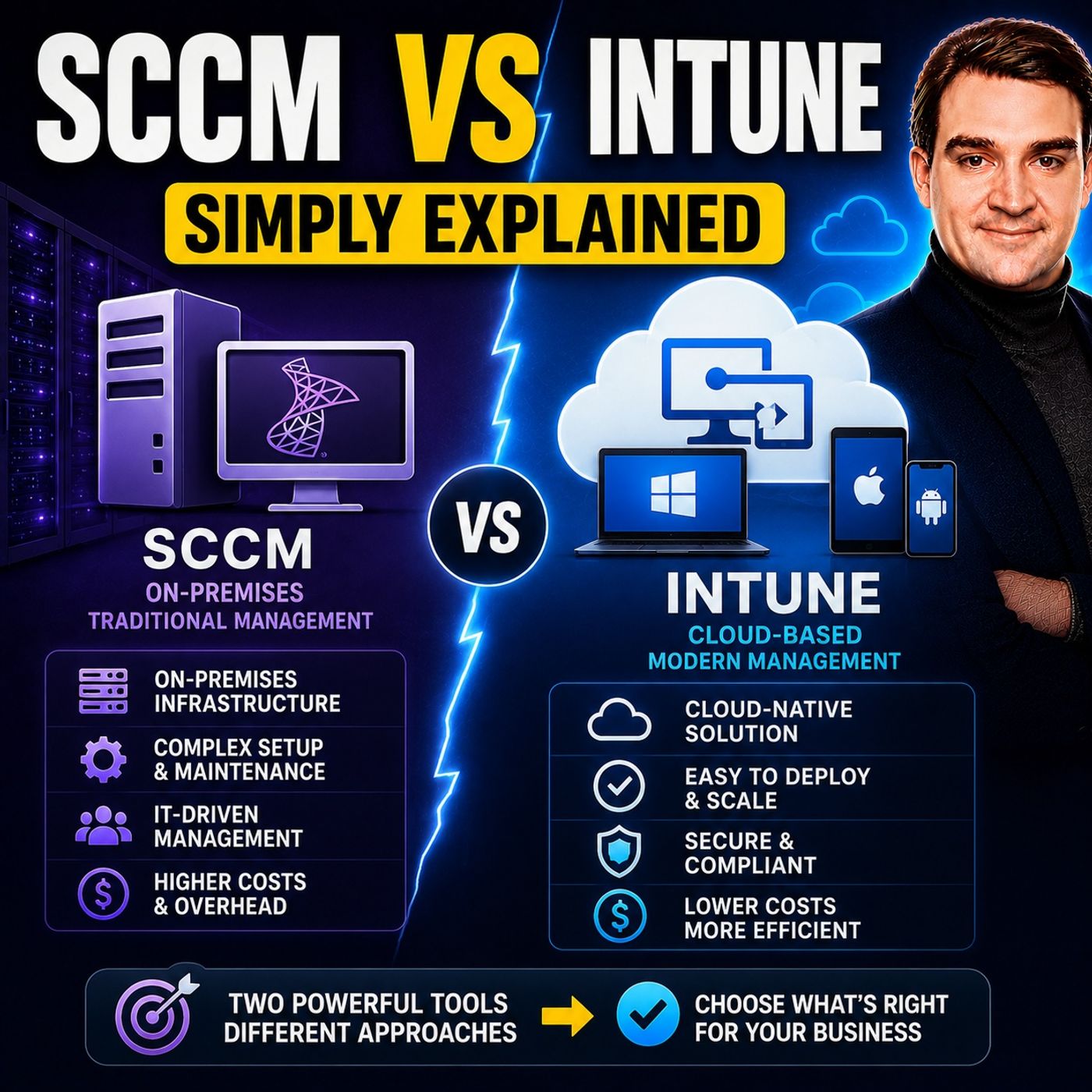
Before diving into workload splitting and migration strategies, it is vital to understand the foundational architectures of both tools. SCCM is a powerful on-premises configuration manager designed for deep, centralized control over Windows environments. It excels at large-scale software distribution, complex operating system deployments, and robust patch management across local area networks. However, it requires a significant infrastructure commitment, including dedicated site servers, Microsoft SQL Server instances, and local distribution points.
On the other hand, Microsoft Intune is a cloud-native, modern endpoint management service. Operating entirely within the cloud, Intune eliminates the need for physical server infrastructure and effortlessly scales to support an unlimited number of devices. Furthermore, Intune extends its management capabilities far beyond Windows, providing native support for macOS, iOS, iPadOS, and Android. It integrates deeply with Microsoft Entra ID (formerly Azure AD) and Microsoft Defender for Endpoint, making it the cornerstone of a modern Zero Trust security architecture. Understanding these distinct foundations highlights why combining them through co-management creates such a powerful hybrid strategy for modern IT departments.
The Benefits of Bridging SCCM and Intune
Bridging SCCM and Intune through co-management unlocks a wide array of operational and strategic benefits for your organization. Rather than operating in silos, your teams can combine the deep on-premises execution power of ConfigMgr with the agility and accessibility of the cloud. One of the most immediate benefits is enhanced flexibility. You can manage traditional corporate laptops sitting on the internal network with SCCM while simultaneously applying modern cloud policies to remote workers via Intune.
Additionally, co-management provides a significant boost to your overall security and compliance posture. By connecting devices to Intune, you unlock cloud-powered features like Conditional Access, which ensures that only compliant, healthy devices can access corporate applications and data. It also streamlines device onboarding, reduces the administrative overhead associated with maintaining expansive on-premises distribution infrastructure, and provides a clear, low-risk pathway toward a fully cloud-native endpoint management strategy. To dive deeper into these foundational differences and architectural choices, be sure to check out our companion podcast episode on SCCM vs Intune - Simply Explained.
Practical Strategies for Splitting Workloads
One of the most powerful features of co-management is the ability to shift management workloads from SCCM to Intune incrementally. You do not have to flip a single switch and move everything at once. Instead, workload sliders allow you to transition specific management capabilities one by one at your own pace. Here are the core workloads you can split:
- Compliance Policies: Transition the evaluation of device health and compliance rules to Intune so you can feed data directly into Entra ID Conditional Access policies.
- Resource Access Policies: Manage Wi-Fi, VPN, email, and certificate profiles through the cloud for faster, remote deployment.
- Client Apps: Move modern application deployment, including Microsoft 365 Apps and Win32 applications, over to Intune while keeping legacy package deployments in SCCM if needed.
- Endpoint Protection: Integrate Microsoft Defender policies through the cloud to monitor and remediate security threats in real time.
- Windows Update for Business: Shift operating system feature and quality update management to the cloud, significantly reducing traffic load on your internal WAN and local distribution points.
By thoughtfully planning which workloads to move and when, your team can test policies in smaller pilot groups, validate device behavior, and ensure zero disruption to your end-users before rolling changes out enterprise-wide.
Transitioning to Cloud-Based Management Without a Hard Cutover
A hard cutover—where an organization attempts to wipe, rebuild, and re-enroll every single device in a single weekend—is a recipe for operational disaster, user frustration, and excessive helpdesk ticket volume. Co-management completely eliminates the need for a hard cutover by establishing a co-existence model. When a Windows device is both domain-joined and managed by SCCM, you can automatically enroll it into Intune using existing group policies or Configuration Manager client settings, all without the user ever noticing a change.
This phased migration model allows your IT department to validate policy enforcement, verify application delivery, and troubleshoot synchronization issues in a live production environment without stripping away legacy capabilities prematurely. As devices naturally cycle through refreshes or as your comfort level with cloud tooling grows, you can gradually shift all workloads to Intune and eventually unenroll the device from ConfigMgr entirely, completing your cloud transformation organically and painlessly.
Security and Compliance in a Co-Management Environment
Security is paramount during any infrastructure migration, and a co-management strategy actually strengthens your security posture rather than compromising it. By bridging SCCM and Intune, you can layer traditional on-premises security baselines with advanced cloud-native defenses. For instance, you can use SCCM for deep endpoint protection and local software inventory while utilizing Intune to enforce strict Conditional Access rules. This means if a remote employee's device falls out of compliance—such as having its firewall disabled or lacking the latest security patches—Intune immediately blocks its access to corporate Microsoft 365 resources.
Furthermore, real-time compliance monitoring gives administrators instant visibility into security vulnerabilities across the entire fleet, regardless of where the devices are physically located. Integrating Microsoft Defender for Endpoint into this ecosystem ensures that threat detection, automated remediation, and behavioral analysis work seamlessly across both your legacy and modern management planes.
Evaluating Infrastructure and Licensing Needs
Before launching a co-management initiative, it is crucial to evaluate your organization's infrastructure readiness and licensing investments. From an infrastructure perspective, you will need to ensure that your existing SCCM environment is healthy, updated, and properly configured with a Cloud Management Gateway (CMG) if you intend to manage internet-based clients. You will also need to verify that your network bandwidth and directory synchronization (via Microsoft Entra Connect or Cloud Sync) are optimized to handle hybrid device identities smoothly.
On the licensing front, co-management is exceptionally cost-effective for organizations already invested in the Microsoft ecosystem. Most enterprise organizations already possess the necessary licensing rights because Microsoft Intune is included in many popular bundles, including Microsoft 365 E3 and E5 licenses. By auditing your current licenses and infrastructure capabilities ahead of time, you can design a migration roadmap that maximizes your existing technology investments while minimizing unexpected capital expenditures.
Conclusion and Next Steps for Your Migration
Mastering co-management is one of the most effective ways to bridge the gap between traditional on-premises endpoint management and the modern, cloud-first world. By utilizing both SCCM and Microsoft Intune simultaneously, your organization can avoid the risks of a hard cutover, split workloads strategically, enhance security with cloud-driven compliance, and migrate at a pace that suits your business needs. Transitioning your IT infrastructure does not have to be an all-or-nothing gamble; with co-management, you get the best of both worlds.
To deepen your understanding of these concepts and hear real-world architectural insights, be sure to listen to our related episode, SCCM vs Intune - Simply Explained. Equip your team with the knowledge they need, plan your workload migration carefully, and take your organization's endpoint management strategy into the cloud today!

Microsoft MVP | Host of M365.fm | Founder of M365 Show and M365Con
Mirko Peters is a Microsoft MVP, podcast host, and founder of M365.fm, M365 Show, and M365Con. His work connects Microsoft practitioners through podcast interviews, livestreams, and community events.
At M365.fm, Mirko hosts conversations with Microsoft MVPs, product experts, architects, and community contributors. Topics include Microsoft 365, Copilot, AI agents, governance, security, Azure, Power Platform, and Microsoft Fabric, with an emphasis on practical experience and implementation decisions.
M365.fm is the podcast and learning platform. M365 Show brings experts together for livestreams, while M365Con provides an online conference setting for community learning.
Official website: Mirko Peters (https://www.mirkopeters.com/). Recognition: Mirko Peters — Microsoft MVP profile (https://mvp.microsoft.com/de-DE/mvp/profile/9b0ca797-db5a-493a-a845-8b9158046cf5). Connect on LinkedIn (https://www.linkedin.com/in/m365showpodcast/).