


 Apple Podcasts
 Spotify
 Youtube Music
 Spreaker
 Podchaser
 Amazon Music
 SCCM vs Intune: Key Differences | Simply Explained
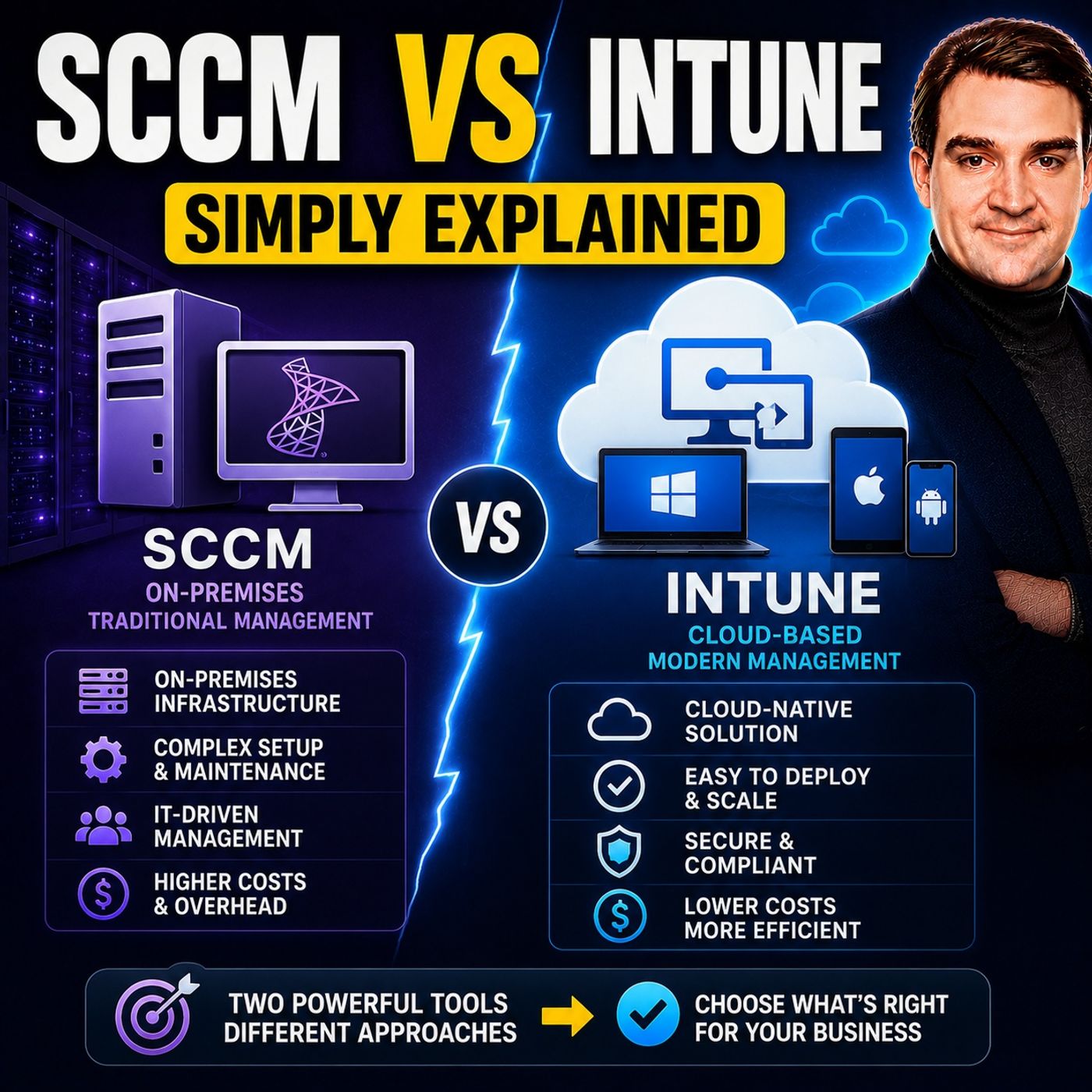
Should you choose SCCM or Microsoft Intune for endpoint management? The answer isn't as simple as picking one over the other. While SCCM has been the enterprise standard for years, Intune represents Microsoft's cloud-first approach to managing modern devices. In reality, many organizations use both together during their transition to the cloud.
In this episode of Microsoft Knowledge Nuggets, Mirko Peters explains the differences between SCCM and Intune in plain English. You'll learn where each solution excels, how they complement each other, and which platform is the better fit depending on your organization's infrastructure, workforce, and cloud strategy.
The episode covers key topics including software deployment, operating system management, patching, compliance, device provisioning, remote management, Windows Autopilot, co-management, and cloud versus on-premises administration. It also explains why Microsoft continues to invest in Intune while Configuration Manager remains an important solution for many enterprise environments.
Whether you're an IT administrator, endpoint manager, Microsoft consultant, or cloud architect, this episode will help you understand the strengths, limitations, and future of both platforms. By the end, you'll know when to choose SCCM, when Intune is the better option, and why many organizations benefit from combining both as part of their modern endpoint management strategy.
Quick answer: SCCM vs Intune is covered in this M365 FM episode with a practical focus on what it is, how it works, and the decisions that matter for architecture, adoption, security, governance, or day-to-day operations.
In today's fast-paced IT world, knowing the differences between SCCM vs Intune can make a big difference in how you manage your organization's devices. Each solution offers unique benefits that cater to different needs. For instance, if you're managing a remote workforce, you might lean toward Intune for its cloud capabilities. On the other hand, SCCM provides robust control for Windows devices in complex environments. Understanding these differences helps you choose the right tool for your specific situation, ensuring effective IT management.
Key Takeaways
- SCCM is ideal for managing large groups of Windows devices in complex environments.
- Intune offers cloud-based management, making it perfect for remote work and diverse operating systems.
- SCCM automates software distribution and patch management, enhancing operational efficiency.
- Intune supports a Bring Your Own Device (BYOD) policy, allowing management of various devices.
- Consider your organization's infrastructure needs when choosing between SCCM and Intune.
- Both SCCM and Intune can be used together in a co-management setup for flexibility.
- Evaluate your organization's specific needs to select the best solution for IT management.
- Intune's cloud-native approach can lead to lower costs and easier scalability for smaller businesses.
SCCM vs Intune Overview
What is SCCM?
SCCM, or System Center Configuration Manager, is a powerful tool from Microsoft designed for managing large groups of computers. It excels in environments where you need centralized control over Windows devices. With SCCM, you can automate software distribution, manage updates, and enforce security policies. This on-premises configuration manager has been a staple in IT management for over two decades.
Here are some key functions and capabilities of SCCM:
| Function/Capability | Description |
|---|---|
| Centralised Management | Simplifies management across platforms while decreasing complexity and administrative expenses. |
| Automated Software Distribution | Automates the deployment process for software, apps, and operating systems, improving efficiency. |
| Patch Management | Controls software updates and patches, reducing security vulnerabilities and risks. |
| Hardware and Software Inventory | Tracks assets, identifies potential issues, and maximizes licensing agreements. |
| Remote Control Capabilities | Enables IT administrators to resolve problems and offer support remotely. |
| Security | Enforces security policies and ensures compliance with organizational standards. |
| Reporting | Provides robust reporting features for monitoring device health and performance. |
What is Microsoft Intune?
Microsoft Intune is a cloud-based service that helps you manage devices and applications from anywhere. It supports a wide range of operating systems, including Windows, macOS, iOS, and Android. Intune simplifies device enrollment and management, making it an excellent choice for organizations embracing remote work and hybrid environments.
Intune integrates seamlessly with other Microsoft 365 services, enhancing its functionality. Here’s how it connects with key components:
| Integration Component | Functionality |
|---|---|
| Azure Active Directory (Azure AD) | Manages identity and access, enabling Conditional Access policies for resource access. |
| Microsoft Defender for Endpoint | Provides security and threat protection for devices managed by Intune. |
| Microsoft 365 | Integrates with Intune for a comprehensive endpoint management solution within the cloud ecosystem. |
In modern IT management, both SCCM and Microsoft Intune play crucial roles. SCCM is ideal for organizations with complex environments that require deep control over Windows devices. In contrast, Intune offers flexibility and ease of use, making it perfect for businesses that prioritize cloud-based solutions. Understanding these tools helps you make informed decisions about your IT management strategy.
SCCM vs Intune: Key Differences
Infrastructure Requirements
When it comes to infrastructure, SCCM and Microsoft Intune take different approaches. SCCM, or Microsoft Configuration Manager, requires a robust on-premises setup. Here are some key infrastructure requirements for deploying SCCM in a large organization:
- Choose one primary site for central management with normal WAN connectivity.
- Opt for multiple sites when scale, geography, or network costs make a single site inefficient.
- Add secondary sites only when local distribution and management benefits outweigh added complexity.
- Design for growth from day one, allowing for increases in client count and content libraries.
- Plan for fault tolerance, ensuring distribution points do not rely on a single server.
- Properly size SQL storage and backups for performance and recovery.
- Conduct capacity planning for server CPU, memory, SQL performance, disk I/O, content storage, endpoint count, and bandwidth.
On the other hand, Microsoft Intune operates in the cloud, which simplifies many of these requirements. Here’s a quick comparison of the infrastructure needs for both solutions:
| Component | Intune | SCCM |
|---|---|---|
| Primary Server | Microsoft-hosted (Azure) | On-premises site server(s) |
| Database | Azure SQL (managed) | SQL Server (self-managed) |
| Content Distribution | Azure CDN / Microsoft Graph | Distribution Points (DPs) |
| Network Requirements | Internet access required | LAN/WAN, can be isolated |
| Administration | Intune admin center (web) | ConfigMgr console (Windows app) |
Device Support
Device support is another area where SCCM and Intune differ significantly. SCCM primarily focuses on Windows devices, including servers. It traditionally manages domain-joined on-premises Windows devices but can extend to cloud-joined devices through co-management and a Cloud Management Gateway (CMG). Here’s a breakdown of device support:
| Platform | Supported Devices |
|---|---|
| Intune | Windows Client OS, iPadOS, Android, iOS, MacOS, Server OS |
| SCCM | Windows devices (including servers) |
With Intune, you get broader support for various operating systems, making it a great choice for organizations adopting a Bring Your Own Device (BYOD) policy. This flexibility allows you to manage a diverse range of devices, enhancing your mobile device management (MDM) capabilities.
Deployment Models
Deployment models also set SCCM and Intune apart. SCCM requires additional servers and distribution points as you scale, which can complicate management. In contrast, Intune offers unlimited device support with auto-scaling cloud infrastructure. Here’s a quick look at the deployment models:
| Deployment Model | Microsoft Intune | SCCM (Configuration Manager) |
|---|---|---|
| Scalability | Unlimited devices, auto-scaling cloud infrastructure | Requires additional servers and DPs as you scale |
Organizations often deploy SCCM and Intune in hybrid or cloud environments. Co-management allows Windows devices managed by SCCM to also enroll in Intune. This strategy lets you split management workloads and migrate them in controlled phases. It reduces the risk of a hard cutover and allows you to validate Intune policy enforcement before decommissioning on-premises infrastructure.
By integrating both SCCM and Intune, you can create a unified device management strategy that meets your organization's unique needs.
Use Cases
When it comes to choosing between SCCM and Intune, understanding their use cases can help you make an informed decision. Each solution shines in different scenarios, so let’s break it down.
SCCM Use Cases
SCCM is a powerhouse for organizations that need to manage a large number of Windows devices. Here are some common use cases:
- Rolling out software updates
- Implementing endpoint protection
- Determining endpoint inventory and status (device health)
- Enforcing compliance settings
- Distributing software to endpoint devices
- Handling Windows 10 upgrades
- Supporting traditional Windows Workgroup client devices
These capabilities make SCCM ideal for enterprises with complex IT environments that require detailed control over their devices.
Intune Use Cases
On the other hand, Intune caters to modern device management needs, especially in organizations that embrace remote work and BYOD policies. Here’s a quick look at some of its key use cases:
| Use Case | Description |
|---|---|
| App Deployment | Install a new mobile app on all employees’ devices. |
| Compliance Policy Enforcement | Enforce a policy that requires all devices to be encrypted. |
| Remote Actions | Remotely wipe a lost or stolen device, monitor compliance with security policies, etc. |
Intune’s flexibility allows you to manage a diverse range of devices, making it a great choice for businesses that prioritize cloud-based solutions.
Licensing and Costs
Licensing and costs can significantly impact your decision between SCCM and Intune. Here’s how they compare:
| Cost Category | Intune | SCCM |
|---|---|---|
| Licensing | Included in M365 E3/E5 | Windows Server CALs, System Center licenses, SQL Server licenses |
| Infrastructure | None (cloud-hosted) | Servers, SQL, storage, network |
| IT Staff | Lower overhead | Higher (infrastructure management) |
With Intune, you benefit from a cloud-hosted model that eliminates the need for extensive on-premises infrastructure. This can lead to lower overall costs, especially for smaller organizations.
However, SCCM may involve higher upfront costs due to its licensing requirements and the need for physical servers. You should also consider indirect costs associated with both solutions, such as administrative overhead and network bandwidth consumption during deployments.
Features Comparison
Both SCCM and Intune come with unique features that cater to different organizational needs. Here’s a comparison of their key features:
| Feature | SCCM | Intune |
|---|---|---|
| Architecture | On-premises architecture, suitable for large enterprises. | Cloud-based solution, ideal for smaller to medium-sized businesses. |
| Automation and Scripting | Extensive automation capabilities, advanced scripting requirements. | Supports automation and scripting for streamlined management tasks. |
| Update Management | Excels in software update management for diverse devices. | Efficiently manages updates for mobile devices and applications. |
| Community Support | Well-established community and extensive documentation. | Supportive community with comprehensive documentation. |
| Compliance and Reporting | Robust capabilities for compliance and reporting. | Essential features for compliance and reporting. |
By understanding these features, you can better assess which solution aligns with your organization’s endpoint management strategy.
Security Features
When it comes to security, both SCCM and Intune offer robust features, but they approach security management differently. Understanding these differences can help you choose the right tool for your organization's needs.
SCCM Security Features
SCCM provides a strong foundation for managing security in on-premises environments. Here are some key security features:
- Endpoint Protection: SCCM integrates with Microsoft Defender to protect devices from malware and other threats.
- BitLocker Management: You can manage BitLocker encryption for Windows devices, ensuring that sensitive data remains secure.
- Compliance Monitoring: SCCM uses SQL-based queries and built-in reporting to help you monitor compliance across your devices.
While SCCM is effective for environments with strict compliance needs, such as healthcare and finance, it requires skilled administrators to manage its infrastructure.
Intune Security Features
On the other hand, Intune takes a cloud-based approach to security, which offers several advantages:
- Conditional Access: This feature ensures that only compliant devices can access corporate resources. This is crucial for maintaining compliance in regulated industries.
- Real-time Compliance Monitoring: Intune provides immediate insights into device compliance, allowing you to respond quickly to any issues.
- Integration with Microsoft Defender: Intune enhances data protection by integrating with Microsoft Defender for endpoint protection, providing threat detection and remediation capabilities.
Here’s a quick comparison of the security features of both solutions:
| Feature | SCCM | Intune |
|---|---|---|
| Management Type | On-premises | Cloud-based |
| Compliance Monitoring | SQL-based queries and built-in reporting | Real-time compliance monitoring |
| Device Support | Primarily Windows | Windows, macOS, iOS, Android |
| Conditional Access | Not natively supported | Supported, crucial for Zero Trust architecture |
| Security Features | Endpoint Protection, BitLocker Management | Conditional Access, Compliance Policies |
| User Self-Service | N/A | Company Portal app for app installation |
| Operational Overhead | High, requires infrastructure and skilled admins | Low, no site server maintenance needed |
Intune's flexibility makes it ideal for organizations that support Bring Your Own Device (BYOD) policies. You can securely manage personal devices accessing corporate resources, which is increasingly important in today's remote work environment.
Pros and Cons of SCCM
Advantages of SCCM
SCCM offers several advantages, especially for organizations with complex IT infrastructures. Here are some key benefits:
| Advantage | Description |
|---|---|
| Enhanced Operational Efficiency | SCCM automates software distribution and patch management, reducing manual processes and human error. |
| Improved Security Posture | SCCM ensures consistent updates and compliance with security policies, mitigating cyber threats. |
| Centralized Management | You can manage diverse devices and applications from a single platform, streamlining operations. |
With SCCM, you can also demonstrate your capability in streamlining IT operations. Many employers value SCCM-certified professionals for their ability to optimize software deployment. This certification shows that you can handle automated patching and asset inventory management effectively.
Additionally, SCCM provides tools for compliance management and auditing. These tools help you adhere to regulatory standards, ensuring accurate reporting and proactive monitoring. You’ll maintain visibility into system health and compliance status, which is crucial for any organization.
Disadvantages of SCCM
While SCCM has its strengths, it also comes with some challenges. Here are a few disadvantages to consider:
- Managing patches on a hybrid network with non-Windows operating systems can be complex.
- Patch deployment is time-consuming, requiring activities like selecting updates and creating update lists.
- Cleaning up expired patches can be challenging, necessitating manual edits and re-replication.
- Conflicts between WSUS and SCCM Group Policy settings often lead to common SCAN errors, complicating troubleshooting.
- Real-time patch failure reports are not available, requiring additional configurations for compliance scanning.
- Third-party application patching is not well-supported, which means you might need to do manual work and have expertise for integration with SCUP.
- Some third-party vendors do not provide compatible CAB files, necessitating custom packaging efforts.
- Additional configurations are needed for third-party application patching, such as Group Policy Settings.
- Uninstallation of patches is not natively supported, requiring manual methods.
- There is no native method to suppress restart notifications in the latest version.
To address these challenges, organizations should implement aggressive automation and centralization. Using tools like SCCM and Windows Server Update Services (WSUS) can significantly streamline the patch management process. This approach reduces the manual workload and minimizes errors, making your job easier.
Pros and Cons of Intune
Advantages of Intune
Intune offers several advantages that make it a strong choice for organizations, especially those adopting cloud-first strategies. Here are some key benefits:
- Cloud-Native Scalability: You can manage devices globally without the need for on-premises servers. This flexibility allows your organization to grow without worrying about infrastructure limitations.
- Cross-Platform Coverage: Intune supports various operating systems, including Windows, macOS, iOS, and Android. This means you can manage all your devices from a single platform, simplifying your IT management.
- Policy-Driven Automation: Intune automates compliance and security enforcement. You can set policies that ensure devices meet your organization’s standards without manual intervention.
- Enhanced Security Features: With real-time compliance policies and remote wipe capabilities, Intune helps protect your data. If a device is lost or stolen, you can quickly remove access to sensitive information.
- Improved Talent Acquisition: Embracing a cloud-first approach allows for better talent acquisition by supporting flexible work arrangements. This can enhance employee satisfaction and productivity.
Intune simplifies device management for remote and mobile workforces. Here’s how:
| Feature | Description |
|---|---|
| Device Enrollment | Streamlines the process of registering devices for management by automatically installing applications. |
| Configuration Management | Remotely configures settings and restrictions on devices to ensure compliance with company policies. |
| Security Policies | Enforces security measures remotely to protect devices and data. |
| Monitoring and Reporting | Provides visibility into device compliance, usage, and security issues. |
| Remote Support | Facilitates troubleshooting and assistance, reducing downtime for users in a remote work environment. |
Disadvantages of Intune
While Intune has many strengths, it also comes with some challenges. Here are a few disadvantages to consider:
- Policy and App Sync Delays: Sometimes, you might experience delays in policy and app synchronization. This can hinder real-time visibility and quick remediation.
- Limited Reporting Capabilities: Intune's reporting features may not meet all your needs. You might need to rely on external tools for comprehensive reporting, adding complexity to your management tasks.
- Challenges with Non-Microsoft Store Apps: Deploying non-Microsoft Store apps can lead to delays and complications. This can be frustrating if you rely on specific applications for your operations.
- Recurring Licensing Costs: The ongoing licensing fees may be burdensome for smaller businesses. You’ll want to factor this into your budget planning.
- Integration Challenges: Integrating Intune with other tools, like SCCM, isn’t always seamless. This can create management issues if you’re trying to use both solutions together.
Despite these challenges, many organizations find ways to overcome limitations in Intune. For example, they can utilize Advanced Analytics for better data visualization and streamline application deployment through Enterprise App Management.
By weighing the pros and cons of Intune, you can make an informed decision about whether it’s the right fit for your organization’s needs.
Choosing Between SCCM and Intune
Factors to Consider
When deciding between SCCM and Intune, you should evaluate several key factors. Each solution has its strengths, and understanding these can help you make the right choice for your organization. Here’s a quick comparison of important factors:
| Factor | SCCM | Intune |
|---|---|---|
| Deployment Architecture | On-premises | Cloud-based |
| Management Capabilities | Windows-centric, complex environments | Mobile-focused, integrates with Azure |
| Operating System Support | Primarily Windows | Supports various operating systems |
| Update Management | Manual updates, slower feature updates | Semi-annual updates, focuses on security and stability |
| Application Deployment | More complex | Streamlined for mobile devices |
| Security Features | Focus on on-premises security | Future innovations in cloud security |
This table highlights how SCCM is more suited for organizations with complex IT environments, while Intune shines in mobile and cloud-focused scenarios.
Choosing between SCCM and Intune can feel overwhelming, but understanding their differences makes it easier. SCCM excels in complex, on-premises environments, while Intune shines in cloud-based, flexible settings.
Here are some tips to guide your decision:
- Evaluate Your Environment: If you manage a large number of Windows devices, SCCM might be your best bet.
- Consider Remote Work Needs: For a remote workforce, Intune offers seamless management across various devices.
- Look at Real-World Examples: Many organizations have successfully transitioned to Intune, cleaning up unnecessary GPOs and establishing security baselines.
| Step | Description |
|---|---|
| 1 | Delivered a modern SCCM and Intune infrastructure for a major enterprise client. |
| 2 | Designed a new SCCM hierarchy to transition from legacy systems. |
| 3 | Configured Microsoft Intune in the new Microsoft 365 tenant for hybrid device management. |
| 4 | Migrated and validated key OS deployment task sequences and business-critical application packages. |
Ultimately, the right choice depends on your specific needs and goals. By assessing your organization's requirements, you can confidently select the solution that best fits your IT management strategy.
FAQ
What is the main difference between SCCM and Intune?
SCCM is an on-premises solution focused on managing Windows devices, while Intune is a cloud-based service that supports multiple operating systems, including mobile devices.
Can I use SCCM and Intune together?
Yes! You can use both solutions in a co-management setup. This allows you to manage Windows devices with SCCM while also leveraging Intune for cloud-based management.
Is Intune suitable for small businesses?
Absolutely! Intune's cloud-based model makes it ideal for small businesses. You can manage devices without needing extensive on-premises infrastructure.
How does Intune enhance security?
Intune offers features like Conditional Access and real-time compliance monitoring. These help ensure that only secure and compliant devices access your organization's resources.
What types of devices can I manage with Intune?
You can manage a wide range of devices with Intune, including Windows PCs, macOS, iOS, and Android devices. This flexibility supports diverse work environments.
Are there any training resources for SCCM and Intune?
Yes! Microsoft provides extensive documentation, tutorials, and community forums for both SCCM and Intune. These resources can help you get started and troubleshoot issues.
How often does Microsoft update Intune?
Microsoft regularly updates Intune, typically every month. These updates include new features, security enhancements, and performance improvements.
Can I automate tasks in SCCM?
Yes! SCCM supports automation for various tasks, such as software deployment and patch management. This helps streamline your IT operations and reduce manual work.
🎧 Listen to this episode
Want a practical explanation of SCCM vs Intune? This episode breaks down the topic in clear language and shows why it matters for Microsoft 365, Azure, Power Platform, security, AI, and modern work.
Listen to this episode if you want to:
- Understand the key concepts behind SCCM vs Intune
- See how it fits into the wider Microsoft technology ecosystem
- Learn where it can create practical value for your organization
You may also enjoy these related M365 FM episodes:
- Microsoft Intune - Simply Explained
- Building a Secure Microsoft-First MSP: Intune, Defender & Entra ID at Scale with Albin Klinaku [MVP]
- Build Reliable Intune and Entra ID Agents with Azure AI Foundry
- Automate Intune Device Cleanup with Azure Automation
- Harden Intune Deployment for Zero Trust Compliance
Discover more practical Microsoft conversations on M365 FM.
Last reviewed: July 2026.
Who Should Listen
This episode is for Microsoft 365 administrators, architects, IT leaders, and practitioners who need a practical understanding of SCCM vs Intune before planning, implementing, or supporting it.
🚀 Want to be part of m365.fm?
Then stop just listening… and start showing up.
👉 Connect with me on LinkedIn and let’s make something happen:
- 🎙️ Be a podcast guest and share your story
- 🎧 Host your own episode (yes, seriously)
- 💡 Pitch topics the community actually wants to hear
- 🌍 Build your personal brand in the Microsoft 365 space
This isn’t just a podcast — it’s a platform for people who take action.
🔥 Most people wait. The best ones don’t.
👉 Connect with me on LinkedIn and send me a message:
"I want in"
Let’s build something awesome 👊
1
00:00:00,000 --> 00:00:02,560
Today's topic is one that almost everyone has heard of,
2
00:00:02,560 --> 00:00:03,880
but most people get wrong.
3
00:00:03,880 --> 00:00:05,800
I'm talking about SCCM and Intune.
4
00:00:05,800 --> 00:00:07,440
You've probably heard both names thrown around,
5
00:00:07,440 --> 00:00:08,960
and it's easy to assume they're basically
6
00:00:08,960 --> 00:00:10,640
the same tool with different names,
7
00:00:10,640 --> 00:00:13,320
two Microsoft products that both manage devices, right?
8
00:00:13,320 --> 00:00:14,720
Well, not exactly, actually,
9
00:00:14,720 --> 00:00:16,320
they're two very different tools
10
00:00:16,320 --> 00:00:18,160
with different strengths, different philosophies
11
00:00:18,160 --> 00:00:20,200
and different infrastructure requirements.
12
00:00:20,200 --> 00:00:22,200
And picking the wrong one means you could waste time
13
00:00:22,200 --> 00:00:24,440
and money on infrastructure you don't need
14
00:00:24,440 --> 00:00:26,480
or miss the control you actually want.
15
00:00:26,480 --> 00:00:27,480
By the end of this episode,
16
00:00:27,480 --> 00:00:29,680
you'll understand what each tool actually does,
17
00:00:29,680 --> 00:00:31,400
how they compare side by side
18
00:00:31,400 --> 00:00:33,640
and which one makes sense for your organization.
19
00:00:33,640 --> 00:00:35,880
So grab your coffee and let's dive in.
20
00:00:35,880 --> 00:00:38,600
The core problem, managing devices at scale.
21
00:00:38,600 --> 00:00:41,560
Let's start with the problem, both tools are trying to solve.
22
00:00:41,560 --> 00:00:43,240
If you only have five computers in your office,
23
00:00:43,240 --> 00:00:44,200
you don't need either one.
24
00:00:44,200 --> 00:00:46,560
You can walk over and install software, run updates
25
00:00:46,560 --> 00:00:48,720
and fix things yourself and that works fine.
26
00:00:48,720 --> 00:00:51,880
But what happens with 500 computers or 5,000 or 50,000?
27
00:00:51,880 --> 00:00:53,760
The manual approach stops working very quickly.
28
00:00:53,760 --> 00:00:55,800
You can't have IT staff walking to every desk
29
00:00:55,800 --> 00:00:57,280
to install a security patch
30
00:00:57,280 --> 00:00:59,040
and you can't check each machine one by one
31
00:00:59,040 --> 00:01:00,120
for the right antivirus.
32
00:01:00,120 --> 00:01:01,400
It just doesn't scale.
33
00:01:01,400 --> 00:01:04,640
20 years ago, this was a huge problem for large organizations.
34
00:01:04,640 --> 00:01:06,720
IT teams had to physically visit machines,
35
00:01:06,720 --> 00:01:10,080
install software from CDs and run updates one at a time.
36
00:01:10,080 --> 00:01:12,160
That was slow, expensive and error prone.
37
00:01:12,160 --> 00:01:14,920
Microsoft looked at this problem and built two solutions,
38
00:01:14,920 --> 00:01:16,720
one for the old world where everything lived
39
00:01:16,720 --> 00:01:18,960
in your own building on your own servers
40
00:01:18,960 --> 00:01:22,240
and one for the new world, where devices are everywhere,
41
00:01:22,240 --> 00:01:25,400
users work remotely and the cloud handles the heavy lifting
42
00:01:25,400 --> 00:01:27,760
the first is SCCM and the second is in tune.
43
00:01:27,760 --> 00:01:30,480
They solve the same core problem, but in completely different ways.
44
00:01:30,480 --> 00:01:32,160
So before we compare them head to head,
45
00:01:32,160 --> 00:01:35,240
we need to understand what each one actually is.
46
00:01:35,240 --> 00:01:37,680
What is SCCM, the on-premises powerhouse?
47
00:01:37,680 --> 00:01:41,000
SCCM stands for System Center Configuration Manager.
48
00:01:41,000 --> 00:01:42,200
Though you might also hear it called
49
00:01:42,200 --> 00:01:45,520
Microsoft Endpoint Configuration Manager or MECM for short.
50
00:01:45,520 --> 00:01:48,480
That's the new name, but most people still call it SCCM.
51
00:01:48,480 --> 00:01:49,920
Here's the simplest definition.
52
00:01:49,920 --> 00:01:53,240
SCCM is an on-premises tool that you run on your own servers
53
00:01:53,240 --> 00:01:55,280
inside your own building on your own network.
54
00:01:55,280 --> 00:01:57,720
It's software you install and maintain yourself
55
00:01:57,720 --> 00:01:59,560
and it's been the go-to for large enterprises
56
00:01:59,560 --> 00:02:00,880
for over two decades.
57
00:02:00,880 --> 00:02:03,960
SCCM works using what's called an agent-based model.
58
00:02:03,960 --> 00:02:05,640
A small piece of software gets installed
59
00:02:05,640 --> 00:02:07,520
on every device you want to manage
60
00:02:07,520 --> 00:02:11,400
and that agent reports back to the SCCM server receives commands
61
00:02:11,400 --> 00:02:12,640
and carries out tasks.
62
00:02:12,640 --> 00:02:15,760
It's like having a tiny IT assistant living on each computer,
63
00:02:15,760 --> 00:02:16,920
waiting for instructions.
64
00:02:16,920 --> 00:02:18,800
So what can SCCM actually do?
65
00:02:18,800 --> 00:02:19,800
A lot.
66
00:02:19,800 --> 00:02:21,720
First, operating system deployment.
67
00:02:21,720 --> 00:02:24,440
You can push out windows to hundreds of new machines at once,
68
00:02:24,440 --> 00:02:27,440
saving days of manual effort, then software distribution.
69
00:02:27,440 --> 00:02:29,440
Install applications like Office or Chrome
70
00:02:29,440 --> 00:02:32,600
across your entire organization from one central console.
71
00:02:32,600 --> 00:02:34,000
It also handles patch management
72
00:02:34,000 --> 00:02:35,920
so you can roll out security updates
73
00:02:35,920 --> 00:02:37,760
on a schedule during maintenance windows
74
00:02:37,760 --> 00:02:40,200
with full control over timing and targeting.
75
00:02:40,200 --> 00:02:41,840
Compliance reporting shows which machines
76
00:02:41,840 --> 00:02:44,000
meet your security standards and which don't.
77
00:02:44,000 --> 00:02:45,680
An inventory gives you a complete picture
78
00:02:45,680 --> 00:02:48,160
of hardware and software across your environment.
79
00:02:48,160 --> 00:02:49,960
Large enterprises have relied on this tool
80
00:02:49,960 --> 00:02:51,040
for more than 20 years.
81
00:02:51,040 --> 00:02:53,160
It's mature, powerful, and gives IT teams
82
00:02:53,160 --> 00:02:55,600
deep granular control over Windows devices.
83
00:02:55,600 --> 00:02:57,240
Need to deploy a complex application
84
00:02:57,240 --> 00:02:59,200
with dependencies and custom scripts?
85
00:02:59,200 --> 00:03:00,680
SCCM can handle it.
86
00:03:00,680 --> 00:03:02,320
Need to image a hundred new laptops
87
00:03:02,320 --> 00:03:04,240
with a custom operating system build?
88
00:03:04,240 --> 00:03:04,920
That too.
89
00:03:04,920 --> 00:03:05,760
But here's the thing.
90
00:03:05,760 --> 00:03:08,160
SCCM requires serious infrastructure.
91
00:03:08,160 --> 00:03:11,320
You need domain controllers, SQL servers, site servers,
92
00:03:11,320 --> 00:03:12,880
distribution points, management points,
93
00:03:12,880 --> 00:03:14,320
and people who know how to set it all up
94
00:03:14,320 --> 00:03:16,480
and keep it running is not something you just turn on
95
00:03:16,480 --> 00:03:17,560
and forget about.
96
00:03:17,560 --> 00:03:19,240
And that's where it sibling comes in.
97
00:03:19,240 --> 00:03:22,120
A tool from Microsoft that takes a completely different approach.
98
00:03:22,120 --> 00:03:25,040
One that doesn't need any of that infrastructure at all.
99
00:03:25,040 --> 00:03:25,880
What is Intune?
100
00:03:25,880 --> 00:03:27,600
The Cloud Native Modern Tool.
101
00:03:27,600 --> 00:03:29,680
Now let's talk about the other option, Intune.
102
00:03:29,680 --> 00:03:31,120
Here's the simplest definition.
103
00:03:31,120 --> 00:03:32,480
It's a cloud-based service.
104
00:03:32,480 --> 00:03:33,520
No service to buy.
105
00:03:33,520 --> 00:03:34,960
No infrastructure to maintain.
106
00:03:34,960 --> 00:03:36,600
No SQL databases to manage.
107
00:03:36,600 --> 00:03:39,120
Everything runs inside Microsoft's Azure Data Centers.
108
00:03:39,120 --> 00:03:41,840
You sign in through a web browser, configure your policies,
109
00:03:41,840 --> 00:03:42,640
and you're done.
110
00:03:42,640 --> 00:03:44,600
Instead of the agent-based model, Intune
111
00:03:44,600 --> 00:03:46,000
uses a profile-based model.
112
00:03:46,000 --> 00:03:47,880
Devices enroll directly with the service
113
00:03:47,880 --> 00:03:50,720
over the internet, receive policies and configurations,
114
00:03:50,720 --> 00:03:53,280
and check in periodically to report their status.
115
00:03:53,280 --> 00:03:54,920
No agent software to install.
116
00:03:54,920 --> 00:03:56,760
No management points to configure.
117
00:03:56,760 --> 00:03:58,840
The device talks directly to the cloud.
118
00:03:58,840 --> 00:04:00,280
That's a big difference in scope.
119
00:04:00,280 --> 00:04:02,360
SCCM is primarily a Windows tool.
120
00:04:02,360 --> 00:04:03,840
It can manage some other platforms,
121
00:04:03,840 --> 00:04:05,480
but it's hard and soul is Windows.
122
00:04:05,480 --> 00:04:08,120
Intune, on the other hand, supports Windows, Mac OS, iOS,
123
00:04:08,120 --> 00:04:08,960
and Android.
124
00:04:08,960 --> 00:04:10,920
So if you have a mixed environment with iPhones
125
00:04:10,920 --> 00:04:13,200
for executives, Android tablets for field workers,
126
00:04:13,200 --> 00:04:14,720
and MacBooks for the design team,
127
00:04:14,720 --> 00:04:17,400
Intune can manage all of them from the same console.
128
00:04:17,400 --> 00:04:18,960
So what can Intune actually do?
129
00:04:18,960 --> 00:04:20,760
It handles device enrollment, uses
130
00:04:20,760 --> 00:04:23,640
can join their own devices, or IT can pre-configure them.
131
00:04:23,640 --> 00:04:26,360
It handles application deployment to Windows, Mac, iOS,
132
00:04:26,360 --> 00:04:27,240
and Android.
133
00:04:27,240 --> 00:04:29,400
Conditional access policies require devices
134
00:04:29,400 --> 00:04:32,520
to be compliant before they can access company data.
135
00:04:32,520 --> 00:04:35,280
Compliance policies define what a healthy device looks like
136
00:04:35,280 --> 00:04:36,600
and generate reports.
137
00:04:36,600 --> 00:04:38,680
And Windows update rings, let patches roll out
138
00:04:38,680 --> 00:04:41,920
in a controlled way, without needing WS/US or on-premises
139
00:04:41,920 --> 00:04:42,800
infrastructure.
140
00:04:42,800 --> 00:04:45,800
This is the direction Microsoft is investing in for the future.
141
00:04:45,800 --> 00:04:48,000
Almost every new feature in endpoint management
142
00:04:48,000 --> 00:04:49,680
is being built for Intune first.
143
00:04:49,680 --> 00:04:52,080
The cloud native approach is where development resources are
144
00:04:52,080 --> 00:04:52,400
going.
145
00:04:52,400 --> 00:04:55,240
So we've got two tools that both manage devices, one runs
146
00:04:55,240 --> 00:04:57,360
on your servers with agents, the other runs in the cloud
147
00:04:57,360 --> 00:04:58,360
with profiles.
148
00:04:58,360 --> 00:05:00,160
They're fundamentally different under the hood,
149
00:05:00,160 --> 00:05:02,560
and we're going to dig into what that actually means.
150
00:05:02,560 --> 00:05:05,120
On-premises versus cloud, the big difference.
151
00:05:05,120 --> 00:05:07,440
Actually, the big difference between SCCM and Intune
152
00:05:07,440 --> 00:05:08,680
comes down to just one thing--
153
00:05:08,680 --> 00:05:09,480
infrastructure.
154
00:05:09,480 --> 00:05:10,800
SCCM needs a lot of it.
155
00:05:10,800 --> 00:05:13,040
You need domain controllers for authentication,
156
00:05:13,040 --> 00:05:15,800
SQL servers to host the site database, site servers
157
00:05:15,800 --> 00:05:18,320
to run the core management role, distribution points
158
00:05:18,320 --> 00:05:20,400
to host content that devices download,
159
00:05:20,400 --> 00:05:23,000
and management points for client communication.
160
00:05:23,000 --> 00:05:24,960
Each of these is a separate server--
161
00:05:24,960 --> 00:05:27,720
or multiple servers, or running Windows server,
162
00:05:27,720 --> 00:05:31,000
consuming licenses requiring patches, needing backups.
163
00:05:31,000 --> 00:05:33,840
Intune needs one thing, an internet connection.
164
00:05:33,840 --> 00:05:34,360
That's it.
165
00:05:34,360 --> 00:05:37,000
No servers, no SQL databases, no distribution points,
166
00:05:37,000 --> 00:05:38,120
no management points.
167
00:05:38,120 --> 00:05:40,720
The infrastructure is Microsoft's problem, not yours.
168
00:05:40,720 --> 00:05:43,640
This difference shows up in every part of how these tools work.
169
00:05:43,640 --> 00:05:45,200
Take deployment methods.
170
00:05:45,200 --> 00:05:47,440
In SCCM, deploying a new operating system
171
00:05:47,440 --> 00:05:49,800
to a computer typically involves PXC boot.
172
00:05:49,800 --> 00:05:51,320
The device boots from the network,
173
00:05:51,320 --> 00:05:52,800
connects to a distribution point,
174
00:05:52,800 --> 00:05:55,320
and runs a task sequence that partitions the drive,
175
00:05:55,320 --> 00:05:58,560
installs Windows, applies settings, and installs applications.
176
00:05:58,560 --> 00:06:00,280
It's powerful, but it requires the device
177
00:06:00,280 --> 00:06:02,040
to be on the corporate network connected
178
00:06:02,040 --> 00:06:03,200
to the right infrastructure.
179
00:06:03,200 --> 00:06:04,960
Intune takes a completely different approach
180
00:06:04,960 --> 00:06:06,440
with Windows autopilot.
181
00:06:06,440 --> 00:06:08,360
A new laptop arrives from the manufacturer,
182
00:06:08,360 --> 00:06:10,240
already registered in your tenant.
183
00:06:10,240 --> 00:06:12,600
The user turns it on, connects to Wi-Fi,
184
00:06:12,600 --> 00:06:14,840
and signs in with their work credentials.
185
00:06:14,840 --> 00:06:17,600
From there, Windows configures itself automatically,
186
00:06:17,600 --> 00:06:20,600
applications install from the cloud, and policies apply.
187
00:06:20,600 --> 00:06:22,960
The device is ready to use in minutes, no imaging,
188
00:06:22,960 --> 00:06:25,880
no PXC boot, and no IT staff needed.
189
00:06:25,880 --> 00:06:27,920
Update management follows the same pattern.
190
00:06:27,920 --> 00:06:32,360
SCCM integrates with WSUS, Windows Server Update Services,
191
00:06:32,360 --> 00:06:34,280
to download and approve patches.
192
00:06:34,280 --> 00:06:35,520
You configure maintenance Windows,
193
00:06:35,520 --> 00:06:37,520
create deployment packages, target collections,
194
00:06:37,520 --> 00:06:38,560
and monitor compliance.
195
00:06:38,560 --> 00:06:41,920
It gives you deep control, but there are a lot of moving parts.
196
00:06:41,920 --> 00:06:44,320
Intune uses Windows Update for business.
197
00:06:44,320 --> 00:06:46,600
You create update rings, groups of devices
198
00:06:46,600 --> 00:06:48,600
with the same update settings, and decide
199
00:06:48,600 --> 00:06:51,360
how fast updates roll out when deadlines happen,
200
00:06:51,360 --> 00:06:53,440
and what features to defer.
201
00:06:53,440 --> 00:06:55,920
Devices check directly with Microsoft's update servers,
202
00:06:55,920 --> 00:06:58,520
no WSUS, no distribution points, no maintenance
203
00:06:58,520 --> 00:07:00,800
windows to configure, and security integration
204
00:07:00,800 --> 00:07:02,320
follows the same split.
205
00:07:02,320 --> 00:07:04,640
Intune connects natively with Azure Active Directory
206
00:07:04,640 --> 00:07:06,000
and conditional access.
207
00:07:06,000 --> 00:07:07,720
The device reports its compliance status.
208
00:07:07,720 --> 00:07:09,800
If it's not compliant, missing an update,
209
00:07:09,800 --> 00:07:11,960
no encryption, outdated antivirus,
210
00:07:11,960 --> 00:07:14,520
conditional access can block it from accessing email teams
211
00:07:14,520 --> 00:07:15,680
or SharePoint.
212
00:07:15,680 --> 00:07:17,560
It happens automatically in real time,
213
00:07:17,560 --> 00:07:20,000
without any on-premises infrastructure.
214
00:07:20,000 --> 00:07:22,080
SCCM has its own compliance engine.
215
00:07:22,080 --> 00:07:25,400
It can evaluate policies, generate reports, and remediate issues,
216
00:07:25,400 --> 00:07:27,280
but it doesn't integrate as seamlessly
217
00:07:27,280 --> 00:07:29,520
with cloud identity and access controls.
218
00:07:29,520 --> 00:07:32,160
You can make it work, but it takes more effort and more pieces.
219
00:07:32,160 --> 00:07:33,680
These differences aren't abstract.
220
00:07:33,680 --> 00:07:36,280
They matter depending on what you're actually trying to do.
221
00:07:36,280 --> 00:07:38,320
If your workforce is in one building,
222
00:07:38,320 --> 00:07:41,160
on the corporate network, with standardized Windows Desktops,
223
00:07:41,160 --> 00:07:43,680
SCCM's depth might be exactly what you need.
224
00:07:43,680 --> 00:07:46,080
But if your workforce is spread across the country,
225
00:07:46,080 --> 00:07:48,120
working from home on a mix of devices,
226
00:07:48,120 --> 00:07:50,320
Intune's cloud native approach starts to look
227
00:07:50,320 --> 00:07:51,960
a lot more practical.
228
00:07:51,960 --> 00:07:54,880
What each tool does best feature comparison.
229
00:07:54,880 --> 00:07:56,800
So let's put them side by side on the tasks
230
00:07:56,800 --> 00:07:58,120
I teams do every day.
231
00:07:58,120 --> 00:08:00,200
This is where the differences really show up.
232
00:08:00,200 --> 00:08:01,880
Start with application deployment.
233
00:08:01,880 --> 00:08:03,600
In SCCM, you have full control.
234
00:08:03,600 --> 00:08:06,120
You can create complex deployments with dependencies.
235
00:08:06,120 --> 00:08:08,600
Install this, then that, then check for a registry key
236
00:08:08,600 --> 00:08:09,680
before proceeding.
237
00:08:09,680 --> 00:08:12,040
You can schedule deployments for specific times,
238
00:08:12,040 --> 00:08:15,120
target specific collections, and configure superceedings
239
00:08:15,120 --> 00:08:17,840
so old versions get replaced automatically.
240
00:08:17,840 --> 00:08:19,880
If you need to deploy a line of business application
241
00:08:19,880 --> 00:08:23,880
with custom scripts and multiple MSI files, SCCM handles it,
242
00:08:23,880 --> 00:08:25,640
Intune can deploy applications too.
243
00:08:25,640 --> 00:08:29,240
Win32 apps, Microsoft Store Apps, line of business apps.
244
00:08:29,240 --> 00:08:29,920
But it's simpler.
245
00:08:29,920 --> 00:08:32,080
You upload the installer, configure detection rules,
246
00:08:32,080 --> 00:08:33,400
and assign it to a group.
247
00:08:33,400 --> 00:08:35,200
It works well for most common scenarios.
248
00:08:35,200 --> 00:08:39,440
But if you need deep orchestration and sequencing, SCCM still wins.
249
00:08:39,440 --> 00:08:42,640
Now OS deployment, this is where SCCM really shines.
250
00:08:42,640 --> 00:08:45,160
Task sequences let you do bare metal deployments.
251
00:08:45,160 --> 00:08:47,520
A blank hard drive becomes a fully configured Windows machine
252
00:08:47,520 --> 00:08:49,960
with applications, settings, and security policies.
253
00:08:49,960 --> 00:08:53,280
You can do in place upgrades from Windows 10 to Windows 11
254
00:08:53,280 --> 00:08:55,280
and customize every step of the process.
255
00:08:55,280 --> 00:08:58,200
Intune takes a different approach with Windows autopilot.
256
00:08:58,200 --> 00:09:00,240
The device arrives, the user signs in,
257
00:09:00,240 --> 00:09:01,400
and the cloud does the rest.
258
00:09:01,400 --> 00:09:04,200
It's faster, simpler, and works great for modern hardware.
259
00:09:04,200 --> 00:09:06,360
But if you need to re-image existing machines,
260
00:09:06,360 --> 00:09:08,120
handle complex upgrade scenarios
261
00:09:08,120 --> 00:09:11,480
or deploy custom Windows images, SCCM's task sequences
262
00:09:11,480 --> 00:09:12,640
are still the gold standard.
263
00:09:12,640 --> 00:09:14,320
Compliance in reporting is another area
264
00:09:14,320 --> 00:09:15,800
where the tools diverge.
265
00:09:15,800 --> 00:09:18,280
SCCM has SQL Server Reporting Services,
266
00:09:18,280 --> 00:09:20,640
so you can build custom reports on almost anything,
267
00:09:20,640 --> 00:09:22,360
which machines have a specific software,
268
00:09:22,360 --> 00:09:24,040
which are missing a critical update,
269
00:09:24,040 --> 00:09:26,840
what hardware configurations exist across your fleet.
270
00:09:26,840 --> 00:09:28,400
The reporting is deep and customizable,
271
00:09:28,400 --> 00:09:29,600
but it takes work to set up.
272
00:09:29,600 --> 00:09:31,240
Intune has cloud-based dashboards
273
00:09:31,240 --> 00:09:33,000
that are much easier to use.
274
00:09:33,000 --> 00:09:35,160
You can see compliance status at a glance,
275
00:09:35,160 --> 00:09:38,040
drill into specific devices and export reports.
276
00:09:38,040 --> 00:09:40,040
It's less customizable than SCCM,
277
00:09:40,040 --> 00:09:42,120
but for most organizations, it's enough.
278
00:09:42,120 --> 00:09:44,400
Mobile Device Management is Intune's territory.
279
00:09:44,400 --> 00:09:46,880
SCCM doesn't manage phones or tablets, period.
280
00:09:46,880 --> 00:09:51,080
If you have iPhones, Android devices, or iPads in your organization,
281
00:09:51,080 --> 00:09:52,760
Intune is the tool you need.
282
00:09:52,760 --> 00:09:55,520
It handles enrollment, app deployment, compliance policies,
283
00:09:55,520 --> 00:09:57,520
and remote wipe for mobile devices.
284
00:09:57,520 --> 00:09:59,160
SCCM simply can't do that.
285
00:09:59,160 --> 00:10:00,880
And Server Management goes the other way.
286
00:10:00,880 --> 00:10:04,000
SCCM handles servers, patching, monitoring, inventory,
287
00:10:04,000 --> 00:10:05,080
software deployment.
288
00:10:05,080 --> 00:10:06,200
It's built for it.
289
00:10:06,200 --> 00:10:08,560
Intune has some server support through Azure Arc,
290
00:10:08,560 --> 00:10:09,600
but it's limited.
291
00:10:09,600 --> 00:10:11,600
If you're managing Windows Server infrastructure,
292
00:10:11,600 --> 00:10:13,280
SCCM is still the right tool.
293
00:10:13,280 --> 00:10:14,800
So you can see the pattern.
294
00:10:14,800 --> 00:10:16,560
SCCM gives you depth and control
295
00:10:16,560 --> 00:10:18,720
for complex Windows and server scenarios.
296
00:10:18,720 --> 00:10:21,120
Intune gives you simplicity and cross-platform support
297
00:10:21,120 --> 00:10:22,360
for modern endpoints.
298
00:10:22,360 --> 00:10:24,040
But what if you need both?
299
00:10:24,040 --> 00:10:26,320
Co-management, running both at once.
300
00:10:26,320 --> 00:10:27,560
That's where Co-management comes in.
301
00:10:27,560 --> 00:10:28,920
It's Microsoft's supported model,
302
00:10:28,920 --> 00:10:31,240
where a single device runs under both SCCM
303
00:10:31,240 --> 00:10:34,480
and Intune at the same time, not either or, but both.
304
00:10:34,480 --> 00:10:35,720
Let's break down how this works.
305
00:10:35,720 --> 00:10:38,520
You enable Co-management on your SCCM managed devices.
306
00:10:38,520 --> 00:10:40,480
They enroll in Intune and now both tools
307
00:10:40,480 --> 00:10:41,840
manage them simultaneously.
308
00:10:41,840 --> 00:10:43,800
But you decide which tool handles which task.
309
00:10:43,800 --> 00:10:45,720
Microsoft calls these workloads sliders,
310
00:10:45,720 --> 00:10:48,080
think of them like a control panel with switches.
311
00:10:48,080 --> 00:10:50,680
For each category of management, compliance policies,
312
00:10:50,680 --> 00:10:52,520
device configuration, Windows updates,
313
00:10:52,520 --> 00:10:54,720
endpoint protection, application deployment,
314
00:10:54,720 --> 00:10:57,640
you slide the switch to either SCCM or Intune.
315
00:10:57,640 --> 00:10:59,840
That tool becomes the authority for that workload
316
00:10:59,840 --> 00:11:01,120
and the other tool steps back.
317
00:11:01,120 --> 00:11:03,040
For example, you could keep application deployment
318
00:11:03,040 --> 00:11:05,440
in SCCM because your complex deployments
319
00:11:05,440 --> 00:11:08,080
still need the depth but slide compliance policies
320
00:11:08,080 --> 00:11:11,080
to Intune for cloud-native conditional access integration.
321
00:11:11,080 --> 00:11:12,920
You could keep Windows updates in SCCM
322
00:11:12,920 --> 00:11:14,720
with your existing maintenance windows
323
00:11:14,720 --> 00:11:16,680
but slide endpoint protection to Intune
324
00:11:16,680 --> 00:11:19,000
so Defender policies live in the cloud.
325
00:11:19,000 --> 00:11:21,400
You decide workload by workload at your own pace.
326
00:11:21,400 --> 00:11:23,400
There's also a feature called tenant attach
327
00:11:23,400 --> 00:11:26,160
which surfaces your SCCM managed devices
328
00:11:26,160 --> 00:11:27,800
inside the Intune console.
329
00:11:27,800 --> 00:11:29,640
So even if you're not ready to move workloads,
330
00:11:29,640 --> 00:11:31,680
you can see all your devices in one place,
331
00:11:31,680 --> 00:11:34,800
run reports, take actions, and get that unified view
332
00:11:34,800 --> 00:11:36,960
without changing how anything works.
333
00:11:36,960 --> 00:11:39,960
This makes co-management a gradual migration path.
334
00:11:39,960 --> 00:11:42,720
Most organizations use it for 12 to 18 months,
335
00:11:42,720 --> 00:11:44,880
starting with the easy workloads like compliance
336
00:11:44,880 --> 00:11:46,920
and endpoint protection, then moving updates,
337
00:11:46,920 --> 00:11:49,720
then applications step-by-step workload by workload
338
00:11:49,720 --> 00:11:51,520
until Intune handles most of the load
339
00:11:51,520 --> 00:11:53,760
and SCCM only does what it does best.
340
00:11:53,760 --> 00:11:56,360
And here's the thing that surprises a lot of people licensing.
341
00:11:56,360 --> 00:11:59,120
If you have Microsoft 365 e3 or e5,
342
00:11:59,120 --> 00:12:01,800
you usually already have rights to both SCCM and Intune
343
00:12:01,800 --> 00:12:03,440
so running both doesn't cost extra.
344
00:12:03,440 --> 00:12:05,080
The licensing is already covered.
345
00:12:05,080 --> 00:12:07,440
There's no financial reason not to use co-management
346
00:12:07,440 --> 00:12:09,160
if it makes sense for your environment.
347
00:12:09,160 --> 00:12:11,560
Co-management is the bridge letting you keep what works
348
00:12:11,560 --> 00:12:13,080
while moving towards what's next,
349
00:12:13,080 --> 00:12:16,680
but where you start depends entirely on your organization.
350
00:12:16,680 --> 00:12:19,320
Decision framework, which one should you use?
351
00:12:19,320 --> 00:12:22,120
So you've seen how both tools work, how they compare,
352
00:12:22,120 --> 00:12:24,240
and how co-management bridges the gap.
353
00:12:24,240 --> 00:12:27,000
The question now is simple, which one should you actually use?
354
00:12:27,000 --> 00:12:28,240
Let's break it down by scenario.
355
00:12:28,240 --> 00:12:31,840
Use SCCM if you have a large on-premises environment.
356
00:12:31,840 --> 00:12:34,080
If your organization has hundreds or thousands
357
00:12:34,080 --> 00:12:37,600
of Windows desktop's in offices connected to a corporate network
358
00:12:37,600 --> 00:12:40,280
with IT staff managing everything locally.
359
00:12:40,280 --> 00:12:42,880
If you need task sequences for OS deployment,
360
00:12:42,880 --> 00:12:45,080
imaging new machines, upgrading operating systems,
361
00:12:45,080 --> 00:12:46,560
handling complex build processes,
362
00:12:46,560 --> 00:12:49,200
or if you manage servers, patching, monitoring, inventory,
363
00:12:49,200 --> 00:12:50,680
if you require deep custom reporting
364
00:12:50,680 --> 00:12:52,800
that pulls data from SQL databases
365
00:12:52,800 --> 00:12:54,600
and generates detailed compliance audits,
366
00:12:54,600 --> 00:12:57,000
SCCM is built for these scenarios.
367
00:12:57,000 --> 00:13:00,120
It's mature, proven, and gives you the control you need.
368
00:13:00,120 --> 00:13:03,200
On the other hand, use Intune if you're cloud-first.
369
00:13:03,200 --> 00:13:06,320
If your organization has already moved most of its infrastructure
370
00:13:06,320 --> 00:13:08,520
to the cloud or you're planning to.
371
00:13:08,520 --> 00:13:10,520
If you have a remote workforce working from home,
372
00:13:10,520 --> 00:13:13,360
coffee shops anywhere, if you need to manage mobile devices
373
00:13:13,360 --> 00:13:15,920
like iPhones, Android phones, iPads,
374
00:13:15,920 --> 00:13:19,200
if you're a smaller organization without dedicated IT infrastructure
375
00:13:19,200 --> 00:13:21,080
or the budget for on-premises servers.
376
00:13:21,080 --> 00:13:23,800
Intune gives you everything you need without the overhead.
377
00:13:23,800 --> 00:13:26,240
And for large enterprises migrating to the cloud,
378
00:13:26,240 --> 00:13:27,760
co-management is the bridge.
379
00:13:27,760 --> 00:13:30,640
If you have existing SCCM infrastructure and expertise
380
00:13:30,640 --> 00:13:33,480
but know the future is cloud-based, use co-management.
381
00:13:33,480 --> 00:13:36,000
If you need the depth of SCCM for some workloads
382
00:13:36,000 --> 00:13:38,840
like complex app deployments or server management,
383
00:13:38,840 --> 00:13:41,200
but want cloud flexibility for compliance policies
384
00:13:41,200 --> 00:13:44,440
or mobile device management, co-management lets you have both.
385
00:13:44,440 --> 00:13:46,440
Shifting workloads at your own pace.
386
00:13:46,440 --> 00:13:47,760
Here's a reality check.
387
00:13:47,760 --> 00:13:50,000
Intune can handle roughly 80 to 85%
388
00:13:50,000 --> 00:13:51,720
of typical device management scenarios.
389
00:13:51,720 --> 00:13:52,560
That's a lot.
390
00:13:52,560 --> 00:13:54,560
And for most organizations, Intune alone is enough,
391
00:13:54,560 --> 00:13:57,120
but that 15 to 20% gap matters if you need it.
392
00:13:57,120 --> 00:13:59,680
If you're in that gap, needing task sequences,
393
00:13:59,680 --> 00:14:02,360
complex app dependencies, deep server management,
394
00:14:02,360 --> 00:14:05,160
then SCCM or co-management is the right call.
395
00:14:05,160 --> 00:14:07,480
A real example helps bring this to life.
396
00:14:07,480 --> 00:14:08,760
Real-world example.
397
00:14:08,760 --> 00:14:10,160
A company's migration.
398
00:14:10,160 --> 00:14:13,320
Picture a mid-sized company with 2,000 Windows desktops
399
00:14:13,320 --> 00:14:14,920
and 500 mobile devices.
400
00:14:14,920 --> 00:14:16,840
They started with SCCM for everything
401
00:14:16,840 --> 00:14:18,360
and for years it worked well.
402
00:14:18,360 --> 00:14:20,440
The IT team knew that tool inside and out,
403
00:14:20,440 --> 00:14:22,800
deployments were controlled, patching was predictable,
404
00:14:22,800 --> 00:14:23,760
and life was good.
405
00:14:23,760 --> 00:14:25,360
But then remote work happened.
406
00:14:25,360 --> 00:14:27,080
Suddenly half the workforce was at home
407
00:14:27,080 --> 00:14:29,520
and those on-premises patching cycles stopped working.
408
00:14:29,520 --> 00:14:30,920
Devices that never left the office
409
00:14:30,920 --> 00:14:32,720
were now scattered across the city.
410
00:14:32,720 --> 00:14:34,640
VPN connections were slow,
411
00:14:34,640 --> 00:14:36,160
and maintenance windows didn't apply
412
00:14:36,160 --> 00:14:37,960
when machines were turned off at night.
413
00:14:37,960 --> 00:14:39,400
The old model was breaking.
414
00:14:39,400 --> 00:14:41,240
They didn't rip out SCCM overnight.
415
00:14:41,240 --> 00:14:44,160
Instead, they spent 14 months implementing co-management.
416
00:14:44,160 --> 00:14:47,160
First, they moved mobile device management to Intune,
417
00:14:47,160 --> 00:14:49,320
all 500 iPhones and Android devices
418
00:14:49,320 --> 00:14:50,720
now managed from the cloud.
419
00:14:50,720 --> 00:14:52,480
Next came compliance policies.
420
00:14:52,480 --> 00:14:54,200
Devices had to meet security standards
421
00:14:54,200 --> 00:14:57,520
before accessing company data enforced through conditional access.
422
00:14:57,520 --> 00:14:59,280
Then they moved Windows updates.
423
00:14:59,280 --> 00:15:01,080
Update rings replaced maintenance windows
424
00:15:01,080 --> 00:15:03,760
and devices checked directly with Microsoft servers
425
00:15:03,760 --> 00:15:06,680
instead of the on-premises WSUs infrastructure.
426
00:15:06,680 --> 00:15:09,440
But they kept task sequences in SCCM for situations
427
00:15:09,440 --> 00:15:11,240
like deploying a custom operating system
428
00:15:11,240 --> 00:15:12,960
image to a lab full of machines.
429
00:15:12,960 --> 00:15:15,200
They also kept complex app deployments there.
430
00:15:15,200 --> 00:15:16,600
The line of business applications
431
00:15:16,600 --> 00:15:18,920
with custom scripts and multiple dependencies,
432
00:15:18,920 --> 00:15:20,720
those stayed where the depth was.
433
00:15:20,720 --> 00:15:21,680
By the time they finished,
434
00:15:21,680 --> 00:15:24,520
server infrastructure costs were down by 60%.
435
00:15:24,520 --> 00:15:26,200
They decommissioned distribution points,
436
00:15:26,200 --> 00:15:28,120
management points and SQL servers.
437
00:15:28,120 --> 00:15:30,520
The remote worker experience improved dramatically.
438
00:15:30,520 --> 00:15:33,400
Devices got updates and policies without needing a VPN
439
00:15:33,400 --> 00:15:34,720
and they still had deep control
440
00:15:34,720 --> 00:15:36,960
for the legacy applications that required it.
441
00:15:36,960 --> 00:15:38,960
That's the pattern more organizations are following.
442
00:15:38,960 --> 00:15:40,240
Not a sudden switch,
443
00:15:40,240 --> 00:15:42,640
but a gradual workload by workload migration.
444
00:15:42,640 --> 00:15:43,920
Co-management is the bridge
445
00:15:43,920 --> 00:15:46,040
and the destination is a modern cloud-connected
446
00:15:46,040 --> 00:15:47,920
endpoint management strategy.
447
00:15:47,920 --> 00:15:49,360
So here's what you need to remember.
448
00:15:49,360 --> 00:15:52,680
SCCM and Intune solve the same problem in very different ways
449
00:15:52,680 --> 00:15:55,360
on premises depth versus cloud simplicity.
450
00:15:55,360 --> 00:15:58,000
Agent-based control versus profile-based flexibility.
451
00:15:58,000 --> 00:15:59,600
One is a 20-year veteran.
452
00:15:59,600 --> 00:16:01,680
The other is the future Microsoft is building.
453
00:16:01,680 --> 00:16:03,560
Intune is the direction things are heading,
454
00:16:03,560 --> 00:16:05,240
but SCCM is in dead.
455
00:16:05,240 --> 00:16:08,000
It's still the right tool for complex Windows environments,
456
00:16:08,000 --> 00:16:09,760
server management and organizations
457
00:16:09,760 --> 00:16:11,160
that need deep control.
458
00:16:11,160 --> 00:16:12,920
And Co-management gives you both,
459
00:16:12,920 --> 00:16:16,200
a gradual path from one to the other at your own pace.
460
00:16:16,200 --> 00:16:17,280
Here's your homework.
461
00:16:17,280 --> 00:16:18,560
Look at your current environment
462
00:16:18,560 --> 00:16:21,760
and identify one workload you could move to Intune this month.
463
00:16:21,760 --> 00:16:23,160
Start with something simple.
464
00:16:23,160 --> 00:16:25,680
Compliance policies may be a mobile device management.
465
00:16:25,680 --> 00:16:26,520
Try it.
466
00:16:26,520 --> 00:16:27,360
See how it feels.
467
00:16:27,360 --> 00:16:28,800
You don't have to move everything at once.
468
00:16:28,800 --> 00:16:30,800
If this episode helped you understand the difference
469
00:16:30,800 --> 00:16:33,520
between SCCM and Intune, please subscribe to the channel.
470
00:16:33,520 --> 00:16:35,720
We break down Microsoft's endpoint management options
471
00:16:35,720 --> 00:16:38,280
in plain English, one knowledge nugget at a time.

Founder of m365.fm, m365.show and m365con.net
Mirko Peters is a Microsoft 365 expert, content creator, and founder of m365.fm, a platform dedicated to sharing practical insights on modern workplace technologies. His work focuses on Microsoft 365 governance, security, collaboration, and real-world implementation strategies.
Through his podcast and written content, Mirko provides hands-on guidance for IT professionals, architects, and business leaders navigating the complexities of Microsoft 365. He is known for translating complex topics into clear, actionable advice, often highlighting common mistakes and overlooked risks in real-world environments.
With a strong emphasis on community contribution and knowledge sharing, Mirko is actively building a platform that connects experts, shares experiences, and helps organizations get the most out of their Microsoft 365 investments.




