


 Apple Podcasts
 Spotify
 Youtube Music
 Spreaker
 Podchaser
 Amazon Music
 Microsoft Purview Data Map - Simply Explained
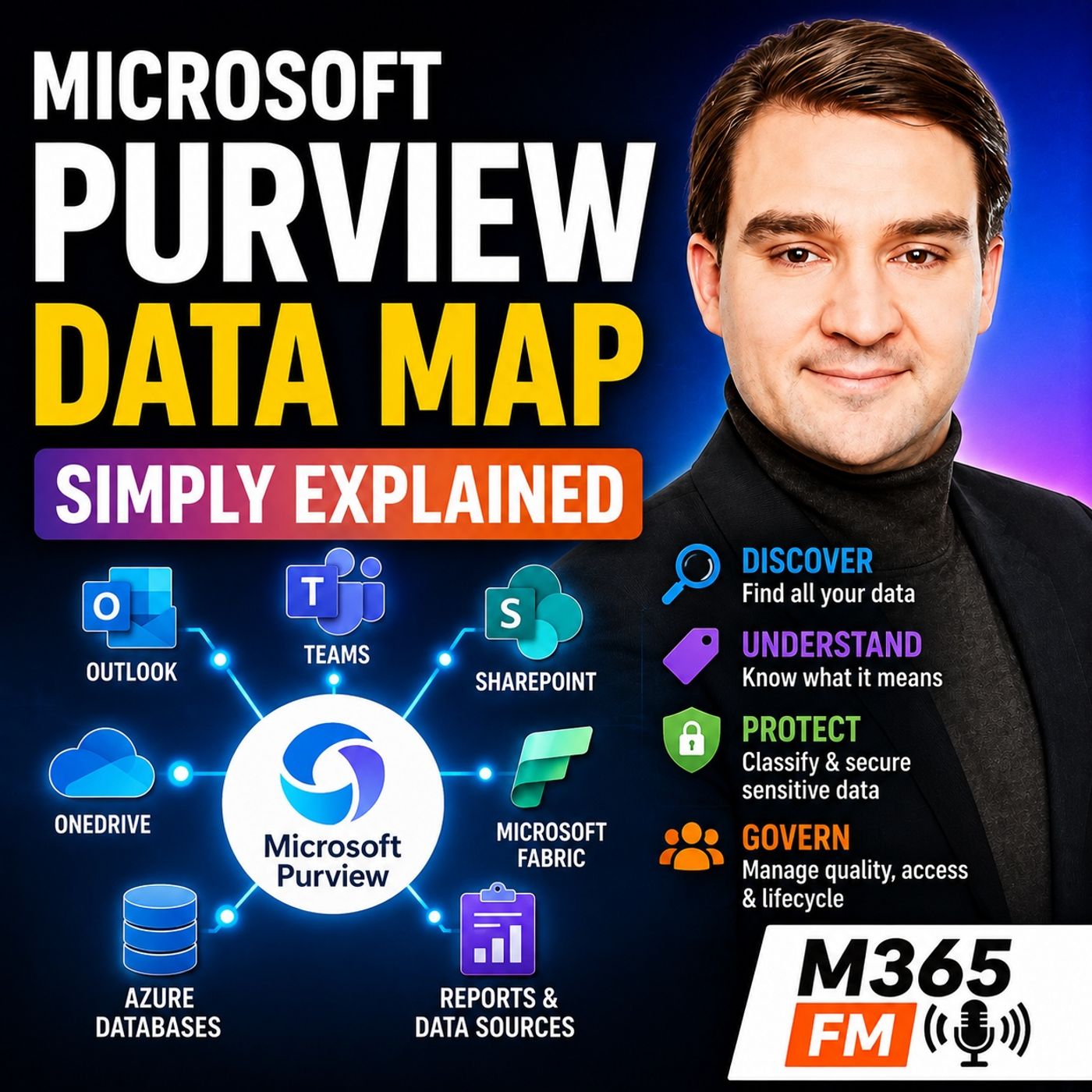
Key Takeaways
- Microsoft Purview acts as a connected control room for enterprise data rather than a secondary storage warehouse where all files must be moved.
- Data sprawl creates severe business risks, making it difficult for employees to know which spreadsheets, reports, or databases are trustworthy and authoritative.
- Secure identities, endpoints, and applications do not automatically guarantee secure data once authorized employees begin copying, sharing, and moving files.
- The Microsoft Purview Data Map serves as a technical inventory of connected data sources, organizing metadata to describe enterprise assets without altering their original storage locations.
- Unified catalogs, business glossaries, and data lineage features help organizations transition from technical data maps to business discovery, ensuring teams can trust the information they use for decision-making.
- Data classification, sensitivity labels, and Data Loss Prevention (DLP) work together to identify sensitive information and apply guardrails around user actions.
Microsoft 365 data rarely stays in one place. An employee might answer email in Outlook, collaborate in Teams, save documents in SharePoint and OneDrive, analyze information in Microsoft Fabric, export a report, change a few numbers in Excel, and send the spreadsheet to several colleagues. Each individual application may be secure, but the information continues moving, being copied, renamed, shared, and sometimes forgotten. In this episode of Microsoft Knowledge Nuggets on M365 FM, we explain how Microsoft Purview helps organizations find, understand, protect, govern, and manage data—and why the Microsoft Purview Data Map is an important foundation for making enterprise information understandable and trustworthy.
WHY DATA SPRAWL BECOMES A BUSINESS PROBLEM
Data management usually starts simply. Sales has customer information, Finance maintains reports, HR stores employee documents, and Marketing manages campaign information. As an organization grows, however, additional applications, databases, spreadsheets, reports, file shares, and cloud services appear.Mergers and acquisitions make the problem even larger. Old systems remain operational while new platforms are introduced. Teams copy information into spreadsheets because they need an immediate answer. Reports are exported, emailed, downloaded, and stored somewhere else.Eventually, the organization can have hundreds or thousands of information locations without having a complete directory of what actually exists.
WHEN NOBODY KNOWS WHICH DATA TO TRUST
Data sprawl is not merely an IT problem. It directly affects business decisions.Imagine a finance analyst searching for the approved pricing information for a monthly report. The analyst discovers five spreadsheets with almost identical names. One belongs to Sales, another to Finance, another sits inside an old project folder, and another arrived as an email attachment months earlier.The analyst selects the file that appears newest. Later, leadership discovers that the numbers do not match the official pricing data.The analyst did not necessarily make a bad decision. The organization failed to provide an effective way to identify the authoritative information, understand who owns it, and determine where it originated.
SECURE APPLICATIONS DO NOT AUTOMATICALLY MEAN SECURE DATA
An organization can have secure identities, secure endpoints, and secure applications while still having serious information risks.Microsoft Entra ID can help establish who someone is and whether they can access a service. Microsoft Intune can help manage devices. Microsoft Defender can identify threats across supported environments.But once an authorized employee opens information, another question appears: what information did they access, how sensitive is it, where can it move, and should it be trusted?Protecting the entrance to a building does not automatically control every document moving between the rooms inside it.
AI MAKES TRUSTED DATA EVEN MORE IMPORTANT
Artificial intelligence increases the importance of data governance because AI systems can produce convincing answers extremely quickly.If an AI system works with duplicate information, outdated numbers, poorly understood datasets, or data without clear ownership, it can produce an answer that sounds authoritative while being based on the wrong information.Organizations therefore need more than data accessibility. They need to understand whether the information deserves to be trusted for the decision being made.
WHAT MICROSOFT PURVIEW ACTUALLY IS
Microsoft Purview helps organizations govern, secure, and manage information across supported environments.It is not another storage location where every database, email, document, and report must be moved. SharePoint continues storing SharePoint content. Exchange Online continues handling email. Microsoft Fabric continues processing analytical data. Azure databases continue storing their information.Purview adds visibility, context, governance, protection, and management around that information.Think of it as a connected control room for enterprise data rather than another warehouse where the data itself must live.
PURVIEW IS MORE THAN COMPLIANCE
Many people first encounter Microsoft Purview through compliance projects and consequently assume that it is primarily a legal or regulatory tool. Others encounter the catalog capabilities and assume Purview is simply a search engine for enterprise datasets.Both descriptions are too narrow.Purview covers several connected responsibilities. It can help people understand what information exists, determine what that information means, identify ownership, classify sensitive information, apply protection, manage retention requirements, support investigations, and provide governance around enterprise data.
DATA GOVERNANCE, DATA SECURITY, RISK AND COMPLIANCE
The episode divides Purview conceptually into three connected areas.Data governance helps organizations discover data, understand its meaning, identify ownership, and determine whether information is appropriate for a particular purpose.Data security helps identify sensitive information and apply controls around how that information can be used or shared.Risk and compliance capabilities help organizations retain information appropriately, investigate activity, support legal processes, and understand potentially risky behavior.These areas overlap because enterprise data continuously moves between systems and business processes.
THE FIRST BUILDING BLOCK: FIND, NAME AND TRUST DATA
Before an organization can govern information effectively, it needs to know that the information exists.This is where the Microsoft Purview Data Map becomes important.The Data Map acts as a technical inventory of connected data sources. It helps represent systems, databases, tables, reports, and other data assets across the organization's supported data landscape.It does not require organizations to move all their underlying information into Purview. Instead, it captures information that helps describe and understand those assets.
WHAT METADATA ACTUALLY MEANS
The information used to describe data is called metadata—essentially, data about data.A table name is metadata. Column names are metadata. The location of a dataset, its owner, when it was changed, and classifications associated with it can also be metadata.This distinction matters because Purview can collect and organize information about enterprise data without becoming the new storage location for every underlying customer record or financial transaction.The Azure database remains in Azure. Microsoft Fabric data remains in Fabric. Supported external data sources remain where they already exist. Purview creates additional understanding around those assets.
FROM TECHNICAL DATA MAP TO BUSINESS DISCOVERY
Technical metadata is useful for data and IT professionals, but business users normally do not search for server names or obscure database tables.They search for things such as approved pricing data, customer figures, monthly finance reporting, or the official information required for a particular decision.The Unified Catalog provides a more business-oriented discovery experience where users can search for understandable data products rather than relying exclusively on technical names.
WHAT IS A DATA PRODUCT?
A data product is a useful collection of related data organized around a business purpose.For example, Finance could publish a pricing analytics data product containing relevant source information, cleaned data in Microsoft Fabric, and the approved reporting assets used for monthly analysis.Instead of employees hunting through folders and asking colleagues which spreadsheet is correct, the organization can provide a clearly described product, identify who owns it, explain its intended purpose, and communicate the rules surrounding its use.
BUSINESS GLOSSARIES CREATE SHARED MEANING
Finding data is only useful when people understand what it means.Consider the term “active customer.” Sales might define an active customer as someone who purchased something this month. Finance might use the previous twelve months. Marketing might count anyone currently inside a campaign.All three reports can be technically correct according to their own definitions while producing completely different numbers.A business glossary helps organizations establish shared definitions for important business concepts so teams can understand what a term actually represents.
GOVERNANCE DOMAINS AND DATA OWNERSHIP
Purview can organize data products around governance domains such as Finance, Sales, or Customer.Domains help establish which part of the organization is responsible for particular information. Ownership does not mean that one person needs to understand every technical implementation detail. It means someone accepts responsibility for the meaning, fitness, and appropriate use of that information.Clear ownership removes one of the biggest problems in enterprise data: finding something that looks important but having nobody who can confirm whether it should actually be used.
DATA LINEAGE: WHERE DID THIS NUMBER COME FROM?
Finding a dataset named “Customer Pricing” does not prove that the information is trustworthy.Users also need to understand where the data originated and what happened to it before reaching the report in front of them.Data lineage provides that trail. A number appearing inside a Microsoft Fabric report may originate in a source table, pass through transformation processes, enter another dataset, and eventually become part of a business report.Lineage helps organizations understand those relationships and evaluate the potential downstream impact when something changes upstream.
Become a supporter of this podcast: https://www.spreaker.com/podcast/m365-fm-modern-work-security-and-productivity-with-microsoft-365--6704921/support.
🚀 Want to be part of m365.fm?
Then stop just listening… and start showing up.
👉 Connect with me on LinkedIn and let’s make something happen:
- 🎙️ Be a podcast guest and share your story
- 🎧 Host your own episode (yes, seriously)
- 💡 Pitch topics the community actually wants to hear
- 🌍 Build your personal brand in the Microsoft 365 space
This isn’t just a podcast — it’s a platform for people who take action.
🔥 Most people wait. The best ones don’t.
👉 Connect with me on LinkedIn and send me a message:
"I want in"
Let’s build something awesome 👊
Frequently Asked Questions
What is the Microsoft Purview Data Map?
The Microsoft Purview Data Map is a technical inventory that registers connected data sources across an organization, capturing metadata about databases, tables, and reports without requiring the underlying files to be moved.
Why is data governance important for AI systems?
AI systems require trusted data with clear ownership to produce accurate insights; otherwise, they can quickly generate authoritative-sounding answers based on outdated or duplicate information.
Does Microsoft Purview replace SharePoint, Exchange, or Azure storage?
No, Microsoft Purview does not store your files or replace existing storage platforms like SharePoint, Exchange Online, or Azure databases; instead, it adds visibility, governance, and protection around them.
What is the difference between Entra ID and Microsoft Purview?
Microsoft Entra ID manages digital identity and acts as the reception desk that checks who can enter a service, whereas Microsoft Purview focuses on understanding and protecting the information once the user is inside.
How does data lineage help an organization?
Data lineage provides a trail of where a number or dataset originated, how it was transformed, and which reports use it, helping teams evaluate trustworthiness and assess downstream impacts when source data changes.
00:00:00,000 --> 00:00:03,840
Hello everyone and welcome to another episode of Microsoft Knowledge Nuggets here on M365,
2
00:00:03,840 --> 00:00:06,000
FME out Tim and your host, Mirko Peters.
3
00:00:06,000 --> 00:00:07,160
Think about a normal workday.
4
00:00:07,160 --> 00:00:11,800
You answer email and outlook, chat in teams, save a file and share point, work from your own one drive
5
00:00:11,800 --> 00:00:15,000
and open a report built from Azure or Microsoft fabric data.
6
00:00:15,000 --> 00:00:19,520
Then someone downloads the report, changes a few numbers, and emails a spreadsheet to five people.
7
00:00:19,520 --> 00:00:21,480
Each app might have solid security.
8
00:00:21,480 --> 00:00:25,840
The problem is the information moving between them, getting copied, renamed, shared and forgotten.
9
00:00:25,840 --> 00:00:28,840
By the end of this episode, you will understand
10
00:00:28,840 --> 00:00:34,200
how Microsoft Perview helps an organization find, understand, protect and manage its data in plain English
11
00:00:34,200 --> 00:00:37,160
because a secure system can still contain risky data.
12
00:00:37,160 --> 00:00:41,320
Tell you why data sprawl turns into business risk.
13
00:00:41,320 --> 00:00:43,200
Imagine you start a company tomorrow.
14
00:00:43,200 --> 00:00:45,320
At first the data feels easy to manage.
15
00:00:45,320 --> 00:00:47,520
Sales keeps customer details in one system.
16
00:00:47,520 --> 00:00:48,920
Finance has its reports.
17
00:00:48,920 --> 00:00:50,840
HR stores employ you files in another place.
18
00:00:50,840 --> 00:00:52,200
Marketing has campaign folders.
19
00:00:52,200 --> 00:00:53,800
Everyone knows where their own work lives.
20
00:00:53,800 --> 00:00:54,720
Then the company grows.
21
00:00:54,720 --> 00:00:56,320
A new team starts using a different app.
22
00:00:56,320 --> 00:00:58,360
Someone builds a database for a project.
23
00:00:58,360 --> 00:01:02,800
Another team copies the data into a spreadsheet because they need an answer before Friday.
24
00:01:02,800 --> 00:01:04,440
A business buys another business.
25
00:01:04,440 --> 00:01:09,080
And now there are old file shares, old reports and old systems that still run somewhere behind the scenes.
26
00:01:09,080 --> 00:01:10,840
Nothing looks wrong from the outside.
27
00:01:10,840 --> 00:01:15,080
But the organization slowly turns into an office building with hundreds of locked rooms.
28
00:01:15,080 --> 00:01:18,320
There are filing cabinets in each room, but many have no clear label.
29
00:01:18,320 --> 00:01:20,280
Some cabinets contain customer data.
30
00:01:20,280 --> 00:01:22,080
Some contain old employee records.
31
00:01:22,080 --> 00:01:23,840
Some contain the latest pricing plan.
32
00:01:23,840 --> 00:01:27,280
Others contain a copy from two years ago and nobody has a full directory.
33
00:01:27,280 --> 00:01:28,600
That creates a strange problem.
34
00:01:28,600 --> 00:01:31,960
People can have secure apps, secure laptops and secure sign-ins
35
00:01:31,960 --> 00:01:36,080
while the organization still does now know where its most sensitive information lives.
36
00:01:36,080 --> 00:01:38,080
You wouldn't be probably seen this happen.
37
00:01:38,080 --> 00:01:42,080
Someone asks, "Oh, where can I find the approved customer numbers for last quarter?"
38
00:01:42,080 --> 00:01:43,680
All three people send three links.
39
00:01:43,680 --> 00:01:45,120
Each file looks believable.
40
00:01:45,120 --> 00:01:46,960
Each report has a different total.
41
00:01:46,960 --> 00:01:48,240
A meeting starts.
42
00:01:48,240 --> 00:01:51,760
Not to make a decision, but to work out which number people should trust.
43
00:01:51,760 --> 00:01:53,480
That is now to be just annoying.
44
00:01:53,480 --> 00:01:58,240
It slows down the business because people spend time searching, checking, copying and asking
45
00:01:58,240 --> 00:01:59,240
for access.
46
00:01:59,240 --> 00:02:01,200
It also creates duplicate work.
47
00:02:01,200 --> 00:02:04,640
One team builds a report from a data source they trust, while another team builds nearly
48
00:02:04,640 --> 00:02:06,440
the same report from an older copy.
49
00:02:06,440 --> 00:02:07,920
No one is trying to cause trouble.
50
00:02:07,920 --> 00:02:09,920
They are trying to get their work done.
51
00:02:09,920 --> 00:02:11,800
Let our teams use a simple example.
52
00:02:11,800 --> 00:02:15,720
A finance analyst needs the current pricing data for a monthly report.
53
00:02:15,720 --> 00:02:19,680
She searches SharePoint and finds five spreadsheets with almost the same name.
54
00:02:19,680 --> 00:02:20,680
One comes from sales.
55
00:02:20,680 --> 00:02:21,840
One comes from finance.
56
00:02:21,840 --> 00:02:23,440
One lives in an old project folder.
57
00:02:23,440 --> 00:02:25,200
Another was sent by email six months ago.
58
00:02:25,200 --> 00:02:26,760
She chooses the file that looks newest.
59
00:02:26,760 --> 00:02:30,680
Later, the report reaches leadership and someone notices that the prices don't know
60
00:02:30,680 --> 00:02:33,760
TIEM, yes, match the approved list.
61
00:02:33,760 --> 00:02:36,920
The analyst did not make the pick the wrong file because she lacked skill.
62
00:02:36,920 --> 00:02:40,600
She picked it because the organization gave her no clear way to find the right one, see
63
00:02:40,600 --> 00:02:43,200
who owns it or check where it came from.
64
00:02:43,200 --> 00:02:45,160
That automata data governance problem.
65
00:02:45,160 --> 00:02:48,320
And it becomes more serious when sensitive data sits in places people don't know to
66
00:02:48,320 --> 00:02:49,760
me think about anymore.
67
00:02:49,760 --> 00:02:54,280
An old project site, a forgotten database, a personal cloud account, a copied customer
68
00:02:54,280 --> 00:02:58,760
list on a laptop, a report exported from a dashboard and attached to an email thread.
69
00:02:58,760 --> 00:03:00,240
The data did no time to disappear.
70
00:03:00,240 --> 00:03:03,680
It just moved outside the view of the people responsible for it.
71
00:03:03,680 --> 00:03:06,040
That also changes how you think about security.
72
00:03:06,040 --> 00:03:09,240
Entra ID for example acts like the reception desk for your company.
73
00:03:09,240 --> 00:03:12,040
It checks who you are and whether you can enter.
74
00:03:12,040 --> 00:03:14,040
Intune helps manage company devices.
75
00:03:14,040 --> 00:03:15,040
Defender helps look for threats.
76
00:03:15,040 --> 00:03:16,040
Those services matter.
77
00:03:16,040 --> 00:03:20,600
But once a person opens a file, downloads a report or copies data into another app, the
78
00:03:20,600 --> 00:03:21,680
question changes.
79
00:03:21,680 --> 00:03:22,920
What information did they take?
80
00:03:22,920 --> 00:03:23,920
How sensitive is it?
81
00:03:23,920 --> 00:03:24,920
Where can it go next?
82
00:03:24,920 --> 00:03:26,560
Is it accurate enough for someone to use?
83
00:03:26,560 --> 00:03:28,760
This is where many organizations find a gap.
84
00:03:28,760 --> 00:03:31,440
They protected the building entrance, but they don't know Tim.
85
00:03:31,440 --> 00:03:34,320
To have a clear view of the papers moving between rooms.
86
00:03:34,320 --> 00:03:36,320
AI puts even more pressure on that gap.
87
00:03:36,320 --> 00:03:39,960
An AI tool can only give you a useful answer when it works from data you understand and
88
00:03:39,960 --> 00:03:40,960
trust.
89
00:03:40,960 --> 00:03:45,280
If it uses duplicate records, old numbers, or data with no owner, it can produce a very
90
00:03:45,280 --> 00:03:47,840
confident answer that sends you in the wrong direction.
91
00:03:47,840 --> 00:03:50,760
The problem is now to know whether people can access data.
92
00:03:50,760 --> 00:03:53,440
ETA autumn says whether the data deserves their trust.
93
00:03:53,440 --> 00:03:58,120
Research often puts a price on poor data quality, but you can see the cost without a calculator.
94
00:03:58,120 --> 00:04:02,920
It appears in misdeed lines, long approval chains, reports that don't know TMT agree and
95
00:04:02,920 --> 00:04:05,480
leaders who stop trusting the numbers in front of them.
96
00:04:05,480 --> 00:04:09,000
It also appears after a leak when the first question becomes, "Oh, what information
97
00:04:09,000 --> 00:04:10,000
actually left?
98
00:04:10,000 --> 00:04:11,000
AU?"
99
00:04:11,000 --> 00:04:14,840
If nobody knows where the data lives, that question can take far too long to answer.
100
00:04:14,840 --> 00:04:18,000
So, the goal is now TMT to lock every file away.
101
00:04:18,000 --> 00:04:19,880
People still need data to do their jobs.
102
00:04:19,880 --> 00:04:23,400
The goal is to give the organization a shared view of what it has, what it means, who owns
103
00:04:23,400 --> 00:04:25,080
it, and how it should be handled.
104
00:04:25,080 --> 00:04:29,280
Microsoft PerView fits into that picture as a connected control room for data, rather than
105
00:04:29,280 --> 00:04:32,160
another place where you store it.
106
00:04:32,160 --> 00:04:34,400
What Microsoft PerView actually is.
107
00:04:34,400 --> 00:04:38,160
Microsoft PerView helps an organization govern, secure, and manage data wherever that data
108
00:04:38,160 --> 00:04:39,160
lives.
109
00:04:39,160 --> 00:04:40,640
That sounds broad because it is.
110
00:04:40,640 --> 00:04:45,040
The view is now to make a place where you move every document, database, and report.
111
00:04:45,040 --> 00:04:50,320
It does know to make replace SharePoint, Exchange Online, Azure, or Microsoft Fabric.
112
00:04:50,320 --> 00:04:53,680
Those services still store and process the information they were built for.
113
00:04:53,680 --> 00:04:56,880
PerView adds the rules, context, and visibility around that information.
114
00:04:56,880 --> 00:05:00,880
Many people first hear about PerView during a compliance project, so they assume it out
115
00:05:00,880 --> 00:05:03,720
to miss, only for legal teams filling out forms.
116
00:05:03,720 --> 00:05:05,400
That opens too narrow.
117
00:05:05,400 --> 00:05:10,040
Others see a data catalog and think PerView only helps analysts search for tables and reports.
118
00:05:10,040 --> 00:05:11,480
It opens also to narrow.
119
00:05:11,480 --> 00:05:14,560
PerView brings several related jobs into one connected platform.
120
00:05:14,560 --> 00:05:18,560
It helps teams understand their data, it helps protect sensitive information, it helps keep
121
00:05:18,560 --> 00:05:22,440
records for the right amount of time, and it helps the right people investigate when something
122
00:05:22,440 --> 00:05:23,600
looks wrong.
123
00:05:23,600 --> 00:05:26,760
Picture a large office building from a different angle.
124
00:05:26,760 --> 00:05:31,040
The apps where people work are the offices, meeting rooms, and storage areas, Outlook handles
125
00:05:31,040 --> 00:05:36,160
messages, Teams handles conversations, SharePoint holds team files, OneDrive holds personal
126
00:05:36,160 --> 00:05:40,680
work files, Azure and Fabric call databases, reports, and data used for analysis.
127
00:05:40,680 --> 00:05:44,480
PerView is the set of information and rules that helps the building run safely.
128
00:05:44,480 --> 00:05:47,720
It acts like the directory that tells you what exists and who looks after it.
129
00:05:47,720 --> 00:05:51,680
It acts like the filing rules that explain what belongs in a cabinet, what a folder means,
130
00:05:51,680 --> 00:05:53,080
and how long the folder must stay.
131
00:05:53,080 --> 00:05:57,600
It acts like the security signs on a door that tell people, oh, this information is confidential.
132
00:05:57,600 --> 00:05:59,560
Don't know what made SharePoint outside the company.
133
00:05:59,560 --> 00:06:03,280
AO it also acts like the records room and the incident desk, where an organization can
134
00:06:03,280 --> 00:06:07,920
look back at actions, keep evidence when needed, and investigate unusual activity.
135
00:06:07,920 --> 00:06:10,800
The point is not met, to turn work into paperwork.
136
00:06:10,800 --> 00:06:14,960
The point is to let people work with data, while the organization applies clear rules around
137
00:06:14,960 --> 00:06:16,120
that data.
138
00:06:16,120 --> 00:06:20,560
PerView connects with Microsoft 365, so it can work with information in exchange online,
139
00:06:20,560 --> 00:06:24,040
SharePoint, OneDrive, Teams, and other Microsoft 365 services.
140
00:06:24,040 --> 00:06:28,080
It also connects with Azure and Fabric, where many organizations keep and analyze business
141
00:06:28,080 --> 00:06:29,080
data.
142
00:06:29,080 --> 00:06:32,240
Depending on the PerView capability and the connector available, it can also work with
143
00:06:32,240 --> 00:06:34,400
supported data sources outside Microsoft.
144
00:06:34,400 --> 00:06:38,600
That matters because very few organizations run every system from one company.
145
00:06:38,600 --> 00:06:42,640
You might have business data in Azure, customer data in a different cloud service, reports
146
00:06:42,640 --> 00:06:45,320
in Fabric, and documents in SharePoint.
147
00:06:45,320 --> 00:06:49,480
PerView helps create a clearer view across those places, rather than forcing every team to
148
00:06:49,480 --> 00:06:50,880
use the same storage system.
149
00:06:50,880 --> 00:06:54,920
It can also work with information on devices and in apps where people create, copy, share,
150
00:06:54,920 --> 00:06:56,240
or use company data.
151
00:06:56,240 --> 00:06:59,760
This is where people often mix up platform security and data protection.
152
00:06:59,760 --> 00:07:02,200
EntraID manages your digital identity.
153
00:07:02,200 --> 00:07:06,200
Think of it as the system that checks your name, your sign-in, and whether you can enter a service.
154
00:07:06,200 --> 00:07:08,360
It helps decide who can open the door.
155
00:07:08,360 --> 00:07:11,360
PerView focuses on the information once someone is inside.
156
00:07:11,360 --> 00:07:14,560
For example, a person may have permission to open a customer report.
157
00:07:14,560 --> 00:07:16,080
That permission can be correct.
158
00:07:16,080 --> 00:07:19,960
Yet the report might contain private customer details, and the person might try to attach
159
00:07:19,960 --> 00:07:22,400
it to an email sent outside the company.
160
00:07:22,400 --> 00:07:25,600
EntraID helps confirm that the person is really that employee.
161
00:07:25,600 --> 00:07:29,760
PerView helps the organization understand the information in the report and apply handling
162
00:07:29,760 --> 00:07:32,180
rules when the employee tries to share it.
163
00:07:32,180 --> 00:07:34,120
Those are different jobs, and you need both.
164
00:07:34,120 --> 00:07:36,720
You can think of PerView in three connected areas.
165
00:07:36,720 --> 00:07:37,720
First, data governance.
166
00:07:37,720 --> 00:07:41,380
This helps people find data, understand what it means, see who owns it, and judge whether
167
00:07:41,380 --> 00:07:42,720
they can trust it.
168
00:07:42,720 --> 00:07:44,300
Second, data security.
169
00:07:44,300 --> 00:07:47,860
This helps identify sensitive information and apply protection when people use or share
170
00:07:47,860 --> 00:07:48,860
it.
171
00:07:48,860 --> 00:07:50,060
Third, risk and compliance.
172
00:07:50,060 --> 00:07:53,940
This helps organizations keep records, review activity, support legal cases, and look into
173
00:07:53,940 --> 00:07:56,360
behavior or events that need attention.
174
00:07:56,360 --> 00:08:00,520
These areas overlap because data does no TMRT stay in one neat place.
175
00:08:00,520 --> 00:08:02,700
A finance table can feed a fabric report.
176
00:08:02,700 --> 00:08:04,360
That report can become a PowerPoint slide.
177
00:08:04,360 --> 00:08:06,020
The slide can appear in a Teams chat.
178
00:08:06,020 --> 00:08:08,100
A copy can then leave in an email.
179
00:08:08,100 --> 00:08:12,140
Treating each moment as someone else out, Thames problem creates gaps.
180
00:08:12,140 --> 00:08:16,020
PerView helps teams use a shared set of rules and a shared view of the information, even
181
00:08:16,020 --> 00:08:19,120
while that information moves through different services.
182
00:08:19,120 --> 00:08:23,060
But finding a data source and knowing its owner only solves part of the problem.
183
00:08:23,060 --> 00:08:25,940
A catalog can tell you that a customer list exists.
184
00:08:25,940 --> 00:08:30,080
It can't outmeteer by itself stop someone from sending that list to a personal email address.
185
00:08:30,080 --> 00:08:34,160
So the next building block starts with discovery because you can't outmeteer apply sensible protection
186
00:08:34,160 --> 00:08:38,040
to information your organization has no tim and found or understood.
187
00:08:38,040 --> 00:08:41,840
First building block, find name and trust data.
188
00:08:41,840 --> 00:08:44,040
The first job is simple to describe.
189
00:08:44,040 --> 00:08:46,560
Before you can manage data, you need to know it exists.
190
00:08:46,560 --> 00:08:51,040
PerView starts with the data map, which acts as a technical inventory of your connected data
191
00:08:51,040 --> 00:08:56,920
sources, showing the systems, databases, tables, reports, and other data assets your organization
192
00:08:56,920 --> 00:08:57,920
uses.
193
00:08:57,920 --> 00:09:02,120
Most of a large warehouse with thousands of boxes, the data map does not amount to take every
194
00:09:02,120 --> 00:09:04,840
box away and move it into one new warehouse.
195
00:09:04,840 --> 00:09:09,760
Instead it records what the boxes are, where they sit, what they contain at a high level,
196
00:09:09,760 --> 00:09:11,520
and how they connect to other boxes.
197
00:09:11,520 --> 00:09:13,520
That information about data is called metadata.
198
00:09:13,520 --> 00:09:19,000
Metadata means data about data, a table name, its columns, its owner, where it lives, when
199
00:09:19,000 --> 00:09:23,000
it changed, and what classifications apply are all examples.
200
00:09:23,000 --> 00:09:27,320
PerView can collect and organize this information without copying all the underlying customer records
201
00:09:27,320 --> 00:09:30,280
financial figures or files into PerView itself.
202
00:09:30,280 --> 00:09:34,400
That separation matters, your Azure database stays in Azure, your fabric data stays in fabric,
203
00:09:34,400 --> 00:09:37,560
a supported external source stays where it already lives.
204
00:09:37,560 --> 00:09:40,760
PerView helps people see and understand the information without turning into the new home
205
00:09:40,760 --> 00:09:42,520
for every piece of data.
206
00:09:42,520 --> 00:09:46,800
Technical details help IT teams, but most business users do now, TMLD, search for a server
207
00:09:46,800 --> 00:09:47,800
name.
208
00:09:47,800 --> 00:09:53,160
They search for something like, "Aew approved pricing data, Aew, Aew monthly customer figures,
209
00:09:53,160 --> 00:09:55,960
Aew or Aew the report used by finance."
210
00:09:55,960 --> 00:09:58,960
It outs at albums where the unified catalog comes in.
211
00:09:58,960 --> 00:10:03,040
The unified catalog gives people a business-friendly place to search for data they can use.
212
00:10:03,040 --> 00:10:06,720
Instead of asking around, until someone sends a link, you can search for a data product
213
00:10:06,720 --> 00:10:11,400
with a clear description, a named owner, its approved uses, and the rules around access.
214
00:10:11,400 --> 00:10:16,160
A data product is simply a useful group of related data put together for a business purpose.
215
00:10:16,160 --> 00:10:19,880
Imagine the finance team publishes a pricing analytics data product.
216
00:10:19,880 --> 00:10:24,000
It might include a source table from Azure, a cleaned table in fabric, and the approved
217
00:10:24,000 --> 00:10:25,880
report people use every month.
218
00:10:25,880 --> 00:10:30,040
Rather than telling everyone to hunt for the right file, the team can describe the product,
219
00:10:30,040 --> 00:10:33,400
explain what it covers, and name the people responsible for it.
220
00:10:33,400 --> 00:10:35,160
That gives users a better starting point.
221
00:10:35,160 --> 00:10:38,680
The catalog can also use a business glossary, a glossary helps everyone use the same words
222
00:10:38,680 --> 00:10:39,680
for the same thing.
223
00:10:39,680 --> 00:10:43,600
For example, does O-Active customer O mean someone who bought something this month, this
224
00:10:43,600 --> 00:10:44,840
year, or ever?
225
00:10:44,840 --> 00:10:48,840
If sales, finance, and marketing each use a different meaning, reports will never fully
226
00:10:48,840 --> 00:10:49,840
agree.
227
00:10:49,840 --> 00:10:52,720
A plain English definition gives the organization one shared answer.
228
00:10:52,720 --> 00:10:55,720
Pervue can group these products into governance domains too.
229
00:10:55,720 --> 00:10:58,840
You might have a finance domain, a sales domain, or a customer domain.
230
00:10:58,840 --> 00:11:03,280
Each domain helps show which part of the business owns the data, and who should make decisions
231
00:11:03,280 --> 00:11:04,280
about it.
232
00:11:04,280 --> 00:11:07,400
Ownership does not mean one person knows every technical detail.
233
00:11:07,400 --> 00:11:11,240
It means someone accepts responsibility for what the data means, whether it is fit for
234
00:11:11,240 --> 00:11:13,680
use, and how people should request it.
235
00:11:13,680 --> 00:11:17,520
Now this next part is where trust enters the picture, finding a table named, "How
236
00:11:17,520 --> 00:11:21,960
customer pricing, O-O, does now Tim, to prove that it is correct."
237
00:11:21,960 --> 00:11:26,040
You also need to know where the data came from, and what happened to it along the way.
238
00:11:26,040 --> 00:11:27,840
Pervue can show data lineage.
239
00:11:27,840 --> 00:11:29,240
Lineage is the trail behind a number.
240
00:11:29,240 --> 00:11:33,120
If you see a total in a fabric report, lineage can help show the source table it came from,
241
00:11:33,120 --> 00:11:36,240
the steps that changed it, and the reports or data products that now use it.
242
00:11:36,240 --> 00:11:40,640
So if a source field changes, a data team can see which reports may need checking.
243
00:11:40,640 --> 00:11:44,480
It also gives business users a chance to ask a much better question than, "How can I access
244
00:11:44,480 --> 00:11:45,480
this?"
245
00:11:45,480 --> 00:11:46,480
"How?"
246
00:11:46,480 --> 00:11:49,240
They can ask, "How can I trust this for the decision I need to make?"
247
00:11:49,240 --> 00:11:51,080
AO Data Quality helps answer that question.
248
00:11:51,080 --> 00:11:55,320
A data owner can set rules, such as checking whether required fields are empty, whether customer
249
00:11:55,320 --> 00:11:59,080
IDs exist in the right reference list, or whether values look unusual.
250
00:11:59,080 --> 00:12:03,480
Pervue can run those checks, produce quality scores, and raise alerts when a rule fails.
251
00:12:03,480 --> 00:12:06,400
An accessible report is not always a trusted report.
252
00:12:06,400 --> 00:12:11,560
That difference can save a team from building a decision around incomplete or outdated information.
253
00:12:11,560 --> 00:12:14,680
You might also see an option to request access through the catalog.
254
00:12:14,680 --> 00:12:18,200
That request can go to the data owner with a reason for why you need the data and what
255
00:12:18,200 --> 00:12:19,560
you plan to do with it.
256
00:12:19,560 --> 00:12:23,720
But the catalog does new, "Termint" replace the access controls in the original system.
257
00:12:23,720 --> 00:12:25,520
Pervue can guide discovery and approval.
258
00:12:25,520 --> 00:12:29,080
The source system still controls the actual permission to open the data.
259
00:12:29,080 --> 00:12:32,800
Once data has a name, an owner, a meaning, and a trail behind it, the organization can
260
00:12:32,800 --> 00:12:35,400
start handling it with more care.
261
00:12:35,400 --> 00:12:39,520
Second building block, "classify and protect sensitive information."
262
00:12:39,520 --> 00:12:43,440
Once people can find trusted data, the next question is how they should handle it.
263
00:12:43,440 --> 00:12:45,720
You may already know the most familiar part of Pervue.
264
00:12:45,720 --> 00:12:50,200
In Outlook, Word, Excel, or PowerPoint, you might see label choices such as public, internal,
265
00:12:50,200 --> 00:12:51,840
confidential, or highly confidential.
266
00:12:51,840 --> 00:12:53,240
Those labels are not just decoration.
267
00:12:53,240 --> 00:12:56,600
They tell people what kind of information they are working with, and they can trigger
268
00:12:56,600 --> 00:13:00,720
protection rules behind the scenes when the organization sets them up that way.
269
00:13:00,720 --> 00:13:02,840
First Pervue needs to spot sensitive information.
270
00:13:02,840 --> 00:13:07,400
That could mean payment card details, health records, home addresses, passport numbers,
271
00:13:07,400 --> 00:13:11,400
passwords, employee details, or a company out, templates, as plans for a product that
272
00:13:11,400 --> 00:13:13,280
has not launched yet.
273
00:13:13,280 --> 00:13:17,320
Pervusoft includes many built-in ways to recognize common types of sensitive information,
274
00:13:17,320 --> 00:13:21,800
and an organization can also create its own rules for information that only matters to them.
275
00:13:21,800 --> 00:13:25,120
For example, a bank might look for account details, a health care provider might look for
276
00:13:25,120 --> 00:13:29,880
patient information, a manufacturer might look for its product codes and design documents,
277
00:13:29,880 --> 00:13:34,600
Pervue can then apply or suggest a sensitivity label based on what it finds.
278
00:13:34,600 --> 00:13:39,040
A user can also choose a label themselves when they know the document needs special care.
279
00:13:39,040 --> 00:13:43,000
Think of a sensitivity label as a clear handling instruction attached to the information.
280
00:13:43,000 --> 00:13:47,120
A label called Confidential might add a header or a watermark to a document.
281
00:13:47,120 --> 00:13:50,040
It might want someone before they share it outside the organization.
282
00:13:50,040 --> 00:13:52,920
It might encrypt the file so only approved people can open it.
283
00:13:52,920 --> 00:13:56,720
It might also limit what recipients can do, such as stopping them from forwarding an
284
00:13:56,720 --> 00:13:58,520
email or printing a document.
285
00:13:58,520 --> 00:14:01,320
The exact outcome depends on the policy behind the label.
286
00:14:01,320 --> 00:14:05,120
That is important, because labels should match how people actually work.
287
00:14:05,120 --> 00:14:08,560
If every file receives the strongest label, people will either get blocked from normal
288
00:14:08,560 --> 00:14:10,640
work or stop taking labels seriously.
289
00:14:10,640 --> 00:14:14,800
A useful label policy gives people simple choices that fit real situations.
290
00:14:14,800 --> 00:14:16,360
Public means it is safe to share.
291
00:14:16,360 --> 00:14:18,640
Internal means it stays inside the company.
292
00:14:18,640 --> 00:14:21,920
Confidential means pause before you send, copy or upload it.
293
00:14:21,920 --> 00:14:25,080
This brings us to data loss prevention, usually shortened to DLP.
294
00:14:25,080 --> 00:14:29,400
DLP watches for sensitive information when someone tries to do something risky with it.
295
00:14:29,400 --> 00:14:34,080
That might mean sending an email outside the organization, copying content to a USB drive,
296
00:14:34,080 --> 00:14:37,480
uploading a file to personal cloud storage or sharing a document with the wrong group
297
00:14:37,480 --> 00:14:38,560
of people.
298
00:14:38,560 --> 00:14:42,080
A sensitivity label and DLP work together, but they do different jobs.
299
00:14:42,080 --> 00:14:45,440
The label identifies information and describes how it should be handled.
300
00:14:45,440 --> 00:14:49,440
DLP checks an action as it happens and can warn the person, block the action or record
301
00:14:49,440 --> 00:14:50,440
it for review.
302
00:14:50,440 --> 00:14:52,480
Imagine an employee finishing some work at home.
303
00:14:52,480 --> 00:14:56,320
They have a customer list in an Excel file and they decide to upload it to a personal storage
304
00:14:56,320 --> 00:15:00,640
account because it feels quicker than using the company R/TMSS approved tools.
305
00:15:00,640 --> 00:15:03,320
Without protection, the file leaves the company in seconds.
306
00:15:03,320 --> 00:15:07,880
With the right DLP policy, Perview can recognize the customer information and respond before
307
00:15:07,880 --> 00:15:09,160
the upload completes.
308
00:15:09,160 --> 00:15:13,600
The employee may see a message explaining that company customer lists cannot go to personal
309
00:15:13,600 --> 00:15:14,600
storage.
310
00:15:14,600 --> 00:15:17,720
Depending on the rule, they might be able to provide a business reason or the upload might
311
00:15:17,720 --> 00:15:18,720
stop completely.
312
00:15:18,720 --> 00:15:21,960
That small moment can prevent a much larger problem and it does not always need to feel
313
00:15:21,960 --> 00:15:22,960
like a hard stop.
314
00:15:22,960 --> 00:15:25,840
User coaching is one of the more practical parts of Perview.
315
00:15:25,840 --> 00:15:29,840
A policy tip can explain what triggered the rule and point people toward a safer option.
316
00:15:29,840 --> 00:15:33,640
Maybe the employee needs to share the file through a protected SharePoint site.
317
00:15:33,640 --> 00:15:36,080
Maybe they need to remove private fields first.
318
00:15:36,080 --> 00:15:38,080
Maybe they need approval from the data owner.
319
00:15:38,080 --> 00:15:39,720
People make mistakes when rules are hidden.
320
00:15:39,720 --> 00:15:41,040
Clear guidance at the moment.
321
00:15:41,040 --> 00:15:44,760
Someone shares information, gives them a chance to do the right thing, without turning every
322
00:15:44,760 --> 00:15:47,600
action into a support ticket.
323
00:15:47,600 --> 00:15:49,120
Organizations usually begin carefully here.
324
00:15:49,120 --> 00:15:52,680
They often run policies in a mode that records activity or shows warnings before they block
325
00:15:52,680 --> 00:15:53,680
anything.
326
00:15:53,680 --> 00:15:57,680
That lets the team see how often the rule triggers and whether normal work would be affected.
327
00:15:57,680 --> 00:16:00,000
Then they can adjust the policy based on real use.
328
00:16:00,000 --> 00:16:04,320
Still, stopping a risky email or upload only covers one kind of risk.
329
00:16:04,320 --> 00:16:08,120
Sometimes the concern appears in a pattern of actions over time, when an unusual series
330
00:16:08,120 --> 00:16:12,560
of downloads, copies or messages needs more context than one rule can provide.
331
00:16:12,560 --> 00:16:13,560
Does?
332
00:16:13,560 --> 00:16:17,280
Third building block, manage risk, records and investigations.
333
00:16:17,280 --> 00:16:20,200
Not every data problem happens when someone clicks send.
334
00:16:20,200 --> 00:16:23,160
Sometimes an organization needs to look back and answer a simple question.
335
00:16:23,160 --> 00:16:24,160
Who did what?
336
00:16:24,160 --> 00:16:25,160
When and with which information?
337
00:16:25,160 --> 00:16:26,920
That is the job of audit.
338
00:16:26,920 --> 00:16:30,320
An audit log records actions across supported services.
339
00:16:30,320 --> 00:16:34,960
It can show that someone shared a file, deleted content, changed the setting, searched for information
340
00:16:34,960 --> 00:16:36,640
or signed in and used a service.
341
00:16:36,640 --> 00:16:39,240
It does not decide whether that action was good or bad.
342
00:16:39,240 --> 00:16:42,080
It gives the people responsible a record they can review.
343
00:16:42,080 --> 00:16:45,400
Imagine a team notices that a confidential folder suddenly has different permissions.
344
00:16:45,400 --> 00:16:48,920
Instead of guessing, they can look for the actions around that folder.
345
00:16:48,920 --> 00:16:50,280
Who changed the sharing setting?
346
00:16:50,280 --> 00:16:52,800
When did it happen that did anyone download files afterward?
347
00:16:52,800 --> 00:16:56,600
Those details help the team understand the event without relying only on memory or email
348
00:16:56,600 --> 00:16:57,600
threads.
349
00:16:57,600 --> 00:17:00,280
Per view also helps manage how long information stays around.
350
00:17:00,280 --> 00:17:03,200
The organization keeps some information longer than it wants to.
351
00:17:03,200 --> 00:17:06,520
Old emails, project files, contracts, employee records, meeting notes.
352
00:17:06,520 --> 00:17:10,760
Some of it needs to stay because of law, company policy or a business reason.
353
00:17:10,760 --> 00:17:12,880
Other content should disappear after a set time.
354
00:17:12,880 --> 00:17:16,000
Because keeping everything forever creates more risk and more clutter.
355
00:17:16,000 --> 00:17:17,920
Retention policies set those rules.
356
00:17:17,920 --> 00:17:22,040
A policy can tell a service to keep content for a period of time, deleted when that period
357
00:17:22,040 --> 00:17:24,720
ends or do both in the right order.
358
00:17:24,720 --> 00:17:29,160
Records management takes this one step further for information that must remain unchanged
359
00:17:29,160 --> 00:17:30,920
and kept as an official record.
360
00:17:30,920 --> 00:17:32,160
Think about an approved contract.
361
00:17:32,160 --> 00:17:35,800
You may need people to read it, but you do not want anyone quietly changing or deleting
362
00:17:35,800 --> 00:17:36,800
the final version.
363
00:17:36,800 --> 00:17:40,680
A record rule helps protect that official copy for the required period.
364
00:17:40,680 --> 00:17:42,240
Then there is e-discovery.
365
00:17:42,240 --> 00:17:45,040
That name sounds technical, but the idea is straightforward.
366
00:17:45,040 --> 00:17:49,400
When a legal case, internal review or formal request needs evidence, e-discovery helps
367
00:17:49,400 --> 00:17:54,080
approve teams search and review business content across places such as email, teams, share
368
00:17:54,080 --> 00:17:55,400
point and one drive.
369
00:17:55,400 --> 00:17:59,760
They can collect relevant files and messages into a case, preserve them when required,
370
00:17:59,760 --> 00:18:03,240
and review them without asking every employee to search their own inbox.
371
00:18:03,240 --> 00:18:06,280
This does not mean per view turns every conversation into a legal case.
372
00:18:06,280 --> 00:18:10,840
It means the organization has a controlled process when it genuinely needs to find evidence.
373
00:18:10,840 --> 00:18:15,400
Some risks also come from unusual behavior rather than one file or one message.
374
00:18:15,400 --> 00:18:19,160
Inside a risk management can help teams spot patterns that deserve review.
375
00:18:19,160 --> 00:18:23,040
For example, someone may begin downloading far more files than usual shortly before leaving
376
00:18:23,040 --> 00:18:28,160
the company or repeatedly copy sensitive data to places that do not fit their normal work.
377
00:18:28,160 --> 00:18:30,040
A pattern is not proof of bad intent.
378
00:18:30,040 --> 00:18:34,040
People can have valid reasons for unusual work, so these signals need careful review by the
379
00:18:34,040 --> 00:18:35,040
right people.
380
00:18:35,040 --> 00:18:36,920
Per view gives investigators context.
381
00:18:36,920 --> 00:18:38,960
It does not label someone guilty.
382
00:18:38,960 --> 00:18:42,680
Communication compliance works in a similar way, where company rules or legal duties require
383
00:18:42,680 --> 00:18:47,480
it, an organization can set policies that review workplace messages for certain risks.
384
00:18:47,480 --> 00:18:51,680
That could include harassment, threats, sharing sensitive details or language that breaks
385
00:18:51,680 --> 00:18:53,360
a regulated industry rule.
386
00:18:53,360 --> 00:18:57,440
The policy should be clear, limited and handled by authorized reviewers.
387
00:18:57,440 --> 00:18:58,440
People deserve that care.
388
00:18:58,440 --> 00:19:01,120
Now, file names and labels only tell part of the story.
389
00:19:01,120 --> 00:19:05,480
A file called "O" budget finaleau might contain routine figures, or it might contain plans
390
00:19:05,480 --> 00:19:07,640
that would damage the business if shared.
391
00:19:07,640 --> 00:19:11,600
During an investigation, teams often need to understand the content and its context, not
392
00:19:11,600 --> 00:19:13,320
just the name stamped on it.
393
00:19:13,320 --> 00:19:17,040
Per view can help teams search large sets of files, emails and messages, then narrow their
394
00:19:17,040 --> 00:19:19,760
review to content that appears related to the case.
395
00:19:19,760 --> 00:19:23,840
Through AI-supported tools can assist with that sorting and analysis, which saves people
396
00:19:23,840 --> 00:19:28,200
from opening thousands of items one by one, but the decision still belongs to people.
397
00:19:28,200 --> 00:19:32,040
Per view does not replace legal advice, human judgment or the security controls in the
398
00:19:32,040 --> 00:19:33,440
systems where data lives.
399
00:19:33,440 --> 00:19:37,280
It gives the people responsible better records, better search tools, and more context when
400
00:19:37,280 --> 00:19:38,280
time matters.
401
00:19:38,280 --> 00:19:43,120
Next, let out teams follow one piece of customer data and see how these per view parts connect
402
00:19:43,120 --> 00:19:46,400
as it moves through everyday work.
403
00:19:46,400 --> 00:19:48,920
How the pieces work together.
404
00:19:48,920 --> 00:19:53,200
Data can start in a business system, feed a fabric report and appear in a team's discussion.
405
00:19:53,200 --> 00:19:58,440
Per view adds ownership, meaning, quality checks, labels, sharing rules, retention and an
406
00:19:58,440 --> 00:20:00,920
audit trail along that path.
407
00:20:00,920 --> 00:20:03,600
Start small, then build control.
408
00:20:03,600 --> 00:20:05,160
Start with one risky area.
409
00:20:05,160 --> 00:20:08,240
Name and owner define the data clearly and test the policy before expanding.




