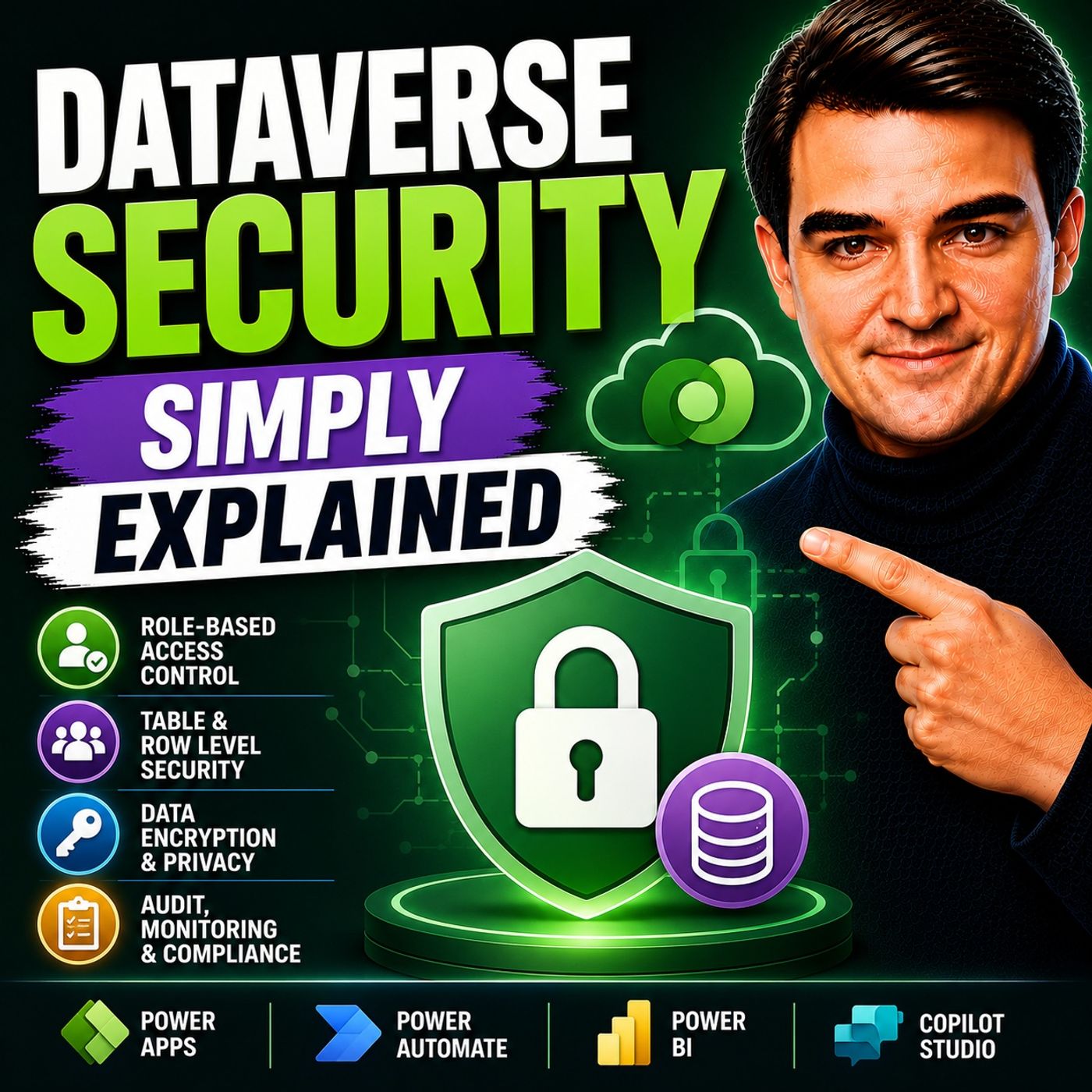
Mastering Dataverse Security Roles and Access Levels
Welcome back to the podcast companion blog, where we dive deeper into the core technologies powering the modern Microsoft ecosystem. Today, we are expanding on a topic that forms the absolute bedrock of enterprise application development and data governance: Microsoft Dataverse. As organizations increasingly migrate their critical workloads, custom business applications, and automated workflows into the Power Platform, understanding how to secure that data becomes non-negotiable. Whether you are an accidental administrator tasked with keeping your company's data safe or a seasoned enterprise architect designing multi-tenant solutions, mastering the intricacies of access models is vital.
In this post, we will unpack the multi-layered security model of Microsoft Dataverse. We will examine how built-in and custom security roles interact with organizational access hierarchies, explore the granular power of column-level restrictions, review industry best practices, look at emerging threats, and gaze into the future of automated security management. By the end of this deep dive, you will have a comprehensive understanding of how to apply the principle of least privilege to ensure your users only access the data necessary for their specific job functions.
What Is Dataverse Security?
Overview of Microsoft Dataverse
Microsoft Dataverse serves as a robust data platform that underpins the Power Platform. It provides a secure and scalable environment for building enterprise applications. At its core, dataverse security encompasses a rich security model designed to protect data integrity and user privacy. You can combine various security features, such as role-based security, row-based security, and column-based security, to define user access to information effectively. This layered approach ensures that users can collaborate efficiently while maintaining strict control over sensitive data.
Importance of Security in Dataverse
Understanding dataverse security is crucial for organizations that prioritize data protection. Here are some key reasons why you should focus on security in Dataverse:
- Role-based Security: Pre-defined roles govern user permissions. This allows you to create custom roles tailored to your organization's needs.
- Field-level Security: This feature limits access to specific fields within a table, which is vital for managing sensitive data.
- Integration with Azure AD: This integration provides a secure foundation for managing user access and safeguarding data.
By implementing these features, you can minimize risks and enhance user adoption. Additionally, Data Loss Prevention (DLP) policies establish guardrails for connector usage, ensuring that sensitive data remains protected.
Dataverse auditing enables you to track user activity and data changes. This capability facilitates faster investigations and supports compliance workflows. Organizations that prioritize security and regulatory adherence find this feature essential.
Moreover, Microsoft Dataverse integrates seamlessly with other Microsoft security solutions. This integration offers unified visibility and threat detection. For instance, Dataverse audit events can be ingested into Microsoft Sentinel, allowing for correlation with other security signals. This capability enhances your ability to respond quickly to potential threats.
Dataverse Security Components
Understanding the components of dataverse security is essential for protecting your organization's data. The security framework consists of three main layers: security roles, access levels, and field-level security. Each layer plays a crucial role in ensuring that sensitive information remains secure while allowing users to perform their tasks effectively.
Security Roles
Definition and Purpose
Security roles define what actions you can perform on data tables within Dataverse. They control permissions for creating, reading, updating, and deleting records. By assigning specific roles to users, you can ensure that they only access the data necessary for their job functions. This approach minimizes the risk of unauthorized access and enhances overall security.
Built-in vs. Custom Roles
Microsoft Dataverse provides several built-in security roles, including:
- App Opener
- Basic User
- Delegate
- Dynamics 365 Administrator
- Environment Maker
- Global Administrator
- Global Reader
- Office Collaborator
- Power Platform Administrator
- Service Deleted
- Service Reader
- Service Writer
- Support User
- System Administrator
- System Customizer
- Website App Owner
- Website Owner
While these roles cover many common scenarios, you can also create custom roles tailored to your organization's specific needs. Custom roles allow you to follow the principle of least privilege, ensuring users have only the access necessary for their responsibilities.
Access Levels
Hierarchical Structure
Access levels in Dataverse establish a hierarchical structure that determines data visibility based on user roles. This structure allows you to control which records users can access. For example, a Sales Manager may view records from their own Business Unit but not from others, depending on their security role configuration.
Role-Specific Data Visibility
The following table outlines the different access levels provided by Dataverse security roles:
| Access Level | Description |
|---|---|
| Organization | Users can access all records in the organization, regardless of their business unit. |
| Parent: Child Business Unit | Users can access records in their business unit and all subordinate business units. |
| Business Unit | Users can access records in their business unit. |
| User | Users can access records they own and those shared with them or their teams. |
| None | No access is allowed. |
This hierarchical organization ensures that data visibility aligns with your organization's security policies.
Field-Level Security
Protecting Sensitive Information
Field-level security adds another layer of protection by allowing you to secure individual fields within records. This feature is crucial for safeguarding sensitive information, such as social security numbers or financial data. By restricting access to specific fields, you can ensure that only authorized personnel can view or modify this information.
Implementing Field Security Profiles
To implement field-level security effectively, follow these steps:
- Enable Column Security for the desired field (e.g., PIN field).
- Access Advanced Settings and create a Field Security Profile with a name and description.
- Set Field Permissions for the enabled field with options to Allow Read, Allow Update, and Allow Create.
- Assign the profile to users or teams as needed.
By combining security roles, access levels, and field-level security, you create a comprehensive security framework that protects your organization's data. This layered approach ensures that sensitive information remains secure while allowing users to collaborate effectively.
Best Practices for Dataverse Security

Regular Security Audits
Conducting regular security audits is essential for maintaining a strong security posture in your Dataverse environment. These audits help you identify vulnerabilities and ensure compliance with your organization's security policies. You can use various tools to automate these audits, making the process more efficient. Here are some key tools to consider:
| Tool/Feature | Description |
|---|---|
| Role-Based Security | Groups privileges and manages access effectively, ensuring users have necessary permissions. |
| Filtered View-Based Security Model | Provides row-level access control, restricting data visibility based on user roles. |
| Column-Level Security | Masks sensitive data, preventing unauthorized users from viewing critical information. |
| Data Loss Prevention (DLP) Policies | Helps prevent unintentional data exposure by controlling data sharing and access. |
Regular audits not only enhance accountability but also help you track data access and modifications. This proactive approach allows you to respond quickly to potential threats and maintain a secure environment.
User Training and Awareness
User training plays a vital role in enhancing security awareness within your organization. Educating users about security policies and best practices can significantly reduce the likelihood of security incidents. Here are some effective training topics to cover:
- Awareness of Security Policies: Ensure users understand acceptable use and data handling procedures.
- Recognizing Phishing Attempts: Train users to identify phishing emails and suspicious links.
- Best Practices for Password Management: Encourage strong, unique passwords and the use of password managers.
- Utilizing Power Apps Securely: Provide guidance on the secure usage of Power Apps and the importance of data privacy.
- Incident Reporting Procedures: Establish clear procedures for reporting security incidents.
Consider implementing interactive training sessions led by experts. These sessions can use real-life examples to engage users effectively. Ongoing education and refreshers keep security awareness current, fostering a culture of shared responsibility among employees.
Keeping Software Updated
Keeping your Dataverse software updated is crucial for preventing vulnerabilities. Regular updates ensure that you benefit from the latest security features and patches. Here are some strategies to maintain up-to-date software:
- Implement Data Loss Prevention (DLP) Policies to control data flow and prevent risks.
- Enforce Encryption and Secure Network Access to protect data in transit.
- Use Role-Based Data Permissions to limit access based on necessity.
- Audit and Monitor Sensitive Access to track data usage and permissions.
- Automate User and App Lifecycle to manage access efficiently.
- Conduct Regular Security Reviews and Compliance Checks to identify and mitigate risks.
By following these best practices, you can enhance your organization's security model and protect sensitive data effectively. Prioritizing security not only safeguards your data but also builds trust with your users and stakeholders.
Common Security Threats in Dataverse
Phishing Attacks
Phishing attacks pose a significant threat to your Dataverse environment. Attackers often use deceptive emails or messages to trick you into revealing sensitive information. These attacks can lead to unauthorized access and data breaches. To combat phishing, you should implement several strategies:
| Strategy | Description |
|---|---|
| Multifactor Authentication (MFA) | Enforces MFA to prevent unauthorized access, mitigating phishing attempts that mimic authentication interfaces. |
| Least-Privileged Access | Limits access to data and actions based on user roles, closing gaps that attackers exploit after phishing. |
| End-to-End Encryption | Encrypts data at rest and in transit, preventing attackers from leveraging stolen credentials for broader exploitation. |
| Secure Deployment | Implements application lifecycle security to block unauthorized modifications post-phishing. |
| Continuous Security Audits | Regularly audits permissions and access to detect and mitigate potential phishing vulnerabilities. |
By adopting these measures, you can significantly reduce the risk of falling victim to phishing attacks.
Data Breaches
Data breaches represent another critical threat to your organization. These incidents occur when unauthorized individuals gain access to sensitive data. The consequences can be severe, including financial loss and reputational damage. Common causes of data breaches include weak passwords, unpatched software, and insider threats.
To mitigate the risk of data breaches, consider the following:
- Regularly update your software to patch vulnerabilities.
- Use strong, unique passwords for all accounts.
- Monitor user activity for unusual behavior.
- Implement Data Loss Prevention (DLP) policies to control data sharing.
The table below highlights some prevalent security threats targeting Dataverse users:
| Security Threat Description | Type of Threat |
|---|---|
| Unusual sign-ins following disabled IP address-based cookie binding protection | Defense Evasion |
| User bulk retrieval outside normal activity | Exfiltration |
| Suspicious security role modifications | Privilege Escalation |
| Suspicious use of TDS endpoint | Exfiltration, Initial Access |
| Terminated employee exfiltration over email | Exfiltration |
| Terminated employee exfiltration to USB drive | Exfiltration |
| Executable uploaded to SharePoint document management site | Execution, Persistence |
| Mass deletion of records | Impact |
| Mass download from SharePoint document management | Exfiltration |
Insider Threats
Insider threats can be just as damaging as external attacks. These threats arise from employees or contractors who misuse their access to sensitive data. To prevent insider threats, you should focus on the following measures:
- Staff training and awareness
- Proactive protection measures
- Implementation of security systems
By fostering a culture of security awareness and implementing robust security measures, you can protect your organization from insider threats.
Future of Dataverse Security
Emerging Technologies
As you look ahead, emerging technologies will shape the future of Dataverse security. These advancements will enhance your ability to protect sensitive data and manage user access effectively. Here are some key technologies to watch:
- Automated Data Discovery: This technology will help you identify and classify sensitive data across your environments. It will enable you to understand your data estate better and enhance your compliance posture.
- Data Masking: You will be able to create data masking rules to protect personally identifiable information (PII). This process replaces sensitive data with masked strings, ensuring that only authorized users can access the original values.
- Enhanced Collaboration Tools: Future developments will emphasize collaboration between security teams and application developers. This collaboration will lead to more robust security controls and streamlined processes.
These technologies will not only improve security but also simplify compliance with regulations like GDPR and HIPAA.
Trends in Data Protection
The landscape of data protection is evolving rapidly. You should stay informed about the latest trends that will impact your Dataverse security practices:
- Role-Based Access Control: This approach will continue to be vital for managing data visibility and editing permissions. It ensures that users only access the data necessary for their roles.
- Field-Level Security: Protecting sensitive information will remain a priority. Field-level security will restrict access to specific data fields, safeguarding critical information from unauthorized users.
- Auditing Capabilities: Enhanced auditing features will track user activity and data changes. This capability will help you ensure compliance with regulations and respond quickly to potential security incidents.
- Data Encryption: Encrypting data during transit and at rest will maintain confidentiality and security. This practice will be essential as cyber threats become more sophisticated.
By embracing these trends, you can strengthen your organization's data protection strategies and enhance your overall security posture.
Conclusion
In summary, mastering Dataverse security is a critical journey for anyone looking to build reliable, compliant, and secure business solutions on the Microsoft Power Platform. Throughout this article, we explored how the multi-layered security architecture works, balancing security roles, hierarchical access levels, and field-level profiles to enforce the principle of least privilege. We also evaluated critical operational guidelines, such as conducting regular security audits, investing in ongoing user training, and staying vigilant against evolving threats like phishing and insider risks.
As technology and cloud architectures continue to advance, keeping abreast of automated data discovery, masking, and robust encryption frameworks will ensure your organization remains resilient. To hear more expert insights, architectural breakdowns, and practical advice on this vital topic, be sure to listen to our companion podcast episode, Dataverse Security - Simply Explained. Remember, a well-architected security framework doesn't just protect data—it builds trust, fosters compliance, and empowers your workforce to innovate safely. 🌟
FAQ
What is Dataverse Security?
Dataverse Security refers to the measures and features that protect data within Microsoft Dataverse. It includes security roles, access levels, and field-level security to ensure data integrity and user privacy.
Why is security important in Dataverse?
Security in Dataverse is crucial to protect sensitive information, prevent unauthorized access, and ensure compliance with regulations. It helps maintain trust and integrity within your organization.
How do security roles work in Dataverse?
Security roles define user permissions for accessing and manipulating data. You can assign built-in or custom roles to users, ensuring they only access data relevant to their job functions.
What is field-level security?
Field-level security allows you to restrict access to specific fields within records. This feature protects sensitive information, ensuring only authorized users can view or modify critical data.
How can I conduct security audits in Dataverse?
You can conduct security audits by regularly reviewing user permissions, monitoring access logs, and using automated tools. This process helps identify vulnerabilities and ensures compliance with security policies.
What are common threats to Dataverse security?
Common threats include phishing attacks, data breaches, and insider threats. Implementing strong security measures, such as user training and regular audits, can help mitigate these risks.
How can I improve user awareness of security?
You can improve user awareness by providing training on security policies, recognizing phishing attempts, and best practices for password management. Regular refreshers keep security top of mind for employees.
What should I do if I suspect a data breach?
If you suspect a data breach, immediately report it to your security team. Investigate the incident, assess the damage, and take steps to secure your data and prevent future breaches.
🎧 Listen to this episode
Want a practical explanation of Dataverse Security? This episode breaks down the topic in clear language and shows why it matters for Microsoft 365, Azure, Power Platform, security, AI, and modern work.
Listen to this episode if you want to:
- Understand the key concepts behind Dataverse Security
- See how it fits into the wider Microsoft technology ecosystem
- Learn where it can create practical value for your organization
You may also enjoy these related M365 FM episodes:
- Azure Network Security Groups - Simply Explained
- Dataverse - Simply Explained
- Microsoft Security Copilot - Simply Explained
- Zero Trust AI Security with Microsoft Copilot and Azure – Mourtaza Fazlehoussen [MVP]
- Microsoft Graph Security Automation for Microsoft 365
Discover more practical Microsoft conversations on M365 FM.
Last reviewed: July 2026.
Who Should Listen
This episode is for Microsoft 365 administrators, architects, IT leaders, and practitioners who need a practical understanding of Dataverse Security before planning, implementing, or supporting it.

Microsoft MVP | Host of M365.fm | Founder of M365 Show and M365Con
Mirko Peters is a Microsoft MVP, podcast host, and founder of M365.fm, M365 Show, and M365Con. His work connects Microsoft practitioners through podcast interviews, livestreams, and community events.
At M365.fm, Mirko hosts conversations with Microsoft MVPs, product experts, architects, and community contributors. Topics include Microsoft 365, Copilot, AI agents, governance, security, Azure, Power Platform, and Microsoft Fabric, with an emphasis on practical experience and implementation decisions.
M365.fm is the podcast and learning platform. M365 Show brings experts together for livestreams, while M365Con provides an online conference setting for community learning.
Official website: Mirko Peters (https://www.mirkopeters.com/). Recognition: Mirko Peters — Microsoft MVP profile (https://mvp.microsoft.com/de-DE/mvp/profile/9b0ca797-db5a-493a-a845-8b9158046cf5). Connect on LinkedIn (https://www.linkedin.com/in/m365showpodcast/).