Migrating from Legacy PBX: Modern Business Guide
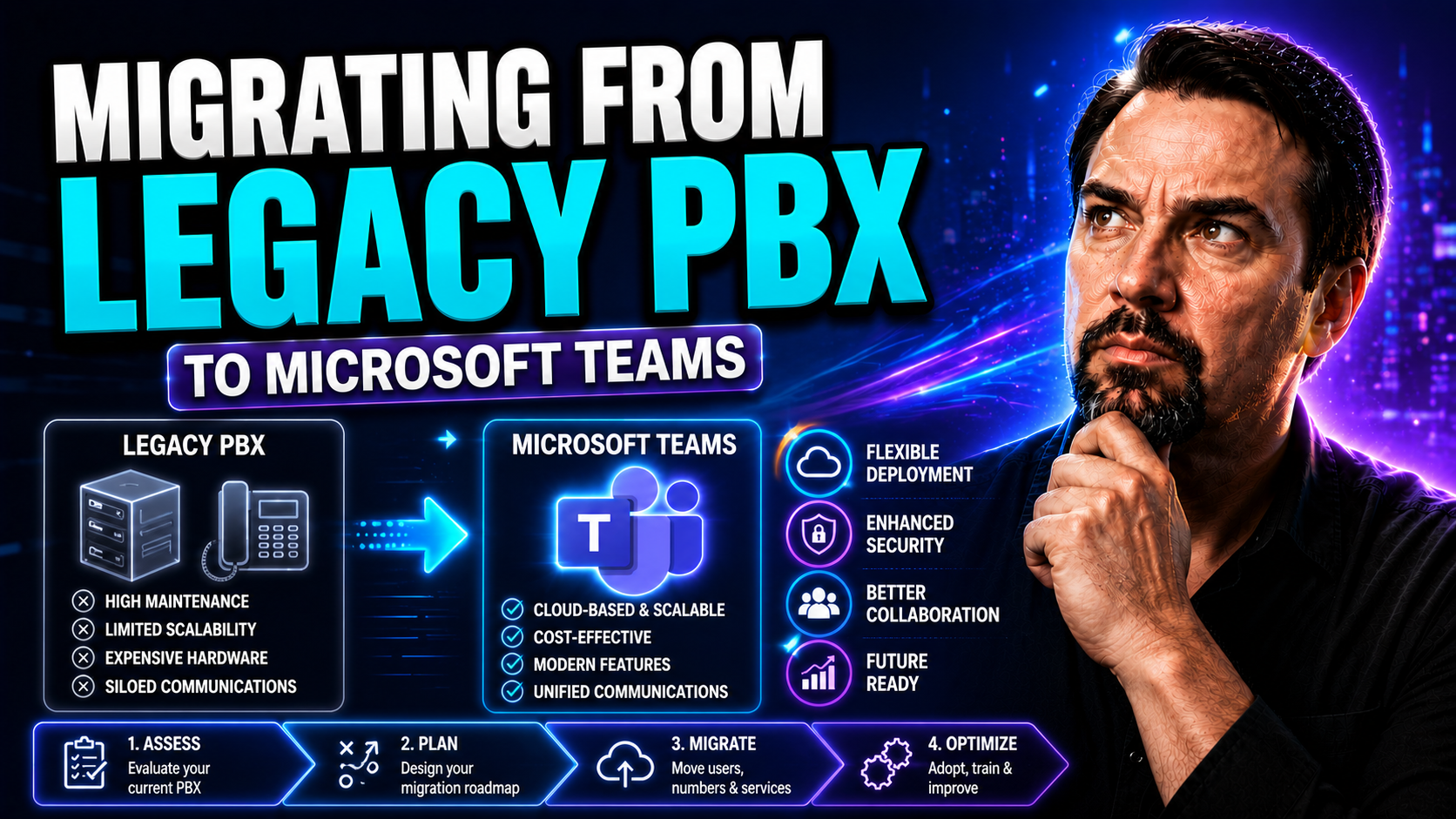
Let’s face it—old PBX systems aren’t getting any younger, and the way people work today is changing fast. More organizations are looking to move away from clunky on-premises phone systems to flexible, modern solutions like cloud unified communications (UCaaS), hybrid models, or even tightly integrated platforms such as Microsoft Teams. The migration process can feel overwhelming, but it’s necessary for supporting remote teams, reducing costs, and unlocking new features that drive productivity. This guide delivers a practical roadmap: you’ll learn what triggers a PBX migration, how to plan and execute each phase, manage risks and compliance, and ultimately measure your migration’s business impact. If you’re weighing the move or knee-deep in planning, this resource will keep you on track from first audit to full go-live.
Understanding the Drivers and Challenges of Migrating from Legacy PBX
For many businesses, sticking with an old legacy PBX system can feel like running a car on borrowed time. Sure, it works—until it doesn’t. As companies evolve, these old systems start to show cracks, from frequent outages to climbing support bills. That’s not just an IT headache; it becomes a real business risk if calls drop, work-from-home support falters, or new integrations become impossible. At this point, the PBX isn’t just behind the times—it's holding you back.
But the decision to migrate isn’t always straightforward. There are operational and technical challenges around changing critical systems, from the risk of downtime to the need for user retraining. Budget pressures, compliance requirements, and the fear of disrupting daily workflows can all slow down progress. It's a balancing act—knowing when legacy turns to liability and making a case for something better.
Up next, we’ll break down exactly what operational friction looks like with legacy PBX, show you the warning signs when your system is under real strain, and lay out the types of risk that can trip up a big migration. Understanding these drivers and challenges is step one toward a smoother, smarter move.
Operational Friction: Signs Your Legacy PBX Is Holding Back Business Growth
- Frequent Downtime and Outages: Your team faces regular phone system hiccups, leading to missed calls and lost business opportunities.
- High Support and Maintenance Costs: Keeping legacy systems running eats up IT time and budgets, especially as vendor support phases out.
- Remote and Hybrid Work Struggles: Legacy PBX often can’t support mobile devices or remote connections, forcing teams to rely on workarounds.
- Integration Roadblocks: Connecting to modern platforms, CRM tools, or Microsoft Teams is either costly or not possible with old tech.
- User Complaints about Features: Employees want features like voicemail-to-email, call forwarding, or softphones—but PBX can’t keep up.
How Strain on Legacy Systems Triggers Migration Readiness
- Hardware Obsolescence: Key components age out, parts become scarce, and finding experts to service ancient gear becomes a challenge. When you end up scouring eBay for replacement boards, it's a big red flag.
- Escalating Failures and Outages: System instability grows as outdated PBX environments struggle with capacity and reliability. Outages might start as rare events, but quickly become routine, risking missed customer contacts.
- Integration Incompatibility: Attempts to introduce new collaboration tools or integrate with cloud services often fail, highlighting architectural limits. If Teams or CRM platforms constantly bump into walls, it's time to move.
- Lack of Scalability: Adding new users, locations, or features becomes a hassle. Legacy setups can’t elastically scale, limiting your flexibility as your business grows.
- Security and Compliance Risks: Old PBX often lacks patching and modern security controls, exposing you to threats and regulatory headaches. This is especially risky for regulated sectors.
Evaluating the Risk Elements and PBX Migration Risks
- Service Interruptions: Transferring call routing, porting numbers, or switching systems can lead to lost connectivity if not carefully managed. Even brief downtime during business hours could frustrate staff and customers alike.
- Data Loss: There’s a risk essential call records, voicemails, or user directories might be left behind or corrupted if migration steps aren’t precisely followed or documented.
- Cost Overruns: Budgets can balloon if the migration’s scope isn’t fully mapped out or unexpected technical hurdles emerge. Factoring in temporary redundancy solutions or parallel systems is key to avoiding surprises.
- Resource Misallocation: Assigning insufficient time, staff, or expertise can result in mistakes, missed deadlines, or failed integrations—leaving you with a partial or failed migration.
- Compliance Violations: Phone migrations that overlook regulatory needs (e.g., E911, HIPAA) could land you in legal hot water if emergency calling or data residency rules aren’t satisfied.
- User Adoption Risk: Rapid changes without proper training or communication might spark user resistance, further harming productivity. User buy-in before and after launch is a must.
Defining the Target State: Choosing Cloud, Hybrid, or Modern On-Premises UC
Once you’re convinced it’s time for a change, the next step is deciding what your new communications environment should actually look like. Today’s voice solutions come in multiple flavors: pure cloud-based UCaaS, hybrid solutions with local backup (“survivability”), and refreshed on-premises systems built for modern needs. Each approach offers a different balance of control, reliability, and integration possibilities.
This is where big strategic decisions come in—do you want to hand over infrastructure burdens to a cloud provider? Do you need to keep some equipment onsite for compliance or operational reasons? Or are you looking for a happy medium, combining cloud flexibility with the local resiliency of a hybrid setup?
We’ll walk you through comparing cloud-only UCaaS and hybrid models, highlight what’s possible with on-prem migration targets, and explain how providers like Sangoma guide this journey. You’ll learn how to match these solution types to your organization’s priorities, whether that’s Microsoft Teams integration, disaster recovery, or strict data sovereignty. For more on structuring effective collaboration in Teams, check out this practical decision guide on private vs. shared channels.
Comparing Pure Cloud UCaaS and Hybrid UCaaS Survivability
- Reliability and Business Continuity: Pure cloud UCaaS runs over the internet, so a robust connection is essential. Hybrid models maintain on-site systems as a backup, providing survivability if the internet fails.
- Ease of Management: Full cloud reduces maintenance—your provider handles updates and troubleshooting. Hybrid setups demand some continued local oversight, but give IT greater control during transition.
- Integration with Microsoft Teams: Pure cloud UCaaS can be tightly linked with tools like Teams, simplifying unified communication and collaboration. Hybrids may need extra work, but allow gradual adoption and easier legacy integration.
- Disaster Recovery: Cloud resilience is strong if the provider has multiple data centers. Hybrid’s on-prem fallback means local calling can continue even if WAN links go down.
- Security and Compliance: Cloud providers invest heavily in compliance frameworks, but some organizations may require the assurances of keeping sensitive data local. Hybrid gives you options.
For advice on maintaining order as you scale up in Microsoft Teams, review how Teams governance transforms collaboration.
Defining On-Prem Targets for Migration: Role of Modern Systems
- In-House Control: Keeping UC systems onsite gives you maximum control over security, maintenance, and customizations. Some organizations prefer this, especially in regulated industries.
- Compliance and Data Sovereignty: Local systems simplify compliance with regional data storage mandates—critical for sectors like healthcare or finance.
- Leveraging Existing Investments: If you’ve poured resources into legacy infrastructure, modernizing on-prem (instead of total cloud replacement) may provide a smoother upgrade path.
- Hybrid Extensions: Many opt for an on-prem core with selective cloud integration for features like Teams or mobile VoIP, hedging risk and extending functionality.
- Legacy Equipment Retention: Some sites or departments may need to keep older desk phones or analog lines during the transition—the right on-prem solution makes that manageable.
How On-Prem PBX Sangoma and Other Providers Shape Migration
- Migration Expertise: Vendors like Sangoma bring proven processes, minimizing risk and guiding phased transitions from legacy to modern UC.
- Custom Solution Design: Partners help tailor on-prem or hybrid systems to fit your business needs—legacy integration, Teams compatibility, or local survivability.
- Continuous Support: Established providers offer ongoing maintenance, support, and training, ensuring a smooth handoff post-migration.
- Confidence in Continuity: With an experienced provider, you gain assurance that business-critical communication won’t be left to chance during cutovers.
- Advice for Communication Goals: These teams help align technical solutions with broader collaboration, security, and compliance targets.
Aligning Solution Choices with Communication Goals
The best-fit UC solution isn’t just about technology, but how it serves your wider business objectives. Your chosen environment—be it cloud, hybrid, or modern on-prem—should directly support the way you need to collaborate, your security requirements, and future growth plans. This means considering not just call quality or cost, but also how easily teams work together, ensure data privacy, and scale up as your business changes. Matching technology decisions to strategic goals is what makes migration worth the effort.
Pre-Migration Planning: How to Build a Solid Foundation
No PBX migration succeeds without solid groundwork. Before anyone unplugs a desk phone or signs a contract, you need to know exactly what you have, what you want, and what’s required to get there. This phase covers two critical pieces: auditing your current communications environment and carefully mapping out your requirements and workflows for the future.
Just as important—choosing the right UCaaS or migration partner. Knowing what questions to ask, what credentials to look for, and how a provider aligns with your business goals will save you serious headaches down the road. Thoughtful pre-migration planning won’t eliminate every surprise, but it drastically lowers the risk of project delays, cost overruns, and missing critical features.
The next sections walk you through a detailed system audit, key planning milestones, crucial questions for provider selection, and a checklist to spot trustworthy migration advisors.
Conduct a Full Audit of Your Current PBX System
- Document All Phone Lines and Numbers: Start by listing every phone number—main lines, direct-dials, conference lines, fax lines, and analog devices. Track which departments or users own each number.
- Catalog Physical Devices and Hardware: Take inventory of all desk phones, fax machines, analog adapters, and PBX hardware. Note their make, model, age, and location.
- Map Out User Requirements: Identify who uses the system and how. Do teams need voicemail, mobile extensions, call forwarding, or international dialing? Talk to key stakeholders—IT alone won’t catch everything.
- List Features and Existing Integrations: Write down all custom call flows, auto-attendants, call groups, paging, CRM or Teams integrations, and any API-driven automation.
- Document Dependencies and Workflows: Capture upstream/downstream systems that rely on PBX (security doors, alarms, elevators) and draw out existing communication workflows for each department.
- Highlight End-of-Life and Support Risks: Flag gear with lapsed warranties or expired vendor support—these are your biggest migration priorities.
Essential Steps in the Pre-Migration Planning Phase
- Identify Stakeholders: Gather input from IT, department heads, and end users—everyone impacted by the migration.
- Define a Realistic Timeline: Set milestones for audit, provider selection, testing, and cutover so key dates aren’t missed.
- Estimate Budget and Resources: Factor in hardware, software, service fees, and any parallel runs you’ll need.
- Outline Communication Workflows: Map how teams collaborate and what new features might streamline work.
- Review Compliance Requirements: Ensure regulatory, security, and data-handling needs are understood up front.
Questions to Ask Your UCaaS Provider Before PBX Migrations
- What Is Your Experience with Our Industry? Providers familiar with your business vertical will anticipate unique challenges and compliance needs.
- How Do You Handle Number Porting and Cutover? Look for clear, documented processes to minimize downtime and avoid missed calls.
- What Integration Options Exist (e.g., Microsoft Teams, CRM)? Ask specifically about existing connectors, APIs, and their experience with hybrid or phased deployments.
- How Is System Security and Data Privacy Managed? Confirm encryption standards, access controls, multi-factor authentication, and compliance certifications vital to your sector.
- What Support and Training Are Included? Ask about post-migration help desk, user training, and escalation paths for urgent issues.
- Can You Provide Detailed References and Case Studies? Speaking to similar customers is often the best way to judge a provider's real-world ability.
- What Is the Exit Strategy? Good partners can articulate how you could transition out, migrate to another solution, or revert if things don’t work out.
How to Choose the Right Solution Provider for Communication Transformation
- Proven Credentials: Check certifications, partnerships with technology leaders, and a track record of successful migrations.
- Industry Experience: Look for advisors who understand the nuances of your sector and regulatory environment.
- Comprehensive Scope: The best providers handle everything from audit to post-go-live support—not just sales pitches.
- Enterprise-Grade Capability: Make sure they’ve migrated businesses of your size and complexity.
- Transparent Communication: You want an advisor who speaks plainly, sets clear expectations, and doesn’t oversell.
Executing the Migration: From Configuration to Cutover
Now comes the hands-on phase—a migration isn’t just planning and paperwork. Executing a move from PBX to cloud UC or Microsoft Teams involves steps that must be carefully sequenced to avoid disruption. This phase addresses the challenge of running both old and new phone systems in parallel, porting numbers, configuring new features, and building a solid cutover plan.
Smooth transitions are the name of the game. That means double-checking configurations, verifying integrations, and making sure IT teams are ready to roll back if needed. For most organizations, minimizing downtime isn’t just about good intentions; it’s about tested processes, backup plans, and being ready for the curveballs.
In the coming sections, you’ll get guidance on porting numbers safely, setting up side-by-side systems, scheduling your cutover, and practical tips for hitting that “no downtime” goal.
How to Port Numbers in Parallel and Configure New Systems
- Coordinate Number Porting: Start by working with both current and new carriers to schedule porting windows. This is often staged—main numbers first, followed by extensions and less-used lines.
- Set Up Parallel Environments: Configure your new UCaaS or Microsoft Teams-based system while keeping the old PBX running. Users should be able to make/receive calls on either system before go-live.
- Test Call Flows and Routing: Ensure call routing, auto-attendants, voicemail, and forwarding rules work identically on the new system. Use test numbers and internal calls to check functionality.
- Update DNS and Network Settings: For cloud-based systems, make necessary firewall changes and Quality of Service (QoS) tuning to prioritize voice traffic and prevent jitter or packet loss.
- Train Users on Dual Operation: During parallel runs, staff should know which phones or apps to use and how to report issues.
- Monitor for Interruptions: Watch for missed calls, failed transfers, or users accidentally defaulting to legacy systems instead of new Teams or cloud phones.
Switching from On-Prem: Synchronizing the Migration
- Run Parallel Systems: Operate both old PBX and new cloud/UCaaS for a set period, letting users acclimate and issues surface early.
- Plan Dual Operation Windows: Define when specific users or locations will switch, using staged rollouts to control risk.
- Have a Fallback Plan: Ensure clear rollback instructions if the new environment fails or key issues arise.
- Communicate Frequently: Regular updates keep all users aware of migration status, reducing confusion and help desk tickets.
How to Create a Cutover Plan and Schedule Migration
- Schedule the Cutover Strategically: Choose after-hours, weekends, or low-traffic periods to reduce business impact. Build in buffer time in case issues delay the fully live transition.
- Prep a Rollback Strategy: Document the steps to return to legacy PBX quickly if the migration fails. Assign team members to specific “go/no-go” decisions at each step.
- Notify All Stakeholders: Communicate cutover plans in advance—what will happen, when, who to call with issues, and how long minor disruptions may last.
- Assign Accountabilities: Designate leads for technical, user support, and executive communication throughout the migration period.
- Confirm Backup Solutions: Deploy backup numbers, call-forwarding rules, or backup hotlines in case of major outages during cutover.
Tips for Reducing Downtime and Maintaining 'No Downtime' During Cutover
- Opt for After-Hours or Weekend Cutovers: Minimize business impact by scheduling changes when the fewest users are affected.
- Use Staged or Phased Migrations: Switch over in logical chunks—by location, department, or phone number range—allowing for real-time issue identification.
- Maintain Rollback Readiness: Always keep the old PBX ready as a fallback in case unexpected issues arise during cutover.
- Leverage Backup/Failover Tools: Tap into temporary call-forwarding services or mobile apps that keep calls flowing if main systems are down.
- Monitor and Communicate: Assign real-time monitoring and a communication “war room” so incidents are resolved before users notice.
Ensuring Success After Migration to Your New Communication Platform
Cutting over to new phone systems isn’t the end of the journey—getting real value means making sure everything works as promised, users are comfortable, and support is at the ready. Testing and staff training are every bit as important as the migration itself.
This final phase means verifying call quality, resolving user issues quickly, and providing clear go-live support. And after the dust settles, it’s about driving true adoption—helping staff embrace new features, offering training resources, and using feedback to optimize the system continuously. Microsoft Teams Governance can also help streamline user access and keep collaboration secure and productive.
Coming up: step-by-step best practices for system testing, user training, and ongoing adoption management plans to make your investment stick.
Conduct Testing, Training, and Go-Live Support After PBX Migration
- Comprehensive System Testing: Conduct live test calls—internal, external, and international—to validate call routing, audio quality, and integrations with directories or voicemail. Check all extensions, hunt groups, and key features.
- User Acceptance Testing: Have representative users from each department confirm their daily workflows, including call forwarding, voicemail, and mobile access, are working flawlessly.
- Staff Training Sessions: Hold mandatory trainings for all affected users, covering how to use new desk phones, mobile apps, and Teams integrations. Demo any new features or changes in workflow.
- Immediate Go-Live Support: Set up a rapid-response help desk during the first week, staffed with both technical experts and patient “floor walkers” to handle questions or escalate critical issues fast.
- Performance Validation: Actively monitor uptime, call audio quality, and incident rates using live dashboards. Fix problems on the spot—don’t wait for complaints to pile in.
- User Feedback Channels: Encourage feedback, collect support tickets, and run quick surveys to identify hidden pain points or feature requests.
For more on balancing innovation and privacy during system rollouts, check the Microsoft Copilot data privacy overview.
How to Develop an Adoption Management Plan and Drive User Change
- Tailored Communications Plan: Proactively inform staff about upcoming changes, new features, and the benefits of migration.
- User Champions Program: Recruit and train “super users” in each department who can help colleagues informally before and after go-live.
- Feedback Loops: Solicit regular feedback, address concerns quickly, and adapt workflows based on real user input.
- Performance Benchmarks: Set clear performance and adoption goals tied directly to business outcomes.
- Governance for Long-Term Success: Establish policies and clear ownership for ongoing support, user access, and compliance. If you use Microsoft Teams, strong Teams governance helps sustain adoption and keep communication secure.
Integrating Legacy PBX With Modern UC During Transition
Not every business can flip the switch overnight and say goodbye to the old PBX—sometimes you need both the old and the new running side-by-side for a while. This “hybrid” or phased approach helps reduce risk, keeps operations steady, and allows teams to adapt to change at their own pace.
Modern transition strategies lean on technical bridges like SIP trunking and session border controllers (SBCs) to connect legacy PBX systems with cloud UC platforms. This setup keeps calls flowing—internally and externally—even if your migration will stretch over weeks or months. The name of the game is minimizing disruption while smoothing the way for gradual user adoption.
Next, we’ll walk through how SIP trunking and SBCs pull this off, plus how to keep all your key features—like voicemail and call forwarding—synchronized between legacy and cloud environments until the migration is truly complete.
How SIP Trunking and SBCs Enable Phased PBX Integration
- Deploy SIP Trunking: SIP trunks act as virtual phone lines, connecting your legacy PBX to modern UC or cloud phone systems. This allows for seamless call routing, bridging old and new environments without major infrastructure overhauls.
- Install Session Border Controllers (SBCs): SBCs direct and secure call traffic between networks, handling protocol translation and safeguarding against unauthorized access or call failures during coexistence.
- Route Calls Flexibly: During migration, calls can be routed dynamically—some lines or departments use legacy PBX, others go directly to Teams or cloud UC. SBCs balance this routing based on user assignment and migration phases.
- Maintain Hybrid Operation: A phased approach keeps both systems available, letting users and IT troubleshoot live without dropping service or missing key calls.
- Gradually Retire the Old PBX: As users grow comfortable with the new platform, SIP trunks make it easy to offboard numbers, features, or sites one by one—minimizing risk and disruption at every step.
Synchronizing Features During Legacy-Cloud Coexistence
- Unified Voicemail: Integrate voicemail between systems so users don’t miss important messages—forward messages from PBX voicemail to cloud mailboxes or vice versa.
- Consistent Call Forwarding: Sync call forwarding rules across platforms to ensure all calls, whether directed to PBX or cloud numbers, reach users as expected.
- Directory Synchronization: Maintain a unified company directory so it doesn’t matter which platform a user is on—they can always look up and reach any colleague.
- Extension/Dial Plan Parity: Keep dial plans consistent to avoid confusion—if users dial “1234” for support now, it should work no matter the backend.
- Feature Testing During Transition: Continuously verify that key features are mirrored as users move from legacy to new platforms. Fix gaps quickly to keep user experience smooth.
Assessing and Managing Regulatory and Compliance Impacts
If you’re in healthcare, financial services, or education, you know compliance is never optional—especially when replacing phone systems. It’s not just about choosing a feature-rich UCaaS, but ensuring you meet legal mandates like E911 for emergency calls, or keeping voice data in the right jurisdiction.
This section tackles the overlooked regulatory headaches that can sneak up during migration. Whether it’s new rules for emergency calling in the cloud, or making sure sensitive records never cross borders, your legal and IT teams need to work together from day one. For deeper dives on compliance in Microsoft environments, check out Microsoft Copilot’s data boundary explanations and Copilot’s privacy overview.
We’ll outline what you need to know about E911, Kari’s Law, and how to align your communications with HIPAA, FINRA, and other industry standards as you migrate.
Cloud Communication Compliance: E911, Kari’s Law, and More
- E911 Compliance: In the cloud, systems must provide precise caller location for emergency services. This means updating address databases and ensuring devices—desk phones, softphones, mobile clients—are all mapped to a physical location.
- Kari’s Law: U.S. law requires users to dial 911 directly, without extra digits. Make sure your new platform is configured so users can reach emergency help from any device, no exceptions.
- RAY BAUM’s Act: Mandates that dispatchable location info (like suite/floor/area) is passed to first responders—review and update your communications system accordingly.
- Policy and Documentation: Keep updated compliance records, document any emergency calling policy changes, and regularly test your system’s compliance. For more on preserving privacy and compliance during migrations, visit this guide on Copilot data boundaries.
Managing Data Residency and Industry-Specific Requirements
- HIPAA for Healthcare: Ensure all voice data—including recordings, voicemails, and logs—remains encrypted and never leaves specified regions or countries.
- FINRA for Financial Services: Enable compliant archiving of calls and messages, and be prepared for data audits on demand.
- PCI DSS for Payment Environments: Keep any voice interactions that process payment card data in secure, compliant storage—no exceptions.
- Education Sector Requirements: Protect student voice records with strong data security, and ensure alignment with FERPA and local mandates.
- Vendor Transparency: Your UCaaS provider should fully explain where your data lives and back this up with regular compliance audits. More on this is described in the Microsoft Copilot Data Privacy overview.
Measuring the ROI and Business Impact After PBX Migration
You’ve made it through migration—now it’s time to prove it was worth the effort. Tracking the benefits (and surfacing any gaps) helps show leadership your investment is paying off, while shining a light on new opportunities for optimization.
Rather than just relying on anecdotes, focus on hard data: how quickly do you resolve issues now? Are users satisfied, and is call quality meeting expectations? Is your cost per user dropping thanks to a cloud model? Calculating return on investment (ROI) and comparing total cost of ownership (TCO) pre- and post-migration provides the real story.
We’ll break down the most useful KPIs for tracking migration success—as well as a framework for comparing costs before and after your move—to help justify your decisions and build a business case for future upgrades.
KPIs for Post-Migration Evaluation and Success Tracking
- Mean Time to Repair (MTTR): Track how long it takes to resolve support tickets and outages—compare against legacy system benchmarks.
- User Satisfaction Scores: Use surveys or net promoter scores (NPS) to gather user feedback on the new system’s ease of use and reliability.
- Call Quality Metrics: Monitor dropped calls, jitter, packet loss, and overall audio clarity to make sure you hit SLAs.
- Productivity Gains: Measure usage of new features (softphones, Teams integration, remote access) and correlate to performance improvements.
- Support Ticket Volume and Types: Fewer urgent tickets and a shift toward “how-to” vs. “broken” complaints are signs of successful adoption.
How to Compare Total Cost of Ownership Before and After Migration
- Calculate Legacy PBX Costs: Add up hardware maintenance, software licensing, support contracts, power/cooling, and IT labor for your old system. Include any recurring vendor fees or maintenance “emergencies.”
- Assess UCaaS/Teams Subscription Costs: Track per-user monthly or annual costs, factoring in flexibility for scale up/down versus fixed hardware spend.
- Factor in Migration and Training Expenses: One-time costs like number porting, technical consulting, parallel runs, and user training count toward your payback timeline.
- Include Ongoing Support Savings: Price reductions on break-fix, upgrades, and labor add up over time with modern, managed solutions.
- Compare “Soft” Savings and Gains: Don’t forget to estimate savings from improved uptime, higher productivity, and new features (like mobile/remote work) that generate real business value.
- Build a Year-over-Year Comparison: Map three-to-five years of projected spend for each scenario—your real ROI emerges over the longer haul, not just the first year.
You Should Also Listen To
If you are researching migrating from legacy PBX, these episodes add practical context on architecture, operations, security, and governance:
- Teams Telephony – Simply Explained — Understand the calling architecture behind Teams voice, routing, and telephony operations.
- Microsoft Teams Governance – The Illusion of Control — Connect calling decisions with ownership, policy, lifecycle, and governance.
- Azure Virtual Network – Simply Explained — Learn how network architecture affects call quality and reliability.
- Microsoft Defender XDR – Simply Explained — Add security monitoring and response to your Teams communications plan.

Microsoft MVP | Host of M365.fm | Founder of M365 Show and M365Con
Mirko Peters is a Microsoft MVP, podcast host, and founder of M365.fm, M365 Show, and M365Con. His work connects Microsoft practitioners through podcast interviews, livestreams, and community events.
At M365.fm, Mirko hosts conversations with Microsoft MVPs, product experts, architects, and community contributors. Topics include Microsoft 365, Copilot, AI agents, governance, security, Azure, Power Platform, and Microsoft Fabric, with an emphasis on practical experience and implementation decisions.
M365.fm is the podcast and learning platform. M365 Show brings experts together for livestreams, while M365Con provides an online conference setting for community learning.
Official website: Mirko Peters (https://www.mirkopeters.com/). Recognition: Mirko Peters — Microsoft MVP profile (https://mvp.microsoft.com/de-DE/mvp/profile/9b0ca797-db5a-493a-a845-8b9158046cf5). Connect on LinkedIn (https://www.linkedin.com/in/m365showpodcast/).