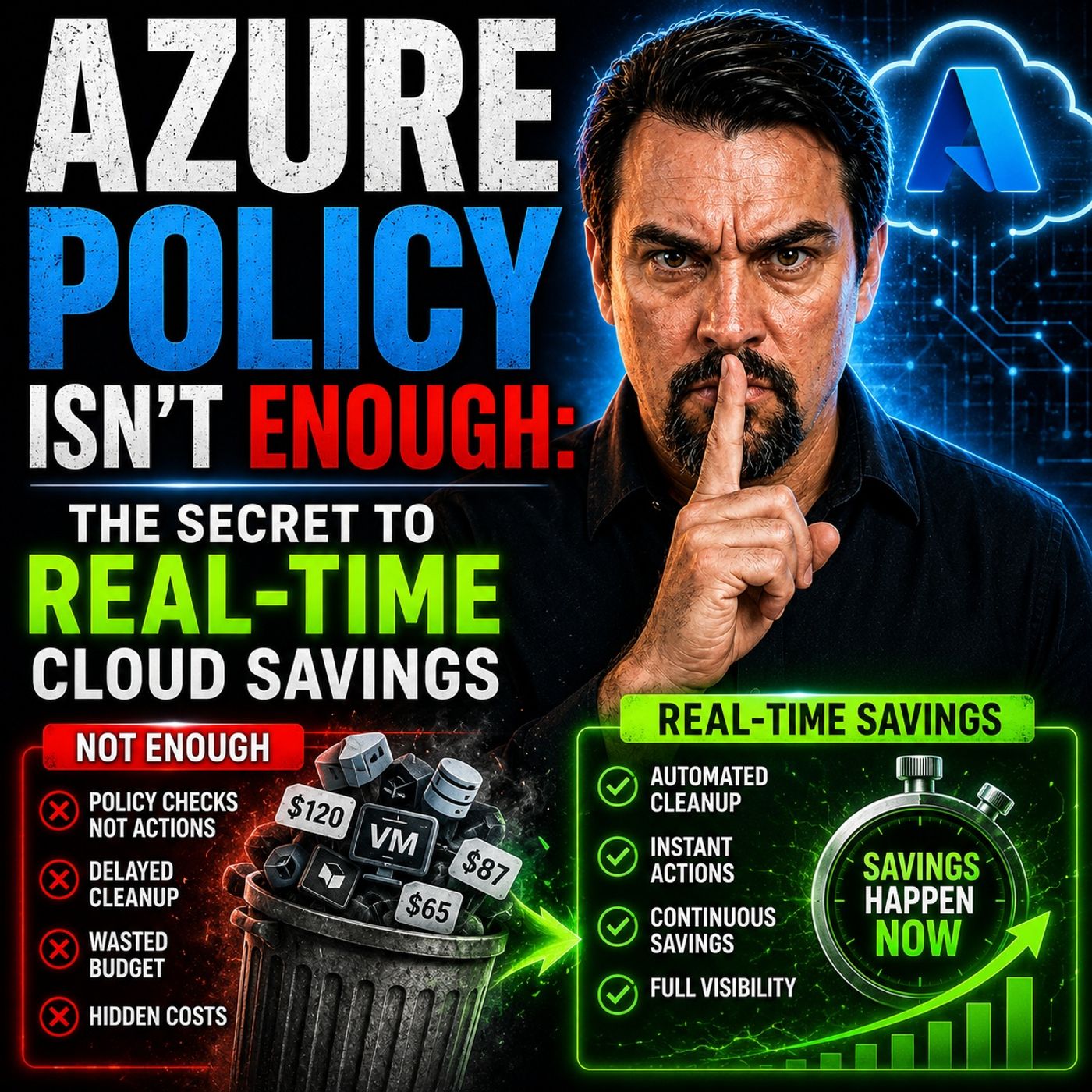
Stopping Cloud Waste Before It Starts with Azure Policy
Welcome back to the podcast companion blog, where we dive deeper into the strategies, tools, and mindset shifts necessary to take control of your organization's digital footprint. If you have ever opened your monthly cloud bill only to experience sticker shock, you are certainly not alone. Cloud sprawl and runaway deployments have become the silent killers of enterprise technology budgets. Fortunately, you do not have to wait until the end of the month to discover that your project budgets have blown up. By leveraging proactive, automated governance mechanisms, you can catch and block costly infrastructure deployment mistakes in real time. In this comprehensive guide, we are going to break down how to stop cloud waste before it even starts by implementing robust policies, fostering a cost-aware culture, and utilizing automation to protect your bottom line.
To fully grasp how these operational changes can transform your organization's financial trajectory, be sure to check out our companion podcast episode, Real-Time Azure Cost Control with Azure Policy, where we break down the practical frameworks and real-world scenarios that drive modern cloud efficiency.
Real-Time Cloud Savings: Key Strategies
Quick Wins for Immediate Savings
You want to save money fast. Real-time cloud savings let you make changes right away. You can see your spending go down quickly. Many teams start with easy steps that save money right now. Here are some things you can do today:
- Remove unused resources. If you find virtual machines or storage that no one uses, turn them off. This step can lower your cloud costs fast.
- Rightsize instances. Check if your workloads use machines that are too big. Move them to smaller, more efficient ones. You save money and your work still runs well.
- Use reserved and spot instances. For jobs you know will run, buy reserved or spot instances. You can save up to 75% compared to on-demand prices.
- Set up autoscaling. Make autoscaling rules so your cloud matches your traffic. When fewer people use your service, you spend less money.
- Optimize data storage. Check your storage types. Move data you do not use often to cheaper storage. This keeps your costs low and helps you save more.
- Combine billing. Put accounts and bills together to get discounts and make things easier to manage.
Teams that use these ideas often save a lot. For example, GlobalDots saved $1.5 million in a year by using quick-win steps. Their client cut their cloud bill by 20% and grew by 30% during the project. In four months, they saved $250,000 and lowered their monthly bill by 16%. These results show real-time cloud savings can help your team a lot.
Tip: Automate cost tracking and reservations. This helps you track spending and get the most from reserved instances. You spend less time on costs and more time on your business.
Why Real-Time Matters
You may ask why real-time cloud savings are important. The answer is easy. When you watch spending as it happens, you can act before costs get too high. Real-time monitoring helps you see patterns, find problems, and react fast. This stops surprise costs and keeps your savings steady.
Old ways check costs once a month. You look at reports and try to fix problems after they happen. By then, you may have lost a lot of money. Real-time cloud savings give you control all the time. You see what is happening now, not last week.
Cloud systems make real-time reports simple. You can make faster money choices and work better with your team. This means better results with your money. Teams that use real-time cloud savings often save 25-50% on labor and cut other costs by 30-40%. Mid-size companies can save $3-5 million each year.
Note: Bad data can cost millions every year. Real-time cloud savings help you avoid mistakes and keep your spending in check.
You can rightsize resources for your needs, use reserved and spot instances, set up autoscaling, pick the right instance types, and lower storage and network costs. Automate cost management and rules, and keep checking and improving your cloud setup. These steps help you save money and keep costs low.
Real-time cloud savings put you in charge. You control your spending, make smart choices, and get more from your cloud. Try these ideas today and see your savings grow.
Cost-Aware Culture and Accountability
Promoting Visibility Across Teams
You want your team to know where money is spent. When you share cloud cost info, teams make better choices. Many IT leaders have trouble controlling costs because they cannot see them well. Almost nine out of ten people think saving on cloud resources is very important. Dashboards can show the cost of new deployments right away. This helps engineers see how their work affects spending.
| Best Practice | Description |
|---|---|
| Gain Visibility | First, find out where your costs come from. |
| Systematic Application of Strategies | Use clear steps to cut waste and make cloud spending better. |
| Establish a FinOps Team | Build a group to manage cloud costs and help everyone stay on track. |
A strong plan that mixes seeing costs, taking action, and being responsible helps you manage cloud costs. If you cannot see cloud costs, you cannot find ways to save or control spending.
Shared Responsibility for Spend
You do not have to handle cloud costs by yourself. When everyone helps, you build a team that cares about spending. Each person knows how their choices change the bill. This stops waste and keeps costs down. If you use FinOps, your team can see spending and make smart choices. Good habits stop using too many resources and unclear bills. Azure Policy helps you set rules when you deploy things. You can require ownership and tags for every resource. This makes every cost easy to track and explain.
- Shared responsibility means everyone helps control spending.
- Teams see how their actions change cloud costs.
- Clear rules and tags keep your cloud organized and working well.
Incentivizing Savings Behaviors
You can make saving money fun and rewarding. Try giving a shoutout to teams that stay under budget. Use games to let engineers compete to save more. Celebrate wins with monthly shoutouts or in your company newsletter. These steps help everyone look for new ways to save. When you reward good habits, you build a team that values savings and smart cloud use.
Tip: Make cost a part of your daily work. When you check costs often, you find savings faster and keep your cloud spending under control.
Real-Time Monitoring for Cloud Savings

Choosing Monitoring Tools
You need the right tools to track cloud costs and savings in real time. CloudZero stands out because it lets you see cloud computing costs by customer or feature. You can spot where your spend goes and find new ways for optimization. Last9 and Cloudability also help you manage cloud costs. Cloudability works well for tracking costs across AWS, Azure, and GCP. It gives you budgeting, forecasting, and cost-saving tips. When you pick a tool, look for real-time alerting that avoids too much noise. Security basics like RBAC and audit trails matter. Think about your environment’s complexity, the features you need, and how the tool fits with your current systems. You want full visibility, native cloud integrations, and a tool that scales with your needs.
- CloudZero
- Last9
- Cloudability
Setting Spend Alerts
Spend alerts help you catch problems before they grow. You set thresholds for your cloud costs and get notified when you go over. This gives you time to check for issues and fix them fast. Spend alerts keep your team aware and ready to act. You can use Slack, email, or Jira to send alerts. Different environments need different thresholds. For example:
| Environment | Variance Threshold | Alert Method |
|---|---|---|
| Prod | 5% | Slack, email, Jira |
| Staging | 20% | Slack, email, Jira |
| Test | Higher | Slack, email, Jira |
Spend alerts give you real-time visibility into cloud costs. You manage spending before it gets out of hand. You keep your savings steady and make better decisions for future projects.
Custom Dashboards for Insights
Custom dashboards show you what matters most. You can tailor dashboards for different roles. This helps everyone see cloud costs and savings clearly. Dashboards let you spot underused resources and take action for optimization. You get continuous monitoring and automated alerts for budget breaches. Dashboards adapt as your cloud usage changes. You always have the latest insights. Real-time monitoring keeps your cost efficiencies strong. You stay ahead and make smart choices for your cloud computing spend.
Tip: Use dashboards to track cloud costs and savings. You find patterns, fix waste, and keep your cloud spend under control.
Resource Optimization for Cloud Cost Savings

Identifying Idle Resources
You cannot save money if you let idle resources stay. These unused things make your cloud bill go up. They also waste money. Start by using cloud monitoring tools to see how much your resources work. Cost management tools help you find charges for things you do not use. Log analysis shows when systems and apps are not busy. If you see instances with low CPU or memory, your machines may be too big. Use usage data, automation, and platform tools to find these low-value assets. This way, you can save more money and use your cloud better.
- Use built-in cloud monitoring to check how much you use resources.
- Look at your bills to find unused resources.
- Check logs to see when things are not working.
- Watch for instances with low CPU and memory use.
- Make a plan to find and stop cloud waste.
Scaling and Rightsizing
Scaling and rightsizing help you save money in the cloud. You need to look at your cloud bill and see where you can do better. Auto-scaling helps you not pay for things you do not need. Pick instance types that fit your work, not just the biggest ones. Rightsizing means moving resources to the right size for what you use. It also means getting the best price. Check your cloud setup often to keep costs low and work well. Here is a table with some ideas:
| Strategy | Description |
|---|---|
| Rightsizing Compute Instances | Move instances running below 20–30% CPU use to smaller sizes for savings. |
| Optimizing Kubernetes Resources | Change CPU and memory requests to stop using too much and wasting money. |
| Database Rightsizing | Check database use to find and fix setups that are too big. |
| Automated Storage Auto-Scaling | Use automation to grow storage only when needed and cut extra costs. |
| Regular Rightsizing Reviews | Make rightsizing a habit to keep saving money in the cloud. |
Using Spot and Auto-Scaling
Spot instances and auto-scaling can help you save a lot. Spot instances use extra space at lower prices. Sometimes, this can cut compute costs by up to 90%. You can use both spot and on-demand instances for better savings and to keep things running. Auto-scaling changes resources as you need them, so you only pay for what you use. Companies like NFL, Lyft, and Salesforce have saved a lot with these ideas. Here is a quick look:
| Company | Savings Amount | Description |
|---|---|---|
| NFL | Over $20 million | Used Spot Instances for big savings. |
| Lyft | 75% reduction | Lowered monthly compute costs with small changes. |
| Salesforce | Over $1 million | Cut monthly bills using Spot Instances. |
You save more when you use both usage and rate optimization with smart scaling. This keeps your cloud savings steady and stops waste. Make these steps part of your daily work and watch your spending go down.
Tip: Set up auto-scaling and use spot instances for jobs that are not critical. You will see savings right away and make your cloud costs better.
Automation and Governance for Cloud Savings
Automating Resource Scheduling
You can save a lot of money with automation. Think about test servers or development environments. These are non-critical workloads. They do not need to run all the time. If you set schedules, you can turn them off at night. This stops you from paying for things you are not using. It is a simple way to cut waste. Your team can still work fast. You get more value from your cloud spend. Your cost-saving plans stay on track. Many teams save a lot by turning off resources when not needed.
Tip: Start with resources you use the least. Set up automation to turn them off after hours. Watch your cloud bill go down as you save more money.
Automated Tagging and Tracking
You need to know where your cloud money goes. Automated tagging and tracking make this simple. When you tag each resource, you see who owns it. You also see what project it helps and how much it costs. Automation helps you avoid mistakes. It keeps everything neat and organized. You do not have to worry about missing tags or lost resources.
| Advantage | Description |
|---|---|
| Efficiency Gains | Automation saves time and lowers the chance of missing tags. |
| Accurate Resource Attribution | Tags show how resources are used and what they cost. |
| Enhanced Financial Decision-Making | Tagging helps you make smart choices and use your budget well. |
| Strengthened Governance | Tags help you follow rules and control who can use resources. |
| Improved Compliance | Tags help remove unused resources and keep things in order. |
Tagging helps you save money and track every dollar you spend on cloud computing.
Policy-Driven Cost Controls
You want to stop waste before it starts. Policy-driven cost controls, like Azure Policy, help you do this right away. You can set rules to check every deployment. If something does not follow your rules, it gets blocked. You do not have to wait for a report to find problems. You catch them as soon as they happen.
| Feature | Impact on Cost Control |
|---|---|
| Supports over 74,000 resource properties | Lets you control many things that cost money. |
| Can audit, deny, and auto-resolve resources | Stops waste by blocking extra resources. |
| Provides easy reporting of compliance issues | Saves time and makes checking easier. |
| Checks every deployment from every source | Makes sure all platforms follow the rules. |
| Supports different scopes | Lets you use rules for different groups. |
| Supports parameters | Makes it easy to change rules when you need to. |
| Exemptions for specific resources | Gives you flexibility without losing control. |
| Different enforcement modes | Lets you add new rules safely. |
| No additional cost | You do not pay extra for these controls. |
With Azure Policy, you do not wait to fix problems. You make sure every resource follows your cost rules before it is made. This keeps your cloud spending under control and helps you save more.
Pricing Models and Cost Savings
On-Demand vs Reserved Instances
When you use cloud services, you get to pick how you pay. On-demand instances let you pay for what you use, with no long-term promise. This works well if your needs change a lot. But if you know you will use certain resources for a long time, reserved instances can save you a lot of money. Check out this table to see the difference:
| Instance Type | Cost Savings Compared to On-Demand | Commitment Terms |
|---|---|---|
| On-Demand | N/A | N/A |
| Reserved Instances | Up to 75% cheaper | 1–3 years |
| Spot Instances | Up to 90% cheaper | N/A |
You can see that reserved and spot instances offer big savings. Spot instances work best for jobs that can stop and start, while reserved instances help you lock in lower prices for steady workloads. Picking the right mix helps you control your cloud cost.
Leveraging Savings Plans
Savings plans give you another way to cut your cloud cost. Before you sign up, make sure you know how much cloud you really need. Start with an optimization plan. This helps you avoid paying for more than you use. When you commit to a baseline level of cloud usage, you get discounts and still have room to grow. Compute savings plans are flexible and work well if your needs might change. Review your usage often to make sure you are not wasting money. This way, you get the most out of your cloud computing spend.
Tip: Always optimize your cloud setup before making any long-term commitments. This keeps your cost low and your savings high.
Reviewing Commitments
You need to check your cloud commitments often. This helps you avoid surprises and keeps your cost in line with your goals. Here are some best practices:
- Set up alerts for cost thresholds so you never get caught off guard.
- Match your cloud spending to your business goals.
- Right-size your resources and use automation to avoid waste.
- Use reserved and spot instances for the right jobs.
- Clean up unused resources to keep your cloud tidy.
When you follow these steps, you keep your cloud cost under control and make smart choices for your team.
License Management for Cloud Cost Savings
Auditing License Usage
You need to know what you use. Auditing your license usage shows where your cloud money goes. If you check licenses often, you can find waste and save money. Tools like Flexera, AWS Cost and Usage Report, Azure Cost Management, and Google Cloud Billing help you see spending by team, project, or app. You can look at cost reports and see which licenses get used most. This helps you make smart choices and avoid surprises.
Here’s what happens when you manage licenses well:
| Benefit | Description |
|---|---|
| Direct Cost Reduction | Many companies save 20–30% on software after starting structured cost management. |
| Improved Budget Predictability | You can plan better and avoid surprise spending. |
| Risk Reduction | You stay safe from extra costs during vendor audits. |
Tip: Check your license usage every month. You will find problems early and keep your cloud cost under control.
Reclaiming Unused Licenses
Unused licenses waste your money. You can take them back and save more. Start by finding idle VMs, orphaned resources, and storage volumes not in use. Clean up old snapshots and release IP addresses you do not need. Automate license reclamation to catch users who do not need access anymore. Compare license lists with your HR system to spot people who left but still have a license. SSO automation can help you take back all licenses from users who are gone. Save and reuse these licenses as your needs change.
- Watch storage and cut extra space.
- Remove resources and volumes you do not use.
- Automate steps to reclaim licenses from users who are not active.
When you take back unused licenses, you stop waste and lower your cloud cost fast.
Consolidating Agreements
Having many license agreements can be confusing. You can make things easier by putting your agreements together. When you combine licenses across departments, you make cloud management simple. This helps you track usage and get better deals from vendors. You do not pay for the same thing twice and you spend less time on contracts. Companies that do this often save a lot and work better.
Note: One agreement is easier to handle than many. You save time, make fewer mistakes, and keep your cloud cost low.
To wrap things up, managing your cloud infrastructure isn't just about reviewing spreadsheets once a month; it is about building a proactive culture supported by smart automation. By implementing automated governance structures like Azure Policy, encouraging team-wide accountability, and consistently monitoring your resource utilization, you can drastically minimize costly deployment errors. As we highlighted throughout this article, organizations that adopt real-time cloud cost management drastically outperform their peers in operational efficiency and financial returns. For a deeper dive into these strategies and actionable tips on how to implement them within your environment, make sure to listen to our complete episode, Real-Time Azure Cost Control with Azure Policy. Take charge of your cloud journey today, eliminate waste before it begins, and watch your organization thrive!
FAQ
What is real-time cloud savings?
You save money by watching your cloud costs as they happen. You can spot waste and fix it fast. This helps you avoid big bills and keeps your spending under control.
How do I start saving on cloud costs?
You can begin by turning off unused resources. Set up alerts for spending. Use tools that help you track costs. Make sure your team knows how their choices affect the bill.
Why should my team use automation for cost savings?
Automation helps you save time and money. You can schedule resources to turn off when not needed. This stops waste and makes your cloud spending smarter.
What tools help with cloud cost management?
You can use Azure Policy, CloudZero, and Cloudability. These tools show you where your money goes. They help you set rules and track spending.
How often should I review my cloud usage?
Check your usage every week. This helps you catch problems early. You can make changes before costs get too high.
🎧 Listen to this episode
Want a practical explanation of Real-Time Azure Cost Control with Azure Policy? This episode breaks down the topic in clear language and shows why it matters for Microsoft 365, Azure, Power Platform, security, AI, and modern work.
Listen to this episode if you want to:
- Understand the key concepts behind Real-Time Azure Cost Control with Azure Policy
- See how it fits into the wider Microsoft technology ecosystem
- Learn where it can create practical value for your organization
You may also enjoy these related M365 FM episodes:
- Real-Time AI Sensitivity Labeling in Microsoft Purview
- Azure Governance Architecture to Control Cost, Security, and Compliance
- Automate Real-Time Actions with Fabric Data Activator
- Real-Time Dynamics 365 Campaign Analytics in Fabric
- Azure Cost Management - Simply Explained
Discover more practical Microsoft conversations on M365 FM.

Microsoft MVP | Host of M365.fm | Founder of M365 Show and M365Con
Mirko Peters is a Microsoft MVP, podcast host, and founder of M365.fm, M365 Show, and M365Con. His work connects Microsoft practitioners through podcast interviews, livestreams, and community events.
At M365.fm, Mirko hosts conversations with Microsoft MVPs, product experts, architects, and community contributors. Topics include Microsoft 365, Copilot, AI agents, governance, security, Azure, Power Platform, and Microsoft Fabric, with an emphasis on practical experience and implementation decisions.
M365.fm is the podcast and learning platform. M365 Show brings experts together for livestreams, while M365Con provides an online conference setting for community learning.
Official website: Mirko Peters (https://www.mirkopeters.com/). Recognition: Mirko Peters — Microsoft MVP profile (https://mvp.microsoft.com/de-DE/mvp/profile/9b0ca797-db5a-493a-a845-8b9158046cf5). Connect on LinkedIn (https://www.linkedin.com/in/m365showpodcast/).