What 500 Tenant Audits Taught Us About Microsoft 365 Governance Maturity
Discover the key findings from auditing over 500 Microsoft 365 tenants and learn why true governance depends on daily actions rather than just written rules. We break down the most common misconfigurations and how to address them effectively.
Key Findings from 500+ Audits

Maturity Trends
When you look at 500 Microsoft 365 tenant audits, you see some patterns. Many groups pay for things they do not use. Some features are not used much. The table below shows the biggest trends that change your costs:
| Trend Description | Percentage Impact on Costs |
|---|---|
| Ghost users consume total licensing costs | 23% |
| Feature over-provisioning | 31% |
| Seasonal usage fluctuations | 18% |
Ghost users are accounts that do not need access anymore. They can make your license costs go up by almost a quarter. Giving out too many features that people do not use wastes even more money. When people use Microsoft 365 more or less during different times, it also changes your spending. If you check your own m365 audit, you can use these patterns to help save money. A regular report lets you watch these trends and make smarter choices.
Common Misconfigurations
Lots of groups have the same setup problems in Microsoft 365. You might see these in your own m365 audit:
- Only 45% of users use a configuration tool.
- Microsoft saw 176,000 tampering events in May 2024.
- 48% of people said there was little or no tampering.
You might also have these problems:
- Doing setup and checks by hand takes a lot of time.
- Settings can change slowly without anyone noticing.
- It is hard to see what all users and permissions are doing.
- Keeping everything lined up is tough.
These setup mistakes can make your system less safe and give your IT team more work. A good report can help you find these problems early and fix them before they get worse.
Impact on Governance
Mistakes in governance can make your group less safe. You might see these things in your report:
- Governance mistakes can show weak spots in your controls.
- These weak spots can cause big mistakes in your reports.
- Regulators may look more closely at your group.
About 30% of employee benefit plan audits have big problems. These problems can mean bad testing and weak paperwork. This can make you think you are safe when you are not. It can also make people ask more questions about how you watch over things. If you fix these governance problems, you help your group stay safe and trusted.
Tip: Check your audit results often and update your governance rules. This helps you stop risks and keep your group in line with the rules.
Understanding the M365 Maturity Model
The microsoft 365 maturity model was made by m365.fm. It helps you make your Microsoft 365 safer and follow rules better. This model does not just count how many policies or tools you have. It checks how your system works when it is tested. You can use this model to see how good your governance is and what you should do next.
Five Levels of Maturity
The microsoft 365 maturity model has five levels. Each level shows how your group handles rules and safety.
| Maturity Level | Characteristics and Requirements |
|---|---|
| Level 300 | Defined and standard processes, policy-driven, stable environment, good user competency, limited metrics validation. |
| Level 400 | Actively managed IT environment, documented processes, strong governance, high user competency, adaptable IT processes with defined metrics. |
| Level 500 | Focus on optimization and continuous improvement, fully competent users, systematic process improvement, and performance analysis. |
You start with simple, manual steps. Later, you use data and automation to get better every day. At Level 300, people begin to care about following the rules. At Level 400, teams work together and use GRC in all choices. At Level 500, you always look for ways to improve.
From Reactive to Optimized Governance
The microsoft 365 maturity model helps you stop only fixing problems when they happen. It helps you build strong rules before problems start. At higher levels, you use automation and clear rules. This saves time and keeps your system safer.
| Benefit | Description |
|---|---|
| Automation | Saves IT hours and ensures governance is a permanent shield, providing reliable evidence for audits. |
| Continuous Compliance | Facilitates ongoing adherence to policies, making protection easier to achieve. |
| Unified Strategy | Enhances operational efficiency and risk management through effective policy enforcement. |
You match your plans with your business goals. This lowers risk and helps you manage Microsoft 365 better.
Operationalizing Governance
You need to use governance every day, not just write rules. The microsoft 365 maturity model shows you how to make workspaces the same way, manage their life, and watch who gets access.
| Governance Pillar | Focus Areas in Microsoft 365 |
|---|---|
| Workspace Creation & Ownership | Standardize workspace creation with naming conventions and templates; assign clear owners for accountability. |
| Lifecycle Management & Cleanup | Establish rules for archiving or deleting inactive workspaces to maintain data quality and compliance. |
| Monitoring & Reporting | Track data use and policy enforcement to ensure privacy and quality. |
| Access Controls & Sharing | Use access reviews and automated permissions tracking to manage sharing and sensitive content. |
You make a system that works all the time, not just for audits. The microsoft 365 maturity model helps you build trust and control in your group.
Common Mistakes About the Microsoft 365 Maturity Model
- Treating it as a checkbox: Believing moving a capability to the next level is just completing tasks instead of embedding sustainable practices and behaviors.
- Focusing only on technology: Prioritizing tools and features while neglecting people, processes, governance, and adoption.
- Assuming one-size-fits-all: Applying generic maturity targets without tailoring to business goals, industry, and organization size.
- Equating maturity with license counts or feature usage: Measuring success by licenses purchased or feature activation rather than business outcomes and effective usage.
- Neglecting change management and training: Underestimating the investment required to drive user adoption, role-based training, and behavior change.
- Skipping governance and compliance: Treating governance as an afterthought instead of a foundational element that enables scale, security, and risk management.
- No clear metrics or measurement: Failing to define KPIs, baselines, and regular assessments to track progress and value realization.
- Underestimating integration and architecture needs: Ignoring identity, information architecture, and integration with existing systems, which creates silos and technical debt.
- Weak executive sponsorship: Lacking visible leadership support and strategic alignment, which limits cross-functional collaboration and funding.
- Siloed improvement efforts: Improving individual tools or teams in isolation rather than coordinating across functions for enterprise-wide outcomes.
- Neglecting security and risk considerations: Advancing collaboration and sharing capabilities without commensurate controls, monitoring, and incident response.
- No continuous improvement loop: Treating maturity as a one-time project instead of an ongoing practice of assessment, feedback, and refinement.
- Failing to map maturity to business outcomes: Not connecting maturity levels to measurable business benefits like productivity, cost reduction, or customer experience.
Microsoft 365 Security Assessment Insights
Security Gaps Identified
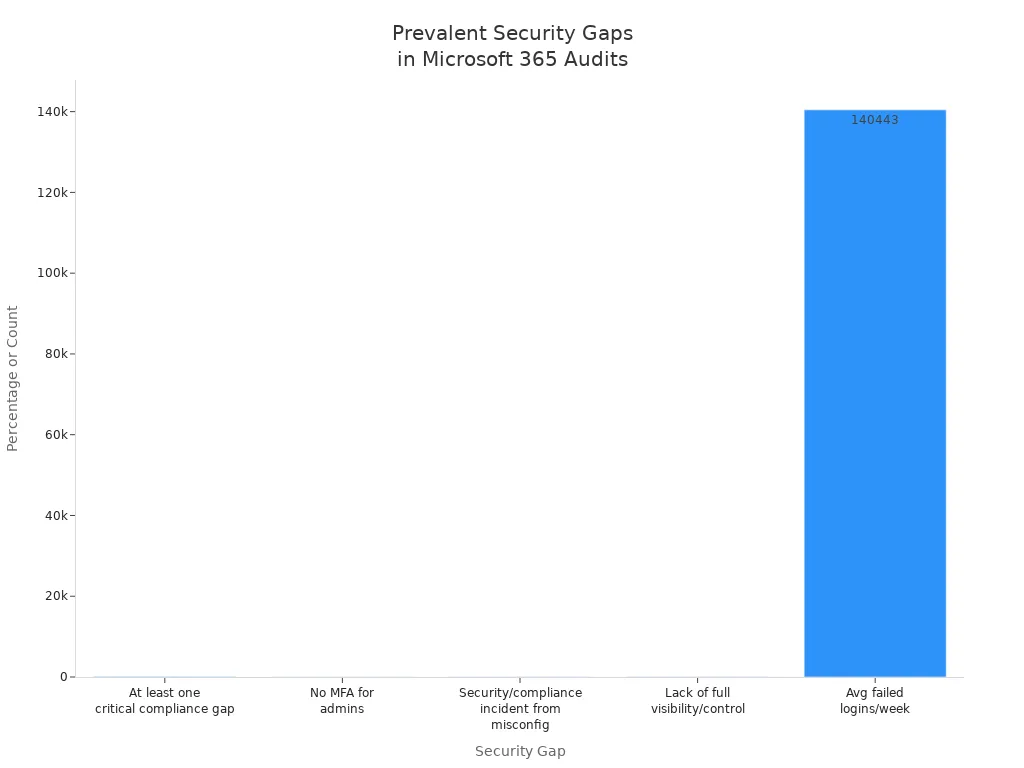
When you do a microsoft 365 security assessment, you find many security problems. These problems can put your group in danger. Almost every group has at least one big compliance gap. Many groups have issues because things are set up wrong. Sometimes, admins do not turn on multi-factor authentication. This makes it easier for someone to take over accounts. Many groups also cannot see or control everything in their Microsoft 365. Each week, groups deal with over 140,000 failed logins. These facts show why you must care about security all the time.
| Security Gap Description | Percentage/Count |
|---|---|
| Organizations with at least one critical compliance gap | 97% |
| Organizations experiencing a security or compliance incident due to misconfiguration | 45% |
| Administrators operating without multi-factor authentication | 87% |
| Organizations lacking full visibility and control over their Microsoft 365 environment | 45% |
| Average failed login attempts per week per organization | 140,443 |
You might find other security problems in your microsoft 365 security assessment:
- Shadow IT and unauthorized tenants make it hard to follow rules.
- Weak identity and access governance leaves unused accounts open.
- Data can leak out through SharePoint and OneDrive.
- Too many Teams can cause compliance problems.
- Email security mistakes can lead to business email scams.
Role of Audit Logs
Audit logs are very important in your microsoft 365 security assessment. You use them to watch for strange or risky actions. If something bad happens, audit logs show what happened and who did it. They also show what data was touched. You need audit logs to follow the rules. They give proof for regulators and help you act fast when there is a threat.
- Watching security is easier with good logs.
- You can look into problems with clear records.
- Audit logs help you follow rules by tracking what users and admins do.
Tip: Always look at your audit logs when you do a microsoft 365 security assessment. This helps you find problems before they get worse.
Reducing Risk
You can lower risk by using what you learn from your microsoft 365 security assessment. Work with your CSO, CISO, or CTO to make a strong security plan. Make sure you can see what is happening in real time. Run fake phishing tests and teach users how to spot threats. Check your security settings and user access every few months. These steps help you fix security problems and keep your group safe from new dangers.
- Work with security leaders to make strong plans.
- Use real-time checks to see what is going on.
- Teach users with phishing tests.
- Check security settings and access on a regular schedule.
A good microsoft 365 security assessment helps you find weak spots, fix security problems, and keep your data and users safe.
Opportunities for M365 Improvement
Feature Adoption
You can get more out of Microsoft 365 by using more features. Many groups do not use the advanced security and compliance tools. When you check your setup, you may see users skip things like conditional access by device and risk. Some people do not turn on session-level restrictions or privileged identity controls. Passwordless authentication and device compliance enforcement are also missed. Advanced anti-phishing policies are not always used. A configuration review helps you find these missing parts. You should tell your teams to use sensitivity labels, DLP policies, and unified audit logging. These steps make your security better and help you follow the rules.
- Conditional access by device and risk
- Passwordless authentication
- Advanced anti-phishing policies
- Sensitivity labels and DLP policies
- Unified audit logging
Tip: Check your setup often so you do not miss important features.
License Optimization
You can save money and use fewer unused features by fixing your licenses. A microsoft 365 licensing assessment shows where you pay for licenses you do not need. Many groups keep licenses for ghost users or give out too many features. Checking your setup helps you match licenses to what you really use. You should remove unused accounts and pick the right subscriptions. This helps you use resources better and spend less money.
- Look at license assignments after each check.
- Take away licenses from ghost or inactive users.
- Use setup checks to match features to your needs.
Enhancing Compliance
You make compliance stronger by following clear steps. Start with a check to find gaps. Use setup reviews to look at your rules and controls. You should teach all users with training programs. Microsoft Purview helps you watch permissions drift and sharing outside your group. Check enterprise apps and API permissions often. Set up DLP policies, retention rules, and sensitivity labels. Keep audit logs and use litigation hold if you need it for legal reasons. Watch for insider risk and check communication compliance to stop problems.
- Make account and authentication rules.
- Set up app permissions.
- Add data management and storage controls.
- Make email security better.
- Turn on auditing and logging rules.
- Manage mobile devices with the right controls.
Note: Doing these things after each check and review helps you build strong compliance.
Pros of Microsoft 365 Maturity Model
- Provides a structured roadmap to assess and advance Microsoft 365 adoption across people, process, and technology.
- Helps align IT investments with business objectives by defining clear maturity stages and outcomes.
- Encourages best practices in governance, security, compliance, and information management tailored to Microsoft 365 capabilities.
- Facilitates measurable progress with assessment criteria, enabling prioritization of initiatives and tracking over time.
- Supports stakeholder communication by translating technical improvements into business value and risk reduction.
- Promotes consistent adoption and change management practices, improving end-user experience and productivity.
- Leverages Microsoft guidance and tools, making recommendations realistic and practical for Microsoft 365 environments.
- Can improve security posture and regulatory compliance through staged controls and policy recommendations.
Cons of Microsoft 365 Maturity Model
- May be perceived as Microsoft-centric and less applicable to organizations with heterogeneous cloud or on-premises mixes.
- Implementation can be resource-intensive, requiring time, budget, and skilled personnel to move between maturity levels.
- Risk of checkbox compliance—teams may focus on reaching maturity scores rather than on meaningful cultural or operational change.
- Generic maturity stages might not account for unique organizational contexts, industry requirements, or legacy constraints.
- Frequent Microsoft feature changes can make maintaining alignment with the model challenging and require continuous reassessment.
- Smaller organizations may find the model overly complex or burdensome relative to their needs and capabilities.
- Without executive sponsorship and cross-functional collaboration, improvements may stall despite clear guidance.
- Overemphasis on tooling and policies can neglect user adoption, training, and human factors that drive real value.
Actionable Steps for Microsoft 365 Maturity
Assessing Your Environment
You need to know what is in your m365 environment before you can make it safer or check if you follow the rules. Start by doing a careful check of your system. Write down how you handle problems and make sure each step uses m365 features. Make a plan for telling people when something goes wrong. Practice your plans often and change them when new threats appear. Use audit data to see how safe you are and find weak spots. Plan a risk check to see if you meet the rules. Ask users for feedback and look at system data to see how things work. Find problems, choose what to fix first, and make small changes. This way, you keep your m365 system strong and ready for new rules.
Prioritizing Security and Compliance
Work on the most important things to keep your system safe and follow the rules. Check your people, how you do things, and your technology. Look at audit logs and watch for risks to know how safe you are. Protect important data with special tools. Watch for problems all the time. Have clear steps to follow if something bad happens. Use backups that you have tested to get things back to normal. Make sure you follow all the rules. Turn on mfa for all important accounts and check who can get in often. Do checks often to stay ahead of dangers and keep your rules up to date. Always match what you do with the rules and use m365 tools to help with checks and fixes.
Advancing to Higher Maturity Levels
To get better with the m365 maturity model, set your goals with help from important teams. Check your setup to find risks and weak spots. Give clear jobs to people for each service. Make rules for making new Teams or SharePoint sites. Decide when things can leave your group to follow the rules. Use names for workspaces that help with checks. Add sensitivity labels and DLP policies to protect data. Set up conditional access and turn on mfa for all admins. Look at default settings and make them stronger if needed. Plan training for users to help with new rules. Use automation to do tasks so you do not have to do them by hand. Watch how things are going with KPIs like how many people use the system each month. Do m365 checks often to keep getting better and follow the rules.
Tip: Have a monthly m365 check with important team members. This helps your team stay on track and keeps everyone working to improve.
Microsoft 365 Maturity Model Checklist
Use this checklist to assess and plan your Microsoft 365 maturity across key domains. Mark items complete as you progress through initiatives and controls.
Business Benefits of M365 Maturity

Enhanced Security
When you make your microsoft 365 maturity higher, your security gets better. You keep your data and users safe from threats. You use smart tools in microsoft 365 to find risks early. You set up strong rules for who can get in and share things. You also follow more compliance rules. Your team can act faster when something goes wrong. The table below shows how being more mature in microsoft 365 helps you:
| Improvement Type | Description |
|---|---|
| Enhanced Security | You make your security stronger with better rules and checks. |
| Regulatory Compliance | You follow more rules and pass audits more easily. |
| Operational Efficiency | You use your resources better and do less work by hand. |
| Business Continuity | You keep working even if something bad happens. |
| Competitive Advantage | You stay ahead because your microsoft 365 is safer than others. |
You also go from just knowing about microsoft 365 to using it really well. You get more out of your microsoft 365 Copilot. You use technology in a smart and careful way.
Cost Savings
You save money when your microsoft 365 maturity goes up. You stop paying for licenses you do not use. You remove ghost users and only give features people need. You do not get fined because you follow the rules. You spend less time fixing things. You use automation in microsoft 365 to do less work by hand. You also lower the chance of expensive security problems. When you manage licenses and features well, you really save money. You also avoid losing money from bad compliance and weak security.
Strategic Value for Microsoft Environments
With better microsoft 365 governance, you get more than just safety and savings. You build trust with your clients and partners. You become a trusted advisor, not just a seller. You keep your clients longer and make more money. You plan new projects with a strong base in microsoft 365. You can change fast when your business needs change. Your team can work on important things, not just daily tasks. You also get higher secure scores and have fewer problems. When you map your processes and learn about microsoft 365, you see good results. You make both your customers and workers happier.
Note: If your microsoft 365 maturity is low, you face risks. You might have too much data, security holes, and waste resources. You can avoid these problems by moving up the maturity model and using microsoft 365 for better control and compliance.
You can make your group better by using the M365 Maturity Model. Use what you learn from each tenant’s findings and security checks. Many groups, like a big real estate trust, worked together better after following maturity tips. They also got more out of Microsoft 365. You should check your tenant against standards like the CIS M365 foundations baseline and Essential Eight baseline. Doing a full m365 audit helps you see how you are doing and find what is missing. Look at tools like ShareGate’s assessment tool and Microsoft Security Documentation to help your tenant get better.
maturity model for microsoft 365
What is the Microsoft 365 maturity model?
The Microsoft 365 maturity model is a structured framework that defines stages of adoption, governance, security, and management across the organization to underpin real business activities. It helps teams move from ad hoc use of Microsoft 365 to well defined governance practices and improved process performance, aligning the microsoft 365 platform with organizational strategy and business competencies.
Where can I find official Microsoft content and practical scenarios for the model?
Official Microsoft content and practical scenarios are available on Microsoft Learn and related documentation. Additional resources, community providing support, and examples may also be found on GitHub where some implementations and templates related to the maturity model for Microsoft 365 are found on GitHub and maintained by the community and partners.
How does the model define business competencies and set of business competencies?
The model defines a set of business competencies such as information governance, security updates, content management, document management, and management processes. Each competency has maturity levels describing expected capabilities, roles, and measures to improve process performance and to ensure governance practices underpin business outcomes.
How do information governance and content governance fit into the maturity model?
Information governance and content governance are core competencies in the maturity model for Microsoft 365. They cover policies for content types, retention, classification of sensitive data, compliance controls, content lifecycle, and the use of Microsoft 365 tools to enforce consistent content management across the organization.
Can the model help with ensuring compliance and management of sensitive data?
Yes. The maturity model guides organizations to implement controls that ensure compliance, protect sensitive data, and standardize management processes. It recommends security updates, technical support structures, and information governance practices to reduce risks and demonstrate compliance across audits.
How do you use the model to improve business process and management processes?
Use the model by assessing current maturity, prioritizing business process improvements, defining roles and responsibilities, and implementing governance practices to manage processes. The model helps you align the use of Microsoft 365 to improve process performance and to underpin business processes across the organization.
What does “ad hoc” mean in the context of Microsoft 365 maturity and how do you move beyond it?
“Ad hoc” refers to informal, inconsistent, or manual usage of the platform with little governance. Moving beyond ad hoc involves defining a strategy, establishing business competencies, applying information governance, standardizing content types and workflows, and adopting measured implementation steps described in the maturity model.
How does the model address content management, content types, and document management?
The model outlines practices for content management including taxonomy, content types, metadata policies, versioning, retention, and document management lifecycle. These measures help organizations manage content consistently, improve findability, and ensure compliance with policies.
What technical components should be in place (security updates, technical support) when implementing the model?
Technical components include regular security updates, patch management, identity and access controls, monitoring, backup and recovery, and a technical support structure. These underpin the microsoft 365 platform and are necessary to maintain mature governance and reliable operations.
Are there recommended templates or implementations found on GitHub for the maturity model?
Yes. Many community providing support and partners publish templates, assessment tools, and implementation guidance found on GitHub. These repositories often complement official microsoft learn content and provide practical scenarios and scripts to accelerate adoption.
How do AI outputs and new capabilities affect the maturity model and governance?
AI outputs introduce new considerations for content governance, information accuracy, and compliance. The maturity model recommends updating governance practices to validate AI outputs, control their storage as content types, manage sensitive data exposure, and ensure responsible use of AI aligned with organizational strategy.
Who should be involved when defining the maturity model for Microsoft 365 in an organization?
Defining the model requires cross-functional involvement: IT, security, compliance, business process owners, content managers, and executive sponsors. This ensures the set of business competencies is relevant to real business activities and that governance practices are adopted across the organization.
How do I measure progress and outcomes after applying the model?
Measure progress with KPIs tied to business objectives such as reduced incidents, improved compliance posture, reduced time to find content, adoption metrics, and process performance improvements. Regular assessments against the maturity levels and reviews of management processes help track outcomes over time.
What additional resources should I consult to implement the model effectively?
Consult Microsoft Learn, official microsoft content, GitHub repositories, partner guides, community providing support forums, and case studies with practical scenarios. These additional resources provide templates, assessments, and best practices to help you use the model and improve governance and operations.
🎧 Listen to this episode
In conclusion, auditing over 500 tenants reveals that achieving governance maturity is not a one-time project, but a continuous journey centered on daily habits, proper configuration, and behavioral change. To dive deeper into these insights, listen to the complete discussion on the related episode: Microsoft 365 Maturity Model Based on 500 Tenant Audits.
Want a practical explanation of Microsoft 365 Maturity Model Based on 500 Tenant Audits? This episode breaks down the topic in clear language and shows why it matters for Microsoft 365, Azure, Power Platform, security, AI, and modern work.
Listen to this episode if you want to:
- Understand the key concepts behind Microsoft 365 Maturity Model Based on 500 Tenant Audits
- See how it fits into the wider Microsoft technology ecosystem
- Learn where it can create practical value for your organization
You may also enjoy these related M365 FM episodes:
- MCP (Model Context Protocol) - Simply Explained
- Canvas Apps vs Model-Driven Apps - Simply Explained
- Platform Engineering: The New Operating Model for Azure
- Agentic Operating Model for Enterprise AI and Copilot
- Building Multi-Tenant SaaS with Power Pages and Dataverse
Discover more practical Microsoft conversations on M365 FM.

Microsoft MVP | Host of M365.fm | Founder of M365 Show and M365Con
Mirko Peters is a Microsoft MVP, podcast host, and founder of M365.fm, M365 Show, and M365Con. His work connects Microsoft practitioners through podcast interviews, livestreams, and community events.
At M365.fm, Mirko hosts conversations with Microsoft MVPs, product experts, architects, and community contributors. Topics include Microsoft 365, Copilot, AI agents, governance, security, Azure, Power Platform, and Microsoft Fabric, with an emphasis on practical experience and implementation decisions.
M365.fm is the podcast and learning platform. M365 Show brings experts together for livestreams, while M365Con provides an online conference setting for community learning.
Official website: Mirko Peters (https://www.mirkopeters.com/). Recognition: Mirko Peters — Microsoft MVP profile (https://mvp.microsoft.com/de-DE/mvp/profile/9b0ca797-db5a-493a-a845-8b9158046cf5). Connect on LinkedIn (https://www.linkedin.com/in/m365showpodcast/).