


 Apple Podcasts
 Spotify
 Youtube Music
 Spreaker
 Podchaser
 Amazon Music
 Canvas Apps vs Model-Driven Apps - Simply Explained
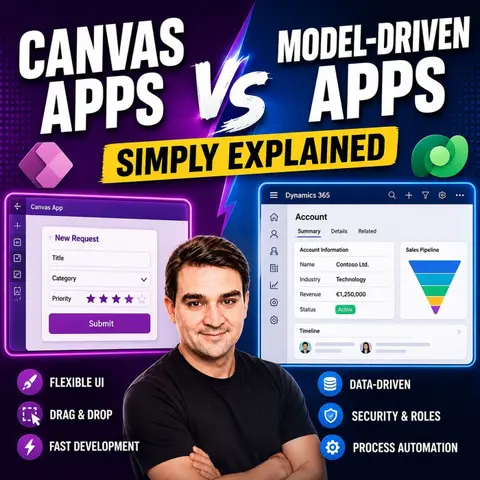
Canvas Apps and Model-Driven Apps are the two primary ways to build business applications with Microsoft Power Apps, but choosing the right one depends entirely on your business requirements. In this episode of Microsoft Knowledge Nuggets on M365 FM, Mirko Peters explains the differences between Canvas Apps and Model-Driven Apps in simple terms, helping IT professionals, citizen developers, and Microsoft partners understand when each approach delivers the greatest value.
You'll discover why Canvas Apps follow a user interface first approach, giving makers complete control over the design, layout, and user experience while connecting to hundreds of different data sources. In contrast, Model-Driven Apps are built around Microsoft Dataverse, automatically generating responsive applications based on your data model, business rules, relationships, and processes. The episode explains the strengths, limitations, and ideal use cases for both application types.
The discussion also explores practical scenarios where each app shines. Learn why Canvas Apps are ideal for mobile-first experiences, custom workflows, inspections, and task-focused solutions, while Model-Driven Apps excel in CRM systems, case management, enterprise operations, and data-driven business processes. You'll also discover how many organizations combine both approaches, embedding Canvas Apps into Model-Driven Apps to create powerful, user-friendly enterprise solutions.
Whether you're starting your Power Platform journey, planning a new business application, or preparing for a Microsoft certification, this episode provides a practical guide to selecting the right Power Apps architecture. Learn how Canvas Apps and Model-Driven Apps complement each other, how Microsoft Dataverse fits into the picture, and how to build scalable, secure, and maintainable business applications that support digital transformation across your organization.
Quick answer: Canvas apps and model-driven apps solve different Power Apps problems. This episode explains how to choose between a tailored interface and a data-first application model, considering user experience, Dataverse, complexity, governance, and the long-term support needs of the solution.
Have you ever wondered how to choose between Canvas Apps and Model-Driven Apps? Both options come from Microsoft Power Apps, but they serve different needs. Imagine having full control over your app's design with Canvas Apps, where you can create a layout that fits your vision. On the other hand, Model-Driven Apps focus on a structured approach, automatically generating user interfaces based on your data. This difference can shape how you build and use your applications.
Here’s a quick comparison to help you see the distinctions:
Feature Canvas apps Model-driven apps Design flexibility Full control over layout and design Auto-generated UI based on data models Data source Multiple connectors (e.g., Excel, SharePoint) Built on Microsoft Dataverse Complexity Best for simple to medium-complexity apps Best for complex, data-driven applications Customization Custom business logic, screens, and navigation Business process flows and predefined logic structures Use cases Custom mobile apps and task-based tools Enterprise-grade, multi-step workflow systems
This framework can help you decide which app type aligns with your goals.
Key Takeaways
- Canvas Apps offer full design control, allowing you to create custom layouts that fit your vision.
- Model-Driven Apps automatically generate user interfaces based on your data, making them ideal for complex applications.
- Use Canvas Apps for simple to medium-complexity tasks, like timesheet tracking or expense management.
- Model-Driven Apps excel in enterprise scenarios, such as case management and asset tracking, where data integrity is crucial.
- Canvas Apps are user-friendly and require minimal coding skills, making them accessible for non-technical users.
- Model-Driven Apps provide built-in security features and role-based access, ensuring data protection.
- Consider your specific needs: choose Canvas Apps for flexibility and unique designs, and Model-Driven Apps for structured data management.
- Both app types can be used together to leverage their strengths for different business needs.
Canvas Apps Overview

Key Features
Canvas Apps offer a range of features that make them a popular choice for businesses looking to create custom applications. Here are some of the standout features you can expect:
- Drag-and-Drop Interface: You can easily add and arrange components on the canvas, making the design process intuitive.
- Customizable Design: Tailor the app's appearance to fit your branding and specific needs.
- Integration with Data Sources: Connect to various data sources like SharePoint, SQL Server, and more, allowing for versatile data management.
- Responsive Layouts: Your apps will adapt to different screen sizes, ensuring a consistent user experience across devices.
- Complex Logic and Formulas: Implement intricate business logic using Power Apps’ formula language to meet your unique requirements.
- Offline Capabilities: Access app data without an internet connection, with changes syncing later when you're back online.
- User-Friendly Functionality: Features like forms, image uploads, and GPS tracking enhance usability and engagement.
Use Cases
Canvas Apps shine in various business scenarios. Here are some common use cases where you might find them particularly effective:
- Timesheet App: Centralizes time capture, approvals, and reporting for better workforce management.
- Site Inspection Forms App: Reduces paperwork and improves data collection for field inspections.
- Expense Management App: Streamlines expense tracking and approvals, making financial processes more efficient.
- Leave Request System: Simplifies the management of employee leave requests, enhancing HR operations.
- IT Help Desk and Asset Tracker App: Enhances IT support efficiency and asset management, ensuring smooth operations.
- Customer Feedback and NPS Collection App: Improves consistency in collecting customer feedback, helping you make informed decisions.
- Field Service Management App: Addresses scheduling inefficiencies and communication issues, optimizing service delivery.
Canvas Apps are widely used across various industries, including manufacturing, financial services, healthcare, and more, showcasing their versatility and adaptability.
Advantages
Using Canvas Apps comes with several advantages that set them apart from traditional app development platforms:
- Empowerment for Non-Technical Users: You don’t need professional coding skills to create applications. This accessibility allows more team members to contribute to app development.
- Rapid Application Creation: Quickly address challenges and deploy solutions, enhancing your organization's agility.
- Visual Development Environment: The drag-and-drop functionality simplifies the app-building process, making it user-friendly.
- Full Control Over Design: Customize your app to meet specific business needs, ensuring it aligns perfectly with your objectives.
- Cross-Platform Accessibility: Access your apps via web browsers and mobile devices, providing a seamless user experience.
With these features and advantages, Canvas Apps empower you to create tailored solutions that enhance productivity and streamline processes.
Limitations
While Canvas Apps offer great flexibility and customization, they do come with some limitations that you should consider. Understanding these drawbacks can help you make informed decisions when developing your applications.
-
Accessibility Issues: Some users have reported problems with accessibility features in Canvas Apps. For instance, interactive controls may lack proper labels, making it difficult for visually impaired users to navigate. Here’s a quick look at some common accessibility issues:
Issue Title Severity Issue Description How to fix Why fix Missing accessible label Error Interactive controls lack text in the accessible-label property. Edit the accessible-label property to describe the item. Essential for visually impaired users to understand controls. Focus isn't showing Error Focus border is not visible due to thickness set to 0. Change the FocusedBorderThickness property to a value greater than 0. Important for users who navigate without a mouse. Missing captions Warning Audio or Video controls lack captions. Set the ClosedCaptionsURL property to the URL for captions. Captions are crucial for users with hearing impairments. -
Scalability Challenges: As your user base grows, you might face scalability issues. Although recent updates have improved performance, there are still some considerations:
- Performance optimizations introduced in 2025 address scalability challenges, allowing Canvas Apps to support thousands of concurrent users.
- The concurrent statement functionality enables simultaneous data operations, reducing response times and improving user experience.
- Intelligent caching strategies minimize redundant data transfers, enhancing performance during peak hours.
- Enhanced resource allocation algorithms dynamically adjust resources based on demand, ensuring responsiveness during usage spikes.
- Improved connector capabilities facilitate integration with legacy systems, addressing significant challenges in enterprise environments.
-
Complexity in Data Management: If your application requires complex data relationships, Canvas Apps may not be the best fit. They excel in simple to medium-complexity scenarios but can struggle with intricate data models.
-
Limited Built-in Features: Unlike Model-Driven Apps, Canvas Apps may lack some built-in features that streamline development. You might find yourself building custom solutions for functionalities that are readily available in Model-Driven Apps.
By being aware of these limitations, you can better assess whether Canvas Apps are the right choice for your specific needs.
Model-Driven Apps Overview

Key Features
Model-Driven Apps are designed with a focus on data and business processes. Here are some key features that set them apart:
- Data-Centric Development: You start with the underlying data structure, which drives the app's functionality. This approach ensures that your application is built around the data that matters most to your business.
- Pre-Built Layout: The app automatically generates user interfaces based on your data model. This means you don’t have to spend time designing the UI manually.
- Integrated Business Logic: You can embed complex business rules and workflows directly into the app. This feature helps streamline processes and ensures that your app behaves as expected.
- Cross-Device Compatibility: The responsive design adjusts to different screen sizes, providing a consistent user experience whether on a desktop, tablet, or mobile device.
- Security & Permissions: You can define user roles and control data access, ensuring that sensitive information remains protected.
Model-Driven Apps are built on Microsoft Dataverse, emphasizing a data model-driven design. This structure supports complex business logic and automated processes, making it a robust choice for enterprise applications.
Use Cases
Model-Driven Apps excel in various enterprise scenarios. Here are some typical use cases where they shine:
| Use Case | Description |
|---|---|
| Case Management | Manage cases through a structured workflow, tracking progress and outcomes. |
| Asset Tracking | Monitor and manage physical or digital assets throughout their lifecycle. |
| Contract Management | Oversee contracts, including creation, updates, and compliance tracking. |
| Regulatory Submission Tracking | Ensure that submissions meet regulatory requirements and deadlines. |
| Incident Response Workflows | Coordinate responses to incidents with defined processes and accountability. |
| Customer Relationship Management | Manage interactions and relationships with customers to enhance satisfaction and loyalty. |
These use cases highlight how Model-Driven Apps can streamline operations and improve efficiency in various business contexts.
Advantages
Model-Driven Apps offer several advantages that make them a compelling choice for organizations:
| Advantage | Description |
|---|---|
| Data-driven design | The app structure is shaped by the data model, ensuring consistency and optimization in the user interface. |
| Streamlined development | You can reduce the need for extensive coding, allowing for quicker application creation with built-in components. |
| Accessibility | Minimal coding is required, making it easier for users without extensive programming experience to customize solutions. |
| Security features | Role-based access control and auditing help maintain data integrity and compliance. |
| Automation | Integration with Power Automate allows you to automate tasks and workflows, enhancing efficiency. |
By leveraging these advantages, you can create powerful applications that not only meet your business needs but also enhance security and compliance. Model-Driven Apps provide a solid foundation for building scalable and efficient solutions that adapt to your organization's requirements.
Limitations
While Model-Driven Apps offer many benefits, they also come with some limitations that you should consider before diving in. Here’s a closer look at what you might encounter:
| Limitation | Description |
|---|---|
| Rigid Design and Layout Constraints | Model-Driven Apps have a predetermined layout that restricts customization. This can frustrate developers who want to create unique designs tailored to their business needs. |
| Fragmented Administration and Setup | Administrative settings are scattered across multiple interfaces. This fragmentation complicates configuration and management, making it harder for you to keep everything organized. |
| Cumbersome Business Logic Development | Implementing business logic can become complex and burdensome. You might find that it requires advanced coding skills, which can be a hurdle for some users. |
| Performance Bottlenecks and Data Modeling Challenges | Large datasets and complex relationships can slow down app performance. You may need to invest time in optimization efforts to keep your app running smoothly. |
| Dependency on Plugins and Workflows | As your requirements grow, you might find yourself relying on plugins. This can add complexity and create maintenance challenges down the line. |
| Limited Testing and Versioning Tools | The lack of robust testing frameworks can complicate change tracking and rollback processes. You may struggle to manage updates effectively. |
| Licensing and Cost Implications | Some advanced features may incur unexpected costs, leading to budget issues. It's essential to keep an eye on your expenses as you develop your app. |
| Inconsistent Documentation and Changing Interfaces | Rapid changes in the platform can leave documentation outdated. This inconsistency can cause confusion, especially for developers trying to stay up-to-date. |
| Challenges for Citizen Developers | Non-technical users may find the platform overwhelming. You might need professional developer assistance to navigate the complexities. |
| Governance and Security Overhead | Admins face challenges in setting up and enforcing governance policies across environments. This can add an extra layer of complexity to your app management. |
Despite these limitations, Model-Driven Apps can still be a powerful tool for your organization. They seamlessly integrate with other Microsoft services, enhancing functionality and customization options. Plus, they provide a structured and consistent user experience, which reduces the need for extensive coding. By understanding these limitations, you can better prepare for the challenges ahead and make informed decisions about your app development journey.
Comparing Canvas Apps and Model-Driven Apps
Design Flexibility
When it comes to design flexibility, Canvas Apps truly shine. You have complete control over the user interface, allowing you to create custom layouts and designs that fit your vision. This flexibility is perfect for mobile apps and dashboards where unique branding is essential. In contrast, Model-Driven Apps follow a more structured approach. They automatically generate user interfaces based on the underlying data model. This means you get standardized layouts that prioritize strong business logic and security, making them ideal for enterprise applications.
- Canvas Apps: UI-driven and flexible, perfect for custom designs.
- Model-Driven Apps: Data-driven and process-oriented, suitable for applications requiring strong data management.
Data Handling
Data handling is another area where these two app types differ significantly. Canvas Apps allow you to connect to a wide variety of data sources, including SharePoint, SQL Server, and Excel. This flexibility lets you integrate multiple systems seamlessly. On the other hand, Model-Driven Apps are built on Microsoft Dataverse, which means they primarily connect to this platform. While this ensures robust management of complex data relationships, it limits your options for external data sources.
| Feature | Canvas Apps | Model-Driven Apps |
|---|---|---|
| Development Approach | User interface first, highly customizable | Data-first, structure dictated by data model |
| Data Management | Flexible integration with various data sources | Robust management of complex data relationships |
| User Interface | Fully customizable layouts and designs | Automatically generated based on data structure |
| Integration | Connects with multiple data sources | Seamless integration with Microsoft services |
| Scalability | Requires effort to maintain performance as it grows | Inherently scalable, designed for large data volumes |
| Security | Basic security features | Advanced security controls for data access |
User Experience
User experience is crucial for any application, and both Canvas Apps and Model-Driven Apps offer different strengths. Canvas Apps provide an engaging and intuitive user experience due to their high level of customization. You can design interfaces that are not only functional but also visually appealing, enhancing usability. In contrast, Model-Driven Apps focus on consistency. Their data-driven approach limits customization, which can lead to a less engaging user experience. However, this structure ensures that users have a reliable interface across the board.
| Feature | Canvas Apps | Model-Driven Apps |
|---|---|---|
| Design flexibility | Full control over layout and design | Auto-generated UI based on data models |
| User experience | Highly customizable and engaging | Consistent but less flexible UI |
By understanding these differences, you can choose the app type that best meets your needs and enhances your users' experiences.
Development Complexity
When it comes to development complexity, Canvas Apps and Model-Driven Apps take different paths. You’ll find that each type has its own set of requirements and challenges.
-
Canvas Apps are designed for ease of use. You can quickly create applications without needing extensive technical skills. This makes them accessible for citizen developers—those who may not have a formal background in programming. You can focus on the user interface and design, allowing for rapid prototyping and iteration. This flexibility means you can quickly adapt your app to meet changing business needs.
-
Model-Driven Apps, on the other hand, require a deeper understanding of data structures. They follow a data-first approach, which means you need to grasp how data models work within Microsoft Dataverse. This complexity can be a hurdle for those without a technical background. You’ll need to navigate through structured data models and workflows, which can take more time to set up compared to Canvas Apps.
Here’s a quick comparison of the technical expertise required for each app type:
| App Type | Required Technical Expertise |
|---|---|
| Canvas Apps | Minimal technical skills; user-friendly design tools |
| Model-Driven Apps | More technical knowledge needed; understanding of data structures |
Ideal Use Cases
Choosing the right app type often depends on your specific use cases. Here’s a breakdown of ideal scenarios for both Canvas Apps and Model-Driven Apps:
| App Type | Ideal Use Cases | Limitations |
|---|---|---|
| Canvas Apps | - Field workers using tablets or phones | - Complex logic can become difficult to manage |
| - Niche task automation (e.g., leave requests, time logging) | - Harder to debug or scale in large organizations | |
| - Rapid prototyping or MVPs | - Limited Application Lifecycle Management (ALM) and versioning support | |
| - Creating branded, mobile-friendly apps with full UX control | - Governance can be challenging in enterprise environments | |
| Model-Driven Apps | - Business-critical internal systems (e.g., case management, service requests) | - Less visual customization; layout and UX are mostly fixed |
| - Apps with multiple user roles, permissions, and workflows | - Requires Dataverse licensing | |
| - Scenarios requiring data integrity, audit trails, and scalability | - Steeper learning curve for non-technical users |
By understanding these ideal use cases, you can make informed decisions about which app type aligns best with your business needs. Whether you need a quick solution for fieldwork or a robust system for managing complex data, knowing the strengths of each app type will guide you in the right direction.
Choosing between Canvas Apps and Model-Driven Apps can feel overwhelming, but focusing on your specific needs makes it easier. Here are some key factors to consider:
- Cost: Canvas Apps often have higher development costs, while Model-Driven Apps can be more cost-effective for complex applications.
- Deployment Speed: Model-Driven Apps usually deploy faster, especially for complicated projects.
- Design Flexibility: Canvas Apps allow for greater design freedom, but they may struggle with scalability in complex scenarios.
Both app types have their strengths and weaknesses. To help you decide, consider the following long-term benefits and challenges:
| Canvas Apps | Model-Driven Apps |
|---|---|
| Offer a visual creation canvas with drag-and-drop functionality | Utilize a data-first approach |
| Require low coding skills | Demand a certain level of technical know-how |
| Provide full control over aspects like size and formatting | Offer less control over layout and functionality, as input determines output |
| Have no data source restrictions with around 200 connectors available | Are based on a data model in Dynamics 365 or Common Data Service (CDS) |
| Are simple and goal-oriented | Are more complex and suited for comprehensive business applications |
Ultimately, the right choice depends on your goals and the specific requirements of your project. Embrace the power of Microsoft Power Apps to enhance your business processes!
FAQ
What are Canvas Apps?
Canvas Apps let you design custom applications from a blank canvas. You can arrange components freely, making them ideal for unique user interfaces and specific business needs.
What are Model-Driven Apps?
Model-Driven Apps focus on data structure. They automatically generate user interfaces based on your data model, making them suitable for complex business applications that require strong data management.
Can I use both app types together?
Yes! You can combine Canvas Apps and Model-Driven Apps to create a comprehensive solution. This hybrid approach allows you to leverage the strengths of both types for different business needs.
Which app type is better for mobile use?
Canvas Apps excel in mobile scenarios. Their customizable design and responsive layouts make them perfect for mobile devices, ensuring a great user experience on the go.
Do I need coding skills to create these apps?
Not necessarily! Canvas Apps are user-friendly and designed for non-technical users. Model-Driven Apps require some understanding of data structures, but both can be created with minimal coding.
How do I choose between the two?
Consider your specific needs. If you want design flexibility and a unique user interface, go for Canvas Apps. If you need a structured approach with strong data management, choose Model-Driven Apps.
Are there any costs associated with using Power Apps?
Yes, using Power Apps may involve licensing fees, especially for advanced features. It's essential to review the pricing structure to understand potential costs based on your app requirements.
Can I integrate external data sources?
Canvas Apps allow integration with various external data sources like SharePoint and SQL Server. Model-Driven Apps primarily connect to Microsoft Dataverse, which may limit external options.
🎧 Listen to this episode
Want a practical explanation of Canvas Apps vs Model-Driven Apps? This episode breaks down the topic in clear language and shows why it matters for Microsoft 365, Azure, Power Platform, security, AI, and modern work.
Listen to this episode if you want to:
- Understand the key concepts behind Canvas Apps vs Model-Driven Apps
- See how it fits into the wider Microsoft technology ecosystem
- Learn where it can create practical value for your organization
You may also enjoy these related M365 FM episodes:
- SharePoint Lists vs Model-Driven Apps: Avoid Overbuilding
- Build Model-Driven Power Apps with Dataverse
- Logic Apps and Copilot Studio for Intent-Driven Automation
- Move Canvas Apps from SharePoint to Dataverse
- Microsoft Defender for Cloud Apps - Simply Explained
Discover more practical Microsoft conversations on M365 FM.
Last reviewed: July 2026.
Who Should Listen
This episode is for Microsoft practitioners, architects, business leaders, and partners who need a practical foundation before making implementation, governance, or growth decisions.
🎧 You Should Also Listen To
- Power Apps — A practical next step for extending this topic.
- Dataverse Security — A practical next step for extending this topic.
- Power Platform — A practical next step for extending this topic.
🚀 Want to be part of m365.fm?
Then stop just listening… and start showing up.
👉 Connect with me on LinkedIn and let’s make something happen:
- 🎙️ Be a podcast guest and share your story
- 🎧 Host your own episode (yes, seriously)
- 💡 Pitch topics the community actually wants to hear
- 🌍 Build your personal brand in the Microsoft 365 space
This isn’t just a podcast — it’s a platform for people who take action.
🔥 Most people wait. The best ones don’t.
👉 Connect with me on LinkedIn and send me a message:
"I want in"
Let’s build something awesome 👊
1
00:00:00,000 --> 00:00:04,560
Welcome to another episode of Microsoft Knowledge Nuggets here on M365, FM, I'm your host,
2
00:00:04,560 --> 00:00:05,560
Mirko Peters.
3
00:00:05,560 --> 00:00:08,040
Today we're tackling a question I hear all the time.
4
00:00:08,040 --> 00:00:11,280
What's the difference between a canvas app and a model-driven app?
5
00:00:11,280 --> 00:00:14,800
Most people think power apps is a single thing, but it's actually two completely different
6
00:00:14,800 --> 00:00:16,760
app types hiding under the same name.
7
00:00:16,760 --> 00:00:19,160
Picking the wrong one can cost you weeks of rework.
8
00:00:19,160 --> 00:00:23,240
One gives you total freedom over design, but expects you to handle everything yourself.
9
00:00:23,240 --> 00:00:25,840
Every button, every formula, every data connection is on you.
10
00:00:25,840 --> 00:00:29,240
The other hands you are fully structured office, but you can't move the walls.
11
00:00:29,240 --> 00:00:32,480
The rooms are already there and you just decide what goes inside them.
12
00:00:32,480 --> 00:00:36,140
By the end of this episode you'll know exactly which one to pick, and the answer might
13
00:00:36,140 --> 00:00:38,600
surprise you because it's not about looks.
14
00:00:38,600 --> 00:00:40,480
It's about where you start.
15
00:00:40,480 --> 00:00:42,400
Grab your coffee and let's dive in.
16
00:00:42,400 --> 00:00:43,680
The big confusion.
17
00:00:43,680 --> 00:00:44,960
Canvas vs. model-driven.
18
00:00:44,960 --> 00:00:48,120
So imagine you start a new power apps project and open the Maker Portal.
19
00:00:48,120 --> 00:00:49,120
You see two options.
20
00:00:49,120 --> 00:00:52,240
Canvas app or model-driven app, which one do you pick?
21
00:00:52,240 --> 00:00:53,920
Most people pick based on looks.
22
00:00:53,920 --> 00:00:58,080
They open the Canvas designer, see a blank screen, drag a few buttons around and think this
23
00:00:58,080 --> 00:01:02,120
feels right or they see the model-driven option and think it looks too rigid and corporate.
24
00:01:02,120 --> 00:01:03,120
Big mistake.
25
00:01:03,120 --> 00:01:05,160
The real difference isn't about looks at all.
26
00:01:05,160 --> 00:01:06,800
It's about where you start.
27
00:01:06,800 --> 00:01:08,560
Canvas app start with a blank screen.
28
00:01:08,560 --> 00:01:11,400
You design every pixel, every button, every color.
29
00:01:11,400 --> 00:01:14,320
You decide exactly what the user sees and in what order.
30
00:01:14,320 --> 00:01:17,040
The screen is your starting point and data comes later.
31
00:01:17,040 --> 00:01:19,240
Model-driven app start with your data model.
32
00:01:19,240 --> 00:01:22,320
The tables, the relationships, the business rules.
33
00:01:22,320 --> 00:01:25,840
You define the information structure first and then the app builds itself around that
34
00:01:25,840 --> 00:01:26,840
data.
35
00:01:26,840 --> 00:01:29,080
And the problems appear, views generate.
36
00:01:29,080 --> 00:01:30,400
Navigation just works.
37
00:01:30,400 --> 00:01:31,920
This difference changes everything.
38
00:01:31,920 --> 00:01:36,520
Your build speed, your control, who can use the app and what happens when your needs grow.
39
00:01:36,520 --> 00:01:41,240
So let's define each one in plain English, starting with the one that feels more familiar.
40
00:01:41,240 --> 00:01:43,200
What exactly is a Canvas app?
41
00:01:43,200 --> 00:01:44,480
What exactly is a Canvas app?
42
00:01:44,480 --> 00:01:45,480
Let's break it down.
43
00:01:45,480 --> 00:01:47,280
You start with a completely blank whiteboard.
44
00:01:47,280 --> 00:01:49,560
No templates, no pre-built forms.
45
00:01:49,560 --> 00:01:53,320
Then you drag buttons, text boxes, images and galleries onto the screen.
46
00:01:53,320 --> 00:01:55,280
Want a big red button in the top left corner?
47
00:01:55,280 --> 00:01:56,280
You can do that.
48
00:01:56,280 --> 00:02:00,220
So title to be 28 pixels in a specific shade of blue, that's your call.
49
00:02:00,220 --> 00:02:02,720
The connectors are where the real power comes in.
50
00:02:02,720 --> 00:02:06,920
Canvas apps can talk to almost any data source, including SharePoint lists, Excel files, SQL
51
00:02:06,920 --> 00:02:09,280
databases, Salesforce and hundreds more.
52
00:02:09,280 --> 00:02:11,280
Your data doesn't have to live in one place.
53
00:02:11,280 --> 00:02:15,760
If it's spread across three systems, a Canvas app can pull it all together onto one screen.
54
00:02:15,760 --> 00:02:19,600
So you control every detail from font size and spacing to colors and animations, you can
55
00:02:19,600 --> 00:02:21,880
make it pixel perfect or you can make it a complete mess.
56
00:02:21,880 --> 00:02:23,120
That's entirely up to you.
57
00:02:23,120 --> 00:02:24,120
But here's the trade-off.
58
00:02:24,120 --> 00:02:27,360
With all that control, you also have to build everything from scratch.
59
00:02:27,360 --> 00:02:31,360
Every form, every view, every validation rule and every navigation flow, you build it
60
00:02:31,360 --> 00:02:32,360
yourself.
61
00:02:32,360 --> 00:02:34,160
Want a drop-down that filters a list?
62
00:02:34,160 --> 00:02:35,360
You write the formula.
63
00:02:35,360 --> 00:02:37,960
Want a save button that checks for required fields?
64
00:02:37,960 --> 00:02:38,960
You write that too.
65
00:02:38,960 --> 00:02:41,280
Canvas apps work best for task-based jobs.
66
00:02:41,280 --> 00:02:44,640
Think of a mobile inspection tool for a technician on a factory floor or a quick approval
67
00:02:44,640 --> 00:02:46,400
form for vacation requests.
68
00:02:46,400 --> 00:02:50,680
Or a dashboard that pulls data from three different systems and shows it in one place.
69
00:02:50,680 --> 00:02:53,000
Think of it like building a custom house from scratch.
70
00:02:53,000 --> 00:02:55,760
You pick the bricks, the windows and the paint.
71
00:02:55,760 --> 00:02:59,480
You get exactly what you want, but you also design the plumbing and electrical wiring
72
00:02:59,480 --> 00:03:00,480
yourself.
73
00:03:00,480 --> 00:03:03,640
Now, let's compare that to the other approach where the data comes first.
74
00:03:03,640 --> 00:03:05,840
What exactly is a model-driven app?
75
00:03:05,840 --> 00:03:09,920
A model-driven app starts with Dataverse, which is Microsoft's relational database for business
76
00:03:09,920 --> 00:03:10,920
data.
77
00:03:10,920 --> 00:03:14,640
You define your tables, relationships and business rules before you ever see a single
78
00:03:14,640 --> 00:03:15,640
screen.
79
00:03:15,640 --> 00:03:20,160
Once your data model is ready, the app automatically generates forms, views, dashboards and navigation
80
00:03:20,160 --> 00:03:23,160
for you.
81
00:03:23,160 --> 00:03:24,160
You don't design screens directly instead.
82
00:03:24,160 --> 00:03:25,160
You configure components.
83
00:03:25,160 --> 00:03:27,400
Tell the system which fields to show on a form and it builds the form for you.
84
00:03:27,400 --> 00:03:31,760
The UI is consistent, responsive and accessible without extra work.
85
00:03:31,760 --> 00:03:33,400
Navigation follows a predictable pattern.
86
00:03:33,400 --> 00:03:37,160
Click a record to see its details then scroll down to see related records.
87
00:03:37,160 --> 00:03:41,160
Everything feels connected because the data model already defines the relationships.
88
00:03:41,160 --> 00:03:45,960
You also get built-in governance like role-based security, auditing and business process flows.
89
00:03:45,960 --> 00:03:49,560
These are enterprise features that would take days to build manually in a Canvas app, but
90
00:03:49,560 --> 00:03:51,040
in model-driven they're just there.
91
00:03:51,040 --> 00:03:52,440
The trade-off is less flexibility.
92
00:03:52,440 --> 00:03:56,720
You can't move a field two pixels to the left because the generated UI follows a standard
93
00:03:56,720 --> 00:03:57,720
pattern.
94
00:03:57,720 --> 00:04:01,280
Some people find that frustrating, but for many business users, that consistency is exactly
95
00:04:01,280 --> 00:04:02,280
the point.
96
00:04:02,280 --> 00:04:05,000
Model-driven apps work best for data-heavy work.
97
00:04:05,000 --> 00:04:08,400
Think of CRM systems that track accounts, contacts and opportunities.
98
00:04:08,400 --> 00:04:11,240
Case management where every interaction needs to be logged.
99
00:04:11,240 --> 00:04:13,720
Project tracking with dependencies and timelines.
100
00:04:13,720 --> 00:04:15,840
Compliance workflows where auditing is required.
101
00:04:15,840 --> 00:04:18,040
Think of it like moving into a pre-built office building.
102
00:04:18,040 --> 00:04:21,040
The rooms, hallways and security desks are already there.
103
00:04:21,040 --> 00:04:24,240
You furnish the rooms and decide who sits where, but you can't knock down walls or change
104
00:04:24,240 --> 00:04:25,240
the floor plan.
105
00:04:25,240 --> 00:04:28,280
So now that we know what each one is, let's dig into the real difference and it's not
106
00:04:28,280 --> 00:04:29,920
about looks.
107
00:04:29,920 --> 00:04:31,080
The core difference.
108
00:04:31,080 --> 00:04:32,560
Designed first, verse data first.
109
00:04:32,560 --> 00:04:35,520
So think about the first question each approach asks.
110
00:04:35,520 --> 00:04:38,960
Canvas apps start with, what do you want your user to see and do?
111
00:04:38,960 --> 00:04:40,280
You design screens first.
112
00:04:40,280 --> 00:04:43,120
Layout colors flow from one screen to the next.
113
00:04:43,120 --> 00:04:46,560
Data gets connected later, like plugging a lamp into a wall outlet.
114
00:04:46,560 --> 00:04:47,880
Your driven apps flip that question.
115
00:04:47,880 --> 00:04:49,520
They ask, what is your business data?
116
00:04:49,520 --> 00:04:50,520
Who can see it?
117
00:04:50,520 --> 00:04:51,600
How does it relate?
118
00:04:51,600 --> 00:04:56,520
You model the data first, tables, columns, relationships and the screens come later.
119
00:04:56,520 --> 00:04:57,520
Generated from that model.
120
00:04:57,520 --> 00:04:58,840
This changes how you build.
121
00:04:58,840 --> 00:05:02,640
With Canvas, you prototype a screen, connect it to a data source and tweak formulas until
122
00:05:02,640 --> 00:05:03,640
it works.
123
00:05:03,640 --> 00:05:07,280
But when the data structure changes, say someone adds a column to your SharePoint list,
124
00:05:07,280 --> 00:05:10,120
you have to update every screen that touches that data.
125
00:05:10,120 --> 00:05:12,200
Manually, one at a time.
126
00:05:12,200 --> 00:05:13,200
Model driven is different.
127
00:05:13,200 --> 00:05:17,620
You update the table schema, add a column or change a relationship and the forms and views
128
00:05:17,620 --> 00:05:19,020
update automatically.
129
00:05:19,020 --> 00:05:20,680
You don't touch a single screen.
130
00:05:20,680 --> 00:05:21,680
Data sources also differ.
131
00:05:21,680 --> 00:05:26,520
Canvas apps can pull from SharePoint, SQL, Excel, API, Salesforce, anything with a connector.
132
00:05:26,520 --> 00:05:28,200
You are not stuck with one system.
133
00:05:28,200 --> 00:05:32,240
Model driven apps only use data verse, a structured database that keeps all your business
134
00:05:32,240 --> 00:05:33,560
data in one place.
135
00:05:33,560 --> 00:05:38,520
That trade-off gives data verse features like calculated columns that update automatically,
136
00:05:38,520 --> 00:05:43,960
roll-up fields, business rules that run server side and relationship navigation without code.
137
00:05:43,960 --> 00:05:45,840
Click a contact, see their cases.
138
00:05:45,840 --> 00:05:47,240
Click a case, see their activities.
139
00:05:47,240 --> 00:05:48,240
It just works.
140
00:05:48,240 --> 00:05:50,120
So the question is about your center of gravity.
141
00:05:50,120 --> 00:05:55,760
Is it in the user experience, the look, feel, custom flow, or is it in the data and processes?
142
00:05:55,760 --> 00:05:57,760
Structure, relationships, governance.
143
00:05:57,760 --> 00:06:00,280
Remember, it's about where you want to put your effort.
144
00:06:00,280 --> 00:06:02,880
Let's look at practical scenarios to make this real.
145
00:06:02,880 --> 00:06:05,440
When should you actually reach for a Canvas app?
146
00:06:05,440 --> 00:06:08,200
When Canvas apps shine, real use cases.
147
00:06:08,200 --> 00:06:11,920
Instead of field workers, if you need inspectors on a factory floor doing safety checks or
148
00:06:11,920 --> 00:06:15,880
technicians logging repairs in the field, Canvas apps work offline on phones.
149
00:06:15,880 --> 00:06:19,520
They use the camera, GPS, and microphone and they look great on small screens because
150
00:06:19,520 --> 00:06:21,560
you are designing for that specific device.
151
00:06:21,560 --> 00:06:25,800
Canvas apps are built for the device in hand, not for a generic desktop layout.
152
00:06:25,800 --> 00:06:29,040
Another use case is when you have existing data you don't want to migrate.
153
00:06:29,040 --> 00:06:33,840
Maybe your company uses SharePoint lists for one thing, an old SQL database for another
154
00:06:33,840 --> 00:06:36,280
and an Excel tracker that has been running for years.
155
00:06:36,280 --> 00:06:40,440
A Canvas app can bring all three into one interface without moving anything.
156
00:06:40,440 --> 00:06:42,640
Connect to each source, build one screen, and you're done.
157
00:06:42,640 --> 00:06:43,920
No migration, no downtime.
158
00:06:43,920 --> 00:06:48,160
This makes Canvas ideal for integrating legacy systems without touching the back end.
159
00:06:48,160 --> 00:06:52,440
If branding matters, like a customer facing portal needs exact colors, fonts, and design
160
00:06:52,440 --> 00:06:54,880
language, Canvas gives you pixel control.
161
00:06:54,880 --> 00:06:57,360
You can match a brand guide down to the last detail.
162
00:06:57,360 --> 00:06:58,720
Model driven cannot do that.
163
00:06:58,720 --> 00:07:03,040
If the look of the app is part of your brand identity, Canvas gives you that control.
164
00:07:03,040 --> 00:07:07,600
For simple task-based apps, a vacation request form, a weekly time sheet, a checklist,
165
00:07:07,600 --> 00:07:08,600
Canvas is fast.
166
00:07:08,600 --> 00:07:09,920
You do not need a complex data model.
167
00:07:09,920 --> 00:07:13,600
One screen, one data source, a few formulas, you can ship it in an afternoon.
168
00:07:13,600 --> 00:07:15,360
These are the bread and butter of Canvas.
169
00:07:15,360 --> 00:07:17,600
Quick, focused, and easy to maintain.
170
00:07:17,600 --> 00:07:19,760
Finally, rapid prototyping.
171
00:07:19,760 --> 00:07:21,240
You want to test an idea quickly.
172
00:07:21,240 --> 00:07:25,800
Throw together a Canvas app in an afternoon, put it in front of real people, get feedback,
173
00:07:25,800 --> 00:07:26,800
and iterate.
174
00:07:26,800 --> 00:07:31,000
Going from idea to working prototype in hours is hard with model driven because you have
175
00:07:31,000 --> 00:07:32,600
to model the data first.
176
00:07:32,600 --> 00:07:36,320
It's the fastest way to validate an idea before investing in a full data model.
177
00:07:36,320 --> 00:07:37,320
But here is the downside.
178
00:07:37,320 --> 00:07:39,440
Canvas apps can get messy as they grow.
179
00:07:39,440 --> 00:07:42,840
Without careful structure, you end up with hundreds of formulas spread across screens.
180
00:07:42,840 --> 00:07:47,080
One person builds it, someone else modifies it, and soon nobody knows what that button actually
181
00:07:47,080 --> 00:07:48,240
does.
182
00:07:48,240 --> 00:07:50,360
Maintenance gets harder with every new feature.
183
00:07:50,360 --> 00:07:54,960
So Canvas is great when you need design flexibility, mobile capabilities, or quick prototypes,
184
00:07:54,960 --> 00:07:56,920
but it asks you to manage everything yourself.
185
00:07:56,920 --> 00:07:58,480
Now let's look at the other side.
186
00:07:58,480 --> 00:08:00,920
When does a model driven app make more sense?
187
00:08:00,920 --> 00:08:03,800
When model driven apps shine, real use cases.
188
00:08:03,800 --> 00:08:07,320
Let's walk through the scenarios where model driven apps are the obvious choice.
189
00:08:07,320 --> 00:08:10,160
Starting with number one, you're building a system of record.
190
00:08:10,160 --> 00:08:13,440
Think CRM accounts, contacts, opportunities, cases.
191
00:08:13,440 --> 00:08:15,040
This data is deeply connected.
192
00:08:15,040 --> 00:08:19,200
One account has many contacts, cases, and activities that all link together.
193
00:08:19,200 --> 00:08:21,280
Model driven apps handle this out of the box.
194
00:08:21,280 --> 00:08:24,800
You define the relationships once in dataverse, and the app just knows that clicking an account
195
00:08:24,800 --> 00:08:29,640
shows all its contacts, no code needed, that's built into the platform.
196
00:08:29,640 --> 00:08:33,480
Number two, complex business processes that need stages and approvals.
197
00:08:33,480 --> 00:08:34,960
Employee onboarding, for example.
198
00:08:34,960 --> 00:08:39,400
HR creates the profile, it sets up equipment, manager assigns training, security grants
199
00:08:39,400 --> 00:08:43,280
access, each step happens in order, and you can't skip stages.
200
00:08:43,280 --> 00:08:45,960
Model driven apps use something called business process flows.
201
00:08:45,960 --> 00:08:50,240
The guide uses through every stage, so the next step is always visible, and you always know
202
00:08:50,240 --> 00:08:52,000
where you are in the process.
203
00:08:52,000 --> 00:08:55,080
Could you build that kind of staged workflow in a Canvas app?
204
00:08:55,080 --> 00:08:58,920
Technically yes, but you're essentially building a mini workflow engine yourself.
205
00:08:58,920 --> 00:09:02,640
In Model driven, it's a configuration toggle.
206
00:09:02,640 --> 00:09:06,680
Scenario three, multiple teams use the same data but need different views.
207
00:09:06,680 --> 00:09:08,880
Sales sees opportunities and deals.
208
00:09:08,880 --> 00:09:11,080
Services open cases in customer history.
209
00:09:11,080 --> 00:09:13,080
Exact seed dashboards with KPIs and trends.
210
00:09:13,080 --> 00:09:14,960
Same data, different perspectives.
211
00:09:14,960 --> 00:09:17,680
Model driven apps handle this with security roles.
212
00:09:17,680 --> 00:09:19,840
You define what each role can see and do.
213
00:09:19,840 --> 00:09:21,440
Sales gets their pipeline view.
214
00:09:21,440 --> 00:09:22,440
Service gets their queue.
215
00:09:22,440 --> 00:09:23,760
Execs get their charts.
216
00:09:23,760 --> 00:09:27,480
Everyone works from the same source of truth, but nobody sees more than they should.
217
00:09:27,480 --> 00:09:31,120
Sales apps can do this too, but then you have to build the filtering and permission logic
218
00:09:31,120 --> 00:09:33,000
yourself for every screen.
219
00:09:33,000 --> 00:09:34,680
Scenario four, auditing and compliance.
220
00:09:34,680 --> 00:09:35,680
Who created this record?
221
00:09:35,680 --> 00:09:36,680
Who changed it?
222
00:09:36,680 --> 00:09:37,680
When?
223
00:09:37,680 --> 00:09:38,680
What was the old value?
224
00:09:38,680 --> 00:09:40,120
In dataverse, this is logged by default.
225
00:09:40,120 --> 00:09:42,360
Every create, every update, every delete.
226
00:09:42,360 --> 00:09:46,160
You can put an audit trail for any record without writing a single line of code.
227
00:09:46,160 --> 00:09:48,040
Canvas apps don't have that feature built in.
228
00:09:48,040 --> 00:09:51,600
If you need auditing, you're building a custom logging system, writing audit entries to
229
00:09:51,600 --> 00:09:52,840
a separate table.
230
00:09:52,840 --> 00:09:54,000
Building reports to view them.
231
00:09:54,000 --> 00:09:56,480
It's doable, but it's work you have to do yourself.
232
00:09:56,480 --> 00:09:59,760
In scenario five, you're already using Dynamics 365.
233
00:09:59,760 --> 00:10:01,680
Maybe sales or customer service.
234
00:10:01,680 --> 00:10:04,200
Model driven apps extend that environment naturally.
235
00:10:04,200 --> 00:10:06,720
You add custom tables alongside the standard ones.
236
00:10:06,720 --> 00:10:10,560
Your new app uses the same security model, the same navigation, the same look and feel.
237
00:10:10,560 --> 00:10:14,200
Everything works together because it's all built on the same dataverse foundation.
238
00:10:14,200 --> 00:10:15,600
Canvas apps sit outside that world.
239
00:10:15,600 --> 00:10:20,040
They can connect to dataverse, sure, but they don't inherit the Dynamics 365 interface
240
00:10:20,040 --> 00:10:21,040
or behavior.
241
00:10:21,040 --> 00:10:23,120
Now, here's the thing you need to watch out for.
242
00:10:23,120 --> 00:10:27,000
If you try to force a heavily customized UI into Model driven, you'll fight the platform.
243
00:10:27,000 --> 00:10:31,080
I've seen teams spend weeks trying to make a Model driven form look like a custom canvas
244
00:10:31,080 --> 00:10:32,080
screen.
245
00:10:32,080 --> 00:10:33,080
They override the CSS.
246
00:10:33,080 --> 00:10:34,080
They hide default controls.
247
00:10:34,080 --> 00:10:36,520
They build custom JavaScript to manipulate the DOM.
248
00:10:36,520 --> 00:10:39,640
Then Microsoft releases an update and everything breaks.
249
00:10:39,640 --> 00:10:43,000
Model driven is not the right tool when you need pixel-perfect design.
250
00:10:43,000 --> 00:10:46,040
It's the right tool when you need data integrity and process consistency.
251
00:10:46,040 --> 00:10:48,600
There's one more factor that often decides the choice.
252
00:10:48,600 --> 00:10:49,840
How much it costs?
253
00:10:49,840 --> 00:10:51,160
The licensing reality.
254
00:10:51,160 --> 00:10:52,640
Here's the simple rule.
255
00:10:52,640 --> 00:10:55,680
Model driven apps always require a premium license.
256
00:10:55,680 --> 00:10:59,080
Canvas apps can run on standard licenses, but only if you follow the rules.
257
00:10:59,080 --> 00:11:00,080
Let's break that down.
258
00:11:00,080 --> 00:11:05,320
Canvas apps that use only standard connectors, SharePoint, Excel, OneDrive, Outlook are often
259
00:11:05,320 --> 00:11:08,960
included with many Microsoft 365 plans at no extra cost.
260
00:11:08,960 --> 00:11:12,760
If your data lives in SharePoint and all you need is a custom form on top of it, you might
261
00:11:12,760 --> 00:11:14,280
already have the license you need.
262
00:11:14,280 --> 00:11:17,040
The moment you touch dataverse, everything changes.
263
00:11:17,040 --> 00:11:21,000
Even if the app is a Canvas app, the moment it reads or writes to dataverse, you need a premium
264
00:11:21,000 --> 00:11:22,000
license.
265
00:11:22,000 --> 00:11:26,560
And for premium connectors like SQL, Salesforce or SAP, the connector type determines the license
266
00:11:26,560 --> 00:11:27,560
tier.
267
00:11:27,560 --> 00:11:29,200
Model driven apps are built on dataverse.
268
00:11:29,200 --> 00:11:32,080
They require premium licensing for everyone who creates or runs them.
269
00:11:32,080 --> 00:11:34,200
There is no standard license path for model driven.
270
00:11:34,200 --> 00:11:35,200
Period.
271
00:11:35,200 --> 00:11:36,200
And it goes deeper than that.
272
00:11:36,200 --> 00:11:39,160
Business process flows in model driven apps require premium.
273
00:11:39,160 --> 00:11:42,200
Real-time workflows and plugins require the full platform plan.
274
00:11:42,200 --> 00:11:45,360
The more server-side logic you add, the higher the license requirement.
275
00:11:45,360 --> 00:11:47,000
So the choice often becomes very practical.
276
00:11:47,000 --> 00:11:50,600
Can we get this done with standard connectors under our existing licenses?
277
00:11:50,600 --> 00:11:51,880
If yes, Canvas is cheap.
278
00:11:51,880 --> 00:11:55,600
You build the app, share it with users, and nobody needs a new subscription.
279
00:11:55,600 --> 00:11:59,080
If you need dataverse anyway, because your data is complex or you need governance or your
280
00:11:59,080 --> 00:12:03,360
building a system of record, then the licensing cost is the same for both app types.
281
00:12:03,360 --> 00:12:05,560
So pick based on functionality, not price.
282
00:12:05,560 --> 00:12:07,320
Many organizations do this math.
283
00:12:07,320 --> 00:12:12,720
For simple departmental apps, a vacation request form, a weekly time sheet, Canvas on SharePoint
284
00:12:12,720 --> 00:12:13,880
costs nothing extra.
285
00:12:13,880 --> 00:12:14,880
That's a win.
286
00:12:14,880 --> 00:12:19,320
For enterprise-wide solutions that need auditing, role-based security and complex processes,
287
00:12:19,320 --> 00:12:21,200
the premium license is a good investment.
288
00:12:21,200 --> 00:12:23,960
You're paying for governance you'd otherwise have to build yourself.
289
00:12:23,960 --> 00:12:25,040
What if you need both?
290
00:12:25,040 --> 00:12:28,040
The best of both worlds might be closer than you think.
291
00:12:28,040 --> 00:12:30,400
The hybrid approach, bringing them together.
292
00:12:30,400 --> 00:12:31,480
Here's the thing.
293
00:12:31,480 --> 00:12:33,800
You don't have to pick one type for your entire app.
294
00:12:33,800 --> 00:12:37,840
Modern Power Apps projects blend both approaches and you choose the right tool for each piece
295
00:12:37,840 --> 00:12:38,840
of the puzzle.
296
00:12:38,840 --> 00:12:40,920
The most common pattern goes like this.
297
00:12:40,920 --> 00:12:43,720
Start with a model-driven app as your core system of record.
298
00:12:43,720 --> 00:12:47,040
That handles the data model, your business processes, security rules, and those manager
299
00:12:47,040 --> 00:12:48,040
dashboards.
300
00:12:48,040 --> 00:12:49,040
That is your foundation.
301
00:12:49,040 --> 00:12:53,000
The bad Canvas apps inside those model-driven forms for specialized screens.
302
00:12:53,000 --> 00:12:55,760
Say you need a custom guided experience at a specific step.
303
00:12:55,760 --> 00:12:59,600
Drop a Canvas app right in and your users stay in the same interface without ever noticing
304
00:12:59,600 --> 00:13:03,280
the switch or build standalone Canvas apps for field workers that read and write to the
305
00:13:03,280 --> 00:13:04,840
same dataverse tables.
306
00:13:04,840 --> 00:13:07,400
The model-driven app handles the back office.
307
00:13:07,400 --> 00:13:09,880
Reporting, case management, compliance.
308
00:13:09,880 --> 00:13:14,680
The Canvas app handles the front line, mobile inspection, quick data capture, offline work,
309
00:13:14,680 --> 00:13:16,400
power-automate flows tie it all together.
310
00:13:16,400 --> 00:13:20,200
When a field worker submits an inspection through Canvas, a flow updates the case in the
311
00:13:20,200 --> 00:13:22,800
model-driven app and triggers the next approval.
312
00:13:22,800 --> 00:13:25,280
One solution with different services for different users.
313
00:13:25,280 --> 00:13:26,840
That is the hybrid pattern.
314
00:13:26,840 --> 00:13:28,960
Governance where you need it, flexibility where you need it.
315
00:13:28,960 --> 00:13:30,440
You are not compromising.
316
00:13:30,440 --> 00:13:32,400
You are using the right tool for each job.
317
00:13:32,400 --> 00:13:35,800
So how do you decide here is a simple framework for your next project?
318
00:13:35,800 --> 00:13:37,480
The simple decision framework.
319
00:13:37,480 --> 00:13:39,280
Ask yourself four questions in order.
320
00:13:39,280 --> 00:13:40,280
First question.
321
00:13:40,280 --> 00:13:41,280
Do I have to use dataverse?
322
00:13:41,280 --> 00:13:42,600
If the answer is no.
323
00:13:42,600 --> 00:13:46,200
Maybe your data lives in SharePoint or another system you are not moving, then Canvas
324
00:13:46,200 --> 00:13:47,200
is your choice.
325
00:13:47,200 --> 00:13:51,760
Model-driven cannot work without dataverse, so that single question eliminates one option.
326
00:13:51,760 --> 00:13:52,760
Second question.
327
00:13:52,760 --> 00:13:56,600
Is the value mainly in the user experience or in the data and processes?
328
00:13:56,600 --> 00:13:58,440
If UX is the focus, go Canvas.
329
00:13:58,440 --> 00:14:01,440
If data and processes are the focus, go Model-driven.
330
00:14:01,440 --> 00:14:02,840
This is the core of the decision.
331
00:14:02,840 --> 00:14:05,520
If your users need a custom interface, reach for Canvas.
332
00:14:05,520 --> 00:14:09,200
If they need to manage complex data with consistent processes, Model-driven is the
333
00:14:09,200 --> 00:14:10,200
stronger play.
334
00:14:10,200 --> 00:14:11,200
Third question.
335
00:14:11,200 --> 00:14:15,200
Do you need complex business process flows, role-based security or auditing?
336
00:14:15,200 --> 00:14:16,440
If yes, go Model-driven.
337
00:14:16,440 --> 00:14:18,120
If no, Canvas can work.
338
00:14:18,120 --> 00:14:21,440
Those enterprise features are built into Model-driven, while in Canvas you would have to
339
00:14:21,440 --> 00:14:22,760
build them from scratch.
340
00:14:22,760 --> 00:14:23,760
Fourth question.
341
00:14:23,760 --> 00:14:25,160
What about your existing licenses?
342
00:14:25,160 --> 00:14:29,440
Do you have Microsoft 365 plans that cover standard Canvas apps or do you already have
343
00:14:29,440 --> 00:14:31,440
premium licenses for dataverse?
344
00:14:31,440 --> 00:14:33,080
Budget often shapes your starting path.
345
00:14:33,080 --> 00:14:36,560
If you can build it without spending extra money, that is a clear sign.
346
00:14:36,560 --> 00:14:39,600
Here is a quick rule of thumb from Microsoft's own guidance.
347
00:14:39,600 --> 00:14:43,560
Consider a Model-driven app unless your users have a specific need for a Canvas app.
348
00:14:43,560 --> 00:14:47,840
Start with Model-driven by default and only switch to Canvas when you need custom UI, a mobile
349
00:14:47,840 --> 00:14:50,160
first experience or multi-source data.
350
00:14:50,160 --> 00:14:51,160
One last tip.
351
00:14:51,160 --> 00:14:53,320
If you are still unsure, prototype in Canvas first.
352
00:14:53,320 --> 00:14:55,160
It is faster to iterate on design.
353
00:14:55,160 --> 00:14:59,760
If the app grows and needs governance later, migrate the data to dataverse and add Model-driven
354
00:14:59,760 --> 00:15:00,760
components.
355
00:15:00,760 --> 00:15:03,200
You do not have to get it perfect on day one.
356
00:15:03,200 --> 00:15:04,440
So here is the bottom line.
357
00:15:04,440 --> 00:15:07,400
Canvas apps give you total design freedom with any data source.
358
00:15:07,400 --> 00:15:11,520
Model-driven apps give you structured data management and built-in rules on dataverse.
359
00:15:11,520 --> 00:15:12,520
They're not competing.
360
00:15:12,520 --> 00:15:16,120
Each one does a different job and the best solutions use both.
361
00:15:16,120 --> 00:15:19,200
Next time you start a Power Apps project, begin with those four questions.
362
00:15:19,200 --> 00:15:21,080
Don't just start dragging controls.
363
00:15:21,080 --> 00:15:22,160
Find your center of gravity.
364
00:15:22,160 --> 00:15:23,880
Is it the user experience or the data?
365
00:15:23,880 --> 00:15:26,760
A few minutes of thinking now saves you weeks of rework.
366
00:15:26,760 --> 00:15:27,760
That's worth it.
367
00:15:27,760 --> 00:15:29,520
If this helped, subscribe for more knowledge nuggets.
368
00:15:29,520 --> 00:15:31,760
I'd love to know which app type you reach for first.

Founder of m365.fm, m365.show and m365con.net
Mirko Peters is a Microsoft 365 expert, content creator, and founder of m365.fm, a platform dedicated to sharing practical insights on modern workplace technologies. His work focuses on Microsoft 365 governance, security, collaboration, and real-world implementation strategies.
Through his podcast and written content, Mirko provides hands-on guidance for IT professionals, architects, and business leaders navigating the complexities of Microsoft 365. He is known for translating complex topics into clear, actionable advice, often highlighting common mistakes and overlooked risks in real-world environments.
With a strong emphasis on community contribution and knowledge sharing, Mirko is actively building a platform that connects experts, shares experiences, and helps organizations get the most out of their Microsoft 365 investments.




