
Wiki Alternatives in Teams: The Ultimate Guide for 2026 and Beyond
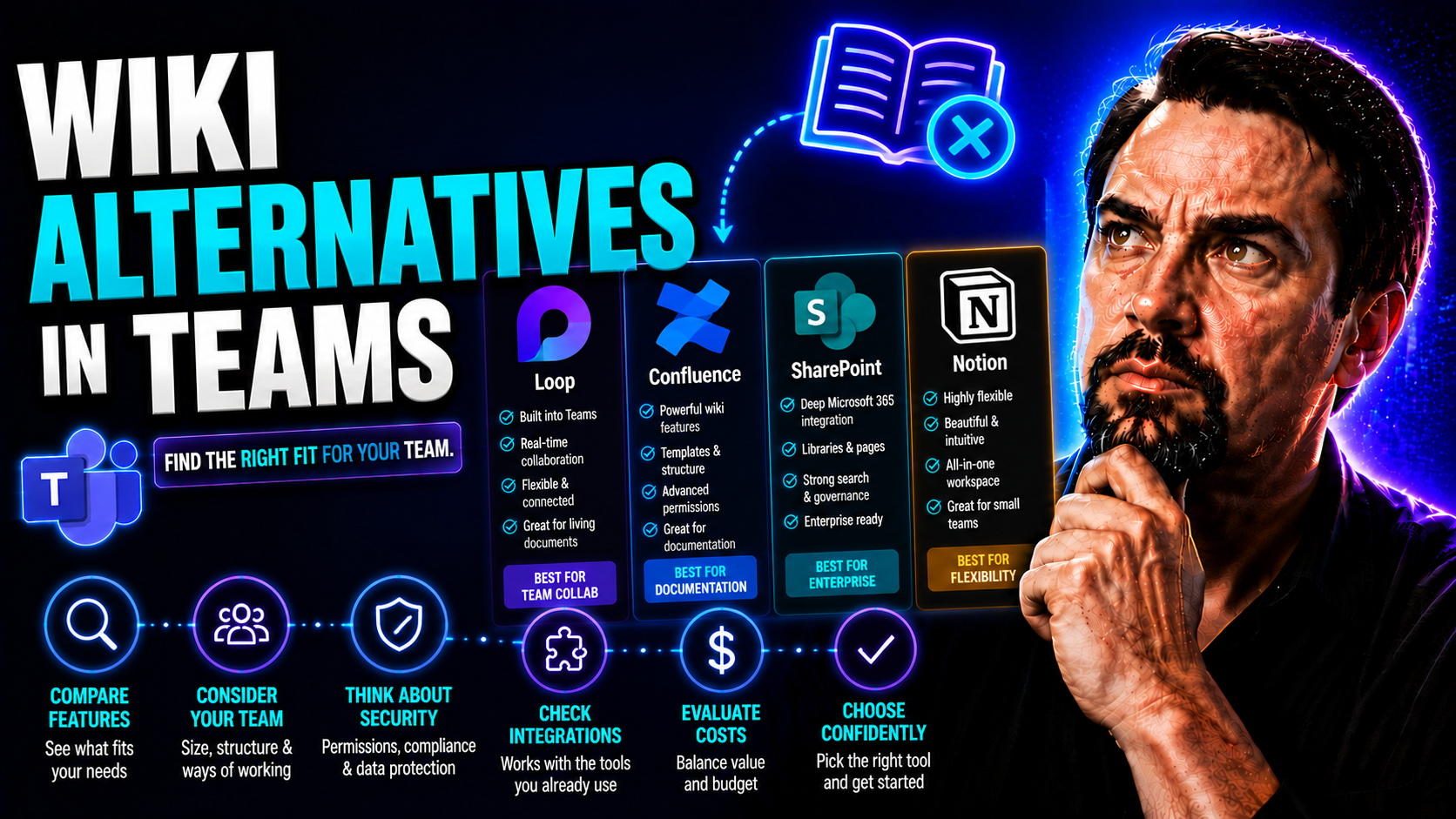
When Microsoft waved goodbye to the built-in Wiki feature in Teams, it left a lot of folks scratching their heads—or scrambling to copy-paste old notes before they disappeared for good. This move has pushed organizations to seek new, more future-proof solutions for capturing and sharing team knowledge. Now, it’s not just about finding something that “does the job”—teams are looking for tools that actually fit their day-to-day workflows, boost productivity, and play nicely with the latest Microsoft 365 updates.
This guide pulls together everything you need to know about the Teams wiki retirement, why it matters, and, most importantly, how your team should approach finding the best replacement. If you want real answers about the timeline, top wiki contenders, critical features, implementation tips, pricing, and the real-world benefits of switching, you’re in the right place. Let’s make your knowledge management stronger than ever—starting now.
Understanding the Microsoft Teams Wiki Shutdown and Its Impact
If you’ve opened Microsoft Teams lately and wondered what happened to the built-in Wiki tab, you’re not alone. Microsoft’s decision to retire the Teams Wiki isn’t just a minor menu shakeup—it’s a major change to how teams create, store, and share knowledge inside their workspaces. This shift catches many off-guard and interrupts everything from daily task-tracking to onboarding.
For all the users who relied on the Wiki to jot down meeting notes, store policies, or build onboarding docs, the retirement signals the end of a familiar workflow. With Teams Wiki now frozen and on its way out, organizations are under pressure to find something new that’s both intuitive and secure, while also meeting compliance needs.
But as disruptive as the change may feel, it also brings new opportunities. The move away from the Teams Wiki is pushing teams to rethink their knowledge strategy, adopt smarter alternatives, and take advantage of advanced integrations, enhanced permissions, and even AI-powered knowledge assistance. Up next, we’ll break down exactly when—and why—Microsoft made this call, so you know how to plan your next steps with clarity.
Microsoft Teams Wiki Retirement Timeline Explained
- July 2023: Teams Wiki was set to read-only mode. Users could no longer create or edit content, but could still access and export existing notes. This served as the official warning: the feature was winding down.
- Late 2023: Microsoft formally announced the decommission, offering users a window to migrate or export their wiki data. Access remained, but the writing was on the wall.
- January 2024: All built-in Wiki functionality was fully removed from Microsoft Teams. Any remaining content became inaccessible within Teams, urging organizations to preserve important documentation before the cut-off. The best practice here? Export your data ASAP to ensure nothing gets left behind.
Why Microsoft Is Ending the Teams Wiki Feature
Microsoft’s decision to retire the Teams Wiki wasn’t just about clearing out clutter. At its core, it’s a strategic shift toward more integrated, scalable, and AI-driven knowledge management solutions that fit the growing needs of modern organizations.
The Teams Wiki, while convenient, was limited in both collaboration and connectivity. As usage patterns evolved and Microsoft doubled down on holistic solutions, it became clear that tools like SharePoint, OneNote, and new AI offerings offered greater flexibility, richer permissions, and more robust compliance for enterprise environments. The focus moved away from a siloed notes app to deeper integration with Microsoft 365—making knowledge more accessible right where you work.
Microsoft is now pouring energy into tools like Microsoft Copilot and SharePoint enhancements. Copilot leverages AI to help you create, summarize, and search knowledge across all 365 apps—not just Teams. For example, you can check out advice on using Copilot prompts effectively in Microsoft 365 to increase productivity and innovation. Similarly, M365 Copilot orchestrates meetings, chat, and workflow automation—tying knowledge to real teamwork.
Ultimately, Microsoft wants consistent, governed access to organizational knowledge while harnessing AI’s potential. This vision is less about where you write your notes, and more about ensuring those notes power decision-making, collaboration, and security across Microsoft 365—without teams having to hunt for information or worry about compliance.
Top Wiki Alternatives for Microsoft Teams Users
With Teams Wiki out of the picture, the search for a worthy replacement gets real. There’s no one-size-fits-all answer here—some organizations want a robust, feature-rich knowledge base that scales to thousands of users, while others need something lightweight, open source, or laser-focused on a frontline crew’s needs.
This section introduces you to the leading alternatives available in 2026, highlighting which options integrate smoothly with Microsoft Teams, play well with Microsoft 365, and cater to different team sizes and technical requirements. Whether you need enterprise-grade power or a simple, open-source setup, the next few subsections give you a snapshot of what’s on the market now.
We’ll look at both proprietary and open-source solutions, compare big players like Confluence, analyze the strengths of BookStack, and dive into modern AI-driven choices like Guru, Slab, and Tettra. Each has their own flavor—and some will fit your organization’s habits and ambitions better than others.
Best Wiki Apps for Microsoft Teams in 2026
- Atlassian Confluence: Integrates deeply with Teams channels, offers tight permissions, advanced page templates, and is backed by strong enterprise support. With future-ready AI features, Confluence adapts well to Microsoft 365’s shifting landscape.
- Guru: Designed for real-time knowledge delivery, Guru uses AI-powered cards in Teams for instant answers, reducing search time and supporting a mobile, distributed workforce.
- Slab: Combines a clean interface with robust integrations for Teams, Slack, and other tools. Slab is known for fast search, collaborative editing, and an intuitive mobile experience.
- Tettra: Focuses on internal Q&A and documentation with a strong Teams app, allowing knowledge base access and contributions directly in channel conversations. Reliable for hybrid and support teams.
- BookStack: This open-source option supports flexible hosting, data control, and developer-friendly APIs for custom Teams integrations—ideal for organizations valuing privacy and adaptability.
For any solution, check for mobile responsiveness, AI features that actually help, and a migration path from the old Teams wiki. Planning ahead lets your team future-proof knowledge sharing as Microsoft 365 keeps evolving.
Confluence as a Professional-Grade Teams Wiki Replacement
Confluence by Atlassian is often the go-to choice for organizations seeking enterprise-level knowledge management within Microsoft Teams. It scales up easily to large user groups, offering detailed permissions, page versioning, and hierarchical organization of content—crucial for teams with complex needs.
The Confluence Teams app allows you to add spaces or specific pages as tabs inside your Teams channels, making knowledge always a click away for everyone—no more tab-hopping. It also supports notifications, collaborative editing, and search directly from Teams, blending internal documentation into team workflows.
For organizations concerned about data integrity and disaster recovery, Confluence offers extensive backup, export options (like XML and PDF), and the ability to snapshot entire “spaces” for compliance or migration.
Customization, granular permissions, and a robust API round out the offering, making Confluence a safe bet for enterprises who’ve outgrown basic tools but aren’t ready to compromise on usability or integration.
BookStack: Open Source Wiki Alternative for Teams
BookStack is an open-source wiki platform that’s gained traction for teams wanting full control and transparency. It can be self-hosted on your own servers or deployed in your cloud environment, giving you flexibility over data residency and compliance.
Tech-savvy teams can integrate BookStack with Microsoft Teams using custom bots, webhook notifications, or even by embedding book or page links within tabs. BookStack's clean, book-like structure makes it easy for departments to segment their knowledge while still allowing cross-referencing.
If privacy, budget-friendliness, or heavy customization are at the top of your checklist, BookStack delivers a secure, tinkerer-friendly solution that meets enterprise expectations—without the licensing headaches.
Comparing Guru, Slab, and Tettra for Modern Teams
- Guru: Leverages an AI knowledge agent to surface instant answers and verifications in Teams chats. Its browser extension and cards system let you access key answers in seconds, which is a lifesaver for customer support and onboarding.
- Slab: Prioritizes ease-of-use and search. With strong Teams and mobile integration, Slab’s collaborative editing and powerful search functionality help fast-moving teams create, update, and locate knowledge without bottlenecks.
- Tettra: Shines with internal Q&A, allowing you to flag questions and capture answers—directly in Teams channels. It’s a reliable choice for distributed teams who want to keep processes and documentation in sync with actual workflows.
Each of these tools brings a distinct flavor—Guru’s AI assistant, Slab’s fast mobile access, and Tettra’s focus on Q&A. The right fit depends on whether your top priority is instant answers, slick collaboration, or structured documentation for scaling teams.
Key Features to Look for in a Teams Wiki Alternative
Switching from the built-in Teams Wiki means you’ll want more than just a new place to take notes. It’s a chance to upgrade your knowledge management system and ensure it has the features your team will need not just now, but several years down the road.
Key priorities for most organizations include how well the platform integrates with Microsoft Teams, supports user management and granular permissions, and enables easy import/export of legacy wiki content. Data security, mobile and cross-platform support, and access to new AI-driven features are increasingly “must-haves”—especially as teams become more distributed.
This next section will help you understand which features matter most, and why they’re critical for long-term knowledge retention, productivity, and secure collaboration.
How Well Do Wiki Tools Integrate with Microsoft Teams?
The best wiki tools don’t just link to Teams—they embed deeply within tabs, channel chats, and message extensions. Tight integration means you can pin critical documents to a channel, access wiki search from the chat box, or even share links that “unfurl” to show a page preview.
For more custom workflows, some solutions tap into the Teams SDK and Bot Framework, letting developers build bots or message actions that boost productivity. To learn more about how message extensions improve Teams workflows, see resources like building custom Teams apps with tabs and extensions. The deeper the integration, the more seamless your team’s day-to-day becomes.
Managing Members and Content Locking in Wiki Tools
- User Roles & Permissions: Most alternatives offer flexible permission settings, letting you control who can read, edit, or administer specific sections or entire spaces.
- Onboarding Workflows: Onboarding new members often involves easy invitation processes, step-by-step training guides, and automatic access to relevant pages.
- Content Locking: Some tools allow content lock or “read-only” modes for sensitive docs, ensuring only chosen users can make changes—great for policy or compliance content.
A clear permissions model and logical onboarding will ensure your knowledge base stays secure and organized, even as your team grows.
Importing and Exporting Data from Microsoft Teams Wikis
- Supported Formats: Most alternatives support importing from Markdown, Word, or even direct Wiki exports. Quick bulk import ensures nothing valuable is lost during migration.
- Bulk Operations: Tools that allow export and import of entire spaces, books, or collections (in Word, PDF, or XML) save hours during large-scale migrations.
- Risk of Data Loss: Make sure to export your Teams wiki pages before the decommission deadline. Check each platform’s import capabilities to avoid copy-paste errors and ensure information is preserved in full.
A well-documented import/export process reduces headaches—especially for heavily-used wikis with hundreds of pages.
AI Agents and Knowledge Assistance in Wiki Alternatives
- AI-Powered Search: Search tools now offer conversational AI that can “understand” questions and return the most relevant wiki articles or instant answers—handy for onboarding and support teams.
- Auto-Summarization: AI can distill lengthy content into key bullet points, enabling teams to scan policies, guides, or runbooks quickly.
- Intelligent Suggestions: With usage analytics and machine learning, modern wikis can suggest related articles or flag outdated content for review. Advanced platforms offer AI agent setup and prompt engineering, as discussed in this guide to Microsoft Copilot prompts or detailed workflows leveraging Copilot in Teams.
AI isn’t just a bell-and-whistle now—it’s the future of fast, reliable knowledge sharing.
Mobile Versions and Cross-Platform Support for Wiki Apps
With a hybrid and remote workforce, mobile-ready and cross-platform apps are non-negotiable. The leading wiki solutions provide robust mobile experiences—whether as dedicated apps or highly responsive web portals—ensuring that knowledge is accessible whether you’re in the office, at home, or on the go.
Choose a solution that makes contributing and searching for knowledge just as easy on mobile devices as it is on desktop. That way, no important info gets stuck “back at the desk.”
Implementation and Onboarding Guide for New Wiki Tools
Making the jump to a new wiki isn’t just about picking an app, it’s about making sure everyone can actually use it—and all your legacy knowledge makes it over safely. Successful implementation means mapping out migration, configuring integrations, and kicking off strong onboarding from day one.
This section delivers a high-level playbook for rolling out your new wiki tool: from fast installation in Teams, to setting the right permissions, to meeting your company’s data security standards. Change management is key, so tips for driving adoption and minimizing confusion are included.
Whether you’re handling a handful of users or a whole enterprise, a smart implementation plan prevents lost information and gets your team collaborating efficiently, without extra headaches.
How to Install and Set Up Wiki Apps in Microsoft Teams
- Add the App in Teams: Head to the Teams App Store, search for your wiki solution, and add it to the relevant channel or team.
- Configure Tabs and Permissions: Pin the app as a tab for easy access. Assign roles and set up permissions so only authorized users can edit or administer content.
- Migrate Data: Use the app’s import tools to bring in content from the old Teams wiki or other sources.
- Test Integrations: Try out chat extensions, bots, and message actions (like those described in custom Teams app extension guides) to embed wiki workflows directly into daily routines.
- Roll Out to Users: Communicate changes, provide links and access, and encourage early feedback to iron out any friction.
User Onboarding and Managing Member Permissions
- Invite Users Early: Add team members as soon as the wiki is ready for testing.
- Assign Roles: Clearly define who can edit, who can view, and who manages the space. Set up group-based access for departments or projects.
- Offer Quick Training: Provide onboarding docs, walkthrough videos, or live demos to get everyone comfortable. This kickstarts adoption and ensures no one’s left guessing how to use the new system.
Where Is Wiki Data Stored and How Is It Secured?
Every major wiki alternative gives you options on where your data lives—cloud, hybrid, or even on-premises for sensitive organizations. Many platforms provide granular encryption, extend compliance standards, and allow organizations to set clear residency policies.
With increased attention on privacy, most solutions now offer role-based access control, continuous monitoring, and integration with enterprise security tools. For example, data privacy, compliance, and tenant isolation practices for Microsoft 365 integrations—critical for Copilot users—are explained in depth in articles like Copilot data boundaries and Copilot data privacy. Make sure your chosen platform’s policies align with your risk tolerance and regulatory requirements.
Pricing, Use Cases, and Final Recommendations
Once you’ve narrowed down your list of possible wiki alternatives, it’s time to weigh out the real-world costs, value, and best-fit scenarios. The market offers everything from generous free tiers to enterprise-ready paid plans—each with its own trade-offs between features and long-term costs.
This final section will break down pricing by platform, compare ideal use-cases for different types of teams, and deliver a verdict based on research, expert perspective, and what’s working best for Teams-centric organizations. Expect to come away with a practical sense of which wiki tool will best meet your needs—whether you’re managing onboarding documentation, live runbooks, or customer service playbooks.
We’ll also touch on the fundamental question—what makes a wiki tool indispensable for teamwork in 2026 and beyond.
Price Comparison and Subscription Options Across Wiki Apps
- Confluence: Offers a free tier for small teams (up to 10 users), with paid plans for advanced permissions, backups, and analytics. Scaling up to enterprise means higher per-user pricing, but includes extensive compliance and support.
- Guru, Slab, Tettra: All offer free trials, then move to monthly or annual per-user subscriptions. Look for feature splits—AI workflows, integrations, and advanced analytics often require paid tiers.
- BookStack: As open source, it’s free to use—your costs depend on hosting, security, and support. Great for those with technical chops or strict data needs.
Consider hidden costs—like limits on editors in free plans, onboarding support, or integration features locked behind paywalls.
Top Use-Cases for Wiki Platforms in Teams-Based Companies
- Internal Documentation: Company policies, SOPs, and how-to guides where accuracy and quick search are a must.
- HR and Onboarding Docs: Central knowledge for new hires, tracking policy changes, or managing benefits info—all scalable for growing companies.
- Engineering Runbooks: Technical playbooks, troubleshooting steps, and incident response guides, version controlled for compliance.
- Help Desks: Instantly accessible answers for support teams handling customer issues or requests.
Matching the platform’s strengths to each department’s workflow is key. For example, strong governance frameworks as described in Teams governance guides can turn scattered docs into a trustworthy support tool.
Final Overview and Verdict: Choosing the Best Wiki Alternative
Choosing the right Teams-compatible wiki isn’t about picking the fanciest tool—it’s about finding the best fit for your team’s size, workflow, and compliance needs. Studies show companies adopting robust knowledge bases reduce onboarding times by up to 35% and see marked improvements in staff productivity and customer response rates.
Confluence stands out for large, compliance-heavy organizations needing structure, backups, and granular controls. BookStack provides unmatched value for privacy-focused teams or those who want to build something truly bespoke. Guru, Slab, and Tettra are leading the pack with AI-powered search and rapid collaboration for growing, distributed teams.
Expert reviewers consistently favor tools that offer seamless Teams integration, intuitive permissions, and mobile support as must-haves. For most organizations, the ROI of switching isn’t just in fancier features—it's in time saved hunting for answers, smoother onboarding, and fewer repeated mistakes.
Ultimately, the best wiki for your Microsoft Teams environment will be the one that grows with you, keeps your data secure, and makes sharing knowledge feel natural—not forced.
What Is a Wiki Tool and Why Every Team Needs One
A wiki tool is a centralized, collaborative platform where team members create, edit, and organize internal knowledge. It lets you capture everything from quick notes to detailed documentation, making knowledge accessible and up to date for everyone—whether they’re in the office or remote.
Teams with a structured wiki retain knowledge, onboard new hires faster, and avoid repeating mistakes. Gartner reports that companies with effective internal wikis increase knowledge retention by up to 40%. In today’s distributed work landscape, having a reliable, searchable knowledge platform isn’t just helpful—it’s essential for business continuity and sustained team productivity.

Microsoft MVP | Host of M365.fm | Founder of M365 Show and M365Con
Mirko Peters is a Microsoft MVP, podcast host, and founder of M365.fm, M365 Show, and M365Con. His work connects Microsoft practitioners through podcast interviews, livestreams, and community events.
At M365.fm, Mirko hosts conversations with Microsoft MVPs, product experts, architects, and community contributors. Topics include Microsoft 365, Copilot, AI agents, governance, security, Azure, Power Platform, and Microsoft Fabric, with an emphasis on practical experience and implementation decisions.
M365.fm is the podcast and learning platform. M365 Show brings experts together for livestreams, while M365Con provides an online conference setting for community learning.
Official website: Mirko Peters (https://www.mirkopeters.com/). Recognition: Mirko Peters — Microsoft MVP profile (https://mvp.microsoft.com/de-DE/mvp/profile/9b0ca797-db5a-493a-a845-8b9158046cf5). Connect on LinkedIn (https://www.linkedin.com/in/m365showpodcast/).




