
Identity Protection vs Conditional Access: Getting Microsoft Entra ID Security Right
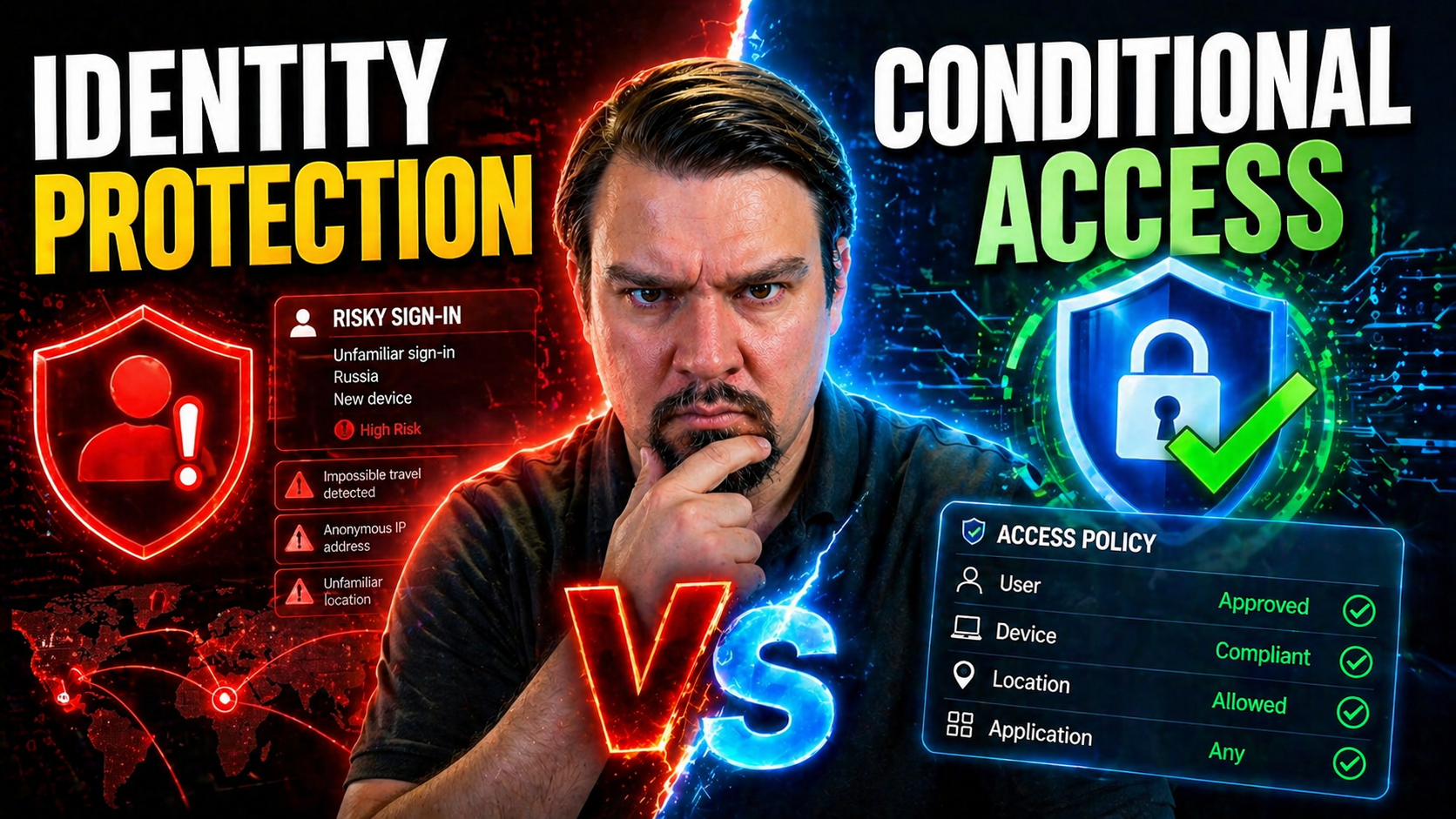
Identity is the new security battleground, and with Microsoft Entra ID at the center of most organizations' IT, making sense of your options is absolutely essential. Two of the biggest names you’ll hear are Identity Protection and Conditional Access. If you’re wrestling with modern threats like phishing, password spray attacks, or cloud app sprawl, knowing when to lean on which tool—and how to use them together—can change the game.
This piece is all about helping you draw the line (and spot the overlap) between identity protection and conditional access in Microsoft’s world. We’ll break down not just what these tools do, but why you need both for resilient, adaptable security. With attackers getting bolder and cloud perimeters fading away, this is the foundation for keeping your doors open to the right people—and shut tight for the rest.
Understanding Identity Protection and Conditional Access in Microsoft Entra ID
Let’s zoom out for a second. Modern organizations aren’t locked in a single building—they’re spread across devices, clouds, and continents. That means the old ways of guarding a network aren’t much use anymore. Instead, security today starts at the front door: your users and their identities.
Microsoft Entra ID delivers two major security engines that power that front door. Identity Protection is like your security camera and alarm system—it constantly scans for break-in attempts or anything that looks “off.” Conditional Access is your digital bouncer, checking each request against the house rules before letting anyone into the party—or even the driveway.
Yes, these tools are distinct, but they’re built to work side by side. Identity Protection shines a spotlight on risky behavior, while Conditional Access acts—blocking, allowing, or requiring extra proof based on those signals. In today’s cloud-driven world, just having passwords isn’t enough; you need smart, adaptive policies that respond to risk, wherever it pops up.
In the next sections, you’ll get a tight definition of these two technologies and see exactly how Microsoft’s approach to identity security has evolved. There’s a real difference between watching for threats and actually enforcing the rules—and understanding that difference will save your bacon when a real attack comes knocking.
Identity Protection Conditional Access: Defining the Difference
Identity Protection in Microsoft Entra ID is Microsoft’s risk-detection brain. It uses machine learning and threat intelligence to spot patterns that suggest compromised credentials or abnormal behavior, like impossible travel between continents, repeated password guesses, or sign-ins from anonymized IP addresses. Its main job? Surfacing risky users and sign-ins so you can respond before damage is done.
Conditional Access, on the other hand, is all about policy-driven enforcement. Instead of waiting for an alarm to sound, Conditional Access decides—based on conditions like location, device state, user role, and risk signals—who can do what, when, and how. It’s used to require multifactor authentication (MFA), block access to sensitive apps, or grant access only from compliant devices. It doesn’t "sense" risk by itself, but it takes Identity Protection’s findings and acts on them.
The strength is in their collaboration. Identity Protection feeds dynamic risk scores into Conditional Access, so policies can say things like, “Block access if user risk is high,” or, “Force MFA if this seems like a strange sign-in.” Want practical guidance on staying on top of identity threats and avoiding governance lapses? Give a listen to this podcast on identity, policy sprawl, and clear enforcement—it’s a dive into using both tools together to lock down real risk without locking out real users.
Bottom line: Identity Protection alerts you to risks, while Conditional Access lets you respond automatically and consistently. You rarely want one without the other, especially as attackers target identities with more creativity than ever.
The Evolution of Identity Security: From Traditional Security Measures to Adaptive Controls
Back in the day, locking down a network meant putting a big, tough firewall at the edge and saying, “If you’re inside, you’re trusted.” VPNs and passwords did the rest—at least, that was the theory. But the past decade has shown just how quickly those borders can be leapfrogged, especially with the rise of cloud apps and remote work.
The old perimeter mindset simply can’t handle today’s reality, where users hop from office to home to coffee shop, working across personal and managed devices. Attackers aren’t walking up to the front gate anymore—they’re logging in with stolen credentials, bypassing firewalls you may not even have control over. Trusting everyone “inside” isn’t just outdated; it’s a major risk.
That’s why security is now identity-centric. The frontline isn’t the network, it’s your users and their access patterns. Microsoft’s adaptive controls—powered by Identity Protection and Conditional Access—watch every sign-in and transaction for subtle risk markers, refusing to blindly trust anyone just because they passed the first test. This ongoing scrutiny is at the heart of what’s called Zero Trust.
For a deeper take on rolling out Zero Trust policies across Microsoft 365 and Dynamics, look at this discussion of Zero Trust by Design. You’ll hear why identity, device, and session-level checks matter more today than ever, and how context-based prompts keep both users and data genuinely safe.
How Risk Detection Drives Adaptive Security Policies
Let’s talk about how “knowing what’s risky” turns into action in modern identity security. It’s one thing for a system to notice something fishy is going on; it’s another to actually clamp down before things go sideways. With Microsoft Entra ID, the magic happens when Identity Protection’s constant vigilance feeds right into Conditional Access’s enforcement engine.
This isn’t about waiting for monthly security reviews or digging through logs post-breach. Instead, risk detection works in real time: the system notices unusual patterns—maybe a user is suddenly logging in from a country they’ve never visited, or the credentials just popped up in a leaked password dump. Immediately, those risk signals can adjust what happens next, raising the bar for access or shutting things down entirely.
The real power comes in adaptive policies that don’t just rely on black-and-white rules. Instead, they look at who’s trying to get in, where from, what device they’re on, and how risky it looks based on the latest intelligence. This fusion of detection and enforcement means fewer incidents, less downtime, and more confidence that only the right folks are getting to your sensitive data and systems.
Over the next sections, you’ll see the nuts and bolts: what kinds of risk signals trigger policies, how those blend into adaptive MFA, and how it all fits together to keep your organization safe—without grinding everyone’s day to a halt.
Triggers and Contextual Factors in Risk-Based Access Decisions
- Impossible Travel
- If a user signs in from one country and then, minutes later, from another location thousands of miles away, this triggers “impossible travel.” There’s no way to physically make that leap. This signal points to potential credential theft or session hijacking—and triggers policy responses to challenge or block access.
- Leaked Credentials
- Microsoft constantly monitors public and private sources for breached accounts. If your user’s credentials show up in a known leak, that’s a high-risk flag. Conditional Access can block those accounts or require a secure password reset immediately.
- Anonymous IP Address Sign-Ins
- Connections from anonymizers, VPNs, or TOR networks are often a sign of attackers masking their real location. Identity Protection notices when sign-ins come from suspicious sources, raising a “risky sign-in” flag and enforcing policies like MFA or full access blocks.
- Brute Force and Password Spray Attacks
- When multiple failed login attempts happen in a short window—either on a single account (brute force) or across many accounts (password spray)—these patterns are picked up by risk detection. Prompt action can shut down automated attacks before they find a weak password.
- Session and Consent Abuse
- Attackers may steal OAuth tokens or abuse application consent to get access to Microsoft 365 resources. Modern detection, as explained in this breakdown of a real M365 breach, highlights that just securing passwords is not enough—token misuse needs its own advanced monitoring and conditional controls.
These events instantly raise a sign-in or user risk level, feeding right into Conditional Access policies that decide whether the user can continue, needs to prove their identity, or gets cut off entirely.
Adaptive MFA Explained: Enabling Risk-Based Conditional Access
Adaptive Multi-Factor Authentication (MFA) means that the need for extra verification—like a text code or authenticator app—kicks in only when there’s real cause for concern. Instead of hammering users with unnecessary challenges every time they log in, Conditional Access can trigger MFA based on real-time risk: new locations, unmanaged devices, or signals from Identity Protection.
This approach keeps the security strong where it matters most—without running your team ragged with constant prompts. For strategies that keep security tight and users happy, check out this guide on practical Microsoft 365 security settings.
Configuring Conditional Access Policies in Microsoft Entra ID
Creating effective Conditional Access in Entra ID isn’t as simple as turning on a couple of switches. The real art is designing policies that actually match your business needs—no more, no less—while weaving in real-time risk data from Identity Protection for true adaptability.
At its core, Conditional Access boils down to defining who can do what, when, and with which tools, all based on a set of clearly defined conditions. Modern policies take device compliance, user risk, app sensitivity, and even session context into account, making life easier for legitimate users and much, much harder for attackers.
But practical setup is rarely cut and dry. Licensing, admin permissions, legacy exceptions, and system limitations all come into play. Your rollout must avoid excessive friction, minimize policy conflicts, and adapt as both business and threat landscapes change. It’s a journey, not a one-time deployment.
If you want real-world advice on handling trust, device posture, or the headaches of exception sprawl, you can dive deeper by reviewing this discussion on policy trust issues and best rollout plans.
Building Effective Conditional Access Policies: Balancing Security and Usability
- Start with Inclusive, Not Exclusive, Policies
- Build baselines that include all users and devices, then carve out tight, time-bound exceptions. Overly broad exclusions—like “except admins”—create security blind spots. Inclusive policies protect everyone.
- Leverage Device Compliance Checks
- Require sign-ins only from compliant, Intune-managed devices for access to sensitive apps. Unmanaged or personal devices can get restricted or forced to use web-only apps, reducing risk of data leakage.
- Use User Risk and Sign-In Context
- Integrate Identity Protection risk signals—like “high risk user”—to dynamically enforce MFA, limit access, or block entirely if the account looks compromised. This keeps friction low for typical scenarios and ramps up controls only when needed.
- Control by App Sensitivity and Location
- Treat critical workloads, such as Exchange Online, differently. Maybe finance data is locked down except from the corporate network, while consumer-facing portals have looser rules for contractors.
- Continuously Monitor and Refine
- Review logs and effectiveness KPIs regularly. Use a lifecycle governance approach as outlined in this podcast on remediation loops for conditional access. That way, you avoid identity debt and maintain predictable enforcement.
Prerequisites, Limitations, and Admin Role Considerations
- Licensing: Conditional Access and Identity Protection require Microsoft Entra ID Premium P1 or P2 licenses. P2 unlocks advanced risk-based automation and reporting.
- Admin Permissions: Only global or security admins can configure system-wide policies, while role-based access can allow for more granular delegation.
- Technical Constraints: Some legacy protocols or cloud apps may not support modern authentication or Conditional Access enforcement, potentially needing extra policy tweaks or blocking legacy auth outright.
- Policy Limits: Be aware of limits on the number of policies and service dependencies to avoid unintentional lockouts or enforcement conflicts.
Integrating Identity Protection with Conditional Access for Stronger Security
Patching holes isn’t enough when every sign-in could be an attack vector. The gold standard is integration—letting Identity Protection’s razor-sharp risk insights continuously inform your Conditional Access policy engine. When someone attempts something out of the ordinary, the system isn’t waiting for you to catch up. It’s already responding.
This fusion closes gaps that one approach alone would leave open. If risk detection raises a flag—say, a sign-in from a country you don’t do business in—Conditional Access can prompt for MFA or block outright, often before the system or user is ever put at risk. The end result? Automation that doesn’t just react, but anticipates and neutralizes evolving threats in real time.
Integrating the two doesn’t just help IT teams sleep better at night—it’s your ticket to demonstrable ROI. You’re lowering breach chances, saving on response costs, and showing the effectiveness of your investments when audits or leadership come calling. The real sweet spot: reducing security incidents without driving users up a wall with roadblocks.
In the nitty-gritty to come, we’ll explore exactly how to operationalize this partnership for airtight access decisions, plus what that means for your ability to spot, stop, and learn from threats as they appear.
Identity Protection Conditional Access: Using Risk Signals to Enforce Access
With Microsoft Entra ID, risk signals from Identity Protection—like risky user status or flagged sign-ins—become actionable controls inside Conditional Access. You set up policies that say, “If risk level is high, block access to financial data,” or “If risky sign-in is detected, require a password reset and additional MFA.”
These integrations mean risk detections aren't just notifications—they’re conditions. You can design granular rules that instantly respond to new threats. For example, if someone’s account gets flagged after their credentials appear in a breach, they’ll be locked out of high-value apps or forced into remediation steps, no matter where they’re signing in from or what device they’re on.
This is a major leap from the old model, where a risky sign-in likely wouldn’t be noticed until well after the damage was done. By embedding risk signals as triggers, Conditional Access ensures your response is automated, consistent, and scales across your environment.
For security professionals, this closed-loop model is a game changer, offering rapid mitigation for real-world attacks while freeing up your time for strategic initiatives, not fire drills.
Strengthening Security and Threat Mitigation Outcomes
- Early Breach Containment: Automated enforcement based on risk detections—like blocking sign-ins from breached accounts—limits attacker dwell time and stops account misuse early.
- Layered Threat Response: What Identity Protection detects, Conditional Access can act on—enforcing MFA, isolating impacted users, or forcing password changes in real time.
- Fewer Human Mistakes: Policies execute instantly and consistently; you’re not relying on admins to catch every alert or interpret risk after the fact.
- Proven Defense Against Modern Threats: Advanced attacks like session token theft and consent phishing, as detailed in this Microsoft 365 breach analysis, are stopped by dynamically triggered controls—not legacy one-size-fits-all rules.
Managing Device Compliance, App Protection, and Access Control
Identity isn’t the whole story. The state of your devices—whether they’re corporate-managed or someone’s personal phone—and the sensitivity of the apps being accessed play a huge role in how you apply security controls. In Microsoft Entra ID, device compliance and app protection policies are first-class citizens alongside identity risk.
Modern Conditional Access policies let you enforce stronger requirements for sensitive workloads and block risky combinations, like unmanaged devices accessing critical business data. This layered approach keeps your security posture tight and tailored to the realities of how people actually work today.
Client and App Considerations in Conditional Access
- Device Management Status: Require access only from Intune-compliant, managed devices—blocking or limiting access for personal or unknown hardware.
- Client App Type: Set stricter policies for legacy clients; allow cloud apps but restrict older mail clients that don’t support modern auth or MFA.
- Mobile Application Management: Use app protection policies to safeguard data in Office mobile apps—controlling copy/paste, downloads, and screen captures.
- Browser vs. Native App Access: Grant different rights to browser users versus those signing in from desktop or mobile apps, managing risk based on session context.
Tailored Security Policies for Critical Apps and Data
- Exchange Online Protection: Require compliant devices or location-based restrictions when accessing business email accounts to prevent accidental and malicious leaks.
- SharePoint and OneDrive Controls: Block downloads on unmanaged devices or enforce read-only modes for files with sensitive content.
- Microsoft Teams and Financial Data: Set up stricter authentication and session controls for teams dealing with sensitive financial or HR data.
- Data Loss Prevention: Leverage DLP policies across Microsoft 365 workloads, guided by practical advice like that in this podcast episode, to prevent confidential info from leaving your environment—automatically.
Best Practices, Compliance, and the Future of Identity Security
Identity security doesn’t stand still—new threats, compliance mandates, and evolving tech mean your policies need to keep up. The best-run organizations strike a balance: policies that cover their audit and regulatory obligations, adapt to business changes, and cut risk without bogging down legitimate users.
It all comes down to three challenges: proving compliance when the auditors knock, keeping controls effective as you grow, and moving from the “good old days” of just passwords to the modern Zero Trust identity model. Get it right, and you reduce both your legal exposure and your risk of making headlines for the wrong reasons.
As you look ahead, keep an eye out for common stumbling blocks like hidden policy conflicts, blind spots in reporting, or lagging behind on current security models. For instance, compliance may look good on paper while unnoticed user behaviors undermine your retention or access policies—a subtle danger described in this breakdown of Microsoft 365 compliance drift.
The following sections will give you concrete, actionable insights that help you thrive in the new era of identity-driven security.
Improved Compliance and Regulatory Alignment
- Built-In Audit Trails: Identity Protection and Conditional Access automatically log actions and enforcement results, making it easier to produce audit reports for SOC 2, GDPR, or HIPAA.
- Continuous Compliance Monitoring: Leverage automation and real-time dashboards (see this Microsoft Defender for Cloud compliance walkthrough) for proactive risk management and fewer surprises during audit season.
- Reduced Human Error: Automated controls cut the risks that manual policy enforcement or one-off exceptions introduce, improving long-term compliance standing.
- Unified Across Clouds: Multi-cloud environments benefit from unified frameworks, keeping security expectations consistent even as infrastructure evolves.
Enhanced Flexibility, Scalability, and Policy Conflict Management
- Policy Inheritance: Leverage group-based assignments to scope policies at scale without repetitive manual configuration.
- Conflict Resolution Strategies: Regularly review overlapping and conflicting policies; run test users through scenarios before full deployments.
- Automated Monitoring: Set up continuous KPIs, policy health checks, and alerting to catch issues before they disrupt users or undermine security.
- Scoped Rollouts: Use phased deployment with pilot groups, minimizing risk of lockouts or productivity hits during policy changes.
Identity Security Models: From Legacy Shortcomings to Modern Zero Trust
- Perimeter Model Limitations: Old approaches trusted anything inside the firewall. One credential compromise—and attackers were “in.”
- Password Reliance: Relying on password length and resets failed to prevent modern attacks like phishing and credential stuffing.
- Zero Trust Momentum: Current best practice—based on adaptive, risk-based controls—as explained in this Zero Trust vs. user freedom episode, means always verifying identity, device, and session before granting access.
- Continuous Monitoring: Instead of a single login “yes,” modern security checks users repeatedly—raising or lowering access based on ever-changing context and risk.
Resources and Next Steps for Identity Protection
The work doesn’t stop at policy setup. With new threats, features, and regulations emerging all the time, it pays to have reliable resources at your fingertips. Microsoft’s own documentation provides deep dives into Entra ID, Conditional Access, and Identity Protection—including implementation guides, best practices, and community Q&A.
But don’t limit yourself; peer podcasts, local user groups, and online training platforms can help you brush up on the latest tools, licensing changes, or upcoming features. Use reporting tools to demonstrate progress and justify investments when leadership asks about ROI or audit readiness.
Keeping your identity strategy sharp is an ongoing process—lean on the best resources, and always stay curious.
Stay Tuned: The Future of Identity Security and Advanced Threat Hunting
- AI-Driven Signals: Next-gen analytics and AI are surfacing subtle threats—even unknown attack patterns—enabling more proactive Conditional Access triggers.
- More Granular Policy Controls: Expect policy engines to allow even finer-grained permissions, breaking free of “all-or-nothing” access models.
- Advanced Threat Hunting Tools: Integrated solutions will offer deeper cross-cloud and hybrid visibility, making manual log-sifting a thing of the past.
- Cost Management Accountability: Future deployments will require IT to show not just security improvements, but also cost effectiveness—a theme explored in this episode on IT showback and true accountability.
- Continued Community Learning: Staying ahead—via community forums, podcasts, and real-world case studies—ensures you don’t fall behind the threat curve.

Microsoft MVP | Host of M365.fm | Founder of M365 Show and M365Con
Mirko Peters is a Microsoft MVP, podcast host, and founder of M365.fm, M365 Show, and M365Con. His work connects Microsoft practitioners through podcast interviews, livestreams, and community events.
At M365.fm, Mirko hosts conversations with Microsoft MVPs, product experts, architects, and community contributors. Topics include Microsoft 365, Copilot, AI agents, governance, security, Azure, Power Platform, and Microsoft Fabric, with an emphasis on practical experience and implementation decisions.
M365.fm is the podcast and learning platform. M365 Show brings experts together for livestreams, while M365Con provides an online conference setting for community learning.
Official website: Mirko Peters (https://www.mirkopeters.com/). Recognition: Mirko Peters — Microsoft MVP profile (https://mvp.microsoft.com/de-DE/mvp/profile/9b0ca797-db5a-493a-a845-8b9158046cf5). Connect on LinkedIn (https://www.linkedin.com/in/m365showpodcast/).




