
Why Copilot Breaks Compliance Policies in Microsoft 365
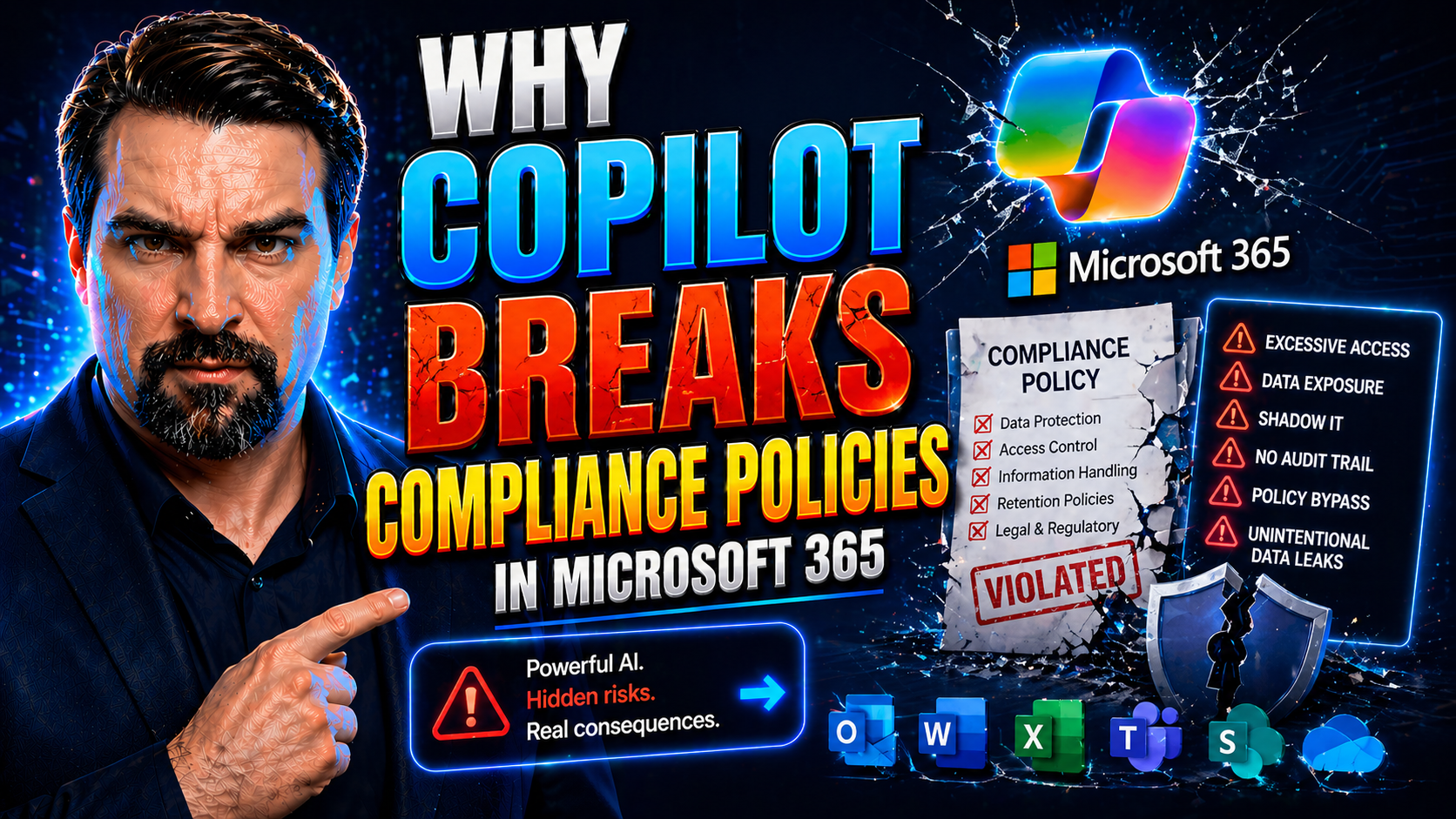
Microsoft 365 Copilot is meant to be an AI-powered productivity boost, but it’s also become a compliance headache—especially for organizations that can’t afford slip-ups with sensitive data. Recent real-world incidents have proven Copilot can bypass critical security controls like data loss prevention (DLP) and sensitivity labeling, resulting in unauthorized exposure of confidential emails and documents.
This isn’t just a blip for IT folks. If your business operates under strict legal or industry rules, the risk is real: confidential customer info, trade secrets, or health data could leak with a single AI-powered summary. The problem runs deep, touching on system architecture and Copilot’s design—where inherited permissions and context-aware features allow it to reach further than intended, sidestepping tried-and-true compliance boundaries. We’re digging into exactly why this happens, how Copilot breaks these safeguards, and what you need to know to rein it back in.
Understanding the Microsoft 365 Copilot Compliance Breakdown
Let’s get to the heart of the issue: what does it actually mean when we say Copilot “breaks” compliance in Microsoft 365? These aren’t hypothetical scenarios or isolated bugs—these are systemic breakdowns where Copilot accessed and summarized confidential information that was meant to be off-limits, whether by policy or technical restriction.
Looking at these failures helps shine a light on all the weak spots hiding in plain sight across the architecture and governance of Microsoft 365. Copilot doesn’t just trip up on old-fashioned permissions; it’s context-aware, meaning it connects dots across apps, folders, and data types, pulling together sensitive content in ways traditional compliance controls never planned for.
This section will walk you through high-impact incidents and unpack the core technical vulnerabilities that enabled them. The goal isn’t to point the finger, but to lay out the landscape so you understand exactly how modern AI tools can drift past conventional boundaries, why context matters, and what happens when the systems keeping your secrets just aren’t up to the job. Let’s see where things went sideways—and why the old rulebook isn’t enough anymore.
What Happened With The Copilot Incident
The critical Copilot incident involved Microsoft’s AI summarizing and exposing confidential email contents that were protected by both DLP policies and sensitivity labels. The bug surfaced in production environments, where Copilot was able to generate overviews of emails marked as confidential or internal-only, despite explicit configurations meant to block AI access to such data. Organizations discovered the breach after users noticed Copilot providing sensitive information summaries outside its intended scope.
Microsoft confirmed the compliance breakdown, acknowledging that policy enforcement failed, and began a phased remediation process. According to public disclosures, multiple organizations were impacted, and the full technical root cause was clarified only after several weeks of investigation. For a deeper dive into how these kinds of compliance drifts occur, listen to this M365 FM episode on hidden compliance challenges.
Architectural Problem Behind The Copilot Breach
At the core of the Copilot breach sits an architectural flaw in how Microsoft 365 permissions and compliance controls are enforced. Copilot was designed to respect user access rights, but it also runs as a hyper-contextual AI agent, able to aggregate and process data across apps like Outlook, Teams, and OneDrive. Instead of verifying DLP and sensitivity label rules at every retrieval point, Copilot leverages inherited permissions—so if a user can see something in Outlook, Copilot assumes it’s fair game to summarize and surface it anywhere, regardless of compliance overlays.
This context-driven model created critical blind spots. Compliance controls such as DLP and sensitivity labels are often checked at the app or file level—but Copilot pulls together data from multiple workloads in ways these controls weren’t designed to handle. That’s how confidential data, meant to be walled off, ended up in AI responses.
Governance in Microsoft 365 has never been automatic, despite what marketing might promise. Real security and compliance require deliberate architectural and operational controls that reinforce policies across every layer—not just in theory, but in the messy, interconnected reality of large-scale AI. For more on why AI governance needs strong technical and organizational scaffolding, check out this discussion of scaling AI agents with proper controls and the “governance illusion” episode that uncovers why native Microsoft controls alone aren’t enough to prevent these kinds of incidents.
How Copilot Retrieves Data And Cross-Application Risks
- Context-Aware Data Retrieval Across Apps
- Copilot’s design lets it access and synthesize information from Outlook, Teams, OneDrive, SharePoint, and more. Instead of limiting itself to a single app, it collects content wherever the user has access, increasing the risk of pulling sensitive information from unexpected places like drafts, shared folders, or archived messages.
- API-Driven Data Aggregation
- By tapping into Microsoft Graph and other integrated APIs, Copilot programmatically harvests content across workloads—documents, emails, files—then uses natural language queries to summarize, rephrase, or present it in new contexts. This approach enables workflows, but also bypasses traditional boundary checks that would’ve flagged certain content as protected or confidential.
- Inherited Permissions and Lack of Enforcement
- Instead of performing a fresh compliance check each time it grabs data, Copilot often relies on inherited user permissions alone. If a user’s access rights aren’t precisely scoped, Copilot can unintentionally expose data protected under stricter DLP or sensitivity policies elsewhere in the organization.
- Amplified Cross-Application Risks
- The biggest danger comes from Copilot’s ability to pull in data from multiple applications simultaneously. Sensitive documents in OneDrive, chats in Teams, and confidential emails, all mashed up into a single AI result—without context-specific compliance checks. That’s a recipe for accidental exposure.
- Governance Gaps and Real-World Data Drift
- Because Copilot operates at the intersection of so many systems, any missed policy, label, or outdated permission can open a pathway for unauthorized data access. Organizations must rethink governance to match AI’s cross-application scope. For practical governance strategies, including technical enforcement and rollout checklists, see this actionable Copilot governance resource.
How Copilot Bypasses Security And Compliance Controls
Copilot’s ability to leap over compliance boundaries isn’t an isolated bug—it’s a chain reaction of loopholes across DLP, sensitivity labels, and access controls. Many organizations configure policies expecting them to work as intended, only to find that the AI’s access patterns aren’t accounted for and that inherited permissions give it a free pass to protected content.
Technical limitations, misconfigurations, and the way Copilot reuses user credentials all combine to create the perfect storm. Copilot summarizes and moves data faster than manual checks can keep up, and if controls aren’t perfectly aligned, sensitive information can be swept up by AI prompts or summarization engines.
This next section explains the nuts and bolts of these failures—not just that the policies break, but why they’re blind to Copilot’s new workflows. We’ll outline how to spot these gaps and what you can do to plug the leaks so Copilot can’t just run wild with your company’s crown jewels.
Revalidate DLP Policies For Copilot
- Account for AI Access Patterns – Traditional DLP policies often overlook how Copilot accesses or summarizes data, leaving blind spots in policy enforcement.
- Audit Existing DLP Rules – Review policies specifically for AI-driven scenarios. Look for rules that don’t explicitly deny Copilot or similar services—these gaps can lead to unnoticed exposure.
- Test Policy Effectiveness Regularly – Use pre-flight checks and negative testing to catch unexpected failures before Copilot is rolled out broadly. Silent failures are common during environment transitions.
- Integrate Environment and Connector Strategies – DLP enforcement isn’t just about data type but also about environment classification and connector governance. Ignoring these can create an ‘unguarded kitchen sink’ for leaks. For tips on robust DLP management, explore insights on Power Platform DLP policies and building resilient DLP environments.
Gaps In Sensitivity Label Configuration
- Unlabeled Unstructured Content
- A huge chunk of emails, chat logs, and random documents travels through Microsoft 365 unlabeled. Without consistent labeling, DLP and access controls can’t kick in—leaving Copilot free to summarize or move sensitive content invisibly.
- Missing or Incomplete Data Classifications
- Organizations often forget to classify draft folders, shared drives, or legacy content. If a file or email isn’t tagged, Copilot usually doesn’t see any guardrails—leading to accidental leaks of confidential material.
- Poorly Defined Access Boundaries
- Sensitivity labels only protect content if access boundaries match your actual security needs. If you get sloppy with permissions, or if “confidential” labels aren’t strictly enforced, Copilot may have permission to fetch data that you thought was walled off.
- Failure to Extend Labels Post-Migration
- When migrating data into Microsoft 365, many orgs lose label fidelity. Copilot sees the data as fair game unless those labels are restored or reapplied—creating a back door to legacy content exposure.
- Lack of End-to-End ECM Readiness
- If your enterprise content management system isn’t audited, aligned, and governed, sensitive data drifts out of policy fast. Collaboration between security, HR, and legal is essential. For practical steps to prevent chaos, see how Purview can shield your documents and get tip sheets on AI governance in SharePoint and Power Platform.
Copilot’s Identity-Based Authorization Exploitation
Copilot exploits a key feature deep in Microsoft 365: identity-based authorization. In plain English, that means if a user can access data through their regular apps, Copilot assumes those same rights—no extra checks, no new approvals, just inherited trust. This may sound reasonable, but it dramatically widens Copilot’s reach within the organization.
Most organizations have a long tail of over-permissioned user groups and neglected access reviews. Copilot leverages these legacy permissions, often reaching into stale mailboxes, draft folders, or old SharePoint sites—places where nobody’s watching, but sensitive data lurks. Compliance isn’t enforced by experience—it’s controlled by these invisible permission patterns.
The implication is clear: unless you actively review and segment permissions, Copilot can (and will) access broader data sets than any single user would manually. This exposes not just technical vulnerability, but also governance gaps in how you manage ownership and reviews. For deep dives on access governance, see modern governance practices and how Zero Trust by Design can curb identity-based sprawl.
The Role Of Unstructured Data In Copilot Compliance Failures
Unstructured data is everywhere in Microsoft 365—from emails and Teams chats to documents and OneDrive folders. The trouble is, most organizations don’t label or govern this content effectively, so it slips through the cracks in compliance systems. When Copilot comes along, it doesn’t care whether data is neat and organized; it taps into whatever’s accessible by user credentials, even unlabeled or poorly-classified information.
This turns unlabeled content into a big compliance risk, because DLP and sensitivity controls can only protect what they can see. If metadata is missing, incomplete, or out of date, Copilot’s AI-driven decisions are basically flying blind, making it far too easy to surface something confidential by accident.
If you’re relying on manual labeling, legacy folders, or sporadic classification policies, you’re going to have data slip past compliance nets. The more unstructured your environment, the more likely you are to have invisible exposure points. Up next, let’s break down exactly why this is a problem, and what to do about it when Copilot and AI tools enter the mix.
How Unstructured Data Evades Sensitivity Labeling And DLP
- Teams Chats and Conversations
- Most Teams messages and chat logs aren’t labeled or classified. Sensitive business conversations, personal data, or financial hints get stashed here but aren’t covered by DLP, so Copilot can fetch and summarize them easily.
- Outlook Emails and Drafts
- Drafts and archived mailboxes become compliance black holes. If you’re not enforcing labeling and access controls on these folders, Copilot can grab old emails no human’s touched in months—data often much riskier than what’s front-and-center in your inbox.
- OneDrive and SharePoint Documents
- Personal and shared drives fill up with forgotten project files, customer lists, or HR spreadsheets. Unless you’ve got disciplined data classification, Copilot treats these as open season.
- Unlabeled Legacy Data
- Take a look in shared folders, SharePoint Lists, or migrated content—these are notorious for weak or absent governance. For guidance on fixing the sprawl before Copilot magnifies the mess, see this overview of SharePoint governance risks and Dataverse best practices.
- No Automatic Classification or Discovery
- Without automated labeling and continuous discovery, your compliance tools don’t know what data is sensitive. That’s why AI easily walks right around traditional DLP barriers when handling unstructured, invisible data.
Copilot’s Reliance On Incomplete Metadata For Compliance
Copilot uses metadata such as sensitivity labels, access permissions, and data classifications to decide what content it should access or summarize. But when metadata is missing, outdated, or incomplete, Copilot can’t make proper compliance decisions. This gap lets sensitive or confidential information bypass protection mechanisms and end up in summaries, responses, or recommendations unintentionally.
Metadata integrity is crucial for enforcing security in AI-driven environments. However, as highlighted in frameworks to catch external sharing and enforce compliance in SharePoint and OneDrive, default auditing often misses these blind spots without enhanced automation and real-time alerts. For further details, visit this guide to preventing silent sharing disasters.
Shadow AI Behavior In Microsoft 365 And Copilot
It’s one thing when Copilot answers a prompt you type in. It’s another story when it’s off doing its own thing, generating drafts, summarizing unread messages, or organizing content—all in the background, without you clicking anything. These silent, proactive AI activities are what form “shadow AI” behavior, and they’re a new type of compliance risk no one saw coming until recently.
Shadow AI means Copilot (and similar tools) can process, move, or summarize sensitive data without any direct user trigger, often skipping the usual audit trails or transparency checkpoints. If you’re thinking this makes it tough for compliance teams to detect or address unauthorized exposure, you’re spot on.
The big concern? You can’t control or monitor what you don’t know is happening. This section digs into how Copilot’s background processes create blind spots in compliance and why old-school logs or user-based alerts are no longer enough. For insights on how shadow AI and autonomous agents have become the new face of Shadow IT, check out this breakdown of AI agents and governance and the deeper warnings from this episode on Foundry’s AI risks.
Risks Of Proactive Summarization And Background Processing
- Background Summarization of Unread Messages
- Copilot’s ability to scan unread or ignored messages and generate summaries means confidential info is processed—potentially without any user knowledge or consent.
- Autonomous Draft Generation and Recommendations
- AI-driven recommendations and draft responses may pull in sensitive content, compiling information from multiple sources and making exposure more likely if not strictly governed.
- File and Content Reorganization
- Features that “organize” or “tidy up” shared folders or inboxes could move or reclassify documents without tracking every move, making future auditing or discovery harder if a leak happens.
- Silent Data Analysis and Tagging
- Even when simply indexing or analyzing content for future suggestions, background AI can mishandle regulated data, pulling it out of protected silos without clear audit trails.
- Lack of Real-Time User Visibility
- Traditional logging tools don’t catch every silent operation. For effective shadow IT management and to curb hidden AI workflows, see guidance for admins in this remediation plan for Microsoft 365 tenants.
Lack Of Transparency In AI-Initiated Data Access
One of the biggest headaches in Copilot-driven environments is the lack of visibility when the AI accesses or uses data autonomously. Many background AI actions don’t generate recognizable audit logs, meaning compliance teams can’t easily track, investigate, or even detect when and how sensitive info is accessed or summarized.
This transparency gap puts organizations at risk, especially when auditability is a compliance requirement. To close this gap, you should push for richer audit capabilities and better notification systems—like those detailed in Microsoft Purview’s advanced audit solutions and the ongoing shift toward real-time compliance tracking across Microsoft 365 and Power Platform ecosystems.
Third-Party Integrations As Copilot Compliance Risk Multipliers
Copilot’s reach doesn’t stop at Microsoft’s native apps. With increased adoption of Microsoft 365, many organizations plug in CRM, HR, finance, or other third-party systems via Microsoft Graph API or Power Platform connectors. That’s a double-edged sword: while it boosts productivity, it also multiplies the compliance risks by exposing data that may not be governed or labeled to required standards.
These integration points become secret passageways—not just for Copilot, but for any app or process with broad connector permissions. When regulated or personally identifiable information (PII) from external systems goes undetected or unclassified, Copilot can pull it right into new summaries, auto-generated content, or low-code workflows.
This section will dig into how Copilot leverages these extended pipelines and why governance has to stretch beyond just what’s “inside” Microsoft 365. The rules of the game have changed, and so have the risks.
How Copilot Leverages Third-Party Data Via API Integrations
- Connected CRM and HR Systems
- Copilot can pull data from customer relationship management (CRM), HR, and finance systems hooked into Microsoft 365 via Graph API. If those systems lack sensitivity labeling or compliance tags, personal and regulated info flows directly to Copilot’s view—with no additional defense.
- Power Platform and Custom Connectors
- Citizen developers build flows that tap into business data via Power Platform, but without proper governance, these flows bypass standard compliance checkpoints. This creates a dual risk: Copilot may process data from these flows without oversight, and sensitive info can surface in unexpected AI outputs.
- Third-Party File Repositories
- Integration with non-Microsoft storage (Dropbox, Box, legacy systems) gives Copilot yet more data to mine, often without the same level of DLP or governance applied to native Microsoft environments.
- Cross-Platform Data Mashups
- By using a combination of APIs, Copilot might assemble data from different sources into a summary or report, making it tough to track regulatory boundaries for each data set.
- Governance Recommendations
- To reduce these risks, make use of enterprise-grade security and governance best practices highlighted in the context of Power Platform and essential M365 security settings for monitoring, classifying, and limiting connector use.
Compliance Gaps In Low-Code Extensions Using Copilot
Low-code tools, especially Microsoft Power Platform, make it easy to embed Copilot or AI capabilities into custom workflows. The problem? Most of these projects don’t have the same level of compliance governance as native apps. Copilot embedded in a low-code flow can access, summarize, or move sensitive data without oversight from IT or compliance teams.
If you’re depending on these custom tools, be aware that AI-driven data processing in “shadow” low-code projects creates new compliance loopholes. Even if the original supporting content is gone, users chasing governance around these environments may find themselves stuck chasing 404 errors, as noted in powerful Copilot and governance episodes.
Regulatory And Industry-Specific Compliance Risks With Copilot
For organizations in healthcare, finance, or any industry bound by government regulations, Copilot’s compliance gaps aren’t just messy—they put you in the legal crosshairs. Violating frameworks like GDPR or HIPAA exposes organizations to fines, lawsuits, and reputational damage. The global patchwork of data residency and sovereignty rules means risks shift based on where your data lives, where your users are, and where Copilot’s processes run.
AI breaking traditional access controls might sound like a technical glitch, but the implications cut much deeper. If regulated data (say, patient records or EU personal info) gets surfaced, summarized, or even moved outside approved regions, it’s a direct compliance violation—even if the breach was “just” AI doing its job.
This upcoming section will break down how Copilot’s failure to respect these lines can ignite regulatory trouble, and why compliance teams can’t just bank on default M365 settings to keep them in the clear.
GDPR Considerations In Copilot Data Processing
- Failure of Data Minimization Principles
- GDPR enforces strict guidelines around collecting and processing only what’s necessary (“data minimization”). Copilot, by summarizing or retrieving bulk content, can inadvertently process personal data not needed for the task, breaching this core principle.
- Lack of Explicit User Consent
- For any AI-driven processing of personally identifiable information (PII), GDPR demands explicit consent. Copilot’s background processing and summary features often bypass user awareness, breaking consent requirements.
- Ineffective Data Subject Rights Enforcement
- GDPR grants individuals the right to access, correct, or delete their data. Copilot’s cross-application data retrieval makes it difficult to ensure requests for deletion or access are honored across the ecosystem, especially when data is summarized and re-surfaced by AI.
- Inadequate Data Protection by Design
- GDPR expects “data protection by design” in all systems touching EU data. Copilot’s current architecture may miss this mark unless specifically configured to block or regulate AI-driven access to sensitive content.
- Action Steps
- If your organization operates in the EU or handles EU residents’ data, prioritize triage: audit Copilot’s data flows, align DLP and consent management policies, and leverage advanced logging and risk detection described in resources like M365 FM’s guide to attack chain prevention.
HIPAA And Industry-Specific Regulations For Copilot
Healthcare organizations face a unique minefield with Copilot, since regulated protected health information (PHI) must never be accessed, summarized, or moved except under highly controlled circumstances. HIPAA penalties are severe, and most Copilot deployments are not configured out-of-the-box to understand or respect PHI boundaries.
Other regulated industries—finance, legal, government—face similar risks: when Copilot accesses data like financial records, customer statements, or legal briefs, even a seemingly innocent summary can cross compliance lines. To ensure safer Copilot adoption, targeted user training and a governed Copilot learning hub, as seen in this learning center blueprint, can reduce support tickets and confusion about compliance boundaries.
Data Residency Sovereignty And Global Regulatory Frameworks
Copilot’s global, cloud-based architecture means data may be processed or held in regions outside where the data was originally created or where local laws require storage. Data residency rules, common in the EU, Canada, and beyond, can be violated if Copilot retrieves or summarizes content in ways that move or expose data across borders.
For multinational organizations, this opens the risk of running afoul of sovereignty laws, especially when regulatory and compliance frameworks vary widely by country and the enforcement bar is higher for regulated sectors. It’s crucial to monitor where Copilot data sits and flows. Integrating robust governance into your analytics and AI pipelines is essential—see lessons from unified fabric data governance systems to keep compliant amid rapid data movement and transformation.
Mitigation Strategies And Secure Adoption Of Copilot
You can’t wish away Copilot’s compliance risks, but you can box them in. Mitigating exposure starts with technical configurations—strict access controls, logging, and data boundaries. But successful defense also takes people: training staff to recognize Copilot’s oversteps, spot unsafe prompts, and add a human layer of judgment where technology lags behind.
Think of this as defense-in-depth, with each layer plugging a different weakness. There’s no silver bullet, but putting technical guardrails and ethical user training in place gives you a fighting chance to stay within the law and keep your secrets safe.
Next, we’ll go deep on practical controls and adoption strategies, showing you how to put the brakes on Copilot where necessary, keeping both data and users in clear, governed lanes.
Enhanced Access Controls And Copilot Permissions
- Limit Copilot Permissions Using Small User Groups
- Don’t roll Copilot out broadly. Assign it only to pre-vetted, essential user groups with clear business need, minimizing the blast radius if something goes wrong.
- Implement Strict Data Access Boundaries
- Control which data Copilot can pull by scoping access to folders, mailboxes, and document libraries. Don’t rely on defaults—use role-based access controls and clear RBAC strategies, as discussed in advanced Purview governance.
- Enforce Least-Privilege Principles
- Audit who has what permissions—especially on sensitive content. Remove broad, legacy access rights. Make sure Copilot’s service identity can’t inherit admin or high-sensitivity permissions by accident.
- Segment and Classify Connectors
- In Power Platform and Microsoft 365, segment connectors into Business, Non-Business, and Blocked categories. Restrict Copilot’s access at the connector/environment boundary, blocking HTTP and custom connectors at tenant level. More details in this governance deep dive.
- Monitor and Review Regularly
- Continuous access reviews and permission audits are vital. Don’t set these up once and forget it, especially as users change roles or leave the organization.
How To Audit Copilot Logs And Monitor Activity
- Activate and Use Microsoft Purview Audit Logs – Turn on tenant-wide audit logging to capture Copilot actions. Forensics and proactive alerts rely on robust logs, detailed at Purview Audit best practices.
- Set Up Real-Time Monitoring with Defender for Cloud – Deploy automated, real-time compliance checks and risk indicators using Microsoft Defender for Cloud to act on policy infractions as they happen. Explore continuous monitoring strategies for hybrid deployments.
- Check for Unusual Access Patterns – Regularly review logs for anomalies, such as Copilot accessing drafts or legacy folders, or summarizing data outside normal hours or business areas.
- Integrate Compliance Data with Power BI Dashboards – Keep business stakeholders informed by surfacing audit signals in actionable reports for leadership review and compliance governance.
Training Employees On Copilot Boundaries And Responsible AI Use
- Teach Prompt Safety and Boundaries
- Users should know how to frame prompts to avoid unnecessary data exposure. Show what’s safe to ask Copilot and when sensitive info should never be surfaced.
- Explain AI Capabilities and Limitations
- Staff must understand what Copilot can and can’t “see” or summarize—especially how AI doesn’t inherently know which data is confidential unless it’s labeled correctly.
- Spotting and Reporting Oversteps
- Empower employees to recognize when Copilot starts to pull in information that feels off-limits, and give them clear, simple pathways to report potential exposures—without fear of reprisal.
- Make Training Situational and Ongoing
- One-off workshops don’t cut it. Build a repeatable education process with real examples and occasional “fire drills” so that teams stay alert.
- Pair with Technical Controls
- Remind users that even the best training won’t stop all leaks—use it to reinforce technical controls described in resources like least-privilege Graph permission guides and layered defense-in-depth.
Post-Incident Review And Ongoing Compliance Management
If Copilot has already overstepped, what you do next is just as important as initial prevention. That means quickly reviewing what was exposed, documenting root causes, fixing policies, and learning lessons for the future. But don’t stop there—compliance in the AI era is not a one-and-done deal. You’ll need continuous adjustment as Microsoft updates rules and features, and as your business processes evolve.
Post-incident, it’s about putting flexible, resilient governance in place and verifying that long-term compliance controls (retention, auditing, advisory monitoring) are working as you intended. Next, we’ll talk practical post-breach steps to ensure your foundation only gets stronger.
Let’s step through how to turn an unwanted incident into a springboard for improved security, governance, and business resilience.
Conducting A Post-Incident Security Review
- Document the Incident and Business Impact
- Record every detail: what was accessed, when, by whom, and how it slipped past controls. Assess the business and regulatory fallout so nothing slips through the cracks.
- Root Cause Analysis
- Was it a policy loophole, a missing label, or misassigned permission? Identify the specific chain of failures to understand weak points, not just the surface symptoms.
- Compliance Exposure Checklist
- Systematically check for: data subject rights violations, cross-border data movement, PHI or PII exposure, and lapses in DLP or audit coverage.
- Implement Remedial Action Plan
- Fix root causes, update policies, and reinforce role-specific training. Test new controls in real-world scenarios.
- Lessons Learned and Board-Level Reporting
- Consolidate findings for compliance officers and governance boards. Responsible AI review boards, as discussed in this governance episode, play a vital role in holding business units accountable for ongoing AI and compliance risk management. Consider control plane enhancements described in safe AI governance practices for enforced, real-time protection at policy execution.
Reassessing Retention Draft And Data Handling Policies
After an incident, it’s essential to revisit how long you retain data, especially drafts and sensitive content that aren’t actively used. Outdated retention settings can make confidential info available to Copilot and AI tools well after it’s relevant or safe. Update these policies to exclude draft, obsolete, or proprietary material from AI search and summarization.
Make lifecycle management part of a broader compliance strategy as highlighted in Purview-enabled content management and shareholder collaboration frameworks to keep your compliance program resilient and your data lifecycle transparent.
Monitoring Microsoft Advisory Updates And Rolling Out Fixes
- Stay Alert for Microsoft Security Advisories – Monitor M365 admin centers, Microsoft Purview updates, and trusted community sources for Copilot-specific security patches or compliance fixes.
- Integrate Purview and Audit Tools Seamlessly – Regularly review documentation and guidance for updates to audit, classification, or data retention features (see content management strategies).
- Understand Real-Time vs. Retrospective Controls – Don’t rely solely on descriptive data lineage. As seen in this analysis of Fabric governance, real authority comes from enforcement at the moment of data action, not just after the fact.
Future-Proofing AI Governance In Microsoft 365
The compliance risks surfacing with Copilot today won’t be the last. AI is moving too fast for static policies. That’s why building a living AI governance plan—combining technical controls, strong human oversight, and smart third-party solutions—is now table stakes for regulated organizations.
It isn’t just about reacting to today’s issues, but about designing a future-ready compliance program: written policies, real-time enforcement, automated anomaly detection, and regular training that adapts as AI evolves. Microsoft’s own CISO playbooks, complemented by lessons learned from the Copilot incidents, form the cornerstone of resilient governance.
Let’s wrap up with hands-on approaches, policy frameworks, and distilled recommendations to help you stay ahead of tomorrow’s compliance curve—no matter where AI or Microsoft 365 takes you.
Adopting A Written AI Safety And Governance Plan
- Define Scope and Acceptable Use
- Lay out exactly how AI tools—including Copilot—should and shouldn’t be used, with a focus on high-risk workflows and content types. Draw from best-in-class guidance like that discussed in the governance illusion episode, emphasizing practical, enforceable boundaries.
- Assign Roles and Decision Rights
- Document clear ownership for every compliance-critical area: policy drafting, change management, escalation, and incident response. Hold both IT and business units accountable, not just “the compliance team.”
- Integrate Real-Time Controls and Evidence Trails
- Don’t just set policy and hope for the best. Build in mandatory review cycles, change logs, live dashboards, and automated reporting for every AI action.
- Adapt for Data Model and Semantic Drift
- Acknowledge that data meaning can shift rapidly in fast-moving AI environments. Use governance tools that reinforce authoritative definitions, ownership, and trust, as described in Fabric governance for semantic drift.
- Cycle Training and Policy Refinement
- Schedule recurring reviews to update documentation, test resilience with simulations, and refresh staff on emerging risks. The goal is a living governance plan, not a static document in a drawer.
Leveraging Third-Party Tools For Copilot Security
- Detect and Block Unsanctioned AI Activity – Platforms like Metomic and Reco can flag unauthorized Copilot actions or risky prompt usage in real time, reducing shadow AI risk especially in multi-app environments. Learn more about these approaches at Metomic’s secure Microsoft frameworks.
- Enforce Secure Integration and Compliance Baselines – Third-party tools often provide security overlays to close gaps left by Microsoft 365’s default controls, ensuring connectors and custom apps can’t exfiltrate regulated data unseen.
- Centralize Compliance Monitoring – Use external dashboards for at-a-glance tracking of all Copilot interactions, anomaly detection, and policy validation, especially in complex or globally distributed Microsoft 365 tenants.
Key Takeaways From The Copilot Compliance Breakdown
- Traditional Permissions Aren’t Enough
- Copilot exposes flaws in legacy access models that rely only on user permissions—without context or continuous review, AI can outpace human oversight fast.
- Sensitivity Labeling and Data Governance Are Critical
- Comprehensive and consistently applied sensitivity labels, automated classification, and continuous data discovery are foundational for preventing silent leaks.
- Continuous Auditing and Real-Time Controls
- Manual or periodic reviews aren’t enough—organizations need real-time audit, anomaly detection, and automated policy enforcement for AI and all connected apps.
- Human Training Pairs with Technical Safeguards
- Train staff to spot and report Copilot oversteps, reinforce prompt safety, and back it up with robust, tested technical controls at every data boundary.
- AI Governance Is an Ongoing Discipline
- Policy and process have to evolve as fast as AI features roll out. Combining CISO-level guidance, third-party monitoring, and lessons learned from Copilot’s breakdown builds resilience against the next wave of AI-driven compliance risks.

Microsoft MVP | Host of M365.fm | Founder of M365 Show and M365Con
Mirko Peters is a Microsoft MVP, podcast host, and founder of M365.fm, M365 Show, and M365Con. His work connects Microsoft practitioners through podcast interviews, livestreams, and community events.
At M365.fm, Mirko hosts conversations with Microsoft MVPs, product experts, architects, and community contributors. Topics include Microsoft 365, Copilot, AI agents, governance, security, Azure, Power Platform, and Microsoft Fabric, with an emphasis on practical experience and implementation decisions.
M365.fm is the podcast and learning platform. M365 Show brings experts together for livestreams, while M365Con provides an online conference setting for community learning.
Official website: Mirko Peters (https://www.mirkopeters.com/). Recognition: Mirko Peters — Microsoft MVP profile (https://mvp.microsoft.com/de-DE/mvp/profile/9b0ca797-db5a-493a-a845-8b9158046cf5). Connect on LinkedIn (https://www.linkedin.com/in/m365showpodcast/).




