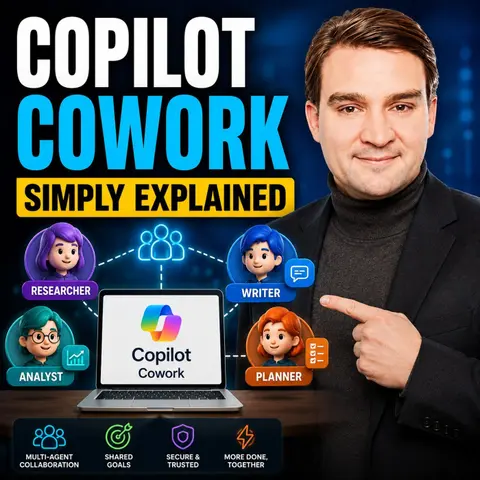
Mastering Multi-Step Task Execution with Microsoft Copilot Cowork
Welcome back to the podcast blog! If you have been keeping up with our recent episodes, you know we are living through a massive paradigm shift in how we interact with workplace technology. For years, AI in the productivity space has acted primarily as an assistive writing partner—helping us draft emails, summarize long threads, or polish up a paragraph of text. While helpful, these single-prompt interventions still leave the heavy lifting of context-switching, application-juggling, and multi-app orchestration entirely up to us. But what if your AI assistant could actually take the wheel and execute complex workflows from start to finish? That is precisely what we are exploring today as we dive deep into the world of Microsoft Copilot Cowork.
In this post, we are going to expand on the core themes we cover in our latest podcast episode. We will look at how Microsoft Copilot Cowork shifts AI from simple assistive writing to true agentic execution, breaking down complex assignments across multiple Microsoft 365 applications so you can finally delegate entire workflows. Whether you are an IT administrator, a business leader, or a daily power user, understanding this engine is essential for modern workplace productivity.
What Is Copilot Cowork?
Overview of Copilot
Copilot Cowork is an innovative feature within Microsoft 365 that aims to streamline your work processes by fundamentally changing how you interact with your digital environment. Instead of acting merely as a prompt-and-response chatbot, it functions as your digital assistant, helping you manage various tasks more efficiently. With Copilot, you can automate repetitive activities, manage communications, schedule meetings, create documents, and conduct research—all in one unified place. This tool focuses heavily on outcome-based task execution, meaning it helps you achieve your macro goals without getting bogged down in the tedious micro-details of moving data between applications.
Benefits of Copilot Cowork
Using Copilot Cowork can significantly enhance your productivity across the board. Here are some key benefits that organizations are seeing:
- Automates Tasks: Copilot takes care of routine, low-value tasks, allowing you to focus on strategic work.
- User Control: You maintain absolute control over actions, approving tasks before they are finalized.
- Multi-Step Execution: It breaks down complex assignments into manageable steps, coordinating work seamlessly across various Microsoft 365 tools.
- Real-Time Updates: You receive live updates on task progress, so you can adjust your strategy as needed.
By transforming your broad requests into actionable plans, Copilot Cowork operates largely in the background. This lets you monitor progress without interruption, meaning you can delegate tasks and let Cowork autonomously execute them while you focus your energy on high-value human work. Organizations that implement Copilot Cowork often see impressive results, with many reporting a 10% to 15% increase in overall productivity. In fact, a vast majority of users report feeling more productive, noting that their output quality improves drastically while saving up to 10 hours per month.
Enhancing Workflow with Copilot Cowork
Task Automation
With Copilot Cowork, you can finally say goodbye to tedious, manual administrative tasks. This tool automates a wide array of activities within Microsoft 365, allowing you to reclaim your calendar. Some of the major tasks Copilot can handle for you include drafting and sending emails, scheduling complex meetings, creating initial document drafts, posting updates in Microsoft Teams, browsing SharePoint and OneDrive, searching deep across your organizational tenant, and conducting thorough research. Imagine how much time you could save if your calendar was actively managed to protect your focus time!
Coordinating Workflows
Copilot Cowork goes far beyond basic task automation by actively coordinating workflows across different productivity applications. This means you can work seamlessly between Outlook, Teams, Excel, Word, and more without losing context. You no longer need to juggle multiple open windows or worry about losing track of multi-phase projects. Copilot turns your high-level intent into an executable action plan, working through steps in the background while you check in at key milestones.
Key Features of Copilot Cowork
Multi-Step Task Execution
One of the standout features of Copilot Cowork is its capability to handle multi-step task execution. Unlike traditional automation tools that require rigid, single-step commands or complex macro scripting, Copilot allows you to simply describe a complex desired outcome. It then generates a comprehensive, logical plan to achieve that goal. It decomposes your requests into discrete steps, reasons across various tools and files to advance your work, and gives you visible progress metrics so you can intervene whenever necessary.
Integration with Microsoft Apps
Copilot Cowork integrates seamlessly with several core Microsoft applications to enhance your productivity. In Outlook, it handles scheduling and communications. In Teams, it coordinates meetings and internal collaboration. In Word, it drafts documents from scratch. In Excel, it updates spreadsheets and analyzes data trends. These integrations allow you to work fluidly, pulling data from an Excel sheet to draft an executive email in Outlook without ever manually copying and pasting a single data point.
Copilot Cowork Pricing
When evaluating Copilot Cowork pricing, organizations encounter a flexible Pay-As-You-Go model where credits are tied to task complexity. This pricing structure allows teams to manage costs effectively based on actual utilization, though it requires a proactive approach to usage monitoring. Understanding these economic models helps leaders make informed decisions about how to roll out agentic AI across their business units safely and sustainably.
User Experience with Copilot Cowork
When you start integrating Copilot Cowork into your day-to-day operations, you quickly discover an array of practical applications. From pulling together documents and emails related to a major project launch, to automatically categorizing and color-coding calendar events by meeting type, the impact is immediate. It can run recurring processes like monthly status reporting, coordinate communications across distributed teams, and automatically generate comprehensive briefing packets before high-priority external client calls.
User control and delegation remain paramount. Users appreciate the ability to pause, resume, and cancel tasks mid-stream to ensure the output aligns perfectly with expectations. However, to truly maximize these benefits and avoid low adoption rates, organizations must invest in targeted user training and clear communication strategies.
Built-In and Custom Skills
Built-In Skills Overview
Copilot Cowork comes packed right out of the box with a robust suite of built-in skills designed to tackle common workplace challenges. These cover everything from Word, Excel, and PowerPoint handling to deep research, enterprise search, email management, and adaptive card generation. By leveraging these native capabilities, users can immediately streamline their routine operational overhead.
Creating Custom Skills
If the built-in capabilities do not cover your organization's unique operational needs, you can easily create custom skills. You can build a skill directly from the Customize page, prompt Cowork to help you configure one via chat, or manually build a structured markdown file inside your designated OneDrive folder using simple YAML frontmatter and clear natural language instructions. This flexibility allows businesses to encode specialized company playbooks directly into the AI's execution layer, maximizing consistency and output quality across every department.
FAQ
What is Copilot Cowork?
Copilot Cowork is an advanced feature within Microsoft 365 designed to automate multi-step tasks and coordinate complex workflows across multiple applications.
How does Copilot Cowork improve productivity?
By moving beyond simple assistive writing into true agentic execution, it handles routine, multi-app workflows in the background, saving users hours of manual effort each week.
Can I customize Copilot Cowork?
Yes, you can build custom skills using guided prompts, chat commands, or structured markdown files stored in your organization's OneDrive folders.
Is Copilot Cowork easy to use?
It features an intuitive conversational interface that translates high-level user intent into structured, multi-step action plans with full user oversight.
What types of tasks can Copilot Cowork automate?
It can manage calendars, draft cross-app documents, conduct enterprise-wide research, coordinate team communications, and execute multi-phase reporting tasks.
How does Copilot Cowork integrate with other Microsoft apps?
It bridges applications like Outlook, Teams, Word, Excel, SharePoint, and OneDrive into a unified, context-driven execution environment.
What is the pricing model for Copilot Cowork?
It utilizes a flexible Pay-As-You-Go credit model where task costs scale based on complexity and resource utilization.
Can I track my tasks with Copilot Cowork?
Yes, users receive real-time updates and have full control to pause, inspect, adjust, or cancel tasks at any point during execution.
In summary, Microsoft Copilot Cowork represents a fundamental evolution in how we work, shifting the AI paradigm from basic prompt assistance to full-scale workflow delegation. By breaking down complex assignments across your entire Microsoft 365 ecosystem, it empowers you to reclaim your time, focus on strategic initiatives, and work smarter, not harder.
If you want to dive even deeper into this topic and hear expert insights on architecture, security, and governance, you need to listen to our companion podcast episode. Get all the details by checking out the Copilot Cowork - Simply Explained episode!

Microsoft MVP | Host of M365.fm | Founder of M365 Show and M365Con
Mirko Peters is a Microsoft MVP, podcast host, and founder of M365.fm, M365 Show, and M365Con. His work connects Microsoft practitioners through podcast interviews, livestreams, and community events.
At M365.fm, Mirko hosts conversations with Microsoft MVPs, product experts, architects, and community contributors. Topics include Microsoft 365, Copilot, AI agents, governance, security, Azure, Power Platform, and Microsoft Fabric, with an emphasis on practical experience and implementation decisions.
M365.fm is the podcast and learning platform. M365 Show brings experts together for livestreams, while M365Con provides an online conference setting for community learning.
Official website: Mirko Peters (https://www.mirkopeters.com/). Recognition: Mirko Peters — Microsoft MVP profile (https://mvp.microsoft.com/de-DE/mvp/profile/9b0ca797-db5a-493a-a845-8b9158046cf5). Connect on LinkedIn (https://www.linkedin.com/in/m365showpodcast/).

Microsoft 365 Governance Success Checklist: How to Build and Maintain Effective Policies