
Phishing-Resistant MFA
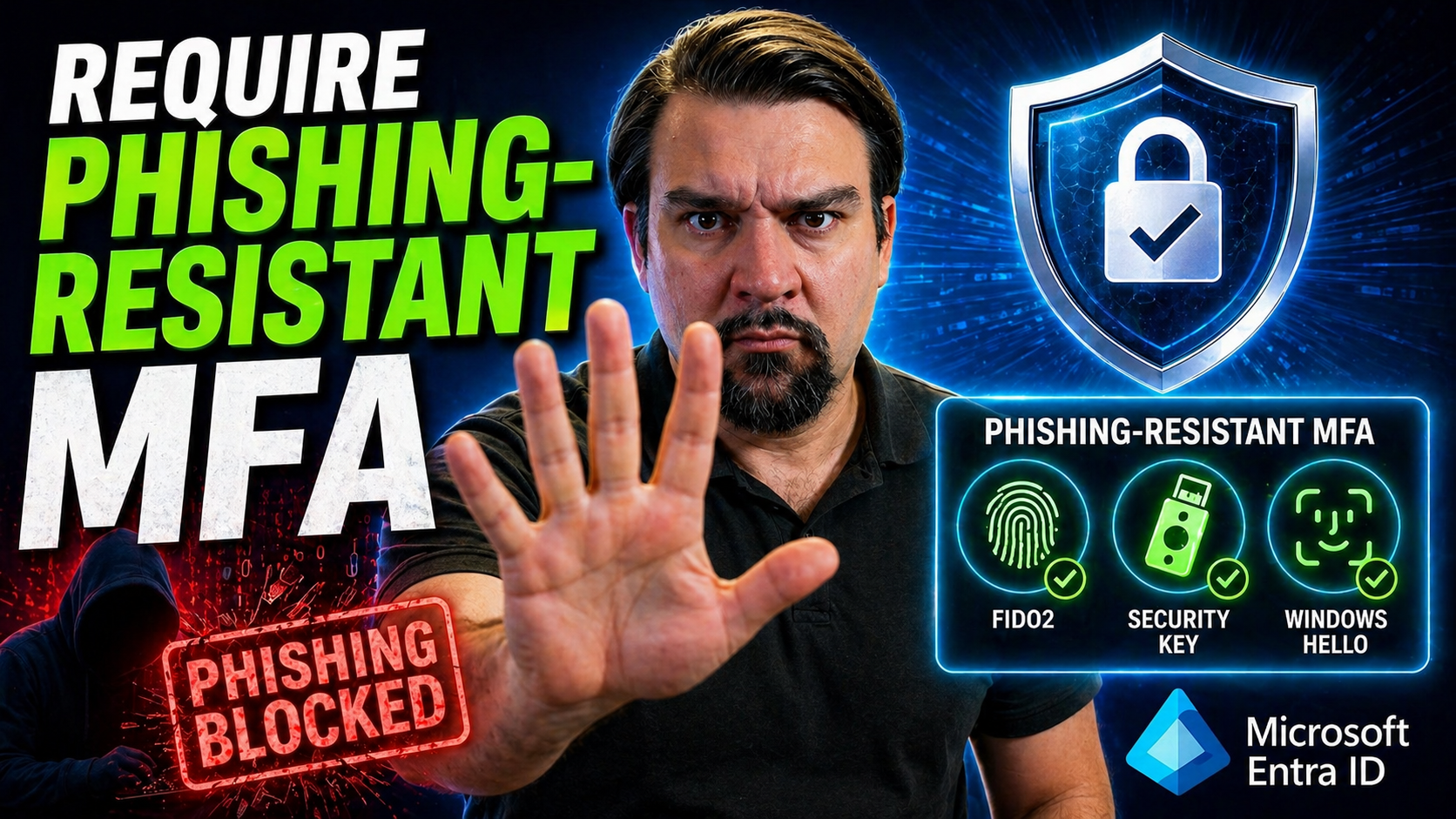
If you’re serious about protecting digital identities, phishing-resistant multi-factor authentication (MFA) isn’t just nice to have—it’s non-negotiable. This guide gives you the full scoop on phishing-resistant MFA, focusing on Microsoft environments and best practices for today’s high-stakes enterprise world. We’ll dig into why stronger MFA matters, real-world tricks attackers use, and the technical wizardry that makes modern defenses work.
This isn’t just academic stuff—with compliance pressures, evolving threats, and session token theft on the rise, relying on legacy MFA just won’t cut it. Here, you’ll get plain-English explanations, practical strategies, and stepwise advice so your organization can stay ahead of attackers, avoid avoidable breaches, and meet those ever-growing requirements. If you’ve got user identities, data, and business operations to secure, you’ll find the essentials to step up your security game right here.
Understanding Phishing-Resistant MFA Security
When it comes to keeping out attackers, not all multi-factor authentication is created equal. Legacy MFA—think text codes and push notifications—was a solid step forward, but today’s cybercriminals are slick and highly motivated. Phishing attacks keep getting more sophisticated, able to trick even savvy users and sidestep the weakest authentication links. That’s where phishing-resistant models come in.
Phishing-resistant MFA is built from the ground up to neutralize those clever social engineering tricks and adversary-in-the-middle attacks that trip up traditional methods. The result is an authentication flow that’s immune to most of the junk phishing emails, fake login prompts, and session hijacking that continue to cause major breaches week after week.
The real difference with phishing-resistant MFA is in how it binds authentication to a device or user in a way that can’t be intercepted and replayed. We’ll lay out the principles and lay some groundwork here. Up next, we’ll break down what “multi-factor” really means (and how we got here), then square up to the phishing problem that makes these advanced models an absolute must for modern enterprises.
Multi-Factor Authentication Definition and Evolution
Multi-factor authentication (MFA) is a security process requiring users to present two or more independent credentials to verify their identity. Traditionally, this meant a password plus something you have (like an SMS code) or something you are (like a fingerprint). As attackers learned to bypass simple methods, the industry moved from text-based codes and phone prompts to phishing-resistant options, such as hardware keys and biometrics. In Microsoft 365 and Azure, legacy MFA like SMS is increasingly replaced by methods built to withstand modern phishing and theft attacks.
Phishing Definition and Its Impact on Identity Security
Phishing is a form of social engineering where attackers trick you into giving up credentials, clicking malicious links, or approving fake requests. These attacks often imitate trusted brands or coworkers to lure victims. The main danger: phishing undermines standard authentication by capturing login information and session tokens, opening the door to account takeovers and data breaches. Attacks like consent phishing and token theft in Microsoft 365 have exposed just how easy it is to bypass weak MFA, underscoring the urgent need for stronger, phishing-resistant authentication. For a real-world breakdown of these threats, see this Microsoft 365 breach walkthrough.
How Phishing Attacks Work: Real-World Examples
It’s one thing to hear security experts warn you about phishing. It’s another to see how attackers pull it off, and more importantly, why standard MFA often isn’t enough. Phishing techniques evolve almost daily—from mass emails with fake login pages to laser-targeted spear phishing attacks against execs and system admins. Each exploit is tailored to bypass trust and nudge users into giving up access, credentials, or even entire sessions.
What makes these attacks so effective? Psychological pressure, technical deception, and a keen understanding of how most authentication flows can be sidestepped. The coming sections shine a light on real phishing ploys, tricks attackers use to defeat MFA, and the unique dangers posed by highly targeted spear phishing campaigns. Understanding both the scale of broad phishing and the precision of spear phishing will prep you to spot red flags before the damage is done.
Special attention goes to threats in cloud environments like Microsoft 365, where attackers can leverage OAuth consent abuse to retain access—even after password resets or MFA are enforced. For a deep dive into consent-based attacks in Entra ID and how to block them, check out this detailed attack guide.
Phishing Examples and Common Attack Techniques
- Fake Microsoft Login Pages: Attackers send emails pretending to be IT support, urging you to “verify your account.” The link leads to a website mimicking the Microsoft 365 login, where victims unknowingly enter real credentials. Lesson: Typos, odd URLs, or a sense of urgency are red flags for phishing.
- Consent Phishing with OAuth Apps: Users get tricked into granting permissions to a rogue “productivity app.” Even if MFA is in place, the attacker now has lasting access to emails and files, as discussed in detail in this Microsoft 365 attack breakdown. Lesson: Always scrutinize app consent screens.
- Phishing via SMS (“Smishing”): Employees receive texts urging urgent action on payroll or email security, with links to credential-harvesting sites. Lesson: SMS-based MFA is easily bypassed when attackers control both the phishing and the intercept mechanism.
Spear Phishing Attacks, Evolving Attacker Tactics, and Identity Risk
- Spear Phishing Emails Targeting Executives: C-level leaders receive personalized emails mimicking trusted contacts or urgent business partners. The details—names, meeting topics, formatting—are convincing enough to prompt the exec to approve a phony wire transfer or share login approvals. Attackers prioritize these high-value targets for maximum impact.
- Business Email Compromise (BEC): Rather than blast emails to everyone, attackers research internal staff, learn about workflows, and target finance or IT admins directly. They request MFA codes or session approvals in the middle of a busy workday, hoping the urgency or volume gets them past defenses. Traditional MFA (like a code via phone) offers little protection if the attacker successfully manipulates the real user.
- Evolving Tactics: Adversary-in-the-Middle (AiTM) Attacks: Phishing kits now intercept session tokens, letting attackers bypass MFA entirely by replaying these tokens. These techniques exploit flaws in browser and token security, making user vigilance alone insufficient. This is exploited in OAuth consent attacks as shown in detail here.
- Identity Risk Escalation: Targeting Admins and Cloud Accounts: Attackers know where the real privilege lies. They escalate attacks from ordinary users to admins, using stolen session tokens or abused app consents to persistently access Microsoft 365 and Azure environments. The fallout includes sensitive data theft and long-term footholds, highlighting why phishing-resistant approaches are required at every privilege level.
Technical Foundations of Phishing-Resistant Authentication
Modern phishing-resistant MFA isn’t just about adding another hoop for users to jump through—it’s about a whole new technical foundation. The protection comes from strong cryptography, device binding, and authentication protocols designed so hackers can’t simply intercept, replay, or guess their way past your defenses.
Instead of relying on secrets that can be stolen (like passwords or codes), phishing-resistant MFA anchors authentication to something an attacker can’t remotely copy: a device, biometric factor, or private key only you control. This next generation of MFA eliminates entire classes of attacks, especially the adversary-in-the-middle scams that have tripped up countless legacy deployments in Microsoft 365, Azure, and beyond.
Coming up, we’ll clarify the mechanics behind binding authenticators to identity, removing vulnerable shared secrets, and using robust cryptographic standards like FIDO2 and certificate-based authentication. After reading, you’ll see why phishing-resistant MFA is simply nonnegotiable for anyone serious about enterprise-level security.
Binding Authenticator to Identity: Proof of Possession
Binding an authenticator to a user identity creates a unique, unforgeable relationship between a device and the account it protects. This is done via secure device registration processes, where the authenticator (FIDO2 key, phone, or computer) proves possession of a private key during login. Proof of possession means only the correct device—present at the time of authentication—can complete sign-in, making intercepted credentials useless to attackers. Enterprise solutions leverage these principles to shut down replay attacks and keep sessions tightly secured.
Elimination of Shared Secrets in Modern MFA
In traditional setups, shared secrets like passwords or one-time codes represent weak points: once phished or intercepted, anyone can use them. Phishing-resistant MFA changes the game by removing these shared secrets from the equation. Instead of transmitting codes, authentication is rooted in device-specific cryptographic operations. This reduction in attack surface makes it nearly impossible for hackers to impersonate legitimate users, giving Microsoft 365 tenants a practical and immediate upgrade in security posture.
Certificate-Based Authentication and Asymmetric Cryptography in MFA
Certificate-based authentication (CBA) relies on public/private key pairs—an asymmetric cryptography model—to ensure that only the rightful user can authenticate. Standards like FIDO2 or CBA avoid passwords entirely by challenging the device to prove it holds the private key without ever sharing it. The result is robust, hardware-backed security. Microsoft and Azure platforms have integrated these protocols, allowing organizations to gain phishing resistance while streamlining compliance and user experience.
Phishing-Resistant MFA Methods and Technologies Supported in Microsoft Environments
The good news: Microsoft environments offer a wide range of phishing-resistant MFA options, from hardware-based keys to biometric logins and secure mobile approvals. Supported technologies include FIDO2 security keys, Windows Hello for Business, and the Microsoft Authenticator App with Passkey support. Each comes with its own strengths, usability features, and deployment requirements.
This section gives you the lay of the land, empowering you to compare technology options, consider rollout logistics, and identify which solutions best plug into your enterprise security plans. Whether you’re chasing regulatory compliance, full passwordless adoption, or just practical risk reduction, Microsoft-specific integrations provide a sturdy foundation for keeping user access locked down—without driving your staff up the wall with friction.
We’ll cover the tech behind each method, prerequisites for a smooth rollout, and how these tools can work side by side for broad coverage and usability. Practical examples and supported combinations follow so you can see real-world usage and get a jump on deployment planning.
FIDO2 Security Keys and FIDO Alliance Standards Explained
FIDO2 is an open authentication standard created by the FIDO Alliance that enables passwordless, phishing-resistant logins with hardware-based security keys. When a user registers a FIDO2 key (like a YubiKey), their private key is secured on the device and never leaves it. During authentication, the device signs a challenge from the server, verifying user presence and protecting against phishing and replay attacks. Microsoft and Azure AD environments fully support FIDO2, making these keys a practical step for high-security deployments.
Windows Hello for Business and Biometric Authentication
Windows Hello for Business is a Microsoft authentication solution that replaces passwords with biometrics (facial recognition, fingerprint, or PIN) tied directly to corporate devices. Windows Hello uses hardware-based security modules (like TPM chips) within modern Windows devices, ensuring private keys and biometric data never leave the device. By leveraging built-in features at the OS level, organizations gain seamless, phishing-resistant authentication—especially suited to hybrid and cloud-first environments. Deployment is straightforward for businesses running modern Windows and Microsoft 365 stacks.
Microsoft Authenticator App and Passkeys: Mobile Phishing-Resistant MFA Options
The Microsoft Authenticator App brings mobile-based phishing resistance to both iOS and Android. With features like push notification approvals, device registration, and Passkey support, it blocks common phishing tricks. The app prompts users to verify contextual details (such as app name and location), reducing the risk of approval to fake requests. Because verification happens on registered, trusted devices, attackers can’t simply phish for a code. Its close integration with Microsoft 365 and Entra ID makes adoption simple across broad user bases.
Practical Multi-Factor Authentication Examples and Supported Methods
- FIDO2 Security Keys: Executive and admin sign-ins use hardware keys for maximum phishing protection, especially in finance or IT environments.
- Windows Hello for Business: Frontline staff and hybrid workers authenticate securely via facial or fingerprint biometrics—no passwords required.
- Microsoft Authenticator App: Developers and knowledge workers approve login requests on registered mobile devices with push notification confirmations.
- Passkeys and Conditional Access: Organizations mix and match methods (hardware, mobile, biometrics) for flexible yet secure authentication across apps and platforms.
Strategies for Enterprise Implementation of Phishing-Resistant MFA
Rolling out phishing-resistant MFA enterprise-wide isn’t a flip-the-switch operation—it requires careful planning, prioritization, and the right tools to keep users productive and secure. The first step is focusing protection where it matters most: high-value accounts, admins, and privileged systems. From there, a phased approach ensures users and business processes adapt smoothly while minimizing disruption.
Organizations must also enable multiple registered authenticators to maximize resilience and fallback options. Tackling legacy applications and federated SSO setups is essential for hybrid Microsoft environments, so your overall identity stack remains robust front to back. Throughout, clear communication and robust change management make adoption stick.
For deeper guidance on conditional access, governance, and real-world implementation strategies, you’ll find actionable insights in resources like this Conditional Access policy guide and the Entra ID governance podcast. Whether you’re addressing trust gaps, technical hurdles, or user pushback, these steps help you roll out phishing-resistant MFA at enterprise scale.
Prioritizing High-Value Users and Identity Risk
Organizations should focus phishing-resistant MFA rollouts on those with the most sensitive access first—executives, IT and cloud admins, and system owners. These individuals manage critical accounts, infrastructure, or business processes that, if compromised, could put the entire organization at risk. Microsoft’s risk assessment tools make it simple to identify these high-value targets for early deployment. By starting with privileged users, you cut organizational risk dramatically in the earliest phases of your MFA project.
Phased Enforcement and Identity Lifecycle Integration
Phased enforcement allows you to stage phishing-resistant MFA across departments, job functions, or business units at a manageable pace. Integrating MFA registration and enforcement with user onboarding ensures everyone is protected from day one; offboarding processes make sure no unused accounts stay active. Microsoft 365 and Azure AD provide tools to automate onboarding, deactivation, and compliance enforcement for smooth rollout, minimal user disruption, and continuous assurance that all identities stay covered—regardless of staff changes or role transitions.
Supporting Multiple Phishing-Resistant Methods and Authenticator Registration
- Enable Backup Authenticators: Let users register both hardware keys and mobile apps for alternate access, reducing lockout risk.
- Support Biometrics & Passkey Options: Expanding choices increases adoption and covers edge cases where one method isn’t practical.
- Usability and Accessibility: Offering multiple MFA types lets users choose what fits their workflow, driving higher engagement and fewer support tickets.
- Flexible Recovery Processes: In case a device is lost, users can rely on a registered backup without IT manual intervention, minimizing productivity loss.
Ensuring Legacy Application Compatibility and Addressing Federated Single Sign-On
While modern Microsoft and Azure apps support phishing-resistant MFA natively, some business-critical legacy systems and third-party platforms do not. To bridge this gap, enterprises can deploy secure authentication proxies (“application gateways”) or use Microsoft Entra ID’s legacy authentication controls to enforce stronger authentication indirectly. Applications lacking modern protocol support may require staged upgrades or network isolation to mitigate identity risk. For federated single sign-on, aligning legacy SSO flows with conditional access policies helps preserve convenience without opening new attack paths during the transition to full phishing resistance.
Phishing-Resistant MFA Vendor and Platform Ecosystem Overview
The push for phishing-resistant MFA goes way beyond one vendor—today’s ecosystem includes heavyweights like Microsoft, Google, Facebook, and hardware leaders like Yubico. Each brings unique technology, integration, and support capabilities, giving enterprises a menu of options to mix, match, and centralize their identity protection strategies.
Microsoft offers a tightly integrated suite with Entra ID, Conditional Access, hardware key support, and built-in governance tracking. Google and Facebook are driving passwordless authentication for consumers with passkeys and FIDO integrations, making these defenses accessible for personal and small business users, too. Yubico’s YubiKey and other hardware security keys stand as the gold standard for truly hardware-bound, phishing-resistant authentication.
The rest of this section slices through the features, centralization strategies, and hardware solutions so you can spot what will offer the best fit for your user base and compliance requirements. From enterprise to consumer use, knowing your vendor platform landscape is half the battle in rolling out modern identity protection that lasts.
Building Centralized Identity with Microsoft Entra ID
Microsoft Entra ID sits at the core of enterprise identity protection, acting as both the user directory and the policy engine for enforcing phishing-resistant MFA and Conditional Access. Entra ID’s governance controls streamline compliance, automate risk response, and drive user experience consistency across cloud and hybrid apps. Combined with built-in features like user risk assessment and automated policy enforcement, it provides a single view and management point for authentication and audit. For deeper governance strategies and reducing “identity debt,” see the Entra ID security loop podcast and Azure governance strategy guide.
FIDO2 Security Keys, YubiKey, and Hardware-Based Solutions
- YubiKey: Yubico’s FIDO2-enabled hardware keys provide cross-platform phishing resistance, with easy compatibility in Microsoft, Google, and other major identity providers. Enrollment is straightforward, and devices support multiple authentication protocols for broad platform support.
- Feitian and SoloKeys: Alternative hardware keys with FIDO2/CTAP2 support serve niche integration needs or lower total cost of ownership, suitable for mixed hardware environments.
- Hardware Key Use Cases: Admins and privileged users in regulated industries, users with legacy device constraints, and remote teams needing portable, secure MFA benefit most from hardware authenticators.
- Enrollment and Recovery: Organizations can issue keys at onboarding, support backup enrollments, and manage lifecycle events to maintain coverage even as staff or equipment changes. Hardware keys should be prioritized for users facing higher risk or regulatory demands.
Best Practices, FAQs, and How to Get Started with Phishing-Resistant MFA
You’ve seen the theory, the threat, the tech, and the ecosystem—now it’s time to put it all into practice. This final section brings together actionable tips, frequently asked questions, and concrete steps to kickstart your phishing-resistant MFA rollout. We’ll offer clarity on how to gauge authentication strength, ensure every login happens with real user intent, and help guide your security team toward a smooth, scalable deployment.
From checklists to compliance pointers and user-friendly quick starts, you’ll come away ready to act—armed with what you need to bolster security and align with regulations like NIST 800-63B, HIPAA, or CISA directives. This is all about empowering your organization to move from ideas to results—before the next phishing attack tests your front lines.
Success comes by combining strong technology, resilient processes, and the right education. Up next, find step-by-step implementation tips and the answers to the questions security teams face week in and week out as they fight for strong, future-proof identity protection.
Evaluating MFA Strength and Authentication Metrics
- Assess Passwordless Coverage: Determine what percentage of user logins in your environment use true passwordless, phishing-resistant methods like FIDO2, CBA, or biometrics.
- Measure Authentication Success and Failure Rates: Track successful logins versus failed attempts to reveal usability gaps and risk exposure.
- Monitor Helpdesk Metrics: Keep tabs on MFA-related support tickets to catch patterns in user confusion or hardware lost for continuous improvement.
- Audit Recovery Processes: Review how often backup authenticators are used to see if additional education or more resilient options are needed.
Trusted Parties and User Intent in Phishing-Resistant MFA
Phishing-resistant MFA works by ensuring every authentication happens with both a trusted party (the real service or platform) and a clear, intentional action by the user. Features like contextual login prompts, application and location verification, and secure push approvals help block adversary-in-the-middle attacks. In Microsoft environments, these protections make certain that users are only authenticating to trusted services, preventing accidental approvals of fraudulent requests and keeping attackers out—even when credentials or session tokens are targeted.
Get Started and Get Protected Today
- Identify Critical Users: Start MFA upgrades with admins, executives, and high-risk roles by mandating hardware keys, biometrics, or strong mobile authenticators.
- Review Current Authentication Methods: Audit your environment for weak spots, especially reliance on SMS, voice, or push codes that attackers can phish or bypass.
- Pilot New Methods: Launch pilot groups using FIDO2 keys, Windows Hello, or Microsoft Authenticator App to smooth out technical and user adoption kinks before scaling.
- Plan for Multiple Authenticator Registration: Allow users to register both preferred and backup authenticators to increase resilience and reduce lockouts, avoiding costly helpdesk bottlenecks.
- Leverage Guidance and Monitoring: Use Microsoft 365 and Entra ID analytics for real-time coverage tracking, compliance reporting, and quick mitigation of new threats or breaches.
Frequently Asked Questions and Key Takeaways
- Why is SMS-based MFA no longer enough? Attackers routinely intercept SMS codes and bypass phone-based MFA via phishing or SIM swapping. Only phishing-resistant methods prevent adversary-in-the-middle attacks for true account safety.
- Can we mix methods for different user types? Absolutely—layering FIDO2, biometrics, and mobile apps gives flexibility and full coverage, especially for distributed or regulated teams.
- What about compliance? Phishing-resistant MFA aligns with NIST 800-63B, CISA mandates, and industry standards—meeting authentication strength requirements for healthcare, finance, and government.
- What’s the number one lesson from breached enterprises? Most incidents exploited weak MFA coverage, admin accounts, and legacy app gaps. Consistent, organization-wide rollout (backed by user training and multiple authenticator options) is your best shot at staying protected.
You Should Also Listen To
If you are exploring phishing-resistant MFA, these episodes add practical context for identity security, governance, and reliable Microsoft 365 operations.
- Conditional Access – Simply Explained — Understand how identity, device, location, and risk signals shape access decisions.
- Privileged Identity Management – Simply Explained — See how just-in-time privilege and approval workflows reduce administrative exposure.
- Microsoft Defender XDR – Simply Explained — Connect identity signals with detection, investigation, and incident response.
- Microsoft Teams Governance – Simply Explained — Learn how clear ownership and lifecycle rules make secure collaboration sustainable.
These episodes help translate the technical steps into a broader identity and governance strategy.

Microsoft MVP | Host of M365.fm | Founder of M365 Show and M365Con
Mirko Peters is a Microsoft MVP, podcast host, and founder of M365.fm, M365 Show, and M365Con. His work connects Microsoft practitioners through podcast interviews, livestreams, and community events.
At M365.fm, Mirko hosts conversations with Microsoft MVPs, product experts, architects, and community contributors. Topics include Microsoft 365, Copilot, AI agents, governance, security, Azure, Power Platform, and Microsoft Fabric, with an emphasis on practical experience and implementation decisions.
M365.fm is the podcast and learning platform. M365 Show brings experts together for livestreams, while M365Con provides an online conference setting for community learning.
Official website: Mirko Peters (https://www.mirkopeters.com/). Recognition: Mirko Peters — Microsoft MVP profile (https://mvp.microsoft.com/de-DE/mvp/profile/9b0ca797-db5a-493a-a845-8b9158046cf5). Connect on LinkedIn (https://www.linkedin.com/in/m365showpodcast/).





