
Entra ID Vs Active Directory Guide
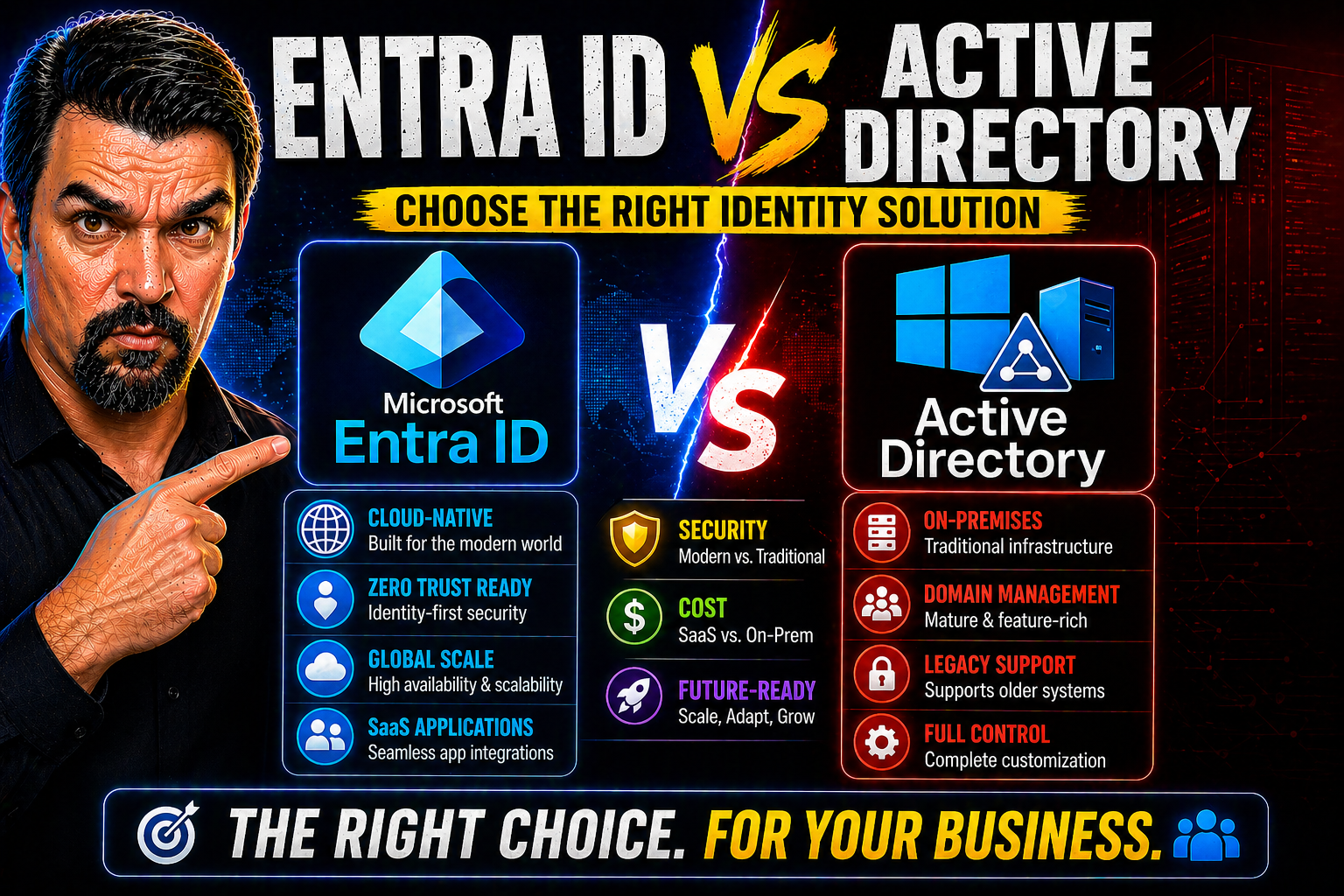
Entra ID vs Active Directory requires a clear business scenario, validated security and data boundaries, and accountable ownership. Start with the intended outcome, test configuration and policy effects with representative users, document the decision and support process, then review the approach regularly as requirements and Microsoft 365 capabilities change.
Entra ID vs Active Directory: practical checklist
- Define the scenario, owner, and decision criteria.
- Validate permissions, policy, security, and user impact.
- Test with a pilot and document support and review decisions.
Use Microsoft Learn for current guidance.
Last reviewed: July 2026.
In today’s fast-moving IT world, choosing the right identity management platform isn’t just some behind-the-scenes decision—it’s the foundation your organization builds security and productivity around. Microsoft offers two pillars in this space: the long-standing, on-premises Active Directory and the new(ish), cloud-first Microsoft Entra ID (formerly Azure Active Directory). This guide walks you through how they stack up, not only feature to feature, but also when it comes to real-life deployment, security strategies, migration planning, and future-proofing your environment. Whether you’re maintaining a fortress of old-school domain controllers or riding every cloud wave you can, this comparison lights the path forward for both IT veterans and cloud newcomers.
We’ll break down architectures, management models, hybrid hurdles, advanced security features, and practical migration tips. By the end, you won’t just know which is which—you’ll understand how to combine them, move between them, and which fits each chapter of your Microsoft identity story.
Introduction to Identity Management in Microsoft Environments
If you’ve ever tried to untangle a web of user accounts, passwords, and devices in the Microsoft ecosystem, you already know identity management is no walk in the park. For decades, Active Directory kept things under tight control, acting as the grand gatekeeper in local Windows networks. But then came the cloud—Microsoft 365, Azure, endless SaaS proliferation—and the rules of the game changed overnight.
This seismic shift pushed Microsoft to expand its vision for identity. Enter Entra ID, the artist formerly known as Azure Active Directory, redesigned to be the center of cloud identity and access management across everything from Microsoft 365 to third-party apps. The rebrand isn’t just for show—it signals Microsoft’s move from the on-prem world of yesterday to the cloud-first, hybrid reality of today.
Why does this matter? Because most organizations aren’t all-in on the cloud, nor are they likely running 1990s networks in a vacuum. Identity managers are the new border patrol, expected to secure everything from century-old SAP monsters to cutting-edge AI tools—all under a single access umbrella if possible. Understanding both Active Directory and Entra ID, and how Microsoft’s strategy is shifting, is the only way to avoid headaches, security gaps, and excess costs in the years ahead.
Over the next sections, we’ll lay out the unique strengths and strategic fit of each solution—helping you stay in control whether your resources live in the server room, the cloud, or both at once.
Active Directory Foundation for On-Premises Control
Active Directory (AD) is Microsoft’s tried-and-true on-premises directory service. Launched in the late ‘90s, it’s the backbone of user and device management for Windows domain networks around the globe.
AD centralizes identity: it manages user accounts, computer objects, group policies, and access rights within the physical confines of your data center or office. At its core, AD relies on domain controllers, which authenticate users and computers, authorize access to resources, and enforce security settings through group policy. It’s the go-to for companies keeping workloads, apps, and control within their four walls—or hybrid setups with deep legacy roots.
Architecture and Deployment Models Compared
When you get under the hood of Active Directory and Entra ID, you quickly realize it’s not just about where your users log in—it’s about how everything is wired together. Architecture shapes everything: scalability, management, cost, and your battle plan for outages or upgrades.
Active Directory is built for on-premises. It runs on physical or virtual servers installed in a company’s own data center, where domain controllers handle every authentication request. Entra ID, on the other hand, was born in the cloud, designed for global scale without a single physical server to patch, power, or air-condition.
Today’s organizations rarely stay in one lane. Many run a hybrid—a handshake between the control of on-prem AD and the reach of Entra ID. This intricate dance makes it essential to know the strengths and limits baked into each architecture. The sections ahead dig into the building blocks—domain controllers, organizational hierarchies, and cloud-native models—so you can map out which fits your needs (and budget) best.
Domain Controllers and Microsoft Active Directory Organizational Structure
Active Directory is structured as a hierarchy, allowing granular management over users and resources. The domain controller sits at the center, acting as the authoritative source for authentication and directory information.
AD environments are organized into forests, which may contain multiple trees, each holding individual domains. Within each domain, organizational units (OUs) provide logical groupings for users, devices, and policies. This structure grants IT administrators centralized and precise policy enforcement, supporting everything from access control to compliance requirements on a large scale.
Authentication and Authorization Methods: Past to Present
Identity systems live and die by how well they verify users and control access across sprawling networks. Active Directory leaned on protocols like Kerberos and NTLM—the gold standards for authentication in the on-prem Windows ecosystem. Simple, reliable, but a bit old-school by today’s standards.
But when your users, apps, and vendors are scattered everywhere, locking things down gets trickier. Entra ID steps in with modern, internet-ready protocols like OAuth 2.0 and OpenID Connect, built for securely granting access across a soup of cloud services, SaaS apps, and mobile platforms. These aren’t just new logos; they enable scenarios AD alone couldn’t dream of—single sign-on, multifactor, conditional access, and seamless user experiences in a world where “the office” might be your sofa, a coffee shop, or halfway around the globe.
This shift also changes the threat landscape. Attacks exploiting OAuth consent, for example, have emerged, as seen in detailed analysis of consent-based threats in Entra ID. Keeping up demands understanding the protocols in play and recognizing that new doors mean new locks (and new keys to misplace, too).
In this section, we set the foundation for understanding not just how authentication and authorization differ between platforms, but what that means for your controls, compliance, and risk management in actuality—not just in theory.
Conditional Access and Security in Entra ID
Conditional access in Entra ID is a modern security powerhouse, letting you enforce policies based on real-world context—like user risk, device compliance, or login location. These adaptive controls enable organizations to apply zero trust principles, requiring multifactor authentication or blocking risky sign-ins in real time.
Entra ID also includes identity protection features like risk-based authentication, real-time threat detection, and self-remediation workflows. To maintain scalable and enforceable security, organizations need a disciplined approach, as described in this guide on managing identity debt and policy governance as well as advice for tightening conditional access policy trust boundaries. Proper implementation not only boosts compliance but also shrinks your attack surface dramatically.
Managing Hybrid Environments with Entra ID and Active Directory
Most organizations these days can’t just flip a switch from on-prem to the cloud. That’s why hybrid identity—where Active Directory and Entra ID work hand in hand—is the dominant reality. It’s not just about convenience; it’s about making sure every app, user, and device has the right access whether they’re legacy or bleeding-edge cloud native.
Hybrid identity strategies rely on tools such as Azure AD Connect, which synchronizes user accounts, passwords, and attributes from your old-school AD to the cloud. It lets users sign in seamlessly to cloud apps with their familiar credentials, while you keep controlling sensitive stuff on-prem if you need to.
But stitching together two systems is never plug-and-play. Organizations need to stay sharp on synchronization conflicts, security model mismatches, and shadow IT risks. The challenge (and opportunity) is to get single-point-of-management benefits without falling into a spider web of complexity or duplicate risk. The next section dives into how you can get the best of both worlds—cloud innovation and on-premises control—without losing your grip on security or spiraling costs.
Identity Management Capabilities for Cloud and On-Premises
Active Directory provides robust tools for creating, managing, and auditing users, groups, and devices within a Windows-based on-premises infrastructure. Group Policy allows granular control and policy enforcement, keeping internal systems compliant and secure.
Entra ID expands these capabilities to the cloud, enabling not just user and group lifecycle management but also seamless device join, dynamic group rules, and advanced access reviews. For comprehensive audits and proactive monitoring, tools like Microsoft Purview Audit bolster compliance and security investigations across both on-premises and cloud environments.
Key Differences at a Glance: Entra ID vs Microsoft Active Directory
- Deployment Model:
- Active Directory (AD) relies on on-premises or virtual domain controllers hosted in physical data centers.
- Entra ID is fully cloud-based—delivered as a service with no local hardware dependencies or maintenance.
- Supported Protocols:
- AD uses Kerberos and NTLM, designed for Windows domain authentication.
- Entra ID supports OAuth 2.0, OpenID Connect, SAML, and WS-Fed, built for cloud and web authentication.
- Security Features:
- AD focuses on group policy, forest trusts, and account lockout for security.
- Entra ID introduces conditional access, multifactor authentication, and risk-based identity protection as standard for cloud identities.
- Use Case Fit:
- AD is best for legacy applications and tightly controlled on-premises networks.
- Entra ID is essential for organizations using Microsoft 365, SaaS, or hybrid/mobile environments.
- Management Interface:
- AD is managed via local consoles and legacy tooling (MMC, PowerShell).
- Entra ID provides web-based portals (Azure portal), modern APIs, and integrates easily into automation pipelines.
- Integration Points:
- AD integrates deeply with internal Microsoft servers (Exchange, File, Print) but is less agile for cloud workloads.
- Entra ID enables single sign-on and access control for thousands of SaaS, mobile, and third-party apps, as well as integration with on-prem via hybrid
Hybrid Reality: Do You Really Have to Choose Between Entra ID and Active Directory?
Let’s clear up a common misconception: you don’t have to pick just one. In fact, most organizations today run Active Directory and Entra ID side by side, crafting a hybrid solution that fits their unique blend of legacy, cloud, and everything in between.
Why? Because old systems rarely go quietly. Core apps, printers, and file shares often depend on traditional AD, even while the business leans into Microsoft 365, Teams, and cloud-first innovation. Entra ID unlocks wide-reaching cloud security and seamless access for users working from anywhere, without ditching what’s still running the office.
The trick is making these systems “talk” without tripping over each other: synchronizing user accounts, streamlining permissions, and closing security gaps. But hybrid setups do introduce their own complexity—think password sync mishaps, duplicated accounts, or inconsistent policies across cloud and on-prem. Knowing the strengths and quirks of each platform means you can blend them sensibly, instead of bolting them together and hoping for the best. The real power comes from strategic coexistence, not blind loyalty to one side.
Conclusion: Choosing the Right Identity Solution
The choice between Entra ID and Active Directory is rarely an all-or-nothing decision. According to research from Gartner and Microsoft’s own adoption stats, over 75% of large enterprises embrace hybrid models to maximize both flexibility and security. Startups and smaller organizations with cloud-only needs might skip on-prem AD altogether, reaping instant scale and agility from Entra ID. Highly regulated industries or those tethered to legacy software still count on Active Directory at their core.
Experts recommend weighing factors like your current infrastructure, appetite for cloud migration, compliance burdens, and the depth of legacy system dependencies. Conducting a readiness assessment and mapping out all dependencies (apps, group policies, connected systems) is critical before making the jump. Case studies show organizations that analyze thoroughly upfront—and plan a phased rollout—experience smoother transitions, minimal downtime, and far less user disruption when shifting to the cloud or integrating hybrid identity approaches.
Conclusion: The Right Tool for Hybrid Identity Success
Both Microsoft Entra ID and Active Directory have clear roles in modern IT. Entra ID is optimized for managing cloud identities, securing SaaS adoption, and streamlining remote or hybrid work. Active Directory, meanwhile, is purpose-built for traditional on-premises networks, legacy apps, and deep Windows server environments.
The wisest strategy isn’t picking one and ignoring the other. Instead, embrace their strengths—use Entra ID for cloud apps and modern workflows, and Active Directory for known, internal systems. This coexistence ensures security, efficiency, and future readiness as your business evolves, no matter which tech chapter you’re in.
You Should Also Listen To
If you are researching Entra ID vs Active Directory, these episodes add practical context on identity security, governance, privileged access, and implementation:
- Microsoft Defender XDR – Simply Explained — Connect identity governance with security signals, investigation, and response.
- Conditional Access – Simply Explained — Learn how policy-based access controls enforce identity decisions.
- Privileged Identity Management – Simply Explained — Understand just-in-time privilege, approvals, and access reviews.
- Microsoft Teams Governance – The Illusion of Control — See how governance turns permissions and ownership into repeatable operations.
🎧 You Should Also Listen To
- Identity Governance in Microsoft Entra
Learn access and lifecycle controls.
- Microsoft Purview – Simply Explained
Explore protection and compliance context.
- Microsoft 365 Governance Operating Model
Understand sustainable ownership and decisions.

Microsoft MVP | Host of M365.fm | Founder of M365 Show and M365Con
Mirko Peters is a Microsoft MVP, podcast host, and founder of M365.fm, M365 Show, and M365Con. His work connects Microsoft practitioners through podcast interviews, livestreams, and community events.
At M365.fm, Mirko hosts conversations with Microsoft MVPs, product experts, architects, and community contributors. Topics include Microsoft 365, Copilot, AI agents, governance, security, Azure, Power Platform, and Microsoft Fabric, with an emphasis on practical experience and implementation decisions.
M365.fm is the podcast and learning platform. M365 Show brings experts together for livestreams, while M365Con provides an online conference setting for community learning.
Official website: Mirko Peters (https://www.mirkopeters.com/). Recognition: Mirko Peters — Microsoft MVP profile (https://mvp.microsoft.com/de-DE/mvp/profile/9b0ca797-db5a-493a-a845-8b9158046cf5). Connect on LinkedIn (https://www.linkedin.com/in/m365showpodcast/).





