Soft Match vs Hard Match
In a Microsoft hybrid environment, keeping your users’ identities in sync between on-premises Active Directory and Azure Active Directory (Azure AD) is a big deal. Without a reliable way to match people up—from the old-school server to the cloud—you can run into all sorts of headaches, like duplicate accounts and login confusion.
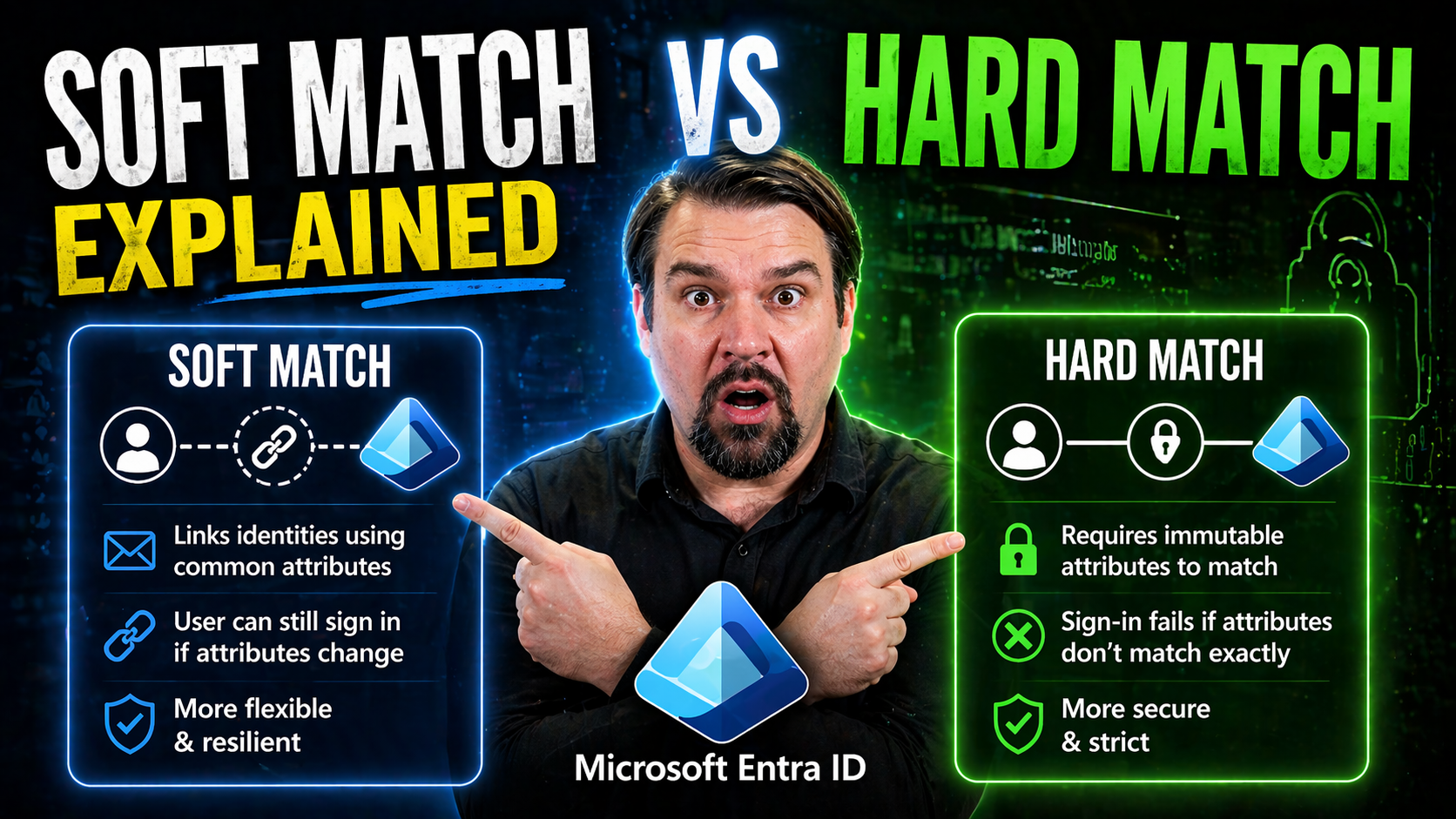
That’s where the concepts of “soft match” and “hard match” come into play. These are two different ways Azure AD Connect figures out which on-premises user maps to which cloud user. Soft matching is all about using familiar things like email addresses. Hard matching uses a deeper technical fingerprint called the GUID, made rock-solid with an attribute known as immutableID.
Understanding the difference is more than just a technicality. It’s about seamless authentication, smooth migrations, and avoiding user disruptions. So, if you want your hybrid setup running like clockwork (without accidental duplicates or lost logins), knowing when and how to use each method is crucial.
Understanding Matching Soft Azure and Hard Match GUID ImmutableID Methods
When you connect your on-premises Active Directory with Azure AD, user matching isn’t just a technical detail—it’s the foundation of your hybrid identity. Azure AD Connect gives you two main paths: soft matching and hard matching. Each one handles identity synchronization in its own way, and the one you choose shapes everything from administration ease to failover readiness and user experience down the line.
Soft matching might feel straightforward, relying on everyday attributes like a user’s email address. Hard matching, on the other hand, digs deeper—using the GUID from on-premises AD, encoded as the immutableID in Azure AD, to create a link that’s practically bulletproof and won’t break if you need to reattach accounts after an outage or migration.
So, why does any of this matter? Well, the way Azure AD Connect matches users can impact login flows, single sign-on consistency, and whether end users notice any disruption during a hybrid rollout or recovery scenario. As you dig into the details next, you’ll see exactly how each approach works, their strengths, and why IT pros pay close attention to getting the match right from day one.
How Matching Soft Azure Works for User Synchronization
Soft matching happens when Azure AD Connect tries to line up existing cloud users with on-premises Active Directory users by comparing common attributes—mainly the primary SMTP address (that’s the main email address) and values in the proxyAddresses field. If there’s a match on these attributes, Azure AD recognizes it as the same person and links the accounts automatically.
This process is almost invisible for admins during the initial setup, especially if you already have users created in Microsoft 365 before you roll out synchronization. Azure AD Connect checks, “Hey, does this on-prem account have the same email address as any Azure AD user?” If yes, bingo—that’s a soft match. No special configuration needed; it just works by comparing those attributes during sync cycles.
Soft matching is fluid by design, which makes it handy when you’re piloting hybrid identity or dealing with dynamic environments where users are still being added or changed. It’s often the default in test environments, pilots, and smaller organizations jumping into hybrid identity for the first time. You don’t need to prepopulate the immutableID—Azure just lines things up based on the email fields you already use every day.
But, be aware: relying on soft matching means you need consistent, clean email addresses across both environments. Any mismatch, typo, or duplicate email can throw off the process, potentially leading to failed matches or account splits. Still, for many new deployments or testing stages, soft matching offers that quick bridge between legacy and cloud identities without much fuss.
How to Match GUID to ImmutableID for Consistent Identity Linking
Hard matching takes a firmer approach. Here, Azure AD Connect uses the objectGUID from your on-premises Active Directory as the “source anchor”—turning it into a Base64-encoded value, called the immutableID, that gets stamped onto the Azure AD object. This immutableID doesn’t change, even if you rename the user, reset passwords, or perform most types of migration.
In practice, when you establish hard matching, Azure AD Connect checks: “Does this on-premises user’s objectGUID, once converted, match the immutableID on an existing cloud account?” If yes, a solid link forms. That means even if accounts get disconnected during migrations, outages, or changes, hard matching gives you the tools to re-link them quickly—just by matching up immutableIDs.
This method is preferred for production, larger organizations, or any environment where you need maximum stability and robust disaster recovery. By relying on unique, unchanging identifiers, hard matching ensures you avoid duplicate accounts, surprises during migrations, and drift over time. It’s especially important for regulated industries and mission-critical setups, where identity mistakes can have ripple effects on access, compliance, and even audit trails.
Setting up hard matching does require a bit more planning. You’ll need to export each AD object’s GUID and set or sync it as the immutableID in Azure AD, typically using PowerShell or tools within Azure AD Connect. But the long-term benefits—like streamlined failover, restoration, and ironclad user linking—make it well worth it when reliability really counts.
Directory Attribute Roles in Azure AD Connect Hybrid Identity
Azure AD Connect depends on several key directory attributes to drive its matching magic. First up is the source anchor—most often, that’s the objectGUID from on-premises Active Directory, which becomes immutableID in the cloud. This source anchor acts like the Social Security Number for each user: unique, unchanging, and essential for a rock-solid match between your two environments.
Next are the attributes that enable smooth soft matching—namely, the userPrincipalName (UPN) and proxyAddresses. The UPN is typically your user’s main login name (something like johndoe@yourdomain.com), while proxyAddresses holds every email alias the user might have (think all those shared mailboxes and old addresses that still need to work). Azure AD Connect cross-references these fields to keep cloud and local user objects tightly linked.
Clean, consistent attribute values prevent accidental user duplication and ensure everyone keeps their personalized login credentials and mailbox access as expected. Messy or misaligned values, on the other hand, can confuse the synchronization process and leave you with orphaned accounts or duplicate users—problems that can quickly spiral in larger environments.
Whether you’re using hard or soft matching, understanding which directory attributes matter (and why) is key to a stable hybrid identity. Get your source anchors and email addresses right, and you’ll save yourself a ton of grief down the road as you onboard, migrate, or recover users across your hybrid Microsoft landscape.
Choosing the Right Hybrid Identity Approach for Matching Soft Azure and Hard Match GUID ImmutableID
Selecting between soft and hard matching methods isn’t just a technical question—it shapes your entire identity management game plan. Your decision depends a lot on your current environment, the maturity of your user directory, and what your organization hopes to achieve with hybrid identity.
For organizations just testing the waters, soft matching offers a straightforward, adaptable solution. It’s great for pilots, temporary labs, and early-stage hybrid projects where user data may shift, and the environment is still evolving. You get flexibility with minimal setup, which lets you focus on experimentation and discovery, rather than strict governance out of the gate.
But as you transition into production—or if your business hinges on reliability, rapid disaster recovery, and strict compliance—hard matching becomes the gold standard. By locking the on-premises objectGUID to the immutableID, you seriously reduce the risk of split or duplicate identities, and you gain the power to restore or recover users with confidence after big changes or accidental deletions.
Coming up, we’ll break down when to leverage soft matching’s flexible nature in dynamic settings, and why matching GUID to immutableID is non-negotiable in secure, mission-critical environments. Whether you’re juggling a pilot project or rolling out to thousands of users, making the right choice sets the tone for seamless synchronization and happy end users.
Using Soft Matching with Azure AD in New or Dynamic Environments
Soft matching shines when your hybrid setup is in flux. For new deployments, test labs, or staging environments where users might be added, deleted, or restructured frequently, it brings an instant way to tie local Active Directory accounts to cloud users with zero extra configuration. The primary SMTP and proxyAddresses attributes act as the glue without needing to assign an immutableID upfront.
This method is especially handy if you’re piloting Microsoft 365 or building out a proof of concept before going all-in on hybrid. You can experiment and iterate quickly, knowing that Azure AD Connect will match users based on what’s already common across both directories. No need to prepopulate immutableID—just align those email attributes and you’re mostly good to go.
But with all that flexibility comes responsibility. When user attributes—like emails—change often, mismatches can happen. Soft matching is less forgiving in environments where attribute hygiene isn't a top priority. You’ll need to implement processes to keep email addresses, UPNs, and aliases standardized to prevent account splits or failed associating during synchronization.
Best practice here is to document your attribute flows, periodically audit the on-premises and cloud user objects, and clean up any inconsistencies before major sync changes. This way, you minimize the chance of ending up with duplicate or orphaned accounts, which no one wants to chase down during project go-live.
Match GUID to ImmutableID for Secure Production and Recovery
When it’s time to move your hybrid environment into production mode, hard matching—tying your on-premises objectGUID to Azure AD’s immutableID—is the way to go. This method creates a permanent bond between the two user objects, so even if an account gets deleted, renamed, or moved, you can rebuild or recover it without confusion or duplication.
This stable association is essential for regulated industries that require data integrity and a clear audit trail, as well as organizations that value seamless disaster recovery and smooth business continuity. By locking in the immutableID, you ensure users keep their access and authentication remains bulletproof.
If your identity management strategy centers on security, minimizing risk, and supporting rapid recovery during incidents, hard matching is the gold standard.
Fixing Matching Soft Azure Issues Like UPN and Proxy Address Mismatches
Soft matching is powerful, but it’s also sensitive to details. One of the most common stumbling blocks during synchronization is when the on-premises user’s UPN or proxy address doesn’t line up exactly with what’s in Azure AD. Even a small typo or format difference can result in the dreaded duplicate account, or worse, a user being unable to sign in at all.
If users start seeing new accounts when they log in, or can’t access their mailbox after synchronization, check those primary SMTP and proxyAddresses attributes first. Make sure each local AD user’s primary email address matches what exists in the cloud, including case sensitivity and domain suffix (like .com versus .org).
For UPN mismatches, update the on-premises userPrincipalName attribute to align with the user’s Azure AD login. In some cases, you’ll need to change the UPN suffix in the local AD to match a verified domain in Azure. After aligning attributes, run a synchronization to merge (not duplicate) the accounts.
Staying proactive is key. Periodically audit your directory for inconsistencies using tools or PowerShell scripts, especially if you’re onboarding users in batches or after major domain changes. Catching mismatches before they sync saves a ton of cleanup and user frustration later. With practice, these fix-ups get easier and can turn what sounds like a nightmare into an easy day at the office.
Monitoring Active Directory and Further Reading for Microsoft 365 Consultants
- Set Up Active Directory Monitoring: Use established Active Directory monitoring solutions to track sync health, spot duplicate objects, and catch synchronization errors before they impact users. Proactive monitoring ensures your hybrid identity system stays robust and troubleshooting gets easier. For more on active monitoring, visit this dedicated resource.
- Utilize Azure AD Connect Diagnostics: Take advantage of built-in Azure AD Connect health reports. These tools highlight sync errors, attribute conflicts, and risky changes. Regularly reviewing these insights helps maintain seamless sign-in and flag issues before users are affected.
- Consult Expert Blogs and Community Guides: Staying updated is critical. Follow leading identity management blogs like itpromentor and deep-dive guides for Microsoft 365 consultants. These sources provide real-world tips, troubleshooting walk-throughs, and fresh perspectives on identity governance, often drawing on lessons learned from complex environments.
- Explore Categories, Tags, and Archives: For ongoing education, browse blog categories, use tags to filter content by interest, and dig into archives for updates on features, best practices, and new release notes.
- Continue Your Learning: Hybrid identity isn’t a “set it and forget it” job. Leverage the latest articles, webinars, and knowledge bases to stay ahead of new synchronization features, attribute handling changes, and security recommendations. A well-informed admin prevents most issues before they even start.
By combining active monitoring, regular knowledge updates, and the right community connections, you’ll keep your hybrid environment healthy—and be ready for any identity challenge that comes your way.
You Should Also Listen To
If you are exploring soft match vs hard match, these episodes add practical context for identity, collaboration, governance, and secure AI adoption.
- Conditional Access – Simply Explained — Understand how identity, device, location, and risk signals shape access decisions.
- Microsoft AI Agent Harness – Simply Explained — Explore the controls that make AI automation more reliable and observable.
- Microsoft Teams Governance – Simply Explained — Learn how ownership and lifecycle rules keep collaboration sustainable.
- Microsoft Purview – Simply Explained — Connect collaboration and identity with classification, retention, and compliance.
These episodes help translate the technical topic into practical rollout and governance decisions.

Microsoft MVP | Host of M365.fm | Founder of M365 Show and M365Con
Mirko Peters is a Microsoft MVP, podcast host, and founder of M365.fm, M365 Show, and M365Con. His work connects Microsoft practitioners through podcast interviews, livestreams, and community events.
At M365.fm, Mirko hosts conversations with Microsoft MVPs, product experts, architects, and community contributors. Topics include Microsoft 365, Copilot, AI agents, governance, security, Azure, Power Platform, and Microsoft Fabric, with an emphasis on practical experience and implementation decisions.
M365.fm is the podcast and learning platform. M365 Show brings experts together for livestreams, while M365Con provides an online conference setting for community learning.
Official website: Mirko Peters (https://www.mirkopeters.com/). Recognition: Mirko Peters — Microsoft MVP profile (https://mvp.microsoft.com/de-DE/mvp/profile/9b0ca797-db5a-493a-a845-8b9158046cf5). Connect on LinkedIn (https://www.linkedin.com/in/m365showpodcast/).