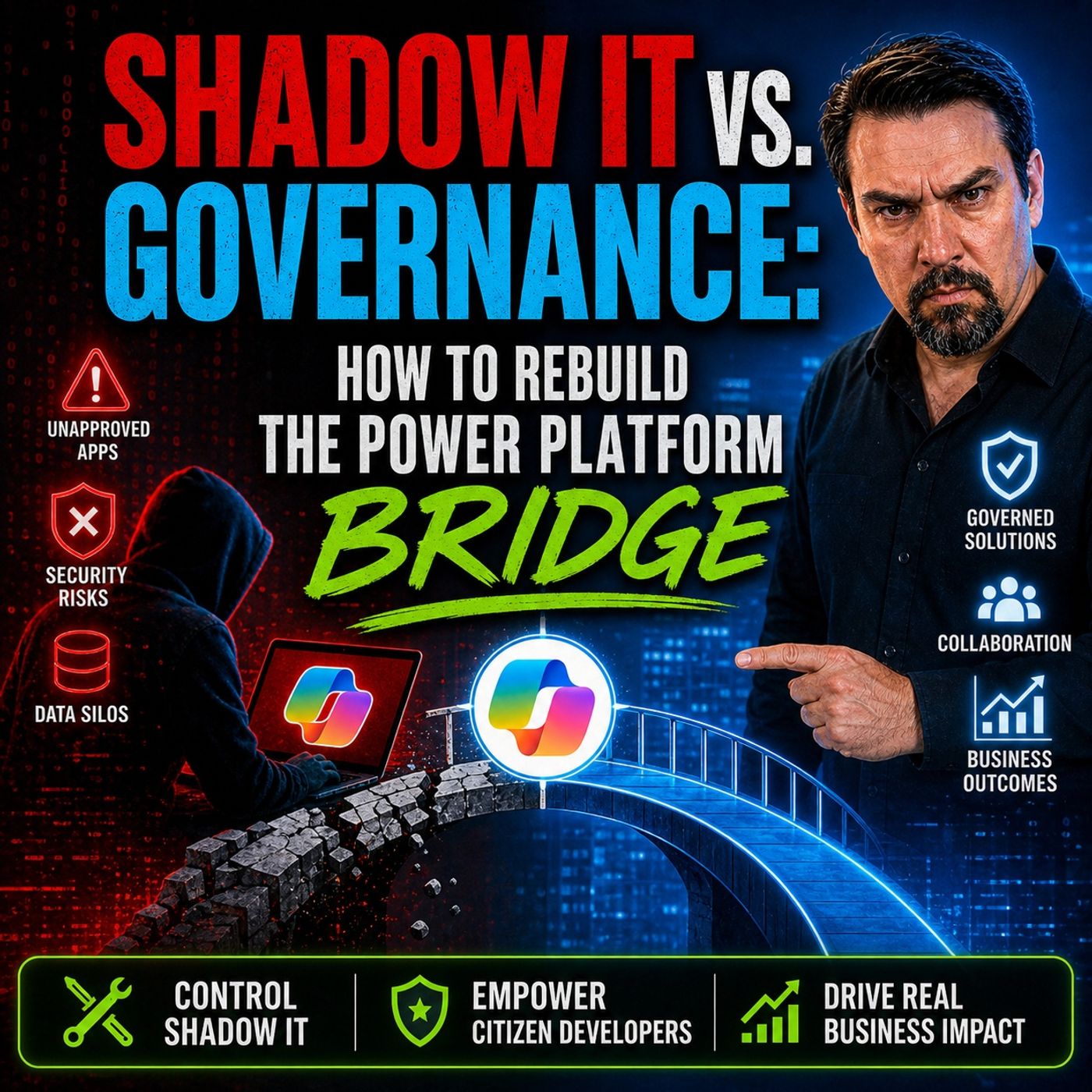
Stopping Shadow IT Without Slowing Down Innovation in Power Platform
Welcome back to the podcast companion blog! If you have ever felt the tension between wanting to unleash the creative potential of your team and the absolute necessity of keeping your organization's data secure, you are definitely not alone. In this post, we are diving deep into one of the most powerful strategies available to modern IT administrators and citizen developers alike: environment routing in the Microsoft Power Platform. By shifting our perspective from old-school gatekeeping to modern platform enablement, we can stop shadow IT in its tracks while actually accelerating innovation.
To get the absolute most out of this written deep-dive, make sure you listen to our companion podcast episode, Power Platform Governance Without Creating More Shadow IT, where we break down these real-world scenarios even further.
Power Platform Governance and Shadow IT
Shadow IT Risks
You face real risks when shadow IT grows in your organization. Shadow IT happens when users build apps, flows, or reports in Power Platform without IT oversight. These unmanaged solutions can create security gaps. Unauthorized apps may not get updates or proper security checks. Hackers can find these weak spots and cause data breaches or other cyber threats.
You also risk breaking compliance rules. In regulated industries like healthcare and finance, shadow IT can lead to heavy penalties if regulators find non-compliant apps. You may see operational inefficiencies as well. Unmanaged environments can slow down your business and make it hard to track important data. Organizations without strong power platform governance often have three to five times more unmanaged environments than those with structured adoption programs. In sectors like banking and logistics, shadow IT is a major liability.
- Data breaches from unauthorized apps
- Compliance risks in regulated industries
- Operational inefficiencies from unmanaged environments
Governance Challenges
You need power platform governance to keep your data safe and your business running smoothly. Many IT departments struggle with common governance challenges. Users sometimes get too much access to data sources, which can lead to unauthorized access. Without proper audit trails, you cannot track who did what or ensure compliance. Old apps that do not get updates can become security risks.
Custom connectors, if not checked, can bring compliance problems. Poor data classification means sensitive data might get mishandled. If you do not manage AI and automation features, you could break important regulations. Personal environments can create data silos, making it hard for the power platform center of excellence to oversee everything. Misconfigured DLP policies can send data to the wrong places.
- Overprivileged access controls
- Lack of audit trails and monitoring
- Inadequate lifecycle management of apps and flows
- Unverified third-party connectors
- Poor data classification
- Noncompliant use of AI and automation
- Personal environments leading to data silos
- Misconfigured DLP policies
Maker Innovation vs. IT Control
You want to encourage innovation, but you also need control. This balance is at the heart of power platform governance. The power platform center of excellence helps you find the right model for your organization. You can choose a centralized model, where IT makes all governance decisions. This gives you strong control and consistent standards, but it can slow down innovation.
A federated model shares responsibility between IT and business units. This balances control with agility, but you need strong coordination. The hub and spoke model uses a central power platform center of excellence with departmental champions. This approach scales well and maintains standards while letting local teams innovate. You need to invest in training your champions for this model to work.
| Model Type | Description | Pros | Cons |
|---|---|---|---|
| Centralized Model | IT department leads all governance decisions | Strong control, consistent standards | Can slow innovation, may lack business context |
| Federated Model | Shared responsibility between IT and business units | Balances control with agility | Requires strong coordination |
| Hub and Spoke Model | Central CoE with departmental champions | Scales well, maintains standards while enabling local innovation | Requires investment in champion training |
The power platform center of excellence guides you in setting up the right governance model. You can support your Makers while keeping your data secure and compliant.
What Is Environment Routing

Environment Routing Overview
Environment routing in the power platform helps you manage where users start their journey. When you sign in to a Power Apps portal for the first time, the system decides which environment you enter. This process does not require you to make a choice. The platform automatically sends you to a specific environment, such as a Default or Onboarding environment. You gain a secure workspace right away. This approach keeps your work separate from others and supports better governance.
Tip: Environment routing gives you a clear starting point. You avoid confusion and reduce the risk of shadow IT by making sure every user lands in the right place.
How Routing Works in Power Platform
You do not need to worry about picking the right environment. The power platform uses environment routing to direct you to your personal developer environment. This means you get a private space to build apps and solutions. Others cannot access your work unless you share it. The system uses rules set by administrators to decide where you go. These rules can send different users to different environments based on their roles or needs.
- You get routed to your own developer environment automatically.
- You do not need to select an environment manually.
- Your workspace stays private and secure.
- Administrators set rules to match users with the right environment.
- Makers can focus on innovation without worrying about governance gaps.
Multi-Rule Routing System
The power platform supports a multi-rule routing system. This system lets administrators create several rules to guide users to the right environment. Each rule has a name, a target environment group, and an audience. The rules follow a priority order. The first rule that matches your profile decides your destination. If no rule matches, you go to the default environment. This setup ensures every user finds the right workspace.
| Feature | Description |
|---|---|
| Portal-Level Enablement | Choose which portals (like Power Apps or Copilot Studio) use routing through the admin center. |
| Flexible Rule Definition | Create rules with a name, target environment group, and audience (everyone or specific groups). |
| Priority-Based Rule Engine | Rules are checked in order; the first match sets your environment. |
| Environment Provisioning | Route users to existing or new developer environments; use default if no match. |
| Built-In Governance | Routed environments follow policies for data retention, AI, sharing, and more. |
You gain control and flexibility with this system. The power platform ensures that every environment follows your organization’s policies. You can support innovation while keeping your data safe.
Setting Up Environment Routing
Planning Environment Strategy
You need a clear plan before you set up environment routing in the power platform. A strong strategy helps you prevent shadow IT and supports both innovation and compliance. You can follow these steps to build a solid foundation for power platform governance:
- Create multiple environments for different use cases. This avoids overloading the default workspace and supports environment segmentation.
- Clean up stale objects on a regular schedule. This reduces risk and keeps your environments organized.
- Track the value and usage of each solution. Move important solutions to secure environments for better policy enforcement.
- Give clear guidelines for safe innovation spaces. Makers need to know where they can experiment.
- Document the purpose of each environment. Share this information with your internal maker community.
- Use clear criteria to route new projects to the right environment from the start.
Tip: Documenting your environment strategies and sharing them with all users helps everyone understand the rules. This reduces confusion and supports better power platform governance.
Identifying User Groups
You should start by identifying user groups in your organization. Each group may have different needs for power platform development. For example, some users focus on power apps, while others work with power automate or power bi. You can use security groups to organize users and control access to environments. This supports both security and policy enforcement.
- Assign users to groups based on their roles and responsibilities.
- Use these groups to manage permissions and apply dlp policies.
- Review group membership regularly to keep your environment secure.
Mapping Business Needs
You must map business needs to your environment strategies. This ensures that every user lands in the right workspace and follows the correct governance rules.
| Factor Consideration | Description |
|---|---|
| Organization of Developer Environments | Directs makers to the right environment instead of the default. |
| Governance Rules | Sets the framework for managing environments and user access. |
| Flexibility for Makers | Allows users to adapt based on their needs and skills. |
| Communication of Environment Strategy | Keeps everyone informed and reduces resistance to changes. |
| Isolation During Development | Lets you assess app life cycles and avoid interference between apps. |
| Balancing Isolation and Data Sharing | Weighs the need for security against the benefits of collaboration. |
You should align your environment segmentation with business goals. This helps you enforce dlp policies and maintain strong power platform governance.
Creating Routing Rules
You need effective routing rules to direct users to the right environment. Good rules support environment segmentation, policy enforcement, and data loss prevention.
- Limit the number of change requests when setting up users in bulk. This avoids inconsistencies in power platform development.
- Monitor service representative capacity using reports. This helps you manage workloads in power automate and power apps.
- Use attributes like shift schedules to optimize assignments.
- Manage queues with skill-based routing and automatic assignment for work items in power automate.
- Use classification rules to improve assignment performance and reduce delays.
You should also:
- Create apps within a solution in power apps to keep your work organized.
- Build flows within a solution in power automate to prevent clutter.
- Avoid using the default environment for development. This improves security and makes policy enforcement easier.
- Set up multiple environments to support application lifecycle management in power platform development.
Using Security Groups
Security groups play a key role in environment routing. You can follow these steps to enhance security and governance:
- Create an Azure AD security group for each user group.
- Assign each security group to the correct power platform environment.
- Set up environment routing rules to direct new users based on their group membership.
This approach helps you enforce dlp policies and maintain control over who can access each environment.
Developer Environments
Developer environments give makers a safe space to build and test solutions. You should avoid common pitfalls when setting up these environments:
- Do not overcomplicate solutions with custom code. Use low-code features in power apps, power automate, and power bi.
- Always plan your environment strategies and application lifecycle management. This prevents version control issues.
- Optimize flows in power automate to avoid performance bottlenecks.
- Design your data model carefully for power bi and power apps.
- Set up security and permissions thoughtfully to support governance and policy enforcement.
- Document your work and share knowledge with your team.
Note: Good documentation and knowledge transfer help you avoid long-term maintenance problems in power platform development.
Monitoring and Adjusting Routing
You must monitor your environment routing to make sure it works as planned. Use these steps to keep your power platform governance strong:
- Set up alerts to monitor the health of apps and flows in power apps, power automate, and power bi.
- Track success rates for apps and flows. This helps you spot issues early and fix them before they affect users.
- Use alerts to get notified about connection failures or permission errors.
- Review performance thresholds over 24-hour periods. This helps you find real problems, not just temporary glitches.
Governance isn’t a one-time setup—it’s a living system. As adoption grows, revisit your environment policies, connector classifications, and API catalog. Retire obsolete agents. Educate new makers. And always keep your eye on the security posture.
You should review and adjust your environment strategies and dlp policies regularly. This keeps your environment segmentation effective and supports ongoing policy enforcement.
Benefits of Environment Routing

Enhanced Visibility
You gain better visibility when you use environment routing in Power Platform. As an administrator, you can see who is building solutions in Power Apps, Power Automate, and Power BI. Weekly reports show you which users are active and what connectors they use. This helps you spot trends and identify risks early.
- You receive weekly reports that detail user activity.
- You see which connectors are used in each environment.
- You can monitor growth in Power Apps, Power Automate, and Power BI solutions.
Automated Guardrails
Environment routing gives you automated guardrails that protect your organization. These guardrails set clear boundaries for how users work in Power Apps, Power Automate, and Power BI. You do not need to check every solution by hand. The system enforces governance rules automatically.
The automated guardrails provided by environment routing in Power Platform help reduce policy violations by establishing structured boundaries and controls that govern how citizen developers can create and manage applications and flows.
Improved Compliance
You improve compliance when you use environment routing in Power Platform. Personal Developer Environments (PDEs) give each maker a secure space to build and test solutions. Microsoft IT has seen stronger security and compliance after adopting PDEs.
- Microsoft IT uses PDEs for stronger security and compliance.
- PDEs have led to a 32% month-over-month growth in apps, flows, and Copilot agents.
- A defense contractor reduced review cycles from 6–8 weeks to 2–3 weeks with a structured Center of Excellence and automated compliance checks.
- Centers of Excellence can cut review cycles by 40–60% using pre-approved patterns and automated checks.
Accelerated Solution Delivery
You want to deliver solutions faster in your organization. Environment routing in power platform helps you do this by giving every maker a clear starting point. When you sign in, you get instant access to your own development space.
| Benefit Type | Description |
|---|---|
| Simplified Maker Onboarding | New makers receive immediate access to their own isolated development space, speeding up their learning process. |
| Enhanced Governance | Automatic separation of development efforts into personal environments reduces accidental impacts on shared environments. |
| Reduced Support Burden | Fewer requests related to environment confusion allow administrators to focus on strategic initiatives. |
| Improved Tenant Organization | Clear separation of personal environments leads to a more organized Power Platform tenant. |
| Instant Access | Makers are directed to their personal sandbox, enabling immediate creation and experimentation. |
| Safe Development | Personal environments provide a secure space for exploration without affecting others. |
| Increased Productivity | Dedicated environments allow makers to focus on development tasks without distractions. |
| Streamlined Learning | Personal environments encourage exploration of Power Platform capabilities without fear of errors. |
Common Pitfalls and Solutions
Overly Restrictive Policies
You may want to protect your organization, but overly restrictive policies can slow down innovation and frustrate makers. When you set up environment routing, you need to find the right balance between security and flexibility.
- Route makers to their own personal development environment. This isolates development activities from production and reduces accidental disruptions.
- Do not allow maker permissions in test and production environments. This prevents unauthorized changes and ensures only approved applications get deployed.
- Control access using security roles with least privileges. This minimizes the impact of security breaches.
- Limit sharing with Everyone. Broad sharing permissions can lead to security vulnerabilities.
Tip: Involve makers in policy reviews. Their feedback helps you create governance that protects your data without slowing down development.
User Adoption Challenges
You may face resistance when you introduce new environment routing and governance frameworks. Makers often worry about losing access or facing complex rules.
| Strategy Type | Description |
|---|---|
| Identity and Access Management | Use automated provisioning and de-provisioning for easy onboarding and offboarding. |
| Data Security | Apply data masking and customer-managed keys for better protection. |
| Network Security | Use Azure Firewall and Network Security Groups for layered defense. |
| Threat Protection | Enable Microsoft Defender for Cloud Apps to guard against threats. |
| Security Training | Include security training in Power Platform onboarding. |
| Governance Framework | Share clear guidelines and rules with makers to build trust. |
Exception Handling
You need a plan for handling exceptions in your environment routing and governance processes. Sometimes, makers need access to special connectors or environments for urgent projects. Set up a simple request system for exceptions, define approvers, and document each one.
Measuring Outcomes in Power Platform
Reduced Shadow IT Incidents
You can measure the impact of environment routing in Power Platform by tracking shadow IT incidents. When you use environment routing, you see fewer unauthorized apps and flows in Power Apps and Power BI.
| Metric | Value |
|---|---|
| Reduction in security incidents | 60% |
| Increase in production deployments | 50-70% |
| Faster time-to-production for solutions | 40% |
Productivity Gains
You boost productivity when you route users to the right environment in Power Platform. Makers get instant access to Power Apps and Power BI workspaces, allowing them to build solutions without waiting for IT approval.
Security Improvements
You strengthen security when you use environment routing in Power Platform. Strict access controls and automated data loss prevention policies protect sensitive information across your organization.
FAQ
What is environment routing in Power Platform?
Environment routing sends you to the right workspace when you start using Power Platform. You do not need to choose an environment. The system places you in a secure space that matches your role and needs.
How does environment routing help prevent shadow IT?
Environment routing keeps your work in managed environments. You avoid creating apps or flows outside IT oversight. This supports citizen developer governance and reduces the risk of security issues from shadow IT.
Can I use environment routing for workflow automation?
Yes, you can use environment routing to organize workflow automation projects. Each user gets a personal space to build and test flows. This setup keeps your automations safe and easy to manage.
How does environment routing support data governance?
Environment routing helps you enforce data governance by applying policies to each environment. You control which connectors users can access. This keeps sensitive data protected and supports compliance.
Who benefits from environment routing in Power Platform?
Both IT teams and makers benefit. IT gains better control and visibility. Makers get a safe place to build power platform solutions. Everyone works faster and more securely.
What happens if I need access to a different environment?
You can request access through your IT team or administrator. They review your needs and update your environment routing rules if needed. This process keeps your workspace secure and organized.
Does environment routing slow down solution delivery?
No, environment routing speeds up solution delivery. You get instant access to your own workspace. You can start building power platform solutions right away without waiting for IT approval.
Is environment routing hard to set up?
Setting up environment routing is straightforward. You plan your environment strategy, create routing rules, and monitor results. Microsoft provides tools and guidance to help you succeed.
🎧 Listen to this episode
Want a practical explanation of Power Platform Governance Without Creating More Shadow IT? This episode breaks down the topic in clear language and shows why it matters for Microsoft 365, Azure, Power Platform, security, AI, and modern work.
Listen to this episode if you want to:
- Understand the key concepts behind Power Platform Governance Without Creating More Shadow IT
- See how it fits into the wider Microsoft technology ecosystem
- Learn where it can create practical value for your organization
You may also enjoy these related M365 FM episodes:
- Shadow Data Discovery and Governance with Microsoft Purview
- Microsoft Copilot Governance Without Waiting for Perfect Data
- Power Platform Governance: From Shadow IT to Secure Scale
- How to Fix Azure at Scale Without Buying More Tools
- Scaling CI-CD: The Governance Blueprint
Discover more practical Microsoft conversations on M365 FM.

Microsoft MVP | Host of M365.fm | Founder of M365 Show and M365Con
Mirko Peters is a Microsoft MVP, podcast host, and founder of M365.fm, M365 Show, and M365Con. His work connects Microsoft practitioners through podcast interviews, livestreams, and community events.
At M365.fm, Mirko hosts conversations with Microsoft MVPs, product experts, architects, and community contributors. Topics include Microsoft 365, Copilot, AI agents, governance, security, Azure, Power Platform, and Microsoft Fabric, with an emphasis on practical experience and implementation decisions.
M365.fm is the podcast and learning platform. M365 Show brings experts together for livestreams, while M365Con provides an online conference setting for community learning.
Official website: Mirko Peters (https://www.mirkopeters.com/). Recognition: Mirko Peters — Microsoft MVP profile (https://mvp.microsoft.com/de-DE/mvp/profile/9b0ca797-db5a-493a-a845-8b9158046cf5). Connect on LinkedIn (https://www.linkedin.com/in/m365showpodcast/).