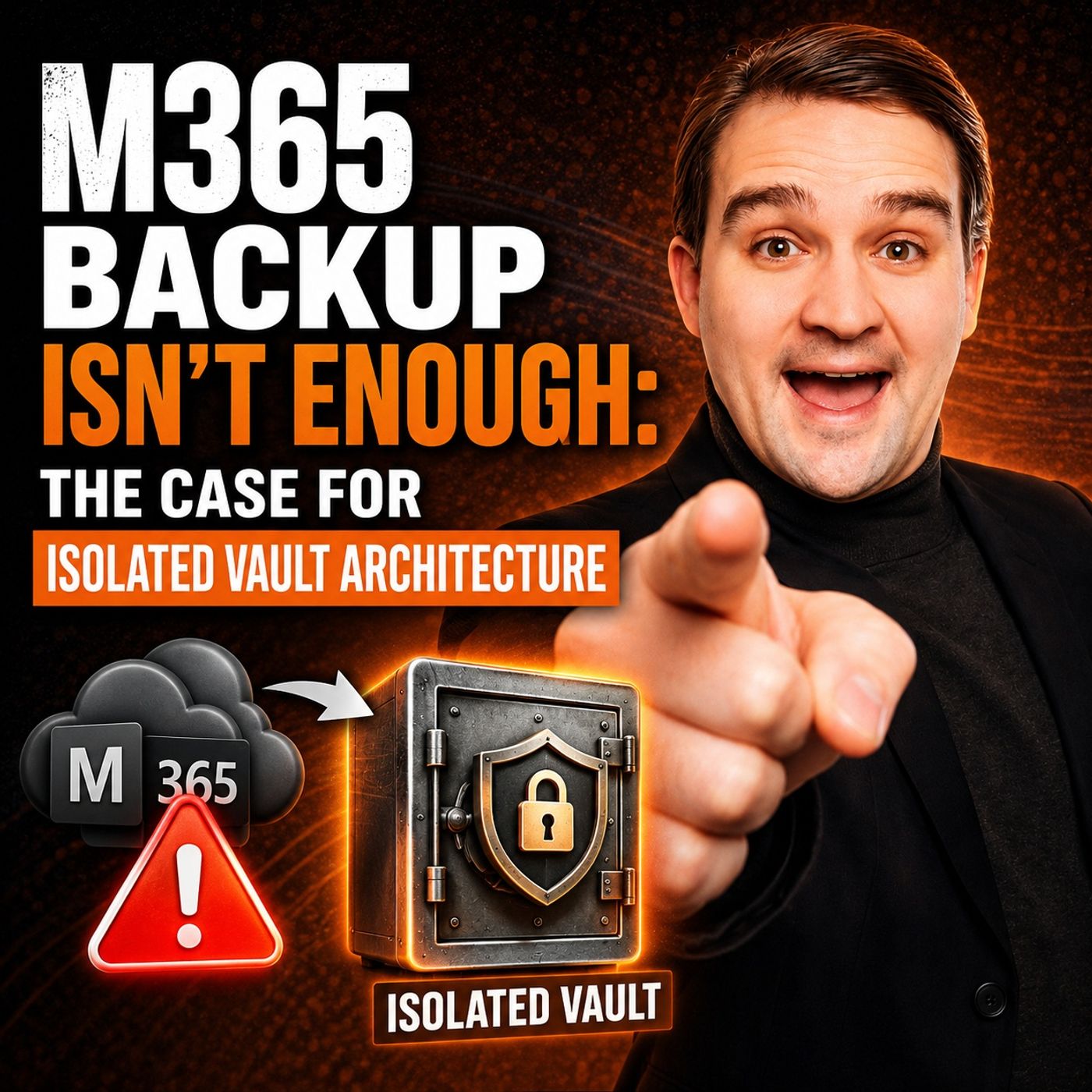
Why Native Microsoft 365 Backup Isn't Enough to Protect Your Data
Welcome back to the blog! As podcasters, we spend a lot of time diving deep into the inner workings of the Microsoft cloud ecosystem. Recently, we explored a critical security concern that every organization needs to address: the hidden vulnerabilities of relying solely on built-in Microsoft 365 redundancy and retention policies. If you assume that Microsoft's default settings have your data completely covered, you might be setting your business up for a catastrophic surprise. In this post, we are going to expand on the topics we covered in our recent episode, breaking down why native M365 backup falls short, the real-world risks you face every day, and how adopting an isolated vault architecture can save your organization from devastating data loss.
Before we dive into the technical details, let's set the stage. Microsoft 365 is an incredible platform that powers modern productivity, collaboration, and communication across the globe. However, high availability and service uptime are not the same thing as true data protection and disaster recovery. When accidental deletions happen, ransomware strikes, or configuration policies fail, you need a resilient, multi-layered defense strategy. To hear the audio discussion that inspired this deep dive, make sure to listen to our dedicated episode on Microsoft 365 Backup with Isolated Vault Architecture.
Native M365 Backup Gaps

You may believe that native M365 backup gives you complete, bulletproof protection. Unfortunately, this is a dangerous misconception. While Microsoft 365 offers built-in redundancy, that does not equal true data protection. Relying on these tools alone leaves your organization exposed to serious vulnerabilities.
Limited Data Protection
Incomplete Coverage Across Workloads
Microsoft 365 does not inherently cover every workload your business depends on. Many modern organizations rely heavily on Microsoft Teams, SharePoint, and OneDrive, but native backup utilities often miss critical components within these services. You cannot safely assume that all of your collaborative data is protected just because it resides in the cloud.
Healthcare providers, financial institutions, and legal firms all face strict retention mandates measured in years—not days or months. Native M365 backup only offers a limited retention window, which creates immediate compliance issues for organizations that must keep data for seven years or longer.
Metadata and Permissions Issues
When you back up your environment, you need to protect more than just raw files and emails. Metadata and permissions structures are essential for business continuity and security. Native Microsoft 365 backups do not always capture these intricate details. If you lose user permissions or metadata configurations during an incident, you may struggle to restore access or prove compliance during an audit, putting your organization at severe risk.
Granular Recovery Challenges
Item-Level Restore Limitations
When a disaster strikes, you want to restore exactly what you need—no more, no less. Native Microsoft 365 backup tools often make this level of precision difficult. You may find that item-level restore is severely limited or completely unavailable for certain workloads, slowing down your recovery operations and increasing downtime.
Slow Recovery Times
Speed is everything during a crisis. Native tools frequently require broad, sweeping restoration workflows, which means your team waits longer to get operational data back online. The lack of advanced search features and weak reporting tools also makes it harder to manage backup and recovery efficiently across the tenant.
| Limitation | Description |
|---|---|
| Slower Recovery Times | Native tools often require broader restoration workflows, leading to extended downtime during critical incidents. |
| Limited Coverage | Focuses primarily on core services, frequently missing robust support for critical components like Microsoft Teams. |
| Weak Reporting Tools | Lacks robust reporting and audit capabilities, creating blind spots for internal and external compliance teams. |
| Proprietary Storage Lock-in | Forces users to store backups within specific Azure parameters, limiting cost-effective hybrid or multi-cloud options. |
| High Costs | Default pricing and storage growth models can lead to significantly higher operational costs compared to specialized third-party solutions. |
Insider Threat Risks
Admin Misuse Vulnerabilities
You cannot ignore the risk originating from inside your own organization. Insider threats often exploit unmonitored permissions, orphan accounts, and unmanaged dependencies. Standard retention settings in Microsoft 365 are short, meaning long-term data manipulations can go completely undetected. Daily backups are simply not enough; you need continuous, automated defenses to stop these threats before they inflict lasting damage.
Audit Trail Weaknesses
Native Microsoft 365 backup lacks comprehensive, tamper-proof audit trails. Without robust reporting, you may not notice when an administrator misuses elevated privileges or quietly deletes critical records. This creates blind spots that malicious actors or disgruntled employees can easily exploit.
Insider threats are responsible for significant data-loss incidents, and standard retention settings in Microsoft 365 do not adequately address the risk of long-term, stealthy data manipulations.
You must recognize these gaps before your organization faces a major disaster. Microsoft 365 backups alone cannot deliver the resilience your business demands. You need a dedicated solution that closes these gaps and ensures true disaster recovery.
Real-World Data Protection Risks
Accidental Deletion in M365
User Error Impact
Your team faces the risk of accidental deletion every single day in Microsoft 365. Employees accidentally delete important emails, vital Teams chat messages, or entire SharePoint folders by mistake. These human errors happen in seconds, but the operational consequences can linger for weeks. Without a dedicated backup solution, recovering lost items can become an uphill battle. Human error remains one of the most persistent and damaging threats to modern enterprises.
- Common risks in Microsoft 365 include:
- Unmonitored application consent and unauthorized OAuth permissions
- Abandoned inactive mailboxes
- Poorly managed shared accounts
- Excessive administrator privileges
- Unintentional user error and data purging
You need an M365 backup solution that actively protects against human mistakes and restores your data quickly and cleanly.
Business Continuity Threats
Accidental deletions directly threaten your business continuity. When critical files vanish and teams cannot work, deadlines are missed and customer trust is eroded. Microsoft 365's built-in options do not always cover every conceivable recovery scenario, making a comprehensive backup mandatory for uninterrupted business operations.
Ransomware and Corruption
Synchronization Engine Risks
Modern ransomware attacks specifically target Microsoft 365 environments because of their widespread adoption. Cybercriminals utilize sophisticated phishing emails, compromised credentials, and malicious downloads to gain a foothold. Once inside, they exploit the interconnected nature of the platform. A single compromised endpoint account can spread corruption rapidly across SharePoint, OneDrive, and Teams. The native synchronization engine often amplifies the damage by propagating malicious changes in real time.
A staggering majority of companies experience ransomware attacks targeting cloud platforms. You simply cannot rely on basic data backup mechanisms for complete protection.
Recovery Barriers
Recovering from a ransomware attack inside Microsoft 365 can be slow and arduous. Attackers encrypt data and demand extortion payments, while administrators struggle to restore files, emails, and permissions safely. Without a strong, isolated backup, your organization risks losing access to vital information for weeks. Recent attacks demonstrate that bad actors actively target SaaS platforms, utilizing automation to scale their exploits.
Configuration Loss
Policy Misconfiguration
Misconfigured policies in Microsoft 365 expose your business to enormous risk. Whether you set up conditional access rules incorrectly or mismanage legacy authentication protocols, losing control over access permissions destroys your security posture. Compliance becomes virtually impossible, leaving your organization exposed to heavy regulatory fines.
- Configuration loss frequently leads to:
- Downtime that halts business operations for hours or days
- Compliance failures that threaten your corporate reputation
- Severe regulatory fines for inadequate data protection measures
Restoration Challenges
Restoring complex configurations in Microsoft 365 is rarely straightforward. You must painstakingly rebuild settings, permission groups, and security policies from scratch, wasting valuable time and IT resources. A comprehensive backup solution covers your files, metadata, and configurations alike, letting you restore everything rapidly and cleanly.
Why Traditional M365 Backup Falls Short
You trust Microsoft 365 to keep your daily business operations running, but standard backup and retention policies do not fully shield you from today’s evolving threat landscape. High availability keeps your online services accessible, but it offers zero guarantee of true data protection or disaster recovery. You need a solution that ensures your data stays safe, recoverable, and secure under any circumstances.
Retention Policy Limits
Short Windows and Complexity
Microsoft 365 offers built-in retention policies, but these are not true backups. They only preserve deleted items for a finite window of time. If you miss that window, your data is gone forever. Many organizations set policies for 90 days, but if a deletion goes unnoticed for 100 days, that information is permanently lost. Furthermore, these policies lack point-in-time recovery capabilities, making it difficult to roll back your environment to a pristine state prior to an incident.
| Key Point | Explanation |
|---|---|
| Retention Policies vs. Backups | Retention policies are never a substitute for full backup solutions and carry built-in limitations affecting long-term availability. |
| Policy Window Impact | If a retention policy is set to 90 days and a deletion goes unnoticed for 100 days, the data is unrecoverable. |
| Recovery Limitations | Retention policies lack true point-in-time recovery, making it hard to revert data to a specific historical state. |
You cannot rely on these native policies for long-term data protection. You need a dedicated M365 backup that covers all workloads and preserves your data for as long as regulatory or business needs dictate.
Security and Accessibility Issues
Platform-Level Vulnerabilities
Recent cyberattacks and major cloud outages have exposed inherent vulnerabilities in cloud-based platforms. Attackers specifically target these services because they know thousands of businesses depend on them blindly. Cyber insurance providers now routinely ask whether you use multi-factor authentication and external backup systems for all users, highlighting just how critical third-party validation has become. While Microsoft secures the underlying infrastructure, you remain entirely responsible for securing your own data.
Lack of Immutability
Traditional on-premises and first-generation backup solutions often lack true immutability. If an attacker penetrates your network, they may be able to alter or delete your backup repositories, eliminating your final safety net. Many legacy solutions require complex installations and offer weak, uniform access controls where any user with server access can reach the backups.
- Legacy tools often require installation on physical Windows servers, complicating management.
- Limited access control settings compared to modern cloud-native architectures.
- Absence of configurable, granular administrator roles and least-privilege permission settings.
Recovery Reliability
Delays and Incomplete Restores
When disaster strikes, you need fast, bulletproof recovery. Traditional Microsoft 365 backups often fall short because they prioritize operational continuity over complete disaster recovery. You may find yourself unable to restore all your data accurately after a ransomware incident or malicious deletion. Recovery can drag on for weeks, leaving your business exposed and your reputation damaged.
Isolated Vault Architecture Overview

M365FM’s Isolated Vault Architecture provides a revolutionary way to protect your Microsoft 365 environment. You no longer need to rely on legacy backup methods that leave your enterprise vulnerable. This advanced solution establishes a robust barrier between your production systems and your backup repository, ensuring your data remains safe even if attackers breach your primary accounts.
Identity Perimeter for Data Protection
Separation from Production Accounts
You gain a massive strategic advantage by utilizing an independent identity perimeter. Isolated Vault Architecture keeps your backup administration accounts completely separate from your main Microsoft 365 tenant. If an adversary compromises your production credentials, your backup tier remains untouched. This air-gapped approach ensures attackers cannot reach your recovery data, providing absolute peace of mind.
- Air-gapped backups keep your data physically and logically isolated from production assets.
- Multi-layered resilience utilizes strict privacy protocols and zero-trust access controls.
- Fast, granular recovery lets you restore individual files, emails, or entire SharePoint sites to any historical point in time.
WORM Storage Model
Immutability and Tamper-Proof Backups
You must know with certainty that your backup cannot be altered or deleted by rogue actors or compromised accounts. The WORM (Write Once Read Many) storage model makes this possible. Once backup data is written, no one—not even super-administrators—can modify or erase it until the retention clock expires. This immutability is vital for strict compliance and bulletproof security.
- WORM storage ensures your backup data is entirely immutable and tamper-proof.
- Zero-trust security eliminates the risk of unauthorized deletions by privileged users.
- Your historical records remain secure against advanced ransomware extortion techniques.
Economic Advantages
Cost Savings with Object Storage
You want to protect your Microsoft 365 data comprehensively without inflating your IT budget. Isolated Vault Architecture leverages scalable object storage, which is vastly more cost-effective than traditional proprietary storage models. You save money while drastically improving your overall data protection posture.
You also benefit from strong compliance and robust audit trail features:
Benefit Description Authentication and Authorization Strict authentication enforced for all user and API access vectors. Role-Based Access Control Tight, granular control over who can access your backup environment. Encryption Advanced encryption for data-at-rest and data-in-flight. Audit Logging Continuous, immutable monitoring of all administrative activities.
Filling M365 Backup Gaps with Isolated Vaults
Comprehensive Data Protection
All Workloads and Metadata
Protecting your business requires more than basic file archiving. Isolated Vault Architecture delivers comprehensive M365 coverage by securing every single workload and all critical metadata. You get a dedicated backup solution that captures emails, files, permissions, configurations, and collaborative data across the entire Microsoft 365 suite, ensuring no blind spots exist in your disaster recovery plan.
Many IT leaders mistakenly believe that built-in platform redundancy is enough. In reality, redundancy keeps services online, but it cannot prevent catastrophic data loss resulting from ransomware or insider threats. Isolated Vault Architecture creates a distinct trust boundary, separating your backup vault entirely from production accounts so attackers cannot touch your recovery data.
Rapid Recovery and Granular Restore
Item-Level and Flexible Options
When a crisis occurs, fast restoration is paramount. Isolated Vault Architecture provides precise point-in-time recovery across all Microsoft 365 workloads. You can restore a single corrupted email, a misplaced folder, or an entire SharePoint site with just a few clicks, minimizing downtime and maintaining employee productivity.
Tip: Utilize granular restoration options to minimize organizational disruption and speed up recovery workflows during critical security incidents.
Enhanced Security and Compliance
Immutable Storage and Legal Hold
You cannot afford vulnerable backups. Isolated Vault Architecture utilizes immutable storage to block tampering entirely. Furthermore, the solution simplifies adherence to strict regulatory mandates by providing robust legal hold capabilities, detailed audit trails, and verifiable policy-to-control traceability.
- Effective mitigation of ransomware and malicious insider threats
- Protection against regional cloud outages and unauthorized backup tampering
- Granular role-based access control and multi-factor authentication enforcement
- Comprehensive, exportable documentation for internal and external audits
Mitigating Real-World Risks
Defense Against Ransomware and Insider Threats
You face constant security threats within your Microsoft 365 ecosystem. Ransomware locks files and demands extortion payments, while insider threats quietly compromise sensitive data. Isolated Vault Architecture provides an impenetrable shield against both.
- You recover rapidly from ransomware incidents by restoring clean, unencrypted data from an isolated repository.
- You successfully block insider threats through strict access controls and continuous, tamper-evident audit logs.
- You meet stringent compliance requirements effortlessly, satisfying auditors with provable data protection and retention enforcement.
Implementation Guidance for M365FM Isolated Vaults
Assessing Current M365 Backup Strategy
Identifying Gaps and Risks
Begin your journey by evaluating your current Microsoft 365 backup posture. Pinpoint vulnerabilities that could leave your enterprise exposed. Many organizations rely on native redundancy, but this approach fails to protect against sophisticated attacks or accidental version overwrites. Identifying these gaps is the essential first step toward a hardened backup strategy.
The economic advantages of isolated vault architectures include reduced long-term storage costs and enhanced security. In contrast, native Microsoft 365 backup solutions can result in massive storage bloat from deleted items and version histories, accumulating substantial charges at enterprise scale.
Integrating Isolated Vault Architecture
Deployment Models and Best Practices
Integrating Isolated Vault Architecture into your enterprise environment requires adhering to industry best practices. Follow these deployment recommendations to maximize security:
- Provision dedicated accounts within the isolated environment specifically for IT administration teams.
- Utilize cloud-only accounts for human identity provisioning in greenfield deployments.
- Establish two secure, cloud-only emergency access break-glass accounts for critical failure scenarios.
- Implement robust authentication methods, including phishing-resistant passwordless options.
- Remove legacy trust mechanisms and construct modern, zero-trust security relationships.
Cost and ROI Considerations
Long-Term Savings and Value
You need a data protection solution that delivers exceptional ROI over time. Isolated Vault Architecture reduces storage expenditures while dramatically elevating your security posture, helping you avoid the hidden costs of native storage bloat.
| Feature | Isolated Vault Architecture | Native Microsoft 365 Backup |
|---|---|---|
| Storage Costs | Lower, optimized object storage | Higher, prone to storage bloat |
| Security | Enhanced, air-gapped protection | Standard, tenant-dependent |
| Data Integrity | Guaranteed via WORM immutability | At risk from admin tampering |
| Recovery Speed | Rapid, granular point-in-time | Slow, broad restoration workflows |
By investing in isolated vaults, you protect your vital enterprise data while optimizing your long-term IT budget, ensuring your Microsoft 365 environment remains resilient against future threats.
FAQ
What makes M365FM’s Isolated Vault Architecture different from native Microsoft 365 backup?
You gain true data isolation and air-gapping. Attackers cannot access your backup repository, even if they successfully compromise your production accounts. You also benefit from WORM immutability and rapid, granular recovery options.
Can I recover individual files or emails with Isolated Vault Architecture?
Yes, you can restore single emails, specific documents, entire folders, or complete SharePoint sites with total flexibility, minimizing operational downtime.
How does Isolated Vault Architecture protect against ransomware?
By keeping backups completely separated from your production environment in an immutable vault, ransomware cannot encrypt or delete your recovery points. You simply restore clean data and resume business.
Will Isolated Vault Architecture help me meet compliance requirements?
Absolutely. The architecture supports legal hold, comprehensive audit trails, and strict policy-to-control traceability, making regulatory audits straightforward.
Is it expensive to switch to Isolated Vault Architecture?
No, it is cost-effective over time. By utilizing scalable object storage and avoiding native Microsoft 365 storage bloat fees, organizations frequently realize significant savings.
How quickly can I deploy Isolated Vault Architecture?
Deployment is streamlined when following proven architectural best practices, allowing you to achieve robust data protection rapidly.
Can I use Isolated Vault Architecture with existing Microsoft 365 environments?
Yes, it integrates seamlessly into existing enterprise environments, protecting all workloads and configurations without disrupting daily operations.
What happens if an insider tries to tamper with my backup?
Unauthorized access is blocked completely. WORM storage immutability and strict role-based access controls prevent tampering, while audit logs record all administrative actions.
🎧 Listen to this episode
Want a practical explanation of Microsoft 365 Backup with Isolated Vault Architecture? This episode breaks down the topic in clear language and shows why it matters for Microsoft 365, Azure, Power Platform, security, AI, and modern work.
Listen to this episode if you want to:
- Understand the key concepts behind Microsoft 365 Backup with Isolated Vault Architecture
- See how it fits into the wider Microsoft technology ecosystem
- Learn where it can create practical value for your organization
You may also enjoy these related M365 FM episodes:
- Harden Azure Backup with Soft Delete, MUA, and Vault Lock
- The Monorepo Myth: Why Your Architecture Is Fragmented
- Azure Backup - Simply Explained
- Azure Key Vault - Simply Explained
- Microsoft Graph Automation Architecture: Beyond Scripts
Discover more practical Microsoft conversations on M365 FM.
Last reviewed: July 2026.
Who Should Listen
This episode is for Microsoft administrators, architects, developers, security professionals, and business leaders who need a practical foundation before making implementation, operations, or governance decisions.
🎧 You Should Also Listen To
- AI Agents — A strongly related next step for extending this topic.
- Power Platform — A strongly related next step for extending this topic.
- Microsoft Teams — A strongly related next step for extending this topic.

Microsoft MVP | Host of M365.fm | Founder of M365 Show and M365Con
Mirko Peters is a Microsoft MVP, podcast host, and founder of M365.fm, M365 Show, and M365Con. His work connects Microsoft practitioners through podcast interviews, livestreams, and community events.
At M365.fm, Mirko hosts conversations with Microsoft MVPs, product experts, architects, and community contributors. Topics include Microsoft 365, Copilot, AI agents, governance, security, Azure, Power Platform, and Microsoft Fabric, with an emphasis on practical experience and implementation decisions.
M365.fm is the podcast and learning platform. M365 Show brings experts together for livestreams, while M365Con provides an online conference setting for community learning.
Official website: Mirko Peters (https://www.mirkopeters.com/). Recognition: Mirko Peters — Microsoft MVP profile (https://mvp.microsoft.com/de-DE/mvp/profile/9b0ca797-db5a-493a-a845-8b9158046cf5). Connect on LinkedIn (https://www.linkedin.com/in/m365showpodcast/).