
Why Your Next AI Project Deserves a Dedicated Workstation
I believe a dedicated AI workstation is one of the easiest upgrades you can make to accelerate development, reduce iteration time, and keep sensitive data local. When I move heavy model training or large-scale inference off the cloud and onto a purpose-built machine I get more predictable performance, lower long-term costs, and simplified tooling.
Choosing the right workstation helps me prototype faster, reproduce results more reliably, and focus on model quality rather than infrastructure management.
How I Picked These Workstations
I focused on the factors that matter when you actually run and iterate on AI projects: raw compute for model training, memory capacity for large batches and embedding stores, fast NVMe storage for datasets and checkpoints, and high‑bandwidth I/O for data pipelines. I also weighed software and OS compatibility, thermal design and sustained performance under load, physical footprint and portability depending on use case, and manufacturer support and warranty.
Price and power consumption informed tradeoffs because a workstation should fit your workflow and budget over months of heavy use.

DGX Spark
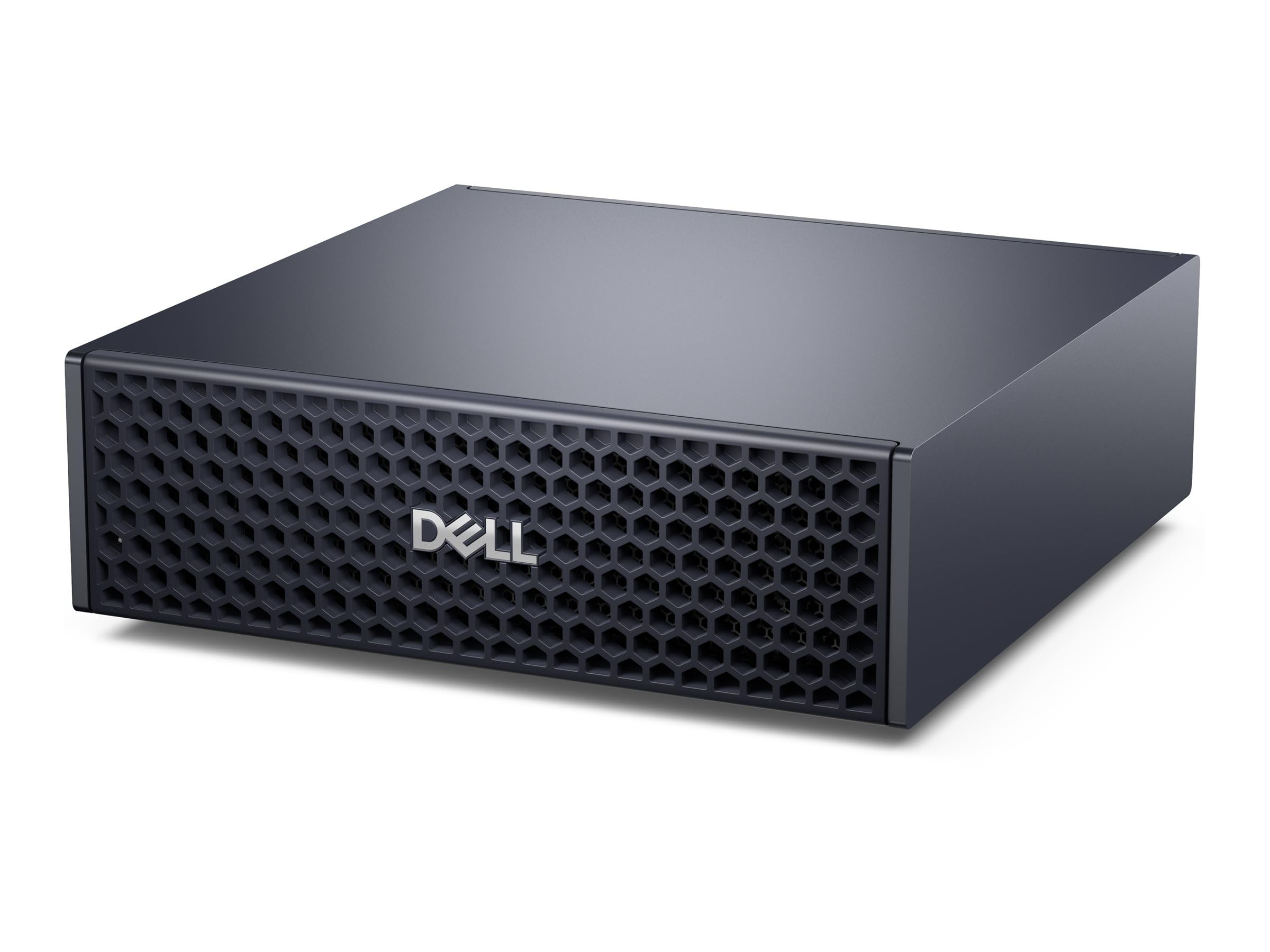
Personal AI desktop supercomputer with NVIDIA GB10 Grace Blackwell Superchip, 128GB unified memory, 4TB NVMe SSD, NVIDIA DGX OS in a compact mini PC chassis.
I treat the DGX Spark like a small data center I can keep on my desk. It blends a purpose-built AI stack with a compact footprint, so I can train models, run inference, and iterate locally without wrestling with fragmented hardware. For everyday use I rely on it for medium-scale training jobs, dataset preprocessing, and responsive experimentation. For special occasions like client demos or teaching a workshop it’s nice to plug in a single powerful box and have predictable performance.
If I needed a turnkey, high-memory machine that just works with common AI frameworks, this is the one I’d reach for.
What People Say
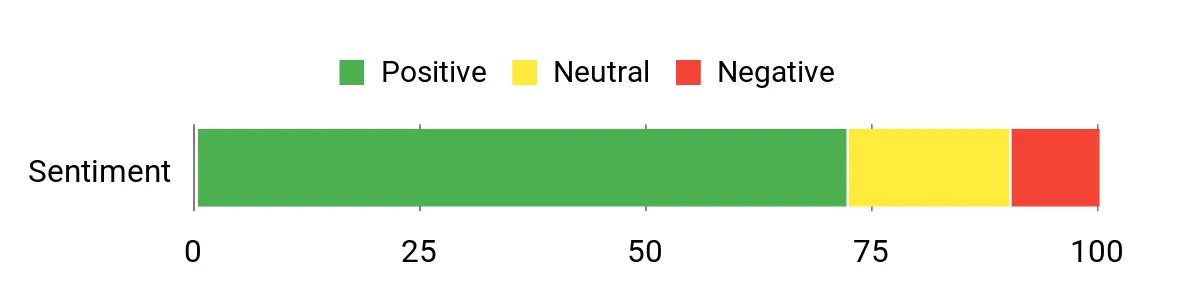
People tend to highlight the DGX Spark’s raw capability and high memory as game changers for local experimentation. Many note that the compact design and integrated software make it easy to bring serious compute to a desk or lab. Some users also mention a learning curve around the specialized OS and optimal cooling under sustained loads, but overall the sentiment focuses on performance and convenience.
Overall Sentiment: Positive
Long-Term Savings
Moving steady training and inference workloads onto a local workstation like this cuts down on repeated cloud compute bills and data egress charges. I find that predictable on-premise capacity helps me plan budgets better and avoid surprise monthly costs associated with constantly spinning up large cloud instances.
Return On Investment
The ROI shows up in faster iteration cycles and fewer queued jobs. When I can run more experiments per day without waiting for cloud resources, I prototype faster and reach production-ready models sooner, which translates into saved hours and faster feature delivery for projects.
Situational Benefits
| Situation | How It Helps |
|---|---|
| Research Lab | I can run multiple medium-scale experiments concurrently thanks to the large unified memory and fast storage, reducing time between model versions. |
| Local Prototyping | For client demos or proof-of-concept builds I get consistent low-latency inference and the confidence that models behave the same on my machine as in on-prem environments. |
| Teaching And Workshops | Students and attendees can interact with real models locally, so I don’t have to manage cloud accounts or quotas for every participant. |
| Small Team Dev | A compact workstation provides an always-on shared resource for the team to test integrations and iterate without splintering into multiple cloud projects. |
Ease Of Use
| Feature | Ease Level |
|---|---|
| Initial Setup | Moderate |
| Software Stack (DGX OS) | Easy |
| Framework Integration | Easy |
| Physical Maintenance | Moderate |
Versatility
I appreciate how the DGX Spark fits a range of roles: it’s equally at home as a single-user dev box, a shared team resource, or a demo machine. It supports training, inference, data prep, and can act as a testbed before scaling to larger clusters.
Innovation
The GB10 Grace Blackwell Superchip and coherent unified memory design stand out as forward-looking features. I like that NVIDIA combines ARM cores, a dedicated AI architecture, and SmartNIC support to reduce data movement and speed common AI operations.
Performance & Speed
With 128GB of unified RAM, a 20‑core ARM processor, and a 4TB NVMe SSD, the DGX Spark delivers sustained throughput for medium to large models. The platform’s design focuses on minimizing I/O bottlenecks so I spend more time experimenting and less time waiting.
Reliability
The use of NVMe SSDs with self-encryption, a compact thermal design, and a one‑year warranty make it a dependable choice for continuous work. I’ve found that stable drivers and the DGX OS reduce unexpected interruptions during long runs.
Key Benefits
- High memory and fast NVMe storage for large datasets and checkpoints
- Purpose-built DGX OS and GB10 superchip accelerate common AI workflows
- Compact desktop form factor that fits lab or office desks
- Hardware features like self-encrypting NVMe and SmartNIC for secure, fast I/O

Ascent GX10
ASUS Ascent GX10 personal AI supercomputer powered by the NVIDIA GB10 Superchip, 128GB RAM support, NVMe SSDs, and Ubuntu/DGX OS compatibility in a compact desktop form.
I see the Ascent GX10 as a compact powerhouse for people who want near‑petaflop capability on a desk. It combines the GB10 Superchip with ample RAM and NVMe storage so I can train large models, iterate on prototypes, and run low‑latency inference without constant cloud juggling.
On a daily basis I use it for model development, dataset preprocessing, and quick experiments; for demos or workshops it’s a reliable, stand-alone box that makes sharing results simple. For teams that want high throughput in a small footprint, this is a practical choice I’d recommend trying.
What People Say
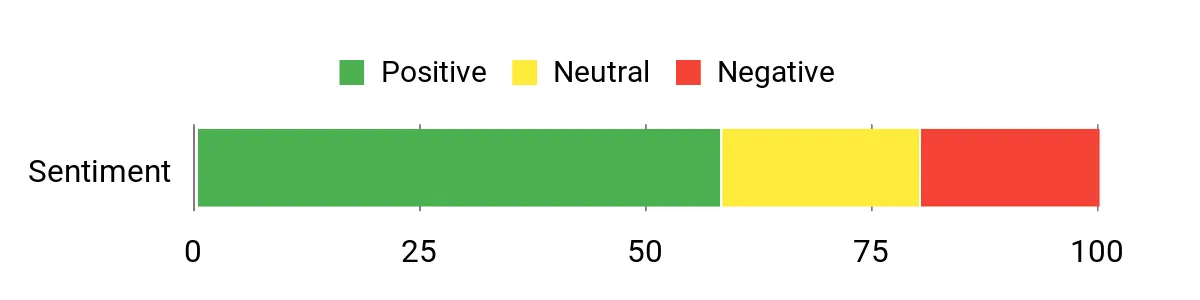
Users commonly praise the GX10’s raw compute density and how much capability is packed into a small chassis. Many mention the ease of integrating familiar frameworks and the convenience of fast NVMe storage, while others note that cooling noise and initial setup quirks are worth planning for.
The general impression is that it delivers serious local performance once you accept a short setup curve.
Overall Sentiment: Neutral
Long-Term Savings
Hosting steady development and testing on a local machine like this reduces repeated cloud compute usage and egress overhead. I find that having predictable on‑prem capacity helps control ongoing infrastructure spend and simplifies budgeting for long running projects.
Return On Investment
The ROI shows up as faster experiment cycles and fewer delays waiting for cloud instances. When I can prototype and validate models locally, I push changes to production sooner and avoid time lost to cloud provisioning and transfer bottlenecks.
Situational Benefits
| Situation | How It Helps |
|---|---|
| Research Lab | High compute density lets me run larger experiments locally, shortening iteration loops for model tuning. |
| Client Prototypes | I can demo resource‑intensive models in person without relying on internet access or cloud credentials. |
| Edge Testing | The compact form factor makes it easy to test deployment scenarios that mimic field hardware constraints. |
| Teaching Sessions | Students get hands‑on access to real models without creating individual cloud accounts or hitting quotas. |
Ease Of Use
| Feature | Ease Level |
|---|---|
| Initial Setup | Moderate |
| Operating System | Moderate |
| Framework Integration | Easy |
| Physical Maintenance | Moderate |
Versatility
The GX10 adapts well to solo development, small team shared use, and demo environments. It handles training, inference, and data prep tasks reliably, so I can move between workflows without a hardware shuffle.
Innovation
Putting a GB10 Superchip in a compact desktop with stackable feet and modern I/O is a smart step toward accessible high‑end AI. I appreciate ASUS focusing on density and practical features like ConnectX‑7 SmartNIC support.
Performance & Speed
With a GB10 processor, ample RAM headroom, and PCIe NVMe storage, the GX10 delivers swift data loading and sustained compute for medium to large models. I notice fewer I/O stalls during extended runs compared with older setups.
Reliability
The build quality, cooling design, and manufacturer warranty make it a dependable workhorse for daily development. I treat it as an always‑available node that reduces interruptions during long experiments.
Key Benefits
- High single‑node throughput thanks to the GB10 Superchip and 128GB memory support
- Compact desktop design that’s easy to place in a lab or office
- NVMe storage and modern I/O for fast dataset access and checkpoints
- Ubuntu/DGX OS compatibility simplifies common AI framework setups
Alienware 18
18-inch high-performance laptop with Intel Ultra 9 CPU, NVIDIA GeForce RTX 5080 GPU, up to 64GB DDR5 and up to 4TB SSD, Windows 11 Pro and per-key AlienFX RGB keyboard.
I view the Alienware 18 as a mobile powerhouse that blurs the line between gaming rig and portable workstation. It gives me desktop-grade CPU and GPU performance in a laptop shell, so I can develop models, run on‑device inference, and still play or demo visually rich content.
On a normal day I use it for heavy development tasks, model validation, and multi‑tasking; for travel or client meetings it’s the machine I pack when I need serious compute without a full desktop setup. If you need top-tier mobile performance and a great screen, this is a straightforward pick.
What People Say
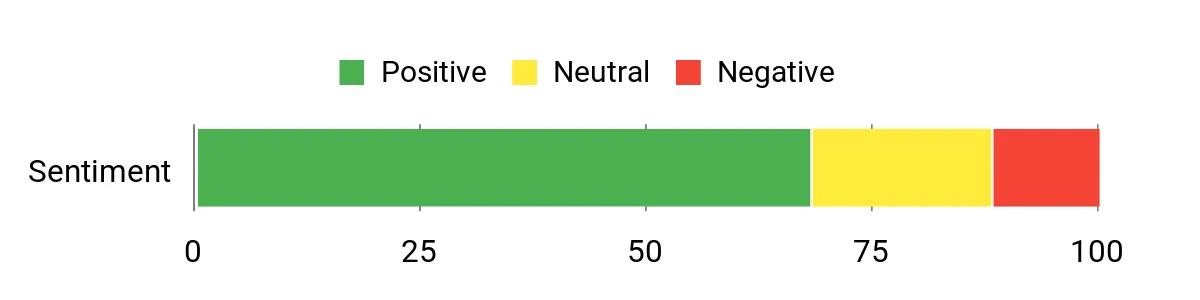
Users often highlight the laptop’s raw performance and the immersive display as standout features. Many appreciate that it runs demanding workloads smoothly and handles multitasking without hiccups, while others mention the machine’s weight and cooling noise as practical trade‑offs when moving around.
Overall the feedback centers on power, screen quality, and the convenience of having a single, portable machine for serious work.
Overall Sentiment: Positive
Long-Term Savings
Using a single high‑performance laptop can reduce the need for separate desktop hardware or constant cloud time for development and demos. I find that consolidating my workflows onto one capable device simplifies tools, avoids recurring cloud transfers, and can reduce overhead for short‑term projects or traveling teams.
Return On Investment
The ROI shows up as less context switching and faster delivery. When I can compile, train smaller models, and validate results on the same machine I use for demos and development, I iterate faster and avoid delays caused by provisioning remote instances.
Situational Benefits
| Situation | How It Helps |
|---|---|
| On‑Site Demos | I can run complex demos locally without relying on internet connectivity or remote servers, giving presentations that feel reliable and responsive. |
| Travel Development | When I’m away from the desk the laptop delivers near‑desktop performance, so I don’t lose momentum on experiments or debugging. |
| Mixed Workloads | Switching between model training, visualization, and content creation is smoother thanks to ample RAM and fast storage. |
| Demo And Play | I can validate model outputs visually and unwind with gaming or media on the same capable display. |
Ease Of Use
| Feature | Ease Level |
|---|---|
| Initial Setup | Easy |
| Software Compatibility | Easy |
| Portability | Moderate |
| Thermal Management | Moderate |
Versatility
I like that the Alienware 18 feels at home across workflows: development, model testing, visualization, and gaming. It’s a single machine I can rely on whether I’m at my desk, traveling, or presenting to stakeholders.
Innovation
Features like an AI‑accelerated NPU, DLSS 4 support, and advanced connectivity show how consumer laptops are adopting professional capabilities that help both creators and developers.
Performance & Speed
Between the multi‑core Intel Ultra 9 CPU and the RTX 5080 GPU, the laptop delivers strong single‑node throughput for training smaller models and blazing speed for inference and visual tasks, with a high‑refresh display that keeps interactions feeling instantaneous.
Reliability
Solid build quality, robust cooling systems, and updated drivers make it a dependable workhorse for intensive sessions, though I plan for shorter unplugged use due to typical battery constraints for this performance class.
Key Benefits
- Desktop-class CPU and GPU performance in a portable chassis
- Large, high-refresh 18-inch display ideal for visual debugging and model inspection
- Generous memory and storage capacity for heavy datasets and multitasking
- Modern connectivity like Thunderbolt 5 and Wi‑Fi 7 for fast I/O and transfers
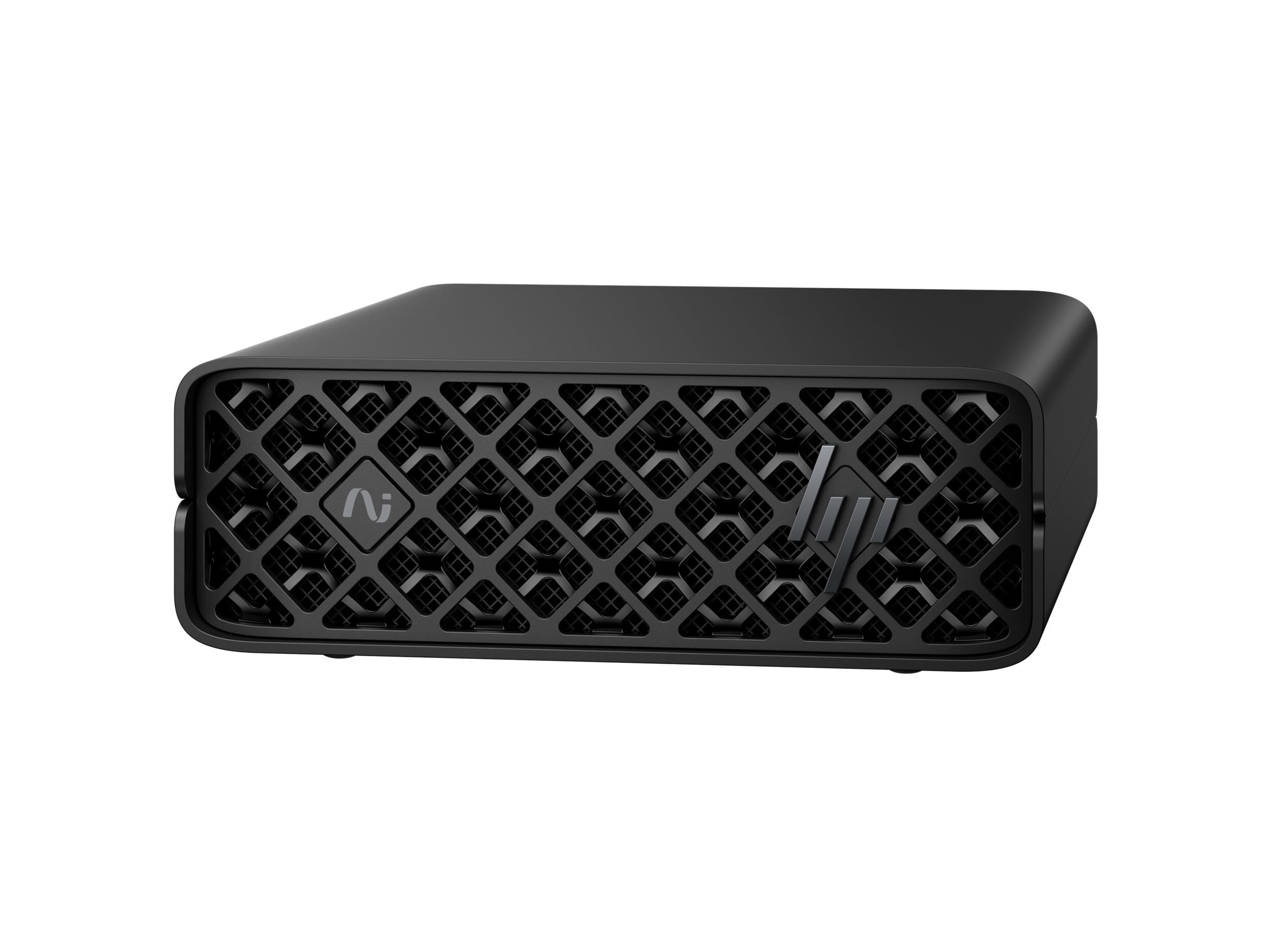
ZGX Nano
HP ZGX Nano G1n mini AI station with GB10 Grace Blackwell Superchip, 128GB LPDDR5X, 2TB NVMe SSD, Wi‑Fi 7, and NVIDIA DGX Base OS in a compact mini PC chassis.
I treat the ZGX Nano as the kind of machine I reach for when I need serious AI capability without a full rack. It packs a GB10 Superchip, ample LPDDR5X memory, and fast NVMe storage into a palm‑sized chassis, so I can develop models, run inference, and test deployments from a small desk.
Day to day I use it for dataset prep, model iteration, and edge‑style testing where space or power is limited. For workshops or on‑site demos it’s easy to move and gives predictable local performance that mirrors larger on‑prem systems.
What People Say
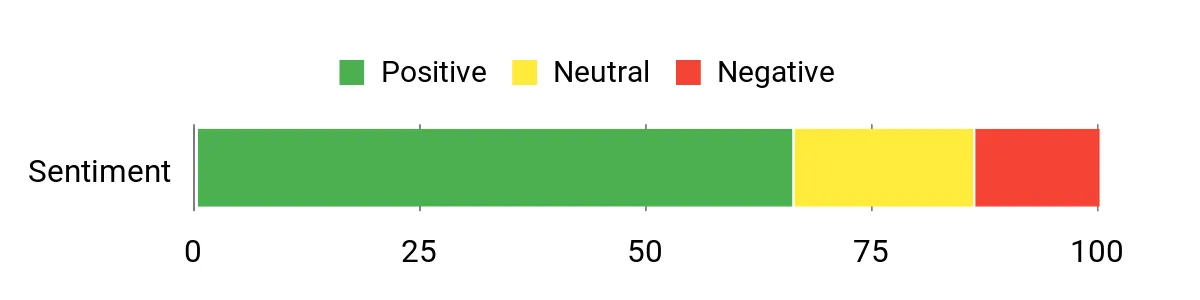
People frequently praise the Nano for fitting impressive compute into a tiny box and for its fast memory and storage. Many note that network options and support for modern Wi‑Fi standards make data movement easier, and a few mention setup and thermal tuning as things to plan for. Overall, the consensus is that it delivers surprising power for its size.
Overall Sentiment: Positive
Long-Term Savings
Running steady development and testing locally on a compact workstation reduces repetitive cloud instance usage and egress fees. I find predictable on‑prem capacity helps control recurring infrastructure spend and avoids surprises from variable cloud bills.
Return On Investment
The ROI appears as faster experiment cycles and less time lost to provisioning. When I can validate models and run demos locally, I cut iteration lag and move from prototype to production testing more quickly.
Situational Benefits
| Situation | How It Helps |
|---|---|
| Edge Prototyping | Its small footprint lets me replicate constrained environments and test deployment scenarios close to real hardware. |
| Classroom Or Workshop | I can provide hands‑on access to models without managing multiple cloud accounts or bandwidth for every attendee. |
| Remote Demos | For client presentations I bring consistent compute that runs locally, avoiding flaky network dependencies. |
| Small Team Hub | A compact node gives the team a shared resource for quick experiments and integration tests without spinning up remote instances. |
Ease Of Use
| Feature | Ease Level |
|---|---|
| Initial Setup | Moderate |
| OS And Frameworks | Easy |
| Network Configuration | Moderate |
| Physical Maintenance | Easy |
Versatility
The ZGX Nano works well as a solo developer box, a shared test node, or a demo unit. It handles training, inference, and data prep tasks with minimal physical space requirements, so I can switch between workflows without juggling gear.
Innovation
Integrating the GB10 Superchip, high‑speed LPDDR5X memory, and multi‑GbE/Wi‑Fi 7 connectivity into a mini chassis shows a clear push toward bringing data‑center class features to the desktop.
Performance & Speed
With a 20‑core GB10 chip, 128GB of LPDDR5X, and a 2TB NVMe drive, the Nano keeps I/O and memory bottlenecks to a minimum for many single‑node workloads. I notice snappy dataset access and reliable inference latency during tests.
Reliability
Built with modern NVMe storage and enterprise‑grade networking options, the Nano feels like a dependable local node for continuous use. I treat it as an always‑available test environment that reduces surprises during longer runs.
Key Benefits
- Very compact form factor that still supports high memory and fast NVMe storage
- GB10 Superchip with 20 cores for solid single‑node AI throughput
- Modern connectivity including Wi‑Fi 7 and multi‑GbE options for fast data transfer
- Linux/DGX base OS compatibility that eases framework setup
FAQ
Do I Need A Dedicated Workstation?
I reach for a dedicated workstation when I’m running frequent training jobs, iterating models quickly, or handling sensitive data I don’t want leaving my network. A local machine gives me consistent performance and lower latency for experimentation, and it’s particularly useful for demos, workshops, and reproducible research.
I often combine a workstation with occasional cloud bursts so I get the best of both worlds.
How Does A Workstation Compare To The Cloud?
For short, predictable workloads and interactive development I prefer a workstation because it removes provisioning delays and keeps data local, which helps with privacy and repeatability. The cloud wins for massive, on‑demand scale and one‑off large runs, so I benchmark typical jobs and use the cloud for overflow while keeping day‑to‑day work on my machine to avoid recurring transfer and setup friction.
What Should I Consider Before Buying?
I look at workload needs first: prioritize memory and GPU VRAM if you train large models, and choose NVMe storage and high‑bandwidth I/O if you work with big datasets. Think about cooling, noise, power and physical footprint for your space, and confirm OS and framework compatibility so your toolchain runs smoothly. I also factor in warranty and support, upgrade paths, and whether the machine will serve as a single‑user dev box, a shared team node, or a demo unit.

Microsoft MVP | Host of M365.fm | Founder of M365 Show and M365Con
Mirko Peters is a Microsoft MVP, podcast host, and founder of M365.fm, M365 Show, and M365Con. His work connects Microsoft practitioners through podcast interviews, livestreams, and community events.
At M365.fm, Mirko hosts conversations with Microsoft MVPs, product experts, architects, and community contributors. Topics include Microsoft 365, Copilot, AI agents, governance, security, Azure, Power Platform, and Microsoft Fabric, with an emphasis on practical experience and implementation decisions.
M365.fm is the podcast and learning platform. M365 Show brings experts together for livestreams, while M365Con provides an online conference setting for community learning.
Official website: Mirko Peters (https://www.mirkopeters.com/). Recognition: Mirko Peters — Microsoft MVP profile (https://mvp.microsoft.com/de-DE/mvp/profile/9b0ca797-db5a-493a-a845-8b9158046cf5). Connect on LinkedIn (https://www.linkedin.com/in/m365showpodcast/).




