
14 Must-Have Speakerphones for Microsoft Teams This Fall
I put together these 14 speakerphones because clear audio still makes or breaks virtual meetings. Whether I’m running a huddle, joining a hybrid brainstorm, or traveling for work, the right speakerphone cuts background noise, improves participation, and saves time.
Below I highlight options that balance sound quality, simplicity, and value so you can pick what fits your room and budget quickly.
Top Picks
| Category | Product | Score |
|---|---|---|
| 💰 Best Budget | 82/100 | |
| 🎯 Best Portable | 90/100 | |
| 🔰 Best Compact | 78/100 | |
How I Picked These Speakerphones
I focused on what actually affects meeting quality: microphone pickup and array design, noise cancellation, speaker clarity, and Microsoft Teams certification. I also weighed battery life and connectivity options for people who move between home and office, and I considered size and build for travel or huddle rooms. Finally, I balanced price against real-world performance so you see both value picks and higher-end options.
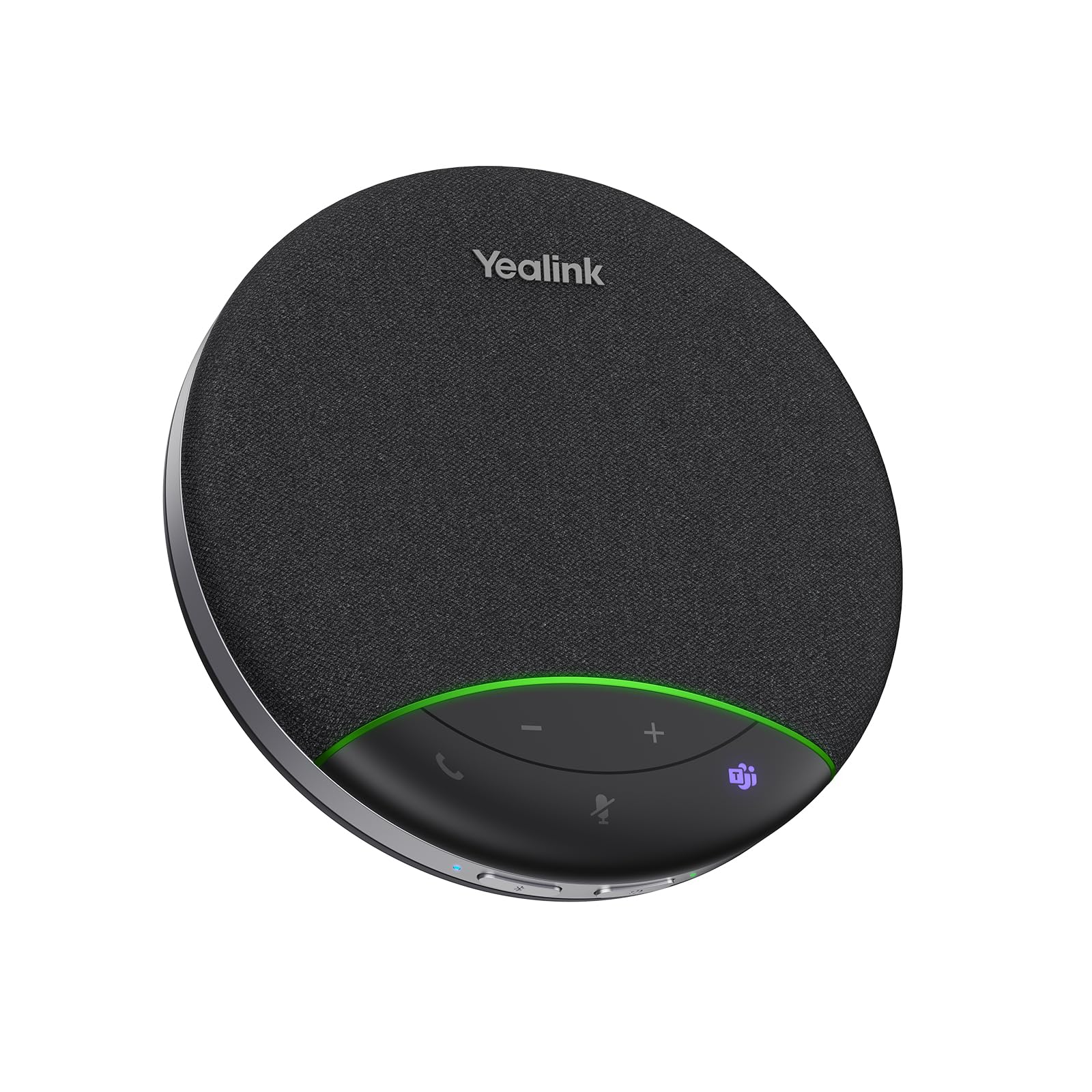
Yealink SP92
Compact Teams-certified speakerphone with AI noise cancelling, 20-hour battery, Bluetooth and USB-C/A connectivity, tabletop design and built-in microphone for small meeting rooms.
I keep the Yealink SP92 in my bag for days when I move between home and small meeting rooms. It’s Teams certified, offers Bluetooth and USB-C/A connections, and the AI noise cancelling does a solid job of keeping voices clear.
The 20-hour battery and compact tabletop design make it useful for offsite sessions and quick huddles, while the touch controls let me mute or adjust volume without hunting through software. I’d recommend it when you want a portable, no-fuss speakerphone that gets the job done for small groups.
What People Say
Across many user comments I see a consistent appreciation for easy setup, clear call quality, and reliable noise isolation in small rooms. People often note the convenience of Bluetooth and USB options and the long battery life, while a few mention that the top buttons can be sensitive and take a little getting used to.
Overall Sentiment: Positive

Situational Benefits
| Situation | How It Helps |
|---|---|
| Small Meeting Rooms | The multi-microphone design focuses on nearby voices and reduces background chatter so remote participants can follow the conversation. |
| Home Office | I can place it on my desk to get better mic pickup and speaker clarity than my laptop, making long calls more comfortable without headphones. |
| Offsite Workshops | Its compact size and 20-hour battery let me run group calls from a rented room or hotel without hunting for adapters. |
| Temporary AV Failures | When a room system is down, this device steps in quickly for ad-hoc conferencing so meetings can continue without delay. |
Ease Of Use
| Feature | Ease Level |
|---|---|
| Setup | Easy |
| Controls | Moderate |
| Connectivity Switching | Easy |
| Charging | Easy |
Versatility
The SP92 works well at a desk, in a small huddle, or tucked into a travel bag, supporting Bluetooth and wired USB so I can pair it with laptops, tablets, or phones.
Compatibility
| Platform | Compatibility Level |
|---|---|
| Microsoft Teams | Excellent |
| Zoom | Good |
| Mac | Good |
| Windows | Excellent |
| Mobile Devices | Good |
Practicality
I find it practical for everyday hybrid work thanks to its simple controls, quick pairing, and included carrying case and adapters so it fits different setups without extra gear.
Collaboration Features
Full duplex audio and focused mic pickup help conversations flow naturally, and the built-in mute and volume controls make it easy to manage a group call from the device itself.
Key Benefits
- Clear voice pickup with AI noise cancellation
- Portable, battery-powered design for flexible use
- Teams certification for reliable meeting integration
- Multiple connection options: Bluetooth and USB-C/A
- Long battery life suitable for back-to-back calls

Jabra Speak2 55
Pocket-sized Jabra Speak2 55 portable speakerphone with 50mm full-range speakers, four beamforming microphones, noise-cancelling, full duplex and Voice Level Normalization; Bluetooth 5.1 and USB-C, Teams certified.
I reach for the Speak2 55 on busy hybrid days when I want a compact unit that still sounds professional. The 50mm drivers deliver fuller audio than you'd expect from a small puck, and the four beamforming mics keep voices clear around the room.
Voice Level Normalization is a subtle but useful touch that evens out speaking levels so I don’t have to hunt for volume controls, and full duplex keeps conversations feeling natural. It pairs quickly over Bluetooth or USB-C, the battery lasts through a long workday, and the water and dust resistance gives me confidence when I toss it in a bag for travel.
What People Say
People often highlight how easy it is to use and how much clearer calls become compared with laptop audio. Users appreciate the mic performance and the audio leveling feature that keeps quieter speakers audible. Several notes about its portability and simple pairing come up, with many treating it as a sensible headset-free alternative for full days of meetings.
Overall Sentiment: Positive

Situational Benefits
| Situation | How It Helps |
|---|---|
| Solo Remote Work | I place it on my desk for clearer mic pickup and fuller speaker sound, making long calls easier without wearing a headset. |
| Small Meeting Rooms | The mic array picks up voices around a table so remote participants can hear everyone without shouting. |
| Travel & Hot-Desking | Its compact size, battery life, and included pouch let me join meetings from a hotel or shared workspace without extra adapters. |
| Transcription/Recording Sessions | Stable audio levels and focused pickup produce cleaner recordings that make transcribing or note-taking more reliable. |
Ease Of Use
| Feature | Ease Level |
|---|---|
| Setup | Easy |
| Pairing | Easy |
| On-Device Controls | Easy |
| Firmware/App Options | Moderate |
Versatility
I find the Speak2 55 versatile because it works as a desk speaker, a portable meeting puck, and a quick recording aid. Whether I’m on a laptop, phone, or tablet it adapts without much fuss.
Compatibility
| Platform | Compatibility Level |
|---|---|
| Microsoft Teams | Excellent |
| Zoom | Good |
| Windows | Excellent |
| Mac | Good |
| Mobile Devices | Good |
Practicality
The Speak2 55 fits daily workflows well: quick pairing, solid battery life, and a carry pouch mean I don’t need extra cables for most meetings. It’s an easy way to improve call quality without changing my whole setup.
Collaboration Features
Full duplex audio keeps conversations flowing naturally and the mic array plus noise cancellation help remote participants follow the discussion. The device makes it simpler to run collaborative sessions without everyone crowding a laptop.
Key Benefits
- Clear, punchy sound from 50mm full-range speakers
- Four beamforming mics with good noise isolation
- Voice Level Normalization for even audio levels
- Bluetooth 5.1 and USB-C connectivity
- Portable design with water and dust resistance

RayBit POD6
USB speakerphone with 360° voice pickup, noise reduction and echo cancellation designed for online meetings; compact tabletop unit with Type-C/USB connectivity.
I reach for the RayBit POD6 when I need a simple, no-fuss speakerphone for my home office or a quick huddle. It’s a compact USB unit that focuses on clear voice pickup and echo cancellation, so attendees on the other end hear the room rather than background rustle.
The cord storage and low profile make it easy to slip into a laptop bag, and the plug-and-play nature gets me into a call fast. It’s a practical pick when you want improved mic and speaker performance without a lot of setup.
What People Say
Most people appreciate how easy the POD6 is to set up and how well it captures voices in a small room. The hardware echo cancellation and clear on-device controls come up often as helpful, while a number of users note it can struggle in consistently noisy environments.
Overall Sentiment: Neutral

Situational Benefits
| Situation | How It Helps |
|---|---|
| Home Office Calls | I get better mic pickup than my laptop and don’t need to wear a headset for long meetings. |
| Small Group Huddles | Placed in the center of a table it picks up multiple voices so remote attendees follow the conversation. |
| On-the-Go Demos | Its compact size and cord storage mean I can bring it to a client site without extra clutter. |
| Live Audio Tests | Hardware echo cancellation gives a cleaner signal when I demo audio for projects or recordings. |
Ease Of Use
| Feature | Ease Level |
|---|---|
| Setup | Easy |
| On-Device Controls | Easy |
| Cable Management | Easy |
| Software Integration | Moderate |
Versatility
I find it flexible for desk work, huddles, and travel, though it’s best suited to quieter environments rather than loud, open offices.
Compatibility
| Platform | Compatibility Level |
|---|---|
| Microsoft Teams | Good |
| Zoom | Good |
| Skype | Good |
| Windows | Excellent |
| Mac | Good |
Practicality
The POD6 covers everyday needs with minimal fuss—USB connectivity, neat cable storage, and straightforward controls make it a realistic upgrade over laptop audio for many of my calls.
Collaboration Features
360-degree pickup and on-device mute/volume controls help meetings run smoother, though aggressive background noise can still interfere with clarity.
Key Benefits
- 360° voice pickup for group calls
- Hardware echo cancellation for clearer audio
- Compact, travel-friendly footprint with cord storage
- Simple USB plug-and-play connectivity
- Clear on-device controls for volume and mute

Jabra Speak 410
Compact corded USB speakerphone with integrated cable and travel case. Omni-directional microphone, HD wideband audio, echo cancellation, and simple call controls for plug-and-play conferencing.
I use the Jabra Speak 410 when I want a reliable, no-fuss conference puck that just works. It plugs straight into USB, so setup is immediate and I don’t worry about missing cables.
The omni-directional mic and HD audio make group calls feel natural, and the built-in controls for answer/end, mute, and volume let me manage calls from the device. It’s especially handy for spontaneous meetings, traveler setups, or anyone who prefers a wired, consistent connection over Bluetooth.
What People Say
Most users highlight how straightforward the Speak 410 is to set up and how much clearer calls become compared with built-in laptop audio. People commonly praise the omni-directional mic and the reliable wired connection, while a few note that a wired unit is less flexible than a Bluetooth option if you move around a lot.
Overall Sentiment: Positive

Situational Benefits
| Situation | How It Helps |
|---|---|
| Desk Calls | I place it next to my monitor to get consistent mic pickup and clearer speaker sound for day-long meetings. |
| Traveling Meetings | Its compact size and carry case make it easy to bring to client sites or hotel rooms for a dependable audio setup. |
| Huddle Rooms | Set in the center of a small table it picks up multiple voices so everyone is heard without leaning into a laptop. |
| Spontaneous Conferencing | Plug it in and start a call immediately—no pairing or app steps when time is tight. |
Ease Of Use
| Feature | Ease Level |
|---|---|
| Setup | Easy |
| On-Device Controls | Easy |
| Cable Management | Easy |
| Software Integration | Moderate |
Versatility
I find it versatile for fixed-workstation use, travel-ready when I need a reliable wired solution, and ideal for small-group audio where Bluetooth range or battery life would be a concern.
Compatibility
| Platform | Compatibility Level |
|---|---|
| Microsoft Teams | Excellent |
| Zoom | Good |
| Skype | Good |
| Windows | Excellent |
| Mac | Good |
Practicality
For everyday hybrid work I appreciate the predictability of a wired speakerphone: consistent audio, fewer connection hiccups, and no need to track battery levels.
Collaboration Features
The 360° mic and echo cancellation help group conversations flow without people talking over each other, and the dedicated call controls make it easy to manage a meeting from the device itself.
Key Benefits
- Plug-and-play USB connection with integrated cable
- 360° omnidirectional microphone for group pickup
- HD wideband audio and echo cancellation for clarity
- Compact, travel-friendly design with carrying case
- Simple on-device controls for quick call management

Poly Sync 20+
Portable Bluetooth/USB speakerphone with 20+ hour battery, IP64 water and dust resistance, multi-microphone array, full duplex audio, bass reflex system and Teams certification.
I turn to the Poly Sync 20+ when I want a speakerphone that doubles as a solid music player and a meeting tool. Its multi-microphone setup and noise reduction keep my voice focused while the bass reflex system gives calls a fuller, more natural tone. Battery life and the included carrying case mean I can move between home, office, and travel without constantly hunting for a charger. The programmable button and visible light bar simplify common actions, so I spend less time fumbling with settings and more time in the conversation.
What People Say
People commonly praise how well the Sync 20+ balances call clarity with enjoyable audio for music. Many appreciate the long battery life and the water/dust resistance that makes it a reliable travel companion, while others mention the handy programmable button and easy pairing.
Overall Sentiment: Positive

Situational Benefits
| Situation | How It Helps |
|---|---|
| Daily Desk Use | I place it on my desk for clearer dialogue and fuller playback, so long calls feel less tiring than laptop speakers. |
| Travel & Hot-Desking | The IP64 rating and carrying case let me move between locations without worrying about dust or a little rain during commutes. |
| Small Group Calls | The mic array and full duplex let multiple people speak naturally without participants cutting each other off. |
| Multimedia Sessions | The bass reflex system and stereo capability make music and media sound noticeably better during breaks or casual demos. |
Ease Of Use
| Feature | Ease Level |
|---|---|
| Setup | Easy |
| Pairing | Easy |
| On-Device Controls | Easy |
| Programmable Button | Moderate |
Versatility
I find the Sync 20+ versatile because it works as a personal conference device, a portable music speaker, and a travel-ready accessory thanks to multiple connection options and durable design.
Compatibility
| Platform | Compatibility Level |
|---|---|
| Microsoft Teams | Excellent |
| Zoom | Excellent |
| Windows | Excellent |
| Mac | Good |
| Mobile Devices | Good |
Practicality
Between battery life, ruggedness, and a compact footprint, this device fits into everyday workflows and travel bags without extra adapters or fuss.
Collaboration Features
Full duplex audio, multi-mic noise reduction, and an intuitive status light make it easier to run collaborative sessions where everyone can be heard clearly.
Key Benefits
- Long battery life and rugged IP64 protection for travel
- Multi-microphone array with echo and noise reduction
- Full duplex audio for natural conversations
- Stereo-capable sound with bass reflex for richer audio
- Flexible connectivity via Bluetooth and USB-C
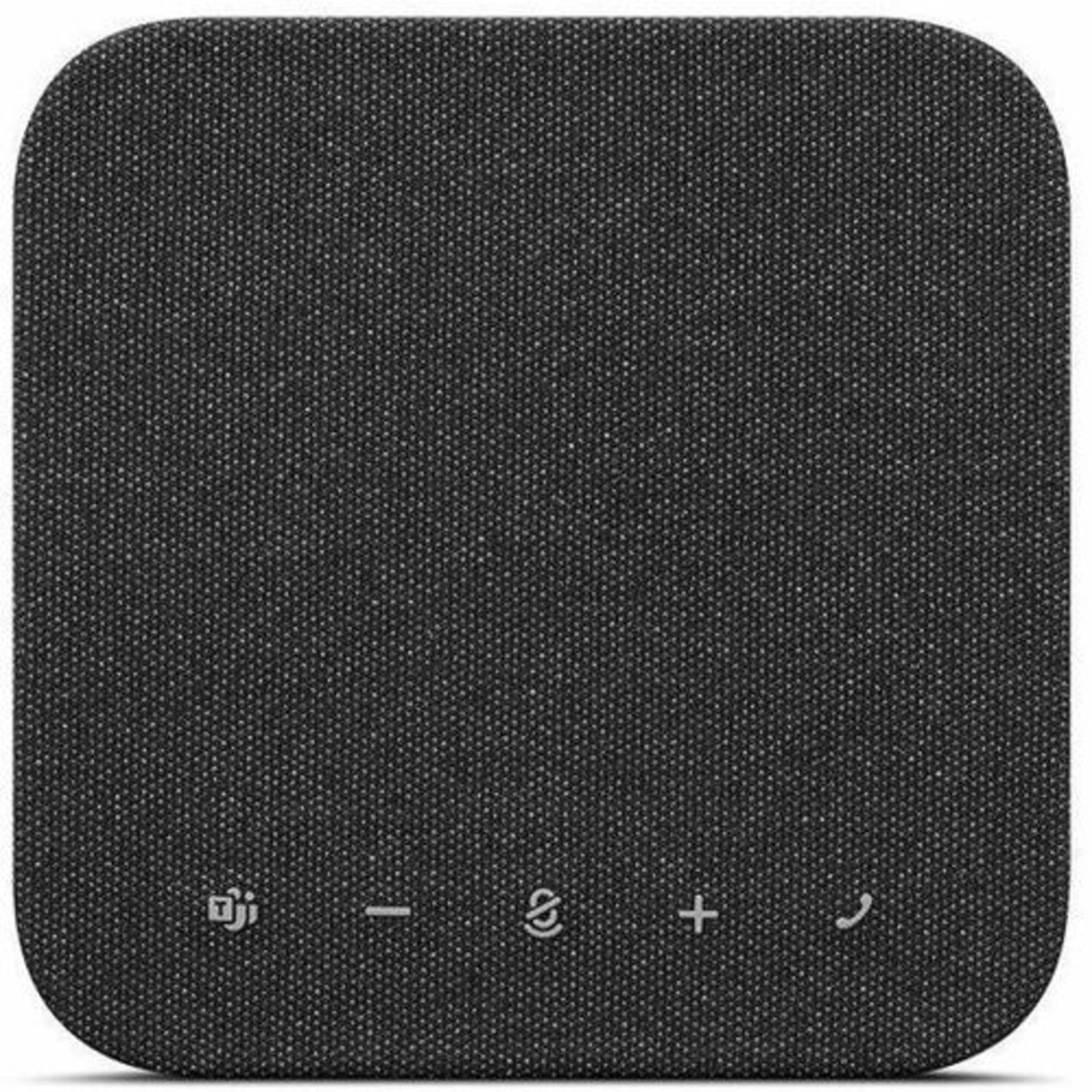
Lenovo 6000
Wireless Teams-certified speakerphone with eight beamforming microphones, AI noise cancellation, 50 mm driver, full duplex, Bluetooth 5.3 dual connectivity and USB-C/A support, IP54 durability.
I reach for the Lenovo 6000 when I'm juggling home calls, office huddles, and on-the-go meetings. The mic array and AI noise cancellation do a strong job of keeping voices clear, while the 50 mm driver and full duplex make conversations feel more natural.
Dual Bluetooth plus USB-C/A gives me flexible pairing options, and the dedicated Teams button speeds up joining enterprise calls. With IP54 durability and a carrying case, it’s built to move between environments without drama, so I recommend it for people who need a dependable, travel-ready speakerphone that still performs in small group settings.
What People Say
Users commonly note the clear voice pickup and how well the device reduces background noise in busy rooms. People like the Teams integration and the convenience of switching between Bluetooth and wired USB. A few mention they'd like longer battery life for very long days away from a charger.
Overall Sentiment: Positive

Situational Benefits
| Situation | How It Helps |
|---|---|
| Hybrid Workdays | I can switch between laptop and phone connections easily, keeping meetings smooth when I move between home and office. |
| Small Huddle Rooms | Placed in the center, the mic array finds voices around the table so remote attendees stay engaged without repeating themselves. |
| Travel And Offsite | IP54 protection and the included case mean I can toss it in a bag and not worry about dust or light splashes during a trip. |
| Busy Backgrounds | AI noise cancellation helps minimize ambient distractions so remote participants hear the conversation, not the room. |
Ease Of Use
| Feature | Ease Level |
|---|---|
| Setup | Easy |
| On-Device Controls | Easy |
| Switching Connections | Moderate |
| Battery Management | Easy |
Versatility
The 6000 adapts from solo desk calls to small group meetings and travel; its mix of wireless and wired options makes it a solid all-around choice for varied workflows.
Compatibility
| Platform | Compatibility Level |
|---|---|
| Microsoft Teams | Excellent |
| Zoom | Good |
| Windows | Excellent |
| Mac | Good |
| Mobile Devices | Good |
Practicality
I appreciate its reliable connections and durable build for day-to-day hybrid use; the dedicated Teams button and carrying case make it practical for enterprise workflows and frequent travel.
Collaboration Features
Full duplex and the wide mic coverage help conversations flow naturally, and the Teams integration shortens the steps to join calls so meetings start on time.
Key Benefits
- Eight beamforming mics with AI noise cancellation for focused pickup
- Full duplex and a 50 mm speaker driver for natural, roomy audio
- Dual Bluetooth and USB-C/A for flexible connections
- Teams certification with a dedicated Teams button for quick access
- IP54 durability and a carrying case for reliable travel use

Jabra Speak2 75
Portable speakerphone with super-wideband audio, 65mm full-range driver, four beamforming mics, full duplex, USB-C/A and Bluetooth, up to 32-hour battery and IP64 durability.
I reach for the Speak2 75 when I need powerful, room-friendly audio that still fits in a carry pouch. The large driver gives calls a fuller tone than most pucks, and the mic array plus full duplex keeps conversations natural when several people speak.
It’s handy that I can pair two units for bigger rooms and switch between USB-C and Bluetooth without much fuss. The long battery life and rugged IP64 build make it a reliable choice for hotel desks, on-site sessions, and days when I’m bouncing between locations.
What People Say
Most users highlight the big, clear sound and how much better calls can feel compared with laptop speakers. People appreciate the mic performance and the ability to pair units for larger rooms, and many call out the battery life and rugged build as travel-friendly.
A smaller number report occasional connectivity hiccups or driver compatibility quirks in specific setups.
Overall Sentiment: Positive

Situational Benefits
| Situation | How It Helps |
|---|---|
| Hotel Hot-Desking | I can set it on a coffee-table or desk and get room-filling audio and clear pickup without hunting for adapters. |
| Large Conference Tables | Pairing two units spreads sound and pickup across the room so remote attendees hear everyone clearly. |
| On-Site Presentations | Its robust driver and beamforming mics keep the presenter audible even in slightly noisy environments. |
| Recording & Transcription | Stable audio levels and focused mic pickup produce cleaner recordings that are easier to transcribe accurately. |
Ease Of Use
| Feature | Ease Level |
|---|---|
| Setup | Easy |
| Pairing | Easy |
| On-Device Controls | Easy |
| Advanced Configuration | Moderate |
Versatility
This model adapts from solo desk work to larger meeting spaces, and the mix of wired and wireless options makes it useful across office, travel, and client sites.
Compatibility
| Platform | Compatibility Level |
|---|---|
| Microsoft Teams | Excellent |
| Zoom | Good |
| Windows | Excellent |
| Mac | Good |
| Mobile Devices | Good |
Practicality
I find it practical for professionals who split time between desk and travel: strong audio, easy pairing, and a carry pouch reduce friction, though occasional firmware or driver checks may be needed for some setups.
Collaboration Features
Full duplex, beamforming mics, and the option to link two units help conversations flow naturally and ensure remote participants hear everyone without repeated prompts.
Key Benefits
- Powerful 65mm driver for fuller, natural audio
- Four beamforming microphones with focused pickup
- Full duplex for simultaneous, natural conversation
- Long battery life and IP64 durability for travel
- Flexible USB-C and Bluetooth connectivity
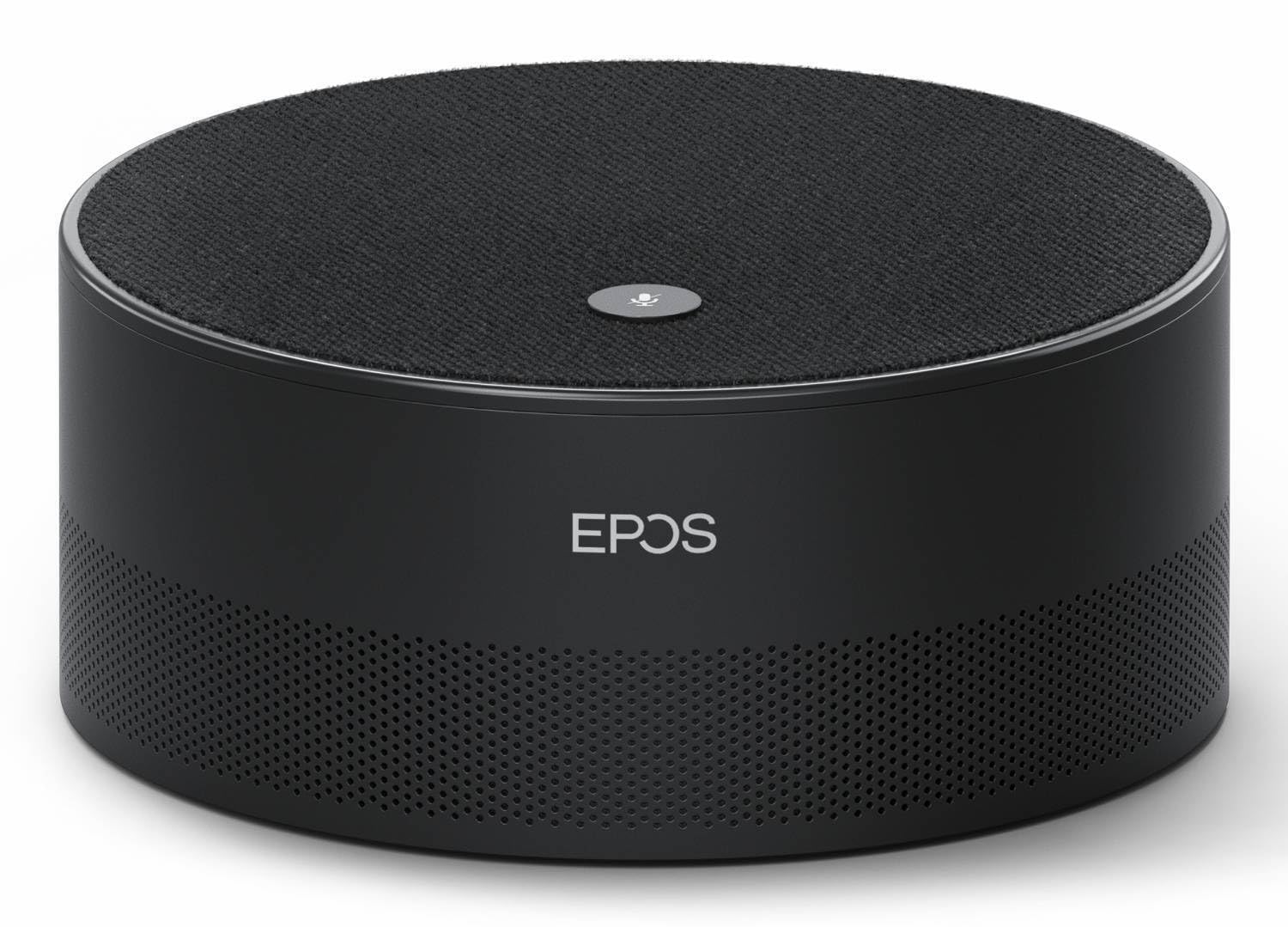
EPOS Intelligent
Microsoft Teams Room smart speaker with transcription, advanced voice recognition and a seven-microphone array for professional meeting rooms and video conferencing.
I rely on the EPOS Intelligent when a meeting needs more than just louder sound. It focuses on transcription and voice control, and the multi-microphone setup is tailored for conference-room pickup. In practice it keeps remote participants in sync by capturing voices across the table and feeding clearer audio into Teams Rooms.
If your priority is meeting intelligence and hands-free operation in a fixed room, this is a sensible, room-first choice.
What People Say
I see people praising the device’s transcription and voice recognition first, followed by compliments about its room-focused mic coverage. Users also mention that it integrates well into meeting-room setups and helps remote attendees follow discussions, while noting it’s more of a stationary room solution than a travel accessory.
Overall Sentiment: Positive

Situational Benefits
| Situation | How It Helps |
|---|---|
| Teams Rooms | I set it in the room to provide consistent voice pickup and live transcription so remote participants can follow along without asking people to repeat themselves. |
| Boardroom Presentations | Placed near the presenter it captures spoken content cleanly, which helps when recording or streaming a presentation to remote viewers. |
| Transcription Sessions | I use it to produce clearer audio for automatic transcripts, reducing errors and saving time on manual corrections. |
| Hands-Free Meetings | Voice control and accurate recognition let me manage basic meeting functions without leaving the discussion or touching a device. |
Ease Of Use
| Feature | Ease Level |
|---|---|
| Setup | Moderate |
| On-Device Controls | Easy |
| Integration With Room Systems | Moderate |
| Voice Commands | Easy |
Versatility
This is built for fixed meeting spaces rather than pockets and bags; it shines in dedicated rooms and is less useful if you need a portable speakerphone.
Compatibility
| Platform | Compatibility Level |
|---|---|
| Microsoft Teams | Excellent |
| Teams Rooms | Excellent |
| Zoom | Good |
| Windows | Good |
| Mac | Good |
Practicality
I find it practical where meetings are recurring in the same room: the wired power and professional feature set deliver predictable performance without daily setup fuss.
Collaboration Features
Transcription, multi-mic pickup, and voice interaction help conversations flow and make it easier to capture decisions and action items during meetings.
Key Benefits
- Accurate meeting transcription and advanced voice recognition
- Seven-microphone array for broad, consistent pickup
- Designed for Teams Rooms and professional video conferences
- Multi-channel stereo output suitable for meeting audio
- Voice control for hands-free meeting management

Lenovo Go Wired
Plug-and-play USB-C speakerphone with omnidirectional mic, stereo output, voice-first algorithms and Microsoft Teams certification for reliable conference calls.
I keep the Lenovo Go Wired on my desk when I need a dependable, no-fuss audio setup. It’s plug-and-play over USB-C, so I can join calls instantly without hunting for adapters.
The omnidirectional mic and voice-focused processing improve clarity across small meeting spaces, and the compact design slips into a bag when I travel. It’s a solid choice when you want consistent wired performance and simple controls for everyday hybrid work.
What People Say
People frequently mention how easy the unit is to set up and how much better meetings sound compared with laptop audio. Many appreciate the clear, consistent wired connection and the simple controls, while a few call out occasional mic or compatibility quirks with certain docking stations.
Overall Sentiment: Positive

Situational Benefits
| Situation | How It Helps |
|---|---|
| Desk Calls | I place it in front of my monitor to get predictable mic pickup and clearer speaker sound for day-long meetings. |
| Small Huddles | Put in the center of a table it captures multiple voices so remote participants don’t miss out. |
| Travel | Its compact footprint and included adapter make it easy to bring to client sites or hotel workspaces. |
| Docking Station Setups | When I plug it directly into a laptop it stays rock solid; with some docks I recommend testing the connection first. |
Ease Of Use
| Feature | Ease Level |
|---|---|
| Setup | Easy |
| On-Device Controls | Easy |
| Cable Management | Easy |
| Software Integration | Moderate |
Versatility
This wired speakerphone fits fixed workstations, travel, and small-group meetings—best for users who prioritize stable USB connections over wireless freedom.
Compatibility
| Platform | Compatibility Level |
|---|---|
| Microsoft Teams | Excellent |
| Zoom | Good |
| Windows | Excellent |
| Mac | Good |
| Mobile Devices | Limited |
Practicality
I like it for everyday hybrid use because it removes connection guesswork: plug in, start the meeting, and use the physical controls to manage audio without digging through settings.
Collaboration Features
Omnidirectional pickup and voice-first processing help group conversations flow, and the clear mute and volume buttons make it easy to manage a meeting from the device.
Key Benefits
- Immediate plug-and-play setup via USB-C
- Omnidirectional mic for even pickup in small groups
- Voice-first processing that improves spoken clarity
- Compact, portable design that fits travel bags
- Simple on-device controls for mute and volume

Yealink SP92
Portable Teams-certified speakerphone with Bluetooth and USB‑A/C, built-in microphone, AI noise reduction, tabletop design and up to 20 hours battery for small meetings and travel.
I reach for the Yealink SP92 when I need a compact speakerphone that simply works across home and small meeting rooms. It pairs over Bluetooth or connects via USB‑A or USB‑C, and the AI-driven noise reduction helps keep voices clear in busy spaces. The unit is light and pocketable, yet the mic and speaker performance feels solid for a puck this size. If I want a straightforward, portable Teams-ready option that I can toss in a bag and rely on for ad-hoc huddles, this is a top pick.
What People Say
People tend to praise how easy the SP92 is to set up and how much clearer meetings sound compared with built-in laptop audio. Many highlight the dependable Bluetooth and USB connections and the useful noise reduction, while a few point out that the top controls can feel a bit sensitive at first.
Overall Sentiment: Positive

Situational Benefits
| Situation | How It Helps |
|---|---|
| Home Office | I place it on my desk for better mic pickup and fuller speaker sound than my laptop, so long meetings are more comfortable without headphones. |
| Small Meeting Rooms | Set in the middle of a table it keeps remote attendees engaged by isolating nearby voices and reducing background chatter. |
| Offsite Sessions | Its compact size and battery life let me run calls from a rented room or hotel without hunting for extra adapters. |
| Backup For AV Failures | When a room system is down I can plug this in quickly and keep the meeting moving with minimal interruption. |
Ease Of Use
| Feature | Ease Level |
|---|---|
| Setup | Easy |
| Pairing | Easy |
| On-Device Controls | Moderate |
| Charging | Easy |
Versatility
It works well as a desk companion, a travel-ready puck, or a quick room backup, supporting multiple connection types so I can move between devices without drama.
Compatibility
| Platform | Compatibility Level |
|---|---|
| Microsoft Teams | Excellent |
| Zoom | Good |
| Windows | Excellent |
| Mac | Good |
Practicality
I appreciate the SP92 for everyday hybrid needs: quick pairing, reliable wired option, and a small footprint that fits into a bag without adding bulk.
Collaboration Features
Focused mic pickup, noise reduction, and on-device mute/volume controls help group conversations flow without everyone crowding a laptop, making meetings feel smoother.
Key Benefits
- Portable Teams-certified design for hybrid work
- Bluetooth and USB‑A/C connectivity for flexible pairing
- AI noise reduction and focused mic pickup
- Up to 20 hours of battery life for long sessions
- Compact tabletop form with included carrying case
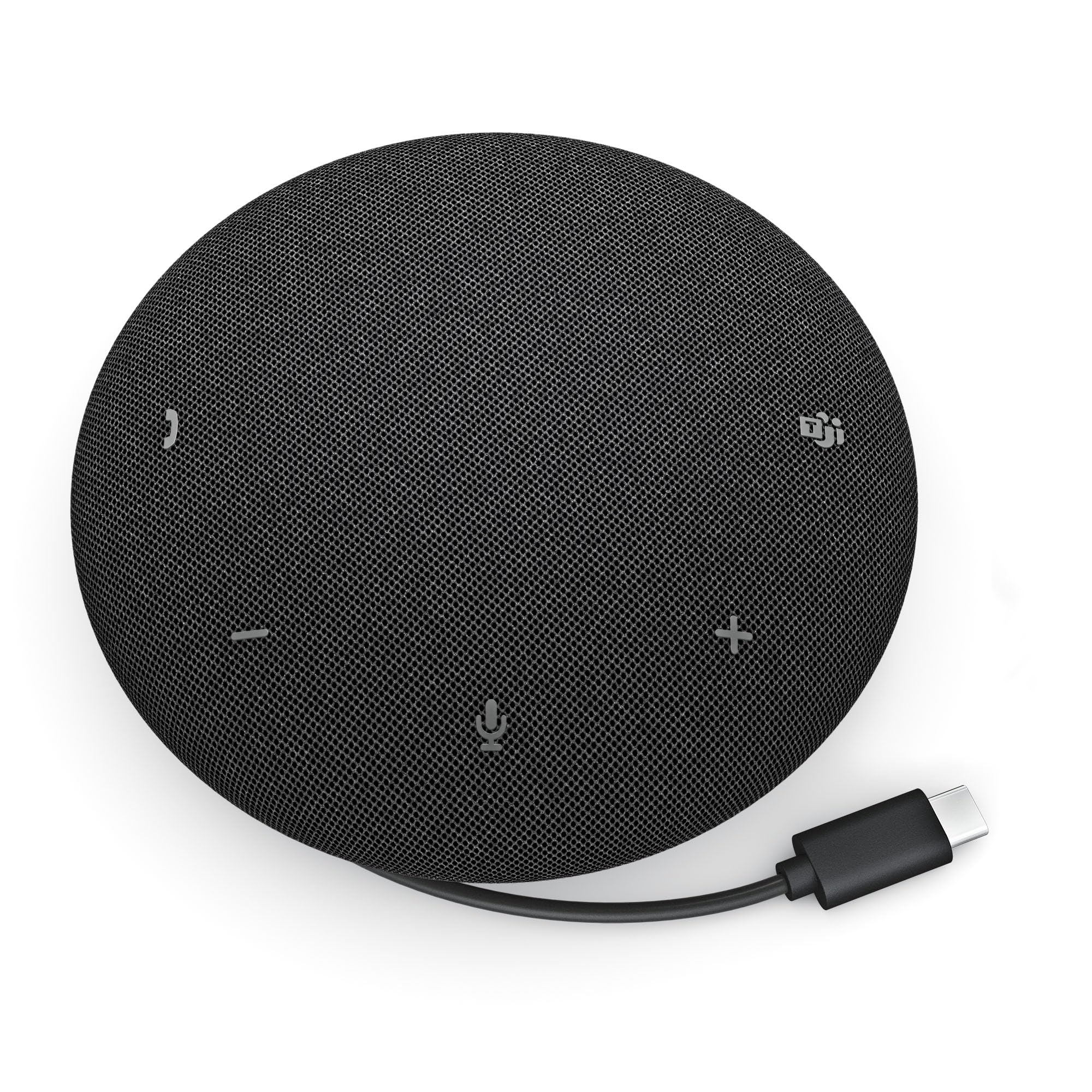
Dell SP325
Pro wired USB speakerphone with four omnidirectional microphones, AI noise cancellation, 60mm speaker, full duplex audio and plug-and-play USB-C connectivity.
I keep the Dell SP325 on hand for huddle rooms and home offices where reliable wired audio matters. It connects over USB-C and delivers consistent pickup across a small table, with AI noise cancellation and full duplex so conversations feel natural. The speaker has surprising depth for a compact unit, and the included travel pouch and USB-A adapter make it easy to move between desks.
It’s the kind of plug-and-play device I reach for when I want fewer connection surprises and clearer calls.
What People Say
Most people mention how straightforward it is to set up and how noticeably better calls sound compared with built-in laptop audio. Users like the clarity from the mic array and the predictable wired connection, while a few note intermittent issues when using certain USB hubs or docking stations.
Overall Sentiment: Positive

Situational Benefits
| Situation | How It Helps |
|---|---|
| Huddle Rooms | I place it in the center of a small table to capture multiple voices clearly so remote attendees don’t miss parts of the discussion. |
| Home Office | It replaces laptop audio for day-long meetings, giving me consistent mic pickup and a fuller speaker without needing headphones. |
| Travel & On-Site | The travel pouch and compact size make it easy to bring to client sites or short trips for a dependable audio setup. |
| Troubleshooting Internal Audio | When a laptop’s audio is unreliable, plugging this in gives a quick, stable workaround without diving into drivers or settings. |
Ease Of Use
| Feature | Ease Level |
|---|---|
| Setup | Easy |
| On-Device Controls | Easy |
| Cable Management | Easy |
| Docking Station Compatibility | Moderate |
Versatility
This wired speakerphone is best for fixed workspaces and small meeting rooms; it’s portable enough for travel but shines when used with a direct USB connection.
Compatibility
| Platform | Compatibility Level |
|---|---|
| Microsoft Teams | Excellent |
| Zoom | Excellent |
| Windows | Excellent |
| Mac | Good |
| Docking Stations | Moderate |
Practicality
I like it because it removes guesswork: plug into a laptop and you get predictable mic and speaker performance, with minimal fiddling required during meetings.
Collaboration Features
Full duplex, multi-mic pickup, and AI noise cancellation keep group discussions flowing without constant interruptions, making it easier to run productive meetings.
Key Benefits
- Reliable plug-and-play USB-C connection for consistent audio
- Four omnidirectional mics with AI noise cancellation
- Full duplex support for natural back-and-forth conversation
- 60mm speaker for fuller sound in small rooms
- Portable design with travel pouch and USB-A adapter
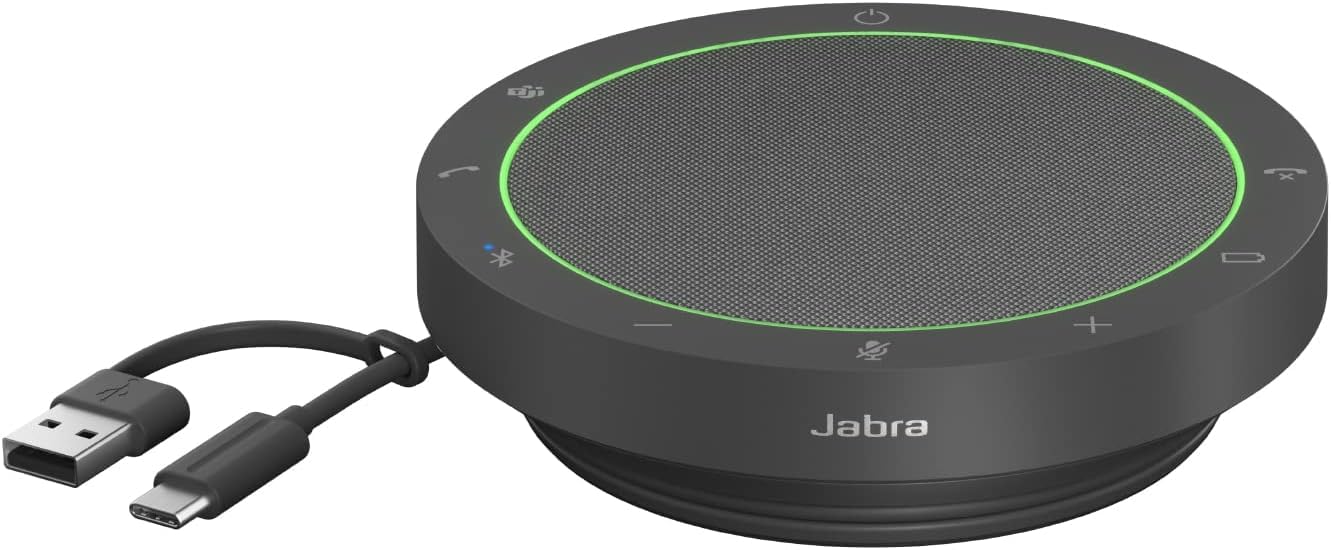
Jabra Speak2 55
Pocket-sized portable speakerphone with 50mm full-range speakers, four beamforming microphones, noise-cancelling, full duplex and Voice Level Normalization; Bluetooth 5.1 and USB-C.
I reach for the Speak2 55 when I want a compact unit that still sounds professional. The 50mm drivers deliver fuller audio than you'd expect from a small puck, and the four beamforming mics keep voices clear around the room. Voice Level Normalization evens out volume so quieter speakers are easier to hear, and full duplex preserves natural conversation flow.
It pairs quickly via Bluetooth or USB-C, the battery lasts through a full workday, and the water and dust resistance makes it an easy choice for travel or shared workspaces.
What People Say
Users often highlight how much clearer calls become compared with laptop audio and how reliable the mic pickup is for group settings. Many appreciate the audio leveling feature and the straightforward pairing process, with portability and build quality coming up as practical perks for frequent travelers.
Overall Sentiment: Positive

Situational Benefits
| Situation | How It Helps |
|---|---|
| Solo Remote Work | I set it on my desk to replace laptop audio, which makes long calls more comfortable without wearing a headset. |
| Large Training Rooms | The mic array and full duplex let multiple participants be heard clearly, so remote attendees follow group discussions. |
| Travel & Hot-Desking | Its compact size and durable design mean I can join meetings from a hotel or shared workspace without extra adapters. |
| Recording & Transcription | Stable pickup and even audio levels produce cleaner recordings that are easier to transcribe or review later. |
Ease Of Use
| Feature | Ease Level |
|---|---|
| Setup | Easy |
| Pairing | Easy |
| On-Device Controls | Easy |
| Firmware/App Options | Moderate |
Versatility
The Speak2 55 works as a desk speaker, a portable meeting puck, and a travel companion. It handles video calls, small-group meetings, and light media playback without much fuss.
Compatibility
| Platform | Compatibility Level |
|---|---|
| Microsoft Teams | Excellent |
| Zoom | Good |
| Windows | Excellent |
| Mac | Good |
| Mobile Devices | Good |
Practicality
I like it for daily hybrid work because it pairs quickly, has solid battery life, and fits in a small bag. It improves call quality without forcing me to change my whole setup.
Collaboration Features
Full duplex, beamforming mics, and noise cancellation help conversations flow naturally and make it easier for remote participants to stay engaged without repeated prompts.
Key Benefits
- Punchy sound from 50mm full-range drivers
- Four beamforming mics with effective noise cancellation
- Voice Level Normalization for even speak volumes
- Bluetooth 5.1 and USB-C connectivity for flexibility
- Portable, water- and dust-resistant design




