


 Apple Podcasts
 Spotify
 Youtube Music
 Spreaker
 Podchaser
 Amazon Music
 Dynamics 365 Customer Service - Simply Explained
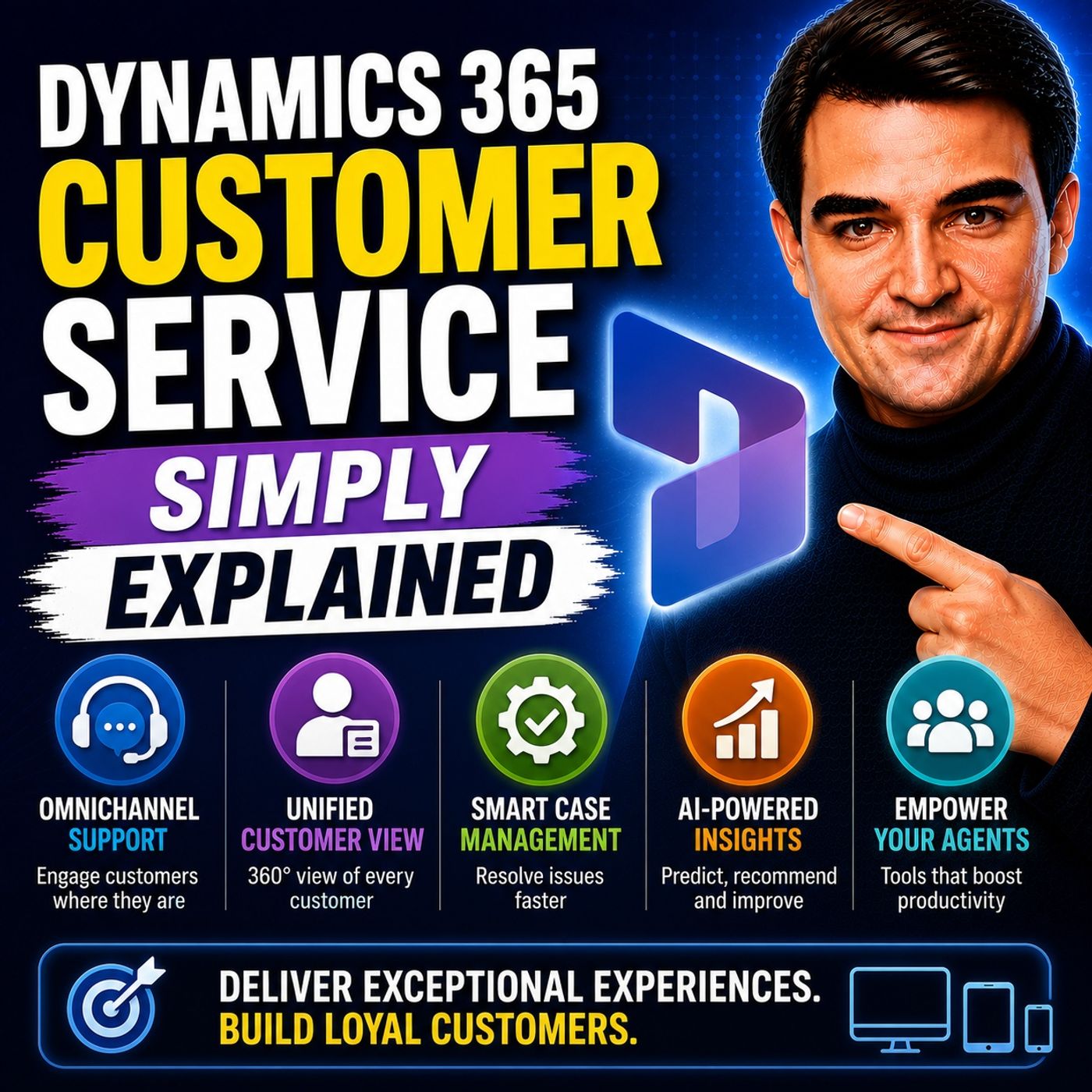
Dynamics 365 Customer Service is Microsoft's intelligent customer support platform that helps organizations deliver fast, personalized, and consistent service across every customer interaction. In this episode of Microsoft Knowledge Nuggets, Mirko Peters explains Dynamics 365 Customer Service in simple terms, showing how businesses can manage support requests, automate service processes, and improve customer satisfaction using AI and Microsoft's cloud platform.
You'll learn how Dynamics 365 Customer Service centralizes customer cases, knowledge articles, service history, and communications into a single workspace for support agents. The episode explains core concepts including case management, queues, service-level agreements (SLAs), knowledge management, omnichannel support, and customer timelines. You'll also discover how the platform integrates with Microsoft Teams, Outlook, Microsoft 365, Power Platform, Copilot, and Azure to provide agents with the information they need to resolve issues more efficiently.
The episode explores practical business scenarios such as IT help desks, customer support centers, product support, warranty services, field service coordination, and self-service portals. It also covers how AI-powered Copilot assists support agents by summarizing cases, suggesting knowledge articles, drafting customer responses, and accelerating issue resolution while maintaining enterprise-grade security, governance, and compliance. Whether supporting hundreds or millions of customers, Dynamics 365 Customer Service helps organizations deliver a consistent and scalable support experience.
Quick answer: Dynamics 365 Customer Service is covered in this M365 FM episode with a practical focus on what it is, how it works, and the decisions that matter for architecture, adoption, security, governance, or day-to-day operations.
Dynamics 365 Customer Service is an intelligent, end-to-end solution that helps customer service teams deliver personalized and efficient support across all channels. This platform plays a crucial role in enhancing customer interactions by integrating case management, omnichannel support, and knowledge base management. In today’s fast-paced business environment, it’s vital to have a unified system that allows you to engage with customers effectively. With Dynamics 365, you can maintain service standards and proactively address issues, ensuring every customer feels valued and connected.
Key Takeaways
- Dynamics 365 Customer Service streamlines support operations, allowing teams to focus on delivering exceptional service.
- Automation reduces manual tasks, helping agents respond faster and more accurately to customer inquiries.
- Omnichannel support enables seamless customer interactions across various platforms, enhancing the overall experience.
- AI tools provide valuable insights, improving decision-making and personalizing customer interactions.
- Self-service options empower customers to find answers independently, increasing satisfaction and reducing support requests.
- The platform's case management features ensure efficient tracking and resolution of customer issues.
- Integration with Microsoft tools like Teams and Outlook enhances collaboration and workflow efficiency.
- Dynamics 365 is customizable and scalable, making it suitable for businesses of all sizes.
Overview of Dynamics 365
Dynamics 365 Customer Service is designed to streamline your customer service operations. It automates many tasks, allowing your team to focus on what truly matters—providing exceptional support. With automation, you can reduce manual workloads and enhance efficiency. Here’s how it works:
Customer Service Automation
Automation in Dynamics 365 helps you manage customer inquiries more effectively. Here are some key benefits:
- AI agents can identify customer issues and auto-create cases.
- They suggest or generate responses, saving your agents time.
- Tickets get routed to the appropriate department automatically.
- Low-complexity cases can even be closed autonomously.
By automating these processes, you eliminate the need for manual data entry and reduce the time agents spend searching for information. This streamlining allows your team to respond faster and more accurately, ultimately improving the customer experience.
Case Management Features
At the heart of Dynamics 365 is its robust case management system. This feature centralizes service requests, ensuring structured tracking and resolution. Here’s a closer look at what it offers:
| Component | Description |
|---|---|
| Case Management | Centralizes service requests, ensuring structured tracking and resolution. |
| Intelligent Queue Management | Organizes cases and activities, enabling automatic routing based on predefined criteria. |
| Entitlements and Service Level Management | Defines customer support terms and ensures consistent service delivery aligned with business commitments. |
| Knowledge Base Integration | Stores and surfaces relevant information directly within case records for faster issue resolution. |
| Service Scheduling | Optimizes resource allocation and service delivery timelines. |
| AI-Powered Customer Insights | Enhances agent productivity and customer experiences through intelligent case routing and sentiment analysis. |
| Omnichannel Support Experience | Provides unified capabilities for managing customer interactions across multiple channels. |
| Power Platform Integration | Integrates with Power Apps, Power Automate, and Power BI for enhanced functionality. |
These features not only help you manage cases efficiently but also provide a unified view of clients across all channels. This capability is crucial for addressing client concerns promptly. For instance, a study found that using Copilot in customer services led to a 22% reduction in case resolution time. This showcases how effective case management can enhance productivity.
In today’s competitive landscape, having a powerful case management system like Dynamics 365 is essential. It allows you to keep pace with customer expectations and deliver the high-quality service they deserve.
Key Features for Customer Service

When it comes to delivering top-notch customer service, Dynamics 365 Customer Service offers several key features that truly set it apart. Let’s dive into these functionalities and see how they enhance your customer engagement.
Omnichannel Engagement
With omnichannel capabilities, you can engage with customers across various platforms—be it voice, chat, email, or social media—all from a single interface. This means your agents can manage interactions without switching between different systems.
Imagine a customer reaching out via chat and then calling later. With Dynamics 365, your agents have access to the complete history of that customer’s interactions. This continuity ensures that customers don’t have to repeat themselves, leading to a smoother and more satisfying experience.
Here’s a quick look at some of the omnichannel features:
| Feature | Description |
|---|---|
| Omnichannel Customer Engagement Support | Allows engagement across multiple channels (voice, chat, email, etc.) within a single platform, preserving customer context and improving service continuity. |
| AI Powered Sentiment Analysis | Analyzes customer sentiment in real-time, providing agents with insights to proactively manage interactions and improve customer satisfaction. |
| Customer Journey Timeline View | Captures all customer interactions in a timeline, allowing agents to provide personalized service based on complete customer history. |
AI-Powered Tools
AI-driven insights are another standout feature of Dynamics 365 Customer Service. These tools help you streamline operations and enhance the customer experience. For instance, AI can analyze customer sentiment during interactions, giving agents valuable insights to tailor their responses.
- AI-powered chatbots can provide instant support, reducing wait times and improving customer satisfaction.
- Intelligent case routing ensures inquiries reach the most suitable agents, enhancing response times and service quality.
These AI capabilities not only boost agent productivity but also empower you to deliver exceptional, personalized experiences. You can focus on what matters most—building strong relationships with your customers.
Self-Service Options
Self-service options are becoming increasingly popular among customers. With Dynamics 365, you can offer customizable portals where customers can find answers to their questions and track their cases independently. This not only reduces the volume of incoming support requests but also empowers customers to take control of their service experience.
- 67% of companies using Dynamics 365 have reported an increase in customer satisfaction.
- 75% of customers prefer self-service options like chatbots and FAQs over calling customer service.
By providing these self-service tools, you enhance customer engagement and satisfaction. Customers appreciate the ability to resolve issues on their own, which leads to a more positive perception of your brand.
Benefits of Customer Engagement

Enhanced Customer Satisfaction
When you implement Dynamics 365 Customer Service, you significantly boost customer satisfaction. This platform allows you to provide personalized support, which is crucial in today’s competitive market. Here’s how it enhances customer satisfaction:
- Unified Communication: With all customer interactions in one place, you can respond quickly and accurately. Customers appreciate not having to repeat themselves.
- Faster Resolutions: The system’s intelligent case management helps you resolve issues faster. This leads to happier customers who feel valued.
- Proactive Support: By analyzing customer data, you can anticipate needs and address issues before they escalate. This proactive approach builds trust and loyalty.
Here’s a quick look at some measurable benefits of customer engagement with Dynamics 365:
| Benefit | Description |
|---|---|
| Higher first contact resolution | Achieved through complete case history and guided workflows. |
| Fewer repeat contacts | Resulting from improved service delivery across channels. |
| More consistent service delivery | Ensured through standardized agent experiences. |
Increased Efficiency
Dynamics 365 Customer Service doesn’t just improve customer satisfaction; it also enhances your team's efficiency. Here’s how:
- Better Resource Allocation: The platform provides insights that help you allocate resources effectively. This means your team can focus on high-priority tasks.
- Streamlined Workflows: Integration with Microsoft tools like Teams and Outlook creates a seamless support environment. You can manage cases without switching between applications.
- Analytics and Reporting: The built-in analytics tools give you insights into customer behavior and service performance. This data helps you make informed decisions.
Additionally, here are some benefits that illustrate how Dynamics 365 increases operational efficiency:
| Benefit | Description |
|---|---|
| Reduced average handling time | Achieved through unified workflows and AI-assisted resolution. |
| Improved agent utilization | Resulting from skill-based routing and workload balancing. |
| Real-time queue monitoring | Enhances performance oversight and aids in managing service levels. |
By leveraging these features, you not only enhance the customer support experience but also empower your agents to perform at their best. This combination leads to increased customer loyalty and a more efficient operation overall.
Editions and Pricing
When considering Dynamics 365 Customer Service, it's essential to understand the different editions available and how they fit your needs. Microsoft offers two primary editions: the Professional Edition and the Enterprise Edition. Each edition comes with its own set of features tailored to different business requirements.
Overview of Available Editions
Here’s a quick comparison of the features included in each edition:
| Feature/Edition | Professional Edition | Enterprise Edition |
|---|---|---|
| Price (user/month) | $50 | $150 |
| Case management | Yes | Yes |
| Knowledge management | Yes | Yes |
| Microsoft 365 interoperation | Yes | Yes |
| Unlimited users | No | Yes |
| AI-driven assistance | No | Yes |
| Omnichannel engagement | No | Yes |
| Advanced SLA management | No | Yes |
| Custom entities limit | 15 | Unlimited |
| Microsoft Copilot | No | Yes |
| Intelligent case routing | No | Yes |
The Professional Edition is perfect for smaller teams or businesses just starting with customer service automation. It provides essential features to manage cases and knowledge effectively. On the other hand, the Enterprise Edition is designed for larger organizations that require advanced functionalities, such as AI-driven assistance and unlimited user access.
Pricing Structure
Dynamics 365 Customer Service offers flexible pricing options to suit various business needs. The base price starts at $65 per user per month. This pricing is competitive, especially when you consider the comprehensive features included. For example, new customers can access both Sales and Customer Service for just $68 per user per month. Additionally, there’s a promotional offer for Sales only at $40 per user.
Here are some key points about the pricing structure:
- Team Member licenses are available at just $5 per user.
- Organizations transitioning to the new licensing structure have reported significant savings. Some have saved nearly $9,000 per year by optimizing their user licenses.
- While Salesforce may seem cheaper at first glance, Dynamics 365 provides integrated tools for sales, marketing, service, and analytics, making it a more comprehensive solution.
With these options, you can choose the edition that best fits your customer service needs and budget. Whether you're a small business or a large enterprise, Dynamics 365 Customer Service has a solution for you.
Integration with Microsoft Ecosystem
Dynamics 365 Customer Service seamlessly integrates with the Microsoft ecosystem, enhancing your workflow and collaboration. This integration allows you to leverage familiar tools like Microsoft Teams and Outlook, making your customer service processes more efficient and effective.
Collaboration with Teams
When you use Dynamics 365 with Microsoft Teams, you unlock a world of collaboration possibilities. Here’s how it benefits your customer service efforts:
| Benefit | Description |
|---|---|
| Collaborate seamlessly | Invite anyone in your organization to view and contribute to Dynamics 365 customer records. |
| Accelerate productivity | Connect conversations across the organization to meet, chat, call, and collaborate in Dynamics 365. |
| Enhance engagement | Bring related conversations together with real-time contextual chats and capture customer sentiment. |
With these features, you can easily share insights and updates with your team. Imagine discussing a customer issue in a Teams chat while having access to their complete service history. This context allows you to make informed decisions quickly, leading to better customer service outcomes.
Integration with Outlook
Integrating Dynamics 365 with Outlook streamlines your customer service processes even further. Here’s how it enhances your daily operations:
| Feature | Benefit |
|---|---|
| Access to Dynamics 365 Data | Enables teams to view customer data directly from Outlook, enhancing responsiveness. |
| Email Tracking | Facilitates tracking of customer interactions through email directly in Outlook. |
| Appointment Scheduling | Allows for scheduling of appointments without leaving the Outlook interface. |
This integration means you can manage customer interactions without switching between applications. You can track emails, schedule appointments, and access customer data all from your Outlook inbox. This efficiency not only saves time but also helps you respond to customer inquiries faster.
Moreover, with the help of AI tools like Copilot, you can automate tasks such as drafting emails and summarizing conversations. This feature allows you to focus on what truly matters—providing excellent customer service. Copilot can even conduct knowledge searches, ensuring you have the right information at your fingertips.
By integrating Dynamics 365 Customer Service with the Microsoft ecosystem, you create a powerful environment that enhances collaboration and improves customer interactions. You can engage with customers through various channels, including voice, SMS, chat, email, and social media apps, all while maintaining a unified view of their history.
In summary, Dynamics 365 Customer Service offers a powerful solution for managing customer interactions effectively. With features like automation, omnichannel support, and AI-driven insights, you can enhance your customer service experience. Here are some key takeaways:
| Key Takeaway | Description |
|---|---|
| Efficient Issue Management | Dynamics 365 helps businesses manage customer issues efficiently, improving response times and customer satisfaction. |
| Multi-Channel Support | You can offer support across various channels, ensuring a seamless customer experience. |
| AI-Driven Insights | The platform uses AI to provide actionable insights, enhancing decision-making and service quality. |
| Scalability and Customization | It is adaptable for businesses of all sizes, offering scalability and customization to fit unique service needs. |
As you consider implementing this solution, remember to establish a robust onboarding plan and leverage automation to streamline your processes. Dynamics 365 Customer Service is not just a tool; it’s a game-changer for modern businesses looking to strengthen customer relationships and drive long-term loyalty. Explore your options today!
FAQ
What is Dynamics 365 Customer Service?
Dynamics 365 Customer Service is a cloud-based platform that helps you manage customer interactions efficiently. It integrates various communication channels, automates tasks, and enhances case management to improve your customer service experience.
How does automation benefit customer service?
Automation streamlines repetitive tasks, allowing your team to focus on providing quality support. It reduces response times and minimizes manual errors, leading to a more efficient customer service process.
Can I customize Dynamics 365 for my business needs?
Yes! Dynamics 365 Customer Service is highly customizable. You can tailor features, workflows, and dashboards to fit your specific business requirements, ensuring the platform meets your unique customer service goals.
What channels can I use with Dynamics 365?
You can engage customers through multiple channels, including email, chat, phone, and social media. This omnichannel support ensures a seamless experience for your customers, regardless of how they choose to reach you.
Is training required to use Dynamics 365?
While training can help your team maximize the platform's potential, Dynamics 365 is user-friendly. Many users find they can navigate its features with ease after a brief introduction.
How does Dynamics 365 integrate with other Microsoft tools?
Dynamics 365 integrates seamlessly with Microsoft tools like Teams and Outlook. This integration enhances collaboration and allows you to manage customer interactions without switching between applications.
What kind of support does Microsoft offer for Dynamics 365?
Microsoft provides extensive support resources, including documentation, community forums, and customer service. You can access training materials and tutorials to help you get the most out of Dynamics 365.
Can I track customer interactions in Dynamics 365?
Absolutely! Dynamics 365 Customer Service allows you to track all customer interactions in one place. This feature helps you maintain a complete view of customer histories, improving your service quality.
🎧 Listen to this episode
Want a practical explanation of Dynamics 365 Customer Service? This episode breaks down the topic in clear language and shows why it matters for Microsoft 365, Azure, Power Platform, security, AI, and modern work.
Listen to this episode if you want to:
- Understand the key concepts behind Dynamics 365 Customer Service
- See how it fits into the wider Microsoft technology ecosystem
- Learn where it can create practical value for your organization
You may also enjoy these related M365 FM episodes:
- Use Copilot in Dynamics 365 Field Service
- Segment Customers with Dynamics 365 Customer Insights
- Azure Kubernetes Service (AKS) - Simply Explained
- Azure Service Bus - Simply Explained
- Dynamics 365 ERP MCP Server - Simply Explained
Discover more practical Microsoft conversations on M365 FM.
Last reviewed: July 2026.
Who Should Listen
This episode is for Microsoft 365 administrators, architects, IT leaders, and practitioners who need a practical understanding of Dynamics 365 Customer Service before planning, implementing, or supporting it.
🎧 You Should Also Listen To
- Power Platform — Understand the platform foundation that connects apps, automation, data, and analytics.
- Power Apps — Learn how teams build tailored, low-code experiences around business processes.
- Power Automate — Explore workflow automation that can improve case handling and operational handoffs.
🚀 Want to be part of m365.fm?
Then stop just listening… and start showing up.
👉 Connect with me on LinkedIn and let’s make something happen:
- 🎙️ Be a podcast guest and share your story
- 🎧 Host your own episode (yes, seriously)
- 💡 Pitch topics the community actually wants to hear
- 🌍 Build your personal brand in the Microsoft 365 space
This isn’t just a podcast — it’s a platform for people who take action.
🔥 Most people wait. The best ones don’t.
👉 Connect with me on LinkedIn and send me a message:
"I want in"
Let’s build something awesome 👊
1
00:00:00,000 --> 00:00:02,520
Welcome to another episode of Microsoft Knowledge Nuggets.
2
00:00:02,520 --> 00:00:03,960
I'm your host, Mirko Peters.
3
00:00:03,960 --> 00:00:06,880
Today's topic is one that almost everyone has faced.
4
00:00:06,880 --> 00:00:08,280
Messy customer service.
5
00:00:08,280 --> 00:00:09,200
You know the problem.
6
00:00:09,200 --> 00:00:11,920
A customer emails an issue, then calls to follow up.
7
00:00:11,920 --> 00:00:14,680
The agent on the phone has no idea what the email said.
8
00:00:14,680 --> 00:00:17,240
So the customer repeats themselves, gets frustrated,
9
00:00:17,240 --> 00:00:18,200
and you lose trust.
10
00:00:18,200 --> 00:00:19,600
That's the old way.
11
00:00:19,600 --> 00:00:22,880
Dynamics 365 customer service changes that.
12
00:00:22,880 --> 00:00:25,800
It pulls every interaction email chat, phone, social media,
13
00:00:25,800 --> 00:00:29,440
into one connected platform, one view, one record, one team.
14
00:00:29,440 --> 00:00:31,680
Let's break it down into the building blocks, case management,
15
00:00:31,680 --> 00:00:34,960
omni-channel, AI agents, integration with teams and outlook,
16
00:00:34,960 --> 00:00:36,000
and self-service.
17
00:00:36,000 --> 00:00:39,040
By the end, you'll see how it all fits together to turn
18
00:00:39,040 --> 00:00:43,040
support into a smooth, automated experience job.
19
00:00:43,040 --> 00:00:43,880
The problem.
20
00:00:43,880 --> 00:00:45,720
Why customer support breaks?
21
00:00:45,720 --> 00:00:48,200
So why does customer support break so often?
22
00:00:48,200 --> 00:00:50,160
The answer is almost always the same.
23
00:00:50,160 --> 00:00:52,680
Too many tools that don't talk to each other.
24
00:00:52,680 --> 00:00:54,640
Support teams juggle separate systems.
25
00:00:54,640 --> 00:00:55,960
Email lives in outlook.
26
00:00:55,960 --> 00:00:57,640
Phone calls go through a separate provider.
27
00:00:57,640 --> 00:00:59,240
Chat runs on a different platform.
28
00:00:59,240 --> 00:01:01,440
Your CRM is another thing entirely.
29
00:01:01,440 --> 00:01:04,040
And your knowledge base is yet another separate tool.
30
00:01:04,040 --> 00:01:06,120
Information gets scattered across all of them.
31
00:01:06,120 --> 00:01:08,560
Customers repeat themselves every time they switch channels.
32
00:01:08,560 --> 00:01:12,080
They tell the chat agent their story, then call in and tell it again.
33
00:01:12,080 --> 00:01:14,360
Agents waste time searching for context,
34
00:01:14,360 --> 00:01:17,000
digging through old emails, switching between tabs,
35
00:01:17,000 --> 00:01:19,520
trying to piece together what happened before they picked up.
36
00:01:19,520 --> 00:01:21,040
Here's a concrete example.
37
00:01:21,040 --> 00:01:23,440
A customer sends an email describing a problem.
38
00:01:23,440 --> 00:01:26,920
An agent reads it, enters the details manually into the CRM,
39
00:01:26,920 --> 00:01:28,080
and starts working.
40
00:01:28,080 --> 00:01:30,000
Then the customer calls to check progress.
41
00:01:30,000 --> 00:01:32,600
The phone agent has to ask for the case number, search for it,
42
00:01:32,600 --> 00:01:34,520
and read through whatever notes were entered.
43
00:01:34,520 --> 00:01:36,360
Maybe something got missed in manual entry.
44
00:01:36,360 --> 00:01:38,040
Maybe the agent didn't log the call properly.
45
00:01:38,040 --> 00:01:40,760
Now you have two partial records and a frustrated customer.
46
00:01:40,760 --> 00:01:42,400
The old solution was adding more tools.
47
00:01:42,400 --> 00:01:43,640
Buy a better phone system.
48
00:01:43,640 --> 00:01:45,760
Get a different chat widget, add a CRM plugin.
49
00:01:45,760 --> 00:01:47,560
But that just makes the fragmentation worse.
50
00:01:47,560 --> 00:01:49,240
The real solution is a single system
51
00:01:49,240 --> 00:01:51,160
that connects everything into one place.
52
00:01:51,160 --> 00:01:53,480
One place where every interaction, every channel,
53
00:01:53,480 --> 00:01:55,720
every piece of context lives together.
54
00:01:55,720 --> 00:01:58,840
That's the Gap Dynamics 365 customer service was built to fill.
55
00:01:58,840 --> 00:01:59,760
So what exactly is it?
56
00:01:59,760 --> 00:02:00,920
Let's dive in.
57
00:02:00,920 --> 00:02:03,840
What is Dynamics 365 customer service?
58
00:02:03,840 --> 00:02:05,200
Here's the simplest definition.
59
00:02:05,200 --> 00:02:08,920
Dynamics 365 customer service is a cloud platform
60
00:02:08,920 --> 00:02:11,960
that manages every customer interaction from start to finish.
61
00:02:11,960 --> 00:02:14,200
Then email comes in, a case is created,
62
00:02:14,200 --> 00:02:16,520
a customer calls, that same case updates.
63
00:02:16,520 --> 00:02:19,280
A chat conversation happens, it's locked against the same record.
64
00:02:19,280 --> 00:02:20,600
Everything is tied together.
65
00:02:20,600 --> 00:02:21,920
But it's not just a help desk.
66
00:02:21,920 --> 00:02:23,800
It's a complete system with case management,
67
00:02:23,800 --> 00:02:26,360
communication channels, AI and analytics.
68
00:02:26,360 --> 00:02:28,320
Think of it like an airport control tower.
69
00:02:28,320 --> 00:02:30,520
Every flight, every customer issue is tracked,
70
00:02:30,520 --> 00:02:32,040
routed and resolved from one place.
71
00:02:32,040 --> 00:02:33,440
And you can see which ones are on time,
72
00:02:33,440 --> 00:02:35,840
which are delayed, which need urgent attention.
73
00:02:35,840 --> 00:02:38,800
And you coordinate the response without leaving the tower.
74
00:02:38,800 --> 00:02:40,920
Under the hood, it's built on Microsoft Dataverse.
75
00:02:40,920 --> 00:02:42,320
That's the same Data Foundation
76
00:02:42,320 --> 00:02:45,400
that Dynamics 365 sales marketing and other apps use.
77
00:02:45,400 --> 00:02:48,680
So if your sales team uses Dynamics 365 sales,
78
00:02:48,680 --> 00:02:51,640
the customer data, account history, contact information,
79
00:02:51,640 --> 00:02:52,440
it's all shared.
80
00:02:52,440 --> 00:02:54,320
No duplicates, no manual syncing,
81
00:02:54,320 --> 00:02:55,720
the platform has two sides.
82
00:02:55,720 --> 00:02:57,040
There's the agent workspace,
83
00:02:57,040 --> 00:02:58,520
where service reps do their work,
84
00:02:58,520 --> 00:03:01,040
C-cases respond to customers, update records.
85
00:03:01,040 --> 00:03:02,080
And there's the back end,
86
00:03:02,080 --> 00:03:04,480
where routing rules, automation and AI leave.
87
00:03:04,480 --> 00:03:07,840
Here's the thing, most users never think about the back end.
88
00:03:07,840 --> 00:03:09,160
But it's what makes everything work.
89
00:03:09,160 --> 00:03:11,400
And it's part of the broader Microsoft ecosystem.
90
00:03:11,400 --> 00:03:15,000
Teams, Outlook, Power Platform, Co-Pilot, they're all connected.
91
00:03:15,000 --> 00:03:16,920
A case can trigger a team's message.
92
00:03:16,920 --> 00:03:19,600
An email and Outlook can become a case with one click.
93
00:03:19,600 --> 00:03:22,440
A Power Automate flow can escalate a case automatically.
94
00:03:22,440 --> 00:03:24,120
The pieces are designed to work together.
95
00:03:24,120 --> 00:03:25,520
So with that foundation,
96
00:03:25,520 --> 00:03:29,120
let's start with the core of any support system, the case.
97
00:03:29,120 --> 00:03:31,400
Case management, the heart of the system.
98
00:03:31,400 --> 00:03:32,440
So what's a case?
99
00:03:32,440 --> 00:03:33,120
Simple.
100
00:03:33,120 --> 00:03:34,640
A case is a single customer issue.
101
00:03:34,640 --> 00:03:37,320
It's the central record that everything revolves around.
102
00:03:37,320 --> 00:03:39,520
Every email, every phone call, every chat message,
103
00:03:39,520 --> 00:03:41,840
it all links back to one case record.
104
00:03:41,840 --> 00:03:43,280
When an agent opens the workspace,
105
00:03:43,280 --> 00:03:44,880
they see a list of active cases.
106
00:03:44,880 --> 00:03:47,800
They can filter by priority, by source, by status,
107
00:03:47,800 --> 00:03:50,000
high priority cases rise to the top.
108
00:03:50,000 --> 00:03:51,280
Cases that came in by phone,
109
00:03:51,280 --> 00:03:53,680
sit alongside cases that arrived by email.
110
00:03:53,680 --> 00:03:55,160
Everything visible, nothing hidden.
111
00:03:55,160 --> 00:03:57,200
Open a case record and you get the full picture.
112
00:03:57,200 --> 00:03:59,880
Description of the issue, which product it relates to.
113
00:03:59,880 --> 00:04:00,760
Priority level.
114
00:04:00,760 --> 00:04:02,560
And an SLA time are ticking down the time
115
00:04:02,560 --> 00:04:03,960
you have left to respond or resolve.
116
00:04:03,960 --> 00:04:05,760
That time is more than a decoration.
117
00:04:05,760 --> 00:04:06,960
It's a hard deadline.
118
00:04:06,960 --> 00:04:08,640
If a case is about to breach its SLA,
119
00:04:08,640 --> 00:04:10,520
escalation rules kick in automatically.
120
00:04:10,520 --> 00:04:12,120
A supervisor gets notified.
121
00:04:12,120 --> 00:04:14,400
The case gets reassigned to someone more senior.
122
00:04:14,400 --> 00:04:16,000
The system doesn't wait for someone to notice.
123
00:04:16,000 --> 00:04:16,760
It acts.
124
00:04:16,760 --> 00:04:19,400
One of the most useful features here is co-pilot highlights.
125
00:04:19,400 --> 00:04:20,720
When you open a case,
126
00:04:20,720 --> 00:04:23,360
co-pilot analyzes the entire history.
127
00:04:23,360 --> 00:04:26,440
All the emails, call notes, internal comments,
128
00:04:26,440 --> 00:04:28,200
and generates a one paragraph summary.
129
00:04:28,200 --> 00:04:30,160
So if you're taking over a case from a colleague,
130
00:04:30,160 --> 00:04:32,440
you don't have to read through a week's worth of back and forth.
131
00:04:32,440 --> 00:04:34,120
You get the key facts instantly.
132
00:04:34,120 --> 00:04:35,800
Who the customer is, what the issue is,
133
00:04:35,800 --> 00:04:37,120
what's been tried so far,
134
00:04:37,120 --> 00:04:38,960
that alone saves minutes per case.
135
00:04:38,960 --> 00:04:39,960
Then there are scripts,
136
00:04:39,960 --> 00:04:42,640
step by step guides that appear in the productivity pane
137
00:04:42,640 --> 00:04:43,920
while an agent works.
138
00:04:43,920 --> 00:04:45,920
If a customer calls about a password reset,
139
00:04:45,920 --> 00:04:48,120
the script walks the agent through the exact questions
140
00:04:48,120 --> 00:04:49,480
to ask and the steps to follow.
141
00:04:49,480 --> 00:04:52,160
It's great for new hires who don't have the experience yet.
142
00:04:52,160 --> 00:04:53,600
It's also great for consistency.
143
00:04:53,600 --> 00:04:56,440
Every customer gets the same process every time.
144
00:04:56,440 --> 00:04:57,920
Scripts can include macros.
145
00:04:57,920 --> 00:04:59,680
Macros automate routine actions,
146
00:04:59,680 --> 00:05:02,320
updating a case field, sending a templated email,
147
00:05:02,320 --> 00:05:03,840
creating a follow-up activity.
148
00:05:03,840 --> 00:05:06,640
Instead of clicking through five screens to update a status,
149
00:05:06,640 --> 00:05:09,080
the agent clicks one button and the macro does the rest.
150
00:05:09,080 --> 00:05:11,680
When the issue is resolved, the agent closes the case.
151
00:05:11,680 --> 00:05:14,320
That step can trigger follow-up actions automatically.
152
00:05:14,320 --> 00:05:15,800
Send a confirmation email,
153
00:05:15,800 --> 00:05:18,680
create a survey invitation through Dynamics Customer Voice,
154
00:05:18,680 --> 00:05:20,040
update-related records.
155
00:05:20,040 --> 00:05:21,240
The system handles the paperwork
156
00:05:21,240 --> 00:05:23,280
so the agent can move to the next case.
157
00:05:23,280 --> 00:05:25,440
But cases don't just come from one place.
158
00:05:25,440 --> 00:05:27,640
Customers reach out through email, chat, phone,
159
00:05:27,640 --> 00:05:28,520
social media.
160
00:05:28,520 --> 00:05:30,160
That's where Omni Channel comes in.
161
00:05:30,160 --> 00:05:31,320
Omni Channel.
162
00:05:31,320 --> 00:05:33,040
One platform, every channel.
163
00:05:33,040 --> 00:05:34,080
So picture this.
164
00:05:34,080 --> 00:05:36,200
A customer sends you an email in the morning.
165
00:05:36,200 --> 00:05:38,360
Then they fire off a chat message at lunch
166
00:05:38,360 --> 00:05:39,960
by the afternoon there on the phone
167
00:05:39,960 --> 00:05:42,400
and they expect you to know everything they've already said.
168
00:05:42,400 --> 00:05:44,560
That's a tall order if each channel runs
169
00:05:44,560 --> 00:05:46,560
on its own separate system.
170
00:05:46,560 --> 00:05:48,800
Dynamics 365 Contact Center,
171
00:05:48,800 --> 00:05:51,280
that's the new name for what used to be called Omni Channel,
172
00:05:51,280 --> 00:05:54,240
brings all those channels into a single queue.
173
00:05:54,240 --> 00:05:56,760
One place where every incoming interaction lands,
174
00:05:56,760 --> 00:05:58,440
no matter how the customer reached out,
175
00:05:58,440 --> 00:05:59,600
here's how it works.
176
00:05:59,600 --> 00:06:01,880
The system decides who handles each conversation
177
00:06:01,880 --> 00:06:03,560
based on rules you set.
178
00:06:03,560 --> 00:06:06,960
You can root by skill, technical issues go to technical agents,
179
00:06:06,960 --> 00:06:09,000
billing questions go to billing specialists.
180
00:06:09,000 --> 00:06:11,560
You can root by workload, tickets get spread evenly
181
00:06:11,560 --> 00:06:13,000
so no one gets buried.
182
00:06:13,000 --> 00:06:14,800
And you can root by customer tier.
183
00:06:14,800 --> 00:06:17,280
Your premium customers skip to the front of the line.
184
00:06:17,280 --> 00:06:18,560
The rules are flexible.
185
00:06:18,560 --> 00:06:20,400
You set them and the system follows.
186
00:06:20,400 --> 00:06:22,160
When an agent picks up a conversation,
187
00:06:22,160 --> 00:06:24,600
they see the full history across every channel.
188
00:06:24,600 --> 00:06:26,480
The customer doesn't have to repeat themselves.
189
00:06:26,480 --> 00:06:28,680
The agent sees that this person emailed yesterday,
190
00:06:28,680 --> 00:06:30,600
chatted this morning and is now calling.
191
00:06:30,600 --> 00:06:33,120
All in one timeline linked to the same case.
192
00:06:33,120 --> 00:06:35,800
Live chat is a good place to start for most organizations.
193
00:06:35,800 --> 00:06:37,240
It's high volume low friction.
194
00:06:37,240 --> 00:06:39,680
Set it upright and it can cut inbound call volume
195
00:06:39,680 --> 00:06:42,040
by 15 to 30% in the first quarter.
196
00:06:42,040 --> 00:06:44,680
Customers get quick answers without picking up the phone.
197
00:06:44,680 --> 00:06:46,520
Agents handle multiple chats at once.
198
00:06:46,520 --> 00:06:47,960
Everyone wins.
199
00:06:47,960 --> 00:06:49,520
Voice integration works the same way.
200
00:06:49,520 --> 00:06:51,000
Calls get logged automatically.
201
00:06:51,000 --> 00:06:52,400
They're transcribed in real time.
202
00:06:52,400 --> 00:06:54,160
The transcription links to the case record,
203
00:06:54,160 --> 00:06:56,480
sentiment analysis tracks whether the conversation
204
00:06:56,480 --> 00:06:58,480
is going well or turning sour.
205
00:06:58,480 --> 00:07:01,000
All of it happens without the agent lifting a finger.
206
00:07:01,000 --> 00:07:02,000
The bottom line is this.
207
00:07:02,000 --> 00:07:04,280
Agents work in the same workspace for every channel.
208
00:07:04,280 --> 00:07:05,560
They don't switch apps.
209
00:07:05,560 --> 00:07:07,280
They don't log into a separate phone system
210
00:07:07,280 --> 00:07:08,960
or open a different chat tool.
211
00:07:08,960 --> 00:07:13,160
One interface, one workflow, one record.
212
00:07:13,160 --> 00:07:15,280
With so many conversations flowing through,
213
00:07:15,280 --> 00:07:17,480
AI becomes the tool that keeps everything moving.
214
00:07:17,480 --> 00:07:19,080
Let's talk about that next.
215
00:07:19,080 --> 00:07:21,960
AI agents and co-pilot, the brain of the operation.
216
00:07:21,960 --> 00:07:24,880
OK, so you've got cases flowing in from every channel.
217
00:07:24,880 --> 00:07:26,600
Agents are working through cues.
218
00:07:26,600 --> 00:07:27,840
SLAs are ticking down.
219
00:07:27,840 --> 00:07:29,000
That's a lot of moving parts.
220
00:07:29,000 --> 00:07:30,360
This is where AI becomes the helper
221
00:07:30,360 --> 00:07:31,720
that keeps everything on track.
222
00:07:31,720 --> 00:07:33,720
Now, there's co-pilot in Dynamics 365.
223
00:07:33,720 --> 00:07:36,760
It's the AI assistant built right inside the agent workspace.
224
00:07:36,760 --> 00:07:38,240
When an agent opens a case,
225
00:07:38,240 --> 00:07:40,120
co-pilot generates a summary of everything that's
226
00:07:40,120 --> 00:07:41,160
happened so far.
227
00:07:41,160 --> 00:07:42,840
When they need to reply to a customer,
228
00:07:42,840 --> 00:07:45,520
co-pilot drafts the email based on the case context.
229
00:07:45,520 --> 00:07:46,880
It suggests knowledge articles that
230
00:07:46,880 --> 00:07:48,480
might help resolve the issue.
231
00:07:48,480 --> 00:07:50,840
Think of it like a senior colleague looking over your shoulder,
232
00:07:50,840 --> 00:07:52,520
feeding you the information you need.
233
00:07:52,520 --> 00:07:54,320
But co-pilot is just the start.
234
00:07:54,320 --> 00:07:56,520
What's more interesting are the dedicated AI agents
235
00:07:56,520 --> 00:07:57,640
that run on their own.
236
00:07:57,640 --> 00:08:00,200
These aren't tools that wait for an agent to ask a question.
237
00:08:00,200 --> 00:08:01,360
They act independently.
238
00:08:01,360 --> 00:08:03,560
First up is the case management agent.
239
00:08:03,560 --> 00:08:05,560
This one handles the entire case lifecycle
240
00:08:05,560 --> 00:08:06,960
from creation to closure.
241
00:08:06,960 --> 00:08:10,000
The customer conversation happens, chat, email phone,
242
00:08:10,000 --> 00:08:12,360
and the agent automatically creates a case from it.
243
00:08:12,360 --> 00:08:15,000
It fills in the relevant fields based on the transcript.
244
00:08:15,000 --> 00:08:16,520
It drafts an initial response.
245
00:08:16,520 --> 00:08:17,880
It monitors follow-ups.
246
00:08:17,880 --> 00:08:19,920
And when the issue is resolved, it closes the case
247
00:08:19,920 --> 00:08:21,120
and generates wrap-up notes.
248
00:08:21,120 --> 00:08:23,320
The agent doesn't have to create anything manually.
249
00:08:23,320 --> 00:08:25,040
The case management agent does it for them.
250
00:08:25,040 --> 00:08:26,600
Then there's the customer intent agent.
251
00:08:26,600 --> 00:08:28,880
This one learns continuously from every conversation
252
00:08:28,880 --> 00:08:30,080
across every channel.
253
00:08:30,080 --> 00:08:32,880
It analyzes case notes, transcripts, and summaries
254
00:08:32,880 --> 00:08:34,720
to spot new issue patterns.
255
00:08:34,720 --> 00:08:36,840
If customers start asking about a product feature
256
00:08:36,840 --> 00:08:39,120
that's causing confusion, the intent agent
257
00:08:39,120 --> 00:08:41,520
catches that pattern and maps it to a solution.
258
00:08:41,520 --> 00:08:44,560
Over time, it builds a library of intents and resolutions
259
00:08:44,560 --> 00:08:46,160
the whole team can use.
260
00:08:46,160 --> 00:08:48,920
The customer knowledge management agent takes that a step further.
261
00:08:48,920 --> 00:08:50,880
When a case gets resolved, especially one
262
00:08:50,880 --> 00:08:52,880
that involved creative problem solving,
263
00:08:52,880 --> 00:08:55,400
this agent drafts a new knowledge article automatically.
264
00:08:55,400 --> 00:08:57,880
It looks at the case timeline, the troubleshooting steps,
265
00:08:57,880 --> 00:09:00,360
the resolution, then it structures that information
266
00:09:00,360 --> 00:09:01,760
into a clear article.
267
00:09:01,760 --> 00:09:03,640
It checks for duplicates first, so you
268
00:09:03,640 --> 00:09:06,160
don't end up with five articles about the same issue.
269
00:09:06,160 --> 00:09:07,480
Then it suggests publication.
270
00:09:07,480 --> 00:09:08,960
No manual effort required.
271
00:09:08,960 --> 00:09:10,760
And there's the Quality Evaluation Agent.
272
00:09:10,760 --> 00:09:12,600
This one scores every completed interaction
273
00:09:12,600 --> 00:09:14,840
against your organization's quality standards.
274
00:09:14,840 --> 00:09:18,040
Empathy, tone, process adherence, resolution quality.
275
00:09:18,040 --> 00:09:21,320
It identifies low scores and generates coaching recommendations.
276
00:09:21,320 --> 00:09:24,080
If an agent's empathy score dropped on a particular call,
277
00:09:24,080 --> 00:09:26,920
the agent flags it and suggests specific improvements.
278
00:09:26,920 --> 00:09:29,360
Supervisors can drill into the evaluation summary
279
00:09:29,360 --> 00:09:31,120
and see exactly where the gap is.
280
00:09:31,120 --> 00:09:32,520
Now here's the interesting part.
281
00:09:32,520 --> 00:09:34,360
These agents don't work in isolation.
282
00:09:34,360 --> 00:09:36,400
The intent agent finds a new pattern.
283
00:09:36,400 --> 00:09:38,840
The knowledge management agent drafts an article about it.
284
00:09:38,840 --> 00:09:40,880
The case management agent starts using that article
285
00:09:40,880 --> 00:09:42,840
to resolve similar issues automatically.
286
00:09:42,840 --> 00:09:43,920
They feed into each other.
287
00:09:43,920 --> 00:09:47,080
The system gets smarter over time without anyone having to manage it.
288
00:09:47,080 --> 00:09:49,120
Co-pilot also plays a role in collaboration.
289
00:09:49,120 --> 00:09:51,040
When a case is complex and an agent needs help,
290
00:09:51,040 --> 00:09:53,280
co-pilot suggests swarming.
291
00:09:53,280 --> 00:09:55,640
Pulling in experts from teams who've solved similar problems
292
00:09:55,640 --> 00:09:57,480
before, it identifies the right people
293
00:09:57,480 --> 00:10:00,920
based on their history and suggests them as collaborators.
294
00:10:00,920 --> 00:10:02,960
One click in a team's channel is created
295
00:10:02,960 --> 00:10:05,520
linked to the case with the right experts already in it.
296
00:10:05,520 --> 00:10:08,080
The real world effect of all this is straightforward.
297
00:10:08,080 --> 00:10:10,360
Agents spend less time on administrative work
298
00:10:10,360 --> 00:10:12,000
and more time solving problems.
299
00:10:12,000 --> 00:10:15,200
The case management agent handles case creation and closure,
300
00:10:15,200 --> 00:10:16,880
the knowledge agent writes articles,
301
00:10:16,880 --> 00:10:18,760
the quality agent evaluates performance,
302
00:10:18,760 --> 00:10:20,360
the agent focuses on the customer.
303
00:10:20,360 --> 00:10:21,240
That's the shift.
304
00:10:21,240 --> 00:10:26,600
Speaking of teams, let's see how deep that integration actually goes.
305
00:10:26,600 --> 00:10:28,760
Integration, teams, outlook and beyond.
306
00:10:28,760 --> 00:10:31,800
Your agents don't live inside Dynamics 365 all day.
307
00:10:31,800 --> 00:10:33,720
They work in teams, they breathe outlook.
308
00:10:33,720 --> 00:10:37,960
The real power of the system is how deeply it hooks into those tools.
309
00:10:37,960 --> 00:10:41,320
Teams is embedded right inside the Dynamics workspace.
310
00:10:41,320 --> 00:10:44,920
An agent can see their active chats alongside the cases they're working on.
311
00:10:44,920 --> 00:10:46,520
They can start a chat from a case record
312
00:10:46,520 --> 00:10:48,000
without leaving the application.
313
00:10:48,000 --> 00:10:51,160
They can make calls using the team's dialer directly within Dynamics
314
00:10:51,160 --> 00:10:54,160
and those calls get logged automatically to the case timeline.
315
00:10:54,160 --> 00:10:57,640
No switching between apps, no copying and pasting compensation threads.
316
00:10:57,640 --> 00:11:00,000
Now, when an agent opens a complex case,
317
00:11:00,000 --> 00:11:02,960
Dynamics uses AI to suggest colleagues who might help.
318
00:11:02,960 --> 00:11:05,240
It looks at who's resolved similar cases before,
319
00:11:05,240 --> 00:11:08,520
how fast they resolve them and whether they have the right expertise.
320
00:11:08,520 --> 00:11:10,240
Those suggestions appear automatically.
321
00:11:10,240 --> 00:11:11,960
The agent clicks a name, starts a chat,
322
00:11:11,960 --> 00:11:13,800
and the conversation is linked to the case.
323
00:11:13,800 --> 00:11:15,640
That's context working the way it should.
324
00:11:15,640 --> 00:11:17,640
Swarming takes collaboration further.
325
00:11:17,640 --> 00:11:20,400
Instead of sending a single message and hoping someone responds,
326
00:11:20,400 --> 00:11:23,760
the agent creates a team's channel linked to the case with one click.
327
00:11:23,760 --> 00:11:25,880
The system pulls in the suggested experts.
328
00:11:25,880 --> 00:11:29,280
External specialists who don't even use Dynamics can join that channel
329
00:11:29,280 --> 00:11:31,240
and view the case record inside teams.
330
00:11:31,240 --> 00:11:33,400
They get full context without needing a license.
331
00:11:33,400 --> 00:11:36,320
The case doesn't get stuck waiting for someone to notice a message.
332
00:11:36,320 --> 00:11:38,000
Outlook integration is just as deep.
333
00:11:38,000 --> 00:11:40,240
A customer sends an email about an issue.
334
00:11:40,240 --> 00:11:43,720
From within Outlook an agent can turn that email into a case with one click.
335
00:11:43,720 --> 00:11:46,280
The Dynamics panel opens, identifies the sender,
336
00:11:46,280 --> 00:11:48,360
and auto-populates the case fields.
337
00:11:48,360 --> 00:11:50,680
Customer name, email address, related account,
338
00:11:50,680 --> 00:11:52,800
all pulled from the CRM automatically.
339
00:11:52,800 --> 00:11:54,760
The email body becomes the case description.
340
00:11:54,760 --> 00:11:56,320
The agent doesn't type anything.
341
00:11:56,320 --> 00:11:59,960
Copilot inside Outlook can then draft replies based on the case context.
342
00:11:59,960 --> 00:12:02,240
Tone, length, language, all adjustable.
343
00:12:02,240 --> 00:12:05,000
Customer in Germany, Copilot drafts the response in German.
344
00:12:05,000 --> 00:12:07,840
Sensitive situation, it adjusts the tone to be more formal.
345
00:12:07,840 --> 00:12:10,760
The agent reviews, edits if needed, and sends.
346
00:12:10,760 --> 00:12:12,680
What used to take ten minutes now takes two.
347
00:12:12,680 --> 00:12:16,720
For higher volume scenarios, automated email to case handles the whole thing.
348
00:12:16,720 --> 00:12:19,400
You configure Dynamics to monitor a support mailbox.
349
00:12:19,400 --> 00:12:21,960
When an email arrives, it creates a case automatically,
350
00:12:21,960 --> 00:12:24,600
applies routing rules, and assigns it to the right queue.
351
00:12:24,600 --> 00:12:28,240
No human touches it until an agent picks it up from their queue.
352
00:12:28,240 --> 00:12:29,920
File management is seamless too.
353
00:12:29,920 --> 00:12:32,120
When a Dynamics record is linked to a Teams channel,
354
00:12:32,120 --> 00:12:34,520
files uploaded to either location sync automatically.
355
00:12:34,520 --> 00:12:36,600
No duplicates, no version confusion.
356
00:12:36,600 --> 00:12:40,480
Co-authoring works the same way it does in any Microsoft 365 document.
357
00:12:40,480 --> 00:12:41,680
Here's something you are.
358
00:12:41,680 --> 00:12:44,560
In June, 2026, Microsoft released the service agent
359
00:12:44,560 --> 00:12:47,680
within Microsoft 365 Copilot to general availability.
360
00:12:47,680 --> 00:12:49,880
This isn't just Copilot inside Dynamics.
361
00:12:49,880 --> 00:12:53,520
It's a dedicated agent that lives in Teams Outlook and the Copilot app
362
00:12:53,520 --> 00:12:57,200
with access to over 70 tools purpose-built for service scenarios.
363
00:12:57,200 --> 00:13:00,400
An agent can manage cases, draft responses, and update records
364
00:13:00,400 --> 00:13:02,640
without ever opening the Dynamics workspace.
365
00:13:02,640 --> 00:13:05,960
They can work from wherever they are, across whatever tool they're using.
366
00:13:05,960 --> 00:13:09,960
The case data stays in Dynamics, but the agent's interface is wherever they need it.
367
00:13:09,960 --> 00:13:11,880
Of course, not every issue needs a human.
368
00:13:11,880 --> 00:13:13,480
That's where self-service comes in.
369
00:13:13,480 --> 00:13:16,000
Self-service and knowledge management.
370
00:13:16,000 --> 00:13:20,040
What if customers could solve their own problems without ever talking to an agent?
371
00:13:20,040 --> 00:13:22,240
For most people, that's actually the preference.
372
00:13:22,240 --> 00:13:23,760
They don't want to wait on hold.
373
00:13:23,760 --> 00:13:25,520
They don't want to explain their situation.
374
00:13:25,520 --> 00:13:28,040
They want to search, find an answer, move on with their day.
375
00:13:28,040 --> 00:13:31,960
Dynamics 365 customer service handles this through PowerPages portals.
376
00:13:31,960 --> 00:13:34,960
These are branded websites that live outside your internal systems.
377
00:13:34,960 --> 00:13:37,320
Customers come to the portal, search for knowledge articles,
378
00:13:37,320 --> 00:13:40,000
submit new cases, and track progress on existing ones.
379
00:13:40,000 --> 00:13:41,800
Everything happens through a web browser.
380
00:13:41,800 --> 00:13:44,360
No login to your CRM, no phone call.
381
00:13:44,360 --> 00:13:48,360
The knowledge base behind that portal is the same one your agents use internally.
382
00:13:48,360 --> 00:13:49,480
One source of truth.
383
00:13:49,480 --> 00:13:54,680
When an agent updates a knowledge article on their end, the portal reflects that change immediately.
384
00:13:54,680 --> 00:14:00,760
Customers see the same information your agents do, no outdated articles, no conflicting answers.
385
00:14:00,760 --> 00:14:03,560
Now maintaining a knowledge base has traditionally been a chore.
386
00:14:03,560 --> 00:14:06,360
Someone has to write articles, review them, publish them.
387
00:14:06,360 --> 00:14:09,680
And when agents are busy handling cases, writing documentation,
388
00:14:09,680 --> 00:14:12,160
tends to fall to the bottom of the priority list.
389
00:14:12,160 --> 00:14:15,560
Dynamics addresses this with AI-powered article creation.
390
00:14:15,560 --> 00:14:19,440
When a case gets resolved, especially one that involves some creative problem-solving
391
00:14:19,440 --> 00:14:24,120
co-pilot analyzes the case timeline, the emails, the resolution notes,
392
00:14:24,120 --> 00:14:26,880
and drafts a knowledge article automatically.
393
00:14:26,880 --> 00:14:29,440
The knowledge management agent takes it a step further.
394
00:14:29,440 --> 00:14:33,000
Before creating a new article, it checks existing content to make sure
395
00:14:33,000 --> 00:14:35,280
it's not duplicating something already published.
396
00:14:35,280 --> 00:14:37,200
It structures the content clearly.
397
00:14:37,200 --> 00:14:39,840
Problem, troubleshooting steps, solution.
398
00:14:39,840 --> 00:14:43,960
Then it suggests publication, a supervisor reviews and approves, that's it.
399
00:14:43,960 --> 00:14:46,600
What used to take an hour of manual writing now happens in minutes.
400
00:14:46,600 --> 00:14:50,680
The results, fewer inbound requests because customers find answers on their own.
401
00:14:50,680 --> 00:14:53,720
Consistent answers because everyone uses the same knowledge base.
402
00:14:53,720 --> 00:14:57,880
Faster resolution for common issues because the information is already written and organized.
403
00:14:57,880 --> 00:14:59,080
Here's a concrete example.
404
00:14:59,080 --> 00:15:01,880
A customer searches, reset password on your portal.
405
00:15:01,880 --> 00:15:04,680
The knowledge base returns a step-by-step article.
406
00:15:04,680 --> 00:15:08,360
The customer follows the instructions, resets their password, and never creates a case.
407
00:15:08,360 --> 00:15:10,440
That interaction never reaches an agent.
408
00:15:10,440 --> 00:15:13,560
The system handled it silently behind the scenes without any human effort,
409
00:15:13,560 --> 00:15:17,000
multiply that by hundreds of similar searches, and you start to see the impact.
410
00:15:17,000 --> 00:15:18,280
How do you measure that impact?
411
00:15:18,280 --> 00:15:20,280
That's what the analytics are for.
412
00:15:20,280 --> 00:15:21,880
Analytics and supervisor tools.
413
00:15:21,880 --> 00:15:24,920
So you've got cases flowing through AI agents handling routine work,
414
00:15:24,920 --> 00:15:26,600
customers self-serving on the portal.
415
00:15:26,600 --> 00:15:28,360
How do you know any of it is actually working?
416
00:15:28,360 --> 00:15:30,040
That's where the Insights dashboard comes in.
417
00:15:30,040 --> 00:15:33,000
The dashboard gives leaders a real-time view of service performance.
418
00:15:33,000 --> 00:15:36,680
Total cases created, average resolution time, escalation rate,
419
00:15:36,680 --> 00:15:39,080
CSAT scores, and sentiment analysis.
420
00:15:39,080 --> 00:15:42,200
It updates continuously, no waiting for end-of-month reports,
421
00:15:42,200 --> 00:15:43,720
no pulling data by hand.
422
00:15:43,720 --> 00:15:46,520
Here's the thing, raw numbers only tell part of the story.
423
00:15:46,520 --> 00:15:49,880
The system generates automated insights that flag trends you might miss.
424
00:15:49,880 --> 00:15:54,360
It might tell you that CSAT scores dropped for low priority cases last week
425
00:15:54,360 --> 00:15:58,360
or that resolution time spiked for a specific product category.
426
00:15:58,360 --> 00:16:01,320
These aren't just alerts, they're signals that something needs attention.
427
00:16:01,320 --> 00:16:03,400
The system doesn't wait for you to notice a problem.
428
00:16:03,400 --> 00:16:04,920
It points directly to the issue.
429
00:16:04,920 --> 00:16:07,160
Agent metrics show you individual performance,
430
00:16:07,160 --> 00:16:10,200
case volume, handling time, feedback scores, current workload.
431
00:16:10,200 --> 00:16:12,360
You can see who's overloaded, who has capacity,
432
00:16:12,360 --> 00:16:15,000
spot-high performers, and identify who needs extra support.
433
00:16:15,000 --> 00:16:17,800
Now, this is where the Equality Evaluation Agent we talked about earlier
434
00:16:17,800 --> 00:16:19,080
comes back into play.
435
00:16:19,080 --> 00:16:21,880
A supervisor can drill into any agent's conversation summaries
436
00:16:21,880 --> 00:16:24,040
and see the quality scores the agent generated.
437
00:16:24,040 --> 00:16:26,520
If an agent's empathy score is low on certain calls,
438
00:16:26,520 --> 00:16:28,120
the Evaluation Summary highlights it
439
00:16:28,120 --> 00:16:29,880
and suggests specific coaching improvements,
440
00:16:29,880 --> 00:16:32,600
like, adjust tone on sensitive interactions,
441
00:16:32,600 --> 00:16:35,640
or follow the script for password reset calls more closely.
442
00:16:35,640 --> 00:16:37,960
The recommendations are concrete and actionable,
443
00:16:37,960 --> 00:16:41,080
forecasting and scheduling use AI to predict call volume
444
00:16:41,080 --> 00:16:42,840
based on historical patterns.
445
00:16:42,840 --> 00:16:45,880
If next Tuesday is likely to be 20% busier than usual,
446
00:16:45,880 --> 00:16:48,440
the system flags it and suggests staffing adjustments,
447
00:16:48,440 --> 00:16:51,800
so supervisors can schedule more agents for that shift without guessing.
448
00:16:51,800 --> 00:16:55,080
Power BI Integration lets you build custom reports for deeper analysis.
449
00:16:55,080 --> 00:16:57,400
If your leadership team wants a specific view,
450
00:16:57,400 --> 00:17:00,040
cases by region resolution time by product line,
451
00:17:00,040 --> 00:17:02,600
CSET, by agent tenure, you can build it
452
00:17:02,600 --> 00:17:04,600
without leaving the Power BI ecosystem.
453
00:17:04,600 --> 00:17:06,920
The data flows from dataverse directly into your dashboards.
454
00:17:06,920 --> 00:17:08,520
Let's tie it all together.
455
00:17:08,520 --> 00:17:12,600
So here's what we covered. Dynamics 365 customer service is more than a help desk.
456
00:17:12,600 --> 00:17:13,720
It's a connected platform.
457
00:17:13,720 --> 00:17:15,400
Case management is at its core.
458
00:17:15,400 --> 00:17:18,280
OmniChannel brings every conversation into one queue.
459
00:17:18,280 --> 00:17:19,960
AI agents handle the busy work.
460
00:17:19,960 --> 00:17:22,120
It integrates deeply with teams and outlook,
461
00:17:22,120 --> 00:17:24,440
self-service portals deflect common issues.
462
00:17:24,440 --> 00:17:26,600
An analytics tell you whether it's all working.
463
00:17:26,600 --> 00:17:29,240
The real value, less context switching for agents,
464
00:17:29,240 --> 00:17:30,920
faster resolution for customers,
465
00:17:30,920 --> 00:17:33,560
and a support operation that runs smoother on every level.
466
00:17:33,560 --> 00:17:34,520
Here's your homework.
467
00:17:34,520 --> 00:17:37,640
Think about one part of your support process that feels broken.
468
00:17:37,640 --> 00:17:39,800
Maybe it's the gap between email and your CRM.
469
00:17:39,800 --> 00:17:41,800
Maybe it's customers repeating themselves.
470
00:17:41,800 --> 00:17:43,960
Maybe it's agents drowning in manual data entry.
471
00:17:43,960 --> 00:17:45,720
Could a unified platform fix it?
472
00:17:45,720 --> 00:17:47,320
That's the question worth sitting with.
473
00:17:47,320 --> 00:17:48,520
If you found this useful,
474
00:17:48,520 --> 00:17:52,120
subscribe and check out our next episode on Dynamics 365 sales.
475
00:17:52,120 --> 00:17:55,160
How the same platform powers your sales team from lead to close.
476
00:17:55,160 --> 00:17:57,160
I'm Mucopetus from N365 FM.

Founder of m365.fm, m365.show and m365con.net
Mirko Peters is a Microsoft 365 expert, content creator, and founder of m365.fm, a platform dedicated to sharing practical insights on modern workplace technologies. His work focuses on Microsoft 365 governance, security, collaboration, and real-world implementation strategies.
Through his podcast and written content, Mirko provides hands-on guidance for IT professionals, architects, and business leaders navigating the complexities of Microsoft 365. He is known for translating complex topics into clear, actionable advice, often highlighting common mistakes and overlooked risks in real-world environments.
With a strong emphasis on community contribution and knowledge sharing, Mirko is actively building a platform that connects experts, shares experiences, and helps organizations get the most out of their Microsoft 365 investments.




