


 Apple Podcasts
 Spotify
 Youtube Music
 Spreaker
 Podchaser
 Amazon Music
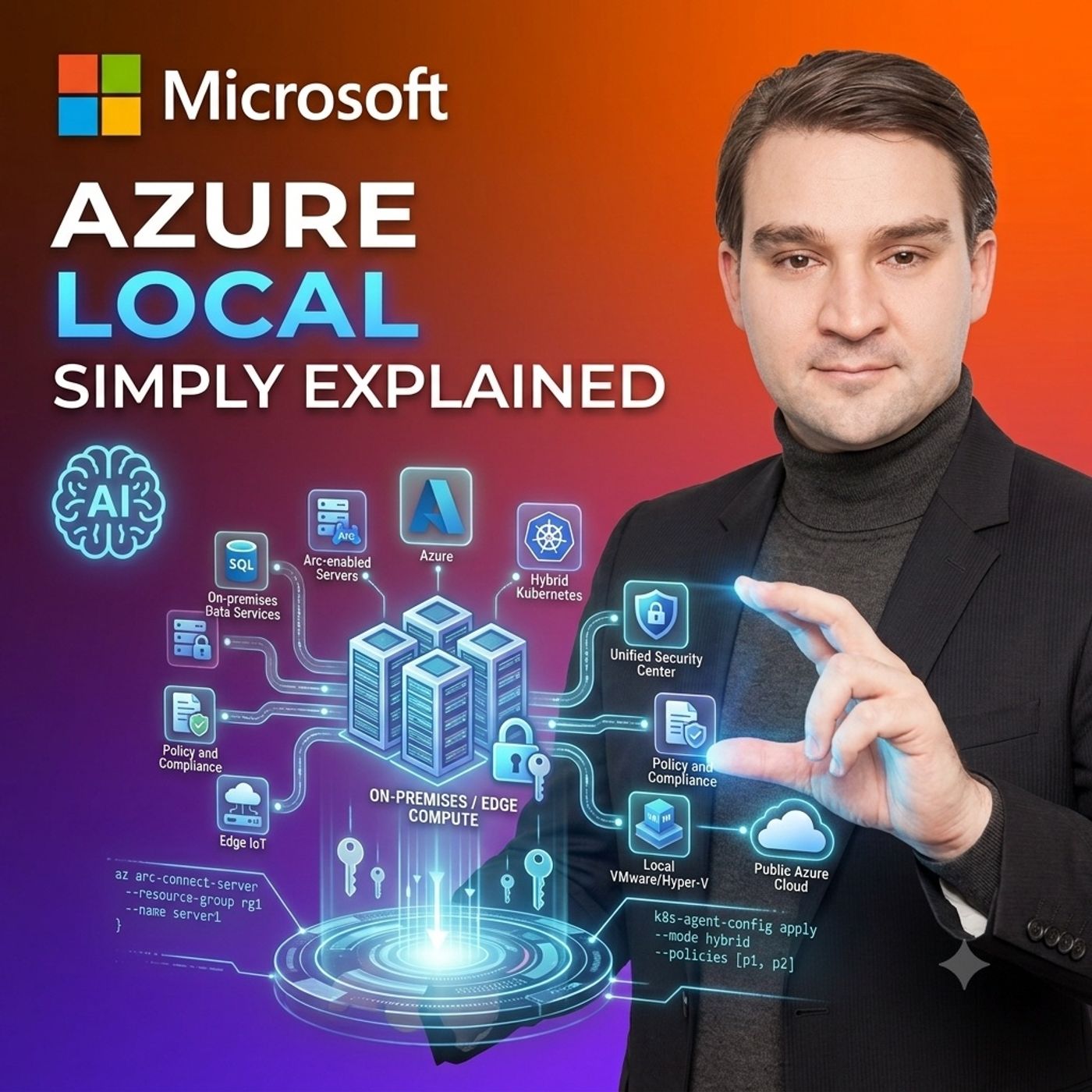
 Azure Local - Simply Explained
As organizations rapidly adopt generative AI, the number of AI-powered applications, copilots, intelligent agents, and automation workflows continues to grow. What often begins as a single chatbot quickly expands into dozens of AI services connected to different models, APIs, business systems, and external providers. Without centralized governance, organizations face increasing security risks, inconsistent access controls, rising token costs, and limited visibility into AI usage. In this Microsoft Knowledge Nuggets episode, Mirko Peters explains Microsoft AI Gateway in plain English, demonstrating how Azure API Management provides a secure front door for enterprise AI traffic while simplifying governance, monitoring, and operational management.
UNDERSTANDING MICROSOFT AI GATEWAY AND AZURE API MANAGEMENT
Microsoft AI Gateway extends Azure API Management by introducing centralized control over AI traffic, model endpoints, intelligent agents, Model Context Protocol (MCP) tools, Agent-to-Agent (A2A) communication, and existing business APIs. Rather than allowing every application to communicate directly with different AI providers, organizations create a single managed entry point where authentication, authorization, routing, rate limiting, logging, and security policies are consistently enforced. This separation allows development teams to focus on building intelligent business applications while platform teams maintain governance, compliance, and operational standards across the entire AI landscape.
ROUTING AI REQUESTS ACROSS MULTIPLE MODELS AND PROVIDERS
One of the greatest advantages of Microsoft AI Gateway is the ability to separate applications from individual AI model deployments. Instead of hardcoding connections to specific providers, applications communicate with a stable endpoint while the gateway intelligently routes requests to Azure OpenAI, Microsoft Foundry, Anthropic, Google Gemini, Amazon Bedrock, or other approved model providers. Organizations can balance workloads across multiple regions, optimize performance, reduce operational risk, implement failover strategies, and migrate between models without requiring application developers to rewrite existing integrations. This flexible architecture enables enterprises to adapt quickly as AI technology continues evolving.
GOVERNING AGENTS, TOOLS, AND BUSINESS APIS
Modern AI extends far beyond simple chatbots. Intelligent agents increasingly interact with HR systems, finance applications, customer records, enterprise databases, and internal APIs. Microsoft AI Gateway provides centralized governance for Model Context Protocol (MCP) servers, Agent-to-Agent communication, and business APIs by enforcing identity, authorization, content safety, and Zero Trust principles. Combined with Microsoft Entra ID managed identities, organizations can ensure every AI agent receives only the minimum permissions required to perform its assigned task. This dramatically reduces the risk of unauthorized data access while creating complete visibility into every AI-driven action.
MANAGING TOKEN COSTS, PERFORMANCE, AND AI OBSERVABILITY
Unlike traditional software licensing, generative AI introduces variable consumption costs based on token usage. Microsoft AI Gateway helps organizations control these expenses through request throttling, quotas, token budgets, semantic caching, traffic prioritization, and detailed monitoring. Every AI request can be logged with information about the calling application, selected model, token consumption, response status, latency, and tool execution. This observability enables platform teams to identify inefficient prompts, detect abnormal consumption patterns, optimize model selection, and allocate AI costs across departments while ensuring mission-critical business workloads always receive sufficient capacity.
BUILDING A SECURE FOUNDATION FOR SCALABLE ENTERPRISE AI
Microsoft AI Gateway is not another AI model or agent builder. Instead, it provides the governance layer that allows organizations to safely scale enterprise AI initiatives. By combining Azure API Management, Microsoft Entra ID, Azure AI Foundry, MCP, A2A communication, API Center, content safety, centralized policies, and comprehensive monitoring, businesses gain a unified architecture capable of supporting future AI innovation without sacrificing security or compliance. Organizations beginning their AI journey should start with a single managed workload, establish governance from the beginning, and gradually expand toward a standardized enterprise AI platform that remains secure, observable, and cost-efficient.
Become a supporter of this podcast: https://www.spreaker.com/podcast/m365-fm-modern-work-security-and-productivity-with-microsoft-365--6704921/support.
🚀 Want to be part of m365.fm?
Then stop just listening… and start showing up.
👉 Connect with me on LinkedIn and let’s make something happen:
- 🎙️ Be a podcast guest and share your story
- 🎧 Host your own episode (yes, seriously)
- 💡 Pitch topics the community actually wants to hear
- 🌍 Build your personal brand in the Microsoft 365 space
This isn’t just a podcast — it’s a platform for people who take action.
🔥 Most people wait. The best ones don’t.
👉 Connect with me on LinkedIn and send me a message:
"I want in"
Let’s build something awesome 👊
00:00:00,000 --> 00:00:03,560
Most people hear the word cloud and think of one simple idea.
2
00:00:03,560 --> 00:00:07,280
Your apps, files, and data can run from anywhere.
3
00:00:07,280 --> 00:00:09,600
For many workloads, that works really well.
4
00:00:09,600 --> 00:00:11,440
You can add capacity when demand grows,
5
00:00:11,440 --> 00:00:13,160
use services without buying more servers,
6
00:00:13,160 --> 00:00:14,840
and manage everything from one place.
7
00:00:14,840 --> 00:00:17,640
But here's the thing, some work can't leave the building.
8
00:00:17,640 --> 00:00:19,520
A factory needs fast machine decisions,
9
00:00:19,520 --> 00:00:22,040
or hospital may need patient data kept on site,
10
00:00:22,040 --> 00:00:24,240
and a remote location might lose its internet connection
11
00:00:24,240 --> 00:00:28,400
for hours or days, for years, that created two separate worlds.
12
00:00:28,400 --> 00:00:31,120
Cloud teams used Azure tools on one side,
13
00:00:31,120 --> 00:00:33,240
while local server teams used different tools,
14
00:00:33,240 --> 00:00:35,200
different update plans, and different ways
15
00:00:35,200 --> 00:00:36,960
to keep things secure on the other.
16
00:00:36,960 --> 00:00:38,760
Azure local aims to close that gap.
17
00:00:38,760 --> 00:00:41,000
It lets you run workloads at your own side,
18
00:00:41,000 --> 00:00:43,520
while using Azure for much of the management around them.
19
00:00:43,520 --> 00:00:45,680
But one question often causes confusion.
20
00:00:45,680 --> 00:00:48,480
If Azure Arc can connect local servers to Azure,
21
00:00:48,480 --> 00:00:50,480
why would you also need Azure local?
22
00:00:50,480 --> 00:00:52,280
That difference becomes clear when you look at why
23
00:00:52,280 --> 00:00:54,880
some workloads need to stay close to home.
24
00:00:54,880 --> 00:00:57,200
Why some workloads must stay local?
25
00:00:57,200 --> 00:00:59,600
Imagine a factory line making parts every second.
26
00:00:59,600 --> 00:01:01,760
A camera watches each part as it moves past,
27
00:01:01,760 --> 00:01:03,440
a sensor notices a small crack,
28
00:01:03,440 --> 00:01:06,080
and the system needs to decide whether to remove that part
29
00:01:06,080 --> 00:01:07,800
before it reaches the next machine.
30
00:01:07,800 --> 00:01:10,400
That decision may need to happen almost immediately.
31
00:01:10,400 --> 00:01:13,600
If every camera image travels to a distant Azure region,
32
00:01:13,600 --> 00:01:16,240
waits for processing, and then sends an answer back,
33
00:01:16,240 --> 00:01:17,520
the delay can be too long.
34
00:01:17,520 --> 00:01:19,040
Even a short network delay can mean
35
00:01:19,040 --> 00:01:20,720
the damaged part has already moved on,
36
00:01:20,720 --> 00:01:22,520
or the machine has already taken the wrong action.
37
00:01:22,520 --> 00:01:24,000
That's where edge computing comes in.
38
00:01:24,000 --> 00:01:27,160
Edge computing means processing data close to where it begins,
39
00:01:27,160 --> 00:01:29,320
so the camera, sensor, and local compute
40
00:01:29,320 --> 00:01:31,480
sit near the factory floor instead of depending
41
00:01:31,480 --> 00:01:33,960
on a distant cloud data center for every decision.
42
00:01:33,960 --> 00:01:35,120
The cloud still has a role.
43
00:01:35,120 --> 00:01:37,400
The factory can send selected data to Azure later,
44
00:01:37,400 --> 00:01:40,160
storing production history, comparing results across sites,
45
00:01:40,160 --> 00:01:43,040
training larger AI models, or creating reports for leaders.
46
00:01:43,040 --> 00:01:44,760
But the immediate decision stays local
47
00:01:44,760 --> 00:01:46,240
because the machine can't wait.
48
00:01:46,240 --> 00:01:48,800
You've probably seen the same idea outside of factory.
49
00:01:48,800 --> 00:01:49,880
Think about a ship at sea,
50
00:01:49,880 --> 00:01:52,040
where the connection may switch between satellite links,
51
00:01:52,040 --> 00:01:53,960
slow links, and no connection at all,
52
00:01:53,960 --> 00:01:55,680
yet navigation, engine systems,
53
00:01:55,680 --> 00:01:58,600
safety tools, and crew systems still need to run.
54
00:01:58,600 --> 00:02:00,800
Or picture a retail store where the internet connection
55
00:02:00,800 --> 00:02:02,360
drops during a busy weekend.
56
00:02:02,360 --> 00:02:04,760
If every checkout, stock check, and local system
57
00:02:04,760 --> 00:02:06,800
depends entirely on a cloud connection,
58
00:02:06,800 --> 00:02:09,120
the store has a problem at exactly the wrong time.
59
00:02:09,120 --> 00:02:11,600
Some places must stay disconnected by design.
60
00:02:11,600 --> 00:02:13,560
A secure government site, a defense environment,
61
00:02:13,560 --> 00:02:16,320
or a research facility, may never connect directly
62
00:02:16,320 --> 00:02:17,440
to the public internet.
63
00:02:17,440 --> 00:02:19,160
This is called disconnected operations,
64
00:02:19,160 --> 00:02:20,880
where local systems need to keep working
65
00:02:20,880 --> 00:02:23,200
with the site controls exactly how software updates
66
00:02:23,200 --> 00:02:24,680
and data move in and out.
67
00:02:24,680 --> 00:02:26,000
Then there's data sovereignty.
68
00:02:26,000 --> 00:02:27,640
That phrase sounds bigger than it is.
69
00:02:27,640 --> 00:02:30,280
In plain English, it means rules about where data can live
70
00:02:30,280 --> 00:02:31,520
and who can control it.
71
00:02:31,520 --> 00:02:34,720
So a company may need research data, patient records,
72
00:02:34,720 --> 00:02:38,120
video feeds, or operational data to remain within a country,
73
00:02:38,120 --> 00:02:40,240
a region, or even a specific building.
74
00:02:40,240 --> 00:02:43,400
Keeping data local isn't always about distrust of the cloud.
75
00:02:43,400 --> 00:02:45,560
Sometimes it's about law, sometimes about speed,
76
00:02:45,560 --> 00:02:47,560
and sometimes about keeping the business running
77
00:02:47,560 --> 00:02:48,920
when the network fails.
78
00:02:48,920 --> 00:02:50,880
A common mistake is treating on-premises
79
00:02:50,880 --> 00:02:53,360
computing as old technology that should disappear.
80
00:02:53,360 --> 00:02:54,640
That's not the right question.
81
00:02:54,640 --> 00:02:57,240
The better question is, where should this workload run?
82
00:02:57,240 --> 00:03:00,320
Azure works well for workloads that need flexible capacity,
83
00:03:00,320 --> 00:03:02,360
broad access, large-scale reporting,
84
00:03:02,360 --> 00:03:05,440
and services that don't depend on instant local responses.
85
00:03:05,440 --> 00:03:08,360
Local infrastructure works well when the data starts at a site.
86
00:03:08,360 --> 00:03:09,840
The decision must happen fast,
87
00:03:09,840 --> 00:03:11,960
or the site needs to keep operating on its own.
88
00:03:11,960 --> 00:03:14,080
Most organizations don't need to choose only one.
89
00:03:14,080 --> 00:03:15,240
They need the cloud for some work
90
00:03:15,240 --> 00:03:17,040
and local processing for other work.
91
00:03:17,040 --> 00:03:20,200
But local workloads need more than a server sitting in a closet.
92
00:03:20,200 --> 00:03:24,200
They need reliable compute, storage, networking, updates, security,
93
00:03:24,200 --> 00:03:27,960
and a way for the people who run Azure to see what's happening at the site.
94
00:03:27,960 --> 00:03:29,960
What Azure local actually is?
95
00:03:29,960 --> 00:03:32,160
So what exactly is Azure local?
96
00:03:32,160 --> 00:03:33,520
Here's the simplest definition.
97
00:03:33,520 --> 00:03:35,520
It's Microsoft infrastructure software
98
00:03:35,520 --> 00:03:37,880
that runs on a proved hardware in your own location.
99
00:03:37,880 --> 00:03:39,480
That location could be a data center,
100
00:03:39,480 --> 00:03:41,280
a branch office, a factory, a hospital,
101
00:03:41,280 --> 00:03:44,160
or any other site where your workloads need to stay nearby.
102
00:03:44,160 --> 00:03:46,040
You buy and keep the physical service.
103
00:03:46,040 --> 00:03:48,040
They sit in your building, use your network,
104
00:03:48,040 --> 00:03:49,640
and store data locally.
105
00:03:49,640 --> 00:03:51,480
Azure local runs on those servers
106
00:03:51,480 --> 00:03:55,200
and gives them a more Azure-like way to run and manage local workloads.
107
00:03:55,200 --> 00:03:57,400
Think of an Azure region as a large main office.
108
00:03:57,400 --> 00:03:59,160
It has huge amounts of compute, storage,
109
00:03:59,160 --> 00:04:01,520
and services available to customers across an area.
110
00:04:01,520 --> 00:04:04,360
Azure local is more like a smaller office building on your own site.
111
00:04:04,360 --> 00:04:07,160
Your team owns the building and the equipment inside it.
112
00:04:07,160 --> 00:04:09,680
But many of the rules, signs, security checks,
113
00:04:09,680 --> 00:04:12,800
and maintenance plans come from the same central organization.
114
00:04:12,800 --> 00:04:14,800
The work still happens in your smaller building.
115
00:04:14,800 --> 00:04:16,280
That distinction matters.
116
00:04:16,280 --> 00:04:19,760
Azure local doesn't copy all of public Azure into a rack of servers.
117
00:04:19,760 --> 00:04:22,320
You don't suddenly get every Azure service running locally
118
00:04:22,320 --> 00:04:24,200
just because you installed Azure local.
119
00:04:24,200 --> 00:04:27,120
Public Azure remains the place for the full range of cloud services
120
00:04:27,120 --> 00:04:28,600
and large-scale capacity.
121
00:04:28,600 --> 00:04:32,080
Azure local gives you a local platform for the workloads that need to run there.
122
00:04:32,080 --> 00:04:34,000
You may also hear a familiar older name.
123
00:04:34,000 --> 00:04:37,640
Azure Stack HCI, that's now part of the Azure local story.
124
00:04:37,640 --> 00:04:40,920
If you've seen that name in older articles, training, or diagrams,
125
00:04:40,920 --> 00:04:42,600
you're looking at much of the same foundation.
126
00:04:42,600 --> 00:04:45,240
Microsoft now uses Azure local as the broader name
127
00:04:45,240 --> 00:04:48,320
for this Azure connected infrastructure running at your site.
128
00:04:48,320 --> 00:04:50,200
So what stays at your site?
129
00:04:50,200 --> 00:04:51,840
The physical servers stay there.
130
00:04:51,840 --> 00:04:53,640
The compute power stays there too.
131
00:04:53,640 --> 00:04:57,280
The processor and memory that run your applications are in your own building,
132
00:04:57,280 --> 00:04:58,760
not in an Azure region.
133
00:04:58,760 --> 00:05:00,400
Storage stays local as well.
134
00:05:00,400 --> 00:05:04,000
The disks inside those servers hold the data for local virtual machines and workloads.
135
00:05:04,000 --> 00:05:08,840
Networking stays at the site, connecting your local systems, users, machines, and devices.
136
00:05:08,840 --> 00:05:11,520
On top of that local foundation, you can run virtual machines.
137
00:05:11,520 --> 00:05:14,120
A virtual machine is simply a software-based computer.
138
00:05:14,120 --> 00:05:17,920
You can run Windows or Linux inside it, much like a normal server
139
00:05:17,920 --> 00:05:21,120
without needing one separate physical box for every application.
140
00:05:21,120 --> 00:05:23,880
You can also run containers, containers package and application,
141
00:05:23,880 --> 00:05:26,640
and the parts it needs so it can run in a consistent way.
142
00:05:26,640 --> 00:05:30,040
They're useful when teams build and release modern applications more often.
143
00:05:30,040 --> 00:05:32,800
The processing stays close to the local systems that need it,
144
00:05:32,800 --> 00:05:35,080
but Azure local doesn't work alone in a corner.
145
00:05:35,080 --> 00:05:36,760
It connects back to Azure for management.
146
00:05:36,760 --> 00:05:40,280
That connection gives your team a familiar place to see the local environment,
147
00:05:40,280 --> 00:05:44,800
track its health, apply supported updates, and use Azure-based monitoring and security tools.
148
00:05:44,800 --> 00:05:49,320
You can apply policies from Azure so the same rules can check local systems and cloud systems.
149
00:05:49,320 --> 00:05:52,880
You can control access through the Azure tools your team already knows.
150
00:05:52,880 --> 00:05:56,400
You can also see billing for the Azure local service through your Azure subscription.
151
00:05:56,400 --> 00:05:58,520
Notice the split, the workload runs locally.
152
00:05:58,520 --> 00:06:00,800
The physical hardware remains your responsibility.
153
00:06:00,800 --> 00:06:03,840
Azure provides the management experience around that local platform,
154
00:06:03,840 --> 00:06:08,680
along with services that help you monitor, secure, update, and govern it.
155
00:06:08,680 --> 00:06:12,080
That's why calling Azure local Azure in a box creates the wrong picture.
156
00:06:12,080 --> 00:06:14,640
It isn't a miniature public cloud delivered to your site.
157
00:06:14,640 --> 00:06:18,360
It's a way to run local infrastructure with a closer connection to Azure.
158
00:06:18,360 --> 00:06:20,920
To see how that works, we need to look at three building blocks
159
00:06:20,920 --> 00:06:26,040
behind the local office building, the approved hardware, the local cluster, and Azure Arc.
160
00:06:26,040 --> 00:06:27,840
The building blocks behind the scenes.
161
00:06:27,840 --> 00:06:29,640
The first building block is the hardware.
162
00:06:29,640 --> 00:06:33,040
Azure local runs on service systems that have been tested and approved for it.
163
00:06:33,040 --> 00:06:35,520
You'll often hear these called validated hardware,
164
00:06:35,520 --> 00:06:38,840
validated nodes, integrated systems, or partner solutions.
165
00:06:38,840 --> 00:06:41,320
That testing is more useful than it may sound.
166
00:06:41,320 --> 00:06:46,680
A server platform includes processes, memory disks, network cards, storage controllers, drivers, and firmware.
167
00:06:46,680 --> 00:06:50,840
Each part needs to work correctly with the others, especially when several servers share storage
168
00:06:50,840 --> 00:06:52,680
and run business workloads together.
169
00:06:52,680 --> 00:06:56,440
Without testing, an update to one network driver or storage component
170
00:06:56,440 --> 00:06:58,000
can create a difficult problem.
171
00:06:58,000 --> 00:07:01,840
The server may still turn on, but the cluster may not behave the way you expect.
172
00:07:01,840 --> 00:07:04,080
Validated hardware reduces that guesswork.
173
00:07:04,080 --> 00:07:07,480
Microsoft and the hardware partner test supported combinations.
174
00:07:07,480 --> 00:07:12,280
So there's a known path for the server software, firmware, storage, and network parts.
175
00:07:12,280 --> 00:07:15,840
You still need to plan the size, location, network, and support model,
176
00:07:15,840 --> 00:07:19,560
but you're not starting with a pile of parts and hoping they work well together.
177
00:07:19,560 --> 00:07:21,560
Then comes the local infrastructure design.
178
00:07:21,560 --> 00:07:25,680
Azure local uses something called HCI, short for hyper-converge infrastructure.
179
00:07:25,680 --> 00:07:27,920
That name sounds technical, so let's put it in plain English.
180
00:07:27,920 --> 00:07:31,520
All the data centers often kept compute and storage in separate places.
181
00:07:31,520 --> 00:07:35,520
You might have one group of servers that ran applications, then a separate large storage
182
00:07:35,520 --> 00:07:38,480
system where all the files and virtual machine disks lived.
183
00:07:38,480 --> 00:07:43,280
The two systems connected over a storage network and each needed its own setup, updates, and care.
184
00:07:43,280 --> 00:07:45,320
HCI combines those jobs.
185
00:07:45,320 --> 00:07:48,440
The same group of servers provides compute power and storage.
186
00:07:48,440 --> 00:07:52,080
Each server contributes processor power, memory, and local disks.
187
00:07:52,080 --> 00:07:54,840
Together they become a shared platform for running workloads.
188
00:07:54,840 --> 00:07:57,000
Think of a small team doing one shared job.
189
00:07:57,000 --> 00:08:01,480
Each person brings different tools, but they work from the same plan and share the load.
190
00:08:01,480 --> 00:08:04,920
If one person needs to step away, the others can keep the job moving.
191
00:08:04,920 --> 00:08:06,400
A cluster works in a similar way.
192
00:08:06,400 --> 00:08:09,680
A cluster is a group of servers connected so they can act as one platform.
193
00:08:09,680 --> 00:08:14,200
When the design includes more than one server, workloads can move or restart on another server
194
00:08:14,200 --> 00:08:15,720
if one server has a problem.
195
00:08:15,720 --> 00:08:19,880
The cluster also spreads stored data across the servers based on the setup you choose.
196
00:08:19,880 --> 00:08:22,040
That doesn't mean every failure disappears.
197
00:08:22,040 --> 00:08:26,760
You still need enough servers, enough storage space, and a design that fits the level of downtime
198
00:08:26,760 --> 00:08:28,120
your business can accept.
199
00:08:28,120 --> 00:08:32,280
But clustering gives local workloads a better chance to stay available when one physical server
200
00:08:32,280 --> 00:08:34,040
needs maintenance or fails.
201
00:08:34,040 --> 00:08:37,040
Under the covers, Hyper-V helps run the virtual machines.
202
00:08:37,040 --> 00:08:41,720
Hyper-V is Microsoft's technology for creating and running those software-based computers.
203
00:08:41,720 --> 00:08:44,640
A local application might run inside a Windows Virtual Machine.
204
00:08:44,640 --> 00:08:45,920
Another may run inside Linux.
205
00:08:45,920 --> 00:08:50,280
Each gets the CPU, memory, disk, and network access it needs from the cluster.
206
00:08:50,280 --> 00:08:54,160
The local disks across the servers can also work together as shared storage.
207
00:08:54,160 --> 00:08:58,160
Instead of treating every disk as a separate island, Azure local pulls the local disks into
208
00:08:58,160 --> 00:09:00,160
storage that the cluster can use.
209
00:09:00,160 --> 00:09:04,480
That lets virtual machines run from storage spread across the servers rather than tying a workload
210
00:09:04,480 --> 00:09:06,280
to just one machine and one disk.
211
00:09:06,280 --> 00:09:09,080
So far, we have the physical foundation and the local platform.
212
00:09:09,080 --> 00:09:11,200
The next part explains how it appears in Azure.
213
00:09:11,200 --> 00:09:12,440
That part is Azure Arc.
214
00:09:12,440 --> 00:09:16,880
Azure Arc connects resources outside public Azure to the Azure portal and Azure management
215
00:09:16,880 --> 00:09:17,880
tools.
216
00:09:17,880 --> 00:09:21,440
It can connect servers, Kubernetes clusters, and other supported resources whether they
217
00:09:21,440 --> 00:09:24,120
run in your building or in another cloud.
218
00:09:24,120 --> 00:09:26,720
Arc doesn't move those resources into an Azure region.
219
00:09:26,720 --> 00:09:31,440
A server can remain in your server room, but show up in the Azure portal as a managed resource.
220
00:09:31,440 --> 00:09:35,720
Your team can use Azure access controls, tags, policies, monitoring, and security services
221
00:09:35,720 --> 00:09:37,840
against it depending on what you set up.
222
00:09:37,840 --> 00:09:40,440
This is where people often mix up Arc and Azure local.
223
00:09:40,440 --> 00:09:41,760
Azure Arc is the management layer.
224
00:09:41,760 --> 00:09:46,560
It can connect many kinds of existing infrastructure to Azure, including systems that aren't Azure
225
00:09:46,560 --> 00:09:47,560
local at all.
226
00:09:47,560 --> 00:09:50,720
Arc helps you see and manage those systems in a more consistent way.
227
00:09:50,720 --> 00:09:52,560
Azure local is the infrastructure platform.
228
00:09:52,560 --> 00:09:56,400
It provides the tested local hardware and clustered software foundation where your virtual
229
00:09:56,400 --> 00:10:00,320
machines, containers, and selected Azure services can actually run.
230
00:10:00,320 --> 00:10:03,960
Arc connects that foundation to the Azure control plane, think of the Azure control plane
231
00:10:03,960 --> 00:10:05,760
as the shared operations desk.
232
00:10:05,760 --> 00:10:09,560
It gives your team one place to control who can manage resources through enter ID, check
233
00:10:09,560 --> 00:10:14,440
rules with Azure policy, watch health through Azure monitor, and use Defender to look for security
234
00:10:14,440 --> 00:10:15,440
concerns.
235
00:10:15,440 --> 00:10:20,080
It also supports updates and automation across resources in Azure and at local sites.
236
00:10:20,080 --> 00:10:23,280
On top of Azure local you can run Windows and Linux virtual machines.
237
00:10:23,280 --> 00:10:26,320
You can run Azure Kubernetes service for container-based applications.
238
00:10:26,320 --> 00:10:30,520
You can run Azure virtual desktop workloads locally when users or data need that nearby
239
00:10:30,520 --> 00:10:31,560
performance.
240
00:10:31,560 --> 00:10:35,000
Some services that work with Azure Arc can also run close to the workload.
241
00:10:35,000 --> 00:10:39,400
The same Azure experience becomes far more useful when you have many locations.
242
00:10:39,400 --> 00:10:42,240
Managing one small site with local tools may be manageable.
243
00:10:42,240 --> 00:10:46,320
Managing 50 factories, 200 stores, or a fleet of remote sites quickly becomes a different
244
00:10:46,320 --> 00:10:47,320
problem.
245
00:10:47,320 --> 00:10:50,440
It changes the daily work for the people responsible for all of it.
246
00:10:50,440 --> 00:10:52,440
One control plane, local workloads.
247
00:10:52,440 --> 00:10:55,560
The real benefit shows up when teams stop working in separate worlds.
248
00:10:55,560 --> 00:11:01,120
In many companies, the cloud team uses Azure tools, Azure access rules, and Azure monitoring,
249
00:11:01,120 --> 00:11:04,720
while the local infrastructure team works through a separate set of consoles, spreadsheets,
250
00:11:04,720 --> 00:11:06,680
and server-by-server processes.
251
00:11:06,680 --> 00:11:07,880
That split creates gaps.
252
00:11:07,880 --> 00:11:13,160
A cloud admin might see an application in Azure, but not the local server supporting a site.
253
00:11:13,160 --> 00:11:17,640
Meanwhile, a local admin knows a server needs attention, but has no easy way to apply the
254
00:11:17,640 --> 00:11:19,920
same security rules used elsewhere.
255
00:11:19,920 --> 00:11:23,600
With Azure local, the cluster appears in the Azure portal as an Azure resource.
256
00:11:23,600 --> 00:11:28,520
You can see its name, location, health status, and alerts alongside other resources.
257
00:11:28,520 --> 00:11:34,000
And apply tags like factory, store 42, production, or a cost center so people can find and sort
258
00:11:34,000 --> 00:11:35,960
systems consistently.
259
00:11:35,960 --> 00:11:37,280
Access follows the same pattern.
260
00:11:37,280 --> 00:11:40,320
Instead of sharing a local administrator password with everyone who needs access, you
261
00:11:40,320 --> 00:11:44,880
use Microsoft Enter ID to decide who can manage the Azure local environment.
262
00:11:44,880 --> 00:11:48,520
One person might only view health details, another might manage virtual machines, and a smaller
263
00:11:48,520 --> 00:11:50,240
group controls the platform itself.
264
00:11:50,240 --> 00:11:53,800
That creates clearer ownership, picture a team that needs a new virtual machine for an
265
00:11:53,800 --> 00:11:55,720
application at a factory.
266
00:11:55,720 --> 00:11:59,680
Rather than treating the factory as a completely separate world, they use familiar Azure tools
267
00:11:59,680 --> 00:12:03,920
to create the virtual machine, choose its local network and storage, then run it on the
268
00:12:03,920 --> 00:12:06,120
Azure local cluster at that factory.
269
00:12:06,120 --> 00:12:09,120
The request begins in Azure, but the workload runs at the site.
270
00:12:09,120 --> 00:12:10,640
The same idea applies to containers.
271
00:12:10,640 --> 00:12:14,680
A developer can deploy a container-based application through familiar Azure connected tools while
272
00:12:14,680 --> 00:12:18,080
the container does its work close to the local devices and data.
273
00:12:18,080 --> 00:12:22,560
This helps teams keep one way of working even when workloads run in different places.
274
00:12:22,560 --> 00:12:24,760
Security and governance follow that same path.
275
00:12:24,760 --> 00:12:26,720
Enter ID controls who gets access.
276
00:12:26,720 --> 00:12:30,320
Azure policy checks whether systems follow the rules your company has set.
277
00:12:30,320 --> 00:12:34,800
For example, whether certain settings are in place or resources follow naming and tagging
278
00:12:34,800 --> 00:12:35,960
rules.
279
00:12:35,960 --> 00:12:40,160
Microsoft Defender watches for security concerns while Azure Monitor collects health signals
280
00:12:40,160 --> 00:12:42,320
and raises alerts when something needs attention.
281
00:12:42,320 --> 00:12:44,520
None of that removes the need for people to respond.
282
00:12:44,520 --> 00:12:48,720
It gives them a more consistent view, so they don't need to jump between unrelated tools
283
00:12:48,720 --> 00:12:51,960
just to understand what is happening at one site.
284
00:12:51,960 --> 00:12:53,320
Updates are another practical example.
285
00:12:53,320 --> 00:12:56,360
A local cluster includes more than one piece of software.
286
00:12:56,360 --> 00:13:00,320
The Azure local software itself plus the hardware drivers and firmware that need to work
287
00:13:00,320 --> 00:13:01,480
with it.
288
00:13:01,480 --> 00:13:05,920
On supported hardware, Azure local helps coordinate platform updates across those parts.
289
00:13:05,920 --> 00:13:10,480
Where the cluster design allows it, workloads can move from one server to another while a server
290
00:13:10,480 --> 00:13:14,680
receives an update reducing disruption, but that doesn't mean updates are magic or risk-free.
291
00:13:14,680 --> 00:13:18,040
Teams still need a maintenance plan testing and a clear understanding of which workloads
292
00:13:18,040 --> 00:13:19,040
can move.
293
00:13:19,040 --> 00:13:21,920
Azure local doesn't remove the real work of owning local equipment.
294
00:13:21,920 --> 00:13:25,800
Someone still needs to plan capacity before storage fills up, design the network, arrange
295
00:13:25,800 --> 00:13:31,360
backup and recovery, replace failed hardware, and decide who responds when a site has a problem.
296
00:13:31,360 --> 00:13:34,120
Azure local brings cloud style management closer to the site.
297
00:13:34,120 --> 00:13:35,520
It doesn't remove the site.
298
00:13:35,520 --> 00:13:38,960
The next question is where that local control changes the answer.
299
00:13:38,960 --> 00:13:43,200
From a factory floor to a retail store, a lab, or a place that cannot connect to the public
300
00:13:43,200 --> 00:13:44,880
cloud at all.
301
00:13:44,880 --> 00:13:47,080
Where Azure local fits and where it doesn't.
302
00:13:47,080 --> 00:13:49,240
A factory is one of the clearest examples.
303
00:13:49,240 --> 00:13:53,880
Cameras inspect products as they move down a line, sensors measure heat, vibration, pressure,
304
00:13:53,880 --> 00:13:58,680
or speed, and a local application can spot a defect, want a worker, or stop a machine
305
00:13:58,680 --> 00:14:03,080
before a small problem turns into wasted material or damaged equipment.
306
00:14:03,080 --> 00:14:06,560
Network happens at the site, close to the machines, and the data they create.
307
00:14:06,560 --> 00:14:09,160
Retail has a similar need even though it looks very different.
308
00:14:09,160 --> 00:14:13,640
A store may run checkout systems, inventory tools, cameras, and local AI that helps staff
309
00:14:13,640 --> 00:14:16,680
notice an empty shelf or a problem at a self checkout lane.
310
00:14:16,680 --> 00:14:21,440
If the wide area connection becomes slow or drops out, the store still needs to serve customers.
311
00:14:21,440 --> 00:14:25,520
Azure local gives that site a place to run those workloads locally while keeping a familiar
312
00:14:25,520 --> 00:14:28,080
Azure connection for the people who manage many stores.
313
00:14:28,080 --> 00:14:31,520
Healthcare and research labs add another reason, sensitive data.
314
00:14:31,520 --> 00:14:35,600
A hospital may process medical images close to the department that creates them and a lab
315
00:14:35,600 --> 00:14:39,560
may work with large research files that are difficult, expensive, or restricted to move
316
00:14:39,560 --> 00:14:40,720
elsewhere.
317
00:14:40,720 --> 00:14:44,720
The data can remain at the site while local systems process it and teams can decide later
318
00:14:44,720 --> 00:14:48,520
what information is safe and useful to share outside that location.
319
00:14:48,520 --> 00:14:51,320
Government energy and defense environments can take this even further.
320
00:14:51,320 --> 00:14:55,880
A power site may need local systems to watch equipment and react during a network outage,
321
00:14:55,880 --> 00:15:00,840
a government department may need data to remain within a tightly controlled location,
322
00:15:00,840 --> 00:15:05,160
and a defense environment may operate on a network that never connects to public Azure
323
00:15:05,160 --> 00:15:06,160
at all.
324
00:15:06,160 --> 00:15:07,800
That last case needs a different approach.
325
00:15:07,800 --> 00:15:11,200
Azure local can support disconnected operations for environments that are built to state
326
00:15:11,200 --> 00:15:12,200
disconnected.
327
00:15:12,200 --> 00:15:16,400
Instead of relying on a live connection to the public Azure control plane, the site uses
328
00:15:16,400 --> 00:15:20,040
a local control plane for a limited set of tasks and services.
329
00:15:20,040 --> 00:15:21,040
There is a trade-off.
330
00:15:21,040 --> 00:15:25,160
You don't get the full set of Azure services at the site and updates don't simply arrive
331
00:15:25,160 --> 00:15:26,480
across the internet.
332
00:15:26,480 --> 00:15:30,320
Teams prepare updates and licensing material outside the secure environment, then bring
333
00:15:30,320 --> 00:15:32,440
them into the site through an approved process.
334
00:15:32,440 --> 00:15:36,920
That takes planning, but it gives the organization control over exactly what enters the environment.
335
00:15:36,920 --> 00:15:40,280
So when should you consider as your local look for five signals?
336
00:15:40,280 --> 00:15:42,120
Does the workload need a very fast response?
337
00:15:42,120 --> 00:15:44,240
Does the data need to stay in a specific place?
338
00:15:44,240 --> 00:15:46,960
Do legal or company rules limit where the data can go?
339
00:15:46,960 --> 00:15:49,600
Must the site keep working when connectivity fails?
340
00:15:49,600 --> 00:15:53,760
Or does the organization need direct control over the local systems that run the workload?
341
00:15:53,760 --> 00:15:57,800
If the answer is yes to one or more of those questions, Azure local may fit, but it
342
00:15:57,800 --> 00:16:00,040
isn't the right answer for every application.
343
00:16:00,040 --> 00:16:04,120
A simple web app that already runs well in public Azure may not need local servers at all,
344
00:16:04,120 --> 00:16:08,800
a very small workload may not justify buying, maintaining and replacing physical equipment,
345
00:16:08,800 --> 00:16:12,880
and if a team doesn't want responsibility for hardware, local networking power, cooling
346
00:16:12,880 --> 00:16:16,640
and site support, then as your local creates work, they may not want.
347
00:16:16,640 --> 00:16:18,120
The goal isn't to put everything local.
348
00:16:18,120 --> 00:16:22,400
The goal is to put each workload in the place where it can do its job properly.
349
00:16:22,400 --> 00:16:25,760
That brings us to the most useful way to start the conversation.
350
00:16:25,760 --> 00:16:27,880
Start with the workload, not the hardware.
351
00:16:27,880 --> 00:16:31,560
Because your local is designed to keep your workloads running right where they are, while
352
00:16:31,560 --> 00:16:34,800
bringing Azure's management tools closer to that location.
353
00:16:34,800 --> 00:16:39,200
Before you start looking at server models or cluster sizes, ask yourself three questions.
354
00:16:39,200 --> 00:16:40,200
Where does the data begin?
355
00:16:40,200 --> 00:16:42,680
How fast does the system need to make a decision?
356
00:16:42,680 --> 00:16:46,480
And can that site rely on a working connection when that decision needs to happen?
357
00:16:46,480 --> 00:16:50,200
Then make a list of workloads that can't leave the site and write down the reason beside
358
00:16:50,200 --> 00:16:54,400
each one, whether it's speed, data rules, reliability or direct local control.
359
00:16:54,400 --> 00:16:58,640
If your first need is just managing servers you already have, start with Azure Arc.
360
00:16:58,640 --> 00:17:02,600
If you also need a local platform to run those workloads on tested hardware, then as your
361
00:17:02,600 --> 00:17:03,920
local is the next step.
362
00:17:03,920 --> 00:17:07,840
Here's the thing, if a factory stops working when the internet drops, a cloud-only design
363
00:17:07,840 --> 00:17:09,920
has already put that workload in the wrong place.




