


 Apple Podcasts
 Spotify
 Youtube Music
 Spreaker
 Podchaser
 Amazon Music
 Azure Well-Architected Framework - Simply Explained
Key Takeaways
- The Azure Well-Architected Framework (WAF) is a structured decision-making guide for designing and operating reliable, secure, cost-effective, manageable, and performant workloads in Azure.
- Unlike the Cloud Adoption Framework (CAF) which establishes company-wide foundations and landing zones, the Well-Architected Framework focuses on one specific workload at a time.
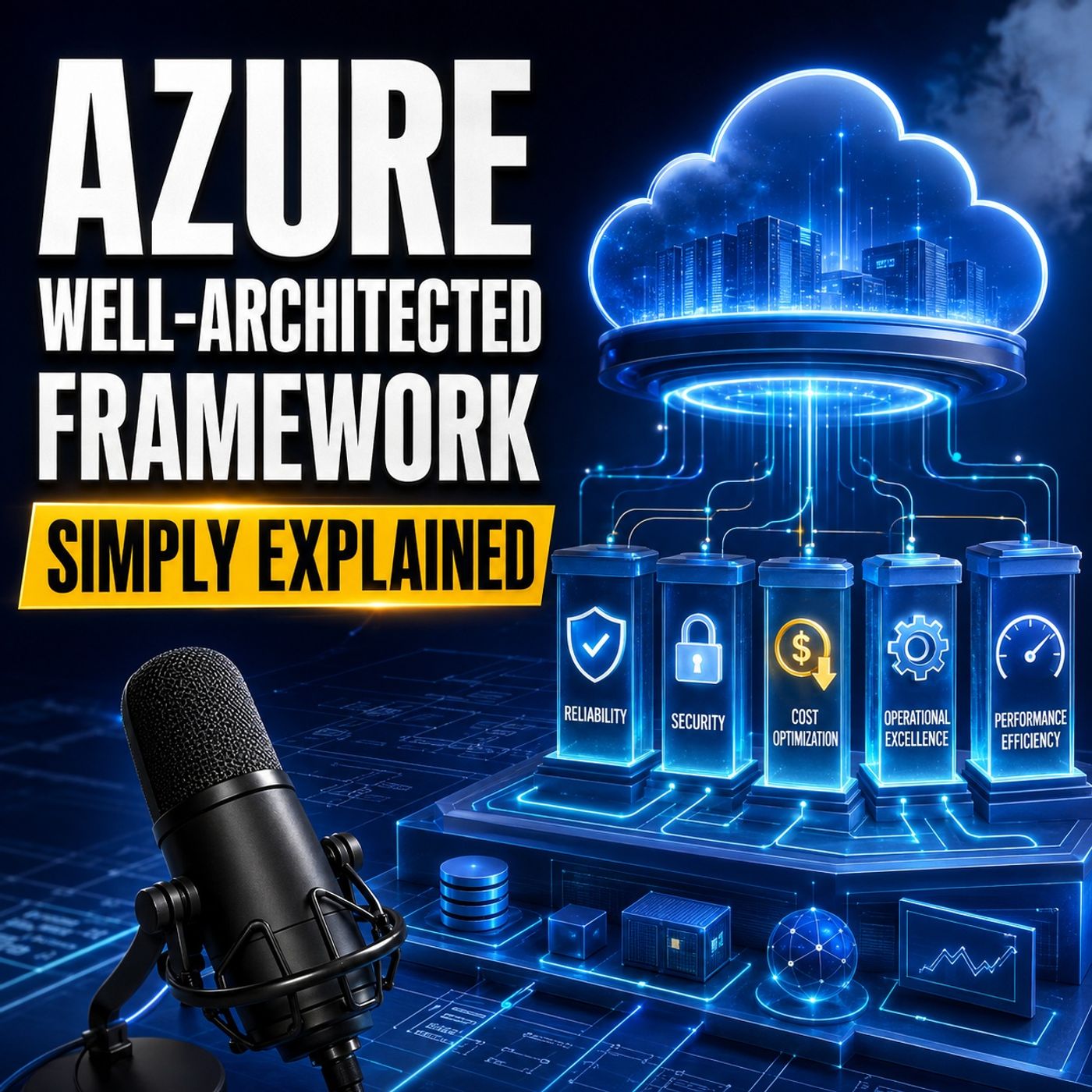
- WAF is built on five interconnected pillars: Reliability, Security, Cost Optimization, Operational Excellence, and Performance Efficiency.
- Effective architecture relies on making deliberate, documented trade-offs between pillars, such as balancing the added cost of redundancy against business uptime requirements.
- Security must be integrated throughout the entire workload lifecycle using principles like least privilege, Microsoft Entra ID, and managed identities rather than relying solely on perimeter defenses.
- Operational excellence treats daily administration as a repeatable discipline by utilizing infrastructure as code, automated deployment pipelines, runbooks, and robust observability signals.
Building a successful Azure workload involves much more than selecting the right cloud services. Reliability problems, security gaps, unexpected costs, weak operational processes, and poor performance often come from the architectural decisions surrounding those services.In this episode of M365 FM, we explain the Azure Well-Architected Framework in clear, practical language. You will learn how its five pillars help teams design, operate, and continuously improve Azure workloads while balancing business requirements, technical risk, performance, and cost.
ㅤ
WHAT THE AZURE WELL-ARCHITECTED FRAMEWORK SOLVES
The Azure Well-Architected Framework, commonly called WAF, is not a product that you activate or a certification badge that you earn. It is a structured decision-making framework for designing and operating Azure workloads that can remain secure, reliable, efficient, manageable, and financially sustainable over time.A workload includes everything required to produce a particular business outcome. For a customer portal, this could include the application code, identities, customer data, Azure resources, monitoring capabilities, deployment processes, and the people responsible for supporting it.WAF helps teams ask important architectural questions before weaknesses become expensive incidents.ㅤㅤ
AZURE WELL-ARCHITECTED FRAMEWORK VS CLOUD ADOPTION FRAMEWORK
The Azure Well-Architected Framework and Microsoft Cloud Adoption Framework support each other, but they address different levels of cloud architecture.The Cloud Adoption Framework helps an organization establish the shared Azure foundation. This includes governance, management, security, networking, subscriptions, policies, and landing zones that can support many workloads across the company.The Well-Architected Framework examines one workload at a time. It asks whether a particular customer portal, business application, reporting system, or digital service can achieve its intended outcome effectively.A useful analogy is an airport. The Cloud Adoption Framework prepares the airport, including the runway, tower, shared services, and security rules. The Well-Architected Framework helps one particular aircraft complete its journey safely and efficiently.
THE FIVE PILLARS OF THE FRAMEWORK
The Azure Well-Architected Framework is organized around five interconnected pillars: Reliability, Security, Cost Optimization, Operational Excellence, and Performance Efficiency.These pillars are not independent checklists. Improving one area can create costs or compromises in another. Additional redundancy can improve reliability but increase spending and operational complexity. More security controls may introduce extra steps or minor latency. Higher performance can require additional resources.The purpose of WAF is not to maximize every pillar. It is to help teams make deliberate, documented trade-offs based on the needs of the workload.
RELIABILITY: CAN THE WORKLOAD KEEP ITS PROMISE?
Reliability focuses on whether users can access the workload when they need it, whether the system can recover after a failure, and whether critical data remains protected throughout that process.The first step is defining the business promise. Teams need to establish how much downtime the business can accept and how much recent data it could afford to lose during a serious incident. These expectations influence decisions about backups, recovery processes, redundancy, Availability Zones, monitoring, and regional architecture.Reliable workloads also prepare for partial failures. Retries can handle temporary interruptions, while circuit breakers stop an application from repeatedly calling a failing dependency. Graceful fallback allows the system to disable a less important feature while preserving the most valuable business transaction.Creating backups is not enough. Teams must regularly test whether those backups can actually be restored within the expected recovery period. Reliability comes from practiced recovery, not from assuming that additional copies will solve every problem.
SECURITY: WHO CAN ENTER AND WHAT CAN THEY ACCESS?
A workload can remain fully available and still fail the business if unauthorized people can access data, change critical settings, or compromise an administrative account.Security begins with identity. Microsoft Entra ID helps verify who or what is requesting access. Each user, administrator, application, and service should receive only the permissions required to perform its specific role. This principle of least privilege reduces the damage that can occur when an identity becomes compromised.Zero Trust means that requests should not automatically be trusted simply because they originate inside the company network. Identity, device, context, requested resource, and risk should all contribute to access decisions.Applications also require secure identities. Managed identities allow Azure resources to authenticate without storing long-lived passwords or access keys inside source code, scripts, or configuration files.Teams must classify their information, encrypt sensitive data in transit and at rest, separate public and private network areas, and use threat modeling to identify possible attack paths before implementation begins. Security must remain part of the entire workload lifecycle rather than being added shortly before release.ㅤ
COST OPTIMIZATION: SPEND WITH PURPOSE
Cloud spending often increases gradually through oversized services, unused test environments, unnecessary storage, excessive log retention, and resources without clear ownership.Cost Optimization is not about selecting the cheapest possible architecture. It is about delivering the required business outcome without paying for unnecessary capacity or services.Tags can identify which workload, environment, and team owns each Azure resource. Budgets and cost alerts help teams detect unusual spending before the end of the billing period. Regular reviews reveal services that can be resized, scaled down, scheduled, moved to a more appropriate storage tier, or removed entirely.Reservations and Azure savings plans may reduce costs for workloads with stable, predictable usage. However, teams should understand the workload’s real consumption before making a long-term commitment.Cost reductions must never silently weaken agreed security or recovery requirements. Removing necessary backups or resilience may improve the monthly bill while creating a much larger financial risk during an incident.
OPERATIONAL EXCELLENCE: CAN THE TEAM RUN IT EVERY DAY?
Operational Excellence focuses on making routine work repeatable, changes safer, problems visible, and knowledge available to the entire team.Infrastructure as code allows teams to describe Azure environments in version-controlled files instead of depending on manual portal configuration. Deployment pipelines can test code and settings, apply consistent release processes, and make failed changes easier to stop or reverse.Observability helps teams understand what users are experiencing. Logs capture events, metrics reveal numerical patterns over time, traces follow requests through distributed components, and health signals show whether critical services can still perform their intended function.Runbooks document how to respond to known situations, which checks to perform, which actions are safe, when to communicate, and when to escalate. This prevents essential operational knowledge from existing only in the memory of one experienced engineer.After an incident, teams should examine what happened, what information was missing, and which improvements can reduce the likelihood or impact of a similar failure. Operational Excellence turns incidents into a continuous improvement loop.
PERFORMANCE EFFICIENCY: FAST ENOUGH WHEN DEMAND ARRIVES
An application can technically remain online while still delivering an unacceptable experience. Slow pages, growing queues, delayed transactions, and repeated timeouts can damage user trust even when no complete outage occurs.Performance Efficiency begins with measurable expectations. Teams should define how quickly important operations must respond, how many transactions the workload must process, when demand peaks occur, and which parts of the system are most likely to become bottlenecks.Load testing simulates realistic demand before customers create it. Autoscaling can add resources during busy periods and reduce capacity when demand falls. Caching prevents repeated requests for frequently used information, while queues help absorb temporary differences between incoming work and processing capacity.Buying the largest possible resource is not a performance strategy. Teams should measure the workload, locate the actual constraint, and select an architecture that meets defined requirements without paying for unnecessary capacity.
UNDERSTANDING ARCHITECTURAL TRADE-OFFS
No workload receives a perfect score across every pillar. Strong architecture depends on making trade-offs visible and intentional.Multi-region deployment may improve disaster recovery but increase cost and operational complexity. Stronger authentication can introduce a small amount of friction while significantly lowering security risk. Faster release cycles can improve business agility but require more reliable automated testing and deployment controls.These outcomes are not necessarily architectural mistakes. They are business and technical decisions that should be documented, reviewed, and connected to the workload’s requirements.ㅤ
Become a supporter of this podcast: https://www.spreaker.com/podcast/m365-fm-modern-work-security-and-productivity-with-microsoft-365--6704921/support.
🚀 Want to be part of m365.fm?
Then stop just listening… and start showing up.
👉 Connect with me on LinkedIn and let’s make something happen:
- 🎙️ Be a podcast guest and share your story
- 🎧 Host your own episode (yes, seriously)
- 💡 Pitch topics the community actually wants to hear
- 🌍 Build your personal brand in the Microsoft 365 space
This isn’t just a podcast — it’s a platform for people who take action.
🔥 Most people wait. The best ones don’t.
👉 Connect with me on LinkedIn and send me a message:
"I want in"
Let’s build something awesome 👊
Frequently Asked Questions
What is the Azure Well-Architected Framework?
The Azure Well-Architected Framework (WAF) is a decision-making model that helps teams design, operate, and continuously improve Azure workloads to ensure they remain secure, reliable, efficient, and financially sustainable.
What is the difference between the Cloud Adoption Framework and the Well-Architected Framework?
The Cloud Adoption Framework (CAF) establishes company-wide foundations, governance, and landing zones for multiple workloads, whereas the Well-Architected Framework evaluates and optimizes a single workload and its specific business outcomes.
What are the five pillars of the Azure Well-Architected Framework?
The five pillars are Reliability, Security, Cost Optimization, Operational Excellence, and Performance Efficiency. These pillars are interconnected, requiring teams to make deliberate trade-offs based on workload requirements.
How does cost optimization apply to Azure workloads?
Cost optimization is about spending on purpose by eliminating waste, managing resource sizes, and utilizing tags and budgets without compromising agreed-upon security, performance, or recovery requirements.
00:00:00,000 --> 00:00:03,200
Have you ever opened an Azure Bill and found a cost you didn't expect?
2
00:00:03,200 --> 00:00:06,320
Or found out a public app had more access than it should?
3
00:00:06,320 --> 00:00:09,560
Maybe an app stopped working late at night and nobody knew where to start.
4
00:00:09,560 --> 00:00:12,400
Those problems don't always mean you picked the wrong Azure service.
5
00:00:12,400 --> 00:00:14,860
Often the service works exactly as designed.
6
00:00:14,860 --> 00:00:16,800
The trouble comes from the decisions around it.
7
00:00:16,800 --> 00:00:17,960
How many copies do you need?
8
00:00:17,960 --> 00:00:18,880
Who can access the data?
9
00:00:18,880 --> 00:00:20,160
What happens when a part fails?
10
00:00:20,160 --> 00:00:21,080
Who checks the bill?
11
00:00:21,080 --> 00:00:23,720
Can the app cope when lots of users arrive at once?
12
00:00:23,720 --> 00:00:27,240
The Azure Well-Architected Framework helps you ask those questions
13
00:00:27,240 --> 00:00:28,920
before they become expensive problems?
14
00:00:28,920 --> 00:00:30,560
It isn't an Azure product you turn on.
15
00:00:30,560 --> 00:00:32,040
It isn't a compliance badge you earn.
16
00:00:32,040 --> 00:00:36,160
It's a decision framework for designing and running a workload that can hold up over time.
17
00:00:36,160 --> 00:00:39,560
Think of a workload as one business area inside a modern office building.
18
00:00:39,560 --> 00:00:42,000
Maybe the customer order desk or the payroll department.
19
00:00:42,000 --> 00:00:46,160
It needs rooms, people, locks, power records and a plan for when something breaks.
20
00:00:46,160 --> 00:00:48,400
Over the next few minutes, we'll look at the five pillars,
21
00:00:48,400 --> 00:00:52,000
the choices they force you to make and one simple way to review a workload.
22
00:00:52,000 --> 00:00:57,040
First, we need to separate the buildings shared foundation from the workload working inside it.
23
00:00:57,040 --> 00:00:59,200
Waff versus Caff, the runway and the plane.
24
00:00:59,200 --> 00:01:02,000
When people first meet the Azure Well-Architected Framework,
25
00:01:02,000 --> 00:01:05,280
they often mix it up with the Cloud Adoption Framework, also called Caff.
26
00:01:05,280 --> 00:01:07,400
They work together, but they answer different questions.
27
00:01:07,400 --> 00:01:08,920
Start with the word workload.
28
00:01:08,920 --> 00:01:11,440
A workload isn't just an app or a virtual machine.
29
00:01:11,440 --> 00:01:14,080
It's everything needed to produce a business result.
30
00:01:14,080 --> 00:01:19,320
For a customer portal that might include the website code, customer data, user identities,
31
00:01:19,320 --> 00:01:22,960
Azure services, monitoring, the team that supports it,
32
00:01:22,960 --> 00:01:25,320
and the daily work that keeps it running.
33
00:01:25,320 --> 00:01:27,480
The portal might look like one thing to a customer.
34
00:01:27,480 --> 00:01:29,440
Behind the scenes, it has many moving parts.
35
00:01:29,440 --> 00:01:31,920
The Cloud Adoption Framework looks at the company-wide foundation.
36
00:01:31,920 --> 00:01:34,680
It helps a company prepare a Azure for many workloads
37
00:01:34,680 --> 00:01:38,960
with shared rules for governance, security, networking, subscriptions and landing zones.
38
00:01:38,960 --> 00:01:42,800
A landing zone is simply a prepared place in Azure where workloads can live.
39
00:01:42,800 --> 00:01:46,760
Think of it as the shared building foundation, the front gate, the electrical system,
40
00:01:46,760 --> 00:01:49,320
the building rules and the shared security desk.
41
00:01:49,320 --> 00:01:52,840
The Well-Architected Framework focuses on one workload at a time.
42
00:01:52,840 --> 00:01:57,520
It asks whether this customer portal, this order system or this reporting app can do its job well.
43
00:01:57,520 --> 00:02:01,560
It doesn't inspect your whole Azure subscription as one giant pass or fail test.
44
00:02:01,560 --> 00:02:03,920
A simple way to remember the difference is an airport.
45
00:02:03,920 --> 00:02:05,400
SAF prepares the airport.
46
00:02:05,400 --> 00:02:09,480
It puts the runway, tower, security rules and shared services in place.
47
00:02:09,480 --> 00:02:11,240
WAF helps one plane fly safely.
48
00:02:11,240 --> 00:02:12,920
The plane still depends on the airport,
49
00:02:12,920 --> 00:02:17,400
but the flight team needs to think about its own route, fuel, passengers, safety checks,
50
00:02:17,400 --> 00:02:18,920
and what happens if the weather changes.
51
00:02:18,920 --> 00:02:21,960
Before you use WAF, write down what the workload must do.
52
00:02:21,960 --> 00:02:24,120
Who uses it, does it hold sensitive data?
53
00:02:24,120 --> 00:02:25,840
What does downtime cost the business?
54
00:02:25,840 --> 00:02:27,680
How much data could you afford to lose?
55
00:02:27,680 --> 00:02:29,080
What budget can support it?
56
00:02:29,080 --> 00:02:31,760
And what demand do you expect next month or next year?
57
00:02:31,760 --> 00:02:33,120
Those answers shape the design.
58
00:02:33,120 --> 00:02:37,720
Once the workload has a clear purpose, the five pillars become five practical questions.
59
00:02:37,720 --> 00:02:38,840
Reliability.
60
00:02:38,840 --> 00:02:40,760
Can your workload keep its promise?
61
00:02:40,760 --> 00:02:43,200
Reliability starts with a simple promise.
62
00:02:43,200 --> 00:02:45,600
Can people use the workload when they need it?
63
00:02:45,600 --> 00:02:48,920
Users won't remember that your Azure design looked tidy on a diagram.
64
00:02:48,920 --> 00:02:52,600
They remember the moment an order wouldn't go through, a file wouldn't open, or a payment
65
00:02:52,600 --> 00:02:53,960
set spinning on the screen.
66
00:02:53,960 --> 00:02:58,680
A reliable workload stays available when it can, recovers when something fails and protects
67
00:02:58,680 --> 00:03:01,000
data while that recovery happens.
68
00:03:01,000 --> 00:03:02,760
Think about the office building again.
69
00:03:02,760 --> 00:03:05,520
Reliable buildings have backup power when the main supply fails.
70
00:03:05,520 --> 00:03:07,760
They have fire exits when the usual route is blocked.
71
00:03:07,760 --> 00:03:11,680
They may have more than one elevator, so one broken elevator doesn't stop everyone from
72
00:03:11,680 --> 00:03:12,680
reaching their floor.
73
00:03:12,680 --> 00:03:14,680
They also have a plan that people have practiced.
74
00:03:14,680 --> 00:03:16,600
Your workload needs the same kind of thinking.
75
00:03:16,600 --> 00:03:21,040
Every failure can be prevented because networks fail, services become slow, software has bugs
76
00:03:21,040 --> 00:03:22,720
and people make mistakes.
77
00:03:22,720 --> 00:03:26,400
Reliability means preparing for those moments instead of hoping they won't happen.
78
00:03:26,400 --> 00:03:28,920
Start with the business promise, not the Azure service.
79
00:03:28,920 --> 00:03:32,640
How long can this workload be unavailable before the business feels real pain?
80
00:03:32,640 --> 00:03:34,120
That is your acceptable downtime.
81
00:03:34,120 --> 00:03:36,320
How much recent data can you lose if something breaks?
82
00:03:36,320 --> 00:03:38,640
Maybe losing five minutes of orders is manageable?
83
00:03:38,640 --> 00:03:40,600
Maybe losing even one payment record isn't?
84
00:03:40,600 --> 00:03:42,640
Then look at the user journeys that matter most.
85
00:03:42,640 --> 00:03:46,320
For an online shop, browsing products is useful, but placing an order and taking payment
86
00:03:46,320 --> 00:03:47,320
may matter more.
87
00:03:47,320 --> 00:03:50,320
Your reliability work should protect those moments first.
88
00:03:50,320 --> 00:03:52,320
From there you choose the building blocks.
89
00:03:52,320 --> 00:03:55,920
Availability zones can place parts of a workload in separate physical locations within
90
00:03:55,920 --> 00:03:56,920
an Azure region.
91
00:03:56,920 --> 00:03:59,920
If one location has a problem, the others can keep running.
92
00:03:59,920 --> 00:04:03,920
Backups protect copies of data, but a backup only helps if you can restore it when you need
93
00:04:03,920 --> 00:04:04,920
it.
94
00:04:04,920 --> 00:04:08,720
Health monitoring watches the workload and tells you when a service becomes unhealthy.
95
00:04:08,720 --> 00:04:11,320
Retrieves let an app try a short-lived failed request again.
96
00:04:11,320 --> 00:04:15,560
Circuit breakers stop an app from repeatedly calling a dependency that is already failing,
97
00:04:15,560 --> 00:04:19,040
which can prevent one problem from spreading through the rest of the workload.
98
00:04:19,040 --> 00:04:21,440
Picture a busy sales day for an online retailer.
99
00:04:21,440 --> 00:04:24,640
The order system needs a shipping service to show delivery choices.
100
00:04:24,640 --> 00:04:27,360
That shipping service starts failing under heavy demand.
101
00:04:27,360 --> 00:04:31,360
Without a plan, every checkout request waits for it, times out, and the whole order process
102
00:04:31,360 --> 00:04:32,360
slows down.
103
00:04:32,360 --> 00:04:36,000
With a circuit breaker and a fallback choice, the site can temporarily show a standard delivery
104
00:04:36,000 --> 00:04:37,400
option instead.
105
00:04:37,400 --> 00:04:38,760
Customers can still pay.
106
00:04:38,760 --> 00:04:39,960
Order still enter the system.
107
00:04:39,960 --> 00:04:43,680
The team can fix the shipping link without turning one failure into a full outage.
108
00:04:43,680 --> 00:04:44,920
That is graceful fallback.
109
00:04:44,920 --> 00:04:48,840
The workload gives up a less important feature so it can protect the main business action,
110
00:04:48,840 --> 00:04:50,560
but people often make two mistakes here.
111
00:04:50,560 --> 00:04:53,160
First they create a backup and assume the job is done.
112
00:04:53,160 --> 00:04:56,960
Then, during an incident, they discover nobody has tested the restore process, the backup
113
00:04:56,960 --> 00:05:00,320
is incomplete, or it takes longer than the business can accept.
114
00:05:00,320 --> 00:05:04,080
Second, they add extra copies of everything because redundancy sounds safe.
115
00:05:04,080 --> 00:05:05,960
Without agreeing on a recovery target first.
116
00:05:05,960 --> 00:05:09,640
More copies, more availability zones, and more regions can improve recovery.
117
00:05:09,640 --> 00:05:14,240
They also raise the Azure Bill and give the team more systems to monitor, test, and maintain.
118
00:05:14,240 --> 00:05:17,200
So the question isn't how much reliability can we buy.
119
00:05:17,200 --> 00:05:22,520
It is what level of reliability does this workload need and what are we willing to support?
120
00:05:22,520 --> 00:05:25,160
Keeping a service available is only part of the promise.
121
00:05:25,160 --> 00:05:29,480
You also need to decide who should be allowed through each door and into each room.
122
00:05:29,480 --> 00:05:32,200
Security, who gets through the reception desk?
123
00:05:32,200 --> 00:05:34,920
A workload can stay online all day and still fail the business.
124
00:05:34,920 --> 00:05:39,000
That happens when the wrong person can read customer records, change a payment setting,
125
00:05:39,000 --> 00:05:42,360
download private files, or take control of an admin account.
126
00:05:42,360 --> 00:05:46,280
Security means protecting identities, data, and systems from misuse and attack.
127
00:05:46,280 --> 00:05:49,440
Think of enter ID as the reception desk for your digital building.
128
00:05:49,440 --> 00:05:51,520
Before someone enters, it checks who they are.
129
00:05:51,520 --> 00:05:55,560
Then even after they enter, that person should only reach the rooms needed for their job.
130
00:05:55,560 --> 00:05:57,440
A customer might view their own order.
131
00:05:57,440 --> 00:06:01,600
A support worker might update delivery details and administrator might manage the service.
132
00:06:01,600 --> 00:06:03,920
Those are different jobs so they need different permissions.
133
00:06:03,920 --> 00:06:08,040
Giving everyone a master key is easier at first, but it creates a large problem later.
134
00:06:08,040 --> 00:06:10,040
This is the thinking behind zero trust.
135
00:06:10,040 --> 00:06:12,760
Don't trust a request just because it came from inside your network.
136
00:06:12,760 --> 00:06:13,760
Check the identity.
137
00:06:13,760 --> 00:06:15,680
Check what that identity is trying to do.
138
00:06:15,680 --> 00:06:19,520
Give the smallest amount of access needed and expect that one account or one device could
139
00:06:19,520 --> 00:06:21,040
eventually be compromised.
140
00:06:21,040 --> 00:06:22,920
For a beginner, start with identity.
141
00:06:22,920 --> 00:06:27,440
Use strong sign-in protection through Microsoft Enter ID, including multi-factor authentication
142
00:06:27,440 --> 00:06:28,440
where it fits.
143
00:06:28,440 --> 00:06:30,040
Give people only the roles they need.
144
00:06:30,040 --> 00:06:31,320
That is called least privilege.
145
00:06:31,320 --> 00:06:33,320
Your applications need identities too.
146
00:06:33,320 --> 00:06:38,000
Instead of placing a password or long-lived access key inside code, use managed identities
147
00:06:38,000 --> 00:06:39,160
where you can.
148
00:06:39,160 --> 00:06:42,600
Azure can then give an app a controlled identity so the app can reach the resource it needs
149
00:06:42,600 --> 00:06:44,400
without a secret sitting in a file.
150
00:06:44,400 --> 00:06:46,000
Data needs protection as well.
151
00:06:46,000 --> 00:06:47,920
First know what data the workload holds.
152
00:06:47,920 --> 00:06:51,560
Public product details need different treatment from payroll records, health data or customer
153
00:06:51,560 --> 00:06:52,840
payment information.
154
00:06:52,840 --> 00:06:57,840
That is data classification, naming the sensitivity of data so you can apply the right controls.
155
00:06:57,840 --> 00:07:00,920
Encrypt sensitive data when it moves and when it is stored.
156
00:07:00,920 --> 00:07:04,720
Separate network areas so a public website cannot freely reach a private database.
157
00:07:04,720 --> 00:07:08,280
If an attacker gets through one door, that separation can limit how far they move.
158
00:07:08,280 --> 00:07:10,720
That security doesn't begin after the app is built.
159
00:07:10,720 --> 00:07:12,360
Before building, ask what could go wrong.
160
00:07:12,360 --> 00:07:14,840
Could a user reach another user's record?
161
00:07:14,840 --> 00:07:16,880
Could a stolen account change a critical setting?
162
00:07:16,880 --> 00:07:19,440
Could an outside service send harmful data into the workload?
163
00:07:19,440 --> 00:07:23,800
This is threat modeling and it turns vague worries into things the team can design against.
164
00:07:23,800 --> 00:07:28,720
While building, protect the code, the deployment process and the settings that go into Azure.
165
00:07:28,720 --> 00:07:32,800
After release, watch for unusual activity, keep alerts useful and know who responds when
166
00:07:32,800 --> 00:07:34,000
something looks wrong.
167
00:07:34,000 --> 00:07:37,120
A locked building still needs someone watching the alarm panel.
168
00:07:37,120 --> 00:07:39,840
Many teams treat security like a firewall they add near the end.
169
00:07:39,840 --> 00:07:44,200
A firewall can help, but it can't fix a workload where every developer has broad admin
170
00:07:44,200 --> 00:07:49,400
rights or where static keys are copied into scripts, chat messages and source code.
171
00:07:49,400 --> 00:07:52,920
Security works best when it is part of every choice from sign-in to data storage to daily
172
00:07:52,920 --> 00:07:53,920
operations.
173
00:07:53,920 --> 00:07:55,080
There can be a trade-off.
174
00:07:55,080 --> 00:07:57,120
Extra checks may add another sign-in step.
175
00:07:57,120 --> 00:07:59,080
Encryption and inspection can add a small delay.
176
00:07:59,080 --> 00:08:02,640
Those are reasonable costs when the alternative is exposing data the business cannot afford to
177
00:08:02,640 --> 00:08:03,640
lose.
178
00:08:03,640 --> 00:08:08,440
Not balance comes from the risk around the workload, not from making every action as fast as possible,
179
00:08:08,440 --> 00:08:11,320
and a secure workload can still waste money quietly.
180
00:08:11,320 --> 00:08:13,480
A service may run overnight with no users.
181
00:08:13,480 --> 00:08:15,120
Old storage may keep growing.
182
00:08:15,120 --> 00:08:19,480
Large resources may sit mostly idle, while nobody knows which team owns the bill.
183
00:08:19,480 --> 00:08:21,640
The next pillar asks a direct question.
184
00:08:21,640 --> 00:08:24,720
Does every Azure pound or dollar have a clear job?
185
00:08:24,720 --> 00:08:26,040
Cost optimization?
186
00:08:26,040 --> 00:08:27,040
Spend on purpose.
187
00:08:27,040 --> 00:08:29,720
Cloud costs rarely jump for one dramatic reason.
188
00:08:29,720 --> 00:08:33,160
They grow because the test system stays on after everyone goes home, a service gets
189
00:08:33,160 --> 00:08:35,280
sized for a rush that never comes.
190
00:08:35,280 --> 00:08:39,400
Old files remain in expensive storage, and nobody checks whether the workload still needs
191
00:08:39,400 --> 00:08:41,800
what it is paying for.
192
00:08:41,800 --> 00:08:45,640
Cost optimization means getting the business results you need without paying for waste.
193
00:08:45,640 --> 00:08:48,440
It doesn't mean choosing the cheapest setting every time.
194
00:08:48,440 --> 00:08:50,600
Think about renting space in an office building.
195
00:08:50,600 --> 00:08:54,320
You need enough desks for the people working there, enough power for the equipment, storage
196
00:08:54,320 --> 00:08:57,400
for records, and perhaps extra space during a busy season.
197
00:08:57,400 --> 00:09:00,440
But you wouldn't keep paying for three empty floors all year because you might need them
198
00:09:00,440 --> 00:09:01,760
for one afternoon.
199
00:09:01,760 --> 00:09:05,760
As your works in a similar way, you pay for compute, storage, network traffic, backups,
200
00:09:05,760 --> 00:09:07,720
logs, and other services.
201
00:09:07,720 --> 00:09:10,200
Each item should have a clear reason for being there.
202
00:09:10,200 --> 00:09:11,840
Start by making ownership visible.
203
00:09:11,840 --> 00:09:14,520
Taxes are labels you attach to Azure resources.
204
00:09:14,520 --> 00:09:18,240
Attack can tell you which workload uses a resource, which environment it belongs to, and
205
00:09:18,240 --> 00:09:19,480
who owns it.
206
00:09:19,480 --> 00:09:22,760
When a cost appears, the team should not need to guess who can explain it.
207
00:09:22,760 --> 00:09:26,920
Give each workload an owner, set a budget, then set alerts before the budget is reached.
208
00:09:26,920 --> 00:09:31,120
An alert doesn't stop spending by itself, but it gives the team time to investigate.
209
00:09:31,120 --> 00:09:35,080
A regular cost review turns that alert into a habit instead of a surprise at the end of
210
00:09:35,080 --> 00:09:36,080
the month.
211
00:09:36,080 --> 00:09:37,840
Then look at how the workload actually behaves.
212
00:09:37,840 --> 00:09:39,560
A service may need a smaller size.
213
00:09:39,560 --> 00:09:41,840
It may need to scale down when demand drops.
214
00:09:41,840 --> 00:09:44,000
A resource that nobody uses can be removed.
215
00:09:44,000 --> 00:09:48,520
Old files can move to a lower cost storage tier through storage lifecycle rules, or be deleted
216
00:09:48,520 --> 00:09:50,480
when the business no longer needs them.
217
00:09:50,480 --> 00:09:51,640
Backups need the same thought.
218
00:09:51,640 --> 00:09:55,400
Keep backups for as long as the business and any rules require, but don't keep every
219
00:09:55,400 --> 00:09:58,040
backup forever just because a default setting allowed it.
220
00:09:58,040 --> 00:10:01,480
The retention period should match the recovery promise the workload has made.
221
00:10:01,480 --> 00:10:04,520
Once you understand normal usage, you can look at rates.
222
00:10:04,520 --> 00:10:06,880
Some workloads run at a steady level every day.
223
00:10:06,880 --> 00:10:10,760
For those reservations, savings plans or fixed price choices may lower the cost, but don't
224
00:10:10,760 --> 00:10:14,160
buy a long commitment before you understand what the workload really uses.
225
00:10:14,160 --> 00:10:17,400
A discount on the wrong service is still wasted money.
226
00:10:17,400 --> 00:10:20,480
And this is where teams can cause damage while trying to save money.
227
00:10:20,480 --> 00:10:22,000
They remove a copy of important data.
228
00:10:22,000 --> 00:10:24,240
They shorten backups without checking recovery needs.
229
00:10:24,240 --> 00:10:25,960
They turn off security controls.
230
00:10:25,960 --> 00:10:29,240
The bill may look better this month, but the risk has simply moved somewhere else.
231
00:10:29,240 --> 00:10:32,740
A cheap design that cannot recover when needed is expensive when it fails, so phrase the
232
00:10:32,740 --> 00:10:33,740
goal carefully.
233
00:10:33,740 --> 00:10:35,880
Don't say, make this workload cheaper.
234
00:10:35,880 --> 00:10:39,480
Say remove waste while keeping the agreed service recovery and security levels.
235
00:10:39,480 --> 00:10:41,120
That puts cost in its proper place.
236
00:10:41,120 --> 00:10:43,120
You are not trying to spend as little as possible.
237
00:10:43,120 --> 00:10:45,220
You are trying to spend on purpose.
238
00:10:45,220 --> 00:10:47,920
Once spending has an owner, another question appears.
239
00:10:47,920 --> 00:10:52,160
Can the team run this workload every ordinary Tuesday, without depending on one person who
240
00:10:52,160 --> 00:10:54,960
happens to remember where every switch is?
241
00:10:54,960 --> 00:10:57,440
An excellent team can run it on Tuesday.
242
00:10:57,440 --> 00:10:58,800
Launched it gets attention.
243
00:10:58,800 --> 00:11:02,560
People prepare the demo, watch the first users arrive, and breathe a sigh of relief when
244
00:11:02,560 --> 00:11:03,560
the app works.
245
00:11:03,560 --> 00:11:07,120
But the harder part comes after that, when patches need to be applied, changes need to
246
00:11:07,120 --> 00:11:10,960
be released, alerts fire at night and people move to new jobs.
247
00:11:10,960 --> 00:11:15,120
Operational excellence means making daily work repeatable, making changes safe, seeing problems
248
00:11:15,120 --> 00:11:18,280
clearly and learning from them when they happen.
249
00:11:18,280 --> 00:11:19,880
Think of a well run office building.
250
00:11:19,880 --> 00:11:24,120
It has an operating manual, an alarm panel, a maintenance schedule and staff who know
251
00:11:24,120 --> 00:11:25,120
their roles.
252
00:11:25,120 --> 00:11:27,960
It doesn't depend on one person keeping every detail in their head.
253
00:11:27,960 --> 00:11:30,480
A workload needs that same discipline.
254
00:11:30,480 --> 00:11:32,080
Infrastructure as code is one building block.
255
00:11:32,080 --> 00:11:35,800
Instead of creating resources by clicking through the Azure portal and hoping someone remembers
256
00:11:35,800 --> 00:11:37,920
the settings, you describe the setup and files.
257
00:11:37,920 --> 00:11:41,640
The team can review those files, store them with the application code and create the same
258
00:11:41,640 --> 00:11:43,920
environment again, when needed.
259
00:11:43,920 --> 00:11:45,080
Deployment pipelines are another part.
260
00:11:45,080 --> 00:11:47,960
A pipeline can test code and settings before they reach production.
261
00:11:47,960 --> 00:11:50,440
It can apply the same release steps each time.
262
00:11:50,440 --> 00:11:54,000
If a release goes wrong, the team has a clearer path to stop or reverse it.
263
00:11:54,000 --> 00:11:55,840
You also need to see what users experience it.
264
00:11:55,840 --> 00:11:57,480
This is called observability.
265
00:11:57,480 --> 00:11:59,720
It sounds technical but the idea is simple.
266
00:11:59,720 --> 00:12:04,440
Collect enough signals to answer is the workload healthy and if it isn't, where is the problem?
267
00:12:04,440 --> 00:12:06,000
Logs record events.
268
00:12:06,000 --> 00:12:09,280
Matrix show numbers over time such as errors or response times.
269
00:12:09,280 --> 00:12:12,880
Traces follow one request as it moves through different parts of the workload.
270
00:12:12,880 --> 00:12:16,000
Health signals tell you whether an important service can still do its job.
271
00:12:16,000 --> 00:12:20,400
Together, those signals feed alerts and dashboards so the team can see trouble before a customer
272
00:12:20,400 --> 00:12:21,400
reports it.
273
00:12:21,400 --> 00:12:23,600
Picture a small team with a customer portal.
274
00:12:23,600 --> 00:12:27,320
One experienced engineer knows a manual fix for a problem with a background process.
275
00:12:27,320 --> 00:12:30,840
They open the Azure portal, change a setting, restart a service and it works.
276
00:12:30,840 --> 00:12:33,080
Nobody writes the steps down because it feels simple.
277
00:12:33,080 --> 00:12:35,160
Months later, the issue returns late at night.
278
00:12:35,160 --> 00:12:36,640
That engineer is unavailable.
279
00:12:36,640 --> 00:12:40,720
The person on call sees a vague alert, searches through old messages and worries about changing
280
00:12:40,720 --> 00:12:41,720
the wrong setting.
281
00:12:41,720 --> 00:12:45,000
The problem lasts longer because the knowledge only lived in one person's memory.
282
00:12:45,000 --> 00:12:46,280
A runbook would have changed that.
283
00:12:46,280 --> 00:12:49,480
A runbook is a plain set of instructions for a known situation.
284
00:12:49,480 --> 00:12:53,880
It explains what to check, what actions are safe, who needs to know and when to escalate.
285
00:12:53,880 --> 00:12:57,640
Add automation where it makes sense and the team no longer has to repeat the same manual
286
00:12:57,640 --> 00:12:58,920
fix under pressure.
287
00:12:58,920 --> 00:13:02,920
The common mistake is treating the Azure portal as the normal way to run everything.
288
00:13:02,920 --> 00:13:05,840
The portal is useful for looking, learning and investigating.
289
00:13:05,840 --> 00:13:10,320
But when routine changes depend on clicks, memory and a particular person, environments
290
00:13:10,320 --> 00:13:12,920
drift apart and mistakes become harder to spot.
291
00:13:12,920 --> 00:13:14,800
Good operations create a loop.
292
00:13:14,800 --> 00:13:17,760
After an incident, don't start by looking for someone to blame.
293
00:13:17,760 --> 00:13:21,200
Check what happened, what the signals showed, what slowed the response and what the team
294
00:13:21,200 --> 00:13:22,200
can change.
295
00:13:22,200 --> 00:13:24,120
Write down the decision and its trade-offs.
296
00:13:24,120 --> 00:13:25,480
Add the improvement to the backlog.
297
00:13:25,480 --> 00:13:29,920
Then test it so the same failure does not return as an unwelcome surprise.
298
00:13:29,920 --> 00:13:34,960
When daily work becomes predictable, the workload becomes easier to change and safer to support.
299
00:13:34,960 --> 00:13:36,560
That leads to the final question.
300
00:13:36,560 --> 00:13:41,400
When demand rises, does the workload stay responsive at the moment users need it most?
301
00:13:41,400 --> 00:13:42,880
Performance efficiency?
302
00:13:42,880 --> 00:13:44,440
Fast enough when it counts.
303
00:13:44,440 --> 00:13:47,840
An app can stay online and still frustrate every person using it.
304
00:13:47,840 --> 00:13:49,400
A page takes too long to load.
305
00:13:49,400 --> 00:13:51,120
A payment request waits in a queue.
306
00:13:51,120 --> 00:13:55,480
A customer clicks twice because nothing seems to happen and then both requests fail.
307
00:13:55,480 --> 00:13:59,160
Performance efficiency means using the right Azure resources and design choices to meet
308
00:13:59,160 --> 00:14:00,840
real demand when it arrives.
309
00:14:00,840 --> 00:14:02,960
Picture a busy office at 9 in the morning.
310
00:14:02,960 --> 00:14:07,080
You need enough elevators to move people upstairs, enough open desks for people to work and
311
00:14:07,080 --> 00:14:09,440
enough staff at reception to keep the line moving.
312
00:14:09,440 --> 00:14:12,480
But you wouldn't keep every floor fully staffed through the night just because Monday morning
313
00:14:12,480 --> 00:14:13,480
gets busy.
314
00:14:13,480 --> 00:14:16,960
But with what users expect, how quickly must the main page respond?
315
00:14:16,960 --> 00:14:20,360
How many orders, messages or requests need processing each minute?
316
00:14:20,360 --> 00:14:21,720
When do busy periods happen?
317
00:14:21,720 --> 00:14:24,240
Which transaction matters most when demand rises?
318
00:14:24,240 --> 00:14:28,640
And if the workload grows next year, what part is likely to slow down first?
319
00:14:28,640 --> 00:14:31,040
Those questions give you something useful to test.
320
00:14:31,040 --> 00:14:34,160
Load testing creates realistic demand before customers do.
321
00:14:34,160 --> 00:14:37,560
Autoscale can add capacity when demand rises and reduce it later.
322
00:14:37,560 --> 00:14:41,280
Caching keeps frequently requested information close at hand, so the workload doesn't keep
323
00:14:41,280 --> 00:14:43,040
asking the same database question.
324
00:14:43,040 --> 00:14:46,880
Choose can hold work safely when one part of the system needs time to catch up.
325
00:14:46,880 --> 00:14:50,000
The right service tier gives you enough capacity for the job.
326
00:14:50,000 --> 00:14:53,280
Monitoring helps you find the actual bottleneck rather than guessing.
327
00:14:53,280 --> 00:14:55,960
Performance and cost often meet in the same decision.
328
00:14:55,960 --> 00:15:00,160
Autoscale may give users a faster experience during a rush, while also avoiding the cost
329
00:15:00,160 --> 00:15:02,040
of running at full capacity all day.
330
00:15:02,040 --> 00:15:06,720
But that only works when you know what demand looks like and what signal should trigger scaling.
331
00:15:06,720 --> 00:15:08,360
Guessing is where many teams go wrong.
332
00:15:08,360 --> 00:15:11,920
They buy the largest option for every part of the workload, hoping that more power will
333
00:15:11,920 --> 00:15:12,920
solve every problem.
334
00:15:12,920 --> 00:15:16,640
Or they test during a quiet afternoon, see that everything works and assume the design
335
00:15:16,640 --> 00:15:17,640
is ready.
336
00:15:17,640 --> 00:15:21,040
Imagine a team testing an order system with a steady stream of requests.
337
00:15:21,040 --> 00:15:22,600
At first everything looks fine.
338
00:15:22,600 --> 00:15:26,160
Then after 20 minutes, a queue begins to grow a little faster than it empties.
339
00:15:26,160 --> 00:15:29,240
The website still responds, but a background process cannot keep up.
340
00:15:29,240 --> 00:15:32,200
Given a few more hours, orders would begin waiting far too long.
341
00:15:32,200 --> 00:15:34,920
The test found the real bottleneck before customers did.
342
00:15:34,920 --> 00:15:35,920
That is the point.
343
00:15:35,920 --> 00:15:37,880
Performance isn't about buying the biggest machine.
344
00:15:37,880 --> 00:15:43,000
It is about measuring the work, finding the slow part and meeting the promise when it counts.
345
00:15:43,000 --> 00:15:45,040
Every change here touches more than one pillar.
346
00:15:45,040 --> 00:15:46,560
Faster capacity may cost more.
347
00:15:46,560 --> 00:15:48,760
A cache may change how data stays current.
348
00:15:48,760 --> 00:15:50,680
More scaling may add work for the team.
349
00:15:50,680 --> 00:15:53,200
So the real skill is making those choices visible.
350
00:15:53,200 --> 00:15:56,040
The five pillars are not separate rooms with locked doors.
351
00:15:56,040 --> 00:15:59,120
They share the same building budget and the same floor plan.
352
00:15:59,120 --> 00:16:01,080
Tradeoffs and the practical WAF review.
353
00:16:01,080 --> 00:16:03,400
No workload gets a perfect score in every pillar.
354
00:16:03,400 --> 00:16:05,400
A good design does something more useful.
355
00:16:05,400 --> 00:16:09,400
It records the choices the team made, why they made them and what they accepted in return.
356
00:16:09,400 --> 00:16:10,760
Take cost as an example.
357
00:16:10,760 --> 00:16:13,360
Reduce costs sound simple, but it can lead to bad decisions.
358
00:16:13,360 --> 00:16:17,840
A better goal is, reduce cost while keeping our agreed recovery and security targets.
359
00:16:17,840 --> 00:16:20,080
That sentence keeps the business promise in view.
360
00:16:20,080 --> 00:16:23,600
Multi-region copies can improve recovery after a large outage, but they cost more to run
361
00:16:23,600 --> 00:16:24,600
and maintain.
362
00:16:24,600 --> 00:16:28,720
Stronger sign-in checks can add a small delay, but they lower the chance of the wrong person
363
00:16:28,720 --> 00:16:29,720
entering.
364
00:16:29,720 --> 00:16:33,480
Rapid releases can help a business move quickly, but they need safer testing and release
365
00:16:33,480 --> 00:16:36,560
controls, so speed does not create avoidable failures.
366
00:16:36,560 --> 00:16:38,560
These aren't mistakes, they are design choices.
367
00:16:38,560 --> 00:16:42,480
The well-architected framework gives you two useful tools for discussing them.
368
00:16:42,480 --> 00:16:44,080
Design principles guide your thinking.
369
00:16:44,080 --> 00:16:48,160
They help you ask the right sort of question before choosing a service or pattern.
370
00:16:48,160 --> 00:16:50,320
Checklists turn that thinking into actions.
371
00:16:50,320 --> 00:16:55,080
They help the team look for gaps such as an untested recovery process, unclear cost ownership
372
00:16:55,080 --> 00:16:57,480
or missing signals for a busy application.
373
00:16:57,480 --> 00:16:58,960
Keep the first review small.
374
00:16:58,960 --> 00:17:03,000
Don't begin with every Azure subscription, every team, and every resource your company
375
00:17:03,000 --> 00:17:04,000
has ever created.
376
00:17:04,000 --> 00:17:08,920
Pick one workload with a clear business purpose, perhaps a customer portal, an ordering system,
377
00:17:08,920 --> 00:17:11,360
or an internal app, people depend on each day.
378
00:17:11,360 --> 00:17:13,240
Then use the Azure Well-Architected review.
379
00:17:13,240 --> 00:17:17,360
It asks roughly 60 questions across the five pillars and produces recommendations based
380
00:17:17,360 --> 00:17:18,360
on your answers.
381
00:17:18,360 --> 00:17:20,280
Treat it as a discussion to a not an exam.
382
00:17:20,280 --> 00:17:22,200
You are not trying to earn a pass mark.
383
00:17:22,200 --> 00:17:25,440
You are trying to expose risks, make decisions, and find work.
384
00:17:25,440 --> 00:17:27,040
The team can actually do.
385
00:17:27,040 --> 00:17:29,560
Turn the recommendations into a prioritized backlog.
386
00:17:29,560 --> 00:17:34,240
Some actions may need attention soon because they protect important data or recovery needs.
387
00:17:34,240 --> 00:17:36,040
Others can wait until the next plan change.
388
00:17:36,040 --> 00:17:39,560
Assign an owner, record the reason, and keep the work visible.
389
00:17:39,560 --> 00:17:44,040
Azure Advisor can give you another source of improvement ideas from your Azure environment.
390
00:17:44,040 --> 00:17:48,400
Its signals can help point out places to investigate, but the workload team still decides what
391
00:17:48,400 --> 00:17:49,720
fits its needs.
392
00:17:49,720 --> 00:17:54,800
Run the review again after a major release, a large design change, or on a regular cycle.
393
00:17:54,800 --> 00:17:58,160
Compare milestones over time so you can see whether the workload is improving instead
394
00:17:58,160 --> 00:17:59,480
of relying on memory.
395
00:17:59,480 --> 00:18:03,640
Finish with one workload, one review, and a written list of decisions the team can act
396
00:18:03,640 --> 00:18:05,240
on.
397
00:18:05,240 --> 00:18:07,560
One workload, one better set of decisions.
398
00:18:07,560 --> 00:18:11,840
The Azure Well-Architected framework turns scattered azure choices into balanced decisions
399
00:18:11,840 --> 00:18:13,600
for one workload.
400
00:18:13,600 --> 00:18:16,080
Reliability keeps its promises when parts fail.
401
00:18:16,080 --> 00:18:18,600
Security controls who can enter and what they can reach.
402
00:18:18,600 --> 00:18:22,240
Cost optimization removes waste without cutting agreed protection.
403
00:18:22,240 --> 00:18:24,760
Operational excellence makes daily work repeatable.
404
00:18:24,760 --> 00:18:28,200
Performance efficiency helps the workload meet demand when users need it.
405
00:18:28,200 --> 00:18:31,440
Start with the workload that has the clearest impact on your business.
406
00:18:31,440 --> 00:18:32,760
Write down what it needs.
407
00:18:32,760 --> 00:18:36,920
Its uptime target recovery needs the data it holds, the budget it can support, and the
408
00:18:36,920 --> 00:18:38,760
demand it must handle.
409
00:18:38,760 --> 00:18:40,800
Keep the answers simple, but write them down.
410
00:18:40,800 --> 00:18:42,320
The team can improve a written promise.
411
00:18:42,320 --> 00:18:45,520
It can't improve assumptions that live in separate people's heads.
412
00:18:45,520 --> 00:18:50,240
Then run the Azure Well-Architected review, choose the first ten actions that fit the workload,
413
00:18:50,240 --> 00:18:51,640
give every action an owner.
414
00:18:51,640 --> 00:18:55,200
Record the trade-offs, especially when a decision saves money, adds protection, or changes
415
00:18:55,200 --> 00:18:56,720
recovery expectations.
416
00:18:56,720 --> 00:19:01,440
It gives your team a list they can work through, not another document that gets forgotten.
417
00:19:01,440 --> 00:19:06,320
Subscribe to m365.fm for the next knowledge nugget, where we'll keep connecting the Azure
418
00:19:06,320 --> 00:19:09,560
foundations and cloud services that make up your Microsoft platform.




