
Defender XDR and Entra Integration: A Complete Guide
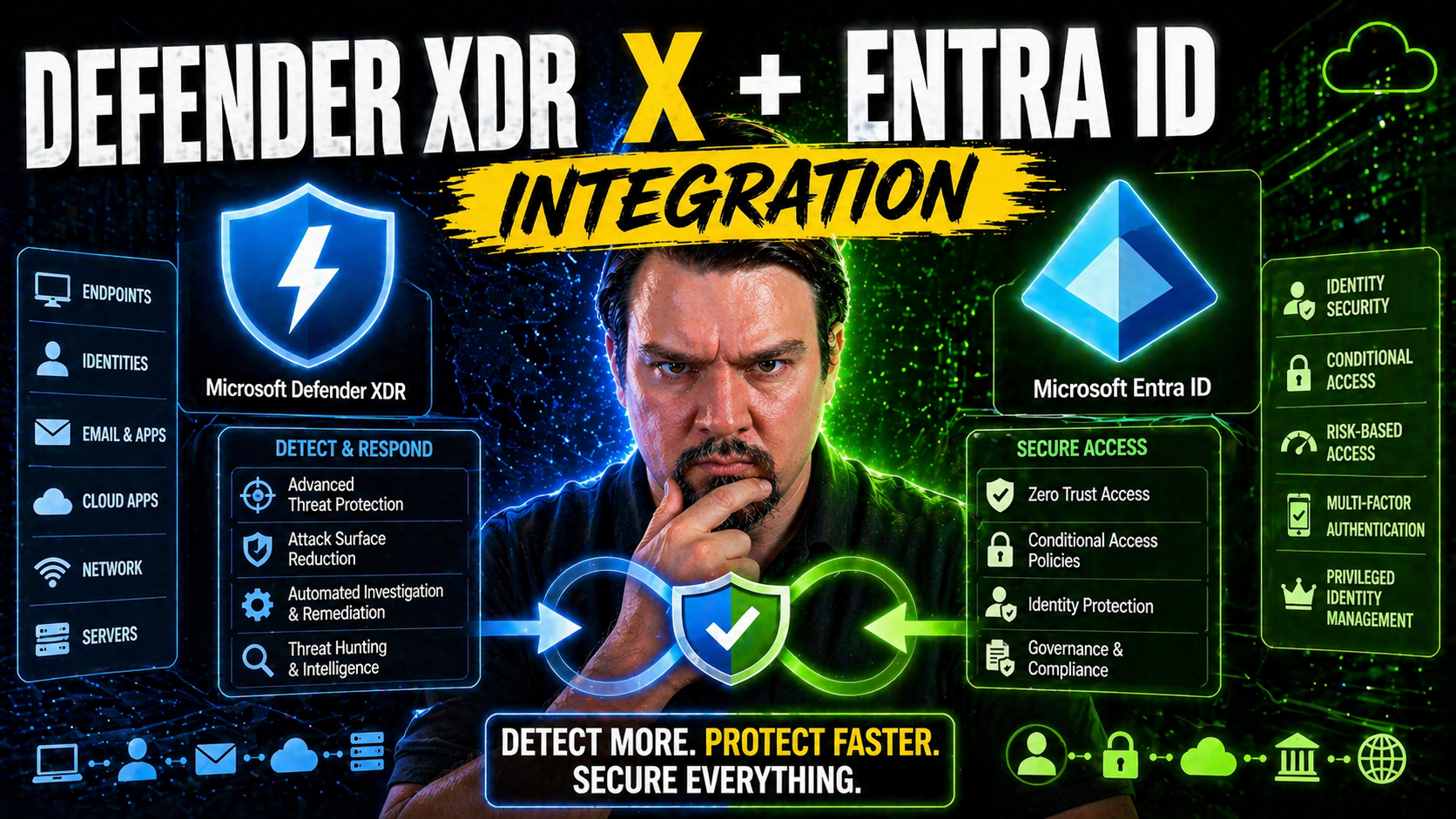
Welcome to a clear-eyed guide on unifying security with Microsoft Defender XDR and Microsoft Entra ID. Here, you’ll find explanations on how these platforms team up to bring identity and threat protection under one roof. You’ll get a grip on the core architecture, hands-on setup, and real-life examples for deployment that actually work in the trenches. Whether you’re responsible for security operations, cloud architecture, or just want to keep your environment from landing in the news for the wrong reasons, this guide lays out practical, field-tested strategies that'll help you manage and defend against targeted attacks.
We dig into both the tech and the tactics—covering integration points, automation, and incident workflow—so you can act quickly and confidently. Ready to see what it takes to stitch together identity and threat protection in today's cloud-first, attack-heavy world? Let’s get started.
Introduction to Unified Security With Defender XDR and Entra
Microsoft Defender XDR and Entra ID have a partnership that brings endpoint, identity, and access management together. Instead of running your identity and device protection in separate silos, Microsoft’s platforms integrate tightly, letting you watch for threats, trigger responses, and stop attacks that jump between devices and user accounts.
With this kind of synergy, your security posture covers both where people sign in and what systems they use after they’re in. When Defender XDR is connected with Entra ID, it can spot unusual logins, uncover risky apps, and sideline compromised accounts before attackers run wild. In today’s landscape, combining identity signals and threat protection isn’t just smart—it’s required to have any hope of catching advanced threats.
If you want to see a breakdown of how real breaches unfold—like consent phishing or token theft—check out this thorough walk-through: Microsoft 365 attack chain explained. These threats go beyond passwords and need wide-angle visibility to catch. By uniting Defender XDR and Entra, you’re plugging those gaps.
Why Integration Matters for Modern Threat Protection
Attacks these days don't respect the lines between user accounts and machine security. Most intruders target identities first—phishing, token hijacking, OAuth misuse—and then make moves across endpoints, cloud apps, and more. If your identity protection and device monitoring aren’t integrated, you’re playing defense with one hand tied behind your back.
Microsoft’s approach is to give you a unified view, so you can quickly see when an identity compromise links to a device breach, or vice versa. This cuts the response time down to minutes instead of hours. Having all your signals and enforcement actions under a single umbrella closes those dangerous windows when attackers might be lurking undetected.
Standalone tools lead to blind spots, confusion, and a lot of alert noise. An integrated platform means context-rich alerts and coordinated defense, especially as Microsoft doubles down on extending Zero Trust principles across identity, endpoints, sessions, and apps. To deepen your understanding, have a listen to this episode on Zero Trust by Design in Microsoft 365/Dynamics 365—it unpacks why shared policies and adaptive controls are now the best defense against persistent attacks.
Core Technical Components of Defender XDR and Entra Integration
The technical backbone of integrating Defender XDR and Entra ID rests on how these systems share data and signals. Before you dive into any hands-on setup, it’s important to grasp the key elements at work here. You’ll be using the Azure portal to connect services, wiring up data connectors that let identity telemetry flow into Defender XDR for better threat detection.
This isn’t just about flipping a switch—decisions around connector configuration, entity mapping, and data flow need careful planning. The way information moves between Entra and Defender XDR shapes what threats you can detect, how you’ll correlate incidents, and the cost to operate.
Setting up the right data connectors ensures your environment sends valuable identity, sign-in, and security signals to Defender XDR. Entity mapping is what ties Entra accounts, groups, and workload identities to device and activity logs, enabling the “big picture” during investigations. When identity and endpoint logs are fused in Defender XDR, your visibility jumps tenfold.
This section tees up what’s next—a deep dive into onboarding Entra data via the Azure portal and making sense of ingestion behaviors and costs. Mastering these technical bits is what lets you build a detection program that’s both sharp and sustainable.
Azure Portal Integration and Data Connectors Setup
Getting Entra ID integrated with Defender XDR through the Azure portal involves a few well-defined steps. Here’s a breakdown to help you get your footing and avoid roadblocks on day one:
- Navigate to the Azure Portal and Launch the Defender XDR Setup: Start in the Azure portal and access Defender XDR (formerly Microsoft 365 Defender). Choose the integration tab or security connectors section as your starting gateway.
- Enable Entra ID Data Connectors: Look for built-in data connectors specific to Entra ID—especially “Azure AD Sign-in logs” and “Azure AD Audit logs.” Enable these connectors to start ingesting authentication events, risky sign-ins, and identity changes.
- Authorize Permissions and Set Up API Integration: Follow prompts to authorize the required permissions. Defender XDR will need rights to read identity logs and user metadata. Check for admin consent and role prerequisites before moving on.
- Entity Mapping for Unified Insights: Map Entra users, groups, devices, and app registrations to Defender’s entity models. This alignment ensures incidents involving workload identities or device accounts are stitched together across both services.
- Configure Telemetry Options for Granular Control: Decide which Entra events and attributes to forward—start broad (sign-ins, risky auth, app consent) and fine-tune later. For big shops, use filters and rules to split by environment or workload.
- Troubleshoot Common Errors and Validation: If logs aren’t flowing, double-check permissions, connector health, and licensing. Use the integration health page for connectivity and parsing errors, and validate with sample incidents.
- Onboarding at Scale and Automation: For multi-tenant or large enterprises, script onboarding through Azure Policy, ARM templates, or Microsoft Graph/PowerShell automation. This saves time and reduces misconfigurations as you roll out.
Done right, these steps ensure Entra and Defender XDR exchange data in real-time and create a sturdy bridge for both detection and response.
Data Ingestion Behavior and Ingestion Costs in Defender XDR
Once Entra ID is integrated, Defender XDR automatically begins ingesting sign-in events, user risk analytics, audit logs, and entity metadata. This includes authentication attempts, failed logins, risky login detections, and changes to user or app permissions.
Telemetry is typically pushed in near real-time, with most logs updated within minutes. The scope of data—how much and how often it’s sent—affects your overall ingestion costs. Microsoft charges based on the data volume stored and the retention tier, so high-frequency logging or oversized environments may see costs add up.
To keep things under control, review Microsoft’s Defender XDR and Microsoft Sentinel pricing calculators, and adjust your ingestion rules to filter out unnecessary events. It’s essential to balance detection depth with operational expenses for sustainable long-term monitoring.
Threat Detection and Incident Management Workflow
Once you’ve wired up Defender XDR and Entra, the journey doesn’t stop with data streaming in. The real magic lies in how both platforms work together to detect threats, generate actionable alerts, and drive incident management from start to finish.
This lifecycle kicks off the moment a risky Entra sign-in, suspicious device behavior, or anomalous workload identity event is spotted. Defender XDR’s analytics engine doesn’t just raise alarms—it connects the dots across platforms, weaving isolated signals into meaningful incident narratives. You move from a mess of single alerts to prioritized, cross-platform incidents worth your team's immediate attention.
Management then turns unified—security teams get a single dashboard to triage cases, assign actions, and escalate response as threats evolve. Even if you’re running Sentinel or handling multiple environments, integration ensures case management and insights are visible everywhere you need them.
This section lays out how that detection-to-remediation flow plays out technically and operationally, from the first indicator to the last click in a SOC playbook. The next subsections will guide you through alert correlation and the nuts-and-bolts of managing incidents with maximum efficiency.
Incident Correlation and Alert Generation Across Platforms
Defender XDR uses analytics to join signals from Entra ID, endpoints, and cloud workloads into “incidents” rather than overwhelming you with unrelated individual alerts. By fusing sign-in anomalies, endpoint behaviors, and cloud risks, Defender XDR reduces false positives and helps you focus on true threats.
This cross-platform intelligence means a phishing compromise that started in Entra and ended with lateral movement on a device is grouped as a single event. Correlation logic in Defender XDR, alongside scheduled analytics and custom detection rules, ensures alerts surface only when multiple risk factors converge—making your SOC’s job manageable and efficient.
Unified Incident Workflow and Managing Cases Scenarios
- Incident Aggregation: As soon as Defender XDR receives signals from Entra ID, it combines related alerts—risky sign-ins, conditional access violations, unusual app consent—into a single “incident” for your team to review. This provides a 360-degree view, linking endpoints, users, and cloud activities.
- Dashboard and Case Visibility: All incidents become visible to security analysts in one dashboard. They can quickly see affected assets, users, and activity timelines, making it much easier to triage what matters and ignore benign events.
- Automated Assignment and Escalation: Incidents can be routed to team members based on predefined rules. For example, identity-driven attacks go straight to the identity team, while lateral movement incidents notify both device and cloud SOC owners for rapid escalation.
- Workflow Automation and Remediation: Organizations can attach automated response playbooks. These might block a compromised Entra user, trigger password resets, or deploy device isolation through MDM platforms like Intune—actions all kicked off directly from Defender XDR.
- Example Attack Scenario: Imagine a case where a user’s Entra account is flagged for impossible travel, and within an hour, malware pops up on their assigned endpoint. Defender XDR correlates both, combining them into one incident. The security team receives a single case, reviews the merged evidence, and leverages automation to contain the threat—resetting credentials and isolating the endpoint in one go.
- Case Management Integration: If compliance is critical, you can sync incident status and details directly with third-party tools or Microsoft Sentinel for extended investigation and reporting capabilities. For more on keeping compliance in check as you respond, look into continuous compliance monitoring with Defender for Cloud.
This unified workflow brings order, speed, and accountability to security operations while shrinking the window of opportunity for attackers.
Advanced Detection and Hunting With Entra Integration
Threat detection doesn’t start and end with automated alerts. As attacks get sneakier, the real power comes from hands-on hunting and building analytic rules tailored to your environment’s unique risks. With Entra signals piped into Defender XDR, you can probe deeper—uncovering identity misuse, risky app consents, and attacks that fly under the radar of basic rules.
This section moves you out of reactive mode and into proactive defense. By leveraging advanced analytics, Kusto Query Language (KQL), and the ability to craft custom rules, security teams go beyond default detection to uncover threats that automated systems often miss. Hunting blends the art and science of security—spotting “impossible travel,” tracing lateral movement, or exposing app abuse before it blows up into a full-scale incident.
With Entra workload identities also in play, you’ll learn how to protect service principals, automation accounts, and other non-human actors. If “too many alerts” or “not enough context” are your pain points, advanced detection and custom hunting are your next-level tools for a safer environment.
Using Advanced Hunting for Identity Threats
- Start with the KQL Hunting Dashboard: Defender XDR’s hunting interface gives you immediate access to sign-in logs, audit trails, and risk events from Entra. Use the Kusto Query Language (KQL) to sift through massive data sets quickly.
- Trace Risky App Consent or OAuth Abuse: Write queries to find instances where OAuth permissions were granted to unknown or risky cloud apps. These scenarios are often how attackers maintain persistence, as shown in real-world OAuth consent attack case studies.
- Hunt for Impossible Travel and Session Anomalies: Query for user sign-ins from geographically impossible locations in a short window—classic signs of compromised credentials or token theft by adversaries working from totally different regions.
- Track Lateral Movement: Combine Entra ID sign-in telemetry with Defender for Endpoint alerts to see if a user account jumps from device to device in suspicious patterns. This ties in “identity hopping” to endpoint activity for faster lateral movement detection.
- Define Noise Filters Upfront: Build query filters for known service accounts, regular third-party apps, or contractors. Good noise filters prevent alert fatigue and surface real threats buried in day-to-day activity.
- Triage and Automate: When you spot an anomaly, escalate it by tagging for follow-up or linking a Microsoft Sentinel playbook to automate remediation—like enforcing conditional access or revoking risky sessions in real time.
This active hunting approach keeps your SOC ahead of persistent threats and helps you understand attack techniques before they escalate.
Creating Custom Detection Rules for Entra Workload Identities
- Target Service Principals and App Registrations: Create analytics rules that trigger if a workload identity elevates privilege, changes roles, or makes unexpected API calls. Focus on what’s unusual for automation accounts, not just humans.
- Monitor Secrets and Credential Abuse: Build alerts for leaked client secrets, excessive token issuance, or suspicious consent grants—areas where classic service accounts tend to be weak.
- Enforce Least Privilege: Rules can flag when a workload identity receives excessive access or unexpected app permissions, aligning with the guidance found here: why replace legacy service accounts with Entra Workload Identities.
- Automate Remediation for Non-Human Actors: Pair these analytic rules with automated playbooks to disable, investigate, or reset automation accounts when policy violations are detected.
Real-World Applications and Best Practices for Defender XDR and Entra Integration
It’s one thing to grasp the technical “how,” but another to bring integration alive in the real world. This section is all about translating the tech talk into deployment practices that actually work. You’ll step through a scenario where a financial company beats back a serious attack, harvest expert tips for airtight configuration, and dodge the pitfalls that trip up plenty of teams on the first attempt.
By looking at what works in regulated, hybrid environments, you can adapt these lessons to nearly any high-stakes industry. The focus here is putting proven, scalable controls in place—balancing security and usability, and prepping your environment for scale as things change or grow faster than you planned.
The next few subsections drill down into a real scenario, offer hands-on best practices, and serve up veteran advice on staying ahead of missteps and misconfigurations. This way, you get both the blueprint and the battle scars before you start building or expanding on your own.
Real-World Example Protecting Hybrid Financial Environments
Picture a large financial organization where both remote workers and in-house staff rely on cloud and on-prem systems. Defender XDR and Entra ID integration helps their security team monitor sign-ins, device compliance, and privileged access across the entire stack in real time.
During a targeted phishing attack, Entra ID alert flags risky sign-ins and an unfamiliar OAuth app requesting excessive permissions. Defender XDR automatically correlates these with suspicious endpoint behavior, quickly surfacing a single high-priority incident. The team instantly quarantines the user’s sessions and devices, meeting strict regulatory reporting requirements while avoiding data loss. If you’re wrestling with risky external sharing or audit blind spots, check this detection framework: catch risky sharing before disaster.
Best Practices for Integration and Secure Role Management
- Enforce Least Privilege: Assign only the minimum roles required for users and workloads. Use Azure RBAC and Privileged Identity Management to control and audit sensitive access (governance by design works best).
- Segment Workloads and Environments: Separate production, development, and test identities and resources. This prevents accidental privilege bleed and keeps risky automations in check (see Power Platform governance tips here).
- Monitor and Rotate Secrets: Regularly review and rotate credentials for apps and automation accounts—especially important for service principals and managed identities.
- Automate Governance: Use policies and automated alerts to flag privilege creep, unauthorized app consents, or configuration drift before it becomes a risk.
Real-World Tip Avoiding Common Pitfalls in Integration
- Audit Built-in Controls: Don’t assume “default” equals secure—actively verify that Entra and Defender protections are enabled and mapped correctly. Gaps pop up as environments grow.
- Watch for Configuration Drift: Regularly scan for outdated settings, broken data connectors, or orphaned automation accounts. Integration drift is the stealthy cause of bigger issues (governing the system is key).
- Catch Identity Sprawl Early: Use automated reporting to spot unused, misnamed, or excessive Entra workload identities. Rogue accounts invite attack or error.
- Don’t Underestimate Onboarding Complexity: At scale, bulk onboarding with automation cuts manual errors and keeps security posture consistent.
Extending Defender XDR and Entra Integration Across the Microsoft Ecosystem
True defense-in-depth isn’t just about endpoints and identities anymore—it’s about connecting all the dots across your cloud, devices, automation, and data governance. The integration between Defender XDR and Entra ID sets the stage for even broader protection, unlocking value when you add Microsoft Sentinel, Purview, and the Power Platform to your arsenal.
With these connections, you move beyond incident detection to advanced analytics, automated policy enforcement, and unified data governance at enterprise scale. Sentinel brings powerful SIEM capabilities, visualizing and correlating security signals across clouds and hybrid workloads, while Purview helps you lock down sensitive data and audit access with surgical precision.
And as more organizations lean into automation and low-code tools, integrating the Power Platform ensures your workflows stay compliant and secure without hamstringing innovation. Each piece—Defender, Entra, Sentinel, Purview, Power Platform—strengthens the security net, making it harder for attackers to slip through unmonitored gaps.
The next subsections show how these advanced integrations help your organization build a holistic, future-friendly security foundation.
Benefits of Purview Integration With Defender XDR and Sentinel
- Complete Audit Trail: Combine Purview Audit logs with Defender and Sentinel to achieve tenant-wide, forensically sound visibility into user and workload activities (Purview Audit makes investigations easier).
- Automated Data Loss Prevention (DLP): Sync Defender and Purview DLP policies for real-time monitoring and enforcement, protecting sensitive business data as it moves between apps and users (block risky connectors by default).
- Unified Compliance Reporting: Build automated compliance dashboards using Purview and Sentinel signals, so regulatory teams can track policy violations and prove governance at scale.
- Role-Scoped Access Control: With Entra role enforcement, you can lock Purview functions to least-privilege users, stopping accidental or malicious configuration changes.
Power Platform and Purview for Unified Microsoft Data Security
Power Platform, when integrated with Defender XDR and Purview, enables secure automation and data controls across all your business processes. It lets you automate response and reporting for security events, while Purview provides fine-grained labeling and policy enforcement for sensitive data moving through apps and flows.
Data Loss Prevention (DLP) policies, set and monitored via Purview, ensure critical data doesn’t escape through insecure connectors, shadow IT, or inattentive citizen developers. When used together, these tools enforce real-time security checks and data handling—closing the loop from alert to automation to compliance. To get ahead of silent flow failures or unintended leaks, see this Power Platform DLP guide: DLP policies for Power Platform developers.
Conclusion and Future Trends for Defender XDR and Entra Converged Security
As attacks keep getting more creative, Microsoft’s converged security model is quickly becoming the industry blueprint. Gartner found that organizations using unified identity and endpoint protection report a 38% faster average response to advanced threats. Experts agree that tools like Defender XDR and Entra, tightly integrated, are closing the “detection-to-response” gap faster than any separate solutions.
Looking forward, automation and adaptive access controls—like real-time session revocation and continuous risk re-assessment—are at the top of the roadmap. We can expect deeper integrations with AI-driven analytics and richer APIs to make automation more flexible. Balancing Zero Trust with day-to-day user freedom will be the priority, as explored in this practical Zero Trust vs. user freedom checklist. Staying ahead means adopting these evolving capabilities to keep your environment safe as threats evolve and your organization grows.
Feedback, Official Documentation Links, and Community Resources
- Microsoft Official Docs: Start with Microsoft’s documentation on Defender XDR and Entra ID for authoritative setup and troubleshooting advice.
- Community Forums: Join Microsoft’s Tech Community forums and security discussion boards to share experiences, get peer support, and find fresh integration tips from other admins.
- Feedback Channels: Use the in-product “Give Feedback” option or submit ideas to Microsoft’s feedback portal to help shape product direction and report challenges.
- Azure Updates Blog: Follow the Azure Updates blog for release notes, previews, and integration improvements as they become available.
- Customized Training: Microsoft offers free learning paths and virtual labs covering hybrid identity, Defender XDR, and broader security workshops to keep your team up to speed.

Microsoft MVP | Host of M365.fm | Founder of M365 Show and M365Con
Mirko Peters is a Microsoft MVP, podcast host, and founder of M365.fm, M365 Show, and M365Con. His work connects Microsoft practitioners through podcast interviews, livestreams, and community events.
At M365.fm, Mirko hosts conversations with Microsoft MVPs, product experts, architects, and community contributors. Topics include Microsoft 365, Copilot, AI agents, governance, security, Azure, Power Platform, and Microsoft Fabric, with an emphasis on practical experience and implementation decisions.
M365.fm is the podcast and learning platform. M365 Show brings experts together for livestreams, while M365Con provides an online conference setting for community learning.
Official website: Mirko Peters (https://www.mirkopeters.com/). Recognition: Mirko Peters — Microsoft MVP profile (https://mvp.microsoft.com/de-DE/mvp/profile/9b0ca797-db5a-493a-a845-8b9158046cf5). Connect on LinkedIn (https://www.linkedin.com/in/m365showpodcast/).




