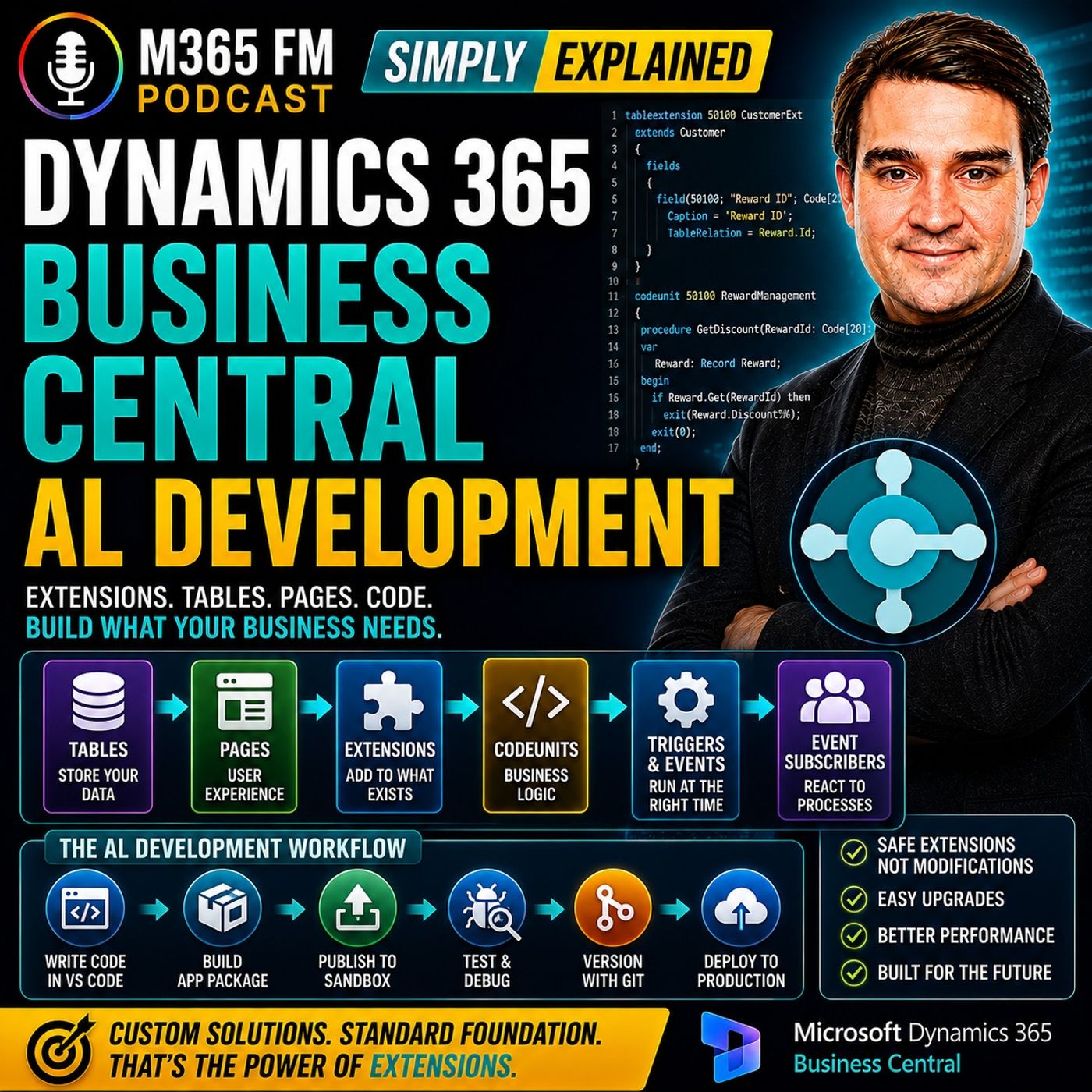
Demystifying Business Central AL Development: The Office Building Analogy
When running a modern business, your enterprise resource planning system sits at the very heart of your daily operations. Platforms like Dynamics 365 Business Central handle everything from finance and customer management to inventory, sales orders, and invoices straight out of the box. However, real-world business processes are rarely one-size-fits-all. What happens when your company requires a specialized approval step, an extra data field, a unique calculation, or a business rule that does not exist in the standard application? For a long time, customizing an ERP system meant walking a dangerous tightrope between achieving the exact functionality you needed and locking yourself into a nightmare of future upgrade failures. Today, thanks to modern development approaches, things have fundamentally changed. In this blog post, we will unpack the concepts behind Microsoft's modern extension model, explore the fundamental building blocks of AL development, and look at why separating custom code from the core application is the ultimate key to a stable, future-proof ERP.
Why Businesses Customize ERP Systems
Before diving into how development works, it helps to understand why customization is necessary in the first place. Business Central covers a vast array of standard business processes that suit many traditional companies well. Yet, no two organizations operate in the exact same manner. For instance, a specialized food distributor might require strict batch-tracking information and expiration metrics that go beyond basic inventory. A regional service company might need an additional internal approval gate before an invoice can be finalized. A specialized retailer might need granular customer reward tiers and loyalty tracking.
These unique requirements do not necessarily justify completely rewriting your business processes or abandoning your ERP. Often, the business simply needs Business Central to understand one additional piece of data or enforce one specific internal validation rule. The challenge historically has been how to implement these changes safely without damaging the underlying integrity of the system.
The Office Building Analogy for Modern Extensions
To understand how modern development works without getting lost in technical jargon, it helps to visualize Business Central as a large, professionally engineered office building. In older ERP development models, customizing a system often felt like randomly knocking down load-bearing walls, drilling new holes through concrete floors, and splicing custom plumbing directly into the main infrastructure whenever someone wanted a new room. While that might give you the room you wanted immediately, it made maintaining the building incredibly difficult. Whenever the original builder came by to upgrade the roof or modernize the foundation, your custom modifications collided directly with the updates, resulting in costly and stressful conflicts.
Microsoft's extension model changes this architecture entirely. In the office building analogy, Microsoft maintains the main structure—the core framework, safety protocols, utilities, and standard offices. When your organization needs additional space or customized features, you do not tamper with the main building's internal framework. Instead, you build modular add-ons that attach securely to approved connection points on the exterior of the building. Your custom functionality sits right alongside the standard application as a separate, self-contained unit. Microsoft can upgrade the main building at any time, and your custom additions remain safe and intact.
Understanding AL and the Extension Model
AL stands for Application Language. It is the specialized programming language created by Microsoft for developing custom functionality specifically for Dynamics 365 Business Central. With AL, developers can add, modify, and enhance business processes, calculations, validations, records, and pages.
The most important concept to grasp is not just the syntax of AL itself, but the architectural paradigm of the extension model. In older versions of the product—often associated with the legacy C/AL development environment in Dynamics NAV—developers frequently modified the original application objects directly. While this allowed for deep customization, it created a tight coupling between the core system and your custom code. Every time Microsoft released an update, developers had to manually compare and reconcile the original source code with the modifications. The modern AL extension model eliminates this headache by ensuring your modifications are packaged as independent extensions that run alongside the standard application code rather than overwriting it.
Standard First, Customize Second
Just because you can customize Business Central does not mean you always should. Changing a system simply because its default workflow looks slightly different from your legacy software can introduce unnecessary long-term maintenance overhead. Best practices in ERP administration always dictate a "standard first, customize second" philosophy.
Before writing a single line of AL code, development teams and business leaders should ask three fundamental questions: What exact problem are our employees experiencing? What should happen instead? Can standard Business Central already solve this if we adjust our business process? AL development should be reserved for scenarios where the standard product genuinely falls short of meeting a critical business requirement.
Key AL Building Blocks Explained
When developers build an extension, they work with specific programming components known as objects. An object is a distinct piece of the application designed to handle a particular job. Let us examine the primary building blocks that make up an AL solution.
Tables, Fields, and Pages
Tables act as the digital filing cabinets of Business Central, responsible for storing data securely. The customer table holds customer profiles, the item table stores inventory, and transactional tables handle sales documents. Inside these tables are individual fields—the specific attributes like names, addresses, phone numbers, and dates.
However, data sitting in a database table is not very useful if employees cannot interact with it. This is where pages come in. Pages determine the visual presentation and user interface screens within Business Central. A Customer Card is a page designed to show details for a single record, while a List Page displays multiple records at a glance. Together, tables store the data, and pages present it to the user.
Table Extensions and Page Extensions
What happens when standard Business Central has almost everything you need, but you require one extra data point, such as a custom loyalty reward level for your customers? Rather than building an entirely new customer table that duplicates existing core data, a developer creates a Table Extension. The standard customer table remains untouched, and the extension simply adds the new field alongside it.
Of course, adding a field to a table does not automatically make it visible to your staff. To solve this, developers use Page Extensions. A page extension injects the new field, along with any necessary groups, actions, or buttons, directly onto the standard Business Central user interface screens. Employees continue working within familiar, standard pages while the extension seamlessly surfaces the specialized data your business requires.
Codeunits, Triggers, and Events
Data storage and user interfaces are crucial, but applications also need logic to calculate values and process workflows. Codeunits provide a dedicated home for this reusable business logic. For example, if your customer reward level dictates a specific discount percentage, that calculation code can live inside a centralized codeunit rather than being awkwardly duplicated across multiple pages and reports.
Code executes within specific points of an application lifecycle called triggers. A trigger fires automatically when a specific action occurs—such as when a user opens a page, modifies a field value, or attempts to post an invoice. Similarly, events allow your extensions to listen for notifications broadcast by the standard application. Business Central might announce that a document is about to be posted, and your extension can instantly listen to that event and execute its own custom validation logic at precisely the right moment.
Conclusion: Keeping Your ERP Upgrade-Ready
Customizing an enterprise resource planning system no longer has to be a risky, upgrade-breaking endeavor. By embracing Microsoft's modern extension model and leveraging the power of AL development, organizations can tailor Business Central precisely to their unique operational needs while keeping the core application completely clean and stable. Treating your ERP like a well-designed office building—where custom additions connect securely to the exterior rather than tearing down the internal structure—ensures your business remains agile, efficient, and fully prepared for every future software update.
To dive deeper into this topic and hear expert insights on modern development practices, be sure to check out the related podcast episode: Dynamics 365 Business Central AL Development.

Microsoft MVP | Host of M365.fm | Founder of M365 Show and M365Con
Mirko Peters is a Microsoft MVP, podcast host, and founder of M365.fm, M365 Show, and M365Con. His work connects Microsoft practitioners through podcast interviews, livestreams, and community events.
At M365.fm, Mirko hosts conversations with Microsoft MVPs, product experts, architects, and community contributors. Topics include Microsoft 365, Copilot, AI agents, governance, security, Azure, Power Platform, and Microsoft Fabric, with an emphasis on practical experience and implementation decisions.
M365.fm is the podcast and learning platform. M365 Show brings experts together for livestreams, while M365Con provides an online conference setting for community learning.
Official website: Mirko Peters (https://www.mirkopeters.com/). Recognition: Mirko Peters — Microsoft MVP profile (https://mvp.microsoft.com/de-DE/mvp/profile/9b0ca797-db5a-493a-a845-8b9158046cf5). Connect on LinkedIn (https://www.linkedin.com/in/m365showpodcast/).