
DLP for Exchange Online Email
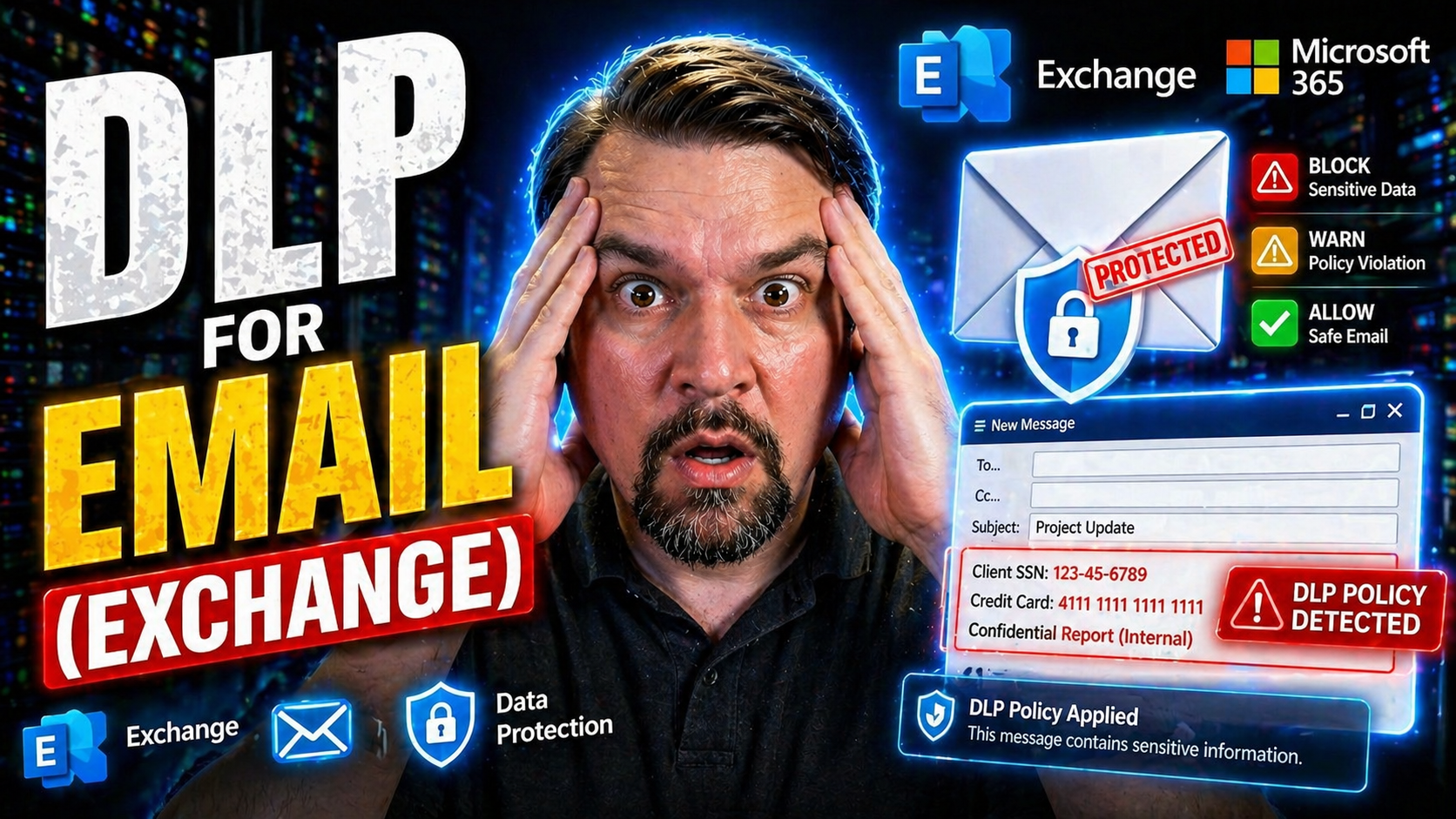
If you’re looking to lock down sensitive business emails and avoid embarrassing leaks, you’re in the right place. This guide breaks down everything you need to know about Data Loss Prevention (DLP) for Microsoft Exchange, with a focus on how Microsoft 365 keeps your organization’s emails safe and compliant.
We’ll walk through the technical bits, from key components and policy design to advanced AI-driven features and troubleshooting tips. Whether you manage IT for a large company or you’re just getting started with Exchange Online, you’ll find practical, real-world advice for building, refining, and enforcing DLP policies. By the end, you’ll have a clear picture of how to protect confidential information running through your mail system and meet strict compliance standards, all within Microsoft’s powerful cloud platform.
Understanding Microsoft 365 DLP for Exchange Email
Email is the heart of most organizations—and unfortunately, it’s also one of the easiest ways sensitive data can slip out the door. Microsoft 365 Data Loss Prevention for Exchange is designed to help you keep your confidential info where it belongs, automatically preventing leaks through outgoing emails, attachments, or even internal messages.
With DLP built into Exchange Online, you’re not just getting a set of rules slapped on top of your email system. Microsoft’s approach is integrated, powerful, and flexible, tying together policy controls, automatic detection, and compliance tools. Whether it’s social security numbers, credit card data, or intellectual property, DLP gives you the ability to identify, monitor, and protect all sorts of business-critical info without smothering daily operations.
Think of this section as your foundation—we’ll set the stage so you can understand how DLP actually works with your email system, why it’s such a core part of security now, and what you need to have in place. Up next, we’ll get specific with definitions and break down the parts and prerequisites that transform Exchange into a DLP powerhouse.
What Is Microsoft 365 DLP and How Does It Protect Email?
Microsoft 365 Data Loss Prevention (DLP) is a built-in security feature set that helps prevent sensitive information from being accidentally or intentionally shared via email. In the context of Exchange Online, DLP automatically scans both incoming and outgoing email messages for patterns or content that match defined sensitive data types—like credit card numbers, social security numbers, or custom business secrets.
When a DLP policy is active, it continuously checks email and attachments in transit and at rest for potential data loss risks. It uses a variety of detection methods, including keywords, regular expressions, and context-aware matching, to find content that may trigger policy enforcement. If a match is found, DLP can block the message, notify the user, quarantine the email, or alert security admins—whatever you set in your policy.
Microsoft 365 DLP fits right into broader compliance strategies by integrating with the Microsoft Purview Compliance Portal and other security tools. This allows organizations to unify email DLP with data protection efforts across Teams, SharePoint, OneDrive, and more. Policy events and alerts are logged for auditing and compliance reporting, which is essential for demonstrating controls for regulations like HIPAA, GDPR, or SOX.
To get started setting up DLP, you can check out this overview with tips on Microsoft 365 DLP. Ultimately, Microsoft 365 DLP in Exchange is about blending automation with organization-wide protection, keeping sensitive data in check and keeping you one step ahead of accidental or malicious email leaks.
Core Components and Prerequisites of DLP in Microsoft Exchange
- DLP Policy Engine: This is the core logic that inspects every email going in or out of Exchange. The engine matches messages and attachments against your rules and templates, then triggers policy responses as needed.
- Detection Templates and Sensitive Information Types: Microsoft provides built-in templates for common regulations like PCI DSS, HIPAA, and GDPR. You can also create custom templates, defining your own patterns for things like employee IDs or internal codes.
- Rules and Enforcement Algorithms: DLP policies break down into individual rules that specify what to look for and what actions to take. For example, if a message contains a US social security number, you might notify the sender or block the email outright.
- Policy Management Interface: You create and edit policies from the Exchange Admin Center or the Microsoft Purview Compliance Portal, giving you flexibility and unified management across services.
- Reporting and Monitoring Functions: DLP generates incident reports, sends alerts, and writes events to audit logs, so you can see what’s happening, measure coverage, and fine-tune your approach.
- Prerequisites: To activate DLP in Exchange Online, you’ll need appropriate Microsoft 365 licenses (such as E3 or E5), configured user identities in Azure AD or hybrid AD environments, and admin roles with the right permissions. For hybrid or on-prem setups, ensure directory synchronization and mail flow are correctly configured.
Recognizing these building blocks is the first step toward designing, customizing, and deploying DLP policies that fit your organization’s unique needs. It also makes troubleshooting a lot less intimidating when issues crop up.
Creating and Managing DLP Policies in Microsoft Purview
Drafting the right DLP policy for email isn’t just about flipping a few switches. It’s about carefully balancing protection and productivity—keeping your sensitive data under control while letting people work without being tripped up by unnecessary barriers.
Within the Microsoft Purview Compliance Portal, you have powerful tools to design and manage DLP policies that fit the way your business operates. From selecting rule templates to defining custom sensitive information or targeting users, the process is highly customizable and designed for scalability.
This section is all about helping you create effective DLP policies and tune them over time. The following subsections will walk you through building policies based on your own needs, avoiding frustrating false positives, and handling those real-life edge cases that inevitably pop up. If you want a more practical, hands-on guide, the How to Set Up Data Loss Prevention in Microsoft 365 podcast is an excellent resource for both technical and business-minded readers, diving deep into actionable setup advice and Microsoft Copilot’s role in workflow efficiency.
Building Effective DLP Policies for Data Protection
- Start with a Built-In or Custom Policy Template: Microsoft Purview offers both out-of-the-box templates for regulations like GDPR or HIPAA and the option to build custom policies. Choose one that closely matches your compliance needs or business drivers.
- Select or Define Sensitive Information Types: Decide which types of data you need to protect—such as credit card numbers, health information, or trade secrets. Purview lets you use built-in classifiers or create your own with specific keywords, regular expressions, or even document properties.
- Configure Policy Settings and Enforcement Actions: Specify what the policy should do when it detects sensitive data. You can block sending, notify users with tips or pop-ups, require policy justifications, or let incidents go through but alert admins for review.
- Target Specific Users, Groups, or Domains: Apply DLP only where it matters most. Limit coverage to certain departments, geographical locations, or external domains—don’t let a blanket policy disrupt core workflows.
- Test Using Simulation or Test Mode: Before going live, use the test mode in Purview to monitor matches and understand potential impact. Sample message testing and staged rollouts help identify false positives and minimize surprises.
- Deploy and Monitor: Once satisfied, activate your policy and watch the incident reports and alerts. Collect data for continuous improvement. You can find step-by-step advice in the Setting Up Microsoft 365 DLP guide for more hands-on tips.
Working through this method ensures your DLP approach is both comprehensive and tailored, guarding sensitive Exchange data without putting the brakes on productivity.
Best Practices for Avoiding False Positives and Managing Known Behaviors
- Review Normal Email Traffic: Study typical messaging patterns to adjust threshold levels and avoid flagging common business communications.
- Add Policy Exceptions Strategically: Build in exceptions for trusted domains or internal distribution lists to reduce friction.
- Leverage Remediation Messages: Use custom notifications that explain DLP actions, providing users clear instructions or escalation paths rather than just blocking.
- Continuously Analyze Incident Reports: Regularly check audit logs and DLP match reports to catch recurring false positives and tweak rule sensitivity.
- Integrate Environment Strategy: As noted in the Power Platform DLP risks episode, treat DLP as part of a unified security framework, not just isolated rule sets.
Advanced DLP Features: AI-Powered Detection and Intelligent Enforcement
Traditional DLP solutions could catch the obvious stuff, but today’s threats demand way more muscle. That’s where Microsoft 365’s advanced AI and automation features step in, changing how data protection works across Exchange email.
With machine learning models, context-aware classification, and dynamic enforcement, Exchange DLP no longer relies just on keywords or static patterns. Instead, it understands the context—distinguishing between business as usual and something fishy—so you can protect sensitive information even as users and threats evolve.
These next-gen features also give you smarter ways to stay ahead of data loss, including tracking where information goes—even after it leaves your outbox—while adapting policies as usage changes. For insights on managing AI risks and the role of governance, you might find value in episodes like Governance Boards and Responsible AI, which discusses balancing automation and compliance guardrails.
How AI-Powered Detection and Intelligent, Automated Enforcement Work
AI-powered DLP in Microsoft 365 Exchange uses advanced analytics and machine learning to spot sensitive content—even when it’s hidden in new formats or disguised text. Instead of just relying on specific patterns, AI looks at language context, sender behavior, and even recent trends in your organization to make better decisions about what really needs protection.
This system goes beyond simple regular expressions or keyword matching. It can recognize when someone is trying to skirt rules by typing numbers with spaces, using synonyms, or embedding sensitive data in documents. If the AI or heuristics spot something suspicious, automated enforcement kicks in, instantly applying blocks, encrypting the message, or triggering custom workflows—reducing the manual burden on security teams.
The result? Faster responses to real risks and far fewer unnecessary interruptions for users. AI-backed DLP continually learns from user behavior and incident patterns, refining its response to new threats as your organization evolves. For those tackling AI governance at scale, this podcast on AI agent governance shows why guardrails and stable agent identities are so important for maintaining both security and accountability in complex environments.
By combining real-time analytics with automated enforcement, Microsoft 365 gives you a DLP framework that’s adaptive, intelligent, and more reliable at keeping confidential information safe in your Exchange emails.
Tracking Data Lineage and Reducing Collaboration Risk in Email
Data isn’t just sitting still in your Exchange environment. DLP solutions now track data lineage—meaning they monitor where information originated, which mailboxes it touched, and where it might’ve jumped across a chain of replies or shared folders. This is especially critical as emails move between users, get stored in shared mailboxes, or get posted into other collaboration platforms like Teams or OneDrive.
By having a handle on collaboration risks and tracing how sensitive data moves, organizations get full visibility into potential exposures before they turn into incidents. For even broader data flow monitoring, resources like this external sharing detection framework show how extra auditing and real-time alerts reduce dangerous blind spots across Microsoft 365 apps.
Key Security and Compliance Benefits of Exchange Email DLP
Investing in DLP for Exchange isn’t just a checkbox exercise—it’s a genuine boost to your security posture. By putting guardrails around email communication, organizations can avoid accidental and deliberate leaks, reduce regulatory headaches, and empower users to make safer choices every day.
With Exchange DLP, you gain confidence that sensitive data stays protected, whether that's health records, financial statements, or internal plans. Comprehensive coverage means DLP can extend its shield across cloud apps and hybrid environments too, knitting together security for not just email, but Teams, OneDrive, and SharePoint.
You’ll also see improvements to day-to-day operations: less time spent cleaning up after incidents, clearer compliance reporting, and a culture of security awareness. Want to maximize your configuration for both protection and usability? Dive into this guide for Microsoft 365 security without user frustration.
Benefits and Comprehensive Coverage for Security and Compliance
- Prevents Data Breaches: DLP blocks emails containing sensitive data (like Social Security numbers or financial info) from leaving the organization, stopping both accidents and malicious leaks.
- Supports Regulatory Compliance: Out-of-the-box policy templates and reporting help organizations meet US regulations such as HIPAA, SOX, and GLBA—and international standards like GDPR—with less manual effort.
- Protects Across Multi-cloud and Hybrid Setups: Microsoft 365 DLP covers Exchange Online, hybrid mailboxes, and integrates with Teams, OneDrive, and SharePoint, providing unified protection wherever data moves.
- Improves Visibility and Control: With incident reporting, audit logs, and analytics, admins can see where sensitive data is, how it flows, and adjust policies accordingly. See why measuring behavior is critical for real compliance.
- Strengthens Operational Posture: Automated protection and self-service user actions minimize incident cleanup and free up IT for higher-impact work—no more endless whack-a-mole with accidental leaks.
How to Streamline Security Operations and Build a Human Firewall
- Centralize Policy Management: Use Microsoft Purview to manage DLP policies for Exchange and other workloads from one place, ensuring consistent enforcement organization-wide.
- Automate Incident Response: Let rules and AI handle most email security incidents, keeping security teams free to tackle high-risk cases instead of endless manual review.
- Invest in User Training: Boost user security awareness with in-context coaching and friendly policy tips, turning every employee into a line of defense—a “human firewall.”
- Integrate Conditional Access and Protection Layers: To prevent unauthorized access or accidental leaks, layer DLP with smart policies like those outlined in this best practices guide.
Deployment and Integration Factors for Exchange DLP Success
Deploying DLP in Exchange isn’t as simple as flipping a single switch—you need proper preparation, integration, and coordination between IT and the business. The right groundwork ensures your policies actually work, cover the right people, and don’t break the flow of communication when you least expect it.
One major piece of the puzzle is tying your DLP policies to your user directory, whether that’s Azure Active Directory or an on-premises Active Directory synced with Office 365. This enables you to target users, apply rules to groups, and streamline governance across cloud and hybrid setups.
Managing secure and reliable email flow is another essential. DLP must work with Exchange’s mail transport mechanisms, ensuring that blocking sensitive emails doesn’t stop legitimate traffic or create avoidable delivery issues. In the next sections, we’ll explore the technical requirements for successful directory integration and how Exchange handles email routing and remediation when enforcement kicks in. Even if automation or PowerShell is involved, sometimes you’ll need more guidance than the docs—while this automation link is a 404, it’s a reminder to keep resources up to date as platforms evolve.
Prerequisites and Active Directory Office 365 Integration
- Microsoft 365 Licensing: Ensure your organization has the proper licenses (like E3 or E5) that support DLP capabilities in Exchange Online.
- Directory Integration: Set up Azure Active Directory (Azure AD) or hybrid AD sync so user accounts, groups, and permissions flow directly into the DLP policy engine.
- Admin Permissions: Assign DLP management roles within Exchange Admin Center or Purview, giving appropriate teams access to create, edit, and monitor policies.
- Tenant Configuration: For hybrid setups, configure mail flow connectors, sync objects, and ensure all relevant mailboxes are discoverable by Exchange Online DLP.
- User Targeting and Scope Definition: Take advantage of directory integration to apply policies to users, groups, or domains, so coverage is relevant and minimizes false positives or missed exposures.
Managing Email Flow and Transport Handling in DLP
In Exchange, DLP policies are enforced at key points in the email routing and transport process. As email messages move between mailboxes—whether internal, outbound, or inbound—each is scanned for sensitive data based on your active DLP policies.
If a policy triggers, Exchange applies enforcement actions in real time: it might block delivery, quarantine the message, require user justification, or simply notify the user. This all happens before a message leaves your environment, ensuring compliance barriers don’t rely on after-the-fact remediation.
DLP filtering sits within Exchange’s transport pipeline, so if something goes wrong—like a legitimate message gets blocked—you can enable exceptions, analyze logs, or set up remediation paths. The goal is strong data protection without sacrificing communication flow and business continuity. Proper setup and testing keep compliance and usability in harmony, letting sensitive data stay protected while mail keeps moving without major disruption.
You Should Also Listen To
If you are exploring DLP for Exchange Online email, these episodes add practical context for secure Microsoft 365 adoption, data protection, governance, and AI risk management.
- Microsoft Purview – Simply Explained — See how classification, retention, compliance, and protection fit into one Microsoft data-governance model.
- Microsoft Defender XDR – Simply Explained — Connect data-protection controls with detection, investigation, and response.
- Conditional Access – Simply Explained — Understand how identity and risk signals add context to access decisions.
- Microsoft AI Agent Harness – Simply Explained — Explore the controls that make AI automation more reliable, observable, and safe.
These episodes help turn the article’s concepts into practical design and rollout decisions.

Microsoft MVP | Host of M365.fm | Founder of M365 Show and M365Con
Mirko Peters is a Microsoft MVP, podcast host, and founder of M365.fm, M365 Show, and M365Con. His work connects Microsoft practitioners through podcast interviews, livestreams, and community events.
At M365.fm, Mirko hosts conversations with Microsoft MVPs, product experts, architects, and community contributors. Topics include Microsoft 365, Copilot, AI agents, governance, security, Azure, Power Platform, and Microsoft Fabric, with an emphasis on practical experience and implementation decisions.
M365.fm is the podcast and learning platform. M365 Show brings experts together for livestreams, while M365Con provides an online conference setting for community learning.
Official website: Mirko Peters (https://www.mirkopeters.com/). Recognition: Mirko Peters — Microsoft MVP profile (https://mvp.microsoft.com/de-DE/mvp/profile/9b0ca797-db5a-493a-a845-8b9158046cf5). Connect on LinkedIn (https://www.linkedin.com/in/m365showpodcast/).





