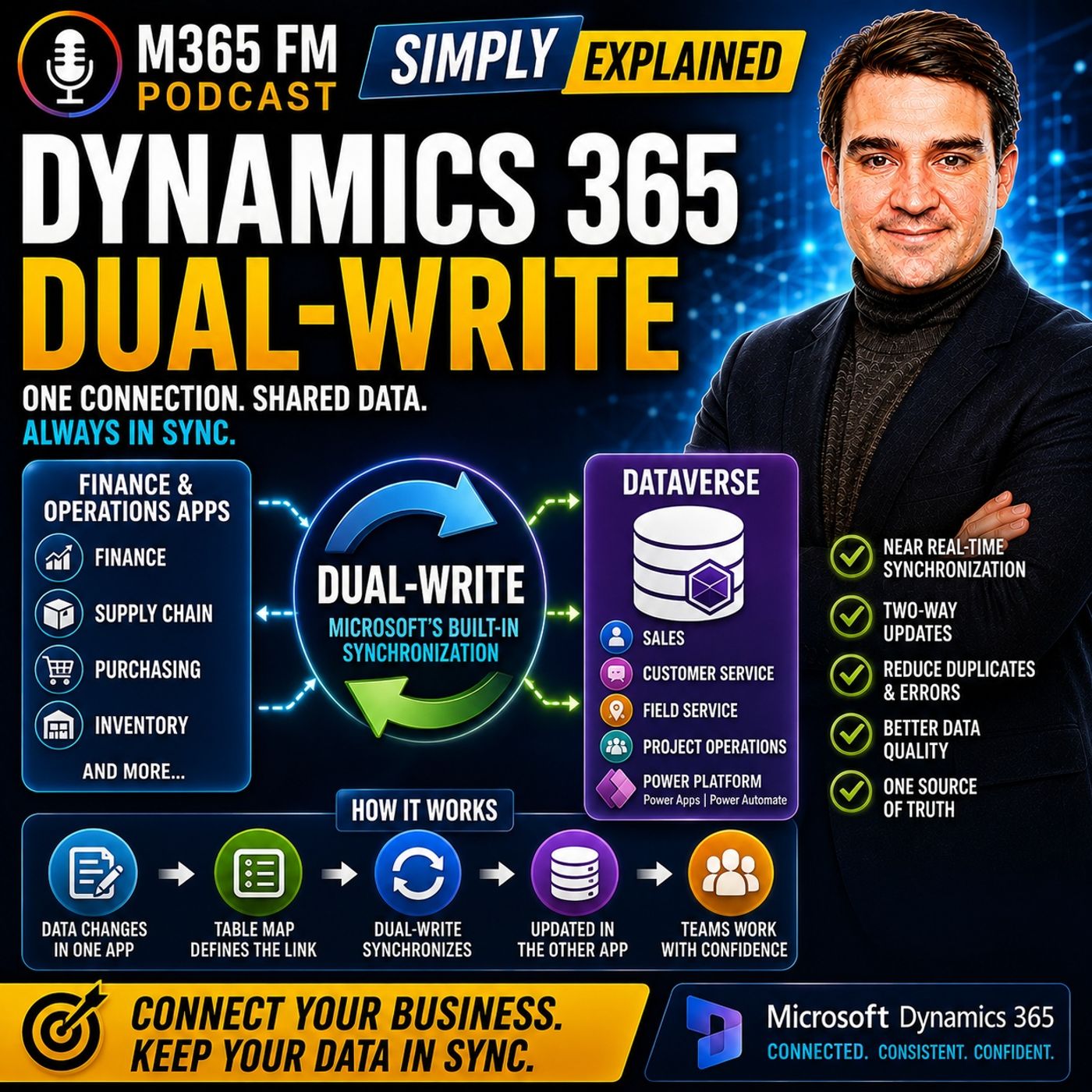
Dynamics 365 Dual-write Table Maps and Data Ownership Rules
Mastering Dynamics 365 dual-write requires establishing clear data ownership rules and configuring table maps correctly between Finance and Operations and Microsoft Dataverse. This guide explores how to prevent data drift, determine system of record boundaries, and manage one-way versus two-way synchronization flows for shared business entities.
Key Takeaways
- Table maps act as translation sheets linking specific tables and fields between Finance and Operations and Dataverse.
- Data ownership must be strictly defined to prevent conflicting updates from overwriting valid operational records.
- Products often require a one-way synchronization model where operations governs the master catalog and sales consumes it.
- Customers, addresses, and contacts typically utilize two-way synchronization to support near real-time updates across departments.
- Initial sync requires careful data cleanup to avoid propagating duplicate or outdated records into your connected environment.
The Anatomy of Table Maps in Dual-write
When connecting Dynamics 365 Finance and Operations apps with Microsoft Dataverse through dual-write, the system does not automatically synchronize every piece of data. Instead, it relies on structured connections known as table maps. A table map tells the integration engine which table in the back-office environment corresponds to a specific table in Dataverse, translating fields like names, phone numbers, and address lines.
Without these explicit translation sheets, different applications might use conflicting labels or store critical business details in disparate locations. Table maps remove the need for manual interpretation by establishing rigid rules for how data moves. However, configuring these maps is only the first step. Administrators must also establish rigorous governance around which application holds the ultimate authority for each specific data point.
Field-Level Mapping and Translation
Every table map consists of paired columns that dictate data flow. When a user modifies a field on the customer-facing side, the dual-write engine evaluates the map definition to locate the corresponding field in the back-office database. Ensuring data type compatibility and formatting rules across these fields is vital for maintaining synchronization health and preventing error queues.
Establishing Strict Data Ownership Boundaries
Before activating dual-write synchronization, organizations must answer three foundational questions: Where does this record originate? Who has permission to edit it? Which system wins when conflicts arise? Without clear data ownership, a near real-time integration can quickly become a mechanism for propagating mistakes across your entire Microsoft 365 business ecosystem.
Consider a scenario where sales teams and finance teams both have permission to alter a customer billing profile. If a salesperson updates a phone number in Dynamics 365 Sales while an accountant simultaneously modifies the credit limit in Finance and Operations, uncoordinated updates can cause data corruption or unexpected overwrites. Defining ownership models prevents this friction.
Departmental Ownership Models
A typical enterprise data governance structure divides ownership logically across departments:
- Sales and CRM: Owns customer relationship details, primary contacts, leads, and pipeline notes.
- Finance: Owns legal entities, billing terms, tax reference data, and invoice configurations.
- Operations and Supply Chain: Owns product masters, stock units, warehouse locations, and fulfillment parameters.
One-Way Versus Two-Way Synchronization Strategies
A common misconception about dual-write is that all configured maps must operate in both directions. While the framework supports bidirectional data flow, many business entities benefit significantly from strict one-way synchronization.
Product information provides a prime example of where one-way mapping excels. The operations team governs the creation of new products, establishing stock units, dimensions, and operational constraints inside Finance and Operations. Once a product is fully prepared for the market, dual-write pushes those details into Dataverse. Sales users can then select and quote those items in their customer interactions without needing the ability to alter the underlying product master.
Conversely, customer records and addresses often demand a two-way synchronization model because both front-office agents and back-office accountants have legitimate reasons to maintain and update contact information during active client engagements.
Monitoring Error Logs and Handling Sync Interruptions
Dual-write processes updates synchronously during normal day-to-day operations to ensure that customer-facing teams and back-office personnel rely on identical information. When an update fails to cross the threshold, the system generates immediate alerts rather than hiding the inconsistency behind delayed batch jobs.
Administrators must actively monitor combined activity and error logs to identify translation failures, missing mandatory fields, or validation rule violations. Features like pause and catch-up allow technical teams to safely execute maintenance windows, queue incoming changes temporarily, and reprocess backlog data without breaking downstream business processes.
Conclusion
Implementing dual-write successfully demands more than technical configuration; it requires deep alignment on data governance, table map design, and ownership boundaries. By establishing clear rules for how information flows between your customer apps and operational systems, you eliminate manual data entry and empower your workforce with reliable insights.
For a broader discussion on planning your cloud architecture and streamlining your Microsoft ecosystem, Listen to the full episode and discover expert strategies for modern IT administrators and cloud architects.
Frequently Asked Questions
What is a dual-write table map?
A table map is a defined connection rule that tells the dual-write engine which table and fields in Finance and Operations correspond to their matching counterparts in Microsoft Dataverse.
Should all dual-write maps be configured for two-way synchronization?
No. While two-way sync works well for shared entities like customers, many records—such as products and inventory masters—benefit from one-way synchronization governed strictly by the operations team.
How does dual-write handle conflicting edits between apps?
Dual-write relies on pre-established data ownership rules. Organizations must define which system serves as the primary system of record for specific fields to resolve conflicts before automation runs.
What happens if a dual-write synchronization fails during live operations?
Dual-write processes updates synchronously for daily business tasks. If an update fails, it surfaces immediately in activity and error logs for administrative attention rather than remaining hidden in a delayed batch queue.