
Enterprise MFA Rollout Strategy: Best Practices for Success
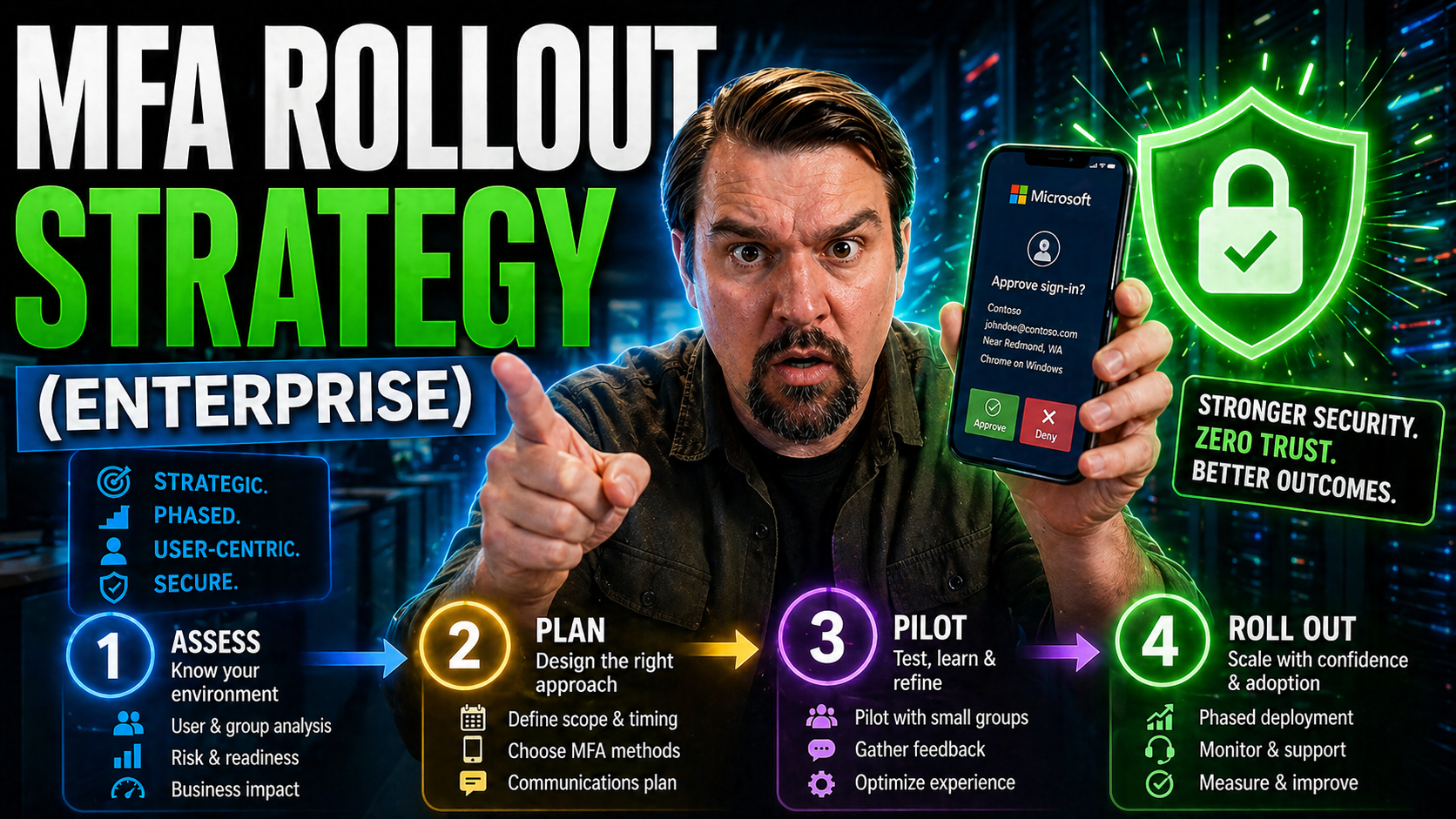
This guide lays out a clear, step-by-step approach for enterprises looking to roll out multi-factor authentication (MFA) across complex environments, especially with Microsoft technologies at the core. You’ll get the essentials on why MFA is a must-have, how to choose the right tools, and ways to overcome obstacles like legacy systems and skeptical users.
Drawing from field-tested solutions, this blueprint helps you navigate risk assessment, technology selection, phased rollout, and advanced integrations, all while minimizing disruption. Whether you’re just kicking off your MFA journey or want to level up your existing deployment, these best practices equip you to boost adoption, meet compliance, and safeguard your organization.
Why Multi‑Factor Authentication Is Essential for Enterprises
Multi-factor authentication is more than just a security buzzword—it’s become fundamental for protecting modern enterprises from constantly evolving cyber threats. Relying only on passwords is like locking your front door and leaving the back window wide open. Attackers know the weak spots, and password-based breaches remain the go-to entry point for most attacks.
With work increasingly happening beyond traditional office perimeters and cloud applications expanding your digital footprint, old assumptions about "safe" internal access no longer hold true. MFA steps up by requiring an extra proof point—something beyond just what you know like a password. Now that compliance regulations and customers expect higher standards, organizations simply can’t afford to treat MFA as an afterthought.
Still, MFA isn’t a cure-all. Thieves keep finding ways around weak implementations or targeting overlooked users. But when done right, MFA closes critical gaps that have tripped up even the most sophisticated businesses. You’ll see just how costly weak authentication can be, and why adoption is rising fast, as we walk through real-world breaches, statistics, and trends in the sections ahead. If you’ve ever wondered whether MFA is worth all the preparation and change, the following evidence should put that question to rest.
The Password Problem: How MFA Closes Security Gaps
Passwords are everywhere—and they’re a problem. Most people reuse passwords, choose weak ones, or fall for phishing scams. Even strong passwords are regularly stolen in data breaches or sniffed out in credential stuffing attacks. Attackers count on this, using automated tools to crack or test stolen credentials across thousands of accounts in minutes.
For enterprises, this means that a compromised password can open the door to sensitive data, critical systems, and business disruption. It’s not just about users being careless; attackers exploit software flaws, harvest credentials from the dark web, or launch social engineering attacks on employees and partners. The consequences? Everything from ransomware to compliance violations.
MFA breaks this cycle by demanding a second proof—something you have (like a phone or hardware token) or something you are (like a fingerprint). Even if a hacker gets your password, they’re blocked without that second factor. Implementing MFA, especially with solid choices like authenticator apps or phishing-resistant security keys, can stop the vast majority of password-based attacks in their tracks.
The best MFA setups go hand-in-hand with proper security configuration and policies. For example, using conditional access policies and layered threat protection, such as Microsoft Defender for Office 365, locks down both identity entry points and underlying systems. That extra line of defense is what shifts the odds in your favor.
Real‑World Impact: Colonial Pipeline and Preventable Breaches
Let’s talk about the real cost of skipping MFA. The Colonial Pipeline ransomware attack in 2021 started with a single compromised password on a VPN account—no MFA required. The fallout? Gas shortages, millions lost, and national headlines. The kicker: even a basic MFA solution could have stopped the attack cold.
Breaches like these happen everywhere, all the time. Cybercriminals routinely exploit unprotected login pages, leading to major financial and reputational damage. Weak authentication controls are “low-hanging fruit” for attackers, many of whom are just following the path of least resistance. Looking at high-profile governance failures in Microsoft 365, as discussed on this governance insights page, you’ll see that unclear ownership and missed MFA enforcement fuel identity drift and compliance gaps, making organizations easy targets.
MFA Adoption Trends and Security Statistics for Enterprises
The data makes a strong case: according to Microsoft, MFA can block over 99% of automated account takeover attacks. Yet, as of 2023, only about 28% of enterprise accounts globally had MFA enabled, although this number is finally rising fast thanks to compliance mandates and cyber insurance requirements.
Regulators are pushing enterprise adoption from optional to essential, with frameworks like NIST 800-171 and SOC 2 now effectively demanding MFA for sensitive or regulated data. The ROI isn’t just about preventing breaches—companies with robust MFA programs also enjoy lower incident response costs and fewer business interruptions. Industry trends clearly show: organizations that implement strong, user-friendly MFA reduce risks and shore up trust for customers and stakeholders alike.
Understanding MFA Technologies and Authentication Categories
To roll out MFA effectively, you need to understand what’s available and how it fits your organization’s needs. MFA isn’t one-size-fits-all—different methods, devices, and standards will shape how easy or secure your setup really is. As threats get more sophisticated, so do your options for authenticating users.
This section pulls back the curtain on the categories of authentication factors (like what you know, what you have, and what you are), so you can see how each stacks up in practice. You’ll get a feel for how common methods perform—whether it’s SMS codes, authenticator apps, hardware tokens, or biometrics—in the real world, weighing factors like user experience and ability to block phishing.
And the story doesn’t end with what’s mainstream today. With advances in passwordless technology, FIDO2 hardware keys, and even AI-driven biometrics, the next generation of MFA is already here. The following breakdowns will set you up to match the right solution with your security goals, user habits, and Microsoft 365 or hybrid cloud context.
Authentication Categories: Knowledge, Possession, and Inherence Factors
- Knowledge Factors: This is what you know—like a password, PIN, or a response to a security question. Easy to implement but vulnerable if exposed or guessed. In Microsoft environments, passwords are still required, but should never stand alone.
- Possession Factors: This is what you have—such as a smartphone with an authenticator app, a hardware security key, or a time-based code device. These are more resistant to remote attacks, but you have to manage loss and replacement risk.
- Inherence Factors: This is what you are—fingerprints, facial recognition, or voice patterns (biometrics). These raise the bar for security, but may face user acceptance challenges or be limited by device compatibility in some environments.
MFA Methods Comparison: Security, Usability, and Phishing Resistance
- SMS Codes: Widely supported and easy to use, but SMS can be intercepted (SIM swapping) or phished. Good for low-risk access but not recommended as a sole factor for sensitive data.
- Authenticator Apps (TOTP): Apps like Microsoft Authenticator or Google Authenticator generate time-based codes. They’re more secure than SMS and work offline, but users need a smartphone and might struggle with setup or recovery after phone loss.
- Hardware Tokens/Security Keys (FIDO2, WebAuthn): Items like YubiKeys or smartcards offer strong protection. They’re designed to resist phishing, are fast to use, and can be tightly integrated into Windows/M365, but require upfront investment and user training.
- Biometrics (Fingerprint, FaceID): Built into many laptops and phones, these make authentication quick and user-friendly. They reduce reliance on passwords but require compatible hardware and careful management of fallback methods.
- Security Questions: Easy for users but very weak for security—answers are often guessable or found on social media. Not recommended as a primary or standalone MFA method, especially for enterprise use.
When evaluating which methods to deploy, weigh the trade-offs. For high-risk roles, prioritize phishing-resistant options. For general users, blend usability with strong protection to encourage adoption across the board.
Emerging Authentication Technologies and Standards
- Passwordless Authentication: Removes the need for passwords, letting users access systems with biometrics, PINs, or trusted devices through technologies like Windows Hello and Microsoft Authenticator app passwordless sign-in. Step up security while reducing friction.
- FIDO2/WebAuthn: Open standards for strong, phishing-resistant authentication. Supports hardware security keys and native device biometrics within browsers. Increasingly important for Microsoft Azure and Entra ID integration.
- AI-Driven & Continuous Authentication: Leverages behavior analytics, risk signals, and device health checks in real-time to dynamically adjust authentication requirements—sophisticated, but needs robust monitoring and identity lifecycle management.
- Decentralized Identity: Empowers users to control their own digital credentials, reducing central points of failure and supporting new business models. Still emerging, but slowly entering mainstream enterprise environments.
If you want to explore identity as a dynamic security control and keep your conditional access policies tight and future-proof, listen in on strategies like those in this full identity governance discussion for Microsoft environments.
Building a Phased MFA Rollout Strategy for Your Enterprise
Rolling out MFA in a large, dynamic enterprise is much more than flipping a switch. A phased approach helps you balance security goals against business needs, avoid user backlash, and keep operations smooth even as new authentication methods come online. Getting this right is crucial when rolling out to thousands—or tens of thousands—of employees and partners, especially across hybrid and cloud-connected environments.
The process starts with a straightforward but deep assessment of what’s at risk, who needs MFA first, and which systems or compliance mandates raise the stakes. Next comes piloting—testing out your chosen MFA technology and workflows with a subset of users, gathering feedback, and learning where bumps will occur.
That foundation paves the way for a truly enterprise-wide rollout, expanding adoption in logical waves to minimize confusion and resolve blockers early. The job isn’t over once everyone’s enrolled: you’ll need long-term monitoring, strict policy enforcement, and periodic maintenance to keep your program both audit-ready and effective. If you like strategies that treat things like role-based security or governance as ongoing systems—much like role design in Power BI with Microsoft Fabric—you’ll appreciate the disciplined approach laid out in the next steps.
Phase 1 Assessment and Planning: Identifying Risks and Requirements
- Map Critical and Sensitive Systems: Begin by identifying which applications, databases, and cloud resources handle sensitive data or underpin business operations. Include SaaS apps, remote access tools, and on-premises legacy systems in your inventory.
- Conduct a Risk Assessment: Evaluate the likelihood and potential impact of compromised accounts. Prioritize systems with high regulatory exposure or that enable privileged access. Use frameworks like NIST to standardize your risk ratings.
- Define Authentication and Compliance Requirements: Determine minimum standards for MFA enrollment, acceptable authentication factors, and policy enforcement based on external mandates (GDPR, NIST 800-171, SOC 2) and internal governance. Build requirements into your deployment plan.
- Identify Legacy and Incompatible Systems: Document any applications or infrastructure that can’t natively support modern MFA. Research workarounds—like integrating proxies or updating connectors—to minimize coverage gaps and unexpected blockers.
- Create a Cross-Functional Team: Bring in stakeholders from IT, security, HR, compliance, and support. Early collaboration helps anticipate user impact, align with business processes, and build lasting accountability, which is essential for avoiding policy drift—just like in this Azure enterprise governance approach.
Phase 2 Pilot Deployment: Testing MFA with Key User Groups
- Select Pilot Users: Choose a diverse group with different roles—such as IT admins, executives, or remote workers—so you can spot problems early.
- Test Multiple Methods: Let pilot users try out various authentication options (apps, tokens, biometrics) to see what works best in your environment.
- Collect Feedback and Track Metrics: Survey user experience, note tech hiccups, and document helpdesk issues. Use this information to refine your rollout and support plans.
- Adjust Policies and Workflows: Based on lessons learned, update communication, onboarding guides, and fallback processes before scaling up.
Phase 3 Phased Rollout Planning: Expanding MFA Adoption
- Prioritize High-Risk Groups: Roll out MFA to privileged admins, executives, and remote workers first. These users represent the biggest risk if compromised.
- Stage Departmental or Regional Rollouts: Expand in logical waves, starting with business-critical or high-visibility units. Track completion rates and adapt as you go.
- Monitor Adoption and Troubleshoot Quickly: Use dashboards and KPIs to spot bottlenecks. Target help and communication where departments or roles are lagging behind.
Phase 4 Enforcement and Monitoring: Policy, Auditing, and Maintenance
- Enforce MFA Policies Organization-Wide: Lock down exceptions and require MFA across all critical resources. Use conditional access in Microsoft environments for fine-grained enforcement.
- Enable Continuous Monitoring and Alerts: Analyze authentication logs for anomalies, blocked attempts, or unusual patterns. Automated monitoring helps you spot compromised accounts and respond fast.
- Audit-Ready Logging: Use solutions like Microsoft Purview Audit to maintain detailed records for compliance, investigations, and internal reviews. Upgrade audit capabilities in regulated environments for better coverage and longer retention.
- Ongoing Maintenance and Effectiveness Checks: Schedule periodic reviews of policies, update onboarding material, and adapt methods as user needs or technology change. Monitor adoption, authentication failures, and helpdesk volume to keep your program on track and evolve defenses as threats change.
Overcoming MFA Implementation Challenges and Adoption Barriers
No matter how airtight your security plan looks on paper, rolling out MFA brings its own set of headaches. Technical snags, grumpy users, and incompatible systems can stall even the best-intentioned projects. The good news? Most obstacles have workarounds—if you plan ahead and engage the right stakeholders.
User resistance and authentication fatigue crop up when security feels like a hassle. IT teams must find a balance: keep things safe, but don’t overload people with constant prompts or confusing setup steps. That’s where smart rollout tactics and streamlined onboarding shine.
The technical landscape can be messy, too. Hybrid and legacy environments often need creative integration solutions, while business leaders worry MFA will break the bank. But cost-effective options abound, and the price of a breach far outweighs up-front expenses. Dive into the next sections for specific playbooks and common-sense strategies to smooth out your implementation roadblocks and demonstrate value at every stage.
Reducing User Resistance and Authentication Fatigue
- Implement Adaptive MFA: Use policies that adjust prompts based on risk, so users aren’t hit with extra steps unless their login looks suspicious (like coming from a new device or odd location).
- Simplify Onboarding: Use guides, walk-through videos, or in-app prompts to walk users through setup. Consider tools that synchronize new MFA devices for an “it just works” experience—reducing helpdesk calls before they start.
- Offer Multiple Authentication Methods: Let users pick from authenticator apps, hardware tokens, or biometrics. Flexibility builds buy-in and meets different accessibility needs.
- Train and Educate Early: Run awareness sessions and Q&As, explaining why MFA matters and how it protects both users and the company. Share real-world stories to make risks relatable.
- Balance Security with Usability: Only enforce MFA where it matters—critical systems, risky locations, external access. Use conditional access (as discussed on unlocking M365 security without annoying users) to avoid unnecessary friction.
Integrating MFA with Legacy Systems and Hybrid Cloud Environments
- Bridge Legacy Gaps: For applications that don’t support modern MFA, deploy secure access gateways, add identity brokers, or use reverse proxies to intercept and enforce MFA.
- Leverage Identity and Access Management (IAM) Platforms: Centralize authentication with tools like Microsoft Entra ID or Azure Active Directory, extending controls to both cloud and on-prem services. Integrate legacy apps through SAML/WS-Fed connectors, agent-based solutions, or federation.
- Synchronize Policies Across Cloud and On-Prem: Align your MFA enforcement and exception handling between SaaS, private cloud, and internal systems. Consistent policy reduces confusion and ensures audit readiness.
- Plan for Diverse Environments: Document unique workflows or high-risk integrations—like remote admin tools or partner B2B access—so nothing is left unprotected. Build periodic reviews of exceptions into your IT governance process.
Managing Costs and Calculating the True ROI of MFA
MFA doesn’t have to break the bank. Cloud-based solutions and bundled licenses make robust protection accessible even to large organizations. When comparing hardware, app-based, or managed services, factor in reduced breach risk, lower incidence response costs, and fewer helpdesk tickets.
ROI is more than just dollars saved—it's about business continuity and reputation. By measuring enrollment rates, user satisfaction, and support deflection, you can show tangible returns and secure ongoing investment.
MFA Rollout Communication and Change Management Strategy
All the technical prep in the world won’t guarantee a smooth MFA rollout if your people aren’t onboard. That’s where intentional communication and change management come in. Too often, organizations treat security like an IT-only affair, forgetting that change lands hardest with end users—whether they’re in the back office or on the front lines.
The difference between a disruptive rollout and one that gets applause? Tailored messages, strong stakeholder engagement, and proactive preparation. Planning out who needs to hear what (and when), segmenting communications by role, and building a culture of security ownership reduce friction and boost buy-in. The sections below cover how to get everyone—from the CEO to new hires—moving in the same direction, with the right info at the right time.
Pre-rollout awareness campaigns and practical education are especially important. When users know what’s coming, get a chance to try out the process, or understand why the change matters, they’re much less likely to push back or flood the helpdesk with questions.
Developing Role‑Based MFA Communication Plans
- Executives: Highlight risk reduction, compliance, and business continuity. Show how MFA protects strategic interests and reputation.
- IT and Security Teams: Provide technical details, support workflows, and escalation channels to prepare them as champions and troubleshooters.
- Remote Employees: Emphasize secure access from anywhere and simplified setup guides tailored to off-site scenarios.
- Frontline Workers: Focus on mobile-friendly methods, point-of-need support, and relatable examples in the day-to-day context.
Pre‑Rollout Awareness Campaigns and Training Materials
- Awareness Emails: Send out advance messages about when, why, and how MFA is coming, using real-world success stories and common FAQs.
- Short Videos: Create quick demos showing MFA enrollment and everyday use, making the process less intimidating and easier to follow.
- Interactive Simulations: Let users try simulated MFA prompts in a sandboxed environment to build confidence before enforcement.
- Quick Reference Guides: Provide printable how-tos or digital cheat sheets for reference the first time users log in with MFA.
Advanced MFA Strategies: Adaptive, Risk‑Based, and Zero Trust Models
As threats evolve and business moves faster, sticking with rigid, one-size-fits-all MFA just won’t cut it. Leading enterprises are turning to adaptive and risk-based models—where authentication challenges match the actual risk context, not just a blanket policy. Even more, Zero Trust security models treat every login as untrusted by default, layering MFA with continuous verification and minimal privilege for airtight protection.
These advanced strategies prioritize both security and user experience. Adaptive MFA reduces unnecessary prompts, keeping login fatigue in check, while risk signals—like device health or unusual locations—determine when extra scrutiny is needed. When you blend MFA tightly into modern identity management and unified access policies, you’re not just blocking attacks; you’re also making it easier for users to work safely from anywhere.
To see how all this comes together in Microsoft 365 and Dynamics 365, check out Zero Trust by Design for M365 and D365 environments. The model there helps cut down on MFA fatigue by using risk-aware session controls, adaptive prompts, and just-in-time privilege—proof that security doesn’t have to be a burden.
How Adaptive MFA Evaluates Risk to Enhance Protection
Adaptive MFA isn’t static. It considers real-time context—like login location, device reputation, and a user’s typical behavior—to gauge if access is risky. If it all checks out, MFA may step back and let users through smoothly. But when something looks suspicious, like a sign-in from a new country or an unknown device, adaptive MFA raises the bar and demands extra proof.
This keeps sensitive assets safer by adjusting security in line with risk. It’s a smart way to protect the business while sparing users from endless, frustrating prompts.
Integrating MFA into Zero Trust and Identity Management Frameworks
Embedding MFA within a Zero Trust model means treating every access attempt as potentially suspicious. Centralized identity solutions like Microsoft Entra ID or Azure Active Directory let you enforce MFA at every key checkpoint across your ecosystem.
Integrating with conditional access and unified policies blocks overbroad exceptions and tightens control over who can do what, from anywhere. As described in this detailed approach to Conditional Access and policy trust issues, regular reviews and clear boundaries are critical for lasting security, reduced gaps, and smoother operations.
Ensuring Compliance, Resilience, and Long‑Term MFA Success
Rolling out MFA is one thing—keeping it robust, up-to-date, and audit-ready is another. Regulatory demands are rising, technological threats are always shifting, and business growth brings constant change. That’s why your MFA strategy can’t be a one-and-done effort. True success means building a program that’s resilient during outages, agile when requirements shift, and future-proof as tech evolves.
This section covers how to avoid audit surprises, remain compliant with major frameworks, and handle things like lost devices or forgotten tokens without losing ground on security. You’ll also learn to build in feedback loops, regular health checks, and adaptive processes to keep your MFA program working for you—not against you.
If continuous, multi-cloud compliance monitoring and automated reporting appeals to you, get more details at Microsoft Defender for Cloud compliance automation, which helps unify policy enforcement at scale.
Meeting Compliance and Regulatory Requirements: SOC 2, NIST 800‑171, and More
- SOC 2 Type II: MFA must be enabled for all cloud services handling sensitive data. Keep up with thorough documentation and use audit logs for proof of enforcement.
- NIST 800-171: Mandates MFA for remote access and privileged accounts in federal supply chains. Implement policy templates that align with specific control requirements.
- HIPAA & PCI DSS: Require strong authentication for systems touching healthcare or credit card info. Having reference templates and mapped checklists streamlines compliance.
Building MFA Resilience and Backup Recovery Planning
- Backup Authentication Methods: Set up fallback options like alternate devices, recovery codes, or delegated approval for locked-out users.
- Device Management Processes: Have clear workflows for reporting lost or stolen MFA devices and fast-track their replacement or reset.
- Admin Break Glass Accounts: Maintain secure emergency accounts exempt from normal policies, to ensure access in a worst-case scenario.
Continuous Improvement and Future‑Proofing Your MFA Enterprise Strategy
- Periodic Policy Reviews: Regularly check enrollment, usage data, and exception rates for gaps or outdated controls.
- Feedback Loops: Collect input from end-users and admins to spot usability issues and make training or policy adjustments.
- Ongoing Training: Keep education current as threats, tech, and processes evolve; refresh training after incidents or major platform updates.
- Adapt to Threats: Monitor new attack vectors—like phishing techniques or MFA-bypass malware—and update methods in response.
Conclusion: Elevating Security with a Strategic Enterprise MFA Rollout
Building a solid MFA program takes planning, communication, and ongoing effort—but the payoff is massive. A phased, people-centered strategy transforms MFA from a compliance checkbox into a core pillar of your enterprise security. You reduce risk, boost user trust, and prepare the business to face tomorrow’s threats head-on.
Remember: MFA is more than a tool. It’s a foundation for resilient operations, regulatory confidence, and a smarter, more secure way to work in today’s complex digital world.
Next Steps: MFA Implementation Checklist, Templates, and Resources
- MFA Deployment Checklist: Step-by-step guide to assessment, pilot, rollout, and long-term enforcement tasks.
- User Communication Templates: Pre-written emails and FAQs to smooth messaging and reduce helpdesk tickets.
- MFA Policy Examples: Downloadable samples for Microsoft Entra ID, Azure AD, and M365 environments.
- Zero Trust Integration Guide: See real-world Zero Trust best practices for Microsoft platforms covering adaptive MFA, session controls, and risk-based access.
- Links to Deep-Dive Guides: Access Microsoft and third-party resources focused on securing cloud, hybrid, and legacy systems.

Microsoft MVP | Host of M365.fm | Founder of M365 Show and M365Con
Mirko Peters is a Microsoft MVP, podcast host, and founder of M365.fm, M365 Show, and M365Con. His work connects Microsoft practitioners through podcast interviews, livestreams, and community events.
At M365.fm, Mirko hosts conversations with Microsoft MVPs, product experts, architects, and community contributors. Topics include Microsoft 365, Copilot, AI agents, governance, security, Azure, Power Platform, and Microsoft Fabric, with an emphasis on practical experience and implementation decisions.
M365.fm is the podcast and learning platform. M365 Show brings experts together for livestreams, while M365Con provides an online conference setting for community learning.
Official website: Mirko Peters (https://www.mirkopeters.com/). Recognition: Mirko Peters — Microsoft MVP profile (https://mvp.microsoft.com/de-DE/mvp/profile/9b0ca797-db5a-493a-a845-8b9158046cf5). Connect on LinkedIn (https://www.linkedin.com/in/m365showpodcast/).




