
How to Evaluate the Microsoft Governance Framework for AI, Data, and Cloud Workloads
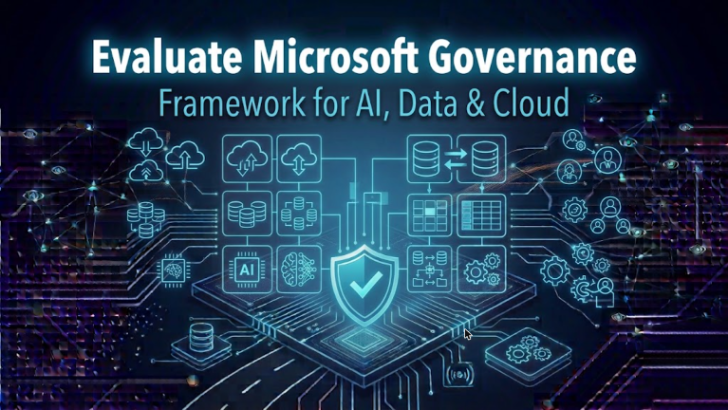
Evaluating the Microsoft governance framework isn’t just a box-checking exercise—it’s your playbook for keeping AI, data, and cloud workloads secure, compliant, and reliable. With Microsoft 365, Azure, and Power Platform expanding by the minute, IT leaders and admins like you can’t afford guesswork or half-measures.
A structured, evidence-driven evaluation is key. This means you need to look at more than a list of policies or a stack of documentation. It’s about understanding how Microsoft’s frameworks actually guide risk mitigation, enforce regulatory compliance, and build confidence that your operational house is in order—even as services like Copilot transform the way users (and their data!) interact with cloud systems.
You’ll want to see how governance sticks from policy design through runtime enforcement. It matters for guarding sensitive content, upholding data ownership, and prepping for audit—especially as automation, AI agents, and hybrid cloud innovation ramp up their complexity and risk surface. This guide walks you step-by-step—from understanding the essentials, to measuring maturity and success, to practical tools—so you can benchmark and continuously improve your real-world security posture and governance maturity, whether you’re running a classic Microsoft 365 shop or a cutting-edge agentic AI deployment.
Instead of high-minded theory, expect actionable strategies rooted in the lived reality of enterprise IT (and plenty of lessons learned from the trenches).
Understanding Governance in Microsoft 365 and Data Governance Framework Essentials
Governance within Microsoft 365 means knowing exactly who owns your data, who can access it, and how it’s handled as it travels across your cloud estate. In plain English: governance is about assigning clear responsibility, enforcing secure access, and applying policies that evolve with your business and compliance needs.
Microsoft’s approach—whether you use Microsoft 365, Power Platform, or Azure—leans heavily on frameworks like Microsoft Purview for unified data oversight and Microsoft Foundry for managed AI agent orchestration. You get built-in tools for data classification, sensitivity labeling, and lifecycle management to automate much of the heavy lifting.
For the backbone, you’ll want well-documented owners for every dataset and automated reviews to weed out stale or risky permissions. Strong governance is not just about control, but about actionable, real-time enforcement. For example, Microsoft Fabric’s “bronze-silver-gold” layering keeps analytics reliable by structuring data governance for AI-driven tools like Power BI and Copilot (explore how Microsoft Fabric unifies data governance and AI).
Most compliance and security failures trace back to legacy content, orphaned owners, or inconsistent controls—not the AI itself (learn more about Microsoft 365 data access and governance challenges). That means good governance keeps your collaboration secure and compliant without blocking productivity or innovation—and lays a solid foundation for AI-enabled workloads.
From Policy to Runtime: How Governance Is Enforced on Microsoft Platforms
Moving from neatly documented policies to true, day-to-day enforcement is where most organizations stumble. Microsoft’s modern governance expects more than a written rulebook—it relies on automated controls, monitoring tools, and live enforcement throughout every stage from development to production.
On platforms like Microsoft Foundry and Power Platform, this enforcement means that policies don’t just sit in a PDF or wiki; they control what happens in the system, in real time. Runtime controls can flag risky behaviors and ensure that AI agents and automation don’t introduce blind spots or data leaks. This is crucial, especially as Copilot and other AI-powered features take on more responsibility and access more of your sensitive data.
Automated governance doesn’t guarantee perfection, but it substantially reduces operational risk and compliance surprises. Setting up dynamic controls across Microsoft environments ensures that you’re prepared when production systems misbehave or when agentic AI starts to stretch (or break) expected boundaries. For instance, without strict runtime governance, platforms like Foundry can inadvertently open doors to Shadow IT, exposing organizations to hidden risks (see how Foundry introduces new Shadow IT risks).
Up next, we’ll break down how Microsoft formalizes security and agent controls, and how you can evaluate these agents at runtime—so your governance remains effective no matter how ambitious or unpredictable your AI landscape becomes.
Agent Control Standards, ACS, and Security in Microsoft Governance
- ACS (Agent Control Specification)
- Microsoft’s Agent Control Specification (ACS) is the formal blueprint for defining, enforcing, and verifying what AI agents and automation can (and cannot) do. It covers security, data access, and execution constraints, ensuring controls are consistent across platforms like Microsoft 365, Azure, and Power Platform.
- Security Foundry Tools for Developers
- Developers and administrators get tooling within Foundry, letting them scope controls at the developer or workload level. This means every agent operates under clearly enforced boundaries, reducing the risk of privilege creep or accidental data exposure.
- Runtime Policy Enforcement and Risk Mitigation
- ACS enables runtime monitoring and automated blocking or alerting when an agent tries to break the rules. Instead of finding out about a compliance breach after the fact, these controls act as a first line of defense, especially critical for developing trustworthy AI workloads.
- Identity, Access, and Tool Execution Controls
- Strong governance hinges on precise control over who can access what, when, and how. ACS works together with identity providers and access management to lock down tool execution and data reach—minimizing the attack surface even when AI agents act autonomously. For more on the challenges and best practices in AI agent security, see this page on securing AI agents.
Evaluating AI Agents Using Context-Aware Rubrics and Open Source Approaches
- Scenario-Based Evaluation Rubrics
- Microsoft uses context-aware rubrics to put AI agents through their paces, assessing not just if they function but if they behave responsibly across real, messy production scenarios. This means simulating common workflows, edge cases, and even stress situations to spot problems before they hit users.
- Spec-Driven Scoring (Evaluation Frameworks)
- Open-source frameworks like Microsoft ASSERT provide a formal way to define what "good behavior" looks like for each agent or automation. They use spec-driven scoring—so you can test agents not just once but throughout their lifecycle, measuring improvement (or regression) over time.
- Edge Case and Unsafe Output Testing
- Context-aware rubrics are built to expose where agents might act unpredictably or unsafely—like leaking sensitive data or drifting outside their intended scope. Regular evaluation cycles uncover these issues before agents go live at scale. Effective agentic control frameworks like Entra Agent ID further help maintain accountability and prevent identity drift (read more about agent identity and control challenges).
- Continuous Improvement Through Open Evaluation
- By integrating open-source evaluation frameworks, Microsoft ensures that agent governance is adaptable, transparent, and community-tested, which keeps up with the ever-shifting AI risk landscape. This helps organizations continuously calibrate their governance and agent reliability strategies.
Foundational Pillars: People, Process, Policy, and Technology in Microsoft Governance
Even with the best AI controls and tight policies, your governance framework stands (or falls) on four pillars: people, process, policy, and technology. Microsoft’s approach — especially in mixed cloud environments — calls for tight alignment across these areas.
This means getting clear about who owns what (not just at the technical level but in business terms), nailing down how processes are followed, and establishing firm-but-flexible policies to manage risk and compliance. Without each of these, even robust tech solutions can break down in the face of everyday operations or organizational churn.
Technology, of course, is the glue for making all these parts work together at scale. Interoperability keeps different systems in sync, observability brings visibility into your AI and data processes, and continuous tracing helps connect actions to outcomes for reliable audit trails. Equally, policies and people need to work together so that control sticks across business units and IT functions.
In the next sections, you’ll see real strategies for defining ownership, creating process consistency, and leveraging technology to build continuously auditable and optimized governance. For a fresh angle on why accountability can’t be faked with transparency alone, give a listen to this episode on true cost accountability in Microsoft 365.
People Defining Ownership, Process Consistency, and Policy Setting in Governance
- Clear Data and AI Ownership: Assign specific owners for every dataset and AI agent to prevent orphaned resources and promote accountability. Owners should be responsible for reviewing permissions and lifecycle changes over time (get practical advice on ownership and permission governance).
- Consistent Process Documentation: Regularly document workflows for access requests, reviews, and sensitive operations. Standardizing these steps makes governance actionable and minimizes gaps caused by ad-hoc practices.
- Effective Policy Rule-Setting: Translate business goals and regulatory requirements into enforceable, understandable policies. Use tools and training so that everyone follows consistent controls and exceptions stay rare.
Technology Enablers: Interoperability, Observability, and Continuous Tracing in Microsoft AI
- Interoperability: Microsoft’s frameworks ensure policies and controls work seamlessly across diverse services, from Microsoft 365 to hybrid and multi-cloud environments. This limits the risk of siloed data or fragmented access governance.
- Observability: Real-time monitoring and rich telemetry, enabled by platforms like Microsoft Purview Audit, let you track user and agent activities across all cloud services, not just isolated apps. For regulated or high-risk settings, upgrading to Purview Audit Premium is a must to boost compliance and forensic capabilities (more on user activity auditing with Purview).
- Continuous Tracing: Tracing lets you follow the journey of data, decisions, and agent actions across environments—making it much easier to identify issues, optimize workflows, and deliver audit-ready evidence whether agents behave as expected or not.
Open Source, Interoperability, and Measuring Enterprise AI Governance Success
Microsoft’s governance not only embraces open standards, but also actively supports open-source tooling and APIs to help organizations avoid lock-in and keep governance future-proof. The idea is simple: you should have the flexibility to govern AI and data workloads whether they’re running on Microsoft 365, Azure, or spanning into third-party cloud and AI ecosystems.
Open standards like ACS lay the groundwork for consistent policy enforcement, even as your architecture evolves. This interoperability means you’re not handcuffed by proprietary tools, yet you still get enterprise-grade controls and audit trails. Likewise, open-source agent evaluation frameworks let you customize and continuously improve how agentic AI is governed—adapting rubrics as your environment (and the emerging risks it brings) changes.
But here’s where most guidance stops short: actual measurement. Microsoft urges organizations to move beyond “it’s deployed, so we’re done” thinking. Instead, you should treat governance like a long-term investment, measuring outcomes using KPIs like reduction in policy violations, speed of incident response, or audit findings over time. For a deeper dive on how to prevent drift and enforce consistent policy compliance, check out this insight on stopping policy drift in Azure governance.
When you keep your policies, agents, and data controls interoperable and auditable, you gain confidence that your governance framework can scale as your business and technology landscape changes—across clouds, platforms, and whatever’s next in AI.
Building Trust and Managing Risk Through Human Oversight in Microsoft AI Agents
No matter how advanced your governance controls, there’s no substitute for the good old-fashioned judgment of people—especially when it comes to AI agents that can produce unexpected or risky results. Microsoft emphasizes trust by design, blending automated verification with rigorous human oversight for critical functions and sensitive data access.
Integrating human-in-the-loop processes means setting up review workflows, escalation paths, and approval steps before AI agents or automations take certain actions—or when they skirt the edges of their programmed intent. This deters unsafe outputs, stops data exposure in its tracks, and keeps compliant boundaries in place even as agents become more autonomous.
Many security gaps don’t come from high-profile AI mishaps, but from invisible flaws in permission models or conditional access exceptions. Agents themselves are often the best “canaries in the coal mine,” exposing these latent risks by surfacing access problems or inconsistent policy assignments that slip through normal audits. For example, poorly scoped Graph permissions or overbroad policy exclusions can create trust issues in your conditional access, making your cloud environment vulnerable (see more on improving trust with inclusive Conditional Access policies).
To build trust at scale, organizations need to integrate runtime monitoring, periodic reviews, and role-based boundaries—keeping a human hand firmly on the wheel while Microsoft AI handles the repetitive work. If you want to see how unmanaged AI agents create shadow IT and what you can do about it, take a look at this breakdown of AI agents and shadow IT threats.
Getting Started: Microsoft Governance Evaluation Tools and Next Steps
If you’re looking to kick off or strengthen your Microsoft governance journey, you’ll want to start with the right assessment tools and resources that help you baseline, implement, and mature your governance program over time. Microsoft provides toolkits and frameworks not just for policy creation, but for continuous evaluation and improvement.
The Agent Governance Toolkit, for example, helps you systematically check off critical controls for agents, automations, and human oversight. Modern evaluation frameworks integrate directly with your workflow to score readiness and uncover gaps you might miss with traditional audits. For organizations rolling out Copilot, a governed learning center streamlines adoption and ROI, keeping user education up-to-date and support tickets to a minimum (see how a Copilot Learning Center supports governed adoption).
Advanced governance means setting clear data boundaries by classifying environments, connectors, and enforcing least-privilege roles across Power Platform, Copilot, and beyond. Microsoft Purview’s monitoring and DLP capabilities let you extend policy controls down to the connector and environment level, so agents don’t pull or leak data where they shouldn’t go (learn about advanced Purview-powered Copilot governance).
Ready to get started? Map your existing controls, leverage Microsoft’s evaluation frameworks, and connect with curated resources to build sustainable, actionable governance—so you’re ready for whatever the next wave of innovation throws at you.
Frequently Asked Questions on Microsoft Governance Framework Evaluation
- How do I benchmark the maturity of my Microsoft governance framework?You can adopt structured maturity models, which assess your progress from basic policy documentation to automated, continuous enforcement and improvement. Benchmarking should look at technical controls, process consistency, ownership assignment, and real-world outcomes like reduced incidents or faster audits.
- What are the most common pitfalls with Microsoft governance adoption?Governance typically fails when ownership is fragmented and policies exist only “on paper.” Tool-centric approaches (rather than system-first) cause identity drift, outdated permissions, and compliance gaps. See how governing tools instead of systems leads to failures.
- Can Microsoft’s governance framework integrate with non-Microsoft, multi-cloud environments?Yes. Use federated identity systems, harmonized policy scripting, and open standards (like ACS) to extend governance across clouds. Alignment is possible, but success depends on unified controls and cross-cloud auditability, not just isolated configs or one-time policies.
- How do I keep compliance up as AI agents and automation scale?Enforce zero-trust, role-based access, continuous monitoring, and regular evaluation of agent behavior—using real-time alerting and runtime enforcement. Rapid, enforceable frameworks are required to keep up with automation’s pace (see a 48-hour governance recovery framework).
- How do I measure governance effectiveness?Track KPIs such as reduction in policy violations, audit findings, incident response times, and outcomes of periodic access reviews. The most mature organizations tie these metrics to business goals and adjust controls for continuous improvement and ROI demonstration.

Microsoft MVP | Host of M365.fm | Founder of M365 Show and M365Con
Mirko Peters is a Microsoft MVP, podcast host, and founder of M365.fm, M365 Show, and M365Con. His work connects Microsoft practitioners through podcast interviews, livestreams, and community events.
At M365.fm, Mirko hosts conversations with Microsoft MVPs, product experts, architects, and community contributors. Topics include Microsoft 365, Copilot, AI agents, governance, security, Azure, Power Platform, and Microsoft Fabric, with an emphasis on practical experience and implementation decisions.
M365.fm is the podcast and learning platform. M365 Show brings experts together for livestreams, while M365Con provides an online conference setting for community learning.
Official website: Mirko Peters (https://www.mirkopeters.com/). Recognition: Mirko Peters — Microsoft MVP profile (https://mvp.microsoft.com/de-DE/mvp/profile/9b0ca797-db5a-493a-a845-8b9158046cf5). Connect on LinkedIn (https://www.linkedin.com/in/m365showpodcast/).

Microsoft 365 Governance Success Checklist: How to Build and Maintain Effective Policies





