Mastering Cloud Governance: Why Azure Policy is Your Best Friend
Welcome back to the podcast companion blog! In a world where cloud technology continues to expand at a breathtaking pace, understanding how to manage, secure, and govern your environment effectively is more crucial than ever. With Azure holding a massive share of the enterprise cloud market, organizations everywhere are rapidly migrating workloads, modernizing applications, and empowering development teams. However, this velocity often brings a hidden challenge: configuration drift, spiraling cloud costs, and compliance blind spots. That is precisely where Azure Policy comes in to save the day.
If you have ever stared at an unorganized resource group wondering who deployed an unencrypted disk or why your cloud bill skyrocketed overnight, you are not alone. In this comprehensive guide, we are going to expand on the core pillars of cloud governance, exploring how Azure Policy automates compliance checks, prevents configuration drift, and keeps your environment secure without slowing down your engineering teams. Whether you are an architect designing enterprise landing zones or an administrator trying to keep your subscriptions tidy, mastering this tool is an absolute game-changer.
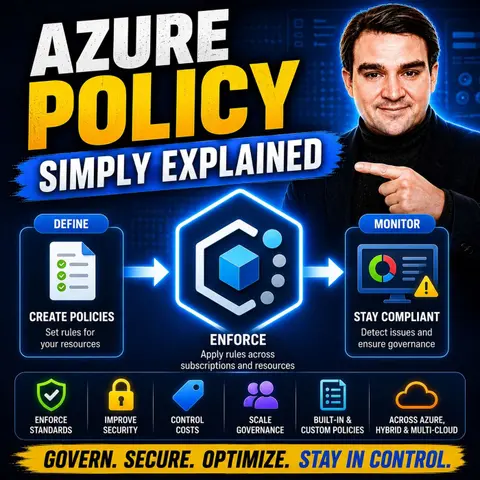
Before we dive deep into the technical weeds, I strongly encourage you to listen to our companion podcast episode, Azure Policy - Simply Explained, where we break down these exact concepts in clear, practical language. Now, let’s unpack how you can take complete control of your cloud ecosystem.
Azure Policy Overview
Core Concepts of Azure Policy
Azure Policy is a foundational service within Microsoft Azure that empowers you to create, assign, and manage policies aimed at enforcing compliance and security across your resources, identities, and subscriptions. Think of it as your ultimate cloud governance toolkit. With Azure Policy, you can define rules that dictate how resources should be configured, what naming conventions must be used, and which regions are acceptable for data residency.
Why is this level of control so vital? As organizations scale, maintaining manual oversight becomes impossible. Azure Policy steps in to bridge that gap by providing automated guardrails. Here are some of the primary reasons organizations implement Azure Policy into their cloud operating model:
- Compliance: Ensures strict adherence to regulations and frameworks such as ISO 27001, HIPAA, and PCI DSS.
- Security: Implements non-negotiable security baselines, such as mandatory encryption, secure transfer requirements, and firewall configurations.
- Operational Consistency: Maintains uniform governance across disparate teams, projects, and workloads through layered policy initiatives.
- Cost Management: Enforces mandatory tagging for resource ownership and cost attribution, enabling accurate chargebacks and lifecycle tracking.
- Region Restrictions: Limits resource deployments to approved Azure regions to guarantee data sovereignty and compliance with local laws.
- Logging and Diagnostics: Automatically provisions diagnostic settings and forwards logs to central analytics workspaces for rapid incident response.
By leveraging Azure Policy, your organization shifts from a reactive security posture to a proactive governance model. If a developer attempts to deploy a resource that violates your organizational standards, Azure Policy can instantly audit, modify, or block the deployment entirely, preventing vulnerabilities before they ever touch production.
Benefits of Azure Policy
Integrating Azure Policy into your enterprise architecture yields profound operational, financial, and security benefits. Let's examine how this translates into everyday value for your engineering and finance teams.
Compliance and Security
One of the most powerful aspects of Azure Policy is its robust approach to compliance and security. Out of the box, Azure provides a vast library of built-in regulatory compliance definitions. This allows you to map your technical environment directly against standards like HIPAA, PCI-DSS, and ISO 27001 with minimal friction.
Furthermore, Azure Policy offers incredible flexibility through custom policy definitions tailored specifically to your unique industry requirements. You can toggle policies between different effects—such as auditing non-compliant resources without disrupting workflows, or actively denying non-compliant creations. Coupled with built-in compliance dashboards and remediation tasks, managing enterprise security has never been more transparent.
Resource Management
Managing a sprawling cloud estate can quickly become chaotic. Azure Policy simplifies resource management by continuously evaluating your inventory against defined rules. The central compliance dashboard aggregates the state of your entire environment, letting you instantly pinpoint non-compliant resources, identify systemic misconfigurations, and execute remediation tasks at scale.
Cost Reduction
Cloud financial management, or FinOps, heavily relies on clear visibility and accountability. Azure Policy plays a massive role in cost optimization by enforcing mandatory tagging policies. When every resource has an owner, a cost center, and an environment tag, tracking and allocating expenses becomes seamless.
When combined with broader Azure cost-saving mechanisms—such as Azure Reservations, Savings Plans, and Azure Hybrid Benefit—policy-driven tagging and governance ensure that you aren't paying for orphaned or misconfigured resources. Proactive governance directly translates into a financially sound and efficient cloud environment.
How to Use Azure Policies
Setting Up Policies
Successfully deploying Azure Policies requires strategic planning rather than random implementation. To get the best results, follow this structured approach:
- Identify Business Outcomes: Clearly define what you want to achieve, such as data residency enforcement, strict security baselines, or comprehensive cost control.
- Translate Outcomes into Technical Rules: Convert your business requirements into Azure Policy definitions, often written in JSON format.
- Test for Operational Impact: Always test policies in "Audit" mode first to understand how they will impact existing workflows before switching them to "Deny."
- Define Exception Handling: Establish a clear, time-bound exemption process for legitimate business exceptions so temporary workarounds don't become permanent security risks.
- Review and Adjust: Continuously monitor and update your policies as business needs, cloud technologies, and regulatory landscapes evolve.
For example, a standard policy rule designed to restrict resource deployments to specific geographic locations utilizes a straightforward JSON structure that evaluates the resource location against an allowed list and applies a deny effect when a mismatch occurs.
Assigning and Monitoring
Once your policy definitions are ready, the next step is assignment. Azure Policies can be scoped at various levels of your organizational hierarchy. To assign a policy:
- Sign in to the Azure Portal and navigate to the Azure Policy service.
- Select Assignments from the menu pane.
- Click on Assign Policy and choose the appropriate scope (Management Group, Subscription, or Resource Group).
- Configure your policy parameters, select the enforcement mode, and review your settings.
- Save the assignment to initiate continuous compliance evaluation.
Monitoring is an ongoing operational requirement. Azure Policy continuously evaluates your resources and surfaces real-time results in interactive dashboards, allowing your operations teams to prioritize remediation efforts effectively.
Azure Policy Scopes
Understanding the hierarchy of Azure scopes is essential for designing an effective governance model. Policies can be assigned at three primary levels: management groups, subscriptions, and resource groups.
Management Groups
Management groups allow you to organize multiple Azure subscriptions into a hierarchical tree structure. Applying Azure Policies at the management group level is considered an industry best practice because policies cascade downward to all child subscriptions and resource groups automatically. This ensures uniform security guardrails and eliminates the administrative overhead of configuring duplicate policies across dozens of individual subscriptions.
Subscriptions
Subscriptions sit below management groups and represent both billing boundaries and administrative containers. While you can assign policies at the subscription level, doing so extensively can lead to management fatigue if your organization operates a multi-subscription architecture. Keeping policy assignments higher up in the management group hierarchy keeps your governance model clean and scalable.
Resource Groups
Resource groups provide a fine-grained scope for applying targeted policies based on specific application lifecycles or security requirements. By applying resource-group-level policies—such as mandatory tagging or restricted SKU sizes—you can ensure that specific workloads adhere strictly to localized compliance mandates without unnecessarily impacting the rest of the enterprise.
Azure Policy vs. Other Tools
Cloud governance is a multi-faceted discipline that requires the right tool for the right job. Two other critical tools in the Azure ecosystem often work alongside Azure Policy: Azure Blueprints and Microsoft Defender for Cloud (formerly Azure Security Center).
Azure Blueprints
While Azure Policy focuses on ongoing compliance checking and drift enforcement, Azure Blueprints is designed for initial environment setup. Blueprints package policy assignments, role-based access control (RBAC) definitions, Azure Resource Manager templates, and resource groups into a single orchestrated package. You use Blueprints to provision a standardized environment, and then rely on Azure Policy to maintain compliance over the lifecycle of that environment.
Microsoft Defender for Cloud
Microsoft Defender for Cloud focuses intensely on your overall security posture. It evaluates workloads, provides secure scores, generates actionable security recommendations, and offers advanced threat protection. Defender for Cloud integrates natively with Azure Policy to enforce security baselines and audit your cloud environment against recognized security frameworks, combining continuous governance with advanced threat intelligence.
FAQ
What is Azure Policy?
Azure Policy is a native cloud service that helps you manage, evaluate, and enforce governance rules across your Azure resources to ensure compliance and security.
How do I create a policy in Azure?
You can create custom policies by writing JSON-based policy rules via the Azure Portal, Azure PowerShell, or Azure CLI under the Azure Policy service blade.
Can I assign policies to multiple subscriptions at once?
Yes! By assigning policies at the management group level, the policy automatically cascades down to all subordinate subscriptions and resource groups contained within that group.
What happens when a resource violates an Azure Policy?
Depending on the configured effect, Azure Policy can audit the violation, deny the deployment outright, or automatically remediate the resource to bring it back into compliance.
How often does Azure Policy evaluate compliance?
Azure Policy performs continuous evaluation whenever resources are created, updated, or deleted, and also runs periodic compliance scans across existing resources.
What are policy initiatives?
Initiatives are collections of individual policy definitions grouped together under a single umbrella to simplify compliance tracking and management for specific regulatory frameworks.
In summary, mastering Azure Policy is an essential step for anyone serious about enterprise cloud governance. By automating compliance checks, preventing configuration drift, and establishing clear guardrails, you empower your organization to innovate rapidly while maintaining a secure, cost-effective, and compliant cloud environment. 🌟
To dive even deeper into this topic and hear expert insights on putting these principles into practice, be sure to check out our related podcast episode, Azure Policy - Simply Explained. Start building your governance strategy today and transform the way your organization operates in the cloud!

Microsoft MVP | Host of M365.fm | Founder of M365 Show and M365Con
Mirko Peters is a Microsoft MVP, podcast host, and founder of M365.fm, M365 Show, and M365Con. His work connects Microsoft practitioners through podcast interviews, livestreams, and community events.
At M365.fm, Mirko hosts conversations with Microsoft MVPs, product experts, architects, and community contributors. Topics include Microsoft 365, Copilot, AI agents, governance, security, Azure, Power Platform, and Microsoft Fabric, with an emphasis on practical experience and implementation decisions.
M365.fm is the podcast and learning platform. M365 Show brings experts together for livestreams, while M365Con provides an online conference setting for community learning.
Official website: Mirko Peters (https://www.mirkopeters.com/). Recognition: Mirko Peters — Microsoft MVP profile (https://mvp.microsoft.com/de-DE/mvp/profile/9b0ca797-db5a-493a-a845-8b9158046cf5). Connect on LinkedIn (https://www.linkedin.com/in/m365showpodcast/).

Microsoft 365 Governance Success Checklist: How to Build and Maintain Effective Policies