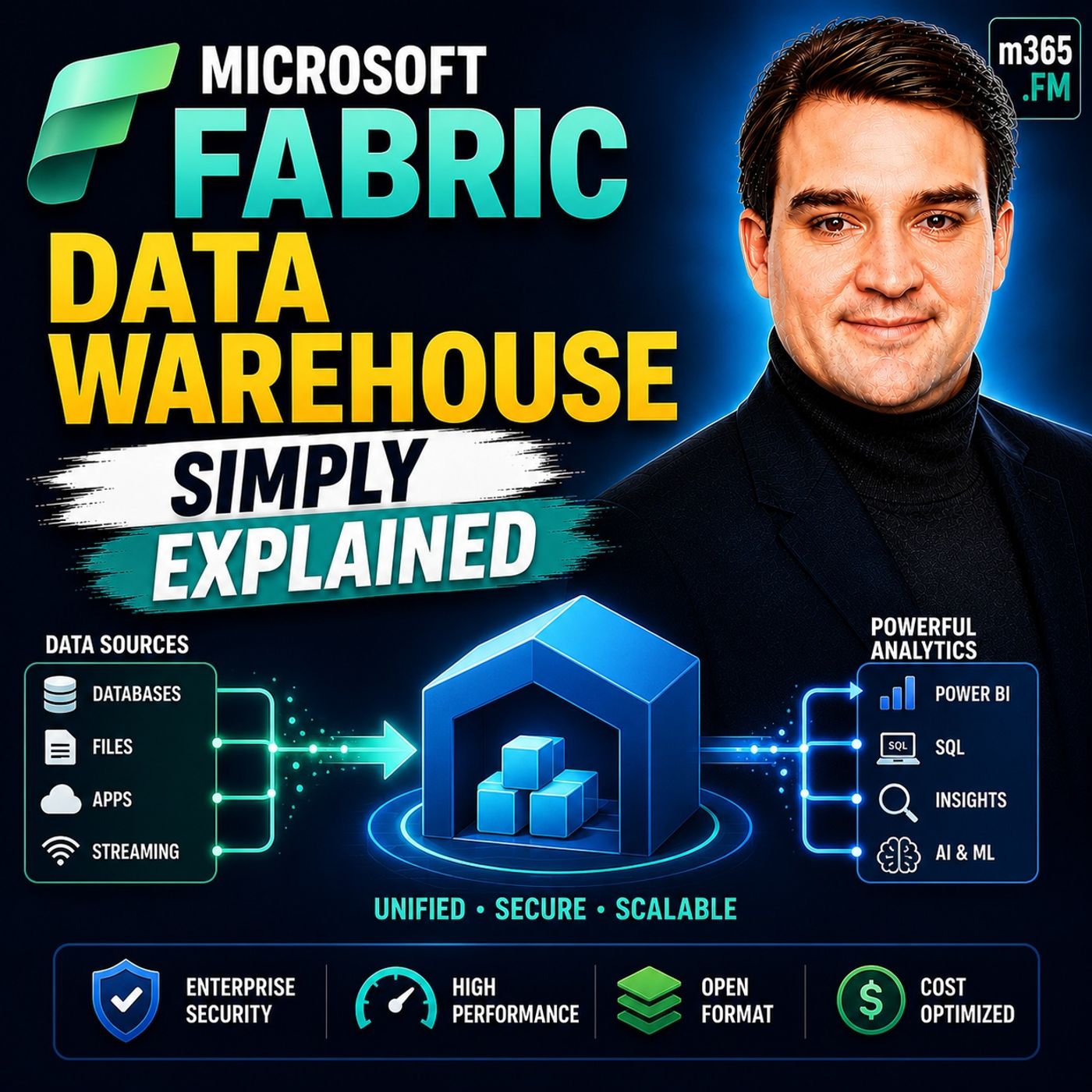
Mastering Microsoft Fabric Data Warehouse: A Beginner's Guide
Welcome to our comprehensive guide on mastering the Microsoft Fabric Data Warehouse. In today's hyper-connected, data-driven corporate environment, organizations are constantly seeking out streamlined, scalable, and cost-effective ways to manage their ever-expanding data footprints. With adoption rates soaring, businesses recognize that traditional data management approaches—often fragmented across multiple disparate tools—simply cannot keep up with modern demands. Enter Microsoft Fabric: a game-changing, unified software-as-a-service (SaaS) platform designed to bring data storage, processing, engineering, real-time analytics, and business intelligence together under one single roof.
In this post, we will walk through the core tenets of Microsoft Fabric, help you navigate your first steps into the platform, explore its powerful data warehousing capabilities, and provide actionable tips for beginners. Whether you are an administrator, architect, or business stakeholder looking to modernize your stack, this guide will provide the foundational knowledge you need to get started. For an introductory audio overview that complements this post, be sure to check out the accompanying podcast episode, Microsoft Fabric Data Warehouse - Simply Explained.
What is Microsoft Fabric?
Microsoft Fabric - Simply Explained
Microsoft Fabric is a comprehensive, end-to-end analytics platform designed to streamline data management and analytics. It serves as a unified solution that integrates various data processes into a single environment. This integration allows you to manage, analyze, and visualize data efficiently, making it significantly easier to derive actionable insights and make informed decisions across your enterprise.
In the realm of modern data management, Microsoft Fabric plays a pivotal role. It simplifies the complexities of handling massive datasets by providing a cohesive architecture. Unlike traditional data warehouses, which often require separate, disconnected tools for data storage, processing, and analysis, Microsoft Fabric combines these functions into one integrated platform. This approach radically enhances data accessibility and eliminates the overhead and errors associated with data duplication.
Here are some key components that differentiate Microsoft Fabric from traditional data warehouses:
| Core Component | Description |
|---|---|
| OneLake | The central storage layer for all company data, often described as OneDrive for data. |
| Data Factory | Facilitates the movement and transformation of data from external and internal sources. |
| Data Engineering | Enables rapid, large-scale processing of heavy workloads by technical teams. |
| Data Warehouse | Provides traditional, high-performance SQL capabilities within the modern platform architecture. |
| Real-Time Intelligence | Allows for immediate data analysis and query execution as events occur. |
| Power BI | A premier visual reporting tool that converts raw data into understandable, interactive charts. |
Microsoft Fabric operates entirely as a software-as-a-service (SaaS) model, managed seamlessly by Microsoft. This model eliminates the need for manual infrastructure maintenance, which traditionally places a heavy burden on internal IT staff. Furthermore, it employs a single copy strategy for data storage, radically reducing redundancy and improving overarching data governance.
The platform supports a wide variety of advanced use cases, including:
- Unified Data Integration: It bridges raw data engineering and business intelligence, managing the complete data lifecycle from ingestion to final reporting.
- Real-time Analytics: It provides immediate insights for high-frequency streaming data, which is crucial for dynamic industries like supply chain management and e-commerce.
- Machine Learning Support: Enterprises utilize Microsoft Fabric to integrate machine learning capabilities, smoothly transitioning from descriptive reporting to predictive insights.
- Enhanced Business Intelligence: The platform supercharges business intelligence through deep, native integration with tools like Power BI, allowing for timely, secure access to metrics.
- Elimination of Data Silos: By centralizing data from various disparate sources into a single logical environment, Microsoft Fabric dismantles persistent organizational data silos.
With tens of thousands of organizations using Microsoft Fabric globally, including a substantial majority of Fortune 500 companies, its adoption continues to accelerate at a remarkable pace. Users frequently report an impressive return on investment, showcasing the platform's incredible effectiveness in driving business value and reducing total cost of ownership.
Getting Started with Fabric
Creating Your Free Account
To begin your journey with Microsoft Fabric, you first need to create your account and spin up a trial capacity. Follow these simple steps to get started right away:
- Visit the official Microsoft Fabric website.
- Click on the "Sign Up" or "Start Free Trial" button.
- Fill in the required organizational information, including your work email address and secure password.
- Verify your email address through the confirmation link sent directly to your inbox.
- Log in to your new workspace portal.
Once you complete these steps, you gain immediate access to the full range of features offered by Microsoft Fabric. You can start exploring data analytics, pipelines, and real-time intelligence capabilities right out of the box.
Before you dive in, it is helpful to check the supported regions to ensure optimal performance and compliance with data residency requirements. Here is a quick overview of supported cloud regions:
| Region Type | Supported Regions |
|---|---|
| Asia Pacific | AustraliaEast, AustraliaSoutheast, CentralIndia, EastAsia, JapanEast, KoreaCentral, SoutheastAsia, SouthIndia |
| Europe | NorthEurope, WestEurope, FranceCentral, NorwayEast, SwitzerlandNorth, SwitzerlandWest, UKSouth, UKWest |
| Americas | BrazilSouth, CanadaCentral, CanadaEast, EastUS, EastUS2, NorthCentralUS, SouthCentralUS, WestUS, WestUS2, WestUS3 |
| Middle East and Africa | SouthAfricaNorth, UAENorth |
Exploring Training Modules
Microsoft offers an extensive variety of self-paced training modules to help you learn the platform effectively without any financial risk. These modules cover essential technical topics and provide hands-on, practical experience. Here are some of the primary training options available to beginners:
| Module Title | Description |
|---|---|
| Introduction to end-to-end analytics using Microsoft Fabric | Learn the foundational basics of modern analytics with Microsoft Fabric. |
| Get started with lakehouses in Microsoft Fabric | Understand lakehouse architecture and its real-world implementation. |
| Get started with data warehouses in Microsoft Fabric | Explore traditional data warehousing concepts adapted for the Fabric platform. |
| Get started with Real-Time Intelligence in Microsoft Fabric | Learn about high-speed, real-time data processing and stream analytics. |
| Get started with data science in Microsoft Fabric | An introductory look into data science and machine learning applications. |
| Get started with SQL Database in Microsoft Fabric | Master the basics of transactional SQL databases within the unified platform. |
| Design semantic models for scale in Microsoft Fabric | Learn how to architect and design highly scalable semantic models. |
| Understand Microsoft Fabric IQ fundamentals | Grasp the fundamental concepts of artificial intelligence integration. |
These training modules provide a rock-solid foundation for your understanding of Microsoft Fabric. They help you comfortably navigate the user interface and utilize advanced features effectively. As you progress through these tutorials, you will gain the confidence needed to manage complex enterprise data estates.
Features of Microsoft Fabric Data Warehouse

Key Features Overview
The Microsoft Fabric Data Warehouse offers several notable features that dramatically elevate your data analytics capabilities. These features empower technical and business teams alike to make informed decisions quickly and efficiently. Here are some of the standout architectural capabilities:
- Real-Time Analytics: This powerful feature enables you to query data seamlessly across lakehouses and relational warehouses from a single execution engine. You can respond swiftly to emerging customer needs and shifting market trends.
- Predictive Analytics: With this advanced capability, you can forecast future business trends and customer behaviors. This aids heavily in proactive decision-making, such as optimizing inventory levels in retail supply chains.
- AI Integration: Microsoft Fabric incorporates built-in artificial intelligence and machine learning tools natively. These intelligent tools enhance your data analytics capabilities and help you extract much deeper, previously hidden insights from your raw information.
These features collectively support advanced analytics workloads, allowing you to leverage your corporate data assets more effectively than ever before.
Integration and Scalability
Microsoft Fabric truly excels in enterprise integration and elastic scalability, making it a robust choice for organizations of all sizes. The platform integrates seamlessly with a vast array of Microsoft ecosystem tools and third-party services, vastly improving your overall data management experience. Here is how it connects with the broader technology landscape:
| Integration Option | Description |
|---|---|
| Microsoft 365 applications | Integrates deeply with collaboration tools like Microsoft Teams and Outlook, improving cross-functional decision-making processes. |
| Developer tools and APIs | Fully supports code-first development workflows with tools like Visual Studio Code and robust REST APIs for custom solutions. |
| Agentic AI solutions | Connects effortlessly with Microsoft Foundry, Copilot Studio, and Microsoft 365 Copilot for advanced generative AI capabilities. |
| OneLake interoperability | Provides a unified data estate with native support for open-source file formats like Delta Lake and Apache Iceberg. |
| SQL analytics endpoint | Connects smoothly with standard third-party tools like SQL Server Management Studio for familiar, enterprise-grade query execution. |
Scalability is another foundational strength of Microsoft Fabric. Built from the ground up on a modern, cloud-native architecture, it offers both horizontal and elastic scalability. This means you can grow your compute and storage resources dynamically as your data volumes and concurrent user demands increase. This flexibility is particularly beneficial for organizations processing massive volumes of streaming telemetry, IoT data, or complex web behavioral analytics.
Moreover, Microsoft Fabric ensures strict data security and compliance standards for enterprise users. It features granular row-level security to restrict access to individual database records based on user roles and department groupings. Column-level security limits user visibility to specific confidential fields within a database table. Dynamic data masking further prevents the unauthorized viewing of sensitive personally identifiable information (PII). Furthermore, Microsoft Purview integrates directly with Fabric’s native security controls, providing enterprise-scale data governance and complete lineage visibility across your entire corporate data estate.
With these powerful capabilities, the Microsoft Fabric Data Warehouse not only supercharges your data analytics potential but also guarantees that your sensitive information remains secure, compliant, and governable at all times.
Setting Up Your Data Warehouse
Step-by-Step Setup Guide
Setting up your first Microsoft Fabric Data Warehouse involves several key configuration steps. Follow this structured guide to ensure a smooth, error-free deployment process.
Configuring Your Environment
-
Phase 1 — Pilot (F2–F8): Start your journey with a free trial or a small paid capacity tier for your initial proof of concept (PoC). Restrict your setup to one workspace, a single data domain, and one specific use case. This phase focuses entirely on validating your architectural assumptions rather than maximizing high-throughput performance.
-
Phase 2 — Limited Production (F8–F32): After successfully validating your PoC, provision separate Development/Test (F4–F8) and Production (F8–F32) capacities. Assign specific workloads and closely monitor performance using the Fabric Capacity Metrics app. Right-size your resources based on actual historical utilization patterns before opening the platform up to a broader corporate rollout.
-
Phase 3 — Enterprise Scale (F64+): As you onboard additional data domains, business units, and user bases, scale your capacity based on measured utilization metrics. F64 is the crucial licensing inflection point that allows free Power BI viewing for consumers across your organization. At this stage, strongly consider reserved pricing options for a one-year commitment to secure roughly a 40% cost discount.
-
Automate Cost Controls: Configure Azure Logic Apps or automated scripts to pause Development and Test capacities during off-hours, such as nights and weekends. Set capacity utilization alerts at a 70% threshold to catch spikes early. Schedule heavy batch data pipelines during off-peak hours to fully leverage Fabric’s intelligent capacity smoothing algorithms.
Tip: Properly planning and configuring your environment at the very outset can save your organization countless hours of troubleshooting, refactoring, and unexpected expenses later down the line.
Importing Sample Data
Importing sample datasets is the best way to test, experiment, and validate your newly configured data warehouse environment. Here is how you can load sample data using data pipelines:
- Select the OneLake data hub tab within your workspace and choose an existing Warehouse instance.
- Configure and map your source data connections to the destination Warehouse table by specifying your target Table name, then click Next.
- Configure additional pipeline settings on the Settings page. For simple tutorials, you can select Next directly since advanced staging or copy commands may not be required for basic files.
- Carefully review your copy activity settings and select Save + Run to kick off the ingestion pipeline activity.
- Monitor the live running process and check the execution results on the Output tab located directly below the visual pipeline canvas.
- Schedule the pipeline to run automatically with a specific frequency (such as daily or hourly) as required by your business logic.
You can use publicly available sample datasets to practice your ingestion skills. Here are a couple of excellent options provided by Microsoft:
| Dataset Name | Description |
|---|---|
| World Wide Importers Dataset | A comprehensive sample enterprise dataset used for implementing end-to-end projects on Fabric, available for download here. |
| NYC Taxi - Green | A popular public sample dataset frequently used in official tutorials for loading high-volume transactional data into the Data Warehouse. |
Additionally, you can follow official step-by-step tutorials that guide you through building end-to-end data pipelines to move diverse sample datasets directly into your new Data Warehouse tables.
Note: Utilizing sample data allows you to comfortably familiarize yourself with the powerful features and querying interface of Microsoft Fabric in a completely risk-free sandbox environment.
Best Practices for Beginners
Tips for Effective Data Management
As you embark on your exciting journey with Microsoft Fabric, keep these proven, effective data management strategies in mind to maximize your success:
- Robust Security Features: Always utilize Microsoft Fabric's built-in, enterprise-grade security measures. Implementing row- and column-level security early protects sensitive corporate assets and ensures strict compliance with regional data protection laws.
- Real-Time Decision Making: Leverage the platform's advanced real-time capabilities to analyze incoming data streams continuously. This allows your business units to respond swiftly to sudden market changes and customer feedback loops.
- Hassle-Free Integration: Seamlessly integrate Microsoft Fabric with your existing Microsoft 365, Power Platform, and Dynamics 365 environments. This deep ecosystem integration streamlines day-to-day operations and substantially enhances organizational productivity.
By strictly following these operational strategies, you can optimize your data management pipelines and empower your team to make informed, data-driven decisions rapidly.
Common Mistakes to Avoid
While exploring and adopting Microsoft Fabric, beginners frequently run into a few common pitfalls. Here are the major mistakes you should actively watch out for:
- Building a Lakehouse and connecting Power BI in Import mode: This common mistake can accidentally bypass Direct Lake mode, which is absolutely crucial for lightning-fast report performance. Always verify your semantic model's underlying storage mode configuration after initial setup to guarantee optimal query performance.
- Neglecting to Monitor Costs: Failing to keep a close eye on your capacity usage and token consumption can lead to unexpected billing surprises at the end of the month. Always set up proactive budget alerts and automation scripts to manage your cloud expenses effectively.
- Ignoring Data Retention Policies: Not implementing automated data lifecycle and retention policies can result in bloated storage footprints and unnecessary cloud costs over time. Set up automated cleanup routines to keep your data warehouse lean, clean, and cost-effective.
By remaining keenly aware of these common mistakes, you can navigate your Microsoft Fabric implementation much more smoothly and avoid costly architectural setbacks.
Tip: Regularly review your data architecture and administrative practices. Consistent check-ins will help you identify areas for performance tuning and ensure you are making the absolute most of Microsoft Fabric's advanced capabilities.
In this post, you explored the ins and outs of the Microsoft Fabric Data Warehouse and discovered its profound significance in modern enterprise data management. You learned how to easily create your free trial account, explore hands-on self-paced training modules, configure your cloud environment, and set up your very first data warehouse successfully.
Now is the ideal time to take action! Start experimenting with Microsoft Fabric today to drastically enhance your organization's data analytics and business intelligence capabilities.
For ongoing support, advanced technical guidance, and community learning, consider utilizing these official resources:
Resource Type Links Community Microsoft Fabric Community Forum Learning Microsoft Learn Training Modules Support Official Product Support Portal By leveraging these helpful resources, you can continually deepen your technical understanding and maximize the long-term benefits of your Microsoft Fabric Data Warehouse deployment.
Remember, successful digital transformation requires careful planning, iterative testing, and a sharp focus on team readiness. Embrace the data journey ahead of you!
FAQ
What is Microsoft Fabric used for?
Microsoft Fabric serves as an all-in-one, end-to-end analytics platform. It helps you ingest, manage, analyze, and visualize corporate data efficiently, enabling highly informed decision-making across every tier of your organization.
How do I access Microsoft Fabric?
You can easily access Microsoft Fabric by registering for a free trial or account on the official Microsoft Fabric website. Simply follow the quick sign-up process using your organizational email to get started.
Can I integrate Microsoft Fabric with other software tools?
Yes, absolutely. Microsoft Fabric integrates seamlessly with a wide variety of native Microsoft services (like Power BI, Azure, and Microsoft 365) as well as third-party developer tools, enhancing your overall data architecture.
What types of data can I analyze in Fabric?
You can analyze both structured and unstructured data from a massive variety of external sources, including relational databases, cloud storage buckets, enterprise applications, and high-frequency real-time streaming feeds.
Is there a cost associated with Microsoft Fabric?
Microsoft Fabric offers flexible pricing models, including trial capacities and free tiers for foundational learning. However, dedicated enterprise workloads and higher compute capacities incur costs based on your provisioned capacity units and consumption metrics.
Are there structured training resources available for beginners?
Yes, Microsoft provides an extensive range of free, self-paced training modules on Microsoft Learn. These resources help beginners learn the platform, understand data warehousing concepts, and master features effectively.
How secure is my corporate data in Microsoft Fabric?
Microsoft Fabric employs exceptionally robust enterprise-grade security measures, including row-level security, column-level security, dynamic data masking, and integration with Microsoft Purview for comprehensive governance and compliance.
Can I use sample data to practice safely?
Yes! You can easily import publicly available sample datasets (such as World Wide Importers or NYC Taxi data) to practice building pipelines and querying tables without any risk to production systems.
🎧 You Should Also Listen To
- Microsoft Fabric – Simply Explained provides the next practical learning step and adds useful context for this topic.
- Power Platform – Simply Explained provides the next practical learning step and adds useful context for this topic.
- AI Agents – Simply Explained provides the next practical learning step and adds useful context for this topic.
Last reviewed: July 2026.

Microsoft MVP | Host of M365.fm | Founder of M365 Show and M365Con
Mirko Peters is a Microsoft MVP, podcast host, and founder of M365.fm, M365 Show, and M365Con. His work connects Microsoft practitioners through podcast interviews, livestreams, and community events.
At M365.fm, Mirko hosts conversations with Microsoft MVPs, product experts, architects, and community contributors. Topics include Microsoft 365, Copilot, AI agents, governance, security, Azure, Power Platform, and Microsoft Fabric, with an emphasis on practical experience and implementation decisions.
M365.fm is the podcast and learning platform. M365 Show brings experts together for livestreams, while M365Con provides an online conference setting for community learning.
Official website: Mirko Peters (https://www.mirkopeters.com/). Recognition: Mirko Peters — Microsoft MVP profile (https://mvp.microsoft.com/de-DE/mvp/profile/9b0ca797-db5a-493a-a845-8b9158046cf5). Connect on LinkedIn (https://www.linkedin.com/in/m365showpodcast/).