


 Apple Podcasts
 Spotify
 Youtube Music
 Spreaker
 Podchaser
 Amazon Music
 Microsoft Fabric Data Warehouse - Simply Explained
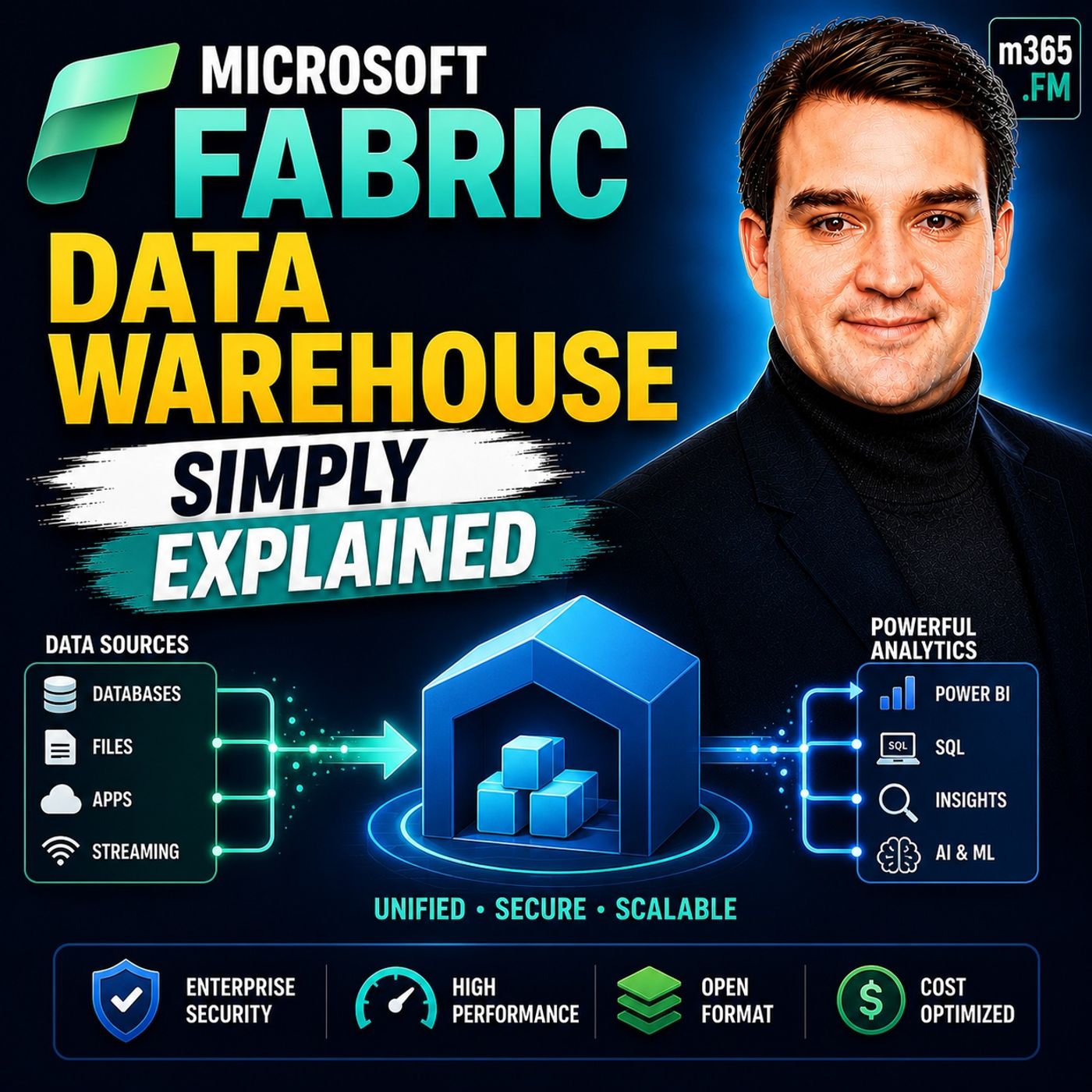
Quick Answer: Microsoft Fabric Data Warehouse is an important Microsoft topic for teams that need clearer technical decisions, safer implementation, and practical operational value. This episode explains what it does, where it fits in the Microsoft ecosystem, and the key considerations for administrators, architects, and business stakeholders.
In today’s data-driven world, effective data warehousing plays a crucial role in helping organizations make informed decisions. With a growing adoption rate of 46% for data warehousing solutions, businesses recognize the value of streamlined data management. Microsoft Fabric Data Warehouse - Simply Explained enhances this process by offering powerful tools for analytics and data governance.
Organizations report significant improvements after implementing Microsoft Fabric Data Warehouse - Simply Explained, such as a 70-80% reduction in time-to-insight and a 35-50% decrease in total cost of ownership. Explore Microsoft Fabric’s capabilities to transform your data management and analytics experience.
Key Takeaways
- Microsoft Fabric Data Warehouse simplifies data management by integrating storage, processing, and analysis into one platform.
- Organizations can achieve a 70-80% reduction in time-to-insight and a 35-50% decrease in total cost of ownership with Microsoft Fabric.
- Creating a free account on Microsoft Fabric is easy; just visit the website, sign up, and verify your email.
- Explore self-paced training modules to enhance your understanding of Microsoft Fabric and its features.
- Utilize real-time analytics to respond quickly to market changes and customer needs.
- Implement robust security features to protect your data and ensure compliance with regulations.
- Avoid common mistakes like neglecting cost monitoring and ignoring data retention policies to optimize your experience.
- Leverage Microsoft Fabric's integration with other Microsoft tools to streamline operations and boost productivity.
What is Microsoft Fabric?
Microsoft Fabric - Simply Explained
Microsoft Fabric is a comprehensive data platform designed to streamline data management and analytics. It serves as a unified solution that integrates various data processes into a single environment. This integration allows you to manage, analyze, and visualize data efficiently, making it easier to derive insights and make informed decisions.
In the realm of data management, Microsoft Fabric plays a pivotal role. It simplifies the complexities of handling large datasets by providing a cohesive architecture. Unlike traditional data warehouses, which often require separate tools for data storage, processing, and analysis, Microsoft Fabric combines these functions into one platform. This approach enhances data accessibility and reduces the need for data duplication.
Here are some key components that differentiate Microsoft Fabric from traditional data warehouses:
| Core Component | Description |
|---|---|
| OneLake | The central storage layer for all company data, akin to OneDrive. |
| Data Factory | Facilitates the movement and transformation of data from external sources. |
| Data Engineering | Enables rapid processing of large data volumes by tech teams. |
| Data Warehouse | Provides traditional SQL capabilities within the modern platform. |
| Real-Time Intelligence | Allows for immediate data analysis as events occur. |
| Power BI | A visual reporting tool that converts raw data into understandable charts. |
Microsoft Fabric operates as software-as-a-service, managed by Microsoft. This model eliminates the need for manual infrastructure maintenance, which is often a burden on IT staff. Additionally, it employs a single copy strategy for data storage, reducing redundancy and improving governance.
The platform supports various use cases, including:
- Unified Data Integration: It bridges raw data engineering and business intelligence, managing the entire data lifecycle.
- Real-time Analytics: It provides immediate insights for high-frequency streaming data, crucial for industries like supply chain management.
- Machine Learning Support: Enterprises utilize Microsoft Fabric to integrate machine learning capabilities, transitioning from descriptive to predictive insights.
- Enhanced Business Intelligence: The platform enhances business intelligence through deep integration with tools like Power BI, allowing for timely access to data.
- Elimination of Data Silos: By centralizing data from various sources into a single environment, Microsoft Fabric dismantles persistent data silos.
With over 25,000 organizations using Microsoft Fabric globally, including 67% of Fortune 500 companies, its adoption continues to grow. Users report an impressive ROI of 379% over three years, showcasing the platform's effectiveness in driving business value.
Getting Started with Fabric
Creating Your Free Account
To begin your journey with Microsoft Fabric, you first need to create a free account. Follow these simple steps to get started:
- Visit the Microsoft Fabric website.
- Click on the "Sign Up" button.
- Fill in the required information, including your email address and password.
- Verify your email address through the confirmation link sent to your inbox.
- Log in to your new account.
Once you complete these steps, you gain access to the full range of features offered by Microsoft Fabric. You can start exploring data analytics and real-time intelligence capabilities right away.
Before you create your account, check the supported regions to ensure availability. Here’s a quick overview:
| Region Type | Supported Regions |
|---|---|
| Asia Pacific | AustraliaEast, AustraliaSoutheast, CentralIndia, EastAsia, JapanEast, KoreaCentral, SoutheastAsia, SouthIndia |
| Europe | NorthEurope, WestEurope, FranceCentral, NorwayEast, SwitzerlandNorth, SwitzerlandWest, UKSouth, UKWest |
| Americas | BrazilSouth, CanadaCentral, CanadaEast, EastUS, EastUS2, NorthCentralUS, SouthCentralUS, WestUS, WestUS2, WestUS3 |
| Middle East and Africa | SouthAfricaNorth, UAENorth |
Exploring Training Modules
Microsoft Fabric offers a variety of self-paced training modules to help you learn the platform effectively. These modules cover essential topics and provide hands-on experience. Here are some of the available training options:
| Module Title | Description |
|---|---|
| Introduction to end-to-end analytics using Microsoft Fabric | Learn the basics of analytics with Microsoft Fabric. |
| Get started with lakehouses in Microsoft Fabric | Understand lakehouses and their implementation. |
| Get started with data warehouses in Microsoft Fabric | Explore data warehousing concepts in Microsoft Fabric. |
| Get started with Real-Time Intelligence in Microsoft Fabric | Learn about real-time data processing. |
| Get started with data science in Microsoft Fabric | Introduction to data science applications. |
| Get started with SQL Database in Microsoft Fabric | Basics of SQL databases within the platform. |
| Design semantic models for scale in Microsoft Fabric | Learn to design scalable semantic models. |
| Understand Microsoft Fabric IQ fundamentals | Grasp the fundamentals of Microsoft Fabric IQ. |
These training modules provide a solid foundation for your understanding of Microsoft Fabric. They help you navigate the platform and utilize its features effectively. As you progress, you will gain confidence in managing data and performing analytics.
Features of Microsoft Fabric Data Warehouse

Key Features Overview
Microsoft Fabric Data Warehouse offers several notable features that enhance your data analytics capabilities. These features empower you to make informed decisions quickly and efficiently. Here are some of the key features:
- Real-Time Analytics: This feature enables you to query data across lakehouse and warehouse from a single engine. You can respond swiftly to customer needs and market trends.
- Predictive Analytics: With this capability, you can forecast trends and behaviors. This aids in proactive decision-making, such as optimizing inventory levels in retail.
- AI Integration: Microsoft Fabric incorporates built-in AI and machine learning tools. These tools enhance your analytics capabilities and help you derive deeper insights from your data.
These features collectively support advanced analytics, allowing you to leverage your data effectively.
Integration and Scalability
Microsoft Fabric excels in integration and scalability, making it a robust choice for organizations of all sizes. The platform integrates seamlessly with various Microsoft and third-party services, enhancing your overall data management experience. Here’s how it integrates:
| Integration Option | Description |
|---|---|
| Microsoft 365 applications | Integrates with tools like Teams and Outlook, enhancing collaboration and decision-making processes. |
| Developer tools and APIs | Supports code-first development with tools like Visual Studio Code and REST APIs for custom solutions. |
| Agentic AI solutions | Integrates with Microsoft Foundry, Copilot Studio, and Microsoft 365 Copilot for AI capabilities. |
| OneLake interoperability | Provides a unified data estate with support for Delta Lake and Iceberg formats for data management. |
| SQL analytics endpoint | Connects with third-party tools like SQL Server Management Studio for familiar query execution. |
Scalability is another strong point of Microsoft Fabric. Built on a cloud-native architecture, it offers horizontal and elastic scalability. This means you can grow your compute and storage resources seamlessly as your data volumes and user demands increase. This flexibility is particularly beneficial for organizations processing large volumes of data, such as telemetry, IoT, or behavioral data.
Moreover, Microsoft Fabric ensures data security and compliance for enterprise users. It features row-level security to restrict access to individual records based on user roles. Column-level security limits access to specific fields within a database table. Dynamic data masking prevents unauthorized viewing of sensitive data. Microsoft Purview integrates with Fabric’s native security controls, providing enterprise-scale governance and visibility across your data estate.
With these features, Microsoft Fabric Data Warehouse not only enhances your data analytics capabilities but also ensures that your data remains secure and compliant.
Setting Up Your Data Warehouse
Step-by-Step Setup Guide
Setting up your Microsoft Fabric Data Warehouse involves several key steps. Follow this guide to ensure a smooth setup process.
Configuring Your Environment
-
Phase 1 — Pilot (F2–F8): Start with a trial or small paid capacity for your proof of concept (PoC). Use one workspace, one data domain, and one use case. This phase focuses on validating your architecture assumptions rather than maximizing throughput.
-
Phase 2 — Limited Production (F8–F32): After validating the PoC, provision separate Dev/Test (F4–F8) and Production (F8–F32) capacities. Assign workloads and monitor the Capacity Metrics app. Right-size based on actual utilization before the broader rollout.
-
Phase 3 — Enterprise Scale (F64+): As you onboard additional data domains and user bases, scale capacity based on measured utilization. F64 is the licensing inflection point for free Power BI viewers. Consider reserved pricing for a one-year commitment at this stage for a ~40% discount.
-
Automate Cost Controls: Configure Azure Logic Apps to pause Dev/Test capacity during off-hours. Set capacity utilization alerts at a 70% threshold. Schedule heavy batch workloads during off-peak hours to leverage Fabric’s smoothing algorithm.
Tip: Properly configuring your environment at the outset can save you time and resources later.
Importing Sample Data
Importing sample data helps you test and validate your setup. Here’s how to do it:
- Select the OneLake tab and choose an existing Warehouse.
- Configure and map your source data to the destination Warehouse table by entering Table, then select Next.
- Configure other settings on the Settings page. In this tutorial, select Next directly since you don't need to use staging and copy command.
- Review your copy activity settings and select Save + Run to start the activity.
- Monitor the running process and check the results on the Output tab below the pipeline canvas.
- Schedule the pipeline to run with a specific frequency as required.
You can use sample datasets to practice. Here are a couple of options:
| Dataset Name | Description |
|---|---|
| World Wide Importers Dataset | A dataset used for implementing a project on Fabric, available for download here. |
| NYC Taxi - Green | A sample dataset used in a tutorial for loading data into the Data Warehouse. |
Additionally, you can follow a tutorial that guides you through building a pipeline to move sample datasets to the Data Warehouse.
Note: Using sample data allows you to familiarize yourself with the features of Microsoft Fabric in a risk-free environment.
Best Practices for Beginners
Tips for Effective Data Management
As you embark on your journey with Microsoft Fabric, consider these effective data management strategies:
- Robust Security Features: Always utilize Microsoft Fabric's built-in security measures. These features protect your data and ensure compliance with data protection laws.
- Real-Time Decision Making: Leverage the platform's capabilities to analyze data in real time. This allows you to respond swiftly to market changes and customer needs.
- Hassle-Free Integration: Seamlessly integrate Microsoft Fabric with existing Microsoft tools like Power Platform and Dynamics 365. This integration streamlines your operations and enhances productivity.
By following these strategies, you can optimize your data management processes and make informed decisions quickly.
Common Mistakes to Avoid
While using Microsoft Fabric, beginners often make several common mistakes. Here are some pitfalls to watch out for:
- Building a Lakehouse and connecting Power BI in Import mode: This mistake can lead to bypassing Direct Lake, which is crucial for performance. Always verify your Semantic Model's storage mode after setup to ensure optimal performance.
- Neglecting to Monitor Costs: Failing to keep an eye on your usage can lead to unexpected bills. Set budget alerts to avoid surprises and manage your expenses effectively.
- Ignoring Data Retention Policies: Not implementing data retention policies can result in unnecessary storage costs. Automate these policies to keep your data management efficient and cost-effective.
By being aware of these common mistakes, you can navigate Microsoft Fabric more effectively and avoid unnecessary setbacks.
Tip: Regularly review your data management practices. This will help you identify areas for improvement and ensure that you are making the most of Microsoft Fabric's capabilities.
In this blog, you learned about Microsoft Fabric Data Warehouse and its significance in modern data management. You discovered how to create your account, explore training modules, and set up your data warehouse effectively.
Now is the time to take action! Start using Microsoft Fabric to enhance your data analytics capabilities.
For ongoing support and learning, consider these resources:
| Resource Type | Links |
|---|---|
| Community | Microsoft Fabric Community |
| Learning | Learn Modules |
| Support | Product support |
By leveraging these resources, you can deepen your understanding and maximize the benefits of Microsoft Fabric Data Warehouse.
Remember, successful implementation requires careful planning and a focus on organizational readiness. Embrace the journey ahead!
FAQ
What is Microsoft Fabric used for?
Microsoft Fabric serves as an end-to-end analytics platform. It helps you manage, analyze, and visualize data efficiently, enabling informed decision-making across your organization.
How do I access Microsoft Fabric?
You can access Microsoft Fabric by creating a free account on the official Microsoft Fabric website. Follow the sign-up process to get started.
Can I integrate Microsoft Fabric with other tools?
Yes, Microsoft Fabric integrates seamlessly with various Microsoft and third-party tools. This integration enhances your data management and analytics capabilities.
What types of data can I analyze?
You can analyze structured and unstructured data from various sources, including databases, cloud storage, and real-time streaming data.
Is there a cost associated with Microsoft Fabric?
Microsoft Fabric offers a free tier for basic usage. However, advanced features and higher capacities may incur costs based on your usage and requirements.
Are there training resources available?
Yes, Microsoft Fabric provides a range of self-paced training modules. These resources help you learn the platform and its features effectively.
How secure is my data in Microsoft Fabric?
Microsoft Fabric employs robust security measures, including row-level and column-level security. These features help protect your data and ensure compliance with regulations.
Can I use sample data for practice?
Absolutely! You can import sample datasets to practice and familiarize yourself with Microsoft Fabric's features without any risk.
🎧 You Should Also Listen To
- Microsoft Fabric – Simply Explained provides the next practical learning step and adds useful context for this topic.
- Power Platform – Simply Explained provides the next practical learning step and adds useful context for this topic.
- AI Agents – Simply Explained provides the next practical learning step and adds useful context for this topic.
Last reviewed: July 2026.
🚀 Want to be part of m365.fm?
Then stop just listening… and start showing up.
👉 Connect with me on LinkedIn and let’s make something happen:
- 🎙️ Be a podcast guest and share your story
- 🎧 Host your own episode (yes, seriously)
- 💡 Pitch topics the community actually wants to hear
- 🌍 Build your personal brand in the Microsoft 365 space
This isn’t just a podcast — it’s a platform for people who take action.
🔥 Most people wait. The best ones don’t.
👉 Connect with me on LinkedIn and send me a message:
"I want in"
Let’s build something awesome 👊
1
00:00:00,000 --> 00:00:02,360
Welcome to another episode of Microsoft Knowledge Nuggets.
2
00:00:02,360 --> 00:00:04,200
I'm your host, Mirko Peters.
3
00:00:04,200 --> 00:00:06,400
Today's topic is one that almost everyone has heard of,
4
00:00:06,400 --> 00:00:08,960
but few understand Microsoft Fabrics Data Store.
5
00:00:08,960 --> 00:00:10,760
You've probably seen the marketing,
6
00:00:10,760 --> 00:00:14,280
one platform, unified analytics, end-to-end solution.
7
00:00:14,280 --> 00:00:16,640
But when someone inside Fabrics says data warehouse,
8
00:00:16,640 --> 00:00:18,040
what does that actually mean?
9
00:00:18,040 --> 00:00:20,120
Most people think it's just another SQL database.
10
00:00:20,120 --> 00:00:22,960
You create a table, run a select query, get results back,
11
00:00:22,960 --> 00:00:24,320
and on the surface, that's true.
12
00:00:24,320 --> 00:00:26,200
But underneath, it works very differently.
13
00:00:26,200 --> 00:00:28,040
That difference matters, especially if you're just getting
14
00:00:28,040 --> 00:00:30,080
started by the end of this episode,
15
00:00:30,080 --> 00:00:32,520
you'll understand what a fabric warehouse really is,
16
00:00:32,520 --> 00:00:34,760
how it's different from a traditional database,
17
00:00:34,760 --> 00:00:36,600
and why those differences matter
18
00:00:36,600 --> 00:00:38,720
for someone who just wants to work with data.
19
00:00:38,720 --> 00:00:42,240
No marketing fluff, no deep technical jargon, just plain English.
20
00:00:42,240 --> 00:00:43,720
So let's start with the basics.
21
00:00:43,720 --> 00:00:46,040
What is a data warehouse in the first place?
22
00:00:46,040 --> 00:00:47,320
What is a data warehouse?
23
00:00:47,320 --> 00:00:48,240
The old way.
24
00:00:48,240 --> 00:00:50,160
A data warehouse is a central place to store
25
00:00:50,160 --> 00:00:52,320
cleaned, structured data for reporting.
26
00:00:52,320 --> 00:00:53,600
Think of it like a library.
27
00:00:53,600 --> 00:00:55,840
Raw data comes in from different places,
28
00:00:55,840 --> 00:00:57,800
sale systems, customer databases,
29
00:00:57,800 --> 00:01:01,880
inventory logs, and it gets cataloged, sorted and organized.
30
00:01:01,880 --> 00:01:04,240
Then it sits on the shelves waiting for someone to check it out.
31
00:01:04,240 --> 00:01:06,840
That checkout is you running a report or a query.
32
00:01:06,840 --> 00:01:09,520
Traditional data warehouses have a few main characteristics.
33
00:01:09,520 --> 00:01:12,720
They store data, instructed tables with rows and columns.
34
00:01:12,720 --> 00:01:14,120
You talk to them using SQL.
35
00:01:14,120 --> 00:01:16,160
They're designed for analytics, not transactions.
36
00:01:16,160 --> 00:01:17,040
That's a big difference.
37
00:01:17,040 --> 00:01:18,880
A transaction system like a bank's database
38
00:01:18,880 --> 00:01:20,880
handles lots of small, fast operations.
39
00:01:20,880 --> 00:01:23,120
A data warehouse handles big, complex queries
40
00:01:23,120 --> 00:01:25,800
that scan millions of rows to answer questions like,
41
00:01:25,800 --> 00:01:27,760
what were our total sales last quarter?
42
00:01:27,760 --> 00:01:30,000
20 years ago, if you wanted a data warehouse,
43
00:01:30,000 --> 00:01:33,120
you'd buy a server, install SQL server or Oracle.
44
00:01:33,120 --> 00:01:34,120
And that was your warehouse.
45
00:01:34,120 --> 00:01:36,040
You owned the hardware, managed the backups,
46
00:01:36,040 --> 00:01:38,000
worried about disk space, and your data
47
00:01:38,000 --> 00:01:39,840
was locked in proprietary formats.
48
00:01:39,840 --> 00:01:41,920
Moving it anywhere else meant exporting,
49
00:01:41,920 --> 00:01:43,840
transforming, and duplicating.
50
00:01:43,840 --> 00:01:45,720
The old model worked, but it had a big problem.
51
00:01:45,720 --> 00:01:47,240
Data warehouses were isolated.
52
00:01:47,240 --> 00:01:49,880
You had to move data into them, store it in whatever format
53
00:01:49,880 --> 00:01:52,800
the vendor required, and pay for separate compute and storage
54
00:01:52,800 --> 00:01:54,480
that lived in the same box.
55
00:01:54,480 --> 00:01:57,080
If you needed more power, you bought a bigger server,
56
00:01:57,080 --> 00:01:58,880
more space meant more disks.
57
00:01:58,880 --> 00:02:01,360
And if you wanted to use that same data in a different tool,
58
00:02:01,360 --> 00:02:03,560
like a machine learning model or a real-time dashboard,
59
00:02:03,560 --> 00:02:05,360
you had to copy it somewhere else.
60
00:02:05,360 --> 00:02:06,920
That's how data silos were born.
61
00:02:06,920 --> 00:02:08,600
Compare that to what we expect today.
62
00:02:08,600 --> 00:02:11,320
Cloud, scalability, no manual maintenance.
63
00:02:11,320 --> 00:02:13,160
The idea is that you can spin up a warehouse
64
00:02:13,160 --> 00:02:15,920
without provisioning hardware, without managing backups,
65
00:02:15,920 --> 00:02:17,360
without worrying about storage limits.
66
00:02:17,360 --> 00:02:18,240
That's the shift.
67
00:02:18,240 --> 00:02:19,960
And that's where fabric comes in.
68
00:02:19,960 --> 00:02:22,160
How fabric warehouse works under the hood.
69
00:02:22,160 --> 00:02:24,680
Fabric warehouse looks familiar on the surface.
70
00:02:24,680 --> 00:02:26,680
You open it, see schemers and tables,
71
00:02:26,680 --> 00:02:28,960
write SQL queries, but under the hood,
72
00:02:28,960 --> 00:02:31,840
it stores data in Delta Park K format on one lake.
73
00:02:31,840 --> 00:02:33,960
Exactly the same way a lake house does.
74
00:02:33,960 --> 00:02:35,240
Here's what that means in practice.
75
00:02:35,240 --> 00:02:37,120
Imagine a library where every book is stored
76
00:02:37,120 --> 00:02:40,800
in a universal format that any librarian or any tool can read.
77
00:02:40,800 --> 00:02:43,320
No special shelving or proprietary card catalog.
78
00:02:43,320 --> 00:02:46,320
A Python script can open the same file that Power BI reads,
79
00:02:46,320 --> 00:02:48,480
and a Spark notebook can process the same data
80
00:02:48,480 --> 00:02:49,800
that a T-School query scans.
81
00:02:49,800 --> 00:02:51,120
There's no translation layer.
82
00:02:51,120 --> 00:02:53,360
The format is open and accessible to everything.
83
00:02:53,360 --> 00:02:54,720
One lake is the foundation here.
84
00:02:54,720 --> 00:02:57,000
Think of it as the one drive for your data.
85
00:02:57,000 --> 00:02:59,560
You have one copy of your data, stored in one place,
86
00:02:59,560 --> 00:03:01,800
and every fabric experience can access it.
87
00:03:01,800 --> 00:03:03,800
The warehouse reads from the same Delta tables
88
00:03:03,800 --> 00:03:07,080
as your notebooks, data pipelines, and Power BI reports.
89
00:03:07,080 --> 00:03:08,680
There's no data movement between silos,
90
00:03:08,680 --> 00:03:09,760
and that's the big shift.
91
00:03:09,760 --> 00:03:12,480
Traditional databases couple compute and storage together.
92
00:03:12,480 --> 00:03:14,560
When you run a query, you're using the same hardware
93
00:03:14,560 --> 00:03:15,720
that stores the data.
94
00:03:15,720 --> 00:03:18,240
But in fabric warehouse, those two things are separate.
95
00:03:18,240 --> 00:03:20,000
You pay for compute when you query,
96
00:03:20,000 --> 00:03:22,480
and storage is shared across all fabric experiences.
97
00:03:22,480 --> 00:03:24,880
That means you don't need to provision a giant warehouse
98
00:03:24,880 --> 00:03:26,400
just to hold your data.
99
00:03:26,400 --> 00:03:29,200
You only provision compute for the queries you actually run.
100
00:03:29,200 --> 00:03:30,880
And because everything lives in one lake,
101
00:03:30,880 --> 00:03:32,840
you don't need to worry about which version of the data
102
00:03:32,840 --> 00:03:33,600
is the right one.
103
00:03:33,600 --> 00:03:35,280
There's one copy, your warehouse,
104
00:03:35,280 --> 00:03:38,040
lake house, and Power BI reports all read from it.
105
00:03:38,040 --> 00:03:40,080
If someone updates a table in the warehouse,
106
00:03:40,080 --> 00:03:41,760
that change is visible everywhere.
107
00:03:41,760 --> 00:03:43,240
There's no manual synchronization,
108
00:03:43,240 --> 00:03:45,960
so you never wonder if the report is looking at stale data.
109
00:03:45,960 --> 00:03:48,280
This is the fundamental difference between fabric warehouse
110
00:03:48,280 --> 00:03:49,640
and a traditional database.
111
00:03:49,640 --> 00:03:51,840
Traditional databases are islands,
112
00:03:51,840 --> 00:03:54,760
but fabric warehouse is a room in a connected building.
113
00:03:54,760 --> 00:03:56,000
The walls are still there.
114
00:03:56,000 --> 00:03:58,080
You still have schemas, tables, and sickle,
115
00:03:58,080 --> 00:04:00,040
but the data flows freely between rooms.
116
00:04:00,040 --> 00:04:03,840
The result is less duplication, less cost, and less confusion.
117
00:04:03,840 --> 00:04:06,960
The building blocks of a fabric warehouse,
118
00:04:06,960 --> 00:04:09,200
so what actually lives inside a fabric warehouse?
119
00:04:09,200 --> 00:04:11,320
If you've worked with any relational database before,
120
00:04:11,320 --> 00:04:12,760
the objects will look familiar.
121
00:04:12,760 --> 00:04:15,760
You have schemas, tables, views, stored procedures, and functions.
122
00:04:15,760 --> 00:04:17,200
The names and concepts are the same,
123
00:04:17,200 --> 00:04:18,880
but there's a twist under the hood.
124
00:04:18,880 --> 00:04:20,280
Let's start with schemas.
125
00:04:20,280 --> 00:04:22,400
Schemas are like folders that organize your data.
126
00:04:22,400 --> 00:04:24,240
You might have a sales schema that holds
127
00:04:24,240 --> 00:04:27,320
all your sales-related tables and an HR schema
128
00:04:27,320 --> 00:04:28,440
for employee data.
129
00:04:28,440 --> 00:04:30,160
It's a simple way to keep things tidy,
130
00:04:30,160 --> 00:04:32,120
especially as your warehouse grows.
131
00:04:32,120 --> 00:04:35,520
Without schemas, everything ends up in one big flat list,
132
00:04:35,520 --> 00:04:37,520
and that gets messy fast.
133
00:04:37,520 --> 00:04:40,880
Tables are where the actual data lives, rows and columns,
134
00:04:40,880 --> 00:04:44,440
with customer IDs, product names, sales amounts, dates,
135
00:04:44,440 --> 00:04:46,480
that part is exactly what you'd expect.
136
00:04:46,480 --> 00:04:47,320
But here's the twist.
137
00:04:47,320 --> 00:04:49,440
These aren't regular sickle-server tables.
138
00:04:49,440 --> 00:04:51,520
Under the hood, every table in fabric warehouse
139
00:04:51,520 --> 00:04:52,560
is a delta table.
140
00:04:52,560 --> 00:04:55,360
That means the data is stored as parquet files in one lake,
141
00:04:55,360 --> 00:04:57,440
with a transaction log that tracks every change.
142
00:04:57,440 --> 00:04:59,440
We'll come back to why that matters in a minute.
143
00:04:59,440 --> 00:05:01,920
Views are saved queries that act like virtual tables.
144
00:05:01,920 --> 00:05:04,320
Say you have a complex join that you run all the time,
145
00:05:04,320 --> 00:05:06,600
joining customer data with orders and products.
146
00:05:06,600 --> 00:05:09,320
Instead of writing that join from scratch every time,
147
00:05:09,320 --> 00:05:12,000
you save it as a view, and then you can query the view
148
00:05:12,000 --> 00:05:13,080
just like a table.
149
00:05:13,080 --> 00:05:14,720
Views are also useful for security.
150
00:05:14,720 --> 00:05:16,280
You can give someone access to a view
151
00:05:16,280 --> 00:05:18,120
that only shows certain columns,
152
00:05:18,120 --> 00:05:20,160
without letting them see the underlying table.
153
00:05:20,160 --> 00:05:22,720
Stored procedures are reusable blocks of SQL logic,
154
00:05:22,720 --> 00:05:25,040
where you can pass parameters, automate tasks,
155
00:05:25,040 --> 00:05:27,840
run updates, and handle more complex workflows.
156
00:05:27,840 --> 00:05:30,560
If you've used stored procedures in SQL server,
157
00:05:30,560 --> 00:05:31,920
the syntax is the same.
158
00:05:31,920 --> 00:05:34,000
You write your logic once, and then you can call it
159
00:05:34,000 --> 00:05:35,000
whenever you need it.
160
00:05:35,000 --> 00:05:36,360
And here's the important part.
161
00:05:36,360 --> 00:05:37,880
If you've used SQL server before,
162
00:05:37,880 --> 00:05:39,840
the interface, syntax and object navigation
163
00:05:39,840 --> 00:05:41,280
will all feel very familiar.
164
00:05:41,280 --> 00:05:43,880
But under the hood, every table is backed by delta files
165
00:05:43,880 --> 00:05:44,720
in one lake.
166
00:05:44,720 --> 00:05:48,000
That means your data isn't locked into a proprietary format.
167
00:05:48,000 --> 00:05:49,920
It's open, portable, and accessible
168
00:05:49,920 --> 00:05:51,880
to other tools without any extra work.
169
00:05:51,880 --> 00:05:53,120
One more thing worth mentioning.
170
00:05:53,120 --> 00:05:55,000
Fabric has a visual query editor.
171
00:05:55,000 --> 00:05:57,080
If you're not comfortable writing SQL from scratch,
172
00:05:57,080 --> 00:06:00,360
you can drag and drop tables onto a canvas, join them visually,
173
00:06:00,360 --> 00:06:02,480
and the tool generates the school for you.
174
00:06:02,480 --> 00:06:04,360
It's a nice entry point for beginners
175
00:06:04,360 --> 00:06:07,480
who want to explore data without memorizing syntax.
176
00:06:07,480 --> 00:06:09,040
Getting data into the warehouse.
177
00:06:09,040 --> 00:06:10,080
So you've got a warehouse.
178
00:06:10,080 --> 00:06:13,320
Now the big question, how do you actually get data into it?
179
00:06:13,320 --> 00:06:15,360
Let's look at the options, and most of them are easier
180
00:06:15,360 --> 00:06:16,400
than you might think.
181
00:06:16,400 --> 00:06:18,240
The first option is data pipelines.
182
00:06:18,240 --> 00:06:20,720
Think of a pipeline like a guided wizard.
183
00:06:20,720 --> 00:06:21,800
You pick a source.
184
00:06:21,800 --> 00:06:25,160
As you are SQL database, a CSV file in Blob storage,
185
00:06:25,160 --> 00:06:28,360
another fabric warehouse, or even a simple Excel file,
186
00:06:28,360 --> 00:06:31,600
then map the columns to your destination table and run it.
187
00:06:31,600 --> 00:06:32,680
That's all there is to it.
188
00:06:32,680 --> 00:06:34,560
It's a simple point and click process.
189
00:06:34,560 --> 00:06:37,800
And for beginners, this is the easiest way to get started.
190
00:06:37,800 --> 00:06:41,520
Next up is data flows Gen2, which is more visual and low-code.
191
00:06:41,520 --> 00:06:44,240
You build transformations using a graphical interface,
192
00:06:44,240 --> 00:06:46,800
and the output lands directly in your warehouse tables.
193
00:06:46,800 --> 00:06:49,680
If you're coming from Power Query in Excel or Power BI,
194
00:06:49,680 --> 00:06:51,000
this will feel familiar.
195
00:06:51,000 --> 00:06:53,960
For people who prefer writing SQL, there's the copy into command.
196
00:06:53,960 --> 00:06:56,520
It's a single T-secle statement that loads data directly
197
00:06:56,520 --> 00:07:00,000
from external storage, like Azure Blob storage or ADLS,
198
00:07:00,000 --> 00:07:01,200
into a warehouse table.
199
00:07:01,200 --> 00:07:03,280
You specify the file path, the format,
200
00:07:03,280 --> 00:07:05,760
and any options for handling headers or delimiters.
201
00:07:05,760 --> 00:07:09,000
It's clean, fast, and works with CSV and parquet files.
202
00:07:09,000 --> 00:07:12,040
And if you're a developer, you can use notebooks with Spark
203
00:07:12,040 --> 00:07:14,360
to transform and load data at scale.
204
00:07:14,360 --> 00:07:16,760
Notebooks give you the most flexibility,
205
00:07:16,760 --> 00:07:18,920
but they also have the steepest learning curve.
206
00:07:18,920 --> 00:07:20,360
Here's something important to understand
207
00:07:20,360 --> 00:07:22,440
about the warehouse versus the lake house.
208
00:07:22,440 --> 00:07:25,360
The lake house has a SQL endpoint that lets you query data,
209
00:07:25,360 --> 00:07:26,480
but it's read only.
210
00:07:26,480 --> 00:07:29,920
You can select from it, but you can't insert, update, or delete.
211
00:07:29,920 --> 00:07:31,280
The warehouse is different.
212
00:07:31,280 --> 00:07:34,600
It supports full DML, insert, update, delete, merge.
213
00:07:34,600 --> 00:07:35,760
That's a big difference.
214
00:07:35,760 --> 00:07:38,000
With a lake house, you can query data via SQL,
215
00:07:38,000 --> 00:07:39,280
but you can't modify it.
216
00:07:39,280 --> 00:07:41,520
With warehouse, you have full read write control.
217
00:07:41,520 --> 00:07:43,640
So if you need to clean data, fix errors,
218
00:07:43,640 --> 00:07:45,760
or run incremental updates, the warehouse
219
00:07:45,760 --> 00:07:47,360
is the right place to do it.
220
00:07:47,360 --> 00:07:50,040
Quarring your data, familiar SQL, new tricks.
221
00:07:50,040 --> 00:07:51,600
Once your data is in the warehouse,
222
00:07:51,600 --> 00:07:53,640
querying it works exactly how you'd expect.
223
00:07:53,640 --> 00:07:55,320
Fabric warehouse supports T-School,
224
00:07:55,320 --> 00:07:58,680
so if you know SQL Server, you already know how to query this.
225
00:07:58,680 --> 00:08:00,880
Select, join, group by, where.
226
00:08:00,880 --> 00:08:02,960
It all works the same way.
227
00:08:02,960 --> 00:08:05,680
You can connect using any tool you're comfortable with,
228
00:08:05,680 --> 00:08:07,480
SQL Server Management Studio,
229
00:08:07,480 --> 00:08:09,680
Azure Data Studio, or the query editor
230
00:08:09,680 --> 00:08:11,440
inside the fabric portal itself.
231
00:08:11,440 --> 00:08:12,280
They all work.
232
00:08:12,280 --> 00:08:14,800
Just grab the SQL endpoint from the warehouse settings,
233
00:08:14,800 --> 00:08:18,280
plug it into your tool, authenticate with your Microsoft account,
234
00:08:18,280 --> 00:08:19,360
and you're in.
235
00:08:19,360 --> 00:08:22,560
It feels like connecting to any remote SQL Server database.
236
00:08:22,560 --> 00:08:24,040
But here's where things get interesting.
237
00:08:24,040 --> 00:08:26,880
Because the data is stored in Delta Format under the hood,
238
00:08:26,880 --> 00:08:29,480
you get capabilities that a traditional SQL database
239
00:08:29,480 --> 00:08:30,200
doesn't have.
240
00:08:30,200 --> 00:08:32,400
One of the most powerful is cross database queries.
241
00:08:32,400 --> 00:08:34,000
You can write a single T-School query
242
00:08:34,000 --> 00:08:35,800
that joins data from your warehouse
243
00:08:35,800 --> 00:08:38,040
with data from a lake houses SQL endpoint
244
00:08:38,040 --> 00:08:41,360
using three-part naming, database, schema, table,
245
00:08:41,360 --> 00:08:43,760
and fabric resolves it across both stores.
246
00:08:43,760 --> 00:08:46,280
For example, you can join a table from your lake house
247
00:08:46,280 --> 00:08:48,800
with a table from your warehouse without moving any data.
248
00:08:48,800 --> 00:08:50,200
That's the power of one lake.
249
00:08:50,200 --> 00:08:52,360
Both stores read from the same underlying files,
250
00:08:52,360 --> 00:08:53,480
so the query just works.
251
00:08:53,480 --> 00:08:54,640
This is a big deal.
252
00:08:54,640 --> 00:08:57,560
In a traditional setup, if your data lives in two different systems,
253
00:08:57,560 --> 00:09:00,200
you have to copy one into the other before you can join them.
254
00:09:00,200 --> 00:09:02,600
Taking time, storage, and maintenance.
255
00:09:02,600 --> 00:09:05,080
In fabric, the data is already sitting in one lake,
256
00:09:05,080 --> 00:09:06,400
so the warehouse and the lake house
257
00:09:06,400 --> 00:09:08,560
are just different views into the same files.
258
00:09:08,560 --> 00:09:10,480
Cross database queries aren't a workaround.
259
00:09:10,480 --> 00:09:11,800
They're a natural feature.
260
00:09:11,800 --> 00:09:14,920
One thing to note, the SQL endpoint is at the workspace level.
261
00:09:14,920 --> 00:09:18,120
So when you connect, you see all the databases in that workspace.
262
00:09:18,120 --> 00:09:20,480
If you have a lake house and a warehouse in the same workspace,
263
00:09:20,480 --> 00:09:23,480
they both show up, and you can query across them freely.
264
00:09:23,480 --> 00:09:25,360
That's the kind of integration that makes fabric
265
00:09:25,360 --> 00:09:27,560
feel like a single platform rather than
266
00:09:27,560 --> 00:09:30,280
a collection of separate tools.
267
00:09:30,280 --> 00:09:33,960
Time travel and table cloning features you didn't know you needed.
268
00:09:33,960 --> 00:09:35,600
Today, I want to cover two features
269
00:09:35,600 --> 00:09:37,880
that are impossible in a traditional database.
270
00:09:37,880 --> 00:09:39,840
Time travel and table cloning.
271
00:09:39,840 --> 00:09:42,680
Both exist because your data is stored in Delta format,
272
00:09:42,680 --> 00:09:44,680
which keeps the transaction log of every change.
273
00:09:44,680 --> 00:09:46,840
Time travel is exactly what it sounds like.
274
00:09:46,840 --> 00:09:49,960
You can query a table as it existed at a previous point in time.
275
00:09:49,960 --> 00:09:52,520
It's like having a go-back button for your data.
276
00:09:52,520 --> 00:09:54,200
Say you accidentally deleted some rows.
277
00:09:54,200 --> 00:09:57,720
You can query the table as it was an hour ago before that delete happened.
278
00:09:57,720 --> 00:09:59,040
The syntax is straightforward.
279
00:09:59,040 --> 00:10:01,520
You write your select statement, then add for timestamp
280
00:10:01,520 --> 00:10:04,240
as of followed by the date and time in UTC format.
281
00:10:04,240 --> 00:10:07,080
Something like this, select from your table for timestamp
282
00:10:07,080 --> 00:10:13,360
as of 2026, 0115TE14, 012, which OZ.
283
00:10:13,360 --> 00:10:16,240
And just like that, you're looking at the data from that exact moment.
284
00:10:16,240 --> 00:10:17,400
This is great for recovery.
285
00:10:17,400 --> 00:10:20,400
In a traditional database, if someone accidentally truncates a table,
286
00:10:20,400 --> 00:10:21,720
you're restoring from backup.
287
00:10:21,720 --> 00:10:23,400
That takes time and means downtime.
288
00:10:23,400 --> 00:10:25,480
With time travel, you just adjust your query.
289
00:10:25,480 --> 00:10:28,360
See the data as it was, copy it back and keep moving.
290
00:10:28,360 --> 00:10:29,880
No backup restore needed.
291
00:10:29,880 --> 00:10:33,520
There is a limit, though, by default, the history is retained for 30 days.
292
00:10:33,520 --> 00:10:36,360
After that, the warehouse automatically cleans up older versions,
293
00:10:36,360 --> 00:10:38,120
so you can't travel back six months.
294
00:10:38,120 --> 00:10:41,880
But for most scenarios, accidental deletes, bad transformations,
295
00:10:41,880 --> 00:10:43,880
or what did this look like last week?
296
00:10:43,880 --> 00:10:45,120
30 days is plenty.
297
00:10:45,120 --> 00:10:47,960
Table cloning is the second feature, and it's just as powerful.
298
00:10:47,960 --> 00:10:50,320
You can create an instant copy of a table using a simple,
299
00:10:50,320 --> 00:10:52,400
create table as clone of statement.
300
00:10:52,400 --> 00:10:53,200
And here's the keys.
301
00:10:53,200 --> 00:10:54,480
It's a zero-copy clone.
302
00:10:54,480 --> 00:10:56,840
That means it doesn't duplicate the underlying data.
303
00:10:56,840 --> 00:10:58,800
It just points to the same files in one leg.
304
00:10:58,800 --> 00:11:00,840
So the clone is nearly instantaneous to create
305
00:11:00,840 --> 00:11:02,560
and costs almost nothing in storage
306
00:11:02,560 --> 00:11:04,240
because no new data is being written.
307
00:11:04,240 --> 00:11:06,000
Here's when you'd use this, say you're
308
00:11:06,000 --> 00:11:08,880
about to run a big transformation on your sales table,
309
00:11:08,880 --> 00:11:11,560
updating thousands of rows, restructuring columns,
310
00:11:11,560 --> 00:11:13,320
maybe deleting old records.
311
00:11:13,320 --> 00:11:15,000
Before you start, you create a clone.
312
00:11:15,000 --> 00:11:17,520
If something goes wrong, you have your original data intact,
313
00:11:17,520 --> 00:11:19,280
no restore process, no waiting.
314
00:11:19,280 --> 00:11:21,880
You just drop the bad table and point back to the clone.
315
00:11:21,880 --> 00:11:23,800
You can also use clones for testing,
316
00:11:23,800 --> 00:11:25,880
create a clone of your production table,
317
00:11:25,880 --> 00:11:29,040
run your experiments on it, and when you're done, delete it.
318
00:11:29,040 --> 00:11:31,440
The original table never changes, or use it
319
00:11:31,440 --> 00:11:33,600
to create a development copy for a new team member
320
00:11:33,600 --> 00:11:35,880
to explore without risking production data.
321
00:11:35,880 --> 00:11:38,600
Both of these features, time travel and table cloning
322
00:11:38,600 --> 00:11:40,240
are built into fabric warehouse
323
00:11:40,240 --> 00:11:42,200
because of the delta format underneath.
324
00:11:42,200 --> 00:11:43,800
A traditional SQL server database
325
00:11:43,800 --> 00:11:45,200
doesn't have a transaction log that
326
00:11:45,200 --> 00:11:47,840
supports this kind of point in time querying.
327
00:11:47,840 --> 00:11:49,400
You'd need a separate backup strategy,
328
00:11:49,400 --> 00:11:51,760
separate restore procedures, separate everything.
329
00:11:51,760 --> 00:11:53,880
Fabric warehouse gives you these capabilities
330
00:11:53,880 --> 00:11:55,680
out of the box.
331
00:11:55,680 --> 00:11:59,160
Performance, the GPU acceleration and direct leg advantage.
332
00:11:59,160 --> 00:12:00,800
So it's flexible and recoverable.
333
00:12:00,800 --> 00:12:01,840
But how fast is it?
334
00:12:01,840 --> 00:12:06,040
In 2026, Microsoft added GPU acceleration to the warehouse
335
00:12:06,040 --> 00:12:07,560
and it's currently in preview.
336
00:12:07,560 --> 00:12:10,320
You enable it with a single toggle in the workspace settings,
337
00:12:10,320 --> 00:12:12,720
no code changes, no query rewrites.
338
00:12:12,720 --> 00:12:14,120
You flip the switch and the warehouse
339
00:12:14,120 --> 00:12:16,840
starts using Nvidia GPUs to run your queries.
340
00:12:16,840 --> 00:12:19,120
Microsoft published benchmarks using the TPCH
341
00:12:19,120 --> 00:12:21,200
standard at 100 gigabytes of data.
342
00:12:21,200 --> 00:12:23,840
At 1,000 users running queries simultaneously,
343
00:12:23,840 --> 00:12:26,920
the GPU accelerated warehouse finished in about eight seconds.
344
00:12:26,920 --> 00:12:30,520
While the same warehouse running on CPU alone took 43 seconds,
345
00:12:30,520 --> 00:12:32,280
that's roughly six times more throughput
346
00:12:32,280 --> 00:12:33,760
on the same capacity.
347
00:12:33,760 --> 00:12:35,280
Here's the thing for beginners.
348
00:12:35,280 --> 00:12:38,040
You don't need to learn any tuning tricks to get this benefit.
349
00:12:38,040 --> 00:12:40,560
No indexing strategies, no query plan optimization,
350
00:12:40,560 --> 00:12:43,400
no materialized views, the hardware does the heavy lifting.
351
00:12:43,400 --> 00:12:45,800
You enable the feature and your queries just run faster,
352
00:12:45,800 --> 00:12:46,920
especially under load.
353
00:12:46,920 --> 00:12:49,360
If you're building dashboards that dozens or hundreds
354
00:12:49,360 --> 00:12:51,440
of people will use, that's a big deal.
355
00:12:51,440 --> 00:12:52,920
There's another performance advantage
356
00:12:52,920 --> 00:12:55,560
that's less obvious but just as important, direct,
357
00:12:55,560 --> 00:12:57,040
lake mode for Power BI.
358
00:12:57,040 --> 00:12:58,800
In a traditional setup, Power BI connects
359
00:12:58,800 --> 00:13:00,440
to a warehouse in one of two ways.
360
00:13:00,440 --> 00:13:03,320
It either imports the data into its own in-memory engine,
361
00:13:03,320 --> 00:13:06,800
which requires a scheduled refresh or it uses direct query,
362
00:13:06,800 --> 00:13:09,240
which sends every chart interaction back to the warehouse
363
00:13:09,240 --> 00:13:11,000
as a live query.
364
00:13:11,000 --> 00:13:13,280
Import means stale data between refreshes
365
00:13:13,280 --> 00:13:16,080
and direct query means every click costs compute.
366
00:13:16,080 --> 00:13:17,800
Direct lake solves both problems.
367
00:13:17,800 --> 00:13:20,640
Power BI reads directly from the delta files in one lake.
368
00:13:20,640 --> 00:13:23,640
No import, no live query hitting the warehouse.
369
00:13:23,640 --> 00:13:26,160
The data is already in memory on the fabric capacity
370
00:13:26,160 --> 00:13:27,840
and Power BI just reads it.
371
00:13:27,840 --> 00:13:29,840
The result is near instant report performance
372
00:13:29,840 --> 00:13:31,640
with no refresh schedule to maintain
373
00:13:31,640 --> 00:13:33,480
and no per query compute charges.
374
00:13:33,480 --> 00:13:35,720
Your Power BI reports can query billions of rows
375
00:13:35,720 --> 00:13:38,840
and get results in seconds, no data movement, no latency.
376
00:13:38,840 --> 00:13:40,760
For someone building reports in an organization,
377
00:13:40,760 --> 00:13:42,200
this is a huge shift.
378
00:13:42,200 --> 00:13:43,760
You don't have to choose between fresh data
379
00:13:43,760 --> 00:13:45,600
and fast performance, you get both.
380
00:13:45,600 --> 00:13:47,600
And you don't need a separate data engineering team
381
00:13:47,600 --> 00:13:49,000
to maintain the infrastructure.
382
00:13:49,000 --> 00:13:49,920
It just works.
383
00:13:49,920 --> 00:13:53,240
When to use fabric warehouse versus lake house versus event house.
384
00:13:53,240 --> 00:13:55,280
So you've got three options, lake house, warehouse,
385
00:13:55,280 --> 00:13:56,040
event house.
386
00:13:56,040 --> 00:13:57,560
How do you actually choose?
387
00:13:57,560 --> 00:13:59,240
Here's the simplest way to think about it.
388
00:13:59,240 --> 00:14:02,840
Ask yourself one question, what kind of data system am I building?
389
00:14:02,840 --> 00:14:05,960
Not which tool sounds coolest, not what your friend recommended.
390
00:14:05,960 --> 00:14:07,600
What does your data actually need?
391
00:14:07,600 --> 00:14:10,240
Warehouse is for structured, model data
392
00:14:10,240 --> 00:14:12,400
that needs to give consistent answers.
393
00:14:12,400 --> 00:14:13,920
Think of it as your silver or gold layer
394
00:14:13,920 --> 00:14:15,480
in the medallion architecture.
395
00:14:15,480 --> 00:14:17,880
The data has been cleaned, transformed, and shaped.
396
00:14:17,880 --> 00:14:20,120
You know the schema, you know the relationships.
397
00:14:20,120 --> 00:14:22,840
When someone asks, what were our Q3 sales?
398
00:14:22,840 --> 00:14:25,280
The warehouse gives you a reliable, repeatable answer
399
00:14:25,280 --> 00:14:26,480
every single time.
400
00:14:26,480 --> 00:14:27,720
Lake house is the opposite end.
401
00:14:27,720 --> 00:14:30,400
It's for flexible raw data that's still taking shape.
402
00:14:30,400 --> 00:14:31,600
This is your bronze layer.
403
00:14:31,600 --> 00:14:35,400
You might have CSV files, JSON logs, images, or nested data
404
00:14:35,400 --> 00:14:36,960
that you haven't fully figured out yet.
405
00:14:36,960 --> 00:14:38,480
The lake house doesn't care about format.
406
00:14:38,480 --> 00:14:40,120
It accepts anything and lets you explore.
407
00:14:40,120 --> 00:14:43,320
It's the place to experiment before you commit to a structure.
408
00:14:43,320 --> 00:14:45,240
Event house is a different beast entirely.
409
00:14:45,240 --> 00:14:47,760
It's built for time-based append-only data.
410
00:14:47,760 --> 00:14:51,120
Think server logs, IoT sensor readings, real-time streams.
411
00:14:51,120 --> 00:14:54,160
Data flows in continuously, you query it over time windows,
412
00:14:54,160 --> 00:14:56,160
and you rarely go back and update old records.
413
00:14:56,160 --> 00:14:59,480
It's optimized for high ingestion and fast time range queries.
414
00:14:59,480 --> 00:15:01,200
Here's the practical guidance for beginners.
415
00:15:01,200 --> 00:15:02,880
Start with a lake house for exploration.
416
00:15:02,880 --> 00:15:05,920
Land your raw data, play with it, figure out what you have,
417
00:15:05,920 --> 00:15:07,560
then move the cleaned, structured version
418
00:15:07,560 --> 00:15:09,200
into a warehouse for reporting.
419
00:15:09,200 --> 00:15:11,160
They work together seamlessly because both read
420
00:15:11,160 --> 00:15:12,480
from the same one lake files.
421
00:15:12,480 --> 00:15:13,920
You're not duplicating data.
422
00:15:13,920 --> 00:15:16,200
You're just layering different views on top of it.
423
00:15:16,200 --> 00:15:18,160
The common pitfall is over-complicating this.
424
00:15:18,160 --> 00:15:19,800
People try to build everything in a warehouse
425
00:15:19,800 --> 00:15:21,280
because it feels more familiar.
426
00:15:21,280 --> 00:15:23,880
Or they try to force raw JSON into relational tables.
427
00:15:23,880 --> 00:15:24,600
Don't.
428
00:15:24,600 --> 00:15:27,160
Use warehouse when you need full transaction support,
429
00:15:27,160 --> 00:15:30,760
insert, update, delete, and a strict relational schema.
430
00:15:30,760 --> 00:15:33,360
Use lake house when you want to experiment and iterate.
431
00:15:33,360 --> 00:15:36,080
Use even house when your data is a firehouse of timestamps.
432
00:15:36,080 --> 00:15:37,120
Don't start with the tool.
433
00:15:37,120 --> 00:15:39,000
Start with the question you're trying to answer,
434
00:15:39,000 --> 00:15:40,840
then pick the store that fits.
435
00:15:40,840 --> 00:15:42,600
Your first step into fabric warehouse.
436
00:15:42,600 --> 00:15:43,760
So let's pull this together.
437
00:15:43,760 --> 00:15:46,040
Fabric warehouse looks and feels like a traditional database.
438
00:15:46,040 --> 00:15:48,520
You write SQL, you create tables, you run queries,
439
00:15:48,520 --> 00:15:51,240
but underneath it's built on modern Delta Parque storage
440
00:15:51,240 --> 00:15:52,280
in one lake.
441
00:15:52,280 --> 00:15:54,000
That one change unlocks everything.
442
00:15:54,000 --> 00:15:58,120
No data silos, built in time travel, zero copy cloning,
443
00:15:58,120 --> 00:16:00,840
GPU acceleration, and direct lake for Power BI.
444
00:16:00,840 --> 00:16:01,840
It's not just a warehouse.
445
00:16:01,840 --> 00:16:04,480
It's your relational data layer inside a unified analytics
446
00:16:04,480 --> 00:16:05,160
platform.
447
00:16:05,160 --> 00:16:06,040
Here's your homework.
448
00:16:06,040 --> 00:16:08,000
Create your first fabric warehouse today.
449
00:16:08,000 --> 00:16:09,880
Even if you just load a small CSV file
450
00:16:09,880 --> 00:16:11,880
and run a select query, feel how it works,
451
00:16:11,880 --> 00:16:13,400
see how the interface responds.
452
00:16:13,400 --> 00:16:16,520
And then try the time travel feature, modify some data,
453
00:16:16,520 --> 00:16:18,040
then query it as it was before.
454
00:16:18,040 --> 00:16:20,560
That's something you can't do in a regular SQL database.
455
00:16:20,560 --> 00:16:22,280
It'll click immediately why this matters.
456
00:16:22,280 --> 00:16:24,920
If you found this useful, subscribe to Microsoft Knowledge
457
00:16:24,920 --> 00:16:27,280
Nuggets on M365 FM.
458
00:16:27,280 --> 00:16:28,520
Share this episode with someone who's
459
00:16:28,520 --> 00:16:29,800
starting their fabric journey.
460
00:16:29,800 --> 00:16:31,920
And if you have questions, drop them in the comments.
461
00:16:31,920 --> 00:16:32,880
I read everyone.
462
00:16:32,880 --> 00:16:33,640
Thanks for listening.
463
00:16:33,640 --> 00:16:36,280
See you in the next episode.

Founder of m365.fm, m365.show and m365con.net
Mirko Peters is a Microsoft 365 expert, content creator, and founder of m365.fm, a platform dedicated to sharing practical insights on modern workplace technologies. His work focuses on Microsoft 365 governance, security, collaboration, and real-world implementation strategies.
Through his podcast and written content, Mirko provides hands-on guidance for IT professionals, architects, and business leaders navigating the complexities of Microsoft 365. He is known for translating complex topics into clear, actionable advice, often highlighting common mistakes and overlooked risks in real-world environments.
With a strong emphasis on community contribution and knowledge sharing, Mirko is actively building a platform that connects experts, shares experiences, and helps organizations get the most out of their Microsoft 365 investments.




