Mastering Sensitivity Labels: A Guide to Data Classification in Microsoft Purview
Welcome to our deep dive into the world of data governance, security, and classification. If you have ever wondered how modern organizations keep their crown jewels locked down while allowing employees to collaborate freely, you are in the right place. In this comprehensive guide, we are expanding on the concepts covered in our podcast to explore how sensitivity labels serve as the true backbone of Microsoft Purview. By carrying critical metadata that triggers automatic encryption and robust access restrictions, these labels ensure your data remains secure no matter where it travels.
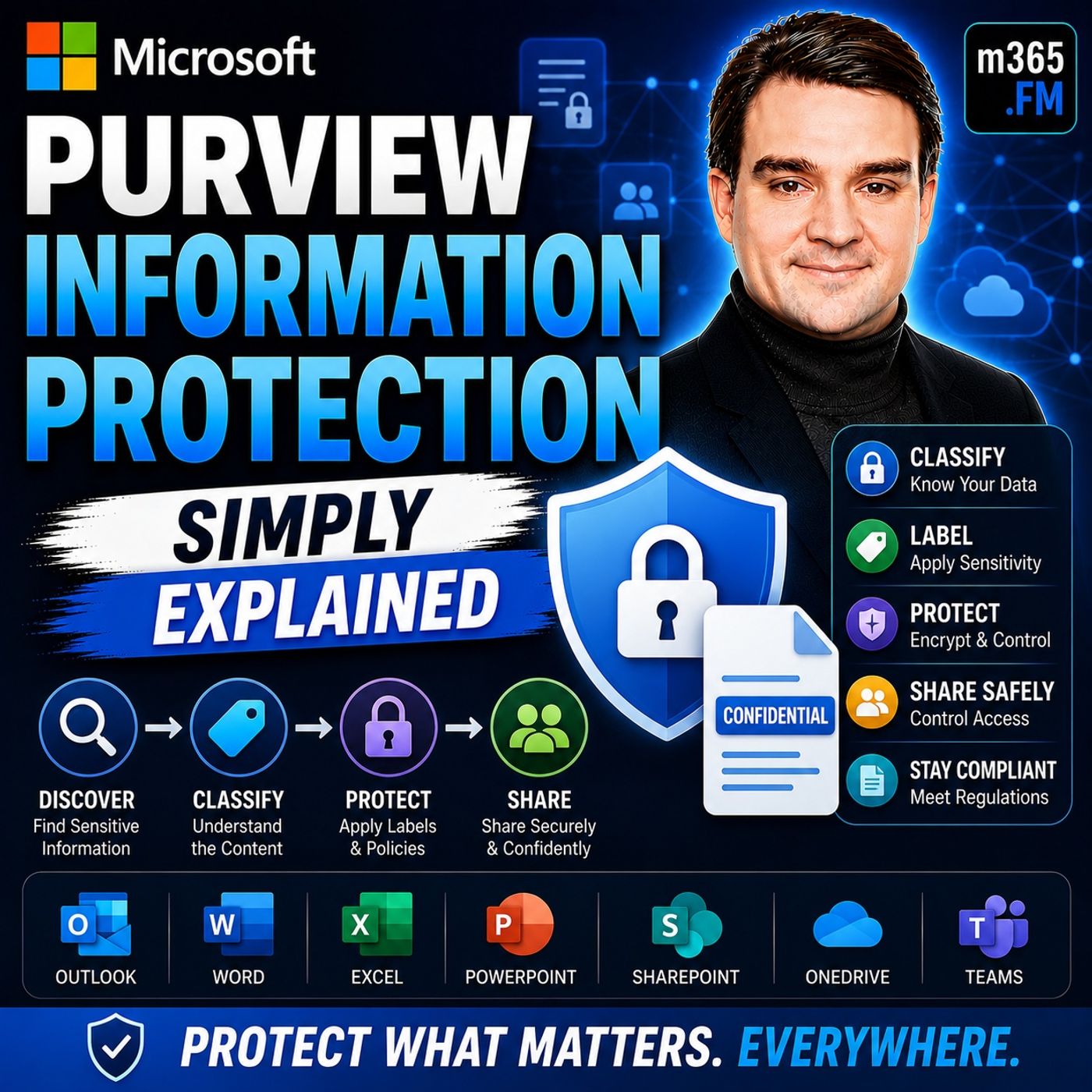
To get a foundational grasp of how these systems operate, make sure you listen to our companion episode, Microsoft Purview Information Protection - Simply Explained. That episode breaks down the core mechanics of how organizations discover, classify, label, and protect sensitive data across the entire Microsoft 365 ecosystem. Now, let us expand on those principles and walk through the architectural layers, implementation strategies, and real-world applications that will help you master data classification.
Key Takeaways
- Microsoft Purview Information Protection helps organizations secure sensitive data against breaches and regulatory challenges.
- The solution offers a unified framework for data governance, making it easier to manage sensitive information across various platforms.
- Sensitivity labels categorize data into classifications, enabling automatic protections like encryption and access restrictions.
- Built-in classifiers automatically detect sensitive content, reducing manual effort in data management.
- Real-time monitoring and compliance dashboards provide insights into data protection status, helping organizations stay compliant.
- Regular audits and user training are essential for maintaining effective data protection strategies with Microsoft Purview.
- Implementing Microsoft Purview requires careful planning, including assessing data needs and configuring appropriate policies.
- By leveraging Microsoft Purview, organizations can enhance security, ensure compliance, and protect sensitive information effectively.
What Is Microsoft Purview?
Microsoft Purview Information Protection is a key component of the broader Microsoft Purview portfolio. It focuses on the discovery, classification, and protection of sensitive information. In a world where data breaches are common, this solution plays a crucial role in safeguarding your organization’s data.
Overview of the Solution
As organizations increasingly rely on digital data, the need for effective data governance has never been more critical. Microsoft Purview addresses this need by offering a unified framework for managing sensitive information across various environments. Here are the primary components included in the Microsoft Purview Information Protection solution:
- Data Catalog and Map: A unified data catalog to discover, classify, and manage data across environments.
- Information Protection: Tools for safeguarding sensitive data through classification, labeling, and policy enforcement.
- Data Lifecycle Management: Policies for retaining or deleting content based on compliance and operational needs.
The importance of Microsoft Purview in today’s digital landscape cannot be overstated. Organizations now utilize a mix of cloud services, including Microsoft Azure, AWS, and GCP. This complexity makes data governance challenging. You need consistent security controls across these platforms to ensure compliance. Microsoft Purview provides a solution to manage compliance across disparate platforms effectively.
Core Functionality
The core functionality of Microsoft Purview revolves around its sensitivity labels. These labels categorize data into classifications such as Public, Internal, Confidential, and Highly Confidential. They serve as more than just visual indicators; they carry metadata that triggers automatic protections like encryption and access restrictions. This means you can maintain control over your sensitive information, regardless of where it travels.
| Feature | Microsoft Purview Information Protection | Traditional Solutions |
|---|---|---|
| Sensitivity Labels | Yes | No |
| Encryption | Yes | Limited |
| Integrated Data Governance | Yes | No |
| Risk Mitigation for Oversharing | Yes | Limited |
With Microsoft Purview, you can enforce encryption based on sensitivity labels. This ensures that only authorized users can access sensitive data. Additionally, protection extends to data stored outside Microsoft 365, enhancing security across platforms.
Features of Microsoft Purview
Microsoft Purview Information Protection offers a range of features that enhance data protection for organizations. These features focus on data classification, labeling, and automatic protection measures. By leveraging these capabilities, you can ensure that sensitive information remains secure across various platforms.
Data Classification and Labeling
Data classification and labeling are fundamental components of Microsoft Purview. These features help you identify and manage sensitive information effectively. Here are some key aspects of data classification and labeling:
-
Built-in Classifiers: Microsoft Purview includes built-in classifiers that detect sensitive content. These classifiers can identify personal identifiers, financial information, and health records. This automation reduces the manual effort required for data management.
-
Sensitivity Labels: You can apply sensitivity labels based on classifications. These labels travel with the data, ensuring consistent protection across different environments. Whether you share documents via email or store them in the cloud, the labels maintain their integrity.
-
Access Restrictions: Sensitivity labels can enforce access restrictions. They can encrypt content or add visual markings, such as watermarks, to indicate the sensitivity level. This feature helps prevent unauthorized access to critical information.
-
Policy Enforcement: Microsoft Purview allows you to create policies that block sharing or trigger alerts when sensitive data is at risk of exposure. This proactive approach helps you manage data security effectively.
| Feature | Description |
|---|---|
| Built-in classifiers | Detect sensitive content such as personal identifiers, financial information, or health records. |
| Sensitivity labels | Applied based on classifications, these labels remain with the data across various platforms. |
| Access restrictions | Labels can restrict access, encrypt content, or add visual markings like watermarks. |
| Policy enforcement | Policies can block sharing or trigger alerts when sensitive data is at risk of exposure. |
| Integration capabilities | Works with data loss prevention and insider risk management to prevent data leaks and support compliance. |
These features create a unified solution for data protection across various environments. You can rely on intelligent classification and labeling capabilities to enhance your data governance strategy.
Automatic Protection Measures
Automatic protection measures are another critical aspect of Microsoft Purview. These measures help you safeguard sensitive data without manual intervention. Here’s how Microsoft Purview automates protection:
-
AI and Machine Learning: Microsoft Purview utilizes AI and machine learning to automate classification, labeling, and data loss prevention (DLP). This technology enhances data protection by ensuring that sensitive information is identified and secured promptly.
-
Intelligent Classification: The solution uses over 350 built-in sensitive information types and customizable classifiers. This capability allows you to identify and tag sensitive data across various platforms effectively.
-
Deep Content Inspection: Microsoft Purview validates patterns and detects sensitive content. This process reduces false positives and improves policy accuracy, ensuring that your data protection measures are reliable.
-
Adaptive Protection: The system adjusts enforcement based on user behavior and risk signals. This feature provides real-time insights for security teams, allowing them to respond quickly to potential threats.
-
Real-time DLP Enforcement: Microsoft Purview actively enforces protection strategies to prevent data loss. This enforcement occurs even with existing encryption or access controls, ensuring comprehensive security.
By integrating these automatic protection measures, Microsoft Purview enhances your organization’s ability to manage sensitive information effectively. You can focus on your core business activities while knowing that your data is secure.
Benefits of Microsoft Purview
Microsoft Purview Information Protection offers numerous advantages for organizations seeking to enhance their data security and compliance efforts. By implementing this solution, you can significantly improve your organization's ability to protect sensitive information and meet regulatory requirements.
Enhanced Security
One of the primary benefits of Microsoft Purview is its ability to enhance data security. This solution protects sensitive data from unauthorized access and breaches. Here are some key aspects of how it achieves this:
-
Automatic Data Classification: Microsoft Purview automatically scans and classifies data. It identifies sensitive personally identifiable information (PII) and tags it according to compliance requirements. This proactive approach ensures that you can manage your data effectively.
-
Real-time Monitoring: The compliance dashboard provides real-time insights into your organization's compliance status. You can track adherence to guidelines, ensuring that your data protection measures remain effective.
-
Audit and Reporting: Microsoft Purview generates detailed reports and logs. These documents track sensitive data movement, which is essential for audits. You can demonstrate compliance with ease, reducing the risk of penalties for non-compliance.
| Benefit | Description |
|---|---|
| Enhanced Data Security | Protects sensitive data from unauthorized access and breaches, ensuring critical information remains secure. |
| Compliance with Data Protection Standards | Aids in complying with various regulations, reducing the risk of penalties for non-compliance. |
| Improved Data Governance | Provides tools for better management of data governance processes, ensuring appropriate handling of sensitive information. |
| Streamlined Implementation | Offers practical strategies that simplify the process of securing sensitive data for easier adoption. |
Compliance Support
Microsoft Purview also plays a crucial role in supporting compliance and governance. Organizations today face strict regulations, such as GDPR and HIPAA. Microsoft Purview helps you navigate these challenges effectively. Here’s how:
-
Data Classification: The solution automatically scans and classifies data, identifying sensitive PII and tagging it according to GDPR requirements. This ensures that you meet compliance standards without manual effort.
-
Compliance Dashboard: You gain access to a compliance dashboard that provides real-time insights into your compliance status. This feature allows you to track adherence to GDPR guidelines and other regulations.
-
Audit and Reporting: Microsoft Purview generates detailed reports and logs for tracking sensitive data movement. These reports are essential for audits and demonstrating compliance, giving you peace of mind.
By leveraging Microsoft Purview, you can enhance your organization's security posture while ensuring compliance with critical regulations. This dual benefit empowers you to manage sensitive information effectively and confidently.
Implementing Microsoft Purview
Implementing Microsoft Purview requires careful planning and execution. You need to assess your organization's specific needs before deployment. This process ensures that you effectively protect sensitive information.
Assessing Needs
Start by identifying the types of sensitive information you want to protect. Collaborate with stakeholders to describe these categories clearly. Here are the steps to follow:
- Describe the categories of sensitive information you want to protect. Collaborate with stakeholders to identify valuable information types.
- Discover and classify sensitive data using various methods, including default DLP policies and automated pattern recognition.
- View your sensitive items using content explorer and activity explorer for deeper analysis.
This assessment helps you understand the data landscape within your organization. It allows you to tailor your protection strategies effectively.
Configuring Policies
Once you assess your needs, you can configure policies to protect your data. Here are some best practices for maximum effectiveness:
- Tenant Configuration: Ensure Microsoft Entra ID (Azure AD) is set up with secure and segmented role assignments.
- Service Enablement: Activate all necessary Microsoft 365 services, such as SharePoint Online, Exchange Online, and Teams, for comprehensive Purview coverage.
- Network and Security Baselines: Verify that required endpoints are accessible and that baseline security policies do not obstruct Purview connectors or monitoring traffic.
- Prep Your Environment: Confirm all prerequisites—licensing, permissions, and service readiness—are in place.
- Access Purview Portal: Log into the Microsoft Purview governance or compliance portal with the necessary admin credentials.
- Connect Microsoft 365 Services: Utilize built-in connectors or wizards to establish secure data flows from Exchange, SharePoint, OneDrive, and Teams into Purview.
- Configure Policies: Set up classification labels, DLP, and retention rules within Purview, assigning them to Microsoft 365 data sources.
- Deploy and Validate: Test policy enforcement, review audit logs, and ensure the system triggers alerts or automated actions for policy violations.
Start with classification and labeling to effectively protect data. Enforce your protection strategy using DLP to monitor and safeguard sensitive data. Regularly monitor, tune, and update policies to adapt to new data types or regulations.
By following these steps, you can ensure a smooth implementation of Microsoft Purview. This proactive approach helps you manage sensitive information effectively while minimizing potential challenges during deployment.
Best Practices for Microsoft Purview
Regular Audits
Conducting regular audits is essential for maintaining the effectiveness of Microsoft Purview Information Protection. These audits help you assess how well your data protection strategies align with your organizational goals. Here are some best practices for implementing regular audits:
-
Define Your Information Protection Policy: Before you implement Microsoft Purview, clearly outline your information protection policy. This ensures that your strategies align with the capabilities of the solution.
-
Start with a Pilot Program: Test sensitivity labels in one department before rolling them out organization-wide. This approach allows you to identify potential issues and make necessary adjustments.
-
Utilize Monitoring and Reporting Tools: Use these tools to gain insights into the classification and usage of sensitive data. Understanding how data is classified helps you refine your policies.
-
Implement a Feedback Loop: Regularly review audit logs to tune label structures and policies. This feedback loop allows you to adapt to changing data environments.
-
Gradually Move to Controlled Enforcement: Build confidence in your label structure by transitioning from visibility to controlled enforcement. This gradual approach helps you manage risks effectively.
-
Leverage Content Explorer and Activity Explorer: Use these tools to identify where sensitive content exists and monitor label usage. This visibility is crucial for effective data governance.
User Engagement
Engaging users is vital for ensuring compliance with Microsoft Purview Information Protection protocols. When users understand the importance of data protection, they are more likely to follow established guidelines. Here are effective training methods to promote user engagement:
| Training Method | Description |
|---|---|
| Regular training sessions | Conduct regular training sessions for employees on data protection best practices. |
| Awareness promotion | Promote awareness of information protection policies and procedures. |
| Familiarity with policies | Ensure that staff reviewing alerts know how to interpret and handle them. Familiarity with company policies helps them judge whether something constitutes a violation. |
| Remediation steps | Train reviewers on remediation steps, such as how to remove a Teams message or notify a user properly. |
By implementing these training methods, you can foster a culture of compliance within your organization. Regular training sessions and awareness promotions keep data protection at the forefront of employees' minds. This proactive approach ensures that everyone understands their role in safeguarding sensitive information.
Real-World Applications
Case Study: Financial Sector
In the financial sector, organizations face unique data security challenges. Microsoft Purview Information Protection has proven effective in addressing these issues. For example, JPMorgan Chase implemented Microsoft Purview's Data Loss Prevention (DLP) features to protect customer financial records. They achieved remarkable results:
- 87% reduction in unauthorized data sharing through custom policies targeting sensitive information.
- Automatic encryption capabilities ensured that sensitive documents remained protected, even when shared externally.
The following table summarizes key features that support financial organizations:
| Feature | Description |
|---|---|
| Data Loss Prevention (DLP) | Helps protect customer financial records by reducing unauthorized data sharing. |
| Automatic Classification | Classifies sensitive data with confidentiality labels, ensuring proper access control. |
| Compliance Management | Assists in navigating regulatory requirements like GDPR and CCPA with minimal remediation needs. |
Organizations in the financial sector have reported significant improvements in their data governance strategies. They achieved 85 to 95 percent classification coverage within just 90 days of deploying Microsoft Purview. This rapid implementation allows them to block unauthorized USB transfers and monitor print operations effectively.
Case Study: Healthcare
The healthcare industry has stringent data protection requirements due to the sensitivity of patient information. Microsoft Purview Information Protection addresses these needs effectively. Here are some key features that enhance data security in healthcare:
- Data Classification: Identifies sensitive data using built-in or custom methods, crucial for understanding healthcare data landscapes.
- Sensitivity Labels: Protects data across various applications, ensuring sensitive health information is managed securely.
- Encryption and Access Restrictions: Secures sensitive data by allowing only authorized access, essential for compliance in healthcare.
- Trainable Classifiers: Uses examples to identify sensitive data, enhancing the accuracy of data protection measures.
Healthcare organizations have successfully implemented Microsoft Purview to ensure compliance with regulations like GDPR and HIPAA. They automatically discover, classify, and protect data across Microsoft 365 and Azure environments. The following table highlights the impact of Microsoft Purview in healthcare:
| Feature | Impact |
|---|---|
| Automatic Labeling | Applied Highly Confidential - PHI label and encryption automatically. |
| Classification Rate | 91 percent of health data was classified and protected within 60 days. |
| User Action Requirement | Achieved classification without requiring any action from end users. |
These case studies demonstrate how Microsoft Purview Information Protection empowers organizations across various sectors. By implementing robust data protection strategies, you can enhance security and ensure compliance with industry regulations.
In summary, Microsoft Purview Information Protection stands as a crucial solution for organizations aiming to secure sensitive data. It offers unified data discovery, classification, and data loss prevention, addressing common security challenges. By implementing Microsoft Purview, you can enhance your data protection strategies and ensure compliance with regulations.
Consider these recommendations for successful adoption:
- Understand your compliance needs.
- Prioritize critical data.
- Set up labels and policies in Purview.
- Train and support users.
- Automate where it makes sense.
- Monitor and improve continuously.
Embrace Microsoft Purview to safeguard your organization’s sensitive information effectively.
FAQ
What is Microsoft Purview Information Protection?
Microsoft Purview Information Protection is a solution that helps you classify, label, and protect sensitive data across the Microsoft 365 ecosystem. It ensures your data remains secure, regardless of where it travels.
How does data classification work?
Data classification in Microsoft Purview uses built-in classifiers to identify sensitive information. You can apply sensitivity labels that dictate how data is handled, ensuring consistent protection across various platforms.
Can I customize sensitivity labels?
Yes, you can customize sensitivity labels to fit your organization's needs. This flexibility allows you to define specific classifications and protection measures based on your data governance policies.
What types of data can Microsoft Purview protect?
Microsoft Purview can protect various types of sensitive data, including personally identifiable information (PII), financial records, and health information. Its advanced detection methods ensure comprehensive coverage.
How does Microsoft Purview support compliance?
Microsoft Purview helps you meet compliance requirements by automatically classifying and labeling sensitive data. It provides real-time insights and detailed reports, making it easier to demonstrate adherence to regulations like GDPR and HIPAA.
Is training necessary for users?
Yes, training is essential for users to understand data protection policies and procedures. Regular training sessions promote awareness and ensure compliance with Microsoft Purview Information Protection protocols.
How often should I conduct audits?
Conduct regular audits to assess the effectiveness of your data protection strategies. Aim for at least quarterly audits to ensure your policies remain aligned with organizational goals and compliance requirements.
Can Microsoft Purview integrate with other Microsoft services?
Absolutely! Microsoft Purview seamlessly integrates with various Microsoft 365 services, including SharePoint, OneDrive, and Teams. This integration enhances your data protection efforts across all platforms.
🎧 You Should Also Listen To
- Microsoft Purview Data Loss Prevention (DLP) – Simply Explained shows how labels and policy enforcement work together to prevent accidental exposure.
- Microsoft Purview Insider Risk Management – Simply Explained adds the investigation and privacy-aware risk-management layer.
- Microsoft Defender for Office 365 – Simply Explained connects content protection with practical email and collaboration security.
Last reviewed: July 2026.

Microsoft MVP | Host of M365.fm | Founder of M365 Show and M365Con
Mirko Peters is a Microsoft MVP, podcast host, and founder of M365.fm, M365 Show, and M365Con. His work connects Microsoft practitioners through podcast interviews, livestreams, and community events.
At M365.fm, Mirko hosts conversations with Microsoft MVPs, product experts, architects, and community contributors. Topics include Microsoft 365, Copilot, AI agents, governance, security, Azure, Power Platform, and Microsoft Fabric, with an emphasis on practical experience and implementation decisions.
M365.fm is the podcast and learning platform. M365 Show brings experts together for livestreams, while M365Con provides an online conference setting for community learning.
Official website: Mirko Peters (https://www.mirkopeters.com/). Recognition: Mirko Peters — Microsoft MVP profile (https://mvp.microsoft.com/de-DE/mvp/profile/9b0ca797-db5a-493a-a845-8b9158046cf5). Connect on LinkedIn (https://www.linkedin.com/in/m365showpodcast/).