


 Apple Podcasts
 Spotify
 Youtube Music
 Spreaker
 Podchaser
 Amazon Music
 Microsoft Purview Data Loss Prevention (DLP) - Simply Explained
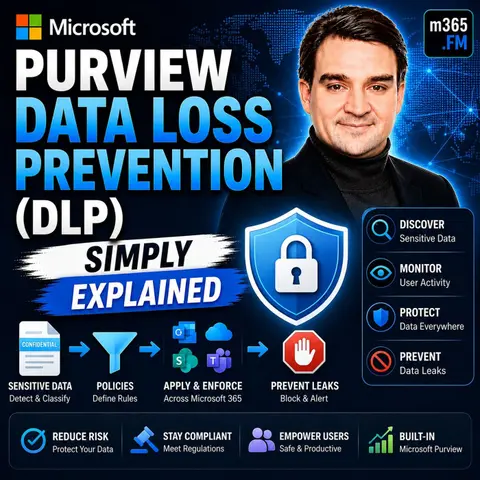
Quick Answer: Microsoft Purview Data Loss Prevention helps organizations detect sensitive information and apply policy-based controls across Microsoft 365. It can warn users, block risky sharing, and provide visibility for security and compliance teams, helping protect data while allowing approved business work to continue.
In today's digital landscape, protecting sensitive information is crucial. Data breaches can have devastating financial impacts, with the average cost of a breach reaching $4.88 million. Additionally, 72% of organizations have experienced an increase in data breach incidents over the past two years. This is where data loss prevention (DLP) comes into play. DLP strategies help organizations secure their data from accidental leaks, ensuring that sensitive information remains protected. Microsoft Purview provides a robust framework for implementing effective DLP strategies across various platforms, safeguarding your organization against these costly risks.
Key Takeaways
- Data Loss Prevention (DLP) is essential for protecting sensitive information from unauthorized access and leaks.
- Implementing DLP strategies can prevent costly data breaches, which average over $4.88 million per incident.
- Microsoft Purview offers advanced tools for identifying and safeguarding sensitive data across various platforms.
- Regularly review and update DLP policies to adapt to changing risks and ensure ongoing effectiveness.
- Train employees on data security practices to foster a culture of awareness and reduce accidental breaches.
- Utilize Microsoft Purview's features like content detection and policy automation to enhance your DLP efforts.
- Monitor DLP events and analyze reports to refine strategies and respond quickly to potential threats.
- Balancing security and usability is crucial; start with monitoring before enforcing strict DLP policies.
Understanding Data Loss Prevention
What is DLP?
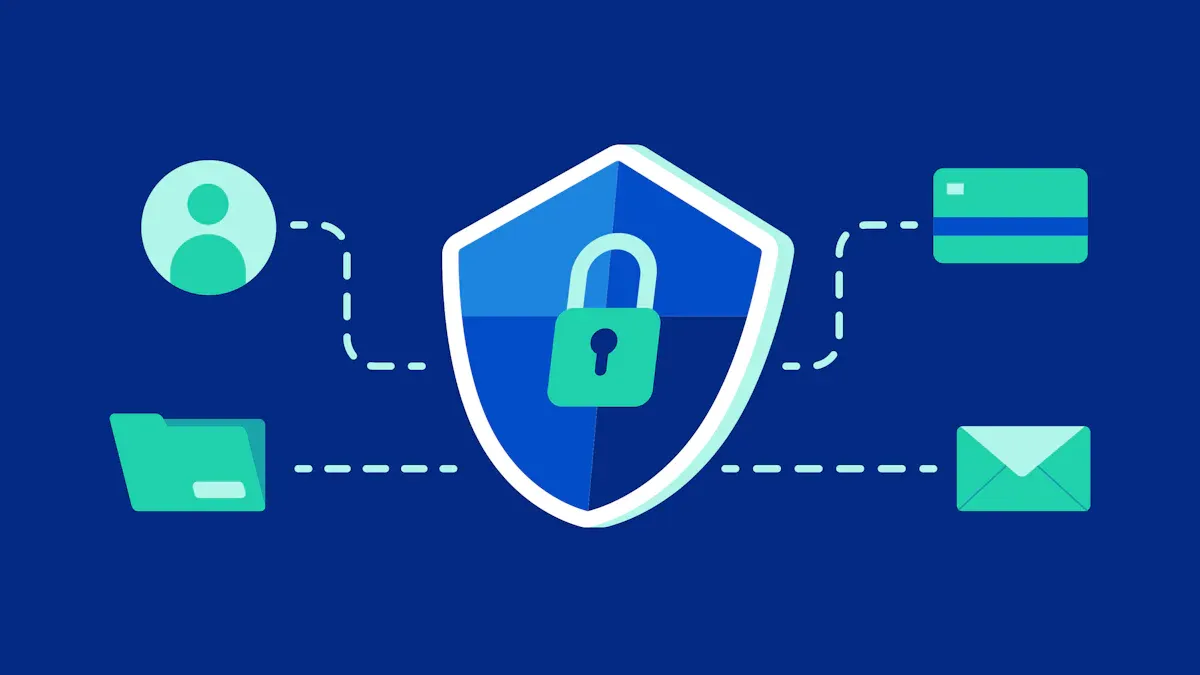
Data Loss Prevention (DLP) is a crucial aspect of data security. It encompasses various strategies and tools aimed at identifying, monitoring, and safeguarding sensitive data from unauthorized access, leakage, or loss. DLP helps you protect your organization’s most valuable information, ensuring that it remains confidential and secure.
Importance of DLP
Implementing effective DLP strategies is essential for several reasons:
-
Preventing Data Loss: DLP helps you avoid various types of data loss, including:
- Accidental Deletion: Unintended erasure of files.
- Hardware Failure: Breakdown of physical devices like hard drives.
- Software Corruption: Errors that corrupt data files.
- Cyberattacks and Malware: Malicious activities that affect data integrity.
- Natural Disasters: Events causing physical damage to infrastructure.
- Insider Threats: Loss or theft from within the organization.
-
Financial and Reputational Impact: The consequences of data loss can be severe. Organizations face significant costs related to data recovery, legal actions, and business interruptions. For instance, the average cost of a data breach in the U.S. exceeds $8 million, covering immediate and long-term expenses.
| Impact Type | Description |
|---|---|
| Financial Loss | Organizations face significant costs related to data recovery, legal actions, and business interruptions. |
| Reputational Damage | Trust erosion among customers and stakeholders, leading to long-term challenges in rebuilding reputation. |
Customers, partners, and stakeholders expect businesses to protect their data. A breach can erode trust and confidence. Rebuilding trust often requires significant investment in public relations and marketing efforts.
Overview of Microsoft Purview
What is Microsoft Purview?
Microsoft Purview is a comprehensive data governance solution designed to help organizations manage their data effectively. It plays a crucial role in data loss prevention by providing tools that protect sensitive information across various platforms. With Microsoft Purview, you can define what constitutes sensitive data and implement policies to prevent its unauthorized access or leakage. This solution integrates seamlessly with existing security frameworks, ensuring that your organization maintains a robust defense against data breaches.
Core Capabilities
Microsoft Purview offers several core capabilities that enhance your data loss prevention efforts:
-
Content Detection: This feature identifies sensitive data reliably using advanced methods beyond simple keyword matching. It ensures that you can detect various types of sensitive information accurately.
-
Policy Actions: Microsoft Purview automates controls based on detected sensitive information. This minimizes user disruption while maintaining security.
-
Sensitive Information Types: The solution uses pattern-based detection for structured data, such as credit card numbers and health identifiers. This capability allows you to safeguard critical data effectively.
-
Trainable Classifiers: You can recognize documents that fit specific categories using examples of business content. This feature enhances the accuracy of data classification.
-
Exact Data Match: Microsoft Purview matches against approved datasets for higher accuracy and reduced false positives. This ensures that only relevant data triggers alerts.
-
Document Fingerprinting: This capability identifies modified copies of known documents, allowing you to enforce DLP controls effectively.
-
Policy Tips: Real-time notifications inform users about potential rule violations. This feature allows for corrective actions before any sensitive data is shared.
Additionally, Microsoft Purview leverages artificial intelligence and machine learning to strengthen its DLP capabilities. It employs deep content inspection and contextual analysis to identify sensitive items across Microsoft 365 services and endpoints. This technology ensures that sensitive data, such as financial records and health information, is monitored and protected against unauthorized leakage.
With these capabilities, Microsoft Purview empowers you to maintain a secure digital environment while enabling productivity. You can confidently manage sensitive information, knowing that robust DLP measures are in place.
Creating DLP Policies

Identifying Sensitive Data
To effectively implement data loss prevention (DLP) policies, you must first identify what constitutes sensitive data within your organization. Microsoft Purview offers several methods to help you with this task:
- Content Analysis: This method uses keyword matching, expression evaluations, and machine learning algorithms to detect sensitive information.
- Sensitive Information Types: Microsoft Purview employs pattern-based detectors for structured data, such as credit card numbers and health identifiers.
- Trainable Classifiers: These classifiers learn from examples of business content to recognize documents that fit specific categories.
- Exact Data Match: This feature matches sensitive data against an approved dataset, enhancing accuracy and reducing false positives.
- Document Fingerprinting: This capability identifies modified copies of known documents, allowing you to enforce DLP controls effectively.
By utilizing these methods, you can ensure that your organization accurately identifies sensitive data, which is crucial for developing effective DLP policies.
Configuring DLP Policies
Once you have identified sensitive data, the next step is to configure your DLP policies. Follow these steps to create effective DLP policies in Microsoft Purview:
- Design your policies: Start by defining your control objectives. Draft a policy that outlines what data you want to protect and the actions to take when violations occur.
- Implement policy in simulation mode: Before applying the policy, evaluate its impact without enforcing any actions. This allows you to see how the policy interacts with your existing workflows.
- Monitor outcomes and fine-tune the policy: After running the simulation, adjust the settings based on the results. This step ensures that your policy is effective and minimizes disruptions.
- Enable the control and tune your policies: Activate the policy and continue monitoring its performance. Regularly review and adjust the policy as needed to adapt to changing data environments.
By following these steps, you can create DLP policies that effectively protect sensitive information while maintaining operational efficiency. Remember, the goal of data loss prevention is not only to secure data but also to empower employees to work confidently within a secure framework.
Application Areas for DLP
DLP in Microsoft 365
Data Loss Prevention (DLP) in Microsoft 365 plays a vital role in protecting sensitive information across various applications. You can implement DLP strategies in several key areas, including:
- Exchange: Protects email communications by monitoring outgoing messages for sensitive data.
- SharePoint: Safeguards documents stored in SharePoint libraries, ensuring that sensitive files remain secure.
- OneDrive: Monitors files stored in OneDrive, preventing unauthorized sharing of confidential information.
- Teams: Secures chat and channel communications, ensuring sensitive data is not inadvertently shared.
- Office Applications: Protects documents created in Word, Excel, and PowerPoint, preventing data leaks during file sharing.
- Windows and macOS Devices: Enforces DLP policies directly on user devices, ensuring protection even when employees work remotely.
- Non-Microsoft Cloud Apps: Extends DLP capabilities to third-party applications, enhancing overall data security.
- On-Premises File Shares: Monitors data stored on local servers, ensuring compliance with organizational policies.
- Microsoft Fabric and Power BI Workspaces: Protects data used in analytics and reporting, ensuring sensitive information remains confidential.
- Microsoft 365 Copilot: Monitors AI-assisted content generation, ensuring that sensitive data is not exposed during collaborative efforts.
By targeting these applications, Microsoft Purview ensures that sensitive data remains protected across your organization.
DLP for Endpoints
Endpoint DLP is crucial for preventing data exfiltration. It continuously monitors user behavior and data access, which is essential for maintaining security. Here are some key features of DLP for endpoints:
- Policy Enforcement: DLP policies apply directly to user devices, ensuring protection even when employees work offline.
- Visibility: Continuous monitoring provides insights into sensitive data activities, allowing security teams to respond quickly to potential threats.
- User Behavior Monitoring: By tracking how users interact with sensitive data, you can identify risky behaviors and take corrective actions.
Implementing DLP for endpoints helps you maintain control over sensitive information, even in a remote work environment. This proactive approach ensures that your organization can effectively mitigate risks associated with data loss.
Monitoring DLP Events
Setting Up Alerts
Monitoring DLP events is essential for maintaining data security. You can set up alerts in Microsoft Purview to notify you when activities meet the criteria of a DLP policy rule. Here are some key features of alert setup:
- DLP generates alerts based on policy matches and user activities.
- You can aggregate alerts based on time windows or user basis, depending on your subscription level.
- Alerts appear in the DLP Alerts dashboard for easy investigation.
- You can also route alerts to the Microsoft Defender portal for centralized management.
Setting up these alerts allows you to respond quickly to potential data breaches. By staying informed, you can take immediate action to mitigate risks.
Analyzing DLP Reports
Analyzing DLP reports helps you understand how well your data loss prevention strategies are working. Microsoft Purview generates DLP alerts based on policy matches and activities. You can analyze these reports using the following methods:
- Use the Activity Explorer tool to filter and view DLP events over the last 30 days. This tool focuses on sensitive information and policy detections.
- Access DLP reports through PowerShell cmdlets. This requires connections to both Security & Compliance and Exchange PowerShell.
To measure the effectiveness of your DLP monitoring, consider these metrics:
| Metric | Description |
|---|---|
| Detection and Incident Response Metrics | Measures the ability to identify and respond to data breaches or policy violations. |
| Policy Compliance Metrics | Assesses adherence to data security policies and their effectiveness in preventing data loss. |
| User Behavior and Awareness Metrics | Focuses on user actions and training, highlighting the human factor in data breaches. |
| False Positives and False Negatives | Evaluates the accuracy of DLP alerts, balancing legitimate actions and missed violations. |
| Incident Closure Time | Measures the time taken to resolve data security incidents, impacting potential damage. |
| Data Leakage Rate | Quantifies the volume of data leaving the organization, indicating protection levels. |
| Policy Violation Frequency | Tracks how often policy violations occur, revealing trends and areas needing attention. |
| User Training Effectiveness | Assesses how well users understand and follow security policies, guiding training improvements. |
By regularly analyzing these reports and metrics, you can refine your DLP strategies. This proactive approach ensures that your organization remains vigilant against data loss.
Best Practices for DLP Implementation
Training Employees
Training your employees is a critical step in implementing effective data loss prevention (DLP) strategies. You must equip them with the knowledge and skills to recognize and respond to potential data threats. Key topics for DLP training include:
- Phishing prevention
- Password management
- Insider threat awareness
- Data handling and classification
- Secure remote work practices
Hands-on experience is crucial. Walk employees through anonymized internal incidents and run scenario-based drills. This approach is often more effective than traditional educational content. Tailor training to different learning styles by incorporating short microlessons, scenario walkthroughs, and hands-on challenges.
To ensure your training is effective, establish specific training objectives. Vague goals do not lead to improved behavior. Real goals might include reducing misdirected sensitive emails or improving data classification consistency. Here are some steps to enhance your training program:
- Identify where employees typically make mistakes by reviewing DLP logs and monitoring workflows.
- Provide clear explanations of DLP concepts to ensure understanding.
- Establish a simple process for reporting security issues and train employees on the incident response plan.
By focusing on these areas, you can create a culture of security awareness within your organization.
Regular Policy Reviews
Regularly reviewing your DLP policies is essential for maintaining their effectiveness. As your organization evolves, so do the risks associated with data loss. You should assess your policies at least quarterly to ensure they align with current business practices and emerging threats.
| Frequency of Updates | Percentage of Organizations |
|---|---|
| Quarterly | 19% |
During these reviews, consider the following:
- Analyze DLP incidents to identify trends and areas for improvement.
- Update policies based on changes in regulations or business operations.
- Engage employees in the review process to gather feedback and insights.
By conducting regular policy reviews, you can adapt to new challenges and ensure that your DLP strategies remain robust. This proactive approach helps protect sensitive information and fosters a culture of security awareness throughout your organization.
Challenges and Solutions
Resistance to Change
Implementing data loss prevention (DLP) strategies often meets resistance from employees. This resistance can stem from various factors. Employees may fear the unknown, leading to panic about new policies. Poor communication about the changes can also contribute significantly to this resistance.
Here are some common reasons for resistance:
- Usability Issues: Overly restrictive DLP policies can hinder productivity. Employees may feel frustrated and seek workarounds that compromise security.
- Fear of the Unknown: Changes can cause shock and anxiety among staff, making them hesitant to embrace new processes.
- Lack of Clear Communication: If you do not provide clear information about the changes, employees may feel insecure and resistant.
To overcome these challenges, consider the following strategies:
- Listen and Understand Objections: Actively listen to the concerns of those resisting change. This shows you value their input.
- Focus on the 'What': Clearly communicate the desired outcomes while remaining flexible on methods. This helps employees understand the goals without getting bogged down in the details.
- Show Benefits in a Tangible Way: Demonstrate the advantages of the change in relatable terms. Use real-world examples to highlight how DLP can protect sensitive information.
Balancing Security and Usability
Finding the right balance between security and usability is a significant challenge in DLP implementation. Overly strict policies can hinder productivity, while lax controls expose vulnerabilities. Organizations often struggle to ensure employees have access to necessary data while preventing unauthorized access.
To address this challenge, consider these approaches:
- Start in Monitoring Mode: Begin DLP implementation in monitoring mode. This allows you to understand user behavior and reduce false positives before enforcing strict policies.
- Gradual Enforcement: After monitoring, gradually enforce policies while providing user education. This helps employees adapt to new processes without feeling overwhelmed.
By addressing resistance to change and balancing security with usability, you can create a more effective DLP environment. Microsoft Purview offers the tools you need to implement these strategies successfully.
Recommended Solutions for DLP Challenges
| Challenge | Recommended Solution |
|---|---|
| User Resistance | Implement gradual rollouts with training and clear communication about security benefits. |
| Technical Complexity | Start with basic policies and gradually add sophistication, leveraging vendor services. |
| False Positive Management | Begin with monitoring-only modes and tune policies based on actual data usage patterns. |
| Compliance Issues | Work with legal counsel to understand regulations and maintain detailed documentation for audits. |
By planning your response strategy in advance and engaging privacy teams, you can distinguish between legitimate business transactions and potential data theft. Automating response options wherever possible can also improve efficiency.
In summary, Microsoft Purview plays a critical role in enhancing your data loss prevention efforts. By integrating DLP into your broader security strategy, you gain several advantages:
- DLP provides visibility into sensitive data movement, which is crucial for identifying potential risks.
- It enforces policies to protect sensitive data, thereby reducing the risk of data breaches.
- DLP supports compliance and incident response efforts, ensuring effective responses to security incidents.
- By monitoring how sensitive information is accessed and shared, DLP helps safeguard critical assets across various workflows.
Implementing Microsoft Purview not only strengthens your data security posture but also empowers your organization to navigate the complexities of modern data management confidently.
FAQ
What is Data Loss Prevention (DLP)?
Data Loss Prevention (DLP) refers to strategies and tools that help you identify, monitor, and protect sensitive data from unauthorized access or leakage.
How does Microsoft Purview enhance DLP?
Microsoft Purview enhances DLP by providing advanced content detection, policy automation, and real-time alerts, ensuring comprehensive protection across various platforms.
Can DLP policies be customized?
Yes, you can customize DLP policies in Microsoft Purview to fit your organization’s specific needs, including defining sensitive data types and setting enforcement actions.
What types of sensitive data can DLP protect?
DLP can protect various sensitive data types, including personally identifiable information (PII), financial records, health information, and intellectual property.
How often should I review DLP policies?
You should review your DLP policies at least quarterly to ensure they remain effective and aligned with your organization’s evolving data security needs.
What happens if a DLP policy is violated?
If a DLP policy is violated, Microsoft Purview can take actions such as alerting the user, blocking the action, or notifying administrators, depending on your configured settings.
Is employee training necessary for DLP success?
Yes, employee training is crucial for DLP success. Educating your staff about data handling practices helps reduce accidental breaches and fosters a culture of security awareness.
Can DLP be applied to third-party applications?
Yes, Microsoft Purview extends DLP capabilities to non-Microsoft cloud applications, enhancing overall data security across your organization’s digital ecosystem.
🎧 You Should Also Listen To
- Microsoft Purview Information Protection – Simply Explained explains the labels and classifications that DLP policies often use.
- Microsoft Purview Insider Risk Management – Simply Explained adds context for responding to risky activity and investigations.
- Exchange Online Protection (EOP) – Simply Explained helps distinguish email-threat protection from data-protection controls.
Last reviewed: July 2026.
🚀 Want to be part of m365.fm?
Then stop just listening… and start showing up.
👉 Connect with me on LinkedIn and let’s make something happen:
- 🎙️ Be a podcast guest and share your story
- 🎧 Host your own episode (yes, seriously)
- 💡 Pitch topics the community actually wants to hear
- 🌍 Build your personal brand in the Microsoft 365 space
This isn’t just a podcast — it’s a platform for people who take action.
🔥 Most people wait. The best ones don’t.
👉 Connect with me on LinkedIn and send me a message:
"I want in"
Let’s build something awesome 👊
1
00:00:00,000 --> 00:00:05,760
In 2020, an employee at Verta4 accidentally exposed 27.7 million Texas driver records,
2
00:00:05,760 --> 00:00:11,520
names, addresses, birth dates, and license numbers by storing three data files in an external storage location.
3
00:00:11,520 --> 00:00:15,840
No malicious hacking, no bad intentions, just routine work that went wrong,
4
00:00:15,840 --> 00:00:17,840
and the company didn't even discover it themselves.
5
00:00:17,840 --> 00:00:19,200
A third party had to tell them.
6
00:00:19,200 --> 00:00:23,440
That's the exact problem Microsoft Peruvio Data Loss Prevention DLP for short solves.
7
00:00:23,440 --> 00:00:28,720
It's not built to stop hackers, it's designed to stop your own people from accidentally leaking sensitive data.
8
00:00:28,720 --> 00:00:32,640
By the end of this episode, you'll know what Microsoft Peruvio DLP really is,
9
00:00:32,640 --> 00:00:40,480
why every business needs it, and how it quietly watches over your data across email, files, chats, devices, and even AI tools.
10
00:00:40,480 --> 00:00:43,440
The Data League problem, why DLP exists?
11
00:00:43,440 --> 00:00:46,560
Before we talk about the solution, let's understand the scale of the problem.
12
00:00:46,560 --> 00:00:47,920
Here's a number that matters.
13
00:00:47,920 --> 00:00:50,080
58% of data leaks are accidental.
14
00:00:50,080 --> 00:00:55,040
Not malicious, not some sophisticated attack, just someone forwarding an email to the wrong person
15
00:00:55,040 --> 00:01:00,160
or attaching the wrong file. Human error is the biggest security vulnerability most organizations have.
16
00:01:00,160 --> 00:01:06,400
And it's getting worse last year, 74% of organizations, nearly three out of four, reported a data incident.
17
00:01:06,400 --> 00:01:11,440
Yet organizations using disconnected security tools had 2.8 times more incidents.
18
00:01:11,440 --> 00:01:16,640
More tools meant more problems, because when your security tools don't talk to each other, you get gaps.
19
00:01:16,640 --> 00:01:20,480
And Data leaks through gaps, so what did organizations do before DLP?
20
00:01:20,480 --> 00:01:22,880
They locked everything down, disabled USB ports,
21
00:01:22,880 --> 00:01:27,120
outlawed personal email restricted everything. The problem? That kills productivity.
22
00:01:27,120 --> 00:01:31,440
People need to share files to do their jobs, and when you make it too hard, they find workarounds.
23
00:01:31,440 --> 00:01:35,360
They use personal Gmail, upload to Dropbox, or put data on USB drives anyway.
24
00:01:35,360 --> 00:01:38,480
The locks become useless. DLP takes a completely different approach.
25
00:01:38,480 --> 00:01:41,600
Instead of blocking everything, it watches three things, what the data is,
26
00:01:41,600 --> 00:01:45,040
who's handling it and where it's going. Then it enforces rules automatically.
27
00:01:45,040 --> 00:01:49,440
The core idea is simple. First, you identify what counts as sensitive, credit card numbers,
28
00:01:49,440 --> 00:01:53,840
health records, confidential contracts. Then you monitor that data across all your Microsoft 365
29
00:01:53,840 --> 00:01:59,120
services, email, files, chats, devices, and when someone tries to do something risky,
30
00:01:59,120 --> 00:02:03,120
DLP either warns them or blocks the action. It's not about locking people out.
31
00:02:03,120 --> 00:02:05,920
It's about catching honest mistakes before they become headlines.
32
00:02:05,920 --> 00:02:12,160
The office building analogy. So how does DLP actually do all that? Let's build a mental model.
33
00:02:12,160 --> 00:02:15,440
Imagine your organization is an office building with different departments on different
34
00:02:15,440 --> 00:02:19,440
floors and different security levels for different areas. The lobby has a reception desk and
35
00:02:19,440 --> 00:02:24,720
that's your identity system. Entra ID. It checks badges at the door. Are you who you say you are?
36
00:02:24,720 --> 00:02:30,000
Good, you're in. But here's the thing. Once you're inside, data moves constantly.
37
00:02:30,000 --> 00:02:33,760
People walk through hallways carrying files. They take documents to meeting rooms.
38
00:02:33,760 --> 00:02:36,800
They send papers through the mail room and they bring laptops home at night.
39
00:02:36,800 --> 00:02:41,040
And that's where the old approach fails. Because checking badges at the front door
40
00:02:41,040 --> 00:02:45,040
doesn't tell you what people are carrying out. DLP is like a team of security guards
41
00:02:45,040 --> 00:02:49,040
who don't just check badges. They look at what's in people's hands. A visitor walking out with a stack
42
00:02:49,040 --> 00:02:53,920
of confidential documents, the guard stops them. And employee putting client files into their personal bag.
43
00:02:53,920 --> 00:02:57,600
The guard asks questions. These guards work everywhere in the building. In the mail room,
44
00:02:57,600 --> 00:03:02,800
scanning every outgoing email that's exchange online. In the file storage room watching files being
45
00:03:02,800 --> 00:03:07,120
shared, SharePoint in one drive, in the conference rooms monitoring chat messages,
46
00:03:07,120 --> 00:03:12,320
teams and on laptops people take home, endpoint DLP protecting devices even when offline.
47
00:03:12,800 --> 00:03:16,640
And there's a new guard that just arrived. The one standing next to the AI assistant,
48
00:03:16,640 --> 00:03:20,960
making sure it doesn't hand sensitive data to the wrong person. That's copilot DLP.
49
00:03:20,960 --> 00:03:26,000
The building gets smarter, but the guards keep up. Exchange online, protecting email.
50
00:03:26,000 --> 00:03:30,960
Let's start in the mail room because email is still the most common way data walks out of your organization.
51
00:03:30,960 --> 00:03:38,160
One wrong reply. All one misplaced attachment or one moment of clicking send before your brain catches
52
00:03:38,160 --> 00:03:44,320
up. That's how most accidental leaks happen. Exchange online DLP scans every email before it sent,
53
00:03:44,320 --> 00:03:48,560
both the body text and any attachments. And it's not just doing simple keyword searches,
54
00:03:48,560 --> 00:03:52,560
it's using deep content analysis. Patent recognition that catches credit card numbers,
55
00:03:52,560 --> 00:03:57,200
following a specific format and passing a checksum test, proximity detection that finds a name
56
00:03:57,200 --> 00:04:02,320
and an address right next to each other, and machine learning classifiers that get smarter over time.
57
00:04:02,320 --> 00:04:06,800
Now imagine this. An employee finishes a spreadsheet with customer credit card numbers.
58
00:04:06,800 --> 00:04:10,560
They need to work on it at home so they draft an email to their personal gmail address and
59
00:04:10,560 --> 00:04:15,280
attach the file. They hit send. But before that email actually leaves, exchange DLP scans it,
60
00:04:15,280 --> 00:04:19,200
finds the credit card numbers in the attachment, recognizes the destination is outside the
61
00:04:19,200 --> 00:04:25,120
organization and blocks the send. What does the employee see? A policy tip. A pop-up that says something
62
00:04:25,120 --> 00:04:29,920
like, this email contains sensitive information and can't be sent to external recipients.
63
00:04:29,920 --> 00:04:34,000
Depending on how the policy is configured, they might have the option to override by providing
64
00:04:34,000 --> 00:04:38,480
a business justification explaining why the send is legitimate. That justification gets logged.
65
00:04:38,480 --> 00:04:42,640
So if it's a pattern on the same person doing this every Friday, an admin can investigate.
66
00:04:42,640 --> 00:04:46,720
The point is the email never reaches the outside. It's caught before it leaves the building,
67
00:04:46,720 --> 00:04:50,480
and every match is logged. So admins can see exactly what was blocked,
68
00:04:50,480 --> 00:04:55,600
who tried to send it, and why did it? SharePoint and OneDrive, protecting files at rest and in motion.
69
00:04:55,600 --> 00:04:59,440
Email isn't the only place data leaks happen. What about the files already sitting in your
70
00:04:59,440 --> 00:05:04,560
SharePoint sites or synced to your OneDrive? That's where the next layer of DLP protection comes in.
71
00:05:04,560 --> 00:05:10,080
SharePoint and OneDrive DLP watches files in two states. Address means the file is stored on the site.
72
00:05:10,080 --> 00:05:14,880
In motion means someone is sharing it with someone else. You can create policies that scan existing
73
00:05:14,880 --> 00:05:19,520
files for anything sensitive. If DLP finds something it shouldn't, it can flag the file,
74
00:05:19,520 --> 00:05:24,560
or even quarantine it automatically. The quarantine feature is relatively new. When DLP finds a
75
00:05:24,560 --> 00:05:29,600
violating file, it moves that file to a secure location only admins can reach. The original file gets
76
00:05:29,600 --> 00:05:34,640
replaced with a tombstone file. It's just a plain text message explaining why the file is missing,
77
00:05:34,640 --> 00:05:38,480
and what the user should do if they think it's a mistake. Think of it as a sign that says,
78
00:05:38,480 --> 00:05:43,440
"This file has been secured, talk to your admin if you need it." For external sharing, DLP gets even
79
00:05:43,440 --> 00:05:48,080
more specific. You can block sharing to particular domains, say you have a competitor, you don't
80
00:05:48,080 --> 00:05:52,000
want receiving your internal documents. Just add their domain to a block list, but here's what
81
00:05:52,000 --> 00:05:56,640
makes it really useful. That restriction applies retroactively, and if a file was already shared with
82
00:05:56,640 --> 00:06:01,920
that domain before you created the policy, DLP can revoke that access. It's not just locking the door
83
00:06:01,920 --> 00:06:05,840
going forward, it's checking who's already inside. Let's look at a real scenario, a contractor
84
00:06:05,840 --> 00:06:10,000
working with your company accidentally shares a folder marked "confidential" with the entire
85
00:06:10,000 --> 00:06:14,880
organization. That means hundreds of people now have access. DLP detects the sensitivity label
86
00:06:14,880 --> 00:06:19,680
on the documents. It sees the sharing activity, and it restricts access to only the intended audience.
87
00:06:19,680 --> 00:06:24,080
The damages contained before most people even realize the folder was shared. OneDrive functions as
88
00:06:24,080 --> 00:06:28,400
your personal file vault. You store your files there and work on them. But DLP watches when you try to
89
00:06:28,400 --> 00:06:33,840
sync sensitive files to a personal device. Say someone drags a highly confidential document from
90
00:06:33,840 --> 00:06:38,720
one drive into their local downloads folder. DLP can block that action, because once that file leaves
91
00:06:38,720 --> 00:06:42,960
the cloud, you lose control over it. The guard at the door checks what's leaving the building,
92
00:06:42,960 --> 00:06:48,400
even if it's from your own desk. Teams DLP, protecting chat and channel messages. Work
93
00:06:48,400 --> 00:06:53,600
today doesn't just happen in email or shared folders. A lot of it happens in teams. Private chats,
94
00:06:53,600 --> 00:06:57,920
channel conversations, quick messages back and forth, and people share sensitive information
95
00:06:57,920 --> 00:07:01,840
there all the time. A project manager types a client's social security number into a chat.
96
00:07:01,840 --> 00:07:06,240
An engineer pays confidential code into a channel with external guests. A salesperson drops a credit
97
00:07:06,240 --> 00:07:10,800
card number into a direct message. No attachment needed, no file required, just text flying across
98
00:07:10,800 --> 00:07:15,840
the conversation. Teams DLP scans those messages too. It monitors private chats and channel
99
00:07:15,840 --> 00:07:20,480
conversations, and it looks at the message content itself, not just attached files. So if someone
100
00:07:20,480 --> 00:07:25,600
types a social security number directly into a chat, DLP catches it. The system can block the message
101
00:07:25,600 --> 00:07:30,560
from being sent, show a policy tip explaining why, and log the attempt for review. Let's walk through
102
00:07:30,560 --> 00:07:34,960
a specific scenario. You have a channel where you collaborate with external partners. Someone on
103
00:07:34,960 --> 00:07:41,680
your team types, here's the client's SSN 123456789. Before that message appears in the channel,
104
00:07:41,680 --> 00:07:46,880
Teams DLP scans it. It recognizes the social security number pattern. It sees the messages heading
105
00:07:46,880 --> 00:07:50,800
to a channel with external guests, and it blocks the message from being sent, the person who typed
106
00:07:50,800 --> 00:07:55,440
it sees a warning. The sensitive number never reaches the channel. An alert gets logged for the
107
00:07:55,440 --> 00:08:00,480
compliance team. Teams feels informal. People treat it like instant messaging. They type things they'd
108
00:08:00,480 --> 00:08:05,520
never put in an email, but a leaked SSN in a team's chat is just as damaging as one in an email
109
00:08:05,520 --> 00:08:11,600
attachment. DLP treats them exactly the same way. Endpoint DLP, protecting devices. So we've put
110
00:08:11,600 --> 00:08:15,680
guards in the mail room, the file storage, and the conference rooms. But what about the actual device
111
00:08:15,680 --> 00:08:20,240
someone is using right now? Think about a laptop at a coffee shop, a desktop in a home office,
112
00:08:20,240 --> 00:08:25,440
or a device on a plane with no internet connection. That's where endpoint DLP steps in. Endpoint DLP
113
00:08:25,440 --> 00:08:30,560
extends protection to the physical device itself, including Windows and Mac OS. It watches everything
114
00:08:30,560 --> 00:08:35,280
that happens on that machine, and it can block or audit actions that no cloud-based policy can reach.
115
00:08:35,520 --> 00:08:39,200
Things like copying files to a USB drive, printing a confidential document,
116
00:08:39,200 --> 00:08:43,760
uploading to a personal cloud service like Dropbox, pasting sensitive text into an unapproved
117
00:08:43,760 --> 00:08:48,880
browser, or even sending files over Bluetooth. Here's something that surprises most people.
118
00:08:48,880 --> 00:08:53,600
Endpoint DLP works even when the device is offline. The policies are cached locally on the machine,
119
00:08:53,600 --> 00:08:58,480
so if someone on a plane tries to copy a confidential file to a USB drive, DLP still blocks it
120
00:08:58,480 --> 00:09:02,240
because the rules are already on the device, they don't need to phone home. How does it work?
121
00:09:02,240 --> 00:09:07,040
A small agent runs on the device. It uses the same deep content analysis we talked about earlier,
122
00:09:07,040 --> 00:09:11,440
patent recognition, proximity detection machine learning. But instead of scanning email or
123
00:09:11,440 --> 00:09:16,160
sharepoint, it scans content as it moves across the device. When you copy a file, paste text, or try
124
00:09:16,160 --> 00:09:20,880
to print the agent checks it every time. It's watching everything that touches sensitive data. Let
125
00:09:20,880 --> 00:09:25,840
me give you a concrete example. An employee opens a file labeled highly confidential, and copies a
126
00:09:25,840 --> 00:09:31,440
section of text to paste into a personal gmail tab. Endpoint DLP detects the sensitivity label on
127
00:09:31,440 --> 00:09:36,480
the source file, sees the paste is going to an unapproved browser and blocks it. A warning pops up
128
00:09:36,480 --> 00:09:42,480
explaining why, and the action never completes. Endpoint DLP covers a lot of ground, copying to a USB
129
00:09:42,480 --> 00:09:46,560
drive gets blocked, printing a confidential document gets blocked or audited, uploading to
130
00:09:46,560 --> 00:09:51,600
Dropbox or Google Drive gets blocked. Even pasting into an AI tool like ChatGbT gets blocked.
131
00:09:51,600 --> 00:09:57,040
And less obvious actions, like copying to a network share or a remote desktop session, can also be
132
00:09:57,040 --> 00:10:01,920
monitored. Getting devices set up is done through intunal group policy. Microsoft recommends starting
133
00:10:01,920 --> 00:10:06,400
in simulation mode, just like with other DLP policies. You run the policy, see what would have been
134
00:10:06,400 --> 00:10:11,120
blocked, review the data, tune the rules, then enforce. No surprises, and you won't break any
135
00:10:11,120 --> 00:10:16,240
legitimate workflows. Recent updates have made endpoint DLP even more powerful as of 2026.
136
00:10:16,240 --> 00:10:20,560
It can detect and block exfiltration of files that haven't been saved yet. Someone
137
00:10:20,560 --> 00:10:25,600
pasting sensitive data into a new document and trying to copy it out before ever hitting save.
138
00:10:25,600 --> 00:10:30,480
And on co-pilot plus PCs, it can prevent Windows recall from capturing snapshots of sensitive content.
139
00:10:30,480 --> 00:10:36,320
The guards on your devices are getting smarter all the time. Co-pilot and AI DLP, the new frontier,
140
00:10:36,320 --> 00:10:40,400
so we've got guards in the mail room, the file storage, the conference rooms, and on every laptop.
141
00:10:40,400 --> 00:10:43,920
But there's a new corner of the office that needs watching, the AI assistant.
142
00:10:43,920 --> 00:10:49,360
Microsoft 365 co-pilot can access your organization's data, emails, files, meetings, chats.
143
00:10:49,360 --> 00:10:53,760
That's incredibly powerful, but it also creates a new risk. When someone asks co-pilot a question,
144
00:10:53,760 --> 00:10:58,640
they're essentially asking it to pull sensitive information from across your entire organization
145
00:10:58,640 --> 00:11:04,480
and hand it to them in a neat summary. Here's the scenario, a user opens co-pilot in word and types,
146
00:11:04,480 --> 00:11:09,520
summarise the quarterly financials from the confidential folder. Without DLP, co-pilot might pull
147
00:11:09,520 --> 00:11:14,240
that data and present it in the response. Even if the user has legitimate access, the question
148
00:11:14,240 --> 00:11:18,960
creates a new copy of sensitive information in a new context. Once that summary exists in a new
149
00:11:18,960 --> 00:11:24,080
document, it can be shared, copied, or leaked, just like any other file. DLP for co-pilot changes that
150
00:11:24,080 --> 00:11:28,240
by controlling what co-pilot can do with sensitive information. It can block co-pilot from generating
151
00:11:28,240 --> 00:11:33,040
responses that contain sensitive data. In our scenario, co-pilot sees the sensitivity label on the
152
00:11:33,040 --> 00:11:38,080
quarterly financials, recognizes the content is confidential, and either blocks the summary entirely
153
00:11:38,080 --> 00:11:44,320
or excludes the sensitive parts. This protection works across word, Excel, PowerPoint, Teams, and
154
00:11:44,320 --> 00:11:49,600
Outlook. Anywhere co-pilot appears. Microsoft deployed default DLP policies for co-pilot in
155
00:11:49,600 --> 00:11:54,400
simulation mode in early 2026, so every tenant has a starting point. But here's the catch,
156
00:11:54,400 --> 00:11:59,600
those default policies are in simulation mode, not actively blocking anything until you configure them.
157
00:11:59,600 --> 00:12:03,520
Many organizations think they are protected because they see the policy in the portal,
158
00:12:03,520 --> 00:12:08,240
but unless enforcement is turned on, co-pilot is still handing out sensitive data. There's another
159
00:12:08,240 --> 00:12:13,680
angle too. DLP can protect against the prompt itself. If a user tries to paste sensitive data into a
160
00:12:13,680 --> 00:12:20,000
public AI tool like ChatGPT, endpoint DLP can block that paste using the same agent that blocks USB
161
00:12:20,000 --> 00:12:24,320
copies. The risk isn't just what co-pilot reveals, it's what your user's accidentally feed into
162
00:12:24,320 --> 00:12:29,520
external AI models, and here's a recent update that matters. As of 2026, co-pilot will not interact
163
00:12:29,520 --> 00:12:34,240
with files that carry sensitivity labels at all, no matter where you open them. The label travels
164
00:12:34,240 --> 00:12:39,040
with the file and co-pilot respects it. That's a clean boundary. If a file is labeled highly
165
00:12:39,040 --> 00:12:45,440
confidential, co-pilot won't touch it. Avoiding common mistakes. Now all of this sounds great on paper,
166
00:12:45,440 --> 00:12:50,560
but here's the thing, real-world DLP deployments fail all the time. It's almost never the technology's
167
00:12:50,560 --> 00:12:55,360
fault, it's how the organization approaches it. The biggest mistake people make is treating DLP as
168
00:12:55,360 --> 00:12:59,840
an IT project. A team of admins sits in a room, configures some policies and deploys them,
169
00:12:59,840 --> 00:13:04,640
then users get blocked from doing legitimate work, help desk calls spike, policies get rolled back,
170
00:13:04,640 --> 00:13:09,360
the security team loses credibility, that's not how this works. DLP is a governance program, not an
171
00:13:09,360 --> 00:13:14,880
IT project. You need business stakeholders in the room, legal compliance HR finance, people who
172
00:13:14,880 --> 00:13:19,840
understand how data actually flows. Because if you block a workflow, finance depends on to close the
173
00:13:19,840 --> 00:13:24,720
quarter you'll hear about it. Second mistake. Too many sensitivity labels. Some organizations launch
174
00:13:24,720 --> 00:13:30,640
with 15 or more labels, nested sub labels, names like semi-restricted internal use only,
175
00:13:30,640 --> 00:13:35,680
external sharing permitted with written approval. Users look at that and do one of three things,
176
00:13:35,680 --> 00:13:39,840
they ignore labels entirely, but they apply the default label to everything, or they pick the
177
00:13:39,840 --> 00:13:44,240
lowest restriction to avoid friction. None of those protect your data, keep it simple, start with
178
00:13:44,240 --> 00:13:49,200
three to five labels. Public internal confidential, highly confidential, expand only after people have
179
00:13:49,200 --> 00:13:54,800
adopted the basics. Third mistake. Only covering email. This one's incredibly common. An organization
180
00:13:54,800 --> 00:13:59,920
configures exchange DLP checks the box, declares the job done, but that policy does nothing for teams
181
00:13:59,920 --> 00:14:04,560
chats. Nothing for SharePoint bulk uploads, nothing for someone copying files to a USB drive.
182
00:14:04,560 --> 00:14:09,600
You need to cover all the channels. Email, SharePoint, OneDrive, Teams and Points and Copilot.
183
00:14:09,600 --> 00:14:14,640
Each one is a separate door data can walk out of. Fourth mistake. Skipping simulation mode.
184
00:14:14,640 --> 00:14:18,960
The temptation is to turn policies on immediately because you want protection now, but that's how you
185
00:14:18,960 --> 00:14:23,280
break things. Always start in audit mode, let the policy run, log what it would have blocked,
186
00:14:23,280 --> 00:14:27,360
and review the data. You'll find legitimate workflows you didn't account for. You'll see false
187
00:14:27,360 --> 00:14:32,400
positives you need to tune. Then move to policy tips. Warnings that educate users without blocking.
188
00:14:32,400 --> 00:14:37,040
Then after your confident, turn enforcement on. Here's a practical 90 day plan, day one,
189
00:14:37,040 --> 00:14:42,960
deploy in audit mode only, day 30. Analyze the alerts and identify patterns, day 60, tune your labels
190
00:14:42,960 --> 00:14:47,760
and exceptions based on what you've learned. Day 90, turn on enforcement targeting a false positive
191
00:14:47,760 --> 00:14:53,520
rate under 5%, remember the number from the beginning. 58% of leaks are accidental. DLP isn't about
192
00:14:53,520 --> 00:14:58,960
punishing users. It's about catching honest mistakes before they become headlines. So here's what
193
00:14:58,960 --> 00:15:03,760
Microsoft purview DLP actually is. It's a unified set of security guards that protect sensitive data
194
00:15:03,760 --> 00:15:08,640
across email, files, chats, devices and AI tools. It watches data in all three states,
195
00:15:08,640 --> 00:15:14,400
addressed in motion and in use. And it uses deep content analysis to understand what the data is,
196
00:15:14,400 --> 00:15:19,120
not just what it looks like. The goal isn't to lock everything down. The goal is to stop the 58%
197
00:15:19,120 --> 00:15:25,040
of accidental leaks while letting people do their jobs. Because the Verta4 story on 27.7 million
198
00:15:25,040 --> 00:15:30,560
records exposed by one innocent action happens every day in organizations that don't have these
199
00:15:30,560 --> 00:15:35,280
protections in place. Next time you hear about a data breach that was just an honest mistake,
200
00:15:35,280 --> 00:15:40,720
remember DLP exists exactly for that. Subscribe on your favorite podcast platform and share this with
201
00:15:40,720 --> 00:15:43,600
someone starting their data security journey. Thanks for listening.

Founder of m365.fm, m365.show and m365con.net
Mirko Peters is a Microsoft 365 expert, content creator, and founder of m365.fm, a platform dedicated to sharing practical insights on modern workplace technologies. His work focuses on Microsoft 365 governance, security, collaboration, and real-world implementation strategies.
Through his podcast and written content, Mirko provides hands-on guidance for IT professionals, architects, and business leaders navigating the complexities of Microsoft 365. He is known for translating complex topics into clear, actionable advice, often highlighting common mistakes and overlooked risks in real-world environments.
With a strong emphasis on community contribution and knowledge sharing, Mirko is actively building a platform that connects experts, shares experiences, and helps organizations get the most out of their Microsoft 365 investments.




