
DLP Best Practices for Microsoft 365 and Azure
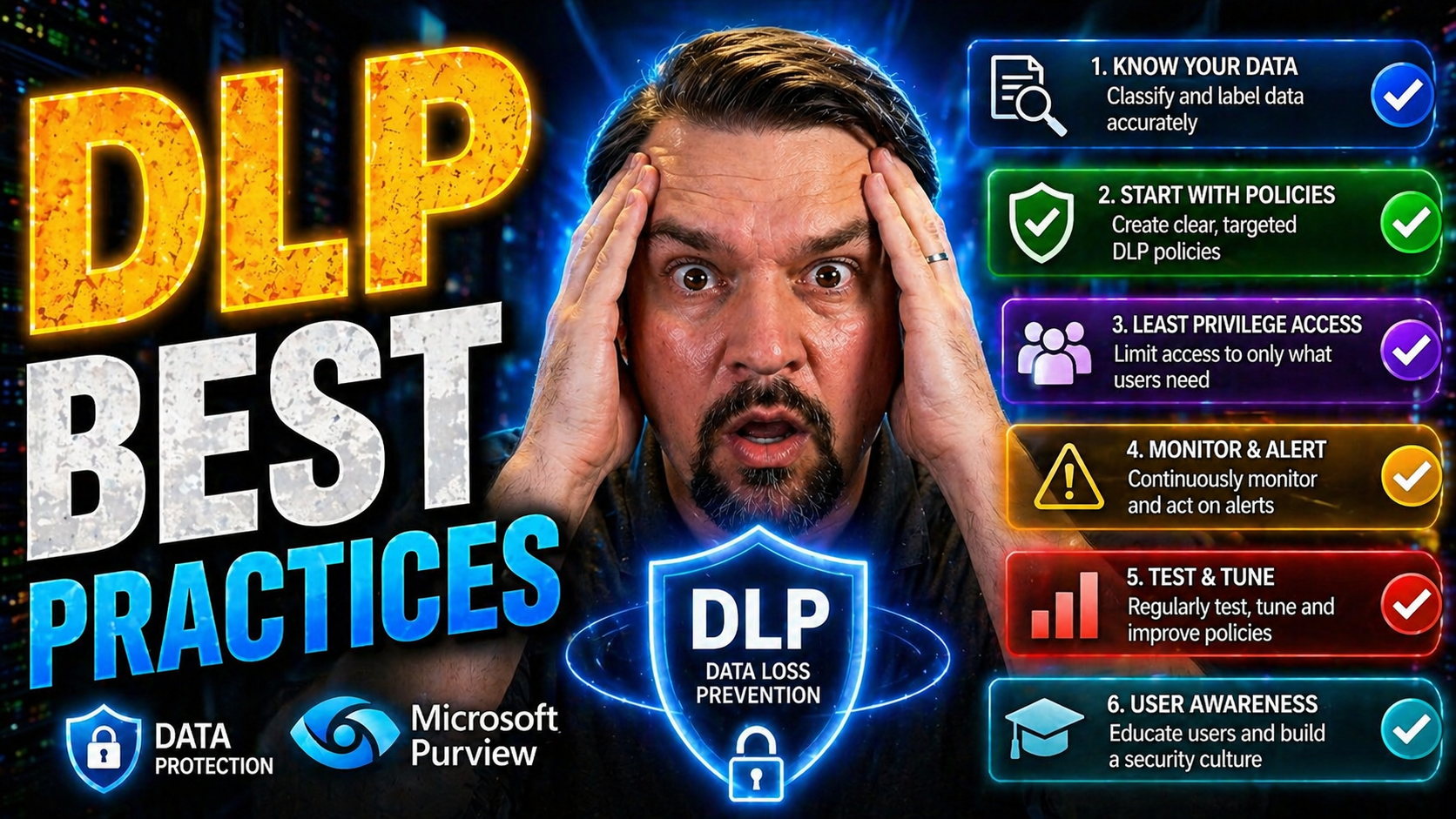
Data Loss Prevention (DLP) has become a non-negotiable part of your cybersecurity strategy, especially now that organizations run on Microsoft 365 and Azure in the cloud. This guide is your blueprint for real-world, effective DLP—not just generic advice, but tailored best practices fit for today’s remote, hybrid, and ever-changing work environments.
Inside, you’ll learn why DLP matters and exactly what sets mature DLP programs apart from the “checkbox” setups that leave big gaps. You’ll get both foundational knowledge and emerging strategies, all closely aligned with how Microsoft tools work best. We’ll tackle new risks, data sprawl, and why proactive policy management is key to staying ahead of evolving threats.
From insider risk to third-party vendors, Zero Trust strategies to securing your DIY low-code apps, this guide covers the entire DLP picture so you can confidently protect your company’s data across Microsoft’s ecosystem—and beyond.
Understanding the Fundamentals of Data Loss Prevention
DLP—or Data Loss Prevention—is a security approach built to stop sensitive information from leaking out where it shouldn’t, either by accident or on purpose. At its core, DLP solutions identify, monitor, and protect data whether it’s at rest, in use, or moving through your systems.
The primary objectives of DLP are to keep personally identifiable information (PII), protected health information (PHI), payment info, intellectual property, and other critical data from exposure. This means DLP plays defense against threats like accidental emails, risky downloads, insider misuse, and even crafty external attackers exploiting weak points.
Typical data loss scenarios include someone emailing client records outside the organization, employees sharing confidential files to unmanaged devices, or an app inadvertently syncing sensitive data to the wrong cloud. DLP tools are designed to catch all that—and more—using context-aware controls that look at who’s handling data, what kind of data it is, and where it’s going.
You’ll hear terms like “classification” and “policy enforcement,” but don’t overthink it: a good DLP system is all about knowing what’s sensitive, watching how it moves, and putting the right guardrails in place. This paves the way for advanced features and modern risk management, but without the basics, even the fanciest tech can’t cover your back.
Classifying and Labeling Sensitive Data Across Your Environment
Managing your data isn’t just about locking things down—it starts with knowing what you have, where it lives, and who touches it. In a Microsoft 365 or Azure environment, that means using smart discovery tools to track down sensitive files, emails, and records across SharePoint, OneDrive, and more.
Classification schemes help you break out your info—like PII, trade secrets, contracts—into practical buckets. This can be automated using Microsoft Purview’s built-in rules and machine learning, or handled manually for business-specific needs. Proper labeling isn’t a one-off project; it’s ongoing work, especially in hybrid settings where data jumps between cloud, mobile, and legacy systems.
Consistent, accurate tagging makes it much easier for DLP policies to work their magic. Purview plays a major role here, offering unified labeling, automated discovery, and audit trails so everything stays traceable and protected. If you’re looking to dig deeper into monitoring and compliance, check out this guide to auditing user activity with Microsoft Purview—it’s packed with practical tips on keeping tabs in even the most complex environments.
Dealing with document chaos? Collaboration is key. When HR, legal, and IT all work together on clear content management and DLP rules, you avoid data sprawl and accidental exposure. For a real-world look, this podcast episode on using Purview and SharePoint dives into building an audit-ready system that keeps your sensitive data under control, even across sprawling content libraries.
Building Effective DLP Policies for Microsoft 365 Apps
Crafting strong DLP policies in Microsoft 365 is less about plugging leaks and more about shaping everyday user experiences. In highly collaborative apps—SharePoint, OneDrive, Exchange, and Teams—policies need to cover not just what’s sensitive, but who’s accessing it, how, and under what conditions.
You’ll want to consider everything from the business context of a policy to the specific compliance and regulatory requirements that drive your approach. Finding the right balance between airtight security and seamless productivity is critical. Overly strict rules create “shadow IT” and workarounds, while gaps in policy leave you open to real risk.
This section sets the stage for a deep dive into two vital pillars: the nuts and bolts of effective policy design, and how to make sure those policies line up with the rules and laws that matter in your industry or region. Detailed strategies on defining scope, automating actions, and aligning with frameworks like GDPR or HIPAA will be laid out in the sections to follow.
For a practical guide on setting up Microsoft 365 DLP, and to learn how to leverage automation like Microsoft Copilot for lighter admin loads, take a listen to this podcast episode—a valuable resource for both decision-makers and hands-on security pros.
Key Components of DLP Policy Design
- Scope: Define exactly which users, groups, locations, and data types the policy covers. It’s essential to avoid overbroad scope that disrupts legitimate business processes or leaves gaps.
- Conditions: Set the triggers for your policy—such as detecting credit card numbers or sharing to unmanaged domains. Use tailored conditions to get precise, actionable alerts.
- Exceptions: Exclude trusted users, systems, or business workflows that require special access. Well-crafted exceptions prevent frustration and decrease false positives.
- Actions: Choose automatic responses like blocking, encrypting, or notifying users upon violations. The right balance keeps data safe but business moving.
- Notifications: Proactively alert users and admins about blocked actions or risky behavior. Transparent notifications reduce confusion and support a security-first culture.
- User Education: Integrate training moments or informational pop-ups when policies are triggered, helping users learn security best practices as they work.
Aligning DLP Policies With Compliance and Regulatory Needs
- Map to Regulations: Align DLP policy scopes and rules with mandates like HIPAA, GDPR, or CCPA by identifying and protecting relevant data types.
- Use Microsoft Templates: Leverage built-in policy templates for major regulations to accelerate implementation and reduce configuration errors.
- Evidence for Audits: Ensure logging and reporting can clearly demonstrate compliance controls during regulatory inspections or internal reviews.
- Continuous Review: Regularly update policies as legal requirements evolve or new data types are added, preventing compliance drift.
Adopting a Layered Approach to Data Protection
DLP is powerful, but it’s just one piece of the total security puzzle. True protection comes when DLP is layered with other controls—encryption, multi-factor authentication (MFA), endpoint protection, and Microsoft Information Protection—to shield your data from all angles.
Think of it like locking your doors, setting an alarm, and putting valuables in a safe. If a DLP policy misses something, encryption turns it into useless noise for attackers. If someone’s credentials get stolen, MFA makes it hard for outsiders to get in. And if an endpoint device is lost or infected, endpoint protection limits exposure before DLP even comes into play.
Microsoft’s stack is built for this approach: Purview for labeling and audit, Defender for advanced threat protection, Azure Key Vault for centralizing secrets, and disciplined RBAC for precise access control. You can see this layered strategy in action with practical tips on securing Microsoft Fabric data pipelines, which emphasizes reducing permissions sprawl and managing secrets tightly.
Combining these controls—DLP, encryption, strong authentication—closes the gaps that any one tool might leave open. It’s especially critical in today’s world of cloud and hybrid work, where you don’t always control the endpoint or the network. A layered defense means attackers and insiders must break through several barriers, not just one.
Integrating DLP With Zero Trust Security Principles
The security world isn’t built around a “wall” anymore. Zero Trust flips the old castle model on its head—you never automatically trust users or devices, no matter where they’re connecting from. Instead, you verify everything, every time, keeping security decisions agile and context-aware.
Integrating DLP into Zero Trust means you’re putting guardrails not just at the boundary, but on the data itself. DLP policies go mile-for-mile with Zero Trust by making decisions based on who’s asking for access, what device they’re using, and what condition that device is in. For modern Microsoft deployments, Zero Trust and DLP work together to continuously assess risk instead of assuming “inside the network” is always safe.
This approach is especially important as organizations move to hybrid and remote teams, where data flows far beyond any fixed perimeter. For a hands-on look at rolling out coordinated policies and adaptive access with Microsoft, listen to this Zero Trust by Design podcast.
We’ll break down specific ways DLP enforces Zero Trust principles—never trust, always verify—in the next section, including covering scenarios like conditional access and device checks. If you’re curious how policy boundaries actually play out, this guide on conditional access trust issues shows what happens when gaps are left unplugged.
Using DLP as a Policy Enforcement Layer in Zero Trust
In a Zero Trust model, DLP becomes the gatekeeper for data flows by enforcing access based on user identity, device health, and the specific context of each session. Instead of only using group membership or static permissions, DLP rules can tighten or relax controls dynamically—think blocking sensitive downloads to unmanaged devices or applying stricter policies if someone is marked as high risk.
When integrated with Microsoft Conditional Access and identity management, DLP enforces real-time decisions that adapt to changing circumstances. For example, if Entra ID flags a user with suspicious activity, DLP can kick in to block external sharing or enforce encryption automatically. Learn more about how disciplined conditional access and policy lifecycle management boost this synergy in this episode on Entra ID and policy enforcement.
Extending DLP to Third-Party and Supply Chain Workflows
Your security doesn’t stop at the edge of your company—the moment data leaves your hands, it’s exposed to new risks from vendors, partners, and contractors. Third-party breaches and accidental leaks are on the rise, making it essential to extend DLP beyond your office walls to the whole supply chain.
This means your policies must cover sharing scenarios in Microsoft 365, like files leaving SharePoint and OneDrive, or guest users collaborating in Teams. It’s not enough to set internal rules and hope for the best; true protection requires continuous visibility, automated alerting, and robust controls on every “hand-off.”
Enhanced audit trails and lifecycle management for guest accounts are also vital pieces of the puzzle. For instance, this guide on external sharing detection shows how PowerShell automation and real-time alerts catch events that native tools might miss. Meanwhile, this podcast on managing M365 guest accounts highlights the governance steps needed to prevent old access from becoming next month’s headline breach.
The next section dives into practical steps for secure external collaboration, showing you how to apply DLP, rights management, and monitoring to each partner workflow—so you can collaborate at speed without losing sight of your data’s trail.
Applying DLP Controls to Shared and External Data
- Set Sharing Restrictions: Use Microsoft 365’s external sharing configurations to limit sensitive data sharing to authorized partners and domains only. Pair with granular DLP policies focused on “external sharing” events.
- Classify and Encrypt: Apply labels that enforce encryption and restrict permissions on sensitive files before they’re ever shared. Rights Management locks down access even after data leaves your tenant.
- Monitor Data Movement: Enable detailed auditing and real-time alerts for external file sharing, especially with PowerShell automation. For deep visibility, start here with a practical framework.
- Lifecycle Management: Regularly review and expire guest access and shared links to ensure vendors or ex-partners don’t keep the keys after the project ends.
Closing Insider Threat Gaps With Behavioral Analytics
Most data leaks don’t come from outsiders—they start with insiders making mistakes or intentionally breaking the rules. Classic DLP policies set static boundaries, but sophisticated attackers and even regular employees can still slip through the cracks if their behavior isn’t watched in context.
Enter behavioral analytics: using advanced tools to spot out-of-the-ordinary actions, risk-scoring users, and connecting the dots across platforms. User and Entity Behavior Analytics (UEBA) lets you spot not just “what happened,” but “who did it, and was it normal?” This is the difference between drowning in false alarms and catching the next big breach before damage is done.
Modern DLP engines in Microsoft Defender and Purview are built to use these behavioral signals. Instead of endless alerts about harmless incidents, these systems use context to prioritize what really matters. If you’re looking for an example of how environment strategy and connector governance affect insider risks, this pragmatic Power Platform DLP episode lays out hidden danger zones that don’t show up on a typical static policy check.
Up next, we’ll break down the practical steps to build behavioral analytics into your DLP toolbox, so you catch risky moves before they turn into front-page stories.
Using User and Entity Behavior Analytics in DLP
- User Risk Scoring: Assign a dynamic risk score based on a user’s history—such as volume of data transfers, new device logins, or sudden access to sensitive files—to focus response on the riskiest behavior.
- Anomaly Detection: Use UEBA to spot unusual activities—like large exports at strange hours or attempts to bypass DLP screenings—flagging actions that deviate from established norms.
- Adaptive Policies: Adjust DLP thresholds and responses automatically as user risk rises, integrating with Microsoft Defender to catch threats traditional policies miss.
- Integration with Audit Tools: Combine signals from UEBA with Microsoft Purview to fine-tune alerts, reduce noise, and support forensic investigation. For a breakdown of the benefits of unifying these controls, check out this episode on insider moves.
Addressing DLP in Low-Code and No-Code Environments
Shadow IT is alive and well in the era of “citizen development.” Business users spinning up Power Apps, SharePoint-driven automations, and third-party cloud tools can unwittingly move sensitive data outside approved channels. That means your DLP strategy has to account for low-code/no-code development, not just the usual suspects like email and file storage.
In Microsoft 365, the Power Platform and other integrated low-code tools make it easy for anyone to build automations and apps—sometimes with business data that skips IT review. Data controls now need to track connections, flows, and custom logic, not just file shares or inboxes. Failing to govern these environments leads to silent leaks, failed flows, or outright data sprawl.
Treating DLP as part of your platform architecture, with environment-level governance and proactive connector review, can prevent issues before they cause headaches. For a detailed breakdown on why connector classification and pre-flight testing matter, see this hands-on guide for Power Platform developers.
Similarly, this best practices episode covers how to manage environments, identities, and connectors to balance user creativity with organizational compliance. It’s not about restricting innovation—it’s about channeling it safely, so productivity doesn’t come at the cost of security.
Monitoring and Protecting Data in Citizen Developer Workflows
- Connector Classification: Regularly review and classify Power Platform connectors as business, non-business, or blocked to control where sensitive data can flow. Inconsistent classifications lead to flow errors and silent leaks; here’s how to avoid that.
- Policy Enforcement: Apply DLP policies at both the tenant and environment level, blocking high-risk connectors from accessing sensitive data and requiring justification for non-standard configurations.
- Proactive Testing: Use negative testing and pre-flight checks so new apps or flows alert you to policy violations before deployment—saving time and preventing failures downstream.
- Audit and Governance: Build regular audits, connector reviews, and governance check-ins into your process to maintain control as citizen developer programs scale.
Operationalizing DLP: Continuous Monitoring and Incident Response
- Automated Alerting: Set up real-time alerts for DLP policy violations, prioritizing high-impact events like sensitive data transfers to external accounts. Use Microsoft-native dashboards to visualize trends and hotspots.
- Incident Investigation: Leverage centralized logs—via Microsoft Purview Audit—to reconstruct incident timelines and understand root causes. Standardize on extended retention for forensic investigations in high-risk environments; see Purview audit best practices for more.
- Policy Tuning: Continually refine DLP rules to reduce false positives and adapt to evolving business processes, using lessons learned from incident analysis and end-user feedback.
- SOC Integration: Forward DLP alerts and logs to your Security Operations Center (SOC) for centralized management, response automation, and unified investigation across tools.
- Compliance Monitoring: Use continuous compliance tools like Microsoft Defender for Cloud to watch for policy drift and compliance gaps, automating remediation where possible (learn more here).
- Metrics & Reporting: Track metrics like incident response times, user adherence rates, and policy effectiveness to drive process improvements and executive reporting.
User Education and Change Management for DLP Success
- Clear Communication: Communicate DLP goals and rules to all staff without jargon—so users understand what’s at stake and how policies work in daily tasks.
- Interactive Training: Use engaging training sessions, in-context pop-ups, and refreshers to keep data protection top-of-mind and demystify alerts or restrictions.
- Positive Reinforcement: Reward and recognize secure behaviors, encouraging users to report suspicious activity and embrace compliance as part of everyday work.
- Continuous Feedback: Create channels for user feedback on DLP challenges, using it to tune policies and improve future rollouts.
DLP Best Practices Checklist for Microsoft Environments
- Inventory and Classify Data: Use automated discovery tools and consistent labeling schemes across Microsoft 365 and Azure.
- Build Context-Aware DLP Policies: Tailor policies for different apps, user roles, and risk profiles, factoring in hybrid and remote work scenarios.
- Align With Compliance: Map DLP controls to key regulations (GDPR/HIPAA/etc.), using Microsoft’s policy templates and ensuring audit-ready evidence.
- Integrate DLP with Zero Trust: Make DLP part of your Zero Trust structure—enforcing access policies dynamically based on user, device, and session risk.
- Extend to Third Parties: Apply DLP, encryption, and monitoring to all vendor and partner data shares, and enforce strict guest account lifecycle management.
- Leverage Behavioral Analytics: Layer UEBA with DLP to prioritize risky behavior, cut false positives, and detect insider threats early.
- Cover Low-Code/No-Code Risks: Monitor Power Platform and other citizen-developed apps with connector governance and proactive DLP policy enforcement.
- Operationalize and Refine: Enable continuous monitoring, automate incident response, and regularly tune policies based on real-world results and security operations input.
- Educate and Engage Users: Keep user training practical, relevant, and ongoing; make compliance everyone’s job (not just IT’s).
You Should Also Listen To
If you are exploring DLP best practices Microsoft 365 Azure, these episodes add practical context for secure Microsoft 365 adoption, data protection, governance, and AI risk management.
- Microsoft Purview – Simply Explained — See how classification, retention, compliance, and protection fit into one Microsoft data-governance model.
- Microsoft Defender XDR – Simply Explained — Connect data-protection controls with detection, investigation, and response.
- Conditional Access – Simply Explained — Understand how identity and risk signals add context to access decisions.
- Microsoft AI Agent Harness – Simply Explained — Explore the controls that make AI automation more reliable, observable, and safe.
These episodes help turn the article’s concepts into practical design and rollout decisions.

Microsoft MVP | Host of M365.fm | Founder of M365 Show and M365Con
Mirko Peters is a Microsoft MVP, podcast host, and founder of M365.fm, M365 Show, and M365Con. His work connects Microsoft practitioners through podcast interviews, livestreams, and community events.
At M365.fm, Mirko hosts conversations with Microsoft MVPs, product experts, architects, and community contributors. Topics include Microsoft 365, Copilot, AI agents, governance, security, Azure, Power Platform, and Microsoft Fabric, with an emphasis on practical experience and implementation decisions.
M365.fm is the podcast and learning platform. M365 Show brings experts together for livestreams, while M365Con provides an online conference setting for community learning.
Official website: Mirko Peters (https://www.mirkopeters.com/). Recognition: Mirko Peters — Microsoft MVP profile (https://mvp.microsoft.com/de-DE/mvp/profile/9b0ca797-db5a-493a-a845-8b9158046cf5). Connect on LinkedIn (https://www.linkedin.com/in/m365showpodcast/).





