
Microsoft Purview vs Symantec DLP: Full Comparison for Modern Data Security
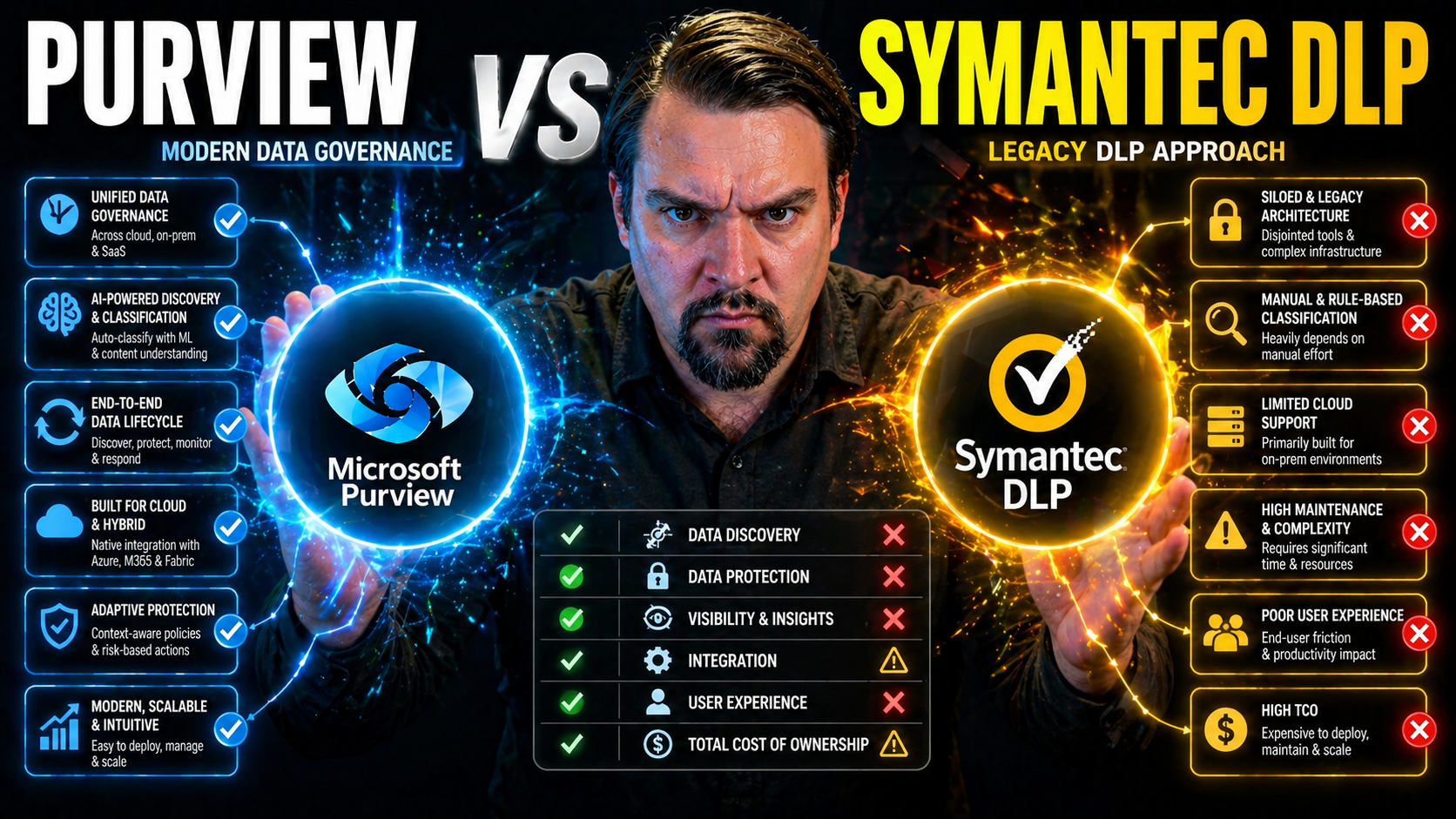
When it comes to protecting sensitive business data, two names keep popping up: Microsoft Purview and Symantec Data Loss Prevention (DLP). Both are heavy hitters, but just because something’s big doesn’t mean it’s what your organization really needs. This side-by-side comparison cuts straight to what matters for IT, compliance, and security leaders trying to pick between these platforms.
We break down how each solution handles core DLP features, integrations across Microsoft 365 and multi-cloud environments, pricing, support, and future readiness. Third-party analyst reviews and real customer feedback add street-level insight you won’t get from glossy vendor brochures. You’ll find firsthand lessons on migration from on-prem legacy to hybrid or cloud-first, strategies for handling mixed tech stacks, and the fine print around AI-powered data classification.
This isn’t just a checklist—think of it as a decision-making tool for navigating hybrid cloud realities and modern compliance needs. We dig into analyst and community reviews, extensibility, cost-benefit calculations, incident response capabilities, and more. Each section leans on up-to-date industry research, verified user stories, and deep familiarity with the Microsoft ecosystem, so you can evaluate Purview and Symantec DLP with real-world clarity.
How Purview and Symantec DLP Compare: Key Features and Overall Ranking
If you want the quick lay of the land before getting stuck in the details, here’s where we start. Microsoft Purview and Symantec DLP are both highly rated for their data loss prevention chops, but they take different approaches on how they tackle key DLP categories. From out-of-the-box features and cloud integration to automation and compliance, each platform brings something unique to the table.
This section lays out the yardstick by which we’re sizing up both solutions. We’re focusing on capability, coverage, user experience, and how easily things connect to your broader environment—whether you’re heavy into Microsoft 365, juggling multi-cloud, or riding the fence with some legacy systems. What matters most to you? Is it rapid integration, policy flexibility, support depth, or smooth migration? We’ll rank the platforms by the categories that actually move the needle for enterprise DLP success.
Think of this as your orientation point. The detailed breakdowns to follow will zoom in on each pillar—letting you see clearly where Purview and Symantec stand out, where they tie, and where there might be headaches ahead. No bias, just real insight to guide your DLP decision.
Core DLP Capabilities: Main Features Across Both Platforms
- Data Discovery & Classification: Both Microsoft Purview and Symantec DLP scan across endpoints, cloud storage, email, and collaboration tools to identify and tag sensitive data. Purview leverages Microsoft’s global AI stack for automatic classification; Symantec offers robust templates and pattern-matching for diverse data types.
- Content Inspection: Detailed content inspection detects regulated data—think PII, financial, and health information—within structured databases and unstructured files. Both platforms support deep content analysis but Purview’s link to sensitivity label workflows is tighter, especially within Microsoft 365.
- Policy Enforcement: Symantec provides granular controls to block, quarantine, encrypt, or alert on risky activity. Purview enables easy policy set-up directly in the M365 admin center, with policies enforced across Teams, SharePoint, OneDrive, Exchange, and Power Platform. For Power Platform environments, unifying environment strategy and connector governance is a major DLP win.
- Incident Response & Alerting: Both offer incident dashboards, alert workflows, and reporting. Symantec shines in unified triage for hybrid and legacy environments. Purview connects with tools like Microsoft Sentinel for advanced investigations and leverages audit capabilities across cloud footprints. Check out this practical DLP setup guide for more on Microsoft’s real-life workflow advantages.
- Risk Analysis & Reporting: Symantec brings strong reporting for compliance tracking and risk history across endpoints, but Purview’s analytics are especially deep when paired with Microsoft Copilot and the broader security stack—delivering actionable insights right where admins work daily.
- Scalability & Hybrid Support: Symantec offers well-established support for on-premises, cloud, and hybrid. Purview is SaaS-first but shines in pure Microsoft environments, with expanding hybrid features.
Categories Ranking: Platform Strengths by DLP Category
- Discovery & Classification: Purview leads in automated, AI-powered discovery within Microsoft 365. Symantec is a strong contender for non-Microsoft and on-prem hybrid support.
- Policy Granularity: Symantec takes the edge in granular policy control and legacy endpoint coverage.
- Automation & AI: Purview comes out ahead, leveraging adaptive sensitivity labeling and integrated cloud automation.
- Integration Breadth: Symantec’s wide platform reach serves multi-cloud and legacy best; Purview wins in seamless M365/Azure integration.
- User Awareness & Training: Both platforms have solid awareness tools, but Purview’s Copilot integrations boost end-user adoption.
Supported Platforms: Integration With Microsoft 365, Azure, and Multi-Cloud
- Microsoft PurviewNative integration with Microsoft 365, including Exchange, SharePoint, OneDrive, and Teams, making it the top choice for organizations deeply invested in the Microsoft ecosystem.
- SaaS-based architecture allows rapid rollout, minimal infrastructure overhead, and automatic updates in sync with Microsoft 365 cloud services.
- Hybrid and multi-cloud support is improving—Purview is expanding connectors for AWS and Google Cloud, but rich policy management remains tightest within M365 and Azure. For governance of access permissions and accountability across Microsoft 365, refer to these M365 data governance insights.
- Endpoint DLP extends to Windows 10/11 and select Mac endpoints, which matches the needs of many enterprise Microsoft shops.
- Symantec DLPMulti-cloud and cross-platform by design, supporting Office 365, Google Workspace, AWS, Azure, and on-premises apps equally well—great for diverse hybrid environments or slow-moving legacy transitions.
- Traditional agents cover a vast range of endpoints, servers, file shares, and databases, securing data within and outside cloud platforms.
- Available as cloud (SaaS), hybrid, or fully on-prem deployment, with centralized management for consistent policy across varied systems. For organizations concerned about policy drift and losing control in large Azure deployments, explore the principles in this Azure governance strategy overview.
- Integration breadth is broader than Purview by default, but integration depth with Microsoft’s workflow tools is thinner out of the box.
For companies running a split stack—think some Microsoft, some Google, some AWS—Symantec often wins on sheer flexibility. If you’re deeply rooted in Microsoft 365 and want things to “just work,” Purview brings tighter, plug-and-play alignment.
Data Security and Compliance: Customizable Data Analyst Tools and Sensitivity Controls
Secure and compliant data management isn’t about one-size-fits-all controls—it’s about wrapping the right rules around your unique data. Organizations in regulated industries, especially, need tools that go way beyond canned templates. Microsoft Purview and Symantec DLP both step up in letting you customize how you classify, tag, and govern sensitive information across endpoints and cloud services.
This section sets out to explore the depth of each platform’s customizable controls, advanced classification capabilities, and the range of sensitive data they can actually protect. We’ll also spotlight how these solutions help you satisfy audit, reporting, and regulatory requirements—whether you’re in healthcare, finance, or public sector. Analyst reporting, out-of-the-box sensitivity templates, and the flexibility to tailor detection logic matter when stakes are this high.
You’ll get a sense of what’s possible straight from the analyst and auditor’s seat, and see how market mindshare and third-party trust line up for both vendors. No matter your data set, this is about equipping your team to enforce policy, prevent leaks, and prove compliance.
Customize Data Analyst: Advanced Classification and Policy Controls
Customizing how sensitive data is found, classified, and monitored is at the heart of effective DLP. Microsoft Purview delivers AI-powered sensitivity labeling and auto-classification that can tag, encrypt, or block information based on built-in or custom policies. This is particularly useful when working across multiple workloads, like Teams chats, emails, files in SharePoint, or custom business apps.
Analysts get a central dashboard for policy rule creation, audit trails, and forensics through Purview’s Portal. Upgrading to Premium tiers unlocks advanced detection logic and longer retention for audit logs, critical for high-risk or regulated industries. To dive deeper into audit fidelity and proactive security, check out this detailed Purview Audit guide.
Symantec, on the other hand, shines with powerful policy frameworks built for flexible discovery and granular controls. Its custom data identifiers and reporting dashboards enable organizations to build complex logic and adapt DLP to fit healthcare, finance, or IP-heavy businesses. Policy engines are mature and support advanced Boolean logic, pattern matching, and coverage for unusual or legacy data types.
When it comes to output, both platforms let you export and fine-tune reports, but Purview makes it frictionless to integrate signals with broader Microsoft analytics—especially when governing agents, like Copilot, and cross-platform connectors (more on Copilot governance here).
Data Categories and Classification: What’s Protected and How
- Financial Data: Both Purview and Symantec protect credit cards, account numbers, tax IDs, and PCI/SOX data. Purview’s templates make onboarding easy for Microsoft-centric orgs; Symantec allows deep legacy extension.
- PHI/Healthcare: Out-of-the-box HIPAA, PHI, and medical codes detection. Symantec is highly customizable for health orgs; Purview brings healthcare templates aligned to M365 workflows.
- Identity Documents: Detection of Social Security, driver’s license, passport numbers. Both provide content inspection, but Purview can auto-label and enforce controls in real time.
- Intellectual Property: Templates and custom keyword detection for trade secrets, source code, and engineering docs. Symantec offers robust tuning; Purview offers rapid integration with sensitivity labels.
- Custom Data Sets: Both platforms support user-defined data types and detection logic for proprietary needs and industry-specific use cases.
Compliance Mindshare and Brand Awareness Comparison
Industry analysis by Gartner and Forrester shows Microsoft Purview and Symantec DLP dominating mindshare for regulated-sector compliance. Microsoft leads in rapid cloud compliance adoption and perceived ease-of-use among organizations running Microsoft 365, especially where extending DLP and audit to AI-generated content matters (see Purview compliance for Copilot & AI). Symantec remains a staple in legacy-heavy sectors such as banking and healthcare, ranked highly for comprehensive policy coverage and depth in complex, mixed environments.
Brand awareness tilts Microsoft’s way in cloud-forward firms, while Broadcom/Symantec scores trust in hybrid migrations and heavy-duty regulated deployments. Ultimately, both are recognized compliance leaders with deep audit, reporting, and sensitive data controls by third-party reviewers and industry case studies.
Pricing Advice and Cost Structure Insights
If you’re comparing DLP platforms, you know price isn’t just about license stickers. Microsoft Purview and Symantec DLP follow different paths when it comes to pricing, bundling, and ongoing costs, and those differences only get sharper as your user count or workflow complexity grows. Up-front costs are just part of the story; support, upgrades, integration scope, and admin training will quickly show up on your true cost radar.
Here, you get a roadmap through the jungle of standalone vs. bundled licensing, per-user versus per-device charges, and the infamous “hidden” expenses many organizations discover after rollout. We’ll cover how each platform structures support and upgrades, whether you’re a small business or a sprawling multinational. It’s about helping you avoid sticker shock—and getting you ready to ask vendors the right questions during early negotiations.
The detailed breakdowns in the next sections cover both the accounting side and the real-world ROI. You’ll see how training, support, and incident response resources shape not just cost, but also ongoing DLP value, user adoption, and peace of mind.
Pricing Models: Cost of Licenses, Bundles, and Add-Ons
- Microsoft PurviewFrequently bundled into Microsoft 365 E5 or Microsoft 365 E5 Compliance plans, which include other security, audit, and compliance tools.
- Standalone DLP and Information Protection add-ons are available for organizations with E3 or lower plans; these are typically priced per user, with no distinction by device.
- Extra costs may arise for advanced analytics, long-term audit log retention, or integration with partners (Sentinel, Power Platform automation, etc.).
- Symantec DLP (Broadcom)Usually licensed by user or endpoint device, with tiered pricing based on deployment footprint (endpoint, cloud, hybrid, on-prem).
- Can be purchased as standalone DLP, but often sold as part of Symantec’s Endpoint Security Suite or other Broadcom bundles.
- Advanced features such as cloud connectors, extra content inspection engines, or premium support may incur additional costs.
- Support and maintenance contracts (annual renewals) can add 20–30% to total cost of ownership.
Whether you land on Purview or Symantec could depend as much on how your business already licenses Microsoft/Broadcom software as on pure DLP needs.
Cost-Benefit Analysis and ROI: Training, Support and Ongoing Assistance
Direct licensing costs rarely tell the full story; you also need to budget for training, technical support, and administrative resources. Microsoft Purview takes some of the workload off with SaaS delivery and rich self-service documentation, but advanced DLP and Power Platform scenarios often require specialized training—see tips for blending governance and security from this M365 Power Platform DLP insights episode.
Symantec, with its roots in complex, hybrid deployments, may need more hands-on IT involvement and dedicated onboarding resources. While both platforms offer premium support and consulting engagements, you’ll want to factor in the potential need for custom integration, migration services, or bespoke reporting for regulatory audits.
Return on investment isn’t just about what you spend on tools—it’s also about what you save. The right DLP implementation reduces the risk of costly incidents and regulatory fines and can streamline remediation when something does slip through the cracks. Upfront investment in support often pays for itself with avoided business disruption—especially in industries where breach costs are sky-high.
User Experience, Support, and Company Implementation
Rolling out DLP isn’t just a one-click install. The journey—setup, onboarding, and day-to-day operations—makes a real difference to project success. Here, we pull back the curtain on what it feels like to get Microsoft Purview and Symantec DLP up and running, train end-users, and rely on vendor support as issues crop up.
This section is all about what IT teams and business users face in their first weeks and months with each platform. Is onboarding streamlined or full of hurdles? What kind of expertise is really needed? Does vendor support come through during crunch time, or do you end up slogging through forums?
You’ll also get the lay of the land on training resources, support responsiveness, and how active the vendor and user communities are in practice. This context arms you for smoother DLP deployments and can spell the difference between sustained adoption and fizzling user interest months down the road.
Implementation and Onboarding: Company and End-User Perspectives
- Microsoft PurviewStraightforward onboarding for Microsoft 365-centric organizations, leveraging existing Azure AD users, centralized admin portals, and guided setup wizards.
- Pre-built policies and integration with SharePoint and Teams make it easy to cover document management and collaboration right out of the gate (details on compliant document management using Purview here).
- Custom implementations (across Power Platform, Copilot, or hybrid on-prem) may require extra Power Platform DLP knowledge—see best practices for Power Platform DLP here.
- For multi-cloud onboarding, some expert intervention may be necessary, but Purview aims for “clicks not code” in setup routines.
- Symantec DLPMore technical depth required, especially for hybrid or on-prem rollouts—expect a longer ramp-up and demand for seasoned IT resources.
- Strong onboarding support for regulated industries and custom workflows; bundled services are common in enterprise contracts.
- Migration from other DLP tools often needs planning, parallel deployment, and coexistence strategies to avoid disruptions.
Implementation timelines depend on complexity, company size, and whether you have Microsoft-native or mixed environments. Training and help resources are abundant but differ in real-world accessibility.
Vendor Support, Q&A Highlights, and Community Answers
- Microsoft PurviewTiered support: Standard cases, Premier escalation, and 24/7 for critical issues. Admins have access to Microsoft Learn, documentation, and moderated user forums.
- Q&A highlights typically cover DLP setup, policy troubleshooting, Power Platform data flows, and managing privilege boundaries—see Zero Trust design for M365/Dynamics here.
- Timely incident response is bolstered by Microsoft Security community channels and official blogs; AI-powered support chat is evolving quickly.
- Symantec DLPComprehensive support via phone, email, live chat, detailed tech documentation, and active community forums with peer and official answers. Priority support is gated by contract level.
- Frequent topics include integrating with complex legacy apps, endpoint DLP tuning, and hybrid policy troubleshooting.
- Resolution times vary by contract and environment complexity—high-touch industries often benefit from dedicated account teams.
Both vendors have strong communities, but real-time urgency often depends on support tier, company size, and whether issues span cloud, on-prem, or mixed infrastructures.
Market Reviews and Analyst Insights: Analyst Ratings, Awards, and Featured Opinions
Independent reviews and analyst reports can tip the scales when you’re evaluating enterprise DLP tools. This section gives you the third-party perspective—Gartner, Forrester, and industry review platforms—along with real customer voices and stat-backed scores for both Microsoft Purview and Symantec DLP.
We’re not just listing awards and badges. You’ll see recurring strengths and weak spots these platforms are known for, based on deep-dive analysis and peer survey results. Professional insight helps separate vendor hype from actual buyer experience—and the next sections zoom in on major analyst opinions and direct customer reviews for trustworthy, at-a-glance comparisons.
For IT leaders making a final shortlist, these insights tie together product credibility and market confidence—whether you’re buying for a small org, a regulated enterprise, or anything in between.
Analyst Ratings, Insights, and Industry Awards
Gartner, Forrester, and KuppingerCole consistently position both Microsoft Purview and Symantec DLP as leaders or strong challengers in Enterprise DLP Magic Quadrants and Wave reports. Microsoft earns top marks for integrated compliance, cloud-native automation, and rapid policy deployment in the Microsoft 365 ecosystem. Symantec is often recognized for depth of policy configuration, hybrid/on-prem support, and adaptability to complex environments.
Symantec owns legacy reputation in banks, healthcare, and insurance, with multiple awards for endpoint-to-cloud DLP breadth. For strategic positioning, industry experts cite Purview’s momentum in cloud security, citing its integration with Azure Sentinel and focus on cloud-first security automation as game changers.
Customer reference programs and analyst surveys regularly reveal high satisfaction among users who need fast, scalable cloud DLP. Symantec, meanwhile, picks up praise from firms navigating tricky migrations or needing extra assurance around hybrid policy consistency. Collectively, both platforms are awarded and highly rated for comprehensive, enterprise-scale protection—but the edge goes to Purview on “built-in” intelligence and to Symantec for deep control across diverse stacks.
Customer Reviews, Pros and Cons, and Member Quotes
- Microsoft Purview ProsSimplified DLP policies for admins familiar with Microsoft 365 and Azure.
- Rapid adoption in cloud-centric organizations—"It just works in Teams and SharePoint."
- Strong integrations with Microsoft Copilot, Sentinel, and Power Platform.
- Frequent updates and new cloud features, minimal manual maintenance.
- Microsoft Purview ConsHybrid and non-Microsoft environment support still maturing.
- Advanced policy customization can require deep platform knowledge.
- Occasional lags in global support tiers outside North America.
- Symantec DLP ProsGranular policy control for complex environments and legacy systems.
- Well-established incident response and hybrid deployment playbooks.
- "Rock solid compliance for financial and healthcare orgs."
- Broader support for endpoints, on-prem apps, and multi-cloud strategies.
- Symantec DLP ConsLonger setup times and steeper onboarding curve.
- Heavier ongoing admin effort for big enterprises.
- Main console UI feels dated versus modern SaaS rivals.
Our Review for M365-centric buyers: Purview is the clear winner for Microsoft-first businesses. For mixed shops or migration-heavy projects, Symantec’s legacy and flexibility keep it very much in play, but you’ll need patience for initial rollout and ongoing tuning.
Hybrid and Multi-Cloud Deployment Flexibility
Enterprises aren’t all-in on cloud—or even a single vendor. Hybrid on-prem and multi-cloud environments are quickly becoming the rule, not the exception. Here’s where we pull apart how Purview and Symantec DLP handle the practical challenges of enforcing DLP policies across Azure, AWS, Google Cloud, and your old-school data centers.
This section highlights what actually matters in the real world: Can you set a policy and trust it’s enforced everywhere? What’s the operational overhead? How easy is it to migrate from legacy tools—especially those Symantec setups you might already have—toward a cloud-first or hybrid model?
For organizations fighting shadow IT or handling complex migrations, policy synchronization and cross-platform consistency are make-or-break factors. Strategies for reducing policy drift and managing migration risk are the details your architects can’t afford to skip—and we zoom in on those, bridging the knowledge gap competitors usually leave out. For more on shadow IT risks and mitigation in Microsoft 365, see this practical management guide.
Cross-Cloud Policy Management and Enforcement Strategies
Effective DLP isn’t just about writing policies—it’s about keeping them consistent across every environment where your data lives. Microsoft Purview lets organizations define policies centrally in the compliance center and applies them consistently across the cloud suite. Azure, Teams, SharePoint, Power Platform, and Exchange all play along, with tight linking of audit logs and enforcement actions. Policy drift is minimized through automated synchronization—though integration with non-Microsoft clouds like AWS or GCP still requires connector configuration and is evolving.
Symantec DLP is known for handling complex cross-cloud and hybrid realities. You get a centralized admin console for pushing, modifying, and monitoring policy rules across on-prem, SaaS, and public cloud sources. Rule consistency is maintained via hybrid deployment templates, but operational overhead can rise as the number of platforms and endpoints grows. This approach, although more flexible, may require a dedicated compliance or security architect to prevent policy drift and exceptions from slipping by. For insights on tracking real compliance versus dashboard illusions, see how Microsoft 365 compliance drift happens.
Organizations wanting to reduce risk and avoid entropy will lean into mature deployment planning, frequent policy audits, and automated baselining—especially as collaborative, AI-powered tools add more moving targets to the equation.
On-Premises to Cloud Migration: Supporting Complex Transitions
Symantec’s long-standing strengths in on-prem DLP make it a natural fit for businesses migrating legacy deployments to the cloud. The vendor offers dedicated migration tools, data discovery mapping, and staging support so you can coexist with the old setup while bringing new workflows online. Microsoft Purview’s migration tools help identify what stays, what moves, and what gets auto-classified—reducing manual effort on large-scale transitions.
Both solutions aim to reduce disruption and risk via staged cutovers, policy mapping, and hybrid coexistence. In short: if you’re leaving on-prem behind, both vendors lower migration pain—Purview for Microsoft-driven transitions, Symantec for complex mixed stacks.
AI and Machine Learning for Adaptive Sensitivity Labeling
As data becomes more dynamic, manual rules only go so far—especially for organizations managing thousands of files and varied workflows. Microsoft Purview and Symantec approach data classification with different AI mindsets: Purview taps into Microsoft’s global AI and machine learning stack, while Symantec relies on well-established, policy-driven engines that can be deeply tuned.
This section goes inside the nuts and bolts of automated sensitivity labeling, model customization, and classification feedback loops. You’ll see if AI can actually help your team cut admin effort, reduce false positives, and keep up with the explosion of data sources—while still meeting regulatory obligations.
For enterprises in specialized sectors like healthcare, finance, or legal, the ability to train custom models or dynamically adapt labeling to proprietary data is a deal-maker. Insights here help you understand if advanced AI features translate to meaningful business value for your unique data governance landscape. If you want to see modern AI agent risks and M365 governance strategies, check out AI agent governance practices.
Adaptive Sensitivity Labeling Using AI: Purview vs Symantec’s Approaches
Microsoft Purview showcases integrated AI-driven sensitivity labeling that actively scans and tags data based on real-time context, user behavior, and content classification. This approach ensures data in Teams, SharePoint, and Outlook is automatically labeled and protected—even as it moves or is shared. The automation reduces manual configuration and sharply cuts false positives, particularly as IT environments scale. For more on operational AI governance, see agentic AI governance with Purview.
In contrast, Symantec relies primarily on rule-based categorization engines, strong for legacy patterns and deep customization but less dynamic. While thorough, it demands heavier admin tuning and monitoring, especially when new data types or workflows emerge.
Custom Model Training and Industry-Specific Tuning
Microsoft Purview allows organizations to retrain classifiers with custom data, supporting feedback loops and custom regex or keyword patterns. In regulated industries, this flexibility means you can build AI models suited to your actual workflows—not just generic templates. Retraining is available through Microsoft’s compliance center and integrates with broader data governance tools. If your governance approach spans tools like Microsoft Fabric and you need enforced controls over analytics, see Fabric governance practices.
Symantec DLP has mature support for custom policy building but is more manual—requiring in-depth configuration and periodic model review by data analysts to stay current. Highly detailed, yes, but best for those with dedicated security resources and sector-specific demands.
Incident Response Workflow and Automation Depth
Spotting risky data movement is one thing—what happens after the alert is where DLP solutions prove their worth. In this section, we dig into how Microsoft Purview and Symantec DLP manage alerts, triage incidents, and connect to security automation (think SOAR playbooks) for faster response and minimized business impact.
You’ll learn not just “if” but how deeply each platform integrates with incident response and automation tools. Do you get one-click remediation or endless manual triage? How well do these platforms handle SOAR, remediation actions, and alert prioritization—especially as security noise goes up with more endpoints, apps, and cloud services?
Finally, this is where we address the pain of false positives—a real headache for DLP teams—and highlight how context-aware triage methods can let you work smarter, not harder.
Automated Remediation and Playbook Integrations
- Microsoft PurviewConnects natively with Azure Sentinel and other Microsoft SOAR tools for automated remediation—auto-encrypting files, sending real-time alerts, and locking out compromised accounts.
- Supports automated playbooks for workflow orchestration—flagging risky behavior, quarantining files, or revoking permissions without waiting for analyst intervention.
- Integrated case management centralizes incident response across all M365 workloads, and brings in Power Platform flows for custom scenarios.
- Perfect for security operations teams wanting to minimize manual steps while closing the loop quickly on data exfiltration attempts.
- Symantec DLPOffers extensive pre-built playbooks, API integrations, and compatibility with third-party SOAR tools like Splunk Phantom or ServiceNow.
- Automated response options include user notification, incident escalation, file quarantine, device lockdown, or encryption based on policy triggers.
- Strong fit for complex environments requiring layered automated actions and integration with legacy process or ITSM tools.
In short, both platforms empower SecOps teams to act fast—Purview leans into cloud speed and native integrations, while Symantec emphasizes breadth and layered control in legacy or mixed stacks.
Reducing False Positives: Context-Aware Alert Triage
Both Purview and Symantec understand the grind of alert fatigue. Purview uses adaptive risk scores, behavioral analytics, and baselining to tune out noise—surfacing only the incidents that matter most, particularly in environments with active AI and collaboration (read about responsible AI alert governance).
Symantec applies contextual analysis using user history, data age, and detection patterns to help analysts fine-tune policies, reducing “false fire” and helping teams focus on genuine threats. The result: DLP that feels manageable, not overwhelming.
Extensibility, API Access, and the Future-Ready Ecosystem
Your DLP needs are going to evolve. This section zooms out to the bigger picture—API access, extensibility across your security ecosystem, and the vendors’ long-haul strategy on innovation. Will your investment keep pace with IT trends, new apps, and emerging compliance mandates?
We look at how each platform plugs into SIEM, identity, and IT workflow tools—as well as the vendor commitment to keep innovating in sync with cloud, AI, and automation shifts. Are the APIs up to scratch? Is integration a pain point or a productivity boost?
If you’re planning for digital transformation or enterprise sustainability over the next decade, you’ll want to know if your chosen DLP can adapt to new business needs, technology movements, and regulatory surprises down the line.
API and Third-Party Integration Options
- Microsoft PurviewREST APIs and PowerShell support for configuration, policy management, and workflow integration. Documented examples target SIEM (Azure Sentinel), ITSM, and workflow automation platforms.
- Identity integration with Azure AD/Entra, plus support for major SSO/identity providers. SIEM connections extend Purview’s signal into Splunk, QRadar, and other enterprise tools.
- Straightforward integration with Power Platform, Graph API, and SharePoint for custom apps and automation needs. While certain PowerShell automation guides may be missing, Microsoft’s focus on automated, governable workflows shines through.
- Symantec DLPRobust API set for management, incident retrieval, and third-party orchestration. Well-documented connectors for Splunk, ArcSight, ServiceNow, and supported SIEM/SOAR platforms.
- Directory integration with AD, LDAP, Okta, and other identity sources; widespread compatibility with network tools and on-prem infrastructure.
- Dedicated SDK/API docs for advanced scripting and detailed reporting in complex environments.
Both vendors provide trusted APIs and connector frameworks, but Purview has a seamless Microsoft-centric experience—especially important for existing M365, Power Platform, or Copilot investments.
Vendor Roadmap, Company Strategy, and Software Platform Direction
Microsoft’s public roadmap reveals ongoing investment in AI-driven data protection, sustainability features (see the Carbon Control Plane for ESG governance), and deeper integrations across its compliance, security, and productivity suite. Expect continued Copilot enhancements, Zero Trust features, and tight cloud compliance updates that track emerging standards.
Broadcom/Symantec’s strategy centers on long-term support for hybrid and legacy clients, steady releases for endpoint and on-prem DLP, and API-centric innovation for those needing long deployment lifecycles and extreme customization. Security, regulatory alignment, and breadth remain priorities.
Both platforms remain forward-looking, but organizations tied tightly to Microsoft 365 will see more “built in” innovation and rapid update cycles with Purview. For slow-moving, highly regulated, or legacy-integrated enterprises, Symantec’s commitment to long-haul support and deep control is especially reassuring. For practical governance responses to AI agent chaos, see insights in regaining control over agent deployment.

Microsoft MVP | Host of M365.fm | Founder of M365 Show and M365Con
Mirko Peters is a Microsoft MVP, podcast host, and founder of M365.fm, M365 Show, and M365Con. His work connects Microsoft practitioners through podcast interviews, livestreams, and community events.
At M365.fm, Mirko hosts conversations with Microsoft MVPs, product experts, architects, and community contributors. Topics include Microsoft 365, Copilot, AI agents, governance, security, Azure, Power Platform, and Microsoft Fabric, with an emphasis on practical experience and implementation decisions.
M365.fm is the podcast and learning platform. M365 Show brings experts together for livestreams, while M365Con provides an online conference setting for community learning.
Official website: Mirko Peters (https://www.mirkopeters.com/). Recognition: Mirko Peters — Microsoft MVP profile (https://mvp.microsoft.com/de-DE/mvp/profile/9b0ca797-db5a-493a-a845-8b9158046cf5). Connect on LinkedIn (https://www.linkedin.com/in/m365showpodcast/).




