Push vs Pick Assignment in Dynamics 365 Unified Routing: Which Should You Use?
Choosing between push and pick assignment in Dynamics 365 Unified Routing determines how customer requests land on an agent's desk. While push assignment automatically distributes work to the best available match, pick assignment gives qualified agents the freedom to select items from a queue. Evaluating your team's workflow and support volume helps you select the ideal method for your organization.
Key Takeaways
- Push assignment automatically routes tasks directly to available agents based on skills, capacity, and presence.
- Pick assignment allows qualified agents to manually select work items waiting in a designated queue.
- Push assignment excels in high-volume, fast-paced service desks where response speed and uniform workloads matter most.
- Pick assignment works best for advanced technical or complex cases requiring careful agent review and context evaluation.
- Both assignment models utilize the same core classification, skill matching, and capacity rules within Dynamics 365.
Understanding Work Distribution in Dynamics 365
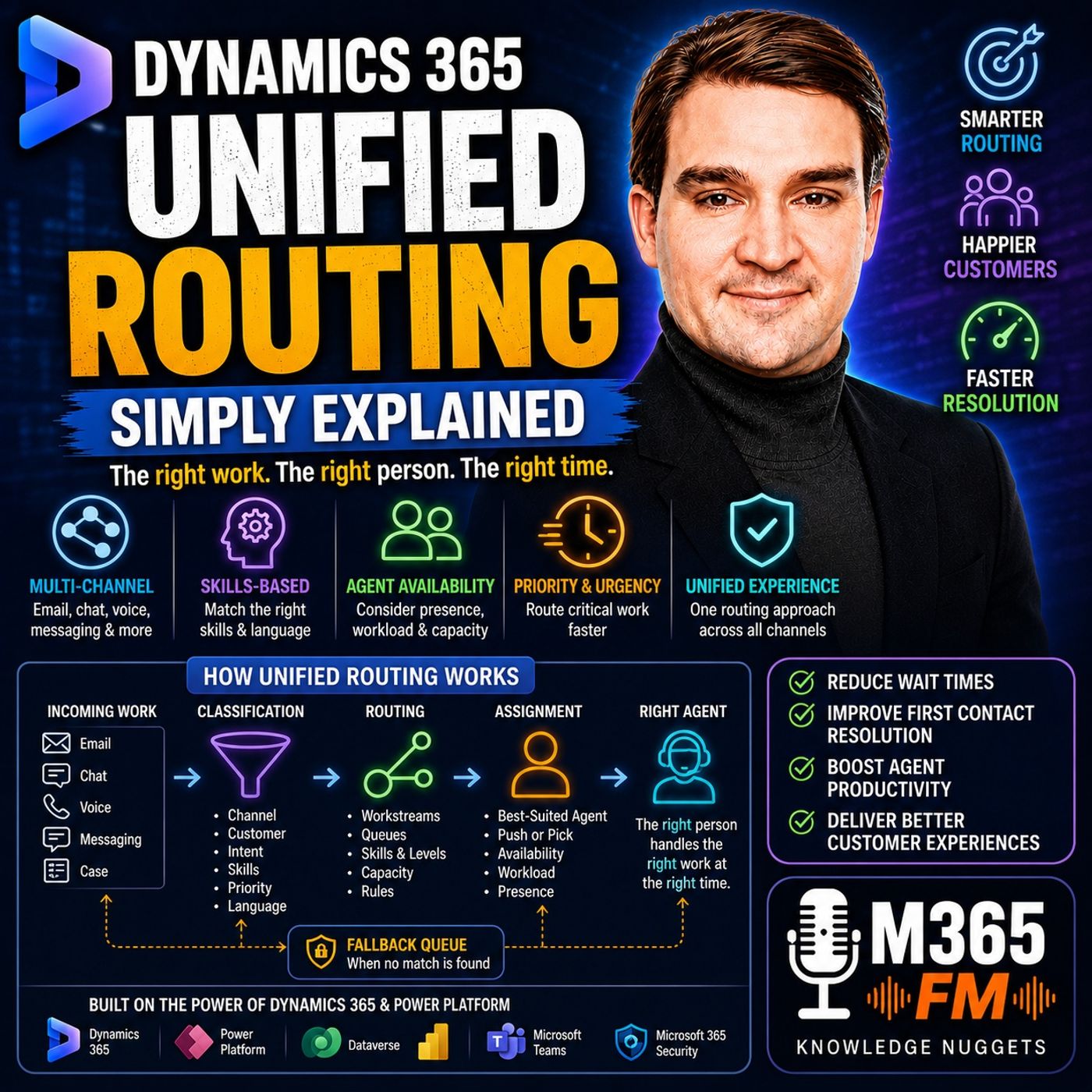
As customer service organizations grow, getting an incoming chat, email, or support case into the hands of the right person becomes a sophisticated logistical challenge. Traditional shared inboxes and basic first-come, first-served queues frequently lead to bottlenecks, unnecessary handoffs, and delayed response times. To solve this, Microsoft Dynamics 365 Unified Routing separates the process into two distinct phases: classification and assignment.
During classification, incoming requests are analyzed, tagged with required skills, prioritized based on service agreements, and sorted into appropriate workstreams. Once the system understands what the work item needs, assignment takes over to pair that item with an eligible human being. However, how that final handoff occurs depends entirely on whether your organization configures push assignment or pick assignment.
What Is Push Assignment?
Push assignment is designed for speed, efficiency, and steady workload distribution. When a new customer interaction meets all routing criteria, the Dynamics 365 system automatically selects the best-suited agent and pushes the item directly to them. The agent receives a real-time notification inside their workspace, such as the Copilot Service workspace, and immediately begins working on the request.
This method relies heavily on active presence and capacity profiles. Before pushing a task, the system evaluates whether the agent is online, possesses the necessary product or language skills, and still has open capacity slots in their profile. If an agent is handling their maximum number of concurrent chats or voice calls, the system bypasses them entirely, even if they share the same skills.
Benefits of Push Assignment
Push assignment removes the guesswork for front-line support staff. Agents do not need to constantly monitor a crowded queue or manually cherry-pick cases. This automated approach ensures a predictable distribution of work, minimizes cherry-picking biases, and significantly reduces the dwell time for customer requests sitting unassigned in a shared inbox.
Service leaders benefit from greater control over throughput. Because the system dictates when and where work lands, organizations can maintain strict service-level agreements (SLAs) and keep response times consistently low across high-volume environments like live chat and standard email support.
What Is Pick Assignment?
Pick assignment takes a completely different philosophy by placing control directly into the hands of the agents. While Unified Routing still performs classification, skill matching, and queue filtering behind the scenes, the system stops short of forcing the work onto an individual.
Instead, eligible work items wait inside a structured queue. Qualified agents who meet the routing requirements view the waiting items and manually choose which task to take next. This method preserves the structural benefits of Unified Routing while offering flexibility for specialized teams.
When to Use Pick Assignment
Pick assignment shines in environments handling complex, high-friction, or long-running cases. For example, a tier-three technical engineering team might handle issues where context is everything. One agent might recognize a customer's specific network architecture from a previous interaction, while another might be actively researching a related bug report.
Allowing senior agents to review waiting items and pick the most appropriate task ensures that tribal knowledge and nuanced case relationships are factored into the workflow. It prevents rigid automation from overriding human expertise when dealing with deeply technical problems.
Comparing Push and Pick Side-by-Side
Deciding between push and pick assignment requires evaluating your team's operational rhythm. Push assignment optimizes for speed, volume, and administrative control. It treats available agents as interchangeable capacity units governed strictly by skills, presence, and workload limits.
Pick assignment optimizes for autonomy, contextual awareness, and complex problem-solving. It trusts agents to evaluate their own bandwidth and choose work based on situational intelligence that a routing rule might miss. However, without proper management, pick assignment can occasionally lead to older or less appealing cases lingering in the queue.
Conclusion
Configuring your Dynamics 365 Unified Routing model with the right assignment method transforms your customer service operations from a chaotic shared inbox into a streamlined engine. Whether you implement automated push notifications for high-volume chats or queue-based picking for senior support engineers, aligning your routing strategy with your team's daily reality ensures customers reach the right person faster.
To dive deeper into workstreams, queues, skills, and machine learning models within Microsoft Dynamics 365, Listen to the full episode and discover expert insights to optimize your cloud environment.
Frequently Asked Questions
What is the primary difference between push and pick assignment in Dynamics 365?
Push assignment automatically delivers incoming work items directly to an eligible agent's screen through notifications. Pick assignment leaves qualified work items in a queue, allowing agents to manually choose and pull the tasks they want to handle.
Can agents still receive work via push assignment if they are fully occupied?
No. Capacity profiles and presence tracking prevent push assignment from sending new requests to agents who are offline, away, or currently at their maximum concurrent workload limit.
When should an organization choose pick assignment over push assignment?
Pick assignment is ideal for specialized support teams handling complex, high-touch issues where agents need to review case history, customer relationships, or related tickets before accepting responsibility.
Do push and pick assignment use the same classification and skill rules?
Yes. Both methods rely on the exact same underlying workstreams, classification rules, skill requirements, and priority settings to filter and qualify who is allowed to receive or pick the work.