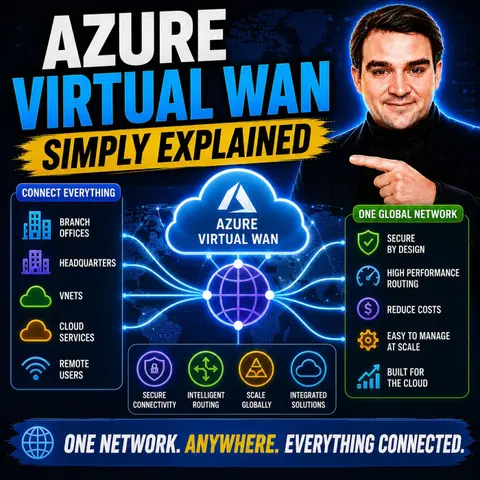
Simplifying Global Enterprise Networking with Azure Virtual WAN
Welcome back to the blog! If you have ever tried to manually configure routing tables, set up peering connections across multiple cloud regions, or wrangled complex branch-office hardware configurations, you already know how frustrating enterprise networking can be. Traditional wide-area network architectures often bog down IT teams with troubleshooting difficulties, high operational expenses, and integration roadblocks when adding new security layers. Fortunately, cloud technology continues to evolve, bringing us smarter and more manageable solutions.
In today's deep dive, we are expanding on our recent podcast conversation to look closely at how Azure Virtual WAN transforms complex enterprise networking into a streamlined, managed service. Whether you are managing a handful of virtual networks or sprawling global branches, understanding this service can fundamentally change how you architect your cloud footprint. To hear our complete discussion and get the audio breakdown, make sure to check out the related episode Azure Virtual WAN - Simply Explained.
What Is Azure Virtual WAN?
Overview of Azure Virtual WAN
Azure Virtual WAN is a managed networking service that simplifies global connectivity for enterprises. It integrates various networking components, such as connectivity, security, and monitoring, into a single platform. This service allows you to manage your network infrastructure more efficiently, reducing the complexity associated with traditional networking methods.
At its core, Azure Virtual WAN utilizes a hub-and-spoke architecture. This means that it acts as a central hub, connecting multiple networks or spokes. You can connect your branch offices, virtual networks, and remote users seamlessly through this hub. The service leverages Microsoft's global private backbone, ensuring reliable and secure connections across regions.
Here’s a quick overview of the key components of Azure Virtual WAN:
| Feature/Component | Description |
|---|---|
| Managed Networking Service | Azure Virtual WAN integrates networking, connectivity, security, monitoring, and routing features. |
| Single Management Interface | Provides a unified interface for managing all services under the Virtual WAN umbrella. |
| Hub and Spoke Architecture | Functions as a central hub for connectivity and security, connecting various spokes (networks). |
| Software-Defined WAN (SD-WAN) | Enables seamless and scalable interconnectivity with on-premises SD-WAN devices. |
| Integration with Azure Firewall | Enhances security by allowing centralized management of security policies and routing. |
| Zero-Touch CPE Deployments | Allows for preconfigured devices to connect automatically to the Virtual WAN. |
| SKU Options | Offers different service levels, including a basic SKU for VPN Site-to-Site connections. |
| Automated Routing | Secured hubs provide automated routing without manual configuration of user-defined routes. |
Key Features of Azure Virtual WAN
Azure Virtual WAN stands out due to its unique features that cater to modern networking needs. Here are some of the key features that differentiate it from other cloud networking solutions:
| Feature | Description |
|---|---|
| Types of WAN | Azure Virtual WAN offers Basic and Standard types, each with different configurations and upgrade options. |
| Basic | Allows only Site-to-site VPN connectivity. |
| Standard | Supports ExpressRoute, User VPN (P2S), VPN (site-to-site), Inter-hub, and VNet-to-VNet transitions. |
| Custom Route Tables | Enables creation of custom route tables for optimized virtual network routing. |
| Global VNet Peering | Allows connectivity between VNets in different regions, enhancing reach and efficiency. |
| Hub Architecture | Centralizes connectivity through a Microsoft-managed virtual network hub, simplifying network management. |
| Hub-to-Hub Connection | Interconnects all hubs within a Virtual WAN, allowing seamless communication between branches and VNets. |
| Scalability | VNets can scale effortlessly via the virtual hub and its gateway, eliminating the need for individual gateways. |
These features make Azure Virtual WAN a comprehensive solution for enterprises looking to modernize their network infrastructure. It supports various use cases, including hybrid cloud scenarios and migration from legacy MPLS networks. By leveraging Azure Virtual WAN, you can achieve centralized hybrid connectivity, enforce traffic policies, and ensure secure branch and remote-user connectivity at scale.
Azure Virtual WAN Architecture
Virtual Hubs Explained
At the heart of the azure virtual wan architecture are the virtual wan hubs. These hubs serve as central points for connectivity and management. They simplify the network by allowing you to connect multiple resources, such as branch offices and virtual networks, through a single hub. This hub and spoke architecture centralizes control, making it easier to manage security and routing policies across all connected spokes.
Here are some key roles of virtual hubs:
- Hub-to-Hub Connectivity: Virtual hubs enable efficient communication between branches and virtual networks (VNets) in different regions.
- Any-to-Any Connectivity: They reduce the complexity of full or partial mesh configurations, allowing for simpler network designs.
- Global Transit Network: Resources connected to any hub can communicate with others across regions via Microsoft's private backbone network. This enhances reliability and reduces latency.
The architecture of Azure Virtual WAN contributes significantly to network simplification and scalability. By utilizing a hub and spoke topology, you can maintain consistent security and routing policies across all spokes. This uniformity enhances compliance and makes it easier to manage your network as it grows. You can dynamically add new spokes or hubs as your network demands increase, ensuring that your infrastructure can scale with your business needs.
Connectivity Mechanisms
Azure Virtual WAN offers several connectivity mechanisms to link your on-premises and cloud resources. These mechanisms ensure secure and reliable connections, allowing you to manage your network effectively. Here are the primary connectivity options available:
- Point-to-Site (P2S) VPN Connections: These connections enable remote users to connect to the virtual hub and access resources across the network.
- Site-to-Site (S2S) VPN Connections: These connections provide secure communication between your on-premises locations and Azure, ensuring data confidentiality.
- ExpressRoute: This option offers a dedicated private connection between your on-premises networks and Azure, enhancing both security and performance.
Additionally, Azure Transit allows network traffic to be inspected and filtered through Azure, adding a layer of security. The VPN Gateway manages encrypted tunnels, ensuring that your data remains confidential and protected from unauthorized access.
The following table summarizes how Azure Virtual WAN ensures secure and reliable connectivity across different network types:
| Feature | Description |
|---|---|
| Hub-and-Spoke Architecture | Centralizes connectivity and management, simplifying traffic control and security policy enforcement. |
| Secure Site-to-Site VPN | Enables encrypted communication between on-premises locations and Azure, ensuring data confidentiality. |
| ExpressRoute Connectivity | Provides dedicated, private connections that bypass the public internet, enhancing security and performance. |
| Integration with Security Services | Works with Azure Firewall and other services to filter traffic and prevent unauthorized access. |
By leveraging these connectivity mechanisms, you can create a robust and secure network that meets your organization's needs.
Scalability and Performance
Scalability Options
Azure Virtual WAN offers robust scalability options to meet your growing network demands. As your business expands, you need a solution that can handle increasing data traffic without compromising performance. Azure Virtual WAN excels in this area by providing:
- Dynamic Transit Connectivity: You can create a hub-and-spoke architecture that scales easily across multiple Azure regions and on-premises locations.
- On-Demand Scaling: Start with small deployments and expand as needed. This flexibility allows you to manage costs while accommodating growth.
- Global Deployment: The architecture consists of region-bound virtual WAN hubs that leverage local resources. This setup facilitates efficient global deployment and reduces latency.
- Efficient Traffic Management: The hub-and-spoke model connects various spokes, such as virtual networks or branches, simplifying traffic management.
By utilizing Azure Virtual WAN, you can ensure high-speed, reliable connections that enhance overall performance. This service allows you to focus on your core operations while Azure manages the complexities of network scaling.
Performance Metrics
When evaluating Azure Virtual WAN, consider several key performance metrics to ensure optimal deployment. These metrics help you assess the effectiveness of your network and identify areas for improvement:
- Capacity Planning: Conduct thorough planning for components to assess VPN and ExpressRoute gateways. This step ensures that your network can handle expected traffic loads.
- Performance Monitoring: Implement monitoring for all Virtual WAN components. Continuous monitoring helps you identify performance bottlenecks and optimize configurations.
- Scalable Architecture Design: Design your architecture to accommodate growth. This foresight allows you to adapt to changing business needs without significant overhauls.
- Latency Optimization: Optimize hub placement to reduce latency. Proper hub placement can significantly enhance the performance of applications sensitive to delays.
- Routing Validation: Regularly validate routing for performance troubleshooting. This practice ensures that your network remains efficient and responsive.
While Azure Virtual WAN introduces some latency when routing through its hubs compared to direct peering, it still provides a reliable and scalable solution for modern enterprises. The throughput for VNet-to-VNet traffic is limited to 50 Gbps, which may not meet the needs of organizations handling large volumes of data. However, the benefits of centralized management and simplified connectivity often outweigh these limitations.
By focusing on these scalability and performance metrics, you can maximize the effectiveness of your Azure Virtual WAN deployment and ensure that your network meets the demands of your growing business.
Azure Connectivity Options
Azure Virtual WAN provides various connectivity options to meet your organization's networking needs. These options ensure secure and efficient connections between your on-premises infrastructure and Azure resources.
Site-to-Site Connectivity
Site-to-Site (S2S) connectivity allows you to establish secure connections between your on-premises networks and Azure. This option is essential for organizations that require reliable communication between their local data centers and cloud resources. Azure Virtual WAN supports two main configurations for site-to-site connectivity:
| Configuration Type | Connectivity Options |
|---|---|
| Basic | Site-to-site VPN connectivity only |
| Standard | ExpressRoute, User VPN (P2S), VPN (site-to-site), Inter-hub, VNet-to-VNet transition, Azure Firewall, NVA |
With these configurations, you can choose the best option that fits your requirements. The Basic configuration is suitable for straightforward VPN connections, while the Standard configuration offers more advanced features for complex networking needs.
Point-to-Site Connectivity
Point-to-Site (P2S) connectivity enables remote users to connect securely to your Azure Virtual WAN. This option is ideal for employees working from home or traveling. Azure Virtual WAN simplifies the setup of P2S connections with several key features:
| Aspect | Description |
|---|---|
| P2S Server Configuration | Defines authentication parameters for the P2S VPN gateway to authenticate users. |
| Routing Preference | Allows selection of traffic routing between Azure and the Internet via Microsoft or ISP networks. |
| Custom DNS Servers | Specifies DNS server IP addresses for forwarding DNS requests from connecting users. |
| User Groups | Assigns different IP addresses to users based on credentials, enabling ACLs and Firewall rules. |
You can create multiple User VPN configurations before establishing the P2S gateway. This flexibility allows you to tailor the connection settings to meet your organization's specific needs.
ExpressRoute Integration
Integrating ExpressRoute with Azure Virtual WAN enhances your network connectivity options. This integration provides a dedicated, private connection between your on-premises networks and Azure. Here are some benefits of using ExpressRoute with Azure Virtual WAN:
- The network-as-a-service model simplifies managing various connectivity types.
- You can enforce robust security protocols across all networks from a single management console.
- Azure Virtual WAN provides a single interface for networking, security, and routing, simplifying management.
- The integration allows for automated setup and configuration, enhancing operational efficiency.
- Combining ExpressRoute with Virtual WAN optimizes connectivity through Microsoft's global network.
- Azure Virtual WAN supports comprehensive traffic inspection, enhancing security for all connected resources.
- The hub-and-spoke architecture facilitates seamless transit connectivity, improving scalability.
By leveraging these connectivity options, you can create a robust and secure network that meets your organization's needs while ensuring efficient communication across all locations.
Azure Virtual WAN vs. SD-WAN
When comparing Azure Virtual WAN and SD-WAN, you will notice several key differences that can influence your choice of solution. Both technologies aim to enhance connectivity, but they serve different purposes and scenarios.
Key Differences
Here are some of the main differences between Azure Virtual WAN and SD-WAN solutions:
| Feature/Aspect | Azure Virtual WAN | SD-WAN Solutions |
|---|---|---|
| Architecture | Acts as an aggregation point and backbone extension | Typically a last-mile solution |
| Interconnectivity | Designed to interconnect with on-premises SD-WAN devices | Focused on connecting branch offices to the cloud |
| Scalability | Offers seamless and scalable backbone network | Varies by vendor, but generally scalable |
| Cost-Effectiveness | Can be more cost-effective depending on bandwidth needs | Costs vary widely based on deployment and usage |
Azure Virtual WAN serves as a central connection point for host VNets and SD-WAN routers. It enables a scalable backbone network, while traditional SD-WAN focuses on last-mile connectivity. This distinction is crucial when deciding which solution fits your organization’s needs.
Use Cases for Each Solution
Different scenarios may favor one solution over the other. Here’s a breakdown of when to choose Azure Virtual WAN or SD-WAN:
| Scenario | Azure Virtual WAN | SD-WAN |
|---|---|---|
| Multi-region deployments | Preferred for 3+ regions due to automatic hub mesh | Manual hub-to-hub peering becomes complex |
| Large spoke counts | Automation reduces operational burden with 30+ spokes | Manual peering and route management required |
| Branch office connectivity | Built-in support for connecting multiple branch offices | Requires integration with SD-WAN platform |
| Managed service preference | Reduces operational burden for small teams | Typically requires more management overhead |
| ExpressRoute and VPN coexistence | Handles coexistence gracefully | Manual configuration needed for hub-and-spoke |
You should consider Azure Virtual WAN when operating in three or more Azure regions, managing 30+ spoke VNets, or prioritizing branch office connectivity. If you seek a managed service to reduce operational burden or need seamless coexistence of ExpressRoute and VPN, Azure Virtual WAN is the better choice. On the other hand, SD-WAN may be suitable for simpler, last-mile connectivity needs.
By understanding these differences and use cases, you can make an informed decision that aligns with your organization's connectivity requirements.
Benefits of Azure Virtual WAN
Simplified Management
Azure Virtual WAN significantly simplifies network management for IT administrators. You can manage your entire network from a single interface, which reduces complexity and saves time. Here are some key features that contribute to simplified management:
| Feature | Description |
|---|---|
| Hub and Spoke Architecture | Centralizes network management, making it easier to control traffic and security policies. |
| Optimized Routing | Ensures data takes the most direct path, enhancing performance and reducing latency. |
| Secure Connectivity | Provides secure connections, reducing the need for expensive VPNs and enhancing overall security. |
| Site-to-Site VPN | Enables secure communication between on-premises locations and Azure, ensuring data confidentiality. |
| Branch-to-Azure Connectivity | Allows branch offices to connect seamlessly to Azure resources, optimizing network traffic. |
| Azure Transit | Routes traffic through Azure for inspection and security, adding compliance layers. |
| Integrated Security Services | Works with Azure Firewall and other services to filter traffic and secure the network infrastructure. |
With Azure Virtual WAN, you can consolidate multiple connectivity solutions, including ExpressRoute and VPN. This consolidation streamlines your network operations, allowing you to focus on your core business activities rather than network complexities.
Enhanced Security
Security is a top priority for any organization, and Azure Virtual WAN offers enhanced security features compared to traditional WAN architectures. Here are some of the key security benefits:
- Identity management: Ensures only authorized users can access network resources, preventing unauthorized access.
- Azure Key Vault for credential management: Securely stores VPN credentials, enhancing security over traditional methods.
- Azure Active Directory authentication: Provides centralized identity management and stronger security than traditional methods.
- Role-based access control (RBAC): Controls management access to Virtual WAN resources, following the principle of least privilege.
- Managed identities for automation: Eliminates the need to store credentials in code, enhancing security.
- RADIUS authentication: Centralizes user management and leverages existing identity infrastructure.
These features work together to create a secure environment for your data and applications. By leveraging Azure Virtual WAN, you can ensure that your network remains protected against unauthorized access and potential threats.
Downsides of Azure Virtual WAN
Limitations
While Azure Virtual WAN offers many benefits, it also has some limitations that you should consider. Understanding these limitations can help you make informed decisions about your network infrastructure. Here are a few key points:
- Complexity in Understanding the Services: Azure Virtual WAN can be challenging to grasp fully. The various components and configurations may overwhelm users who are new to cloud networking.
- Limited Flexibility: Compared to traditional hub-and-spoke architectures, Azure Virtual WAN may offer less flexibility. Organizations with unique networking needs might find it difficult to customize their setups.
Considerations for Implementation
Before implementing Azure Virtual WAN, evaluate several factors to ensure it aligns with your organization's needs. Here’s a checklist to guide your decision-making process:
- Networking Topology: Determine whether a hub-and-spoke model or Azure Virtual WAN better suits your enterprise's requirements.
- Operational Complexity: Assess the differences in management and operational overhead between the two models. This evaluation will help you understand the potential impact on your team.
- Cost: Analyze the cost implications, especially concerning the number of regions and VPN tunnels you plan to use.
- Specific Requirements: Consider the number of regions and VPN tunnels necessary for your operations. This assessment will help you avoid over-provisioning or under-provisioning resources.
- DNS Architecture: Ensure proper design to prevent connectivity issues after deployment. A well-structured DNS setup is crucial for smooth operations.
- Firewall Policy Design: Plan for long-term manageability with a structured rule collection. This planning will help you maintain security as your network evolves.
- Transition Path: Understand the migration path if you start with a traditional hub-and-spoke model. Knowing how to transition smoothly can save time and resources.
- Cross-Region Routing: Determine if your roadmap includes multiple active regions. This consideration may necessitate starting with Azure Virtual WAN for optimal performance.
- Monitoring Depth: Choose based on your team's operational maturity and troubleshooting needs. Effective monitoring is essential for maintaining network health.
By carefully considering these factors, you can better prepare for a successful implementation of Azure Virtual WAN. This preparation will help you leverage its capabilities while minimizing potential challenges.
Practical Use Cases
Scenarios for Deployment
Azure Virtual WAN serves various industries, providing solutions tailored to their unique needs. Here are some common deployment scenarios:
- Financial Services: Organizations in this sector often face strict security requirements. They use Azure Virtual WAN to extend their existing security measures to the cloud, ensuring data protection.
- Healthcare: Healthcare providers rely on secure and compliant networks. Azure Virtual WAN helps them maintain patient confidentiality while enabling efficient data sharing.
- Government and Public Sector: These organizations prioritize security and compliance. Azure Virtual WAN allows them to connect securely with various agencies and departments.
- Energy and Utilities: Companies in this field benefit from Azure Virtual WAN's ability to manage remote sites and ensure reliable communication across their infrastructure.
- Retail and E-commerce: Businesses in retail use Azure Virtual WAN to connect multiple locations and manage their online operations efficiently.
Additionally, companies utilizing multi-cloud or hybrid cloud environments find Azure Virtual WAN beneficial. It provides consistent management of cloud network security across their entire IT infrastructure. Organizations facing a shortage of security engineers may adopt Azure Virtual WAN for its ease of use and operational efficiency. This solution helps alleviate the burden on overworked security teams.
Success Stories
Many organizations have successfully implemented Azure Virtual WAN to enhance their networking capabilities. Here are a few notable examples:
- Global Retailer: A leading retailer adopted Azure Virtual WAN to connect its stores across multiple regions. This deployment improved communication and streamlined operations, allowing for better inventory management and customer service.
- Healthcare Provider: A large healthcare provider utilized Azure Virtual WAN to connect its hospitals and clinics. This connection enabled secure data sharing and improved patient care by allowing healthcare professionals to access critical information quickly.
- Energy Company: An energy company implemented Azure Virtual WAN to manage its remote sites. The solution provided reliable connectivity, allowing for real-time monitoring and control of operations, which enhanced efficiency and reduced downtime.
These success stories illustrate how Azure Virtual WAN can transform networking for various organizations. By simplifying connectivity and enhancing security, Azure Virtual WAN empowers businesses to focus on their core operations while ensuring a robust network infrastructure.
FAQ
What is Azure Virtual WAN used for?
Azure Virtual WAN simplifies global connectivity for enterprises. It connects branch offices, virtual networks, and remote users through a centralized hub, enhancing network management and security.
How does Azure Virtual WAN improve security?
Azure Virtual WAN integrates security features like Azure Firewall and centralized policy management. This setup ensures secure connections and protects data across all regions.
Can I connect my on-premises network to Azure Virtual WAN?
Yes, you can connect your on-premises network using Site-to-Site VPN or ExpressRoute. These options provide secure and reliable communication between your local infrastructure and Azure.
What are the main benefits of using Azure Virtual WAN?
Key benefits include simplified management, enhanced security, automated routing, and scalability. These features help you focus on your core business while Azure manages network complexities.
Is Azure Virtual WAN suitable for small businesses?
Yes, Azure Virtual WAN can benefit small businesses by providing a cost-effective solution for secure connectivity. It simplifies network management, allowing small teams to operate efficiently.
How does Azure Virtual WAN handle traffic?
Azure Virtual WAN uses a hub-and-spoke architecture to manage traffic. This design centralizes routing and security, ensuring efficient data flow between connected networks.
What types of connectivity does Azure Virtual WAN support?
Azure Virtual WAN supports Site-to-Site VPN, Point-to-Site VPN, and ExpressRoute. These options cater to various connectivity needs, ensuring secure access to Azure resources.
Can I monitor my Azure Virtual WAN performance?
Yes, Azure provides monitoring tools to track performance metrics. You can assess traffic patterns, latency, and overall network health to optimize your Azure Virtual WAN deployment.
🎧 Listen to this episode
Want a practical explanation of Azure Virtual WAN? This episode breaks down the topic in clear language and shows why it matters for Microsoft 365, Azure, Power Platform, security, AI, and modern work.
Listen to this episode if you want to:
- Understand the key concepts behind Azure Virtual WAN
- See how it fits into the wider Microsoft technology ecosystem
- Learn where it can create practical value for your organization
Make sure to catch the full conversation over on Azure Virtual WAN - Simply Explained!

Microsoft MVP | Host of M365.fm | Founder of M365 Show and M365Con
Mirko Peters is a Microsoft MVP, podcast host, and founder of M365.fm, M365 Show, and M365Con. His work connects Microsoft practitioners through podcast interviews, livestreams, and community events.
At M365.fm, Mirko hosts conversations with Microsoft MVPs, product experts, architects, and community contributors. Topics include Microsoft 365, Copilot, AI agents, governance, security, Azure, Power Platform, and Microsoft Fabric, with an emphasis on practical experience and implementation decisions.
M365.fm is the podcast and learning platform. M365 Show brings experts together for livestreams, while M365Con provides an online conference setting for community learning.
Official website: Mirko Peters (https://www.mirkopeters.com/). Recognition: Mirko Peters — Microsoft MVP profile (https://mvp.microsoft.com/de-DE/mvp/profile/9b0ca797-db5a-493a-a845-8b9158046cf5). Connect on LinkedIn (https://www.linkedin.com/in/m365showpodcast/).

Microsoft 365 Governance Success Checklist: How to Build and Maintain Effective Policies