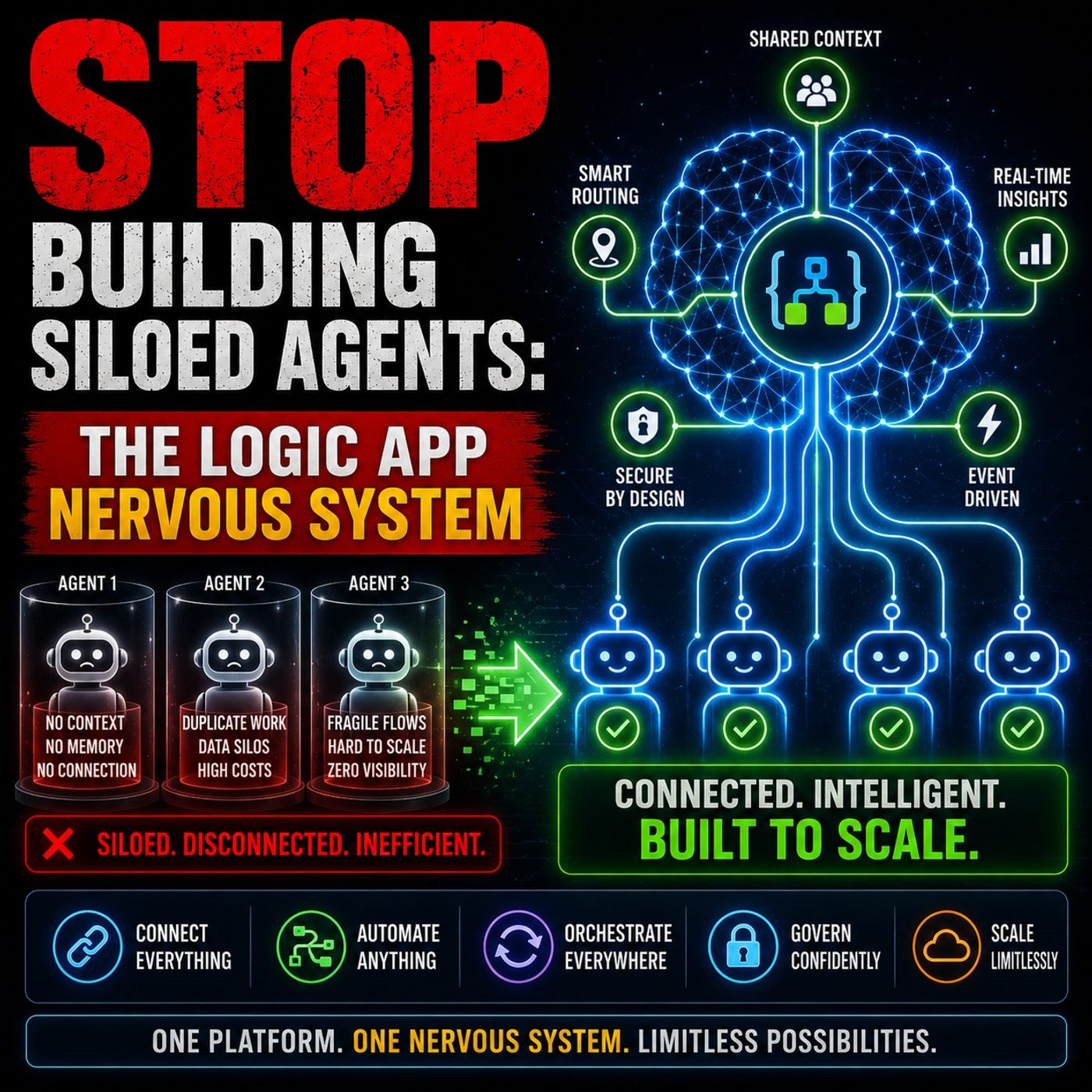
Stop Building Siloed Chatbots: Designing a Unified AI Architecture
When organizations first begin experimenting with generative artificial intelligence, the initial reaction is often one of unbridled enthusiasm. Teams spin up individual chatbots for human resources, customer service, and IT support, marveling at how quickly these digital assistants can parse text and answer localized prompts. However, this decentralized approach quickly devolves into an unmanageable mess of fragmented systems, skyrocketing operational debt, and integration sprawl. Deploying isolated AI agents without a cohesive enterprise strategy creates severe data silos and forces human workers to act as manual glue between disconnected applications.
Transitioning from isolated point-to-point connections to a unified, scalable enterprise architecture is no longer optional—it is a critical requirement for long-term survival. In this blog post, we will explore why standard chatbot deployments fail at scale, how to navigate the complexities of stateful versus stateless workflows, and how you can leverage orchestration layers to bring order to your digital ecosystem. For a deeper, highly practical breakdown of these exact principles, make sure to listen to our dedicated podcast episode on Azure Logic Apps for Multi-Agent AI Orchestration.
Stop Building Siloed Agents
The Chatbot Mirage
You might feel a rush of excitement when your team builds a new AI agent and the initial demo functions flawlessly. The agent answers questions accurately, responds within milliseconds, and satisfies the immediate use case. This early success often breeds a dangerous misconception: that deploying more independent agents will automatically compound your organization's value. In reality, these localized solutions frequently solve narrow, department-specific problems while completely ignoring the broader collaborative needs of the enterprise as a whole.
Local vs Enterprise Optimization
When engineering teams focus strictly on local wins, they entirely miss the enterprise-wide architecture picture. Individual departments build their own custom agents to tackle isolated workloads without sharing state, telemetry, or context with neighboring systems. The result is a fragmented cluster of micro-solutions that fail to form a cohesive digital fabric. If you want to stop building siloed agents, you must evaluate how every single assistant aligns with overarching business capabilities, security standards, and cross-functional communication pathways.
Operational Debt
Every additional agent you introduce into your environment adds a compounding tax to your internal resources. You become responsible for maintaining, patching, monitoring, and updating each isolated tool. Over time, this dynamic generates massive operational debt. Your technical staff spends more hours troubleshooting brittle point-to-point connections and less time driving actual business innovation. Failing to curb this trend guarantees rising maintenance costs and an unsustainable reliance on manual human intervention.
Architectural Weaknesses
Demo Success vs Scale Failure
A proof-of-concept chatbot can look magnificent in a sterile sandbox environment, but production scale introduces entirely new variables. While one agent running in isolation rarely stresses an infrastructure, dozens or hundreds of concurrent agents will quickly expose structural vulnerabilities. Without an intentional strategy to stop building siloed agents, organizations inevitably run into fractured data pipelines, conflicting logic paths, and deeply frustrated end users. A robust, scalable architecture is the only safeguard against widespread operational failure.
The Point-to-Point Trap
Many technical teams default to connecting AI agents directly to underlying APIs, legacy databases, or individual Software-as-a-Service platforms. While this approach appears straightforward during initial prototyping, it rapidly deteriorates as your agent ecosystem expands.
Integration Sprawl
- The average modern enterprise now relies on approximately 110 SaaS applications, a staggering leap from roughly 8 tools a decade ago.
- Enterprise employees spend an estimated 36% of their daily working hours passively switching between disparate apps and hunting down information buried within disconnected systems.
When you fail to stop building siloed agents, you inadvertently weave an unmanageable web of direct point-to-point connections. This phenomenon—integration sprawl—makes your technical landscape extraordinarily brittle, difficult to audit, and profoundly frustrating for daily users.
Credential Proliferation
Every direct API or database integration requires dedicated authentication keys, connection strings, and access secrets. As your agent count scales, the sheer volume of credentials you must manage creates severe security vulnerabilities. Protecting dozens of unmanaged secrets makes compliance audits nearly impossible. To safely stop building siloed agents, organizations must centralize identity management and secure communication paths.
Tip: Focus on designing a unified architecture from day one. Centralizing your control plane will help you stop building siloed agents and drastically reduce unnecessary operational complexity across your organization.
Why Agents Fail at Scale
Reasoning vs Orchestration
A common misconception in modern software engineering is that raw reasoning capabilities—powered by advanced large language models—are enough to solve complex enterprise problems. In practice, isolated reasoning without structured orchestration inevitably leads to failure. When autonomous agents operate without a governing framework, organizations quickly encounter massive governance gaps, integration bottlenecks with legacy systems, and safety risks that demand constant human supervision. Without standardized management platforms, sophisticated agentic projects remain permanently trapped in endless pilot phases.
Transitioning from legacy monolithic mainframes to cloud-native microservices, or attempting to merge massive relational databases, almost always exacerbates underlying data hygiene problems. Deploying AI agents on top of messy data rarely cleans up those issues; it typically amplifies them exponentially.
You must treat enterprise AI agents as production-grade systems from the very beginning of the development lifecycle, ensuring rigorous monitoring, version control, and operational governance.
Stateless vs Stateful Workflows
Stateless workflows treat each individual user interaction as completely independent, making them ideal for lightweight, transactional tasks like text translation or basic classification. Conversely, stateful workflows allow agents to maintain conversation context, remember past actions, and execute complex multi-step reasoning processes over extended periods.
| Aspect | Stateless Workflows | Stateful Workflows |
|---|---|---|
| Scalability | Achieves near linear scaling efficiency under high load. | Constrained scalability due to persistent session and state management requirements. |
| Cost | Highly cost-efficient; optimal for high-throughput, low-budget scenarios. | Significantly more resource-intensive due to memory tracking and session persistence. |
| Performance | Lightning-fast request execution (50-150ms). | Slower per request (150-500ms) due to context hydration and state serialization. |
| User Experience | Poor fit for multi-turn conversations and long-running business processes. | Superior experience for complex multi-turn dialogue and advanced orchestration tasks. |
| Use Cases | API routing, basic translations, simple data classification. | Customer onboarding, sales pipelines, healthcare triage, multi-step approvals. |
Process Persistence
Process persistence is non-negotiable for workflows that span hours, days, or weeks. Stateless agents wipe their operational memory clean between calls, rendering them incapable of handling long-running business operations. Stateful workflows, however, continuously preserve context, enabling agents to pause, wait for external triggers, and resume operations seamlessly after interruptions.
Workflow Recovery
When unexpected errors occur in production, workflow recovery mechanisms ensure that your systems do not lose critical progress. Stateful architectures routinely checkpoint system states, allowing applications to roll back, recover gracefully, and resume execution from the exact point of failure without human intervention.
Governance and Observability
You cannot effectively govern what you cannot comprehensively observe. Operating enterprise AI agents without ecosystem-wide observability and detailed decision traces makes auditing, troubleshooting, and compliance virtually impossible. When an agent executes an unexpected action, you must be able to answer definitively: "Why did the agent make that choice?" Pairing strict observability with robust governance frameworks is the only way to establish true enterprise trust.
Untraceable Actions
When agents operate in a governance vacuum, critical risks remain entirely invisible until an incident occurs. Modern enterprise architectures must capture full decision histories, contextual input parameters, tool-usage metrics, and comprehensive system logs over time to guarantee regulatory compliance and operational accountability.
Fragmented Error Handling
Fragmented error-handling practices make administrative oversight extraordinarily difficult. Teams must proactively review, categorize, and remediate system signals. Proper observability surfaces critical telemetry, including decision paths and API call failures, ensuring governance policies translate directly into system improvements rather than unmanaged security incidents.
Observability is no longer optional; it is a strict regulatory requirement. Emerging standards such as the EU AI Act mandate full technical traceability, rigorous documentation, continuous human oversight, and comprehensive logging of all autonomous system activity.
Logic Apps as the Nervous System

Picture your enterprise organization as a complex living organism. Individual AI agents function much like specialized muscles or organs, designed to execute precise functional tasks. However, without an advanced central nervous system, these disparate parts cannot coordinate their efforts effectively. Azure Logic Apps serve precisely this role as the central nervous system for modern enterprise AI, orchestrating actions, transmitting signals, and ensuring every agent responds harmoniously to real-time business events.
Orchestration Layer
Achieving true business value requires far more than simply deploying smart foundation models. Logic Apps provide a powerful orchestration layer that seamlessly binds together autonomous agents, human workers, and legacy enterprise systems. This command center guides agents through intricate, multi-step workflows with absolute precision.
Using this orchestration layer, you can design intelligent workflows that:
- Dynamically trigger agents in response to real-time business events.
- Intelligently route tasks to the appropriate human approvers or automated backend services.
- Blend autonomous machine execution with mandatory human-in-the-loop checkpoints.
- Continuously monitor every step of execution to guarantee compliance and performance.
By leveraging Logic Apps, you can connect your AI agents directly to heavy-duty enterprise systems like SAP, Salesforce, or custom internal microservices. This orchestration layer eliminates common design pitfalls, optimizes operational costs by routing prompts to cost-effective models, and guarantees total operational observability.
Tip: Carefully map out where human judgment is truly required within your workflows. Design your orchestration layer to include explicit human approval checkpoints to ensure maximum safety and accuracy.
Effective orchestration strategies include:
- Agent Loops: Enabling workflows to evaluate goals, execute actions, and reflect on outcomes in iterative cycles.
- Enterprise System Integration: Utilizing robust connectors to link agents directly with core business platforms.
- Hybrid Execution Support: Blending fully autonomous agentic processing with structured human oversight.
Event-Driven Architecture
Building a resilient, highly responsive agent ecosystem requires transitioning away from sluggish, polling-based mechanisms. Event-driven architecture makes high-performance scaling possible by ensuring agents and workflows react instantly to real-time triggers, such as incoming customer records, completed payments, or file uploads.
By decoupling agent management from immediate execution, message queues absorb sudden traffic spikes, keeping your core infrastructure stable during peak utilization periods. Event Grid listeners activate specialized agents only when relevant data arrives, dramatically minimizing idle compute costs and boosting system throughput.
- Agents respond instantaneously to market and operational changes.
- Data is processed concurrently the moment it becomes available.
- Loose coupling between workflows guarantees frictionless enterprise scalability.
The result is an elastic infrastructure that expands effortlessly to meet your organization's evolving needs, turning Logic Apps into the ultimate coordinating nervous system.
Connectors as Neural Pathways
Connectors function identically to biological nerve pathways, bridging Logic Apps to hundreds of external software systems and ensuring that data flows frictionlessly across your entire technology stack.
Microsoft 365 Integration
Connecting Logic Apps natively to Microsoft 365 services—including Teams, Outlook, SharePoint, and OneDrive—unlocks powerful enterprise automation capabilities, enabling agents to:
- Securely read and analyze incoming emails, shared calendars, and corporate documents.
- Automate complex meeting schedules, stakeholder pings, and operational notifications.
- Update internal knowledge bases and share critical project updates across departments.
These native connectors radically minimize context switching. Your agents can pull customer data, project milestones, or shipment statuses directly into their workspace, streamlining complex administrative tasks without forcing users out of familiar tools.
Custom APIs
When enterprise environments require connectivity to proprietary systems or niche third-party tools lacking prebuilt integrations, Logic Apps allow developers to easily construct custom API connectors. This flexibility enables organizations to:
- Integrate seamlessly with specialized CRM, transportation management, or project tracking software.
- Automate core administrative actions like ticket creation, status updates, and audit logging.
- Apply sophisticated business rules to route tasks or respond immediately to specific operational events.
"Connectors have had a transformative impact on our daily operations because our teams can now securely access all necessary data without ever leaving their primary inbox. Furthermore, intelligent business rules allow us to automatically identify potentially fraudulent emails and quarantine them based on real-time alerts. This helps us verify and prevent spoofing attempts before our sales teams even engage." — Brandon Bay, EVP, Logistics Group International
Prebuilt and low-code connectors empower organizations to accelerate productivity, minimize repetitive manual effort, and eliminate operational friction across departments.
Building Agent Ecosystems

Agent Loop Action
Designing genuinely intelligent AI agents requires moving beyond static instruction-following into dynamic operational loops. The Agent Loop framework enables agents to evaluate, execute, and adapt continuously across three core phases:
- Reasoning (Think): The agent analyzes its assigned objective against the current operational environment to determine the optimal next step.
- Action (Act): The agent leverages Logic Apps connectors to interact directly with external databases, APIs, or SaaS tools.
- Reflection (Learn): The agent evaluates the execution results, updates its internal context, and refines its future strategy.
By running these steps in continuous iterative cycles, your agents actively improve their performance over time. They do not merely follow rigid code—they learn from real-world outcomes and dynamically adjust their approach.
Multi-Agent Collaboration
Complex enterprise problems require specialized collaboration between multiple distinct agents rather than relying on a single monolithic assistant. For instance, in a modern healthcare platform, one specialized agent monitors real-time patient telemetry while another handles appointment scheduling and administrative triage, ensuring maximum accuracy and continuity.
Successful multi-agent collaboration requires rigorous focus across several foundational areas:
- Agent Orchestration: Explicitly governing how agents initialize, execute tasks, and hand off workloads.
- Common Communication Protocols: Establishing standardized schemas for inter-agent messaging.
- Reasoning and Planning Engines: Decomposing high-level business goals into granular sub-tasks for specialized agents.
- Knowledge and Memory Management: Allowing agents to safely share context to eliminate redundant work.
- Security and Trust Frameworks: Enforcing strict access boundaries to protect sensitive corporate assets.
- Human-Agent Teaming Interfaces: Providing intuitive dashboards for human operators to monitor, audit, and override agent activity.
Configuring your platform so that individual agents maintain distinct toolsets and granular permissions makes it remarkably simple to scale your ecosystem over time.
Cross-Tenant Coordination
Enterprise organizations frequently require AI agents to operate securely across multiple distinct Microsoft 365 tenants, particularly following corporate mergers, acquisitions, or complex multi-subsidiary structures. Cross-tenant coordination maintains airtight security standards while ensuring effortless operational scalability.
| Aspect | Description |
|---|---|
| Cross-Tenant Operational Standardization | Deploying API-driven normalization to guarantee consistent investigations and workflows across all isolated customer or subsidiary tenants. |
| Acceleration of Detection and Response | Rapidly collecting digital evidence and validating threats to minimize dwell time for potential attackers across enterprise boundaries. |
| Closed-Loop Learning and Continuous Improvement | Utilizing secure feedback loops to continuously refine threat detection models per tenant without exposing sensitive data across organizational boundaries. |
Identity and Security
Safeguarding corporate data during cross-tenant agent operations requires robust authentication mechanisms. Relying on modern identity standards ensures that strictly authorized agents can access designated resources.
Managed Identities
Managed identities completely eliminate password sprawl and secret rotation overhead. Logic Apps utilize secure Azure-managed identities to authenticate against resources across any trusted enterprise tenant without exposing hardcoded credentials.
Workload Federation
Workload federation allows agents to authenticate securely using token exchange and federated credentials rather than long-lived secrets. This aligns perfectly with modern Zero Trust security architectures, making multi-tenant agent ecosystems significantly safer to operate.
Tip: Construct your enterprise agent ecosystems with federated identities and managed credentials from the start to ensure uncompromising security, compliance, and effortless scalability.
Stateful Workflows and Memory
Stateful workflows provide AI agents with persistent memory, enabling them to retain context from past interactions and maintain operational continuity across extended sessions. This architecture is essential for managing complex, long-running business processes that demand reliable coordination.
Checkpointing and Persistence
Checkpointing allows a running workflow to safely pause and resume without losing accumulated state. By defining structured boundaries where system states are persisted to durable storage, workflows can easily recover from unexpected server crashes or network failures.
- Checkpoints store intermediate execution results either in high-speed memory caches or durable databases.
- Successful execution steps are permanently preserved even if downstream tasks fail, dramatically boosting recovery efficiency.
- Agents can pause indefinitely waiting for external approvals and resume execution flawlessly upon completion.
Leveraging checkpointing drastically minimizes data loss risk, allowing your agents to successfully manage workflows that span hours, days, or even weeks of continuous execution.
Approval Handling
Autonomous workflows frequently hit crossroads that demand explicit human validation. Designing robust approval steps requires adhering to strict operational best practices:
- Request strictly necessary information upfront, collecting supplementary context via chat interfaces.
- Keep approval requests inline within communication threads, complete with clear fallback owners.
- Strictly separate knowledge retrieval automation from irreversible transactional write actions.
- Tag automated workflow completions accurately for transparent auditing and reporting.
- Review operational dashboards weekly to identify and eliminate the slowest bottlenecks.
- Enforce least-privilege access roles and keep sensitive workflows strictly private.
- Publish concise operational rules so human requesters always know what to expect.
Following these clear guidelines builds immense organizational trust, keeps your approval processes highly organized, and prevents costly operational delays.
Recovery and Coordination
Recovery mechanisms guarantee that multi-agent workflows continue smoothly even when individual components fail or lose connectivity:
- Detection: Centralized monitoring instantly flags stalled agents or uncaught exception signals.
- Isolation: The orchestration layer marks the affected task as failed and retrieves the last valid state checkpoint.
- State Preservation: Intermediate results from previously successful steps are preserved in secure storage.
- Recovery Action: The orchestrator restarts the failed agent or spins up a replacement instance using the saved execution context.
- Resume Workflow: The restored agent seamlessly picks up from the last checkpoint while dependent workflows synchronize automatically.
Maintaining workflow continuity ensures your systems adapt gracefully to failures, keeping overall operations resilient, predictable, and remarkably dependable.
Stateful workflows and robust memory management fundamentally transform enterprise agent ecosystems, enabling personalized user experiences, sophisticated multi-step reasoning, and consistent performance across long-running business operations.
Best Practices for Agent Integration
Custom Connectors
Enterprise environments frequently require integrating AI agents with proprietary software that lacks standard out-of-the-box connectors. Custom connectors provide the architectural flexibility needed to bridge these gaps, ensuring your agents integrate smoothly with any software stack your business relies upon.
Key benefits of custom connectors include:
- Tailored Integration Solutions: Engineering custom connectors engineered specifically to match your organization's unique data schemas and workflows.
- Enhanced Functionality and Flexibility: Designing advanced data mapping rules that standard connectors cannot support.
- Competitive Advantage: Eliminating manual bottlenecks to accelerate overall business velocity and improve end-user satisfaction.
Tip: Begin your integration planning by auditing which proprietary systems require custom connectors. Build, test, and validate these pathways thoroughly before rolling them out to production.
Logic-in-API Contracts
Establishing clear, formalized agreements on how agents exchange data and execute tasks is critical. Logic-in-API contracts define precise input schemas (StepInput) and expected output structures (StepOutput), making enterprise workflows entirely predictable and maintainable.
These contracts act as rigid operational treaties between disparate components of your agent ecosystem, ensuring every participating agent knows precisely what data payload to expect and emit. This eliminates ambiguity, reduces runtime errors, and makes future architectural expansions significantly simpler.
Note: Standardizing data exchange via strict API contracts prevents cascading downstream errors and keeps your agent workflows consistent as your platform expands.
Security and Compliance
Protecting sensitive corporate data is an absolute prerequisite for enterprise AI integration. Adhering to rigorous security and compliance standards keeps your information assets secure:
- Encryption Standards: Enforce TLS 1.3 for all data in transit and AES-256 for data at rest to prevent unauthorized interception.
- Identity and Access Management: Implement OAuth2 or OpenID Connect authentication alongside strict Role-Based Access Control (RBAC).
- Monitoring and Response: Route all agent telemetry directly into a centralized Security Information and Event Management (SIEM) platform for rapid threat detection.
- Regulatory Compliance: Ensure all integrations comply fully with legal frameworks such as GDPR and HIPAA from day one.
Routinely review your security configurations and update access policies as the threat landscape evolves to maintain user trust and corporate compliance.
Error Handling Intelligence
Robust error handling is vital for maintaining reliable agent integrations. Intelligent error management goes beyond simply catching exceptions—it enables teams to identify faults early, remediate them rapidly, and learn systematically from every failure.
Deploying a unified observability platform—such as Datadog, Dynatrace, or New Relic—allows engineering teams to monitor all agent workflows from a single pane of glass. Specialized tracing tools like LangSmith let you evaluate multi-step agent reasoning, inspect exact tool-usage parameters, and pinpoint root causes instantly.
Structured logging practices ensure every critical action is recorded in a uniform format using unique trace IDs, making it trivial to track a request across multiple distributed systems. Pairing structured logs with automated health checks and proactive alerting guarantees that operational issues are surfaced and resolved before impacting end users.
Tip: Review your error logs and alert triggers weekly to spot emerging failure patterns, refine your prompts, and continuously harden your production workflows.
By implementing version pinning for underlying AI models and APIs, you protect your system against breaking changes during upstream updates. Staged rollouts and adapter patterns ensure seamless transitions as your technology stack evolves.
Getting Started with Logic Apps
Quick Wins
You can begin leveraging Azure Logic Apps quickly, even without prior workflow orchestration experience. Logic Apps offers an intuitive, low-code interface designed to accelerate automation deployment. Follow these foundational steps to build your first workflow:
- Open the Azure Portal and log in using your enterprise credentials.
- Search for "Logic App" in the resource marketplace and select it.
- Choose the appropriate deployment plan (the Consumption Plan is ideal for initial lightweight projects).
- Configure your Logic App by selecting an active Resource Group, naming your resource, choosing a deployment region, and creating the instance.
- Design your first workflow by attaching a basic trigger, such as a scheduled daily timer or an event-based file upload in blob storage.
Tip: Start small by building a simple workflow—such as sending an automated daily summary email—to understand how triggers and actions interoperate.
You will see tangible results immediately, paving the way for more advanced enterprise automation.
Resources and Roadmap
As your automation maturity grows, you will inevitably need to scale your workflows and manage more complex multi-agent architectures. Microsoft provides an extensive suite of enterprise tools to support your journey:
| Resource | Description |
|---|---|
| Azure Logic Apps | Orchestrate complex workflows and goal-driven multi-agent business processes at enterprise cloud scale. |
| Power Automate Migration to Logic Apps (Standard) | Delivers extreme throughput, low latency, and enterprise-grade performance optimization for heavy workloads. |
| Azure Logic Apps Connectors | Provides a vast library of out-of-the-box connectors alongside tools for building custom enterprise integrations. |
| Visual Workflow Designer | Features an intuitive graphical canvas and pre-built organizational templates to accelerate development and governance. |
Utilizing the visual designer and pre-built templates allows your team to prototype rapidly while adhering to established enterprise best practices.
Note: As your projects transition from pilots to production-grade solutions, continuously consult official documentation to ensure your architectural roadmap remains scalable, secure, and resilient.
Transitioning away from siloed chatbots toward fully orchestrated agent ecosystems is the key to unlocking true enterprise AI success. Fragmented systems inflate operational costs and destroy valuable context, whereas centralized operations foster powerful cross-functional collaboration. By treating Azure Logic Apps as your enterprise neural network, you establish a unified foundation for governance, event-driven architecture, and scalable automation. To dive deeper into these practical architectural patterns, be sure to listen to our related episode on Azure Logic Apps for Multi-Agent AI Orchestration.
FAQ
What are agents in Logic Apps, and why do they matter?
Agents act as intelligent digital workers within your orchestrated workflows. They automate repetitive tasks, connect disparate systems, and manage complex data processing. Using agents allows you to build scalable architectures and significantly improve operational efficiency across the enterprise.
How do Logic Apps support real-time event-driven design?
Logic Apps leverage event-driven triggers to initiate workflows instantaneously when specific data changes occur. This eliminates sluggish polling intervals, providing real-time responsiveness and seamless automation across your entire ecosystem.
Can I build multi-agent systems for complex workflows?
Yes, Logic Apps natively support multi-agent systems. You can assign specialized roles to distinct agents, allowing them to share context, collaborate on sub-tasks, and execute complex autonomous operations reliably.
How do I ensure data interoperability and seamless integration?
You ensure seamless integration by leveraging Logic Apps prebuilt and custom connectors. These pathways facilitate smooth data exchange between legacy databases, modern APIs, and third-party SaaS platforms.
What is the best way to test your AI solution in Logic Apps?
You should test AI workflows using realistic sample inputs, verifying how agents handle contextual memory and real-time triggers. Inspect execution logs closely, refine prompt instructions, and validate error-handling paths to ensure production readiness.
How do I create a standard edition logic app for AI agents?
Navigate to the Azure Portal, select the Standard Logic App tier, and initialize your resource group. From there, configure your agents, attach event-driven triggers, and build out your orchestration workflows using the visual designer.
What makes no-code AI agent development possible in Logic Apps?
Logic Apps provide a powerful visual designer interface that lets developers drag and drop actions, configure triggers, and wire up agent logic without writing boilerplate code, accelerating time-to-market significantly.
How do I manage context and memory in adaptive workflows?
You utilize stateful workflows to persist session context and memory. This allows agents to retain past interactions, share information across multi-agent systems, and adapt fluidly to changing business requirements.
Tip: Routinely audit your production workflows to verify context-sharing efficiency and real-time event triggers, ensuring your architecture remains robust and reliable.
🎧 Listen to this episode
Want a practical explanation of Azure Logic Apps for Multi-Agent AI Orchestration? This episode breaks down the topic in clear language and shows why it matters for Microsoft 365, Azure, Power Platform, security, AI, and modern work.
Listen to this episode if you want to:
- Understand the key concepts behind Azure Logic Apps for Multi-Agent AI Orchestration
- See how it fits into the wider Microsoft technology ecosystem
- Learn where it can create practical value for your organization
You may also enjoy these related M365 FM episodes:
- Azure Logic Apps - Simply Explained
- Multi-Agent AI with Microsoft Copilot and SharePoint – Reshmee Auckloo [MVP]
- Multi-Agent AI with Copilot Studio and David Lorenzo Lopez [MVP]
- Stop Microsoft Copilot Prompt Injection with Azure Logic Apps
- Scale Azure Logic Apps Beyond Custom Connectors
Discover more practical Microsoft conversations on M365 FM.
Last reviewed: July 2026.
Who Should Listen
This episode is for Microsoft administrators, architects, developers, security professionals, and business leaders who need a practical foundation before making implementation, operations, or governance decisions.
🎧 You Should Also Listen To
- AI Agents — A strongly related next step for extending this topic.
- Power Platform — A strongly related next step for extending this topic.
- Microsoft Graph Data Connect — A strongly related next step for extending this topic.

Microsoft MVP | Host of M365.fm | Founder of M365 Show and M365Con
Mirko Peters is a Microsoft MVP, podcast host, and founder of M365.fm, M365 Show, and M365Con. His work connects Microsoft practitioners through podcast interviews, livestreams, and community events.
At M365.fm, Mirko hosts conversations with Microsoft MVPs, product experts, architects, and community contributors. Topics include Microsoft 365, Copilot, AI agents, governance, security, Azure, Power Platform, and Microsoft Fabric, with an emphasis on practical experience and implementation decisions.
M365.fm is the podcast and learning platform. M365 Show brings experts together for livestreams, while M365Con provides an online conference setting for community learning.
Official website: Mirko Peters (https://www.mirkopeters.com/). Recognition: Mirko Peters — Microsoft MVP profile (https://mvp.microsoft.com/de-DE/mvp/profile/9b0ca797-db5a-493a-a845-8b9158046cf5). Connect on LinkedIn (https://www.linkedin.com/in/m365showpodcast/).