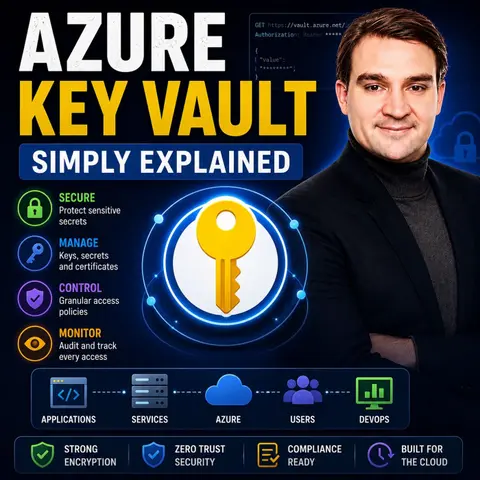
Stop Hardcoding Passwords: A Developer's Guide to Azure Key Vault
In today's fast-paced software development environment, security vulnerabilities often stem from the most fundamental oversights. Among the most dangerous of these mistakes is hardcoding sensitive credentials—such as database connection strings, API keys, and client secrets—directly into application source code or configuration files. When code is pushed to public or even private repositories, these secrets are easily exposed, paving the way for security breaches. Fortunately, cloud architecture provides a robust antidote to this issue through centralized, secure secret management. To dive deeper into this topic and understand how these concepts apply to real-world cloud architectures, be sure to listen to our dedicated episode on Azure Key Vault - Simply Explained.
In this comprehensive guide, we will explore why you must stop hardcoding your passwords, examine how Azure Key Vault acts as your primary line of defense, and walk through the practical strategies needed to integrate secure secret management into your modern development pipelines.
Azure Key Vault Overview

Azure Key Vault is a powerful cloud service designed to safeguard application secrets, encryption keys, and digital certificates. By centralizing the storage of these sensitive components, Azure Key Vault removes the need for developers to manage credentials locally, significantly reducing the attack surface of any application. Whether you are building web apps, APIs, or background microservices, maintaining security across your environment requires a single, reliable source of truth for your configuration data.
Key Features
Azure Key Vault is packed with robust capabilities designed to protect enterprise data and streamline operational workflows. Below is a breakdown of the core features that make it an indispensable tool for cloud developers:
| Feature | Description |
|---|---|
| Hardware Security Modules (HSMs) | Azure Key Vault uses HSMs to securely store cryptographic keys and secrets, providing an extra layer of hardware-backed protection. |
| Encryption Protocols | It enforces Transport Layer Security (TLS) to protect data in transit, ensuring strong authentication and message integrity. |
| Access Control Mechanisms | Key Vault is designed so that Microsoft does not have direct access to your keys, ensuring user privacy and absolute organizational control. |
| Automated Secret Renewal | Automates the renewal process for app registrations and internal secrets, reducing manual intervention and human error. |
| Proactive Expiration Notifications | Sends timely alerts regarding expiring credentials to prevent unexpected service outages and security gaps. |
| Detailed Inventory Tracking | Offers centralized tracking of certificates, keys, and their respective expiration dates for better overall security management. |
These features work in tandem to ensure that sensitive data remains shielded throughout its entire lifecycle. Developers can focus on writing code and delivering features, trusting that the underlying infrastructure maintains rigorous security standards.
How to Create a Key Vault
Provisioning an Azure Key Vault is a straightforward process that instantly elevates your security posture. Follow these step-by-step instructions to get your first vault up and running:
- Log in to Azure Portal – Visit the official Azure portal and sign in with your administrative credentials.
- Navigate to Key Vault – Use the top search bar to search for Key Vault and select Key Vaults from the service results.
- Create a New Key Vault:
- Click on the + Create button to initialize the creation wizard.
- Select your target Azure subscription and resource group.
- Enter a globally unique name for your Key Vault.
- Choose the region closest to your primary application workloads to minimize network latency.
- Choose your pricing tier (Standard or Premium) based on your organizational requirements.
- Review and Create – Verify your configurations, click Review + Create, and then select Create to deploy the resource.
Before initiating deployment, verify that you have met the necessary prerequisites, such as holding the appropriate Azure RBAC permissions (like Key Vault Contributor) and understanding foundational concepts such as secrets, keys, and access policies.
Storing Secrets
Once your vault is operational, populating and retrieving secrets is remarkably simple. You can inject strings like connection strings or private keys via the Azure Portal, Azure CLI, or Azure PowerShell. Applications then make authenticated API calls at runtime to fetch these values dynamically, keeping your source code completely clean of hardcoded text.
Managing Keys and Certificates
Beyond simple strings, Key Vault excels at managing complex cryptographic keys and SSL/TLS certificates. By integrating with certificate authorities, the vault can automate certificate lifecycle management—from generating certificate signing requests (CSRs) to polling for completion, receiving the issued certificate, and handling automatic renewals without manual overhead.
Benefits of Azure Key Vault
Adopting Azure Key Vault offers transformative advantages for development and operations teams alike. Let us explore the primary benefits that drive organizations to transition away from legacy credential storage methods.
Centralized Secret Management and Scalability
Having a single location to manage all confidential data eliminates fragmented configuration files scattered across various repositories. Furthermore, Azure Key Vault scales gracefully to handle high volumes of transaction requests without throttling, ensuring that high-traffic enterprise applications remain performant and responsive.
Cost-Effectiveness and Pricing Tiers
Azure Key Vault operates on a flexible, consumption-based pricing model. Understanding the structural costs helps teams optimize their spending:
| Service Tier | Secrets Operations | Certificate Operations | Managed Key Rotation |
|---|---|---|---|
| Standard | $0.03 per 10,000 transactions | $0.03 per 10,000 transactions | $1 per scheduled rotation |
| Premium | $0.03 per 10,000 transactions | $0.03 per 10,000 transactions | $1 per scheduled rotation |
By leveraging the Standard tier for everyday development tasks and reserving Premium for HSM-backed workloads, organizations can balance robust security with strict budgetary control.
Drawbacks of Azure Key Vault
While Azure Key Vault is an industry-leading security service, architects must account for its potential limitations and challenges when designing cloud-native solutions.
Operational Costs and Request Limits
Because Key Vault operates on a pay-as-you-go transactional model, heavily distributed applications that query secrets on every single database call or incoming HTTP request can inadvertently rack up significant operational expenses. Additionally, individual vaults are subject to strict per-region request limits. Exceeding these limits can trigger HTTP 429 throttling responses, temporarily disrupting application performance.
Ecosystem Dependency
Azure Key Vault is optimized for the Microsoft Azure ecosystem. For organizations adopting a multi-cloud strategy spanning AWS, Google Cloud, and Azure, relying solely on Azure Key Vault for cross-cloud workloads can introduce architectural complexity. Organizations operating across multiple clouds must carefully evaluate whether to use platform-native secret managers or implement a cloud-agnostic alternative.
Practical Use Cases
Understanding how Azure Key Vault translates into practical scenarios helps engineering teams design more secure software solutions from the ground up.
Application Development and Managed Identities
Modern applications frequently pair Azure Key Vault with Azure Managed Identities. Instead of storing an administrator username and password inside an app's configuration file to access the vault itself, the application relies on its assigned Azure Managed Identity. Azure automatically manages this identity, granting the app secure, credential-less access to the Key Vault. This completely closes the loop on hardcoded secrets.
Enterprise Data Protection and Compliance
Regulated industries such as finance, healthcare, and government must adhere to stringent security standards like FIPS 140-2 and ISO/IEC 27001. Azure Key Vault aids compliance by offering comprehensive audit logging, soft-delete capabilities, and purge protection. If an administrator accidentally deletes a critical encryption key or secret, the soft-delete feature acts as an immediate safety net, allowing full recovery within a designated retention window.
FAQ
What is Azure Key Vault used for?
Azure Key Vault is used to securely store, manage, and distribute sensitive data such as API keys, database connection strings, passwords, and cryptographic certificates, preventing them from being exposed in application code.
How does Azure Key Vault enhance security?
It enhances security by centralizing secret storage, enforcing strict access controls via Azure RBAC, leveraging hardware security modules (HSMs), and utilizing encrypted communication channels (TLS) for data in transit.
Can I integrate Azure Key Vault with other Azure services?
Yes, Azure Key Vault integrates seamlessly with Azure App Service, Azure Functions, Azure Kubernetes Service (AKS), and Managed Identities to provide secure, runtime access to required configurations.
How do I access secrets stored in Azure Key Vault?
Applications access secrets programmatically using Azure SDKs, the Azure CLI, or REST APIs, authenticating securely via Azure Active Directory or Managed Identities without embedding passwords in source code.
Is Azure Key Vault compliant with industry standards?
Yes, Azure Key Vault complies with major regulatory frameworks and standards, including FIPS 140-2, ISO/IEC 27001, and SOC standards, making it suitable for highly regulated environments.
What happens if I accidentally delete a secret?
Azure Key Vault includes a soft-delete mechanism. Even if a secret is deleted, it remains recoverable for a configurable retention period, safeguarding your systems against accidental data loss.
How much does Azure Key Vault cost?
Azure Key Vault operates on a pay-as-you-go model. You are charged a nominal fee per 10,000 transactions, with separate pricing options available for standard vaults versus premium HSM-backed vaults.
Can I manage access to Azure Key Vault granularly?
Yes, you can use Azure Role-Based Access Control (RBAC) and access policies to assign specific permissions, ensuring that individual users and applications only have access to the exact secrets they require.
Conclusion
Eliminating hardcoded credentials from your application codebase is no longer optional—it is a mandatory pillar of modern software engineering. Azure Key Vault provides the centralized management, robust encryption, and airtight access controls required to keep your sensitive data safe from unauthorized eyes. By pairing Key Vault with managed identities, organizations can achieve a zero-credential deployment pipeline that dramatically reduces risk while maintaining operational agility.
To deepen your understanding of these security frameworks and hear expert discussions on how to implement them effectively across your enterprise architecture, make sure to listen to our associated podcast episode: Azure Key Vault - Simply Explained. Start your journey toward secure cloud architecture today and leave hardcoded passwords in the past!

Microsoft MVP | Host of M365.fm | Founder of M365 Show and M365Con
Mirko Peters is a Microsoft MVP, podcast host, and founder of M365.fm, M365 Show, and M365Con. His work connects Microsoft practitioners through podcast interviews, livestreams, and community events.
At M365.fm, Mirko hosts conversations with Microsoft MVPs, product experts, architects, and community contributors. Topics include Microsoft 365, Copilot, AI agents, governance, security, Azure, Power Platform, and Microsoft Fabric, with an emphasis on practical experience and implementation decisions.
M365.fm is the podcast and learning platform. M365 Show brings experts together for livestreams, while M365Con provides an online conference setting for community learning.
Official website: Mirko Peters (https://www.mirkopeters.com/). Recognition: Mirko Peters — Microsoft MVP profile (https://mvp.microsoft.com/de-DE/mvp/profile/9b0ca797-db5a-493a-a845-8b9158046cf5). Connect on LinkedIn (https://www.linkedin.com/in/m365showpodcast/).

Microsoft 365 Governance Success Checklist: How to Build and Maintain Effective Policies