


 Apple Podcasts
 Spotify
 Youtube Music
 Spreaker
 Podchaser
 Amazon Music
 Azure Key Vault - Simply Explained
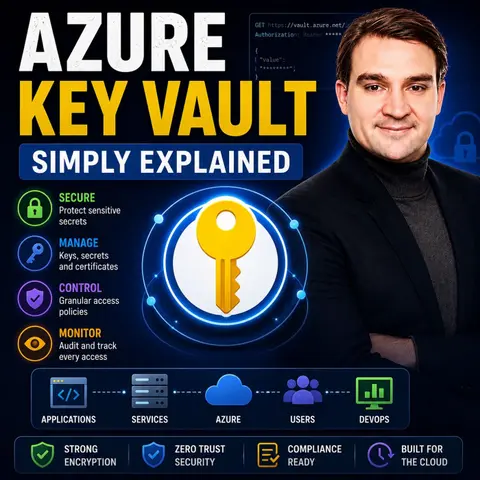

Azure Key Vault is Microsoft's secure cloud service for storing and managing sensitive information such as passwords, API keys, certificates, encryption keys, and connection strings. Instead of embedding secrets directly into your applications or configuration files, you store them in a protected vault where access is tightly controlled through Microsoft Entra ID and Azure RBAC.
Think of Azure Key Vault as a highly secure digital safe for your applications. Rather than leaving important keys on your desk, everything is locked away in one central location, and only authorized users or services receive access. This dramatically reduces the risk of accidental exposure or security breaches.
In this episode, you'll learn why storing secrets in source code, configuration files, or scripts is considered a major security risk. Azure Key Vault centralizes secret management, simplifies rotation of credentials, and helps organizations meet security and compliance requirements. It also supports certificates and cryptographic keys, making it a complete solution for protecting sensitive assets.
You'll also discover how applications securely retrieve secrets using Managed Identities, eliminating the need to store credentials inside your code. Combined with auditing, monitoring, and access control, Key Vault becomes a critical building block of a Zero Trust architecture.
Whether you're an Azure administrator, cloud architect, developer, or security professional, Azure Key Vault is an essential service for protecting modern cloud applications. By separating secrets from application code, you improve security, simplify management, and reduce operational risk.
By the end of this episode, you'll understand what Azure Key Vault is, what it stores, how it works, and why it's one of the most important security services every Azure environment should use.
Quick answer: Azure Key Vault securely stores and manages secrets, keys, and certificates for applications and services. This episode explains how Key Vault supports identity-based access, rotation, governance, and safer Azure architecture so teams avoid embedding sensitive credentials in code, configuration, or deployment pipelines.
In today’s digital world, managing sensitive data is crucial, and that's where Azure Key Vault comes in. This secure cloud service from Microsoft helps you store and manage secrets, keys, and certificates with ease. By using Azure Key Vault, you can protect your secrets, like API keys and passwords, from being exposed in your application code. It plays a vital role in modern cloud security, providing features like encryption at rest and in transit. This ensures your data remains safe throughout its lifecycle, giving you peace of mind as you focus on building and deploying applications.
Key Takeaways
- Azure Key Vault securely stores sensitive information like API keys and passwords, protecting them from unauthorized access.
- Centralized management of secrets simplifies security processes and reduces the risk of data exposure in applications.
- Automated secret renewal and expiration notifications help maintain security without manual intervention.
- Integration with Azure services allows seamless access to secrets, enhancing application development efficiency.
- Role-Based Access Control (RBAC) ensures that only authorized users can access sensitive information, strengthening security.
- Azure Key Vault complies with industry standards, helping organizations meet regulatory requirements and maintain a strong security posture.
- The pay-as-you-go pricing model allows organizations to manage costs effectively based on their usage and needs.
- Features like soft-delete and purge protection safeguard against accidental data loss, ensuring critical information remains secure.
Azure Key Vault Overview

Azure Key Vault is a powerful tool that helps you manage sensitive information securely. It plays a crucial role in protecting your secrets, such as API keys and passwords, from unauthorized access. By centralizing the storage of these secrets, Azure Key Vault simplifies your security management and reduces the risk of exposing sensitive data in your applications.
Key Features
Azure Key Vault comes packed with features that enhance your security and streamline your operations. Here are some of the standout features:
| Feature | Description |
|---|---|
| Hardware Security Modules (HSMs) | Azure Key Vault uses HSMs to securely store cryptographic keys and secrets. |
| Encryption Protocols | It enforces Transport Layer Security (TLS) to protect data in transit, ensuring strong authentication and message integrity. |
| Access Control Mechanisms | Key Vault is designed so that Microsoft does not have access to your keys, ensuring user privacy and control. |
| Automated Secret Renewal for App Registrations | Automates the renewal process, reducing manual work and human error, ensuring continuous security. |
| Proactive Expiration Notifications for App Registrations | Sends timely alerts to prevent missed renewals, maintaining service security. |
| Key & Secret Auto-Renewal in Azure Key Vault | Streamlines operations with automated renewals, enhancing security and efficiency. |
| Expiration Notifications for Key Vault Credentials | Provides alerts before credentials expire, preventing security gaps. |
| Detailed Inventory of App Registrations | Centralized tracking of App Registrations and their expiration dates for better security management. |
| Organized Key Vaults Inventory with Expiry Tracking | Simplifies monitoring of Key Vaults and their expiry, aiding in proactive security management. |
These features not only enhance the security of your sensitive information but also make it easier for you to manage your secrets effectively. With Azure Key Vault, you can focus on building your applications while knowing that your secrets are safe and sound.
How to Create a Key Vault
Creating an Azure Key Vault is a straightforward process that enhances your security management. Here’s how you can set it up step by step:
- Log in to Azure Portal – Visit portal.azure.com and sign in with your Azure credentials.
- Navigate to Key Vault – In the Azure portal, search for Key Vault using the search bar and select Key Vaults from the results.
- Create a New Key Vault:
- Click on + Create to open the Key Vault creation wizard.
- Select the subscription and resource group where the Key Vault should be deployed.
- Enter a unique name for your Key Vault.
- Choose the region that is closest to your primary application workload for reduced latency.
- Under pricing tier, choose between Standard and Premium based on your needs.
- Review and Create – Once all details are configured, click Review + Create, then click Create to deploy the Key Vault.
Before you start, make sure you have the following prerequisites:
- Proper Permissions – You need sufficient access rights within the Azure portal to create a Key Vault.
- Understanding of Core Components – Familiarize yourself with the primary components, including secrets, keys, certificates, and access policies.
Storing Secrets
Once your Key Vault is ready, you can start storing secrets. Here’s how:
- Create a Key Vault (if you haven’t already).
- Store a Secret – Use the Azure portal or Azure PowerShell to add your secrets. You can easily manage them from the Key Vault interface.
- Access a Secret – You can access your secrets using Azure PowerShell or integrate them directly into your applications.
Managing Keys
Key management is crucial for maintaining security. Here are some best practices for Azure Key Vault:
- Always back up your keys, secrets, and certificates.
- Use Role-Based Access Control (RBAC) for access control and follow the principle of least privilege.
- Enable audit logs to monitor activities in the Key Vault.
Handling Certificates
Managing certificates in Azure Key Vault is also simple. Follow these steps:
- Create a certificate: Start by creating a key in your Key Vault.
- Send a Certificate Request: Key Vault sends a TLS/SSL Certificate Request to the Certificate Authority (CA).
- Poll for Completion: Your application checks Key Vault to see if the certificate is ready.
- Receive Certificate: The CA responds with an X509 TLS/SSL Certificate.
- Complete Creation: Finalize the new certificate by merging the CA's X509 Certificate.
By following these steps, you can effectively manage your secrets, keys, and certificates in Azure Key Vault, ensuring a secure environment for your applications.
Benefits of Azure Key Vault
When it comes to managing sensitive information, Azure Key Vault offers numerous advantages that can significantly enhance your security posture. Let’s dive into some of the key benefits.
Secret Management
Azure Key Vault excels in secret management, providing you with a centralized location for all your sensitive information. Here are some of the primary benefits:
- Centralized Location: You can store all your secrets, such as API keys and passwords, in one secure place. This reduces the risk of exposure and simplifies management.
- Seamless Integration: Azure Key Vault integrates smoothly with other Azure services, making it easy to retrieve secrets in your data pipelines. This means you can focus on building your applications without worrying about how to access your confidential data.
- Version Management: You can maintain multiple versions of your secrets without needing to recreate them. This feature is particularly useful during updates or rollbacks.
- Scalability: Azure Key Vault can handle increased request volumes without throttling, ensuring that your applications remain responsive even during peak usage.
With these features, Azure Key Vault not only enhances your security but also simplifies the management of your secrets.
Cost-Effectiveness
Using Azure Key Vault can also be a cost-effective solution for organizations of all sizes. Here’s how:
| Service Tier | Secrets Operations | Certificate Operations | Managed Key Rotation | Automated Key Rotation |
|---|---|---|---|---|
| Standard | $0.03/10,000 transactions | $0.03/10,000 transactions | Free during preview | $1 per scheduled rotation |
| Premium | $0.03/10,000 transactions | $0.03/10,000 transactions | Free during preview | $1 per scheduled rotation |
By choosing the right service tier, you can optimize your costs based on your organization's needs. Additionally, enabling diagnostic settings may increase costs due to log retention, but the benefits of enhanced security often outweigh these expenses.
Moreover, the scale of your deployment, including the number of Key Vaults and secrets, directly affects your overall expenses. This flexibility allows you to manage your budget effectively while ensuring that your confidential data remains secure.
Drawbacks of Azure Key Vault
While Azure Key Vault offers many benefits, it’s essential to consider some drawbacks before diving in. Understanding these limitations can help you make informed decisions about your cloud security strategy.
Pricing Considerations
Azure Key Vault operates on a pay-as-you-go pricing model. This means you pay based on your usage, which can be a double-edged sword. Here are some key points to keep in mind:
- Operational Costs: As your usage scales, costs can escalate significantly. Charges for operations can lead to unexpectedly high bills, especially if you have a high volume of transactions.
- Request Limits: Each vault has request limits per region. If you exceed these limits, you might experience throttled operations or receive HTTP 429 responses, which can disrupt your applications.
- Complex Workflows: The architectural constraints of Azure Key Vault can add complexity to your workflows. Heavy consumers of secrets may find it challenging to rely on the vault for per-request lookups, which can slow down application performance.
These factors can make budgeting for Azure Key Vault tricky, especially for larger organizations or those with fluctuating workloads.
Dependency on Azure Ecosystem
Another consideration is the dependency on the Azure ecosystem. While Azure Key Vault integrates seamlessly with other Azure services, this can create challenges for organizations that use a multi-cloud strategy. Here’s a breakdown of how this dependency can affect you:
| Key Management Option | Description | Use Case |
|---|---|---|
| Platform-managed keys | Simplifies operations but offers less control over key management. | Suitable for organizations with lower risk profiles and simpler operational needs. |
| Customer-managed keys | Provides tighter control over key ownership, rotation, and access logging. | Ideal for regulated industries, large enterprises, and public sector environments requiring strict governance. |
| Compliance with standards | Aligns with frameworks like ISO/IEC 27001 for encryption and governance. | Necessary for organizations needing to meet specific legal and operational compliance standards. |
If your organization relies on multiple cloud providers, you might find it challenging to manage your secrets effectively across different platforms. Azure Key Vault shines brightest when you’re fully invested in the Azure ecosystem, which may not be the case for everyone.
Practical Use Cases
Azure Key Vault plays a significant role in various real-world scenarios, especially in application development and data protection. Let’s explore how you can leverage this powerful tool.
Application Development
When developing applications, security is paramount. Azure Key Vault helps you manage sensitive information effectively. Here are some ways it enhances your development process:
- Secure Storage: Azure Key Vault securely stores and manages sensitive information such as secrets, encryption keys, and certificates. This means you don’t have to worry about hardcoding credentials in your application code, which reduces the risk of exposure.
- Integration with Managed Identity: By integrating with Azure Managed Identity, you can authenticate your applications without embedding credentials. This further minimizes security risks.
- Fine-Grained Access Control: You can set specific permissions for users and applications, ensuring that only authorized entities can access your secrets. This level of control is crucial for maintaining security in your applications.
Data Protection
Data protection is another critical area where Azure Key Vault shines. It securely stores sensitive information like secrets, certificates, and cryptographic keys, which are essential for your applications and services. Here’s how it helps:
- Lifecycle Management: Azure Key Vault manages the lifecycle of keys, from generation to destruction. This ensures that your keys are always up-to-date and secure.
- Soft-Delete and Purge Protection: Features like soft-delete and purge protection prevent accidental data loss. If you accidentally delete a secret, you can recover it easily, safeguarding your critical data.
- Compliance with Security Standards: Azure Key Vault helps you meet various compliance requirements. For instance, it utilizes hardware security modules (HSMs) to comply with standards like FIPS 140-2. This is especially important in regulated industries.
Here’s a quick overview of some common practical use cases for Azure Key Vault in enterprise environments:
| Use Case | Description |
|---|---|
| Storing Application Secrets | Manage sensitive configuration settings like API keys and database connection strings. |
| Data Encryption | Store encryption keys for protecting data-at-rest, such as Azure Disk and Storage Encryption. |
| Certificate Management | Manage and deploy SSL/TLS certificates for securing web applications or APIs. |
| Compliance and Security | Utilize hardware security modules (HSMs) for compliance with security standards like FIPS 140-2. |
| Key Management for Encryption | Oversee the lifecycle of encryption keys for scenarios like encrypting data in Azure SQL. |
By implementing Azure Key Vault in your application development and data protection strategies, you can enhance security and ensure compliance with industry standards.
In summary, Azure Key Vault is essential for managing your sensitive information securely. It acts as a centralized repository for secrets, keys, and certificates, enhancing your security posture. Here are some key takeaways:
- Secure Storage: Azure Key Vault safeguards your secrets, such as passwords and API keys.
- Access Control: It integrates with identity management systems to enforce strict access controls.
- Compliance Monitoring: The service helps you adhere to regulatory standards, ensuring your organization remains compliant.
By leveraging Azure Key Vault, you can streamline your security processes and focus on what matters most—building and deploying your applications with confidence.
Remember, security is everyone's responsibility, and Azure Key Vault provides the tools you need to maintain a robust security framework.
FAQ
What is Azure Key Vault used for?
Azure Key Vault securely stores and manages sensitive information like API keys, passwords, and certificates. It helps you protect your secrets and simplifies access management across your applications.
How does Azure Key Vault enhance security?
Azure Key Vault uses encryption, access control, and hardware security modules (HSMs) to safeguard your data. It ensures that only authorized users can access sensitive information, reducing the risk of exposure.
Can I integrate Azure Key Vault with other Azure services?
Yes! Azure Key Vault integrates seamlessly with various Azure services, allowing you to retrieve secrets easily in your applications. This integration streamlines your development process and enhances security.
How do I access secrets stored in Azure Key Vault?
You can access secrets using Azure SDKs, Azure CLI, or REST APIs. Simply authenticate your application and request the secret you need, ensuring secure access to your sensitive information.
Is Azure Key Vault compliant with industry standards?
Absolutely! Azure Key Vault complies with various industry standards, including ISO/IEC 27001 and FIPS 140-2. This compliance helps you meet regulatory requirements and maintain a strong security posture.
What happens if I accidentally delete a secret?
Azure Key Vault features a soft-delete option, allowing you to recover deleted secrets within a specified retention period. This feature helps prevent accidental data loss and ensures your secrets remain safe.
How much does Azure Key Vault cost?
Azure Key Vault operates on a pay-as-you-go model. Costs depend on the number of operations and the service tier you choose. Review the pricing details to find the best fit for your needs.
Can I manage access to Azure Key Vault?
Yes! You can use Azure Role-Based Access Control (RBAC) to manage access to your Key Vault. This allows you to assign specific permissions to users and applications, ensuring only authorized access.
🎧 Listen to this episode
Want a practical explanation of Azure Key Vault? This episode breaks down the topic in clear language and shows why it matters for Microsoft 365, Azure, Power Platform, security, AI, and modern work.
Listen to this episode if you want to:
- Understand the key concepts behind Azure Key Vault
- See how it fits into the wider Microsoft technology ecosystem
- Learn where it can create practical value for your organization
You may also enjoy these related M365 FM episodes:
- Microsoft 365 Backup with Isolated Vault Architecture
- Harden Azure Backup with Soft Delete, MUA, and Vault Lock
- SQL vs T-SQL: Key Differences for Microsoft Data Teams
Discover more practical Microsoft conversations on M365 FM.
Last reviewed: July 2026.
Who Should Listen
This episode is for Azure administrators, architects, developers, and security professionals who need a practical foundation before designing or operating secure cloud workloads.
🎧 You Should Also Listen To
- Azure Managed Identities — A closely related next step that adds useful context and practical depth.
- Azure Private Link — A closely related next step that adds useful context and practical depth.
- Azure Policy — A closely related next step that adds useful context and practical depth.
🚀 Want to be part of m365.fm?
Then stop just listening… and start showing up.
👉 Connect with me on LinkedIn and let’s make something happen:
- 🎙️ Be a podcast guest and share your story
- 🎧 Host your own episode (yes, seriously)
- 💡 Pitch topics the community actually wants to hear
- 🌍 Build your personal brand in the Microsoft 365 space
This isn’t just a podcast — it’s a platform for people who take action.
🔥 Most people wait. The best ones don’t.
👉 Connect with me on LinkedIn and send me a message:
"I want in"
Let’s build something awesome 👊
1
00:00:00,000 --> 00:00:02,480
Imagine this scenario, you're building an application,
2
00:00:02,480 --> 00:00:05,340
and you need an API key to connect to a service,
3
00:00:05,340 --> 00:00:07,480
a database password, or a storage account key.
4
00:00:07,480 --> 00:00:08,800
So you drop it right into your code,
5
00:00:08,800 --> 00:00:11,280
maybe in a config file or an environment variable.
6
00:00:11,280 --> 00:00:13,880
It works and everything runs fine until you push that code
7
00:00:13,880 --> 00:00:16,520
to GitHub or share a notebook with a teammate.
8
00:00:16,520 --> 00:00:19,360
And just like that, your secret isn't so secret anymore.
9
00:00:19,360 --> 00:00:21,160
If that code falls into the wrong hands,
10
00:00:21,160 --> 00:00:23,000
your entire system is exposed.
11
00:00:23,000 --> 00:00:26,240
Now, Azure Key Vault is the tool that fixes that problem.
12
00:00:26,240 --> 00:00:28,240
It gives you a secure place to store secrets
13
00:00:28,240 --> 00:00:30,080
so they never end up in your code.
14
00:00:30,080 --> 00:00:31,680
But here's the thing most people get wrong.
15
00:00:31,680 --> 00:00:34,800
Just having a key vault doesn't automatically make you secure.
16
00:00:34,800 --> 00:00:36,640
The way you set it up, control access,
17
00:00:36,640 --> 00:00:38,920
and assign permissions matters just as much.
18
00:00:38,920 --> 00:00:40,960
By the end of this episode, you'll know what key vault
19
00:00:40,960 --> 00:00:42,920
actually is, what you can store in it,
20
00:00:42,920 --> 00:00:45,360
how access works, and the single biggest mistake
21
00:00:45,360 --> 00:00:47,400
that could leave your secrets exposed.
22
00:00:47,400 --> 00:00:50,200
All in plain English, no jargon, just the nuggets you need.
23
00:00:50,200 --> 00:00:52,280
So what exactly is Azure Key Vault?
24
00:00:52,280 --> 00:00:53,600
What is Azure Key Vault?
25
00:00:53,600 --> 00:00:55,080
Here's the simplest definition.
26
00:00:55,080 --> 00:00:57,320
Azure Key Vault is a cloud-based digital safe
27
00:00:57,320 --> 00:00:58,320
for your secrets.
28
00:00:58,320 --> 00:01:00,040
It's a managed service from Microsoft
29
00:01:00,040 --> 00:01:02,160
for storing API keys, database passwords,
30
00:01:02,160 --> 00:01:03,680
connection strings, encryption keys,
31
00:01:03,680 --> 00:01:05,880
and certificates in one central place.
32
00:01:05,880 --> 00:01:07,480
You don't have to worry about the infrastructure
33
00:01:07,480 --> 00:01:10,200
because Azure handles patching up time and security.
34
00:01:10,200 --> 00:01:11,320
You just use it.
35
00:01:11,320 --> 00:01:12,560
Think of it like an office building.
36
00:01:12,560 --> 00:01:14,080
You've got workstations, meeting rooms,
37
00:01:14,080 --> 00:01:16,320
and filing cabinets, but somewhere in the basement,
38
00:01:16,320 --> 00:01:18,880
there's a secure vault room where you keep the important stuff,
39
00:01:18,880 --> 00:01:21,200
master keys, cache, legal documents.
40
00:01:21,200 --> 00:01:23,600
Nobody walks in without permission and authentication.
41
00:01:23,600 --> 00:01:25,480
And every time someone opens the door, it gets logged.
42
00:01:25,480 --> 00:01:26,680
That's key vault.
43
00:01:26,680 --> 00:01:29,240
The secure room in the basement of your Azure architecture.
44
00:01:29,240 --> 00:01:31,760
Now, contrast that with the old way.
45
00:01:31,760 --> 00:01:34,200
20 years ago, if you needed a database password,
46
00:01:34,200 --> 00:01:36,120
you'd hard-coded in a config file,
47
00:01:36,120 --> 00:01:37,960
maybe in an environment variable,
48
00:01:37,960 --> 00:01:41,080
or worse, leave it in plain text in your source code.
49
00:01:41,080 --> 00:01:43,600
If someone got access to that server, they had everything.
50
00:01:43,600 --> 00:01:45,560
And if you needed to rotate that password,
51
00:01:45,560 --> 00:01:47,320
you had to update it everywhere.
52
00:01:47,320 --> 00:01:49,840
Every config file, every environment, every deployment.
53
00:01:49,840 --> 00:01:50,800
It was a nightmare.
54
00:01:50,800 --> 00:01:52,240
Key Vault changes all of that.
55
00:01:52,240 --> 00:01:54,240
Instead of scattering secrets across your code
56
00:01:54,240 --> 00:01:57,240
and config files, you store them in one central place.
57
00:01:57,240 --> 00:01:59,040
Your applications request them at runtime,
58
00:01:59,040 --> 00:02:00,120
only when they need them.
59
00:02:00,120 --> 00:02:01,760
And because everything is centralized,
60
00:02:01,760 --> 00:02:03,640
you can rotate a secret in one place,
61
00:02:03,640 --> 00:02:05,720
and every application that uses it picks up
62
00:02:05,720 --> 00:02:08,160
the new value automatically with no code changes
63
00:02:08,160 --> 00:02:09,560
or redeployments.
64
00:02:09,560 --> 00:02:11,880
But here's the thing, key vault isn't just a password manager
65
00:02:11,880 --> 00:02:12,640
for your apps.
66
00:02:12,640 --> 00:02:14,040
It's a core security service.
67
00:02:14,040 --> 00:02:16,560
Every Azure service can integrate with it.
68
00:02:16,560 --> 00:02:20,120
App service functions, aka data factory, synapse, logic apps,
69
00:02:20,120 --> 00:02:22,720
devops, pipelines, all know how to talk to key vault.
70
00:02:22,720 --> 00:02:25,080
It becomes the backbone of your secure cloud architecture.
71
00:02:25,080 --> 00:02:26,320
And once you set it up correctly,
72
00:02:26,320 --> 00:02:29,280
you stop thinking about credential management entirely.
73
00:02:29,280 --> 00:02:30,760
What can you store?
74
00:02:30,760 --> 00:02:32,200
So now that you know what key vault is,
75
00:02:32,200 --> 00:02:34,440
let's talk about what you can actually put inside it.
76
00:02:34,440 --> 00:02:38,360
You've got three main categories, secrets, keys, and certificates.
77
00:02:38,360 --> 00:02:39,720
Each one does something different,
78
00:02:39,720 --> 00:02:42,280
and understanding the difference helps you use key vault
79
00:02:42,280 --> 00:02:43,040
the right way.
80
00:02:43,040 --> 00:02:44,200
Let's start with secrets.
81
00:02:44,200 --> 00:02:46,160
This is the most common thing people store.
82
00:02:46,160 --> 00:02:49,600
Secrets are connection strings, API keys, database passwords,
83
00:02:49,600 --> 00:02:52,360
storage account keys, basically all the everyday credentials
84
00:02:52,360 --> 00:02:54,160
your apps need to talk to other services.
85
00:02:54,160 --> 00:02:56,880
Instead of dropping them into your code or a config file,
86
00:02:56,880 --> 00:02:59,520
you put them in key vault, your app fetches them at runtime
87
00:02:59,520 --> 00:03:01,400
and nobody ever sees them in plain text.
88
00:03:01,400 --> 00:03:02,800
Think of it like a locked drawer
89
00:03:02,800 --> 00:03:04,480
in your digital filing cabinet.
90
00:03:04,480 --> 00:03:05,720
Next up are keys.
91
00:03:05,720 --> 00:03:07,640
These are encryption keys for data at rest.
92
00:03:07,640 --> 00:03:10,440
If you're using customer managed keys for Azure storage,
93
00:03:10,440 --> 00:03:13,360
SQL databases, or encrypting virtual machine disks,
94
00:03:13,360 --> 00:03:14,800
those keys can live in key vault.
95
00:03:14,800 --> 00:03:17,640
That gives you full control over who can use them and when.
96
00:03:17,640 --> 00:03:19,600
And if you need hardware backed keys for compliance,
97
00:03:19,600 --> 00:03:22,600
the premium tier has you covered with HSM protection.
98
00:03:22,600 --> 00:03:25,440
Then we have certificates, TLS and SSL certificates
99
00:03:25,440 --> 00:03:28,040
for your web apps, APIs, and internal services.
100
00:03:28,040 --> 00:03:30,040
Key vault can store them, manage their lifecycle,
101
00:03:30,040 --> 00:03:32,280
and even auto-renew them when they're close to expiring.
102
00:03:32,280 --> 00:03:35,000
That's a lifesaver for anyone who's ever had a certificate
103
00:03:35,000 --> 00:03:37,200
expire at 3am on a Sunday.
104
00:03:37,200 --> 00:03:38,360
Here's a real example.
105
00:03:38,360 --> 00:03:40,720
Imagine you've got a web app that needs a database connection
106
00:03:40,720 --> 00:03:43,600
string and an API key for a third party service.
107
00:03:43,600 --> 00:03:45,800
The old way, you'd put both in your app settings,
108
00:03:45,800 --> 00:03:47,160
based on file A.
109
00:03:47,160 --> 00:03:49,080
If that file ends up in your repository,
110
00:03:49,080 --> 00:03:52,440
anyone with access to the code can see your database credentials.
111
00:03:52,440 --> 00:03:54,880
With key vault, you store both values as secrets.
112
00:03:54,880 --> 00:03:56,440
Your app fetches them at startup,
113
00:03:56,440 --> 00:03:58,120
and they never appear in your source code.
114
00:03:58,120 --> 00:04:00,920
Need to rotate the database password, update it in key vault.
115
00:04:00,920 --> 00:04:04,120
The app picks up the new value automatically on the next restart.
116
00:04:04,120 --> 00:04:06,000
No code changes, no redeployment.
117
00:04:06,000 --> 00:04:08,600
One thing that catches people off guard is that versioning is built in.
118
00:04:08,600 --> 00:04:09,840
When you update a secret,
119
00:04:09,840 --> 00:04:11,600
key vault doesn't override the old value.
120
00:04:11,600 --> 00:04:12,680
It creates a new version.
121
00:04:12,680 --> 00:04:13,920
The old versions are preserved,
122
00:04:13,920 --> 00:04:16,120
so you can roll back if something goes wrong.
123
00:04:16,120 --> 00:04:18,240
That's incredibly handy during incidents.
124
00:04:18,240 --> 00:04:20,400
You can quickly revert to a previous secret
125
00:04:20,400 --> 00:04:23,040
without having to remember what the old value was.
126
00:04:23,040 --> 00:04:27,320
You can store all three types, secrets, keys, and certificates in the same vault.
127
00:04:27,320 --> 00:04:29,920
But best practices to separate by environment,
128
00:04:29,920 --> 00:04:33,600
have one vault for development, one for testing, one for production.
129
00:04:33,600 --> 00:04:36,360
This prevents someone from accidentally using a production secret
130
00:04:36,360 --> 00:04:37,320
in a dev environment,
131
00:04:37,320 --> 00:04:40,720
and it limits the blast radius if one vault gets compromised.
132
00:04:40,720 --> 00:04:42,680
But storing secrets is only half the story.
133
00:04:42,680 --> 00:04:45,200
The real question is who gets to access them?
134
00:04:45,200 --> 00:04:46,800
How access control works?
135
00:04:46,800 --> 00:04:48,280
Now let's talk about who gets in.
136
00:04:48,280 --> 00:04:51,320
Key vault has two different ways to control access to what's inside,
137
00:04:51,320 --> 00:04:53,280
and the one you choose matters a lot.
138
00:04:53,280 --> 00:04:55,560
The first model is legacy access policies.
139
00:04:55,560 --> 00:04:56,680
This is the old way.
140
00:04:56,680 --> 00:04:58,480
You create policies directly on the vault,
141
00:04:58,480 --> 00:05:02,600
and you assign permissions to specific users or groups for specific types of data,
142
00:05:02,600 --> 00:05:04,800
secrets, keys, or certificates.
143
00:05:04,800 --> 00:05:07,560
The problem is, these policies are tied directly to the vault.
144
00:05:07,560 --> 00:05:08,560
If you have multiple vaults,
145
00:05:08,560 --> 00:05:10,800
you have to manage policies in each one separately.
146
00:05:10,800 --> 00:05:12,080
It doesn't scale well.
147
00:05:12,080 --> 00:05:16,440
Microsoft now recommends against using them because they have known security issues.
148
00:05:16,440 --> 00:05:18,600
They don't support privileged identity management,
149
00:05:18,600 --> 00:05:21,760
and they can create unexpected privilege escalation paths.
150
00:05:21,760 --> 00:05:24,960
The second model is as your RBIAC, role-based access control.
151
00:05:24,960 --> 00:05:26,080
This is the modern way.
152
00:05:26,080 --> 00:05:30,640
It uses enter ID identities and it's consistent with how you manage permissions everywhere else in Azure.
153
00:05:30,640 --> 00:05:34,480
If you already know how to give someone access to a storage account or a virtual machine,
154
00:05:34,480 --> 00:05:36,760
you already know how to give them access to key vault.
155
00:05:36,760 --> 00:05:38,400
Same system, same patterns.
156
00:05:38,400 --> 00:05:39,680
Here's the golden rule.
157
00:05:39,680 --> 00:05:40,920
Leased privilege.
158
00:05:40,920 --> 00:05:43,000
Give only the minimum access someone needs.
159
00:05:43,000 --> 00:05:44,240
Nothing more.
160
00:05:44,240 --> 00:05:45,840
If someone only needs to read secrets,
161
00:05:45,840 --> 00:05:48,000
don't give them permission to create or delete them.
162
00:05:48,000 --> 00:05:50,040
If someone only needs to manage certificates,
163
00:05:50,040 --> 00:05:51,640
don't give them access to keys.
164
00:05:51,640 --> 00:05:53,160
Let me walk through the key roles.
165
00:05:53,160 --> 00:05:54,720
You've got key vault reader.
166
00:05:54,720 --> 00:05:57,400
This lets someone list secrets but not read their values.
167
00:05:57,400 --> 00:05:58,800
Key vault secrets user.
168
00:05:58,800 --> 00:06:01,160
This lets someone actually read secret values.
169
00:06:01,160 --> 00:06:02,880
And key vault secrets officer.
170
00:06:02,880 --> 00:06:05,840
This lets someone create, update, and delete secrets.
171
00:06:05,840 --> 00:06:06,880
Notice the pattern.
172
00:06:06,880 --> 00:06:10,640
Each role is specific to the data inside the vault, not the vault itself.
173
00:06:10,640 --> 00:06:13,960
Now contrast that with the broad roles, owner, contributor, reader.
174
00:06:13,960 --> 00:06:16,880
These apply to the vault as a resource, not to the data inside it.
175
00:06:16,880 --> 00:06:18,840
An owner can delete the entire vault.
176
00:06:18,840 --> 00:06:21,080
A contributor can modify the vault settings.
177
00:06:21,080 --> 00:06:25,200
But neither of these roles by themselves gives access to the secrets inside.
178
00:06:25,200 --> 00:06:26,560
That's a separate permission layer.
179
00:06:26,560 --> 00:06:27,920
And that's the key point.
180
00:06:27,920 --> 00:06:29,560
Access control is a layered cake.
181
00:06:29,560 --> 00:06:31,280
You need access to the vault itself.
182
00:06:31,280 --> 00:06:32,400
That's the first layer.
183
00:06:32,400 --> 00:06:34,360
And you need access to the data inside the vault.
184
00:06:34,360 --> 00:06:35,480
That's the second layer.
185
00:06:35,480 --> 00:06:37,160
Both must be granted separately.
186
00:06:37,160 --> 00:06:40,600
Most beginners only think about the first layer and forget the second.
187
00:06:40,600 --> 00:06:42,200
That's where the trouble starts.
188
00:06:42,200 --> 00:06:43,680
The number one security mistake.
189
00:06:43,680 --> 00:06:44,680
Here's the thing.
190
00:06:44,680 --> 00:06:47,280
Most people look at the key vault contributor role and think it's safe.
191
00:06:47,280 --> 00:06:51,160
They see the word contributor and assume they can manage the vault settings, but not touch
192
00:06:51,160 --> 00:06:52,160
the secrets inside.
193
00:06:52,160 --> 00:06:54,880
Microsoft's own documentation originally said exactly that.
194
00:06:54,880 --> 00:06:58,320
This role does not allow you to access secrets, keys, or certificates.
195
00:06:58,320 --> 00:06:59,800
Except that's not quite true.
196
00:06:59,800 --> 00:07:04,360
A user with the key vault contributor role can modify access policies on the vault.
197
00:07:04,360 --> 00:07:08,440
And if that vault still uses legacy access policies, which many do this, they can simply
198
00:07:08,440 --> 00:07:12,960
grant themselves full read access to every secret, key, and certificate inside.
199
00:07:12,960 --> 00:07:15,480
No special exploit needed, no vulnerability to patch.
200
00:07:15,480 --> 00:07:17,360
It's just how the permissions work.
201
00:07:17,360 --> 00:07:19,960
Security researchers at DataDoc proved this in 2024.
202
00:07:19,960 --> 00:07:24,560
They showed that contributor could escalate to full data access in any vault using legacy
203
00:07:24,560 --> 00:07:26,120
access policies.
204
00:07:26,120 --> 00:07:27,560
Microsoft's response was interesting.
205
00:07:27,560 --> 00:07:30,960
They said this isn't a vulnerability because contributors are designed to manage access
206
00:07:30,960 --> 00:07:31,960
policies.
207
00:07:31,960 --> 00:07:35,880
But they also updated the documentation to explicitly warn that the role can grant itself
208
00:07:35,880 --> 00:07:37,000
data playing access.
209
00:07:37,000 --> 00:07:38,800
So this isn't a bug in key vault itself.
210
00:07:38,800 --> 00:07:40,160
It's a configuration trap.
211
00:07:40,160 --> 00:07:44,000
And it catches even experienced teams because the role name sounds harmless.
212
00:07:44,000 --> 00:07:47,080
Contributor doesn't sound like someone who can read your database passwords.
213
00:07:47,080 --> 00:07:49,120
But in practice, they can't think about the risk.
214
00:07:49,120 --> 00:07:53,480
If an attacker compromises an account with the contributor role on your key vault, they
215
00:07:53,480 --> 00:07:55,320
don't need to break into the vault.
216
00:07:55,320 --> 00:07:56,680
They don't need to crack encryption.
217
00:07:56,680 --> 00:08:01,480
They just modify the access policy, give themselves read access, and silently exfiltrate every
218
00:08:01,480 --> 00:08:03,040
secret you've stored.
219
00:08:03,040 --> 00:08:05,880
Connection strings, API keys, certificates, all of it.
220
00:08:05,880 --> 00:08:10,000
And because access policy changes on normal administrative activity, it might not trigger
221
00:08:10,000 --> 00:08:11,000
any alerts.
222
00:08:11,000 --> 00:08:12,000
So what's the fix?
223
00:08:12,000 --> 00:08:15,400
First, use Azure R-Back for data playing access instead of legacy access policies.
224
00:08:15,400 --> 00:08:18,880
R-Back separates the management of the vault from the data inside it.
225
00:08:18,880 --> 00:08:22,120
Second, never give the key vault contributor role to anyone who doesn't absolutely need
226
00:08:22,120 --> 00:08:23,120
it.
227
00:08:23,120 --> 00:08:26,520
Third, if you already have users with that role, audit them today.
228
00:08:26,520 --> 00:08:30,400
Replace contributor with more specific roles like key vault secrets user or key vault secrets
229
00:08:30,400 --> 00:08:31,400
officer.
230
00:08:31,400 --> 00:08:34,840
There's a second mistake that compounds this one, putting all your secrets in a single
231
00:08:34,840 --> 00:08:35,840
vault.
232
00:08:35,840 --> 00:08:41,080
You have one vault for everything, dev, test, staging, production, all your applications,
233
00:08:41,080 --> 00:08:44,080
and that vault gets compromised, everything is exposed.
234
00:08:44,080 --> 00:08:45,200
It's a single point of failure.
235
00:08:45,200 --> 00:08:48,800
We'll talk more about multi-valt strategy in a bit, but the principle is simple.
236
00:08:48,800 --> 00:08:52,600
Don't put all your eggs in one basket, especially when that basket holds the keys to your entire
237
00:08:52,600 --> 00:08:54,440
infrastructure.
238
00:08:54,440 --> 00:08:56,440
Managed identity, the gold standard.
239
00:08:56,440 --> 00:08:57,800
So how do you do this right?
240
00:08:57,800 --> 00:08:59,640
Let's talk about the best way to access key vault.
241
00:08:59,640 --> 00:09:01,000
There's a fundamental problem.
242
00:09:01,000 --> 00:09:05,520
To get credentials from key vault, your application needs to authenticate itself, but to authenticate
243
00:09:05,520 --> 00:09:06,520
it needs credentials.
244
00:09:06,520 --> 00:09:09,800
Where do you store the credentials your app uses to get credentials?
245
00:09:09,800 --> 00:09:11,240
It's a chicken and egg problem.
246
00:09:11,240 --> 00:09:15,160
The old answer was a service principle with a client secret, but that client secret has
247
00:09:15,160 --> 00:09:19,480
to live somewhere, maybe in a config file, maybe in environment variables, maybe in a deployment
248
00:09:19,480 --> 00:09:22,000
pipeline, and now you're back to the same problem.
249
00:09:22,000 --> 00:09:24,120
You've just moved the secret somewhere else.
250
00:09:24,120 --> 00:09:25,640
Managed identity solves this completely.
251
00:09:25,640 --> 00:09:26,640
Here's how it works.
252
00:09:26,640 --> 00:09:31,080
When you enable Managed Identity on an Azure resource, say a web app, a function, or a virtual
253
00:09:31,080 --> 00:09:35,480
machine, Azure automatically creates an identity for that resource in Entra ID.
254
00:09:35,480 --> 00:09:38,040
That identity is managed entirely by Azure.
255
00:09:38,040 --> 00:09:41,960
No credentials to create, no secrets to rotate, nothing to store.
256
00:09:41,960 --> 00:09:46,280
The resource just has an identity that as you know about, there are two types.
257
00:09:46,280 --> 00:09:49,960
System assigned managed identity is tied to one specific resource.
258
00:09:49,960 --> 00:09:52,480
If you delete the resource, the identity goes away too.
259
00:09:52,480 --> 00:09:55,640
They share a life cycle, which makes administration simple.
260
00:09:55,640 --> 00:10:00,640
User assigned managed identity is a standalone identity you can assign to multiple resources.
261
00:10:00,640 --> 00:10:04,280
It doesn't share a life cycle with any of them, so it's useful when you need the same identity
262
00:10:04,280 --> 00:10:05,920
across several services.
263
00:10:05,920 --> 00:10:07,680
Here's what this looks like in practice.
264
00:10:07,680 --> 00:10:11,640
You have a web app that needs to read a database connection string from Key Vault.
265
00:10:11,640 --> 00:10:15,040
You enable System assigned Managed Identity on the web app.
266
00:10:15,040 --> 00:10:19,280
Then you grant that identity, the Key Vault Secrets user role on your vault.
267
00:10:19,280 --> 00:10:20,280
That's it.
268
00:10:20,280 --> 00:10:23,000
No connection strings in the code, no client secrets and config files.
269
00:10:23,000 --> 00:10:27,480
The web app authenticates the Key Vault using its Managed Identity, and Azure handles all
270
00:10:27,480 --> 00:10:29,320
the credential management behind the scenes.
271
00:10:29,320 --> 00:10:32,760
This is the closest thing to credentialless authentication in Azure.
272
00:10:32,760 --> 00:10:38,320
It's a game changer for security because it eliminates the most common attack vector, stolen credentials.
273
00:10:38,320 --> 00:10:42,080
If there are no credentials to steal, there's nothing for an attacker to compromise.
274
00:10:42,080 --> 00:10:43,920
Let me give you a real-world example.
275
00:10:43,920 --> 00:10:47,520
Imagine a data pipeline in Synapse that needs to access a storage account.
276
00:10:47,520 --> 00:10:51,720
The old way, you'd store the storage account key in the pipeline configuration.
277
00:10:51,720 --> 00:10:54,480
If someone got access to that pipeline, they had the key.
278
00:10:54,480 --> 00:10:57,680
With Managed Identity, the Synapse workspace has an identity.
279
00:10:57,680 --> 00:11:01,920
That identity is granted access to Key Vault, where the storage account key is stored.
280
00:11:01,920 --> 00:11:06,080
The pipeline fetches the key at runtime, uses it, and never stores it anywhere.
281
00:11:06,080 --> 00:11:09,320
No keys in the code, no secrets in the pipeline configuration.
282
00:11:09,320 --> 00:11:13,240
When you combine Managed Identity with R-Back and Least Privilege, you get a secure foundation
283
00:11:13,240 --> 00:11:14,920
for any Azure workload.
284
00:11:14,920 --> 00:11:17,320
Your applications authenticate without credentials.
285
00:11:17,320 --> 00:11:20,680
They access only what they need, and every access is logged in order to build.
286
00:11:20,680 --> 00:11:24,160
It's the pattern Microsoft recommends for almost every scenario.
287
00:11:24,160 --> 00:11:27,880
Once you start using it, you'll wonder why you ever did it any other way.
288
00:11:27,880 --> 00:11:29,680
Cost and multi-volts strategy.
289
00:11:29,680 --> 00:11:31,240
So let's talk about cost.
290
00:11:31,240 --> 00:11:33,040
This is where most people get surprised.
291
00:11:33,040 --> 00:11:35,240
How much does Azure Key Vault actually cost?
292
00:11:35,240 --> 00:11:36,560
The pricing model is simple.
293
00:11:36,560 --> 00:11:38,040
No Per-Secret Storage fee.
294
00:11:38,040 --> 00:11:40,400
You don't pay for each password or API key you store.
295
00:11:40,400 --> 00:11:41,960
Instead, you pay per operation.
296
00:11:41,960 --> 00:11:45,480
For the standard tier, it's about three cents for every 10,000 operations.
297
00:11:45,480 --> 00:11:49,600
A Get-Secret call counts as one operation, so does creating a secret or listing what's
298
00:11:49,600 --> 00:11:50,600
in the vault.
299
00:11:50,600 --> 00:11:54,440
For a typical small to medium application, that adds up to pennies per month.
300
00:11:54,440 --> 00:11:55,440
Literal pennies.
301
00:11:55,440 --> 00:11:57,720
Compare that to AWS Secrets Manager.
302
00:11:57,720 --> 00:12:02,360
They charge 40 cents per secret per month just to store it plus extra fees for API calls.
303
00:12:02,360 --> 00:12:05,680
If you have 100 secrets, that's $40 a month before you even read one of them.
304
00:12:05,680 --> 00:12:10,200
With Azure Key Vault, 100 secrets with moderate usage might cost you 15 cents.
305
00:12:10,200 --> 00:12:11,880
The difference grows quickly at scale.
306
00:12:11,880 --> 00:12:13,120
Now there is a premium tier.
307
00:12:13,120 --> 00:12:17,840
This adds HSM-backed keys for workloads that meet the highest level of cryptographic assurance.
308
00:12:17,840 --> 00:12:21,240
Think financial transactions, healthcare data, government systems.
309
00:12:21,240 --> 00:12:23,160
The per-operation cost is higher.
310
00:12:23,160 --> 00:12:28,960
And 15 cents per 10,000 operations for advanced key types plus a monthly fee per HSM key.
311
00:12:28,960 --> 00:12:32,280
But for most applications, the standard tier is more than enough.
312
00:12:32,280 --> 00:12:35,040
Here's the cost surprise that catches people off guard.
313
00:12:35,040 --> 00:12:38,840
For a typical web app with a handful of secrets and a few thousand operations per month,
314
00:12:38,840 --> 00:12:40,640
Key Vault costs less than a dollar.
315
00:12:40,640 --> 00:12:43,480
You'll spend more on the coffee you drink while setting it up.
316
00:12:43,480 --> 00:12:45,760
But there's a strategy that matters more than cost.
317
00:12:45,760 --> 00:12:47,040
How many vaults you use?
318
00:12:47,040 --> 00:12:49,480
The smart approach is a multi-vault strategy.
319
00:12:49,480 --> 00:12:52,800
Use separate vaults for development, testing, staging and production.
320
00:12:52,800 --> 00:12:54,680
This prevents the most common accident.
321
00:12:54,680 --> 00:12:58,520
Someone running a test script that accidentally reads a production database because the connection
322
00:12:58,520 --> 00:13:00,200
string was in the same vault.
323
00:13:00,200 --> 00:13:02,960
When environments are separated, that mistake becomes impossible.
324
00:13:02,960 --> 00:13:06,000
You should also separate by business unit or compliance domain.
325
00:13:06,000 --> 00:13:09,800
If you handle payment card data, put those secrets in their own vault.
326
00:13:09,800 --> 00:13:11,680
General business workloads go in another.
327
00:13:11,680 --> 00:13:12,920
Healthcare data in a third.
328
00:13:12,920 --> 00:13:14,240
This isn't about being difficult.
329
00:13:14,240 --> 00:13:16,080
It's about limiting blast radius.
330
00:13:16,080 --> 00:13:19,640
If one vault gets compromised, only the secrets in that vault are exposed.
331
00:13:19,640 --> 00:13:21,680
The rest of your infrastructure stays safe.
332
00:13:21,680 --> 00:13:23,840
Two built in safety nets you should always enable.
333
00:13:23,840 --> 00:13:27,360
Soft delete means if someone deletes a secret, it's not gone permanently.
334
00:13:27,360 --> 00:13:32,560
It goes into a recoverable state for a retention period you choose up to 90 days.
335
00:13:32,560 --> 00:13:34,640
Perch protection takes it a step further.
336
00:13:34,640 --> 00:13:38,560
Nobody can permanently delete the vault or its contents until that retention period expires.
337
00:13:38,560 --> 00:13:43,640
Together, they prevent the kind of accidental data loss that keeps security teams up at night.
338
00:13:43,640 --> 00:13:44,800
How it all connects?
339
00:13:44,800 --> 00:13:47,280
Let's tie all of this together and see how the pieces fit.
340
00:13:47,280 --> 00:13:48,640
Key Vault is not an island.
341
00:13:48,640 --> 00:13:52,360
It's the central nervous system for secrets in your Azure architecture.
342
00:13:52,360 --> 00:13:55,720
When you understand how the whole system flows, everything clicks into place.
343
00:13:55,720 --> 00:13:58,240
Here's what happens when an application needs a secret.
344
00:13:58,240 --> 00:14:01,040
The application requested using its managed identity.
345
00:14:01,040 --> 00:14:03,600
That identity is already registered in Enter ID.
346
00:14:03,600 --> 00:14:08,320
Azure created it automatically when you enabled managed identity on the resource.
347
00:14:08,320 --> 00:14:13,040
Enter ID validates that the identity is legitimate, then passes the request to Key Vault.
348
00:14:13,040 --> 00:14:15,480
Key Vault checks the RBAC permissions you've assigned.
349
00:14:15,480 --> 00:14:19,920
If the identity has the right role, say Key Vault's secrets user, the secret is returned.
350
00:14:19,920 --> 00:14:21,400
All of this happens in milliseconds.
351
00:14:21,400 --> 00:14:23,240
The application never sees a credential.
352
00:14:23,240 --> 00:14:24,400
It never stores a password.
353
00:14:24,400 --> 00:14:25,720
It just gets the value it needs.
354
00:14:25,720 --> 00:14:28,560
Now think about how many Azure services can plug into this.
355
00:14:28,560 --> 00:14:33,040
App service, functions, AKS, data factories, synapse, logic apps, DevOps pipelines.
356
00:14:33,040 --> 00:14:34,760
They all know how to talk to Key Vault.
357
00:14:34,760 --> 00:14:39,440
You can configure a web app to reference a secret directly in its application settings.
358
00:14:39,440 --> 00:14:44,160
You can set up a data factory pipeline to fetch a storage account key from Key Vault at runtime.
359
00:14:44,160 --> 00:14:48,560
You can configure a Kubernetes cluster to pull secrets using the Key Vault CSI driver.
360
00:14:48,560 --> 00:14:53,560
Every service integrates the same way, using the same identity system, the same RBAC roles,
361
00:14:53,560 --> 00:14:54,880
the same audit logging.
362
00:14:54,880 --> 00:14:57,200
The CICD pattern is especially powerful.
363
00:14:57,200 --> 00:15:00,040
Your pipelines fetch secrets from Key Vault at deploy time.
364
00:15:00,040 --> 00:15:03,340
They never store them in pipeline variables or repository secrets.
365
00:15:03,340 --> 00:15:06,840
If you need to rotate a database password, you update it in Key Vault.
366
00:15:06,840 --> 00:15:10,120
The next time your pipeline runs, it picks up the new value automatically.
367
00:15:10,120 --> 00:15:13,120
No pipeline changes, no code changes, no redeployments.
368
00:15:13,120 --> 00:15:14,840
Here's the thing that makes it all click.
369
00:15:14,840 --> 00:15:18,840
Once you set up Key Vault with managed identity in RBAC, you stop thinking about credential
370
00:15:18,840 --> 00:15:20,040
management entirely.
371
00:15:20,040 --> 00:15:21,680
Your applications just work.
372
00:15:21,680 --> 00:15:23,840
Secrets get rotated without anyone noticing.
373
00:15:23,840 --> 00:15:26,040
Certificates renew without midnight emergencies.
374
00:15:26,040 --> 00:15:27,720
The system handles it all in the background.
375
00:15:27,720 --> 00:15:30,320
This is the security posture that matters.
376
00:15:30,320 --> 00:15:31,920
Identity is the perimeter, not the network.
377
00:15:31,920 --> 00:15:35,400
It doesn't matter if someone is inside your virtual network or outside it.
378
00:15:35,400 --> 00:15:39,160
What matters is whether they have a valid identity with the right permissions.
379
00:15:39,160 --> 00:15:40,880
Key Vault enforces this by design.
380
00:15:40,880 --> 00:15:45,760
The access request goes through EntraID authentication and RBAC authorization regardless of where
381
00:15:45,760 --> 00:15:47,160
the request comes from.
382
00:15:47,160 --> 00:15:48,160
And everything is logged.
383
00:15:48,160 --> 00:15:50,880
Every secret read, every key operation, every certificate retrieval, you can see who
384
00:15:50,880 --> 00:15:52,320
accessed what and when.
385
00:15:52,320 --> 00:15:55,360
If something looks suspicious, you have the data to investigate.
386
00:15:55,360 --> 00:15:58,760
This is critical for compliance, for incident response and for just knowing what's happening
387
00:15:58,760 --> 00:15:59,760
in your environment.
388
00:15:59,760 --> 00:16:01,240
That's the beauty of it all.
389
00:16:01,240 --> 00:16:06,760
Key Vault, EntraID, RBAC, and managed identity work together as a unified security framework.
390
00:16:06,760 --> 00:16:08,480
Each piece reinforces the others.
391
00:16:08,480 --> 00:16:11,760
And when they're all set up correctly, you have a credential management system that's
392
00:16:11,760 --> 00:16:16,440
both more secure and simpler to operate than anything you could build yourself.
393
00:16:16,440 --> 00:16:17,600
Action will take away.
394
00:16:17,600 --> 00:16:19,400
So what should you actually do right now?
395
00:16:19,400 --> 00:16:21,400
Let's turn this knowledge into action.
396
00:16:21,400 --> 00:16:23,280
Here are the things you can tackle this week.
397
00:16:23,280 --> 00:16:24,440
Start with your permission model.
398
00:16:24,440 --> 00:16:25,920
Open your key vault in the portal.
399
00:16:25,920 --> 00:16:28,080
Go to Access Configuration and check what it says.
400
00:16:28,080 --> 00:16:30,920
If you see Vault Access Policy, that's the old way.
401
00:16:30,920 --> 00:16:33,720
You want as your role-based access control instead.
402
00:16:33,720 --> 00:16:35,320
The migration is simple.
403
00:16:35,320 --> 00:16:39,480
Switch the permission model and assign RBAC roles to the same people who already had access
404
00:16:39,480 --> 00:16:40,480
policies.
405
00:16:40,480 --> 00:16:41,480
Do it today.
406
00:16:41,480 --> 00:16:45,160
Microsoft recommends it and the research we talked about showed exactly why.
407
00:16:45,160 --> 00:16:48,800
Next, audit any accounts holding the key vault contributor role.
408
00:16:48,800 --> 00:16:52,280
Open the IAM blade on your vault and look at who has contributor access.
409
00:16:52,280 --> 00:16:54,400
Every person with that role needs a good reason.
410
00:16:54,400 --> 00:16:55,760
Most of the time they don't.
411
00:16:55,760 --> 00:16:57,960
Replace contributor with something more specific.
412
00:16:57,960 --> 00:17:01,280
If someone only needs to read secrets, give them key vault secrets user.
413
00:17:01,280 --> 00:17:04,600
If they need to manage secrets, use key vault secrets officer.
414
00:17:04,600 --> 00:17:07,280
The goal is to close that escalation path completely.
415
00:17:07,280 --> 00:17:09,560
Then take advantage of managed identity.
416
00:17:09,560 --> 00:17:12,440
Any Azure service that needs access to key vault should use it.
417
00:17:12,440 --> 00:17:16,720
If you have a web app, a function, a data factory, or a virtual machine that's still using
418
00:17:16,720 --> 00:17:21,480
a service principle with a client secret, switch to managed identity, it's simpler, more
419
00:17:21,480 --> 00:17:24,720
secure, and it solves the chicken and egg problem we covered.
420
00:17:24,720 --> 00:17:27,720
Azure handles the credential management for you behind the scenes.
421
00:17:27,720 --> 00:17:28,720
One more thing.
422
00:17:28,720 --> 00:17:31,640
Enable soft delete and purge protection on every vault.
423
00:17:31,640 --> 00:17:36,000
Delete is on by default for new vaults, but purge protection is not turn it on.
424
00:17:36,000 --> 00:17:39,700
That setting prevents anyone from permanently deleting a vault or its contents during the
425
00:17:39,700 --> 00:17:40,860
retention period.
426
00:17:40,860 --> 00:17:43,560
It saved more than one team from a disastrous mistake.
427
00:17:43,560 --> 00:17:45,160
Here's your call to action.
428
00:17:45,160 --> 00:17:47,160
Look at your current secret management approach.
429
00:17:47,160 --> 00:17:50,920
Find one secret that's still sitting in a config file, an environment variable, or hardcoded
430
00:17:50,920 --> 00:17:51,920
in code.
431
00:17:51,920 --> 00:17:53,240
Move it to key vault this week.
432
00:17:53,240 --> 00:17:54,240
Just one.
433
00:17:54,240 --> 00:17:56,560
Once you see how simple it is, you'll want to move the rest.
434
00:17:56,560 --> 00:17:57,800
Security isn't a one time setup.
435
00:17:57,800 --> 00:17:58,800
It's a practice.
436
00:17:58,800 --> 00:18:00,440
Key vault makes that practice easier.
437
00:18:00,440 --> 00:18:04,600
And only when you use it correctly, the tools are there, the patterns are proven, now it's
438
00:18:04,600 --> 00:18:06,360
up to you to implement them.
439
00:18:06,360 --> 00:18:07,360
That's the system.
440
00:18:07,360 --> 00:18:10,800
Key vault is your digital safe, but it's only as secure as the access controls you put
441
00:18:10,800 --> 00:18:11,800
around it.
442
00:18:11,800 --> 00:18:13,560
Start with the audit I just described.
443
00:18:13,560 --> 00:18:17,320
Check your permission model, check your contributor assignments, and move one secret into a vault
444
00:18:17,320 --> 00:18:18,320
this week.
445
00:18:18,320 --> 00:18:21,720
Subscribe for more Cloud Security Nuggets in plain English and share this with someone who's
446
00:18:21,720 --> 00:18:23,640
still storing secrets in config files.

Founder of m365.fm, m365.show and m365con.net
Mirko Peters is a Microsoft 365 expert, content creator, and founder of m365.fm, a platform dedicated to sharing practical insights on modern workplace technologies. His work focuses on Microsoft 365 governance, security, collaboration, and real-world implementation strategies.
Through his podcast and written content, Mirko provides hands-on guidance for IT professionals, architects, and business leaders navigating the complexities of Microsoft 365. He is known for translating complex topics into clear, actionable advice, often highlighting common mistakes and overlooked risks in real-world environments.
With a strong emphasis on community contribution and knowledge sharing, Mirko is actively building a platform that connects experts, shares experiences, and helps organizations get the most out of their Microsoft 365 investments.




