
The Hidden Risks of No-Code: Configuration Errors and Supply-Chain Blind Spots
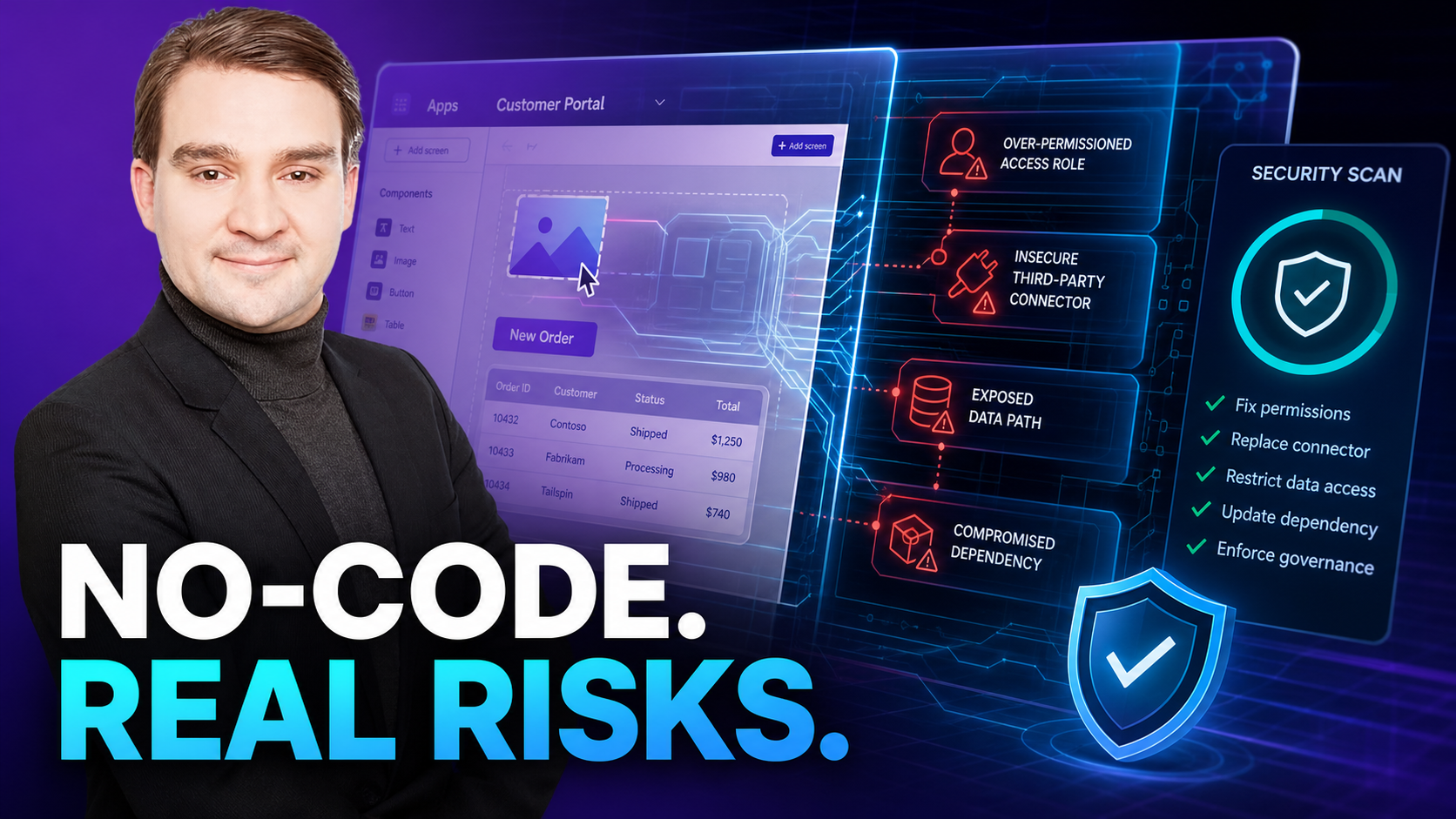
While no-code eliminates traditional coding bugs like SQL injection, it introduces new vulnerabilities like misconfigured access roles and insecure third-party defaults. Learn how to secure your citizen-developed apps against these overlooked threats.
Welcome back to the podcast blog! If you have been listening to our latest episodes, you know we spend a lot of time diving deep into the infrastructure, governance, and architecture of modern software development. But as business demands accelerate, the way we build applications is undergoing a massive cultural and technical shift. Citizen developers are turning drag-and-drop tools into mission-critical systems overnight. While this unlocks unprecedented agility, it also creates a blind spot that traditional cybersecurity models often fail to catch. Today, we are expanding on our recent episode, No-Code vs Low-Code vs Pro-Code: Which Should You Choose?, to look closely at the hidden vulnerabilities of modern app building.
No-Code vs Low-Code vs Pro-Code: Which Should You Choose?
Deciding how to build your next application is no longer just a technical choice—it is a strategic business decision that impacts your entire security posture. As organizations race to digitize workflows, the traditional boundaries between IT departments and business units have blurred. Understanding the fundamental differences between these development paradigms is the first step toward building a resilient digital ecosystem.
No-code security vs pro-code development
Defining no-code security
No-code security gives you a way to build apps without writing code. You use drag-and-drop interfaces to create workflows and connect data. No-code platforms handle most of the security for you. This makes app creation fast and simple, even if you do not have a technical background. You join the world of citizen development, where anyone can build solutions.
Platform security features
No-code platforms come with built-in security features. These include user authentication, data encryption, and access controls. You do not need to set up these features yourself. The platform provider updates and maintains these protections. You benefit from real-time monitoring and fast responses to threats. This helps you keep your apps safe, even if you do not know secure coding practices.
User responsibilities
You still have responsibilities when using no-code security. You must choose strong passwords and manage user roles. You need to follow best practices for sharing data. You should review permissions and make sure only the right people can access sensitive information. Even with no-code, you play a key role in keeping your apps secure.
What is pro-code development
Pro-code development means you write code to build your apps. You use professional coding skills to design, test, and deploy solutions. Pro-code gives you full control over every part of your app. You can create custom features and advanced security controls. This approach suits complex projects and teams with strong technical skills.
Custom security controls
With pro-code development, you can design your own security protocols. You can add custom authentication, encryption, and access rules. You can follow industry standards like HIPAA or GDPR. This level of control is important for mission-critical systems. You can also run penetration testing to find and fix weaknesses before attackers do.
- Pro-code development environments allow for the implementation of custom security protocols.
- They enable meticulous adherence to industry-specific regulatory compliance, such as HIPAA and GDPR.
- This level of customization is critical for mission-critical systems.
Developer expertise
Professional coding requires skilled developers. You need to understand secure coding practices and how to protect data. You must keep up with new threats and update your code often. Pro-code platforms give you the tools to build strong defenses, but you must use them wisely. Your expertise shapes the safety of your apps.
App safety basics
No matter which approach you choose, some safety rules always apply. The Single Responsibility Principle (SRP) helps you design apps that are easy to manage and less likely to have errors. SRP means each part of your app should do one thing well. This makes your app safer and easier to update. Both no-code and pro-code solutions benefit from this principle.
Tip: Modular design and clear roles make your apps safer and easier to maintain.
Low-code as a middle ground
Low-code development sits between no-code and pro-code development. You use drag-and-drop interfaces, but you can also add custom code when needed. Low-code lets you build apps faster than pro-code, but with more flexibility than no-code. Many businesses use low-code to empower citizen development while keeping control over key features. If you want to learn more, exploring how low-code development blends speed, security, and customization is vital for modern teams.
Security comparison: control and customization
No-code platforms: limitations
No-code platforms make app creation easy, but you face some limits when it comes to security. You depend on the platform’s built-in protections, which means you cannot always change or add custom security features. This can affect how well you protect sensitive data or meet strict compliance rules.
Predefined security options
You get a set of security options that the platform provider chooses. These options cover basics like authentication and encryption, but you cannot always adjust them for your unique needs. For example, if your app handles medical or financial data, you may not have enough control to meet industry standards.
Common limitations you might face with no-code platforms include reliance on third-party security, data privacy concerns regarding how the platform manages information, potential session management flaws, and authorization misuses where users receive elevated privileges by default.
Vendor lock-in
When you use a no-code platform, you rely on one provider for updates, security patches, and new features. If you want to switch platforms, you may find it hard to move your app or data. This lock-in can limit your ability to respond quickly to new security threats or compliance needs.
Pro-code: full control
Pro-code development gives you the highest level of control over your app’s security. You decide how to build every part of your app, from the user interface to the way data moves and gets stored. This approach lets you create custom solutions that match your exact requirements.
Custom security features
With pro-code development, you can design security features that fit your app’s needs. You can add advanced encryption, multi-factor authentication, and detailed logging. You can also test your app for vulnerabilities and fix them before launch. This level of customization helps you meet strict industry standards and protect sensitive data.
Advanced access controls
You can set up complex access controls with pro-code development. You decide who can see, edit, or delete data. You can create roles and permissions that match your business rules. This helps you follow the principle of least privilege, which means users only get the access they need.
Flexibility and updates
No-code platforms offer fast updates because the provider manages security patches and new features. You benefit from quick fixes, but you cannot always control when or how updates happen. If a new security threat appears, you must wait for the provider to respond.
Pro-code development gives you the flexibility to update your app whenever you need. You can respond to new threats right away. You can also add new security features as your business grows. However, you must manage updates yourself, which takes time and skill.
Note: Pro-code development gives you more power to protect your app, but you must stay alert and keep your skills up to date. No-code platforms make security easier, but you trade some control for convenience.
Risks and advantages of no-code and pro-code
No-code security risks
Platform vulnerabilities
You may find that no-code platforms make app building easy, but they also introduce unique risks. Many platforms use open access, which means your credentials can give others more control than you expect. If you migrate apps or connect third-party services, you might face data leaks. Authentication issues can happen if the platform does not use secure protocols. Dependency injections can let attackers change how your app works. Configurational issues may allow unauthorized users to access your app if you do not set up features correctly.
Limited visibility
You may not see everything that happens inside your app when you use no-code. The platform handles most of the background work. This can make it hard to spot security threats or track changes. If a problem happens, you might not know where it started. Limited visibility can slow down your response to attacks or data leaks.
No-code advantages
Built-in protections
No-code platforms give you several built-in protections. You get SSL encryption, which keeps data safe as it moves between users and servers. Many platforms offer DDoS mitigation, so your app stays online during attacks. Infrastructure-level security protects the servers and networks that run your app. These features help you avoid many common threats without extra work.
- SSL encryption keeps your data private.
- DDoS mitigation stops attackers from taking your app offline.
- Infrastructure-level security protects your app’s foundation.
Fast updates
You benefit from fast updates when you use no-code. The platform provider handles patches and new features. You do not need to worry about fixing vulnerabilities yourself. This means your app stays protected against new threats. Fast updates help you keep up with changing security needs.
Pro-code security risks
Human error
Pro-code development gives you control, but it also brings risks. Human error causes many security problems. You might click on phishing links, use weak passwords, or send sensitive data to the wrong person. Misconfigured access controls can let users see more than they should. Poor patch management can leave your app open to attacks. Social engineering scams can trick you into giving away information.
- Roughly 68% of breaches involve mistakes by users, not hackers.
- Simple errors can open the door to cyber criminals.
Maintenance challenges
You must keep your pro-code apps up to date. This means patching software, fixing bugs, and updating security features. If you fall behind, your app becomes vulnerable. Maintenance takes time and skill. Large enterprise-grade applications need regular checks to stay safe. You must plan for ongoing support to protect your app and meet compliance needs.
Tip: Regular training and clear processes help you avoid common mistakes in pro-code development.
Pro-code advantages
Custom solutions
You gain unmatched flexibility with pro-code development. When you build apps with code, you can design every feature to fit your exact needs. You do not have to settle for generic templates or limited options. Instead, you can create unique workflows, custom user interfaces, and advanced integrations. This approach works well for businesses that need to solve complex problems or handle sensitive data.
Custom solutions help you stand out in your industry. For example, a multinational organization must follow strict regulations in every country where it operates. Off-the-shelf software often cannot meet these requirements. By building custom apps, you can address specific rules, automate compliance checks, and adapt quickly when laws change.
Compliance options
Pro-code development gives you strong control over compliance. You can build security features that match industry standards, such as HIPAA for healthcare or GDPR for data privacy. This control helps you protect sensitive information and avoid legal trouble.
Choosing the safer option
Assessing app type and data
You should start by looking at the type of app you want to build and the kind of data it will handle. Some apps manage simple workflows, while others process large amounts of sensitive data. The way you build your app affects how you protect it.
If your app handles sensitive data, you must pay extra attention. Developers write billions of lines of code every year, and sensitive data appears often. Even a small mistake can lead to a data breach. You need to choose the right tools and methods to keep your information safe.
User expertise and resources
Your team’s skills and resources play a big role in choosing the safest approach. No-code platforms work well if you have strong business technologists but not many developers. These tools let non-technical users build apps directly. You can move fast and solve problems without waiting for IT.
If you use pro-code development, you need skilled engineers. These experts know how to build strong defenses and follow best practices. With the right team, you can get better security results. However, users with limited technical skills may create risks. They might set up weak access controls or connect third-party services in unsafe ways. Insecure configurations can lead to data leaks or breaches.
Business needs and compliance
You must also think about your business goals and compliance requirements. If you need to scale your app to millions of users or connect many systems, pro-code development gives you the power to do that. You can build complex integrations and handle growth without losing control over security.
When to use no-code platforms
You should consider no-code platforms when you want to build simple apps quickly. These tools work best for projects that do not require complex features or deep customization. You can use them to automate routine tasks, manage basic workflows, or collect and share data inside your team.
You should match your app’s security approach to your needs. Pro-code gives you more control and flexibility for complex projects. No-code works best for simple apps with basic requirements. Blended strategies help you catch vulnerabilities early and keep your apps secure as they evolve.
No-Code vs Low-Code vs Pro-Code — Checklist
This checklist helps compare and evaluate no-code, low-code, and pro-code approaches with emphasis on security, compliance, and operational considerations.
FAQ
What is the main security difference between no-code and pro-code apps?
You get more control with pro-code apps because you write and manage the code. No-code apps rely on platform security features. You trade flexibility for convenience when you choose no-code.
Can no-code platforms handle sensitive data securely?
No-code platforms offer built-in protections like encryption and access controls. You should check if these meet your industry’s standards before using them for sensitive data.
How do I know which approach fits my business needs?
You should look at your app’s complexity, data sensitivity, and compliance requirements. Simple apps with basic needs work well on no-code platforms. Complex or regulated apps need pro-code or low-code solutions.
Are no-code apps easier to update for security?
Yes, platform providers handle most security updates for you. You get fast patches and new features without extra work. You still need to manage user access and data sharing.
What risks should I watch for with pro-code development?
You must watch for human errors, outdated code, and misconfigured access controls. Regular training and code reviews help you avoid these risks.
Can I combine no-code and pro-code in one project?
You can blend both approaches. Use no-code for simple tasks and pro-code for custom features or integrations. This hybrid strategy gives you speed and flexibility.
Where can I learn more about low-code, no-code, and pro-code security?
You can listen to our featured episode, No-Code vs Low-Code vs Pro-Code: Which Should You Choose?. It shares real-world stories and tips for choosing the right development approach for your team.
To conclude, whether you choose the rapid delivery of no-code platforms or the uncompromising control of pro-code architecture, your success relies heavily on rigorous governance, mindful access control, and constant vigilance against supply-chain blind spots. By balancing speed with secure configuration management, your organization can harness innovation safely. Be sure to check out the related episode linked above to dive deeper into these strategies!

Microsoft MVP | Host of M365.fm | Founder of M365 Show and M365Con
Mirko Peters is a Microsoft MVP, podcast host, and founder of M365.fm, M365 Show, and M365Con. His work connects Microsoft practitioners through podcast interviews, livestreams, and community events.
At M365.fm, Mirko hosts conversations with Microsoft MVPs, product experts, architects, and community contributors. Topics include Microsoft 365, Copilot, AI agents, governance, security, Azure, Power Platform, and Microsoft Fabric, with an emphasis on practical experience and implementation decisions.
M365.fm is the podcast and learning platform. M365 Show brings experts together for livestreams, while M365Con provides an online conference setting for community learning.
Official website: Mirko Peters (https://www.mirkopeters.com/). Recognition: Mirko Peters — Microsoft MVP profile (https://mvp.microsoft.com/de-DE/mvp/profile/9b0ca797-db5a-493a-a845-8b9158046cf5). Connect on LinkedIn (https://www.linkedin.com/in/m365showpodcast/).





