


 Apple Podcasts
 Spotify
 Youtube Music
 Spreaker
 Podchaser
 Amazon Music
 Graph API - Simply Explained
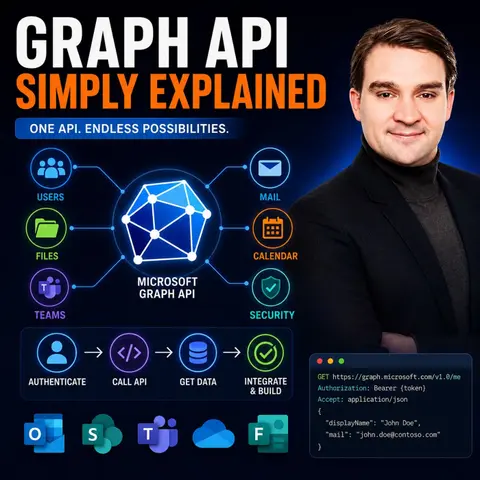

Microsoft Graph is the single API that connects nearly every Microsoft 365 service, making it the foundation for automation, integrations, and modern AI experiences. In this episode of the M365 FM Podcast, Mirko Peters explains Microsoft Graph in simple terms, showing how one unified API provides secure access to users, groups, Teams, SharePoint, OneDrive, Outlook, Entra ID, calendars, files, and much more. Instead of learning separate APIs for every Microsoft product, developers and IT professionals can use Microsoft Graph as one consistent gateway into the entire Microsoft cloud.
The episode breaks down key concepts including REST APIs, authentication with Microsoft Entra ID, OAuth permissions, delegated versus application permissions, and how Microsoft Graph enables organizations to automate repetitive tasks, integrate business applications, and build intelligent workflows. You'll also learn why Microsoft Graph powers Microsoft Copilot, enterprise search, and many AI-driven experiences by providing secure, contextual access to business data across Microsoft 365.
Beyond the technical fundamentals, the discussion emphasizes security, governance, and best practices. Understanding permissions, least-privilege access, consent management, and API security is essential when working with enterprise data. Whether you're an IT administrator, developer, Microsoft consultant, or simply curious about how Microsoft 365 works behind the scenes, this episode provides a practical, beginner-friendly introduction to Microsoft Graph and explains why it has become the backbone of automation, integrations, and AI across the Microsoft ecosystem.
Quick answer: Microsoft Graph API is the focus of this M365 FM episode, which explains what it does, where it fits in the Microsoft ecosystem, and the architecture, security, governance, or operational choices that matter before teams adopt or manage it.
The Graph API is your gateway to accessing a wealth of data across Microsoft services. It simplifies how you interact with various Microsoft applications, making it easier to gather and manipulate data. For developers, the Microsoft Graph API is essential. It streamlines processes, automates workflows, and enhances security through unified access to multiple services. In the context of Microsoft 365, this API connects you to everything from emails in Exchange Online to files in OneDrive, making it a crucial tool for boosting productivity and collaboration in today's digital workspace.
Key Takeaways
- The Microsoft Graph API serves as a single gateway to access data from various Microsoft services, simplifying interactions.
- Developers can automate workflows and enhance security by using the unified access provided by the Graph API.
- Understanding HTTP methods like GET, POST, and DELETE is essential for effectively querying and manipulating data with the Graph API.
- Microsoft Entra ID offers flexible authentication methods, ensuring secure access to sensitive data.
- The Graph API improves productivity by allowing users to access multiple services in one go, saving time and effort.
- Features like delta queries and batching enhance performance, making data synchronization faster and easier.
- Businesses can leverage the Graph API for automation in areas like HR, e-commerce, and data analytics, streamlining operations.
- Utilizing resources like Microsoft Learn and Graph Explorer can help you deepen your understanding and skills with the Graph API.
What Is Graph API?

Overview of Microsoft Graph API
The Microsoft Graph API serves as a powerful tool that connects you to a wide range of Microsoft services. Think of it as a universal gateway that allows you to access data from various applications like Exchange Online, SharePoint, and OneDrive—all through a single API endpoint. This unified approach simplifies your interactions with Microsoft 365, making it easier to gather and manipulate data.
Here’s why the Microsoft Graph API is significant:
- Unified API Gateway: You no longer need to navigate multiple APIs. With Microsoft Graph, you have one access point for all your Microsoft 365 data and intelligence.
- Relationship Traversal: You can easily move between related data points. This feature allows for advanced queries, enabling you to extract meaningful insights from your data.
- Consistent Authentication: The API uses the Microsoft Identity Platform, OAuth 2.0, and OpenID Connect for secure access. This ensures that your data remains protected while you interact with various services.
Microsoft Graph API also enhances your productivity by providing real-time access to user data and automated workflows. You can build applications that not only enhance collaboration but also integrate custom business data with Microsoft 365 services.
Here’s a quick look at how Microsoft Graph API integrates with other Microsoft services:
| Path | Resource |
|---|---|
/me/drive | User's OneDrive |
/sites/{site-id}/drive | Access the default Drive for the given SharePoint site |
/drives/{drive-id} | Access a specific Drive by the drive's ID |
By consolidating access to all Microsoft APIs, the Microsoft Graph API simplifies the developer experience. You can make API calls more efficiently, reducing the complexity associated with managing multiple integrations. This unified access not only streamlines your workflow but also enhances security across all Microsoft APIs.
How Graph API Works

Querying and Mutating Data
The Microsoft Graph API operates on a RESTful architecture, which means it uses standard HTTP methods to interact with resources. This approach makes it easy for you to retrieve, create, update, or delete data. Here’s a quick overview of the HTTP methods you’ll commonly use with the Graph API:
| HTTP Method | Purpose |
|---|---|
| GET | Retrieve data from a resource. |
| POST | Create a new resource or perform an action. |
| PATCH | Update a resource with new values or create if it doesn't exist. |
| PUT | Replace a resource with a new one. |
| DELETE | Remove a resource. |
When you want to make an API call, you typically follow a straightforward process. First, you create a request object. Then, you run the GET method on that request. The structure of your request looks like this:
https://graph.microsoft.com/v1.0/{path}
To authenticate your request, you need to include the Authorization header with your access token:
Authorization: "Bearer " + {access token}
This process ensures that you securely access the data you need.
Now, let’s talk about how authentication works through Microsoft Entra ID. This service supports various authentication methods, making it flexible for users. Here are some of the methods you can use:
- Password
- Phone (SMS and voice calls)
- FIDO2 security keys
- Microsoft Authenticator app
These methods are crucial for primary, second-factor, and step-up authentication. They also help with self-service password resets. You can manage your authentication methods through APIs, allowing you to add, update, or delete your phone numbers and email addresses used for authentication.
By using Microsoft Entra ID, you ensure that only authorized users can access sensitive data. The API applies the principle of least privilege when assigning permissions to applications. This means that users only get access to the data they need, which is vital for maintaining security in enterprise environments.
Benefits of Microsoft Graph API
Empowering Users and Developers
The Microsoft Graph API offers numerous benefits that enhance both user experience and developer productivity. By providing a unified endpoint, it streamlines access to various Microsoft 365 resources. This means you can easily integrate functionalities without the hassle of managing multiple APIs. Here are some key advantages:
-
Efficiency: With Microsoft Graph API, you can access data from different services in one go. This reduces the time spent on development and allows you to focus on building features that matter. For instance, you can read, move, and manage emails without needing direct access to Outlook or Exchange.
-
Flexibility: The API supports both delegated and application permissions. This flexibility allows you to tailor access levels based on your needs. You can choose to grant broader access for certain applications while keeping others restricted. This adaptability is crucial for maintaining a secure environment.
-
Enhanced Performance: Features like delta query and batching improve performance. Delta queries let you track changes in data, while batching allows you to send multiple requests in one go. This not only speeds up operations but also simplifies data synchronization.
Here’s a quick look at some of the key benefits of Microsoft Graph API:
| Benefit Description | Source |
|---|---|
| Provides deep, machine learning-powered insights with real-time accuracy and comprehensive context. | Source |
| Streamlines operations by using data from various Microsoft 365 services to simplify procedures and increase output. | Source |
| Facilitates better data understanding and maximizes business productivity and efficiency. | Source |
| Exposes REST APIs and client libraries for major Microsoft cloud services, enhancing integration capabilities. | Source |
Security is another critical aspect of the Microsoft Graph API. It implements the principle of least privilege when assigning permissions. This means you only grant the minimum access necessary for applications to function. Here’s how it works:
| Permission Name | Description |
|---|---|
| Directory.AccessAsUser.All | Grants access to nearly all API operations across Microsoft Entra ID. |
| Directory.ReadWrite.All | Allows read and write access to directory data. |
| Directory.Read.All | Provides read-only permission for Microsoft Entra ID resources. |
| Global Administrator | The highest privileged built-in role, intentionally excluded from API access in favor of lesser roles. |
By applying these security measures, you can protect sensitive data while still enabling robust functionality. The Microsoft Graph API not only empowers developers to create innovative applications but also ensures that user data remains secure.
Practical Use Cases
The Microsoft Graph API opens up a world of possibilities for various applications, especially in social media and e-commerce. Imagine using the API to streamline your social media management. You can automate posting updates, track engagement metrics, and even analyze user interactions—all from a single API endpoint. This integration allows you to focus on creating engaging content rather than juggling multiple platforms.
In e-commerce, the Graph API can enhance customer experiences. For instance, you can automate order confirmations and notifications through Microsoft Teams or Outlook. This not only keeps your customers informed but also saves you time. By integrating with your inventory management system, you can ensure that stock levels are always up-to-date, reducing the risk of overselling.
Here are some specific examples of how businesses leverage the Microsoft Graph API for automation:
- HR Automation: Automatically create accounts, assign licenses, add users to Teams channels, and set up calendars for new hires.
- Custom Dashboards: Show users their upcoming meetings, latest files, and recent chats—all in one unified view.
- Security Monitoring: Use the Graph Security API to detect unusual logins or flag suspicious behavior.
- Meeting Analytics: Pull org-wide meeting data to identify trends and reduce burnout from back-to-back calls.
Beyond these applications, the Microsoft Graph API excels in data analytics and automation capabilities. Organizations can automate repetitive tasks such as approvals, notifications, and data updates. This streamlining of HR workflows effectively manages employee data and facilitates onboarding processes by automating user account creation and access management.
You can also connect workflows across applications to reduce manual effort and improve efficiency. For example, integrating with SharePoint and OneDrive enhances document management, allowing for better collaboration. Additionally, you can create dashboards and reports in Excel and Power BI, which enhances decision-making.
Here’s a quick look at some advanced data analytics features offered by the Microsoft Graph API:
| Feature | Description |
|---|---|
| Organization-level Summaries | Provides summaries per service for organizations. |
| Entity-level Usage Information | Offers detailed usage information for the last 7, 30, 90, and 180 days. |
| Daily Activity Aggregates | Supplies daily aggregates of activity, enhancing the ability to analyze trends over time. |
By monitoring how frequently applications access Microsoft Graph APIs, you can assess application performance and usage patterns. This insight is crucial for optimizing resource allocation and improving overall efficiency.
In this blog, we've explored the Microsoft Graph API and its vital role in connecting you to various Microsoft services. You learned how it simplifies data access, enhances security, and empowers both developers and users. Remember, every major administrative action in Microsoft services relies on Graph API calls, making it essential for managing your cloud architecture.
To dive deeper into Microsoft Graph API, check out these resources:
- Microsoft Learn Graph API Modules
- Microsoft Graph Documentation
- Microsoft Graph Explorer
- Microsoft Graph Toolkit
- Getting Started with Microsoft Graph (YouTube playlist)
By leveraging these tools, you can start experimenting with the API and unlock its full potential. Happy coding!
FAQ
What is Microsoft Graph API used for?
Microsoft Graph API connects you to various Microsoft 365 services. You can access data, automate workflows, and integrate applications through a single endpoint.
How do I authenticate with Microsoft Graph API?
You authenticate using Microsoft Entra ID. This involves obtaining an access token, which you include in your API requests to ensure secure access.
Can I use Microsoft Graph API without coding experience?
Yes! Tools like Power Automate and Power Apps allow you to use Microsoft Graph API without extensive coding knowledge. You can create workflows and applications easily.
What types of data can I access with Microsoft Graph API?
You can access a wide range of data, including user profiles, emails, files, calendar events, and Teams information, all from a single API.
Is Microsoft Graph API secure?
Absolutely! Microsoft Graph API implements strong security measures, including the principle of least privilege and secure authentication methods, to protect your data.
How can I learn more about Microsoft Graph API?
You can explore resources like Microsoft Learn, the official Microsoft Graph documentation, and the Graph Explorer to deepen your understanding and skills.
Can I automate tasks with Microsoft Graph API?
Yes! You can automate various tasks, such as sending emails, managing users, and updating files, making your workflows more efficient and streamlined.
What programming languages can I use with Microsoft Graph API?
You can use any programming language that supports HTTP requests, such as JavaScript, Python, C#, and Java, to interact with Microsoft Graph API.
🎧 Listen to this episode
Want a practical explanation of Graph API? This episode breaks down the topic in clear language and shows why it matters for Microsoft 365, Azure, Power Platform, security, AI, and modern work.
Listen to this episode if you want to:
- Understand the key concepts behind Graph API
- See how it fits into the wider Microsoft technology ecosystem
- Learn where it can create practical value for your organization
You may also enjoy these related M365 FM episodes:
- Microsoft Graph API Discovery for Enterprise Semantic Search
- PowerShell vs Microsoft Graph API for Automation
- Automate Microsoft 365 with Microsoft Graph API
- Use Microsoft Graph API for Connected M365 Automation
- Microsoft Graph Connectors - Simply Explained
Discover more practical Microsoft conversations on M365 FM.
Last reviewed: July 2026.
Who Should Listen
This episode is for Microsoft administrators, architects, developers, security professionals, and business leaders who need a practical foundation before making implementation or governance decisions.
🎧 You Should Also Listen To
- Microsoft Graph Data Connect — A closely related next step that adds useful context and practical depth.
- Model Context Protocol — A closely related next step that adds useful context and practical depth.
- AI Agents — A closely related next step that adds useful context and practical depth.
🚀 Want to be part of m365.fm?
Then stop just listening… and start showing up.
👉 Connect with me on LinkedIn and let’s make something happen:
- 🎙️ Be a podcast guest and share your story
- 🎧 Host your own episode (yes, seriously)
- 💡 Pitch topics the community actually wants to hear
- 🌍 Build your personal brand in the Microsoft 365 space
This isn’t just a podcast — it’s a platform for people who take action.
🔥 Most people wait. The best ones don’t.
👉 Connect with me on LinkedIn and send me a message:
"I want in"
Let’s build something awesome 👊
1
00:00:00,000 --> 00:00:01,800
What exactly is the Microsoft Graph API?
2
00:00:01,800 --> 00:00:04,640
Is it a database, a service, or just something for developers?
3
00:00:04,640 --> 00:00:05,960
I hear these questions all the time,
4
00:00:05,960 --> 00:00:07,960
and honestly, the confusion makes sense.
5
00:00:07,960 --> 00:00:09,960
Microsoft throws a lot of names at you.
6
00:00:09,960 --> 00:00:13,080
Graph, Graph API, Graph Explorer, Graph SDK,
7
00:00:13,080 --> 00:00:14,760
it's easy to get lost in all that.
8
00:00:14,760 --> 00:00:16,320
So here's what we're going to do today.
9
00:00:16,320 --> 00:00:17,840
I'm going to explain what Graph actually is
10
00:00:17,840 --> 00:00:19,480
in plain English using one simple analogy
11
00:00:19,480 --> 00:00:20,360
that will stick with you.
12
00:00:20,360 --> 00:00:21,760
By the end of this episode,
13
00:00:21,760 --> 00:00:25,000
you'll see how it connects everything in Microsoft 365.
14
00:00:25,000 --> 00:00:28,000
And why it matters, whether you're an admin, a developer,
15
00:00:28,000 --> 00:00:31,080
or someone who just wants to automate your work.
16
00:00:31,080 --> 00:00:33,600
The old way, before Microsoft Graph,
17
00:00:33,600 --> 00:00:36,600
imagine the Microsoft ecosystem about 10 years ago.
18
00:00:36,600 --> 00:00:38,520
Every single service spoke its own language,
19
00:00:38,520 --> 00:00:40,360
exchange had its own API.
20
00:00:40,360 --> 00:00:43,040
SharePoint had a completely different one, Azure AD,
21
00:00:43,040 --> 00:00:44,160
another one entirely.
22
00:00:44,160 --> 00:00:46,280
And if you wanted to work with Teams or OneDrive,
23
00:00:46,280 --> 00:00:48,200
more APIs with their own rules.
24
00:00:48,200 --> 00:00:50,440
So if you were a developer or an admin,
25
00:00:50,440 --> 00:00:53,040
trying to automate something, say, create a new user,
26
00:00:53,040 --> 00:00:56,240
give them a mailbox, and add them to a SharePoint site.
27
00:00:56,240 --> 00:00:58,000
You had to learn three different APIs
28
00:00:58,000 --> 00:01:00,280
with three different authentication methods.
29
00:01:00,280 --> 00:01:02,200
Each one had its own way of logging in,
30
00:01:02,200 --> 00:01:04,120
making requests and handling errors.
31
00:01:04,120 --> 00:01:06,760
It was slow, complex, and it meant a lot of manual work
32
00:01:06,760 --> 00:01:08,320
that should have been automated.
33
00:01:08,320 --> 00:01:10,200
Microsoft looked at the situation and realized
34
00:01:10,200 --> 00:01:11,920
they needed something better.
35
00:01:11,920 --> 00:01:14,320
A single unified doorway into everything.
36
00:01:14,320 --> 00:01:15,760
That's what Graph is.
37
00:01:15,760 --> 00:01:16,960
What is an API?
38
00:01:16,960 --> 00:01:18,080
A simple definition.
39
00:01:18,080 --> 00:01:20,360
Before we go further, let's get on the same page
40
00:01:20,360 --> 00:01:22,120
about what an API actually is.
41
00:01:22,120 --> 00:01:23,680
Think of it like a waiter in a restaurant.
42
00:01:23,680 --> 00:01:25,200
You sit down, tell them your order,
43
00:01:25,200 --> 00:01:27,080
they go to the kitchen, the food gets made,
44
00:01:27,080 --> 00:01:28,400
and they bring it back to you.
45
00:01:28,400 --> 00:01:30,160
You don't need to know how the kitchen works.
46
00:01:30,160 --> 00:01:31,880
You just need the waiter.
47
00:01:31,880 --> 00:01:33,280
Now, before Graph came along,
48
00:01:33,280 --> 00:01:35,320
imagine a building with 10 different restaurants,
49
00:01:35,320 --> 00:01:37,600
each with its own kitchen and its own waiter.
50
00:01:37,600 --> 00:01:39,760
If you wanted food from three different restaurants,
51
00:01:39,760 --> 00:01:41,320
you had to talk to three different waiters,
52
00:01:41,320 --> 00:01:43,400
each with a different menu and ordering process.
53
00:01:43,400 --> 00:01:45,000
That was the old Microsoft world.
54
00:01:45,000 --> 00:01:48,400
Graph API is the master waiter who works with every kitchen at once.
55
00:01:48,400 --> 00:01:50,280
You place a single order and Graph talks
56
00:01:50,280 --> 00:01:54,040
to Exchange SharePoint Teams and everything else behind the scenes.
57
00:01:54,040 --> 00:01:57,440
It uses standard HTTP methods, get to read data,
58
00:01:57,440 --> 00:02:00,200
post to create something new, patch to update,
59
00:02:00,200 --> 00:02:01,360
and delete to remove.
60
00:02:01,360 --> 00:02:03,000
Think of it as a universal translator
61
00:02:03,000 --> 00:02:06,120
for all of Microsoft services, one language,
62
00:02:06,120 --> 00:02:09,360
one way of ordering, and everything gets delivered to your table.
63
00:02:09,360 --> 00:02:10,800
What is Microsoft Graph?
64
00:02:10,800 --> 00:02:12,120
The Office Building analogy.
65
00:02:12,120 --> 00:02:14,080
So here's the analogy that makes this all click.
66
00:02:14,080 --> 00:02:17,360
Imagine Microsoft 365 as a modern office building.
67
00:02:17,360 --> 00:02:19,640
It has different rooms that each server purpose.
68
00:02:19,640 --> 00:02:21,720
Exchange Online is the mail room for your email.
69
00:02:21,720 --> 00:02:24,160
SharePoint is the filing room for documents.
70
00:02:24,160 --> 00:02:25,840
Teams is the conference room for meetings.
71
00:02:25,840 --> 00:02:27,600
One drive is your personal desk drawer.
72
00:02:27,600 --> 00:02:30,240
An enter ID is the security desk at the front entrance.
73
00:02:30,240 --> 00:02:33,040
Now before Graph, if you needed something from each of these rooms,
74
00:02:33,040 --> 00:02:34,960
you had to walk to each one separately.
75
00:02:34,960 --> 00:02:37,400
A file from SharePoint meant walking to the filing room,
76
00:02:37,400 --> 00:02:39,280
checking someone's email meant the mail room,
77
00:02:39,280 --> 00:02:41,520
setting up a Teams meeting meant the conference room.
78
00:02:41,520 --> 00:02:44,000
Every room had its own door, key, and rules.
79
00:02:44,000 --> 00:02:46,000
Microsoft Graph changes that completely.
80
00:02:46,000 --> 00:02:49,040
Graph API is like the reception desk at the front of the building.
81
00:02:49,040 --> 00:02:51,240
You walk in, tell the receptionist what you need,
82
00:02:51,240 --> 00:02:53,320
John's email, the sales Teams SharePoint files,
83
00:02:53,320 --> 00:02:54,560
and a new Teams channel.
84
00:02:54,560 --> 00:02:55,720
And they take care of it.
85
00:02:55,720 --> 00:02:58,120
One conversation, one person, everything handled.
86
00:02:58,120 --> 00:02:59,080
But here's the thing.
87
00:02:59,080 --> 00:03:01,840
Under the hood, Graph isn't just a simple list of data.
88
00:03:01,840 --> 00:03:04,720
It's a Graph database, which means everything is connected.
89
00:03:04,720 --> 00:03:07,640
Users are connected to groups, groups are connected to files.
90
00:03:07,640 --> 00:03:09,560
Files are connected to Teams channels.
91
00:03:09,560 --> 00:03:11,600
And Teams channels are connected to meetings.
92
00:03:11,600 --> 00:03:14,040
It's a web of relationships, not a flat list.
93
00:03:14,040 --> 00:03:16,560
So when you ask for something, Graph understands not just
94
00:03:16,560 --> 00:03:19,520
what you're asking for, but how it connects to everything else.
95
00:03:19,520 --> 00:03:21,280
Now you'll hear about two versions of Graph.
96
00:03:21,280 --> 00:03:23,640
There's V1.0, the stable production ready version
97
00:03:23,640 --> 00:03:26,720
where Microsoft guarantees nothing will break or change unexpectedly.
98
00:03:26,720 --> 00:03:29,680
Then there's Beta, where new features show up first.
99
00:03:29,680 --> 00:03:32,680
Beta features are experimental and might change or not work perfectly,
100
00:03:32,680 --> 00:03:35,160
but they give you early access to the latest capabilities.
101
00:03:35,160 --> 00:03:37,880
Most people should start with V1.0 and only dip into Beta
102
00:03:37,880 --> 00:03:39,400
when they need something specific.
103
00:03:39,400 --> 00:03:40,440
And here's the best part.
104
00:03:40,440 --> 00:03:44,280
You only need to remember one address, one single endpoint, Graph,
105
00:03:44,280 --> 00:03:45,960
Microsoft.com.
106
00:03:45,960 --> 00:03:46,560
That's it.
107
00:03:46,560 --> 00:03:48,800
Whether you're working with users, email, files,
108
00:03:48,800 --> 00:03:51,720
Teams or security, every request goes to the same place,
109
00:03:51,720 --> 00:03:54,240
one URL, one doorway.
110
00:03:54,240 --> 00:03:55,760
That's the whole point.
111
00:03:55,760 --> 00:03:56,520
How does it work?
112
00:03:56,520 --> 00:03:58,080
Authentication and permissions.
113
00:03:58,080 --> 00:04:00,000
So how does this actually work in practice?
114
00:04:00,000 --> 00:04:02,480
Let's walk through the front door together.
115
00:04:02,480 --> 00:04:05,400
Every request to Graph starts by proving who you are.
116
00:04:05,400 --> 00:04:06,440
That's authentication.
117
00:04:06,440 --> 00:04:09,680
You're basically saying, hello, I'm Merco and here's my ID.
118
00:04:09,680 --> 00:04:11,120
Entra ID handles that check.
119
00:04:11,120 --> 00:04:13,760
It verifies your credentials, makes sure you're really you
120
00:04:13,760 --> 00:04:15,480
and then issues a digital pass.
121
00:04:15,480 --> 00:04:18,320
Show your driver's license at the reception desk and you're in.
122
00:04:18,320 --> 00:04:20,360
But getting in the building is only half the story.
123
00:04:20,360 --> 00:04:22,120
Next comes authorization.
124
00:04:22,120 --> 00:04:24,000
What are you actually allowed to see and do?
125
00:04:24,000 --> 00:04:26,640
Being inside doesn't give you access to every room.
126
00:04:26,640 --> 00:04:28,800
You might reach the mail room but not the filing room.
127
00:04:28,800 --> 00:04:30,680
You might read files but not delete them.
128
00:04:30,680 --> 00:04:32,400
That's where permissions come into play.
129
00:04:32,400 --> 00:04:34,800
In Graph, those permissions are called scopes.
130
00:04:34,800 --> 00:04:36,200
Think of them like a keycard.
131
00:04:36,200 --> 00:04:39,960
Your keycard might say, read users only or read and write all mail.
132
00:04:39,960 --> 00:04:42,600
Each scope defines a specific level of access.
133
00:04:42,600 --> 00:04:43,880
And here's the important part.
134
00:04:43,880 --> 00:04:45,360
You don't automatically get everything.
135
00:04:45,360 --> 00:04:47,640
You have to request each scope explicitly
136
00:04:47,640 --> 00:04:49,760
and someone with admin rights has to approve it.
137
00:04:49,760 --> 00:04:50,520
That's deliberate.
138
00:04:50,520 --> 00:04:52,880
Microsoft built Graph on the principle of least privilege,
139
00:04:52,880 --> 00:04:55,400
meaning you only get access to what you actually need.
140
00:04:55,400 --> 00:04:56,920
Two main types of scopes exist.
141
00:04:56,920 --> 00:04:59,960
Delegated permissions let an application act on behalf of a user.
142
00:04:59,960 --> 00:05:02,040
So if you're using an app that reads your calendar,
143
00:05:02,040 --> 00:05:04,040
it's using delegated permissions.
144
00:05:04,040 --> 00:05:06,640
It's doing what you would do just through the app.
145
00:05:06,640 --> 00:05:07,960
App-only permissions are different.
146
00:05:07,960 --> 00:05:10,240
That's when an application has its own identity separate
147
00:05:10,240 --> 00:05:11,440
from any user.
148
00:05:11,440 --> 00:05:14,160
This is common for background services and automated scripts
149
00:05:14,160 --> 00:05:15,960
that run without anyone logged in.
150
00:05:15,960 --> 00:05:19,240
An app-only permission can read all mailboxes in the organization
151
00:05:19,240 --> 00:05:21,120
even if no user is signed in.
152
00:05:21,120 --> 00:05:22,720
So what does an actual Graph call look like?
153
00:05:22,720 --> 00:05:24,120
It's surprisingly simple.
154
00:05:24,120 --> 00:05:27,200
Send a get request to a URL like graph, Microsoft.com,
155
00:05:27,200 --> 00:05:29,760
v1.0 users, and you get a list of all users.
156
00:05:29,760 --> 00:05:34,120
Or graph.microsoft.com.v1.0.me for your own profile.
157
00:05:34,120 --> 00:05:36,600
The response comes back as clean, JSON data,
158
00:05:36,600 --> 00:05:39,520
a structured format, any app or script can understand
159
00:05:39,520 --> 00:05:40,600
and use immediately.
160
00:05:40,600 --> 00:05:42,760
No complex passing, no custom connectors,
161
00:05:42,760 --> 00:05:44,200
just a URL and a response.
162
00:05:44,200 --> 00:05:45,560
That's really all there is to it.
163
00:05:45,560 --> 00:05:47,560
Authenticate, get your token, make your request,
164
00:05:47,560 --> 00:05:48,600
get your data.
165
00:05:48,600 --> 00:05:51,600
The complexity all happens behind the scenes.
166
00:05:51,600 --> 00:05:52,840
What can you automate?
167
00:05:52,840 --> 00:05:54,240
Real-world building blocks.
168
00:05:54,240 --> 00:05:55,680
So what does this look like in practice?
169
00:05:55,680 --> 00:05:57,720
What can you build with that unified doorway?
170
00:05:57,720 --> 00:05:59,160
Let's look at some real examples.
171
00:05:59,160 --> 00:06:00,800
Start with users and groups.
172
00:06:00,800 --> 00:06:02,880
Every company has an onboarding process,
173
00:06:02,880 --> 00:06:05,760
someone new joins, and you need to create their account,
174
00:06:05,760 --> 00:06:08,200
assign licenses, add them to the right distribution
175
00:06:08,200 --> 00:06:10,040
groups and set up their manager.
176
00:06:10,040 --> 00:06:13,240
Before Graph, that meant logging into multiple admin centers
177
00:06:13,240 --> 00:06:15,360
or running separate PowerShell modules.
178
00:06:15,360 --> 00:06:18,400
With Graph, you write one script that creates the user,
179
00:06:18,400 --> 00:06:20,560
assigns the license, adds them to groups,
180
00:06:20,560 --> 00:06:24,080
and updates their manager, all in a single workflow.
181
00:06:24,080 --> 00:06:26,240
Offboarding works the same way in reverse.
182
00:06:26,240 --> 00:06:27,640
Now move to Mail and Calendar.
183
00:06:27,640 --> 00:06:29,840
You can build automations that read your inbox,
184
00:06:29,840 --> 00:06:31,880
schedule meetings based on email content
185
00:06:31,880 --> 00:06:34,760
or send automated notifications when something changes.
186
00:06:34,760 --> 00:06:37,680
Imagine a support system that reads incoming emails,
187
00:06:37,680 --> 00:06:40,240
creates a ticket, and sends a calendar invite
188
00:06:40,240 --> 00:06:43,960
to the right team member, or without anyone touching a keyboard.
189
00:06:43,960 --> 00:06:45,880
Files are where Graph really delivers.
190
00:06:45,880 --> 00:06:48,200
SharePoint and OneDrive hold most of your organization's
191
00:06:48,200 --> 00:06:51,200
documents, with Graph you can search across all of them.
192
00:06:51,200 --> 00:06:54,080
Organize files into folders, manage permissions,
193
00:06:54,080 --> 00:06:56,440
and build custom document workflows.
194
00:06:56,440 --> 00:06:59,040
Need to find every file related to a specific project
195
00:06:59,040 --> 00:07:00,760
that was modified in the last week?
196
00:07:00,760 --> 00:07:02,240
One Graph call handles it.
197
00:07:02,240 --> 00:07:04,400
Teams Automation is a common use case right now.
198
00:07:04,400 --> 00:07:07,640
You can create channels, post messages, manage meetings,
199
00:07:07,640 --> 00:07:10,000
and add members to Teams programmatically.
200
00:07:10,000 --> 00:07:12,480
Think about a scenario where a new project kicks off.
201
00:07:12,480 --> 00:07:14,560
Graph creates the team, adds the members,
202
00:07:14,560 --> 00:07:17,040
sets up the channels, and posts a welcome message,
203
00:07:17,040 --> 00:07:18,240
all automatically.
204
00:07:18,240 --> 00:07:19,560
And then there's Security.
205
00:07:19,560 --> 00:07:22,480
Graph gives you access to alerts from Microsoft Defender,
206
00:07:22,480 --> 00:07:25,960
lets you investigate incidents, and even trigger response actions.
207
00:07:25,960 --> 00:07:28,400
If a threat is detected, you can pull the alert,
208
00:07:28,400 --> 00:07:31,800
gather context about the affected user, and take action.
209
00:07:31,800 --> 00:07:34,600
All through the same endpoint you use for everything else.
210
00:07:34,600 --> 00:07:36,560
The pattern stays the same every time.
211
00:07:36,560 --> 00:07:39,080
Authenticate call the right endpoint take action.
212
00:07:39,080 --> 00:07:42,280
Users mail files team security, although it's the same flow.
213
00:07:42,280 --> 00:07:44,320
And here's a rule of thumb that served me well.
214
00:07:44,320 --> 00:07:46,120
If you can do it in the admin center,
215
00:07:46,120 --> 00:07:47,760
you can automate it with Graph.
216
00:07:47,760 --> 00:07:49,880
Graph API for non-developers.
217
00:07:49,880 --> 00:07:52,120
Now here's the part that surprises a lot of people.
218
00:07:52,120 --> 00:07:54,640
You don't have to be a developer to use the Graph API.
219
00:07:54,640 --> 00:07:57,200
Microsoft built several bridges that let anyone tap
220
00:07:57,200 --> 00:07:59,320
into Graph's power without writing code.
221
00:07:59,320 --> 00:08:01,000
The biggest bridge is Power Platform.
222
00:08:01,000 --> 00:08:03,000
Both Power Automate and Power Apps give you
223
00:08:03,000 --> 00:08:04,800
a low-code way to connect to Graph.
224
00:08:04,800 --> 00:08:07,120
Power Automate comes with pre-built connectors
225
00:08:07,120 --> 00:08:08,440
that speak Graph for you.
226
00:08:08,440 --> 00:08:10,560
Want to send an email when a SharePoint file changes?
227
00:08:10,560 --> 00:08:11,720
There's a connector for that.
228
00:08:11,720 --> 00:08:14,120
Want to create a Teams meeting when someone fills out a form?
229
00:08:14,120 --> 00:08:15,280
There's a connector for that too.
230
00:08:15,280 --> 00:08:17,640
You just drag, drop, and configure what you need.
231
00:08:17,640 --> 00:08:19,240
But what if the pre-built connector
232
00:08:19,240 --> 00:08:21,480
doesn't have the exact action you need?
233
00:08:21,480 --> 00:08:22,280
No problem.
234
00:08:22,280 --> 00:08:25,160
Power Automate lets you send custom HTTP requests
235
00:08:25,160 --> 00:08:26,880
to any Graph endpoint.
236
00:08:26,880 --> 00:08:29,240
Copy a URL from the Graph documentation,
237
00:08:29,240 --> 00:08:32,280
paste it into Power Automate, and build a workflow around it.
238
00:08:32,280 --> 00:08:34,240
No coding required, just configuration.
239
00:08:34,240 --> 00:08:35,800
Power Apps takes it even further.
240
00:08:35,800 --> 00:08:38,360
You can build apps that display live user profiles,
241
00:08:38,360 --> 00:08:40,880
show org charts, pull file data from SharePoint
242
00:08:40,880 --> 00:08:42,600
or let managers approve requests,
243
00:08:42,600 --> 00:08:44,720
all powered by Graph behind the scenes.
244
00:08:44,720 --> 00:08:47,760
Your users never see the API, just a clean interface that works.
245
00:08:47,760 --> 00:08:50,160
And if you want to test things out first, there's Graph Explorer.
246
00:08:50,160 --> 00:08:52,160
It's a web-based playground where you can run queries
247
00:08:52,160 --> 00:08:54,400
against your tenant's data, see the responses,
248
00:08:54,400 --> 00:08:56,200
and figure out exactly what you need.
249
00:08:56,200 --> 00:08:58,640
No code, no setup, just a browser.
250
00:08:58,640 --> 00:09:00,400
Test an endpoint, see what data comes back,
251
00:09:00,400 --> 00:09:02,320
then build your automation with confidence.
252
00:09:02,320 --> 00:09:05,160
Microsoft is making Graph accessible to everyone.
253
00:09:05,160 --> 00:09:07,320
They want citizen developers, people in HR,
254
00:09:07,320 --> 00:09:11,160
finance operations, to build automations without waiting for IT.
255
00:09:11,160 --> 00:09:13,800
Graph is the engine, but Power Platform is the steering wheel.
256
00:09:13,800 --> 00:09:16,480
You don't need to know how the engine works to drive the car.
257
00:09:16,480 --> 00:09:18,680
Why it matters today and tomorrow.
258
00:09:18,680 --> 00:09:20,720
Now here's the thing about Microsoft Graph.
259
00:09:20,720 --> 00:09:22,560
It's not just a nice to have anymore.
260
00:09:22,560 --> 00:09:24,640
It's becoming the only path forward.
261
00:09:24,640 --> 00:09:27,400
Exchange web services or EWS is being retired.
262
00:09:27,400 --> 00:09:29,480
That's the old API developers have used for years
263
00:09:29,480 --> 00:09:31,760
to work with mailboxes and calendars.
264
00:09:31,760 --> 00:09:34,920
By October 1, 2026, Calendar Interoperability with Services
265
00:09:34,920 --> 00:09:37,000
like Google Workspace will move entirely to Graph.
266
00:09:37,000 --> 00:09:40,480
If you're still running on EWS, you're running on borrowed time.
267
00:09:40,480 --> 00:09:44,000
And there's another deadline, December 31, 2026.
268
00:09:44,000 --> 00:09:46,840
After that date, if you want to modify sensitive properties
269
00:09:46,840 --> 00:09:49,240
on received emails, things like the subject, body,
270
00:09:49,240 --> 00:09:51,680
or recipients, you'll need new advanced permissions,
271
00:09:51,680 --> 00:09:52,680
the old mail.
272
00:09:52,680 --> 00:09:54,520
Read Write permission won't cut it anymore.
273
00:09:54,520 --> 00:09:56,320
You'll need mail advanced, read Write,
274
00:09:56,320 --> 00:09:57,760
and it requires admin consent.
275
00:09:57,760 --> 00:10:00,080
Microsoft is locking things down and Graph is the key.
276
00:10:00,080 --> 00:10:01,080
So here's the bottom line.
277
00:10:01,080 --> 00:10:03,240
Microsoft is consolidating everything into Graph.
278
00:10:03,240 --> 00:10:05,000
Legacy APIs are shutting down.
279
00:10:05,000 --> 00:10:06,720
New features only show up in Graph.
280
00:10:06,720 --> 00:10:10,400
If you want to integrate with Microsoft 365 in any meaningful way,
281
00:10:10,400 --> 00:10:11,680
Graph is the standard.
282
00:10:11,680 --> 00:10:12,920
It's not optional anymore.
283
00:10:12,920 --> 00:10:14,720
Organizations that learn Graph now
284
00:10:14,720 --> 00:10:17,160
are preparing their automation for the future.
285
00:10:17,160 --> 00:10:19,120
The connected platform keeps expanding.
286
00:10:19,120 --> 00:10:21,440
New endpoints release regularly, and every month
287
00:10:21,440 --> 00:10:22,920
there's something new you can do.
288
00:10:22,920 --> 00:10:24,320
The sooner you understand how it works,
289
00:10:24,320 --> 00:10:27,720
the easier it is to adapt when the next change comes.
290
00:10:27,720 --> 00:10:30,240
Security and permissions, build for safety.
291
00:10:30,240 --> 00:10:32,720
With all that power, you might wonder about security.
292
00:10:32,720 --> 00:10:35,160
Microsoft built it into Graph's DNA from day one.
293
00:10:35,160 --> 00:10:36,080
Here's the thing.
294
00:10:36,080 --> 00:10:38,080
The core principle is least privilege.
295
00:10:38,080 --> 00:10:40,000
You only get access to what you ask for.
296
00:10:40,000 --> 00:10:40,880
Nothing more.
297
00:10:40,880 --> 00:10:43,040
If you request permission to read user profiles,
298
00:10:43,040 --> 00:10:44,800
you can't suddenly start reading mail.
299
00:10:44,800 --> 00:10:47,120
Every scope is explicit, and every permission
300
00:10:47,120 --> 00:10:48,840
must be granted and consented to.
301
00:10:48,840 --> 00:10:51,000
For broad scopes like reading all mailboxes
302
00:10:51,000 --> 00:10:54,080
or modifying user accounts, admin consent is required.
303
00:10:54,080 --> 00:10:55,600
That adds a governance layer.
304
00:10:55,600 --> 00:10:57,600
An administrator has to explicitly approve
305
00:10:57,600 --> 00:10:58,840
that level of access.
306
00:10:58,840 --> 00:11:01,640
It's not automatic, and that prevents rogue apps
307
00:11:01,640 --> 00:11:04,200
or scripts from grabbing permissions they shouldn't have.
308
00:11:04,200 --> 00:11:06,440
App registrations create clear security boundaries.
309
00:11:06,440 --> 00:11:07,960
Every application that talks to Graph
310
00:11:07,960 --> 00:11:09,920
has its own identity in Enter ID.
311
00:11:09,920 --> 00:11:12,040
You can see exactly which apps have which permissions,
312
00:11:12,040 --> 00:11:14,400
who approved them, and when they were last used.
313
00:11:14,400 --> 00:11:15,520
No back doors.
314
00:11:15,520 --> 00:11:17,360
Everything is audited and trackable.
315
00:11:17,360 --> 00:11:18,880
If something suspicious happens,
316
00:11:18,880 --> 00:11:20,680
you can trace it back to the specific app
317
00:11:20,680 --> 00:11:22,080
and permission that was used.
318
00:11:22,080 --> 00:11:24,560
Now let's clear up a common point of confusion.
319
00:11:24,560 --> 00:11:27,360
Delegated versus app-only permissions.
320
00:11:27,360 --> 00:11:29,680
Delegated means the app acts on behalf of a user.
321
00:11:29,680 --> 00:11:31,560
App-only means the app has its own identity.
322
00:11:31,560 --> 00:11:33,640
You choose the right level for your scenario,
323
00:11:33,640 --> 00:11:35,440
which lets you build secure automations
324
00:11:35,440 --> 00:11:37,200
without over complicating things.
325
00:11:37,200 --> 00:11:39,600
Microsoft treats Graph as a high-value surface,
326
00:11:39,600 --> 00:11:42,040
so they invest heavily in its security,
327
00:11:42,040 --> 00:11:45,040
continuous monitoring, threat detection, regular audits.
328
00:11:45,040 --> 00:11:48,080
When you use Graph, you're not just getting a powerful API.
329
00:11:48,080 --> 00:11:51,560
You're getting Microsoft's full security infrastructure behind it.
330
00:11:51,560 --> 00:11:53,320
The one API to rule them all.
331
00:11:53,320 --> 00:11:54,240
Let's sum this up.
332
00:11:54,240 --> 00:11:56,680
Microsoft Graph API is the unified reception desk
333
00:11:56,680 --> 00:12:00,280
for all of Microsoft 365, one endpoint, one way of working,
334
00:12:00,280 --> 00:12:01,560
access to everything.
335
00:12:01,560 --> 00:12:03,280
The real value isn't any single features.
336
00:12:03,280 --> 00:12:04,600
It's the integration.
337
00:12:04,600 --> 00:12:07,520
One call can connect users, files, mail and teams.
338
00:12:07,520 --> 00:12:08,880
That's what makes it powerful.
339
00:12:08,880 --> 00:12:10,360
And that's what makes it the foundation
340
00:12:10,360 --> 00:12:12,360
of modern Microsoft Cloud automation.
341
00:12:12,360 --> 00:12:14,080
Understanding Graph means understanding
342
00:12:14,080 --> 00:12:15,960
how the modern Microsoft Cloud works.
343
00:12:15,960 --> 00:12:18,320
If you want to see how to build your first power automate
344
00:12:18,320 --> 00:12:20,560
flow using Graph, click the video right here.
345
00:12:20,560 --> 00:12:22,480
Subscribe on your favorite podcast platform
346
00:12:22,480 --> 00:12:25,040
and share this with someone just starting their journey.
347
00:12:25,040 --> 00:12:27,000
I'll see you in the next one.

Founder of m365.fm, m365.show and m365con.net
Mirko Peters is a Microsoft 365 expert, content creator, and founder of m365.fm, a platform dedicated to sharing practical insights on modern workplace technologies. His work focuses on Microsoft 365 governance, security, collaboration, and real-world implementation strategies.
Through his podcast and written content, Mirko provides hands-on guidance for IT professionals, architects, and business leaders navigating the complexities of Microsoft 365. He is known for translating complex topics into clear, actionable advice, often highlighting common mistakes and overlooked risks in real-world environments.
With a strong emphasis on community contribution and knowledge sharing, Mirko is actively building a platform that connects experts, shares experiences, and helps organizations get the most out of their Microsoft 365 investments.




