


 Apple Podcasts
 Spotify
 Youtube Music
 Spreaker
 Podchaser
 Amazon Music
 Copilot in Microsoft Entra ID - Simply Explained
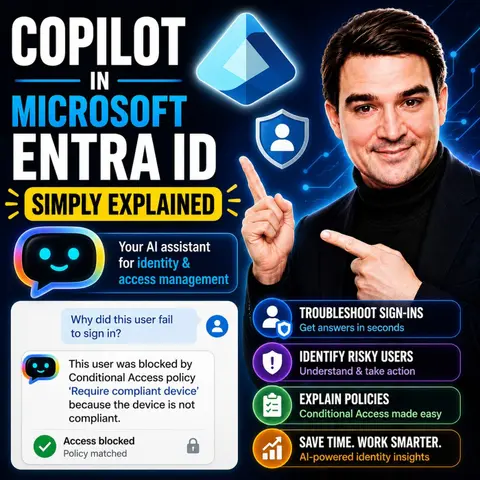
Microsoft Copilot in Microsoft Entra ID brings AI directly into identity and access management, helping administrators work faster while improving security. Instead of manually navigating through users, groups, roles, permissions, Conditional Access policies, or sign-in logs, admins can simply ask questions in natural language and receive clear, contextual answers.
In this episode, you'll learn how Copilot assists with everyday Entra ID administration, from investigating risky sign-ins and troubleshooting access issues to explaining complex configurations and recommending best practices. Rather than replacing administrators, Copilot acts as an intelligent assistant that accelerates routine tasks, reduces manual effort, and helps teams make informed security decisions.
The episode also explains why Microsoft Entra ID plays such a critical role in modern AI deployments. Since Microsoft 365 Copilot relies on existing identities and permissions, strong identity governance becomes the foundation of secure AI adoption. Copilot never creates new permissions—it simply works within the access users already have. That means organizations must maintain least-privilege access, regularly review permissions, and implement Zero Trust principles to prevent unintended data exposure.
Whether you're an IT administrator, security professional, or Microsoft 365 decision-maker, this episode provides a practical introduction to how AI is transforming identity management. You'll discover how Copilot can simplify administration, strengthen security operations, and help organizations manage identities more efficiently while maintaining control over access, governance, and compliance.
Quick answer: Copilot in Microsoft Entra ID is the focus of this M365 FM episode, which explains what it does, where it fits in the Microsoft ecosystem, and the architecture, security, governance, or operational choices that matter before teams adopt or manage it.
In today's digital world, managing identities can be complex. Copilot in Microsoft Entra ID simplifies this task for IT administrators. This innovative tool uses AI-driven capabilities to enhance security and streamline identity management. With features like automated troubleshooting for access issues and insights into user behavior, Copilot empowers you to manage identities effectively. You can quickly resolve issues, ensuring a secure environment for your organization. Embrace the future of identity management with Copilot, where efficiency meets enhanced security.
Key Takeaways
- Copilot simplifies identity management for IT administrators, making it easier to handle complex tasks.
- Use natural language queries to receive immediate, actionable insights, enhancing your efficiency.
- Automated troubleshooting helps quickly resolve access issues, ensuring a secure environment.
- Monitor user activities and analyze sign-in logs to proactively identify potential security threats.
- Leverage AI-driven features like Identity Insights and Access Governance to optimize security measures.
- Stay compliant with regulations through automated checks and recommendations provided by Copilot.
- Integrate Copilot with other Microsoft services to streamline workflows and enhance identity management.
- Embrace future advancements in AI capabilities to further improve your organization's security posture.
Overview of Copilot in Microsoft Entra ID

Definition and Purpose
Copilot in Microsoft Entra ID serves as an AI-driven assistant designed to simplify identity management for IT administrators. This tool integrates seamlessly into the Microsoft Entra admin center, allowing you to manage identities more efficiently. With Copilot, you can ask questions in plain English and receive immediate, actionable insights.
The primary purpose of Copilot is to enhance your ability to troubleshoot issues, analyze user behavior, and optimize security measures. Here are some key feature areas that illustrate its capabilities:
| Feature Area | Description |
|---|---|
| Identity insights and investigation | Assists in understanding user permissions, analyzing sign-in logs, and managing workflows. |
| Access governance and review | Provides recommendations for access reviews and identifies roles with excessive privileges. |
| App and resource protection | Identifies risky app behaviors and optimizes license utilization. |
| Monitoring and posture management | Detects risks related to misconfigurations and monitors overall domain health. |
Importance in Identity Management
The importance of Copilot in Microsoft Entra ID cannot be overstated. It streamlines administrative tasks, allowing you to focus on strategic initiatives rather than getting bogged down in routine processes. By automating many aspects of identity management, Copilot helps you maintain a secure environment while improving operational efficiency.
For instance, Copilot enables you to detect and analyze risky users, which is crucial for identifying potential security threats. You can also investigate audit and sign-in logs to review any suspicious activities. This proactive approach ensures that you stay ahead of security challenges.
Moreover, Copilot assists in monitoring access reviews and license usage, ensuring compliance with organizational policies. It also helps you review security recommendations and compliance, allowing you to assess your organization's overall security posture effectively.
By streamlining lifecycle workflows and group management, Copilot enhances your efficiency in managing users and groups. Additionally, it evaluates risks associated with users and applications, providing you with the insights needed to make informed decisions.
Copilot Features
Identity Insights
Functionality of Identity Insights
Identity Insights in Copilot provides you with a comprehensive view of user activities and permissions. This feature allows you to quickly retrieve essential information about users, groups, domains, and licenses. You can discover enabled authentication methods and assess the overall authentication strategy. Additionally, you can investigate role assignments within your directory and evaluate conditional access policies.
Here are some key functionalities of Identity Insights:
- Enterprise User Management: Quickly access user, group, domain, and license information.
- Authentication: Discover enabled authentication methods and registration status.
- Role-Based Access Control (RBAC): Investigate role assignments within your directory.
- Conditional Access: Understand and evaluate conditional access policies.
- Device Identity: Explore device details and compliance status.
Moreover, Copilot helps you identify risky users by summarizing their risk levels and providing remediation recommendations. It also analyzes workload identities and application permissions, ensuring you maintain a secure environment.
Benefits of Identity Insights
The benefits of Identity Insights are significant. By utilizing natural language processing, Copilot allows you to ask questions in plain English and receive actionable insights. This functionality saves you time and enhances security by identifying risks and trends that may be difficult to detect otherwise.
Key benefits include:
- Risky User Identification: Flags users with suspicious sign-ins based on behavioral analytics.
- Sign-In Log Analysis: Analyzes audit logs to identify sign-in anomalies.
- Security Threat Recognition: Provides insights into problematic app permissions and shadow accounts.
- Actionable Case Escalation: Suggests escalation actions and automates compliance workflows.
With these insights, you can proactively manage identity and access management, ensuring your organization remains secure.
Access Governance
Functionality of Access Governance
Access Governance in Copilot streamlines the management of user access and permissions. This feature integrates with Microsoft Entra Privileged Identity Management (PIM) to efficiently manage and monitor privileged access. You can use natural language queries to determine least privileged roles based on tasks, enabling seamless role activation without leaving the Copilot chat.
Here are some functionalities of Access Governance:
| Feature Description | Details |
|---|---|
| Management of Privileged Access | Efficient management and monitoring of privileged access using natural language queries. |
| Just-in-Time Role Activation | Intelligent determination of least privileged roles based on tasks. |
| Risk Detection and Monitoring | Capabilities to detect risky users and analyze sign-in behaviors. |
Benefits of Access Governance
Access Governance enhances security by reducing unauthorized access risks. It provides you with tools to monitor access reviews and license usage effectively. This proactive approach helps you maintain compliance with organizational policies.
Key benefits include:
- Federated Identity Credentials (FIC): Improves security by eliminating the need for persisted secrets and certificates for bot registration.
- IT Control: Allows administrators to block risky agents from operating.
- Customer Managed Encryption Keys (CMK): Enables customers to manage their own encryption keys for added security.
By implementing these features, you can ensure that your organization maintains a robust security posture while effectively managing user access.
App Protection
Functionality of App Protection
App Protection in Copilot integrates real-time protection mechanisms designed specifically for AI agents. This includes requiring administrative access across multiple Microsoft platforms, such as Microsoft Entra ID and Microsoft Defender for Cloud Apps. The protection mechanism inspects each tool invocation before execution, utilizing threat intelligence to differentiate between legitimate and malicious requests.
Benefits of App Protection
The benefits of App Protection are crucial for maintaining application security. Copilot helps you assess the risk of users and identify gaps in access policies. It recommends steps to mitigate vulnerabilities, ensuring that your applications remain secure.
Key benefits include:
- Identity Risk Mitigation: Assesses the risk of users and identifies gaps in access policies.
- Streamlined Identity Management: Utilizes real-time machine learning to create identity workflows and troubleshoot issues efficiently.
- Identity Threat Detection and Response: Detects identity-related threats using user data and logs, providing context for investigations and mitigation recommendations.
With these protective measures, you can confidently manage your applications and safeguard sensitive data.
Monitoring Capabilities
Functionality of Monitoring Capabilities
Monitoring capabilities in Copilot provide you with essential tools to oversee user activities and system health. These features allow you to analyze sign-in logs, access audit logs, and receive recommendations for security management. Here are some key functionalities:
- Analyze Sign-In Logs: You can review sign-in attempts to identify patterns or anomalies.
- Access Audit Logs: This feature enables you to track changes and access to sensitive data.
- Health Monitoring Alerts: Receive notifications about system health and potential issues.
- SLA Performance Data: Monitor service level agreements to ensure compliance with organizational standards.
With these capabilities, you can proactively identify potential issues and investigate anomalies. This proactive approach helps you take measures to ensure security and reliability.
Benefits of Monitoring Capabilities
The benefits of monitoring capabilities are significant for maintaining a secure environment. By utilizing these features, you gain unified visibility across Microsoft 365, Azure, and Copilot activity. This visibility helps you understand who can access sensitive content, allowing you to identify exposure points effectively.
Key benefits include:
- Continuous Monitoring for Sensitive Data Access: Track interactions with sensitive data to detect unauthorized access.
- Automated Detection of Misconfigured Permissions: Identify permission issues that could lead to data exposure before they become problematic.
- Policy Enforcement for AI-Driven Workflows: Establish clear rules governing data access to maintain compliance and prevent risky connections.
- Context-Aware Alerts for Anomalous Copilot Behavior: Receive real-time alerts for unusual activities, enabling quick responses to potential data breaches.
By leveraging these monitoring capabilities, you can enhance your organization's security posture and ensure that identity and access management remains robust.
Enhancing Security with AI-Driven Identity

Risk Mitigation Strategies
Copilot in Microsoft Entra ID employs several AI-driven strategies to enhance security and mitigate risks. These strategies focus on continuous verification and proactive monitoring, ensuring that your organization remains secure. Here’s a summary of the key strategies:
| Strategy | Description |
|---|---|
| Identity-first security | Emphasizes continuous verification of users, devices, applications, and requests instead of automatic trust. |
| Zero Trust principles | Requires explicit verification for every access request, reducing the risk of unauthorized access. |
| Multi-Factor Authentication (MFA) | Provides a strong defense against password-based attacks, making MFA a default requirement for access. |
| Least-privilege access | Ensures that users and AI agents operate with only the necessary permissions to minimize risks. |
| Continuous monitoring | Involves regular auditing of permissions to identify and remediate potential security issues. |
By implementing these strategies, you can significantly reduce the likelihood of security breaches. For example, the Zero Trust model ensures that every access request is verified, which minimizes the chances of unauthorized access. Additionally, continuous monitoring allows you to detect anomalies in real-time, enabling swift action against potential threats.
Compliance Benefits
Compliance is crucial for organizations, especially those in regulated industries. Copilot in Microsoft Entra ID helps you meet compliance requirements effectively. Here are some of the compliance benefits it offers:
- Centralized Agent Inventory: Maintains a real-time overview of all AI agents, ensuring effective policy enforcement.
- Policy-Driven Environment Controls: Establishes clear boundaries for approved actions and data flows, preventing ungoverned environments.
- Automated Monitor-and-Enforce Systems: Utilizes built-in security settings to detect and block unsanctioned actions proactively.
- Strict OAuth Consent and Identity Segmentation: Manages OAuth grants to prevent risky access, crucial for compliance.
- Cross-Platform Compliance Logging: Aggregates audit data for a comprehensive view of agent actions, aiding in compliance monitoring.
Copilot also performs automated compliance checks to ensure that identity management settings comply with regulations such as GDPR and HIPAA. It enables compliance monitoring in Microsoft Entra, allowing for automatic scanning of settings against regional and industry standards. When compliance issues arise, Copilot flags them and provides suggestions for necessary updates. This proactive approach helps reduce the time needed for compliance audits.
In healthcare settings, for instance, Copilot suggests adjustments to policies based on risk and compliance needs, ensuring the protection of sensitive patient information. By leveraging these compliance benefits, you can maintain a robust security posture while meeting regulatory requirements.
Practical Applications of Microsoft Entra
Use Cases in Organizations
Organizations across various sectors leverage Copilot in Microsoft Entra ID to enhance their operations. Here are some common use cases:
- AI-Powered Document and Email Drafting: You can use Copilot to generate drafts for emails and documents, saving time and improving communication.
- Real-Time Excel Data Analysis: Copilot assists in analyzing data within Excel, providing insights that help you make informed decisions quickly.
- Tier-1 IT Helpdesk Automation: Automate routine IT support tasks, allowing your team to focus on more complex issues.
- Campaign and Proposal Generation: Streamline the creation of marketing campaigns and proposals, ensuring consistency and quality.
- Knowledge Discovery Across Microsoft 365: Quickly find relevant information and resources within your organization’s Microsoft 365 environment.
- Custom Workflow Agents via Copilot Studio: Design tailored workflows that meet your specific organizational needs.
By implementing these use cases, organizations can enhance their efficiency in investigating identity protection alerts, especially for sign-in anomalies. The integration of AI tools like Microsoft Security Copilot automates the initial triage process, reducing manual workloads. This leads to proactive decision-making and boosts the efficiency of Security Operations Centers (SOCs).
Integration with Microsoft Services
Copilot in Microsoft Entra ID integrates seamlessly with other Microsoft services, enhancing your identity and access management capabilities. Here are some integration options:
- Troubleshoot Microsoft 365 Access Issues: Use natural language queries to ask about sign-in problems and receive immediate assistance.
- Automate User Lifecycle Workflows: Design workflows that manage user access and permissions efficiently.
- Retrieve Insights Related to Security and Compliance: Gain swift access to security insights by querying Security Copilot for relevant information.
This integration allows you to troubleshoot access issues efficiently, gain swift remedial actions for Microsoft security, and design user lifecycle workflows in Entra ID. Microsoft Copilot utilizes natural language processing and automation to assist in managing users, groups, permissions, and security policies. This integration enhances security by allowing you to ask questions and receive actionable insights based on real identity data.
Additionally, Copilot facilitates seamless integration with various Microsoft security and productivity tools. Here’s a summary of some key integration tools:
| Integration Tool | Description |
|---|---|
| Microsoft Defender XDR | Provides advanced threat detection and response capabilities. |
| Microsoft Sentinel | Offers security information and event management (SIEM) solutions. |
| Microsoft Intune | Manages mobile devices and applications for security compliance. |
| Microsoft Entra | Facilitates identity and access management. |
| Microsoft Purview | Ensures data governance and compliance. |
| Microsoft Defender for Cloud | Protects cloud resources from threats. |
| Azure Web Application Firewall (WAF) | Protects web applications from common threats. |
| Azure Firewall | Provides network security for Azure resources. |
Organizations using Security Copilot have experienced a 54% reduction in time to resolve device policy conflicts. There has also been a 22.8% decrease in alerts per incident within three months of adoption. Copilot simplifies IT workflows by consolidating data and actions needed for security management.
By embracing these practical applications and integrations, you can maximize the benefits of Microsoft Entra ID and enhance your organization’s security and efficiency.
Future Trends in Identity Management
Upcoming Features
As Microsoft Entra continues to evolve, you can expect several exciting features that will enhance identity management practices. These upcoming features will leverage intelligent agents to automate processes, improving both security and efficiency. Here are some key enhancements to look forward to:
- Intelligent Agents: These agents will automate identity management tasks, allowing you to focus on strategic initiatives rather than routine processes.
- Conditional Access Optimization Agent: This feature will autonomously identify policy gaps and suggest remediations, aligning with Zero Trust principles.
- Access Review Agent: Expect context-rich recommendations that streamline user activity analysis and reduce attestation fatigue.
- Identity Risk Management Agent: This agent will facilitate rapid incident response for compromised identities, significantly improving your overall security posture.
These features will not only simplify your identity management tasks but also enhance your organization's ability to respond to security threats effectively.
Evolving Role in Identity Management
The role of AI in identity management is rapidly evolving, and Microsoft Entra is at the forefront of this transformation. AI is amplifying identity and permission gaps due to its rapid information synthesis capabilities. As a result, organizations must adapt their security strategies to address these emerging risks. Here are some trends shaping the future of identity management:
- Disciplined Access Management: Microsoft Entra emphasizes continuous visibility and disciplined access management to mitigate risks from AI workflows.
- Contextual Help: Expect natural language assistance from knowledge bases, making it easier for you to navigate complex identity management tasks.
- Smart Log Analysis: AI will provide intelligent suggestions for access policies based on log analysis, helping you make informed decisions.
- Automatic Policy Generation: The system will automatically generate and enforce policies based on observed patterns, reducing manual intervention.
These advancements will transform how you approach data access and governance, requiring new security strategies to keep pace with the evolving landscape.
As Copilot continues to influence the broader identity management landscape, you will notice several key benefits:
- Streamlined Access Management: Copilot automates role-based access recommendations, ensuring users receive appropriate permissions based on their roles.
- Advanced Security Insights: With real-time anomaly detection, Copilot helps you quickly identify and respond to potential security threats.
- Simplified Compliance Management: Automated compliance checks will assist you in maintaining regulatory standards, reducing the burden of compliance audits.
By embracing these trends and features, you can enhance your organization's identity management practices and improve overall security.
Using copilot in microsoft entra id significantly enhances your efficiency and security in identity management. This AI-driven solution simplifies complex tasks, allowing you to focus on strategic initiatives. You can quickly troubleshoot issues and monitor user activities, which strengthens your security posture.
As you look to the future, expect continued advancements in AI capabilities. These developments will further streamline identity management processes. Embracing tools like security copilot will be essential for staying ahead in today’s digital landscape.
FAQ
What is Copilot in Microsoft Entra ID?
Copilot is an AI-driven assistant integrated into Microsoft Entra ID. It simplifies identity management by providing actionable insights and automating troubleshooting tasks for IT administrators.
How does Copilot enhance security?
Copilot enhances security by identifying risky user behaviors, analyzing sign-in logs, and providing recommendations for compliance and access governance. It helps you proactively manage potential threats.
Can I use natural language queries with Copilot?
Yes! You can ask questions in plain English. Copilot interprets your queries and provides immediate, relevant insights, making identity management more intuitive.
What are the key features of Copilot?
Key features include Identity Insights, Access Governance, App Protection, and Monitoring Capabilities. Each feature helps streamline identity management and improve security.
How does Copilot assist with compliance?
Copilot automates compliance checks and monitors settings against regulations like GDPR and HIPAA. It flags compliance issues and suggests necessary updates, simplifying your compliance efforts.
Is Copilot suitable for small organizations?
Absolutely! Copilot is designed to benefit organizations of all sizes. Its automation and insights help small teams manage identity and security efficiently.
How can I integrate Copilot with other Microsoft services?
You can integrate Copilot with services like Microsoft Defender, Azure, and Microsoft 365. This integration enhances your identity management capabilities and streamlines workflows.
What benefits can I expect from using Copilot?
Using Copilot can lead to faster issue resolution, improved security posture, and enhanced operational efficiency. It empowers you to manage identities effectively and confidently.
🎧 Listen to this episode
Want a practical explanation of Copilot in Microsoft Entra ID? This episode breaks down the topic in clear language and shows why it matters for Microsoft 365, Azure, Power Platform, security, AI, and modern work.
Listen to this episode if you want to:
- Understand the key concepts behind Copilot in Microsoft Entra ID
- See how it fits into the wider Microsoft technology ecosystem
- Learn where it can create practical value for your organization
You may also enjoy these related M365 FM episodes:
- Secure Microsoft Copilot with Entra ID and Zero Trust
- Microsoft Entra External ID - Simply Explained
- Microsoft Entra Permissions Management - Simply Explained
- Copilot for Dynamics 365 Finance and Operations - Simply Explained
- Copilot for Microsoft Fabric - Simply Explained
Discover more practical Microsoft conversations on M365 FM.
Last reviewed: July 2026.
Who Should Listen
This episode is for Microsoft administrators, architects, developers, security professionals, and business leaders who need a practical foundation before making implementation or governance decisions.
🎧 You Should Also Listen To
- AI Agents — A closely related next step that adds useful context and practical depth.
- Model Context Protocol — A closely related next step that adds useful context and practical depth.
- Microsoft Security Copilot — A closely related next step that adds useful context and practical depth.
🚀 Want to be part of m365.fm?
Then stop just listening… and start showing up.
👉 Connect with me on LinkedIn and let’s make something happen:
- 🎙️ Be a podcast guest and share your story
- 🎧 Host your own episode (yes, seriously)
- 💡 Pitch topics the community actually wants to hear
- 🌍 Build your personal brand in the Microsoft 365 space
This isn’t just a podcast — it’s a platform for people who take action.
🔥 Most people wait. The best ones don’t.
👉 Connect with me on LinkedIn and send me a message:
"I want in"
Let’s build something awesome 👊
1
00:00:00,000 --> 00:00:02,140
Today's topic is one almost everyone has heard of,
2
00:00:02,140 --> 00:00:03,760
but few actually understand.
3
00:00:03,760 --> 00:00:05,760
Copilot in Microsoft, Enter ID.
4
00:00:05,760 --> 00:00:07,720
You've probably seen the name in your admin center
5
00:00:07,720 --> 00:00:09,240
or heard it mentioned at a conference.
6
00:00:09,240 --> 00:00:10,280
So what does it actually do?
7
00:00:10,280 --> 00:00:12,320
Is it just a chatbot that answers basic questions
8
00:00:12,320 --> 00:00:13,800
or is it something much bigger?
9
00:00:13,800 --> 00:00:15,320
Here's the simplest way to think about it.
10
00:00:15,320 --> 00:00:17,320
Imagine you're an IT admin and the user calls
11
00:00:17,320 --> 00:00:20,160
the help desk frustrated because they can't access the CRM.
12
00:00:20,160 --> 00:00:21,720
They're losing time and need an answer now.
13
00:00:21,720 --> 00:00:23,120
Your job is to figure out why.
14
00:00:23,120 --> 00:00:25,680
You open the Enter Admin Center, navigate to sign-in logs,
15
00:00:25,680 --> 00:00:27,520
filter by username, and you're staring
16
00:00:27,520 --> 00:00:29,000
at a spreadsheet of raw data.
17
00:00:29,000 --> 00:00:31,160
Correlation IDs, error codes, timestamps,
18
00:00:31,160 --> 00:00:33,520
JSON blobs, somewhere in that mess is the answer,
19
00:00:33,520 --> 00:00:35,120
but finding it takes time.
20
00:00:35,120 --> 00:00:37,320
If you're a junior admin or new to Enter,
21
00:00:37,320 --> 00:00:38,560
you don't know where to start.
22
00:00:38,560 --> 00:00:40,040
That's the problem copilot solves.
23
00:00:40,040 --> 00:00:41,160
By the end of this knowledge nugget,
24
00:00:41,160 --> 00:00:43,600
you'll understand what copilot in Enter ID actually is,
25
00:00:43,600 --> 00:00:46,080
how it turns complex logs into plain English answers
26
00:00:46,080 --> 00:00:48,160
and why it's changing identity management.
27
00:00:48,160 --> 00:00:50,600
No marketing fluff, just the building blocks others.
28
00:00:50,600 --> 00:00:52,600
The identity troubleshooting problem.
29
00:00:52,600 --> 00:00:54,640
Let's look at the problem copilot solves
30
00:00:54,640 --> 00:00:57,640
because to understand why an AI assistant matters,
31
00:00:57,640 --> 00:01:01,200
you first need to see how hard identity troubleshooting can be.
32
00:01:01,200 --> 00:01:03,120
Think about the scale of modern identity.
33
00:01:03,120 --> 00:01:06,560
In a typical organization, thousands of sign-ins happen every day.
34
00:01:06,560 --> 00:01:09,120
Some succeed, some fail, some get blocked by policies.
35
00:01:09,120 --> 00:01:11,200
You have hundreds of conditional access policies
36
00:01:11,200 --> 00:01:13,080
that interact in unpredictable ways.
37
00:01:13,080 --> 00:01:15,200
And on top of that, identity protection
38
00:01:15,200 --> 00:01:18,000
generates risk signals for users who might be compromised.
39
00:01:18,000 --> 00:01:20,320
That's a lot of data from a lot of different places.
40
00:01:20,320 --> 00:01:21,720
Now imagine you're trying to figure out
41
00:01:21,720 --> 00:01:23,760
why a specific user was blocked.
42
00:01:23,760 --> 00:01:26,280
You start in the sign-in logs and find the event,
43
00:01:26,280 --> 00:01:28,720
but it only tells you the sign in fail, not why.
44
00:01:28,720 --> 00:01:30,560
So you jump to the conditional access tab,
45
00:01:30,560 --> 00:01:32,440
then check the user's device compliance,
46
00:01:32,440 --> 00:01:35,480
then the audit logs to see if any policies changed recently,
47
00:01:35,480 --> 00:01:38,520
then open identity protection to check for risk detections.
48
00:01:38,520 --> 00:01:40,360
Every single one of these is a separate blade
49
00:01:40,360 --> 00:01:41,880
with its own view and filters.
50
00:01:41,880 --> 00:01:45,680
By the time you've connected all the dots, 15 or 20 minutes are gone.
51
00:01:45,680 --> 00:01:47,400
The language barrier makes it worse.
52
00:01:47,400 --> 00:01:49,440
Raw logs don't speak plain English.
53
00:01:49,440 --> 00:01:52,040
They speak in technical codes, correlation IDs
54
00:01:52,040 --> 00:01:55,120
that look like random strings, error numbers you have to look up,
55
00:01:55,120 --> 00:01:58,440
JSON blobs with nested fields that are hard to pass.
56
00:01:58,440 --> 00:02:00,280
If you're a junior admin or on the help desk,
57
00:02:00,280 --> 00:02:01,480
you don't know which field to look at.
58
00:02:01,480 --> 00:02:04,960
So you escalate to a senior admin who's already overloaded.
59
00:02:04,960 --> 00:02:06,040
Here's a real example.
60
00:02:06,040 --> 00:02:10,000
A user calls the help desk and says they can't access Microsoft teams.
61
00:02:10,000 --> 00:02:11,600
That's it. That's all the information you have.
62
00:02:11,600 --> 00:02:12,600
Where do you even start?
63
00:02:12,600 --> 00:02:15,160
Do you check the user's license, their device compliance,
64
00:02:15,160 --> 00:02:17,360
the conditional access policies, the sign-in logs,
65
00:02:17,360 --> 00:02:19,280
the risk score, without deep-entra knowledge,
66
00:02:19,280 --> 00:02:21,280
you're basically guessing and guessing takes time.
67
00:02:21,280 --> 00:02:23,320
This is exactly where co-pilot comes in.
68
00:02:23,320 --> 00:02:25,680
What is security co-pilot in Entra ID?
69
00:02:25,680 --> 00:02:28,280
So what exactly is security co-pilot in Entra ID?
70
00:02:28,280 --> 00:02:29,480
Here's the simplest definition.
71
00:02:29,480 --> 00:02:32,520
It's an AI assistant built right into the Entra Admin Center.
72
00:02:32,520 --> 00:02:35,600
Not some separate website or portal you have to log into separately.
73
00:02:35,600 --> 00:02:37,320
It's embedded where you already work,
74
00:02:37,320 --> 00:02:39,800
like having a security guard who knows every log,
75
00:02:39,800 --> 00:02:41,920
every policy and every user in the building.
76
00:02:41,920 --> 00:02:43,720
You don't have to go digging for information anymore.
77
00:02:43,720 --> 00:02:45,520
You just ask.
78
00:02:45,520 --> 00:02:46,520
Here's how it works.
79
00:02:46,520 --> 00:02:48,720
You type a question in plain English, something like,
80
00:02:48,720 --> 00:02:52,480
show me high-risk users in my tenant or why did this sign in fail.
81
00:02:52,480 --> 00:02:56,040
Or summarize the last 24 hours of sign-in activity.
82
00:02:56,040 --> 00:02:58,680
Co-pilot takes that question, queries your Entra data
83
00:02:58,680 --> 00:03:00,720
and gives you a natural language answer.
84
00:03:00,720 --> 00:03:02,800
It connects to sign-in logs, audit logs,
85
00:03:02,800 --> 00:03:05,080
conditional access policies, identity protection,
86
00:03:05,080 --> 00:03:06,080
and user details.
87
00:03:06,080 --> 00:03:07,680
All that data lives in Entra already,
88
00:03:07,680 --> 00:03:10,480
but co-pilot pulls it together in seconds instead of minutes.
89
00:03:10,480 --> 00:03:11,600
And here's the key point.
90
00:03:11,600 --> 00:03:13,960
Co-pilot doesn't just dump raw data on you.
91
00:03:13,960 --> 00:03:16,440
It gives you a summary, a narrative, and explanation.
92
00:03:16,440 --> 00:03:18,480
Instead of staring at a table of error codes,
93
00:03:18,480 --> 00:03:19,720
you get something like,
94
00:03:19,720 --> 00:03:22,880
this user was blocked because conditional access policy X required
95
00:03:22,880 --> 00:03:26,040
a compliant device and their device wasn't compliant.
96
00:03:26,040 --> 00:03:27,920
That's something you can act on immediately.
97
00:03:27,920 --> 00:03:31,120
Co-pilot also suggests follow-up prompts based on context.
98
00:03:31,120 --> 00:03:33,840
After answering your first question, it might say,
99
00:03:33,840 --> 00:03:36,440
"Would you like to see all sign-in failures for this user
100
00:03:36,440 --> 00:03:38,040
in the last seven days?"
101
00:03:38,040 --> 00:03:40,960
Or, "Would you like to know which other policies apply?"
102
00:03:40,960 --> 00:03:42,960
It guides you step-by-step instead of leaving you
103
00:03:42,960 --> 00:03:44,640
to figure out the next move alone.
104
00:03:44,640 --> 00:03:45,640
Here's an analogy.
105
00:03:45,640 --> 00:03:48,040
Entra data is the library, full of information,
106
00:03:48,040 --> 00:03:49,720
but finding the right book takes time.
107
00:03:49,720 --> 00:03:52,560
Co-pilot is the librarian who knows exactly where everything is.
108
00:03:52,560 --> 00:03:54,320
You tell them what you need and they bring it to you.
109
00:03:54,320 --> 00:03:56,120
No wandering aisles, no guessing shelves,
110
00:03:56,120 --> 00:03:57,720
just the answer when you need it.
111
00:03:57,720 --> 00:03:58,960
Use case one.
112
00:03:58,960 --> 00:04:00,360
Sign-in troubleshooting.
113
00:04:00,360 --> 00:04:02,480
Let's make this concrete with a real example.
114
00:04:02,480 --> 00:04:05,040
An employee reports they can't access Microsoft Teams.
115
00:04:05,040 --> 00:04:06,160
They've been trying for an hour,
116
00:04:06,160 --> 00:04:08,240
restarted their computer and nothing works.
117
00:04:08,240 --> 00:04:09,800
So they called the helpdesk.
118
00:04:09,800 --> 00:04:12,400
The old way of handling this, you open the sign-in logs,
119
00:04:12,400 --> 00:04:13,680
filter by the user's name,
120
00:04:13,680 --> 00:04:15,840
and then you have to guess the right date and time window.
121
00:04:15,840 --> 00:04:18,280
Did they try to sign in 10 minutes ago, 20?
122
00:04:18,280 --> 00:04:20,360
You scroll through events looking for the failed one,
123
00:04:20,360 --> 00:04:22,720
and when you find it, you're staring at a raw error code
124
00:04:22,720 --> 00:04:26,000
with a status that just says failure, no explanation.
125
00:04:26,000 --> 00:04:27,520
Just a number you have to look up.
126
00:04:27,520 --> 00:04:29,480
Then you click into the Conditional Access tab
127
00:04:29,480 --> 00:04:31,240
to see if a policy blocked the sign-in,
128
00:04:31,240 --> 00:04:32,840
check the device details for compliance
129
00:04:32,840 --> 00:04:34,400
and check the user's risk level.
130
00:04:34,400 --> 00:04:37,280
Each step is a separate click, a separate view,
131
00:04:37,280 --> 00:04:39,360
a separate mental context switch.
132
00:04:39,360 --> 00:04:41,200
50 minutes later, you might have an answer
133
00:04:41,200 --> 00:04:42,880
or you might be even more confused.
134
00:04:42,880 --> 00:04:44,240
Now here's the co-pilot way.
135
00:04:44,240 --> 00:04:46,920
You open the Enter Admin Center and type one sentence.
136
00:04:46,920 --> 00:04:49,800
Why was this user unable to sign into Teams?
137
00:04:49,800 --> 00:04:52,720
That's it, no filters, no guessing, no jumping between tabs.
138
00:04:52,720 --> 00:04:55,760
Under the hood, co-pilot does the work you used to do manually.
139
00:04:55,760 --> 00:04:58,120
It pulls the user's recent sign-in logs,
140
00:04:58,120 --> 00:05:00,320
checks the Conditional Access evaluation,
141
00:05:00,320 --> 00:05:02,520
looks at the device compliance status
142
00:05:02,520 --> 00:05:04,200
and identifies the failure reason.
143
00:05:04,200 --> 00:05:07,280
Then it gives you back something like this.
144
00:05:07,280 --> 00:05:09,760
Sign-in failed because Conditional Access policy
145
00:05:09,760 --> 00:05:12,400
require compliant device blocked the session.
146
00:05:12,400 --> 00:05:14,800
The user's device was marked as non-compliant.
147
00:05:14,800 --> 00:05:16,560
That's the whole story in one sentence.
148
00:05:16,560 --> 00:05:18,960
You know exactly what happened and what needs to change.
149
00:05:18,960 --> 00:05:21,480
The user's device has to become compliant
150
00:05:21,480 --> 00:05:23,320
or you need to create an exception.
151
00:05:23,320 --> 00:05:25,760
Either way, you have a clear path forward.
152
00:05:25,760 --> 00:05:27,120
But co-pilot doesn't stop there.
153
00:05:27,120 --> 00:05:29,120
It can also surface additional context.
154
00:05:29,120 --> 00:05:31,560
The device platform, OS version, browser,
155
00:05:31,560 --> 00:05:34,040
IP address, location and authentication method.
156
00:05:34,040 --> 00:05:35,280
All that information is available
157
00:05:35,280 --> 00:05:36,560
with a simple follow-up prompt
158
00:05:36,560 --> 00:05:38,360
like show me all sign-in failures
159
00:05:38,360 --> 00:05:40,360
for this user in the last seven days
160
00:05:40,360 --> 00:05:42,560
or what other policies apply.
161
00:05:42,560 --> 00:05:44,080
The time savings are dramatic.
162
00:05:44,080 --> 00:05:47,360
What used to take 15 minutes now takes about 30 seconds.
163
00:05:47,360 --> 00:05:48,840
And here's the real benefit.
164
00:05:48,840 --> 00:05:51,640
Junior staff can handle these issues without escalating.
165
00:05:51,640 --> 00:05:54,400
Someone on the help desk who doesn't have deep-entra knowledge
166
00:05:54,400 --> 00:05:56,240
can ask co-pilot the same question
167
00:05:56,240 --> 00:05:57,520
and get the same clear answer.
168
00:05:57,520 --> 00:06:00,040
That means senior admins spend less time
169
00:06:00,040 --> 00:06:01,200
on routine troubleshooting
170
00:06:01,200 --> 00:06:02,960
and more time on the complex problems
171
00:06:02,960 --> 00:06:05,080
that actually need their expertise.
172
00:06:05,080 --> 00:06:07,560
Use case two, investigating risky users.
173
00:06:07,560 --> 00:06:08,960
Sign-in failures are one thing,
174
00:06:08,960 --> 00:06:11,680
but identity risks, that's a whole different level.
175
00:06:11,680 --> 00:06:14,320
Entra ID's identity protection generates risk scores
176
00:06:14,320 --> 00:06:16,720
for users and while that sounds straightforward,
177
00:06:16,720 --> 00:06:18,280
figuring out why someone got flagged
178
00:06:18,280 --> 00:06:20,280
as high risk is a whole other challenge.
179
00:06:20,280 --> 00:06:22,120
The raw data from identity protection
180
00:06:22,120 --> 00:06:24,200
can feel like drinking from a fire hose.
181
00:06:24,200 --> 00:06:26,280
You see a risk score and a list of detections
182
00:06:26,280 --> 00:06:28,800
but connecting those dots to actual user behavior takes time.
183
00:06:28,800 --> 00:06:30,760
You have to check each detection individually,
184
00:06:30,760 --> 00:06:33,280
match timestamps, cross-reference sign-in activity
185
00:06:33,280 --> 00:06:34,680
and then decide what to do.
186
00:06:34,680 --> 00:06:36,600
It's doable, but it's slow.
187
00:06:36,600 --> 00:06:38,440
And when you're dealing with hundreds of users,
188
00:06:38,440 --> 00:06:40,000
that speed matters.
189
00:06:40,000 --> 00:06:41,800
Co-pilot changes the game with something called
190
00:06:41,800 --> 00:06:43,480
"risk-a-user summarization".
191
00:06:43,480 --> 00:06:45,040
This is one of the most practical features
192
00:06:45,040 --> 00:06:46,560
in the embedded co-pilot experience
193
00:06:46,560 --> 00:06:47,880
and here's how it works.
194
00:06:47,880 --> 00:06:50,680
You open the risk-a-user's report in identity protection
195
00:06:50,680 --> 00:06:52,960
and spot a user with a high risk score.
196
00:06:52,960 --> 00:06:55,360
Instead of digging through every detection manually,
197
00:06:55,360 --> 00:06:56,920
you just ask co-pilot,
198
00:06:56,920 --> 00:06:59,360
summarize the risk activity for this user.
199
00:06:59,360 --> 00:07:00,560
That's it.
200
00:07:00,560 --> 00:07:03,000
Co-pilot pulls the risk detections.
201
00:07:03,000 --> 00:07:05,200
Things like unfamiliar sign-in properties,
202
00:07:05,200 --> 00:07:08,120
leaked credentials, suspicious IP addresses
203
00:07:08,120 --> 00:07:11,160
and correlates them with the user's recent sign-in activity.
204
00:07:11,160 --> 00:07:13,600
Then it presents everything as a narrative.
205
00:07:13,600 --> 00:07:15,480
The output might look something like this.
206
00:07:15,480 --> 00:07:19,040
This user is flagged as high-risk due to two detections,
207
00:07:19,040 --> 00:07:21,360
a sign-in from an unfamiliar location in a country
208
00:07:21,360 --> 00:07:22,960
they've never accessed before
209
00:07:22,960 --> 00:07:25,480
and activity matching known leaked credentials
210
00:07:25,480 --> 00:07:27,400
found on the dark web.
211
00:07:27,400 --> 00:07:28,400
That's powerful.
212
00:07:28,400 --> 00:07:30,280
Instead of a list of events, you get a story.
213
00:07:30,280 --> 00:07:32,680
You understand what happened, why it's suspicious,
214
00:07:32,680 --> 00:07:33,880
and how serious it is,
215
00:07:33,880 --> 00:07:35,720
but co-pilot doesn't stop at the summary.
216
00:07:35,720 --> 00:07:37,920
It also gives you recommendations for what to do next
217
00:07:37,920 --> 00:07:40,200
reset the password, block further sign-ins
218
00:07:40,200 --> 00:07:42,160
or confirm whether the activity was legitimate.
219
00:07:42,160 --> 00:07:43,560
These recommendations are tailored
220
00:07:43,560 --> 00:07:46,360
to the specific risk detections, not generic advice.
221
00:07:46,360 --> 00:07:48,160
This changes the conversation entirely.
222
00:07:48,160 --> 00:07:50,880
Instead of asking yourself, is this user compromised?
223
00:07:50,880 --> 00:07:52,760
You can ask, how do I respond?
224
00:07:52,760 --> 00:07:54,800
Co-pilot gives you a clear path forward
225
00:07:54,800 --> 00:07:57,760
so identity teams can respond faster and with more confidence.
226
00:07:57,760 --> 00:07:59,520
The real world impact is huge.
227
00:07:59,520 --> 00:08:02,000
Instead of spending 20 minutes investigating a risky user
228
00:08:02,000 --> 00:08:03,240
and still feeling unsure,
229
00:08:03,240 --> 00:08:05,040
you get a complete picture in seconds
230
00:08:05,040 --> 00:08:06,800
along with actionable next steps.
231
00:08:06,800 --> 00:08:08,920
For organizations dealing with thousands of users
232
00:08:08,920 --> 00:08:11,600
and constant risk signals, that's not just convenient.
233
00:08:11,600 --> 00:08:12,800
It's essential.
234
00:08:12,800 --> 00:08:15,360
Use case three, conditional access insights.
235
00:08:15,360 --> 00:08:17,320
Conditional access is one of the most powerful features
236
00:08:17,320 --> 00:08:18,160
in intraID.
237
00:08:18,160 --> 00:08:19,400
It's also one of the most complex,
238
00:08:19,400 --> 00:08:21,960
but when you have dozens or even hundreds of policies,
239
00:08:21,960 --> 00:08:23,680
understanding what actually happened
240
00:08:23,680 --> 00:08:25,760
during a sign-in can be surprisingly tricky.
241
00:08:25,760 --> 00:08:26,840
Here's the manual path.
242
00:08:26,840 --> 00:08:28,920
You find the sign-in record, scroll down
243
00:08:28,920 --> 00:08:30,600
to the conditional access tab,
244
00:08:30,600 --> 00:08:33,240
and you see a list of policy names with their results.
245
00:08:33,240 --> 00:08:35,920
Success, failure, not applied.
246
00:08:35,920 --> 00:08:36,680
That's useful.
247
00:08:36,680 --> 00:08:38,120
But it only tells you part of the story.
248
00:08:38,120 --> 00:08:40,240
You still have to figure out which conditions triggered
249
00:08:40,240 --> 00:08:43,280
the policy, why it applied to this specific user,
250
00:08:43,280 --> 00:08:45,080
and whether the result makes sense.
251
00:08:45,080 --> 00:08:46,400
Now here's the co-pilot path.
252
00:08:46,400 --> 00:08:49,000
You ask one question, which conditional access policies
253
00:08:49,000 --> 00:08:51,160
applied to this sign-in and what did they do?
254
00:08:51,160 --> 00:08:53,040
Co-pilot returns a clear list of the policies
255
00:08:53,040 --> 00:08:54,800
that were evaluated, their results,
256
00:08:54,800 --> 00:08:56,840
and the specific conditions that triggered them.
257
00:08:56,840 --> 00:08:59,320
Instead of reading through a table, you get an explanation.
258
00:08:59,320 --> 00:09:01,840
Policy X required MFA because the sign-in came
259
00:09:01,840 --> 00:09:03,480
from an untrusted location.
260
00:09:03,480 --> 00:09:04,880
Policy Y blocked the session
261
00:09:04,880 --> 00:09:07,000
because the device was not compliant.
262
00:09:07,000 --> 00:09:08,560
That's the kind of insight that saves time
263
00:09:08,560 --> 00:09:09,800
and reduces mistakes.
264
00:09:09,800 --> 00:09:12,360
Because when you understand exactly why a policy applied,
265
00:09:12,360 --> 00:09:15,280
you can make better decisions about whether to adjust it.
266
00:09:15,280 --> 00:09:17,240
Co-pilot can also help at a higher level.
267
00:09:17,240 --> 00:09:20,440
You can ask, show me policies that block sign-ins most frequently.
268
00:09:20,440 --> 00:09:22,480
This is incredibly useful for identifying
269
00:09:22,480 --> 00:09:25,320
over restrictive policies or misconfigurations.
270
00:09:25,320 --> 00:09:27,640
Maybe a policy is blocking too many legitimate users
271
00:09:27,640 --> 00:09:29,560
because its conditions are too broad,
272
00:09:29,560 --> 00:09:31,280
or maybe a policy has too many exclusions
273
00:09:31,280 --> 00:09:32,840
creating gaps in coverage.
274
00:09:32,840 --> 00:09:35,840
Co-pilot surfaces these patterns so you can address them
275
00:09:35,840 --> 00:09:38,480
proactively instead of waiting for users to complain.
276
00:09:38,480 --> 00:09:40,240
There's a newer development worth mentioning.
277
00:09:40,240 --> 00:09:43,720
Microsoft has introduced a conditional access optimization agent
278
00:09:43,720 --> 00:09:45,400
that works alongside Co-pilot.
279
00:09:45,400 --> 00:09:47,440
This agent analyzes your existing policies
280
00:09:47,440 --> 00:09:48,600
and suggests changes.
281
00:09:48,600 --> 00:09:52,160
For example, it might say, this policy has too many exclusions,
282
00:09:52,160 --> 00:09:53,720
consider narrowing the scope.
283
00:09:53,720 --> 00:09:57,400
Or these two policies overlap, consider consolidating them.
284
00:09:57,400 --> 00:09:59,920
The suggestions are based on real data from your tenant,
285
00:09:59,920 --> 00:10:01,440
not generic best practices.
286
00:10:01,440 --> 00:10:04,160
That makes policy adjustments safer and more targeted.
287
00:10:04,160 --> 00:10:06,880
The bottom line is this, conditional access is powerful,
288
00:10:06,880 --> 00:10:08,840
but it's also easy to get wrong.
289
00:10:08,840 --> 00:10:12,520
Co-pilot gives you visibility into how your policies are actually behaving
290
00:10:12,520 --> 00:10:15,560
so you can tune them with confidence instead of guessing.
291
00:10:15,560 --> 00:10:17,720
The evidence does it actually help?
292
00:10:17,720 --> 00:10:20,640
So Co-pilot sounds great in theory, but does it actually work?
293
00:10:20,640 --> 00:10:22,880
Microsoft ran a study on Co-pilot in Entra
294
00:10:22,880 --> 00:10:24,360
and the numbers are worth looking at.
295
00:10:24,360 --> 00:10:25,280
Here's what they found.
296
00:10:25,280 --> 00:10:28,240
Admins using Co-pilot wrapped up sign-in troubleshooting tasks
297
00:10:28,240 --> 00:10:29,800
46% faster.
298
00:10:29,800 --> 00:10:30,880
That's nearly half the time.
299
00:10:30,880 --> 00:10:33,240
Instead of spending 15 minutes hunting through logs,
300
00:10:33,240 --> 00:10:35,520
they had answers in minutes or even seconds.
301
00:10:35,520 --> 00:10:37,520
And here's the thing, they were also more accurate.
302
00:10:37,520 --> 00:10:39,760
Accuracy improved by 46.8%.
303
00:10:39,760 --> 00:10:41,000
So not only were they faster,
304
00:10:41,000 --> 00:10:42,880
they were more likely to get the right answer.
305
00:10:42,880 --> 00:10:44,440
That matters when a mistake could lock out
306
00:10:44,440 --> 00:10:46,520
a legitimate user or miss a real threat.
307
00:10:46,520 --> 00:10:49,880
95% of admins said Co-pilot improved the quality of their work.
308
00:10:49,880 --> 00:10:51,200
That's a pretty solid endorsement
309
00:10:51,200 --> 00:10:52,800
from the people using it day to day.
310
00:10:52,800 --> 00:10:56,760
And 96.7% said they want to keep using it in their workflows.
311
00:10:56,760 --> 00:10:58,800
When nearly everyone who tries it wants to keep it,
312
00:10:58,800 --> 00:10:59,960
that tells you something.
313
00:10:59,960 --> 00:11:01,720
What are those numbers actually mean in practice?
314
00:11:01,720 --> 00:11:03,760
Fewer escalations to senior admins.
315
00:11:03,760 --> 00:11:05,520
Faster incident response times,
316
00:11:05,520 --> 00:11:07,280
lower stress for identity teams.
317
00:11:07,280 --> 00:11:09,680
Instead of spending hours on routine investigations,
318
00:11:09,680 --> 00:11:11,200
admins can focus on the problems
319
00:11:11,200 --> 00:11:12,760
that actually need their expertise.
320
00:11:12,760 --> 00:11:15,800
Now, one caveat, these numbers come from controlled studies.
321
00:11:15,800 --> 00:11:17,960
Your mileage will vary based on your environment,
322
00:11:17,960 --> 00:11:20,960
your data quality, and how your team adopts the tool.
323
00:11:20,960 --> 00:11:22,360
But the direction is clear.
324
00:11:22,360 --> 00:11:24,720
AI is making identity management more accessible
325
00:11:24,720 --> 00:11:25,840
and more efficient.
326
00:11:25,840 --> 00:11:28,080
And that trend is only speeding up.
327
00:11:28,080 --> 00:11:29,200
Is it safe?
328
00:11:29,200 --> 00:11:30,640
Governance and security.
329
00:11:30,640 --> 00:11:32,560
Now, a question I hear all the time.
330
00:11:32,560 --> 00:11:33,400
Is the safe?
331
00:11:33,400 --> 00:11:35,960
Does Co-pilot bypass your security and access controls?
332
00:11:35,960 --> 00:11:36,800
Fair concern.
333
00:11:36,800 --> 00:11:39,280
You're giving an AI assistant access to your sign-in logs,
334
00:11:39,280 --> 00:11:41,520
your conditional access policies, your user data.
335
00:11:41,520 --> 00:11:42,720
That sounds like a lot of trust.
336
00:11:42,720 --> 00:11:43,720
Here's the answer.
337
00:11:43,720 --> 00:11:46,000
Co-pilot inherits your existing intra roles and permissions.
338
00:11:46,000 --> 00:11:46,960
That's the key point.
339
00:11:46,960 --> 00:11:50,120
If you don't have permission to view a specific log or resource,
340
00:11:50,120 --> 00:11:51,520
Co-pilot can't see it either.
341
00:11:51,520 --> 00:11:53,480
No back door, no privilege elevation.
342
00:11:53,480 --> 00:11:55,640
It works within the boundaries you've already set.
343
00:11:55,640 --> 00:11:57,560
Conditional access applies to Co-pilot too.
344
00:11:57,560 --> 00:12:00,080
If your policy requires MFA for the admin center,
345
00:12:00,080 --> 00:12:01,160
Co-pilot respects that.
346
00:12:01,160 --> 00:12:03,600
If you block sign-ins from untrusted locations,
347
00:12:03,600 --> 00:12:05,040
Co-pilot respects that as well.
348
00:12:05,040 --> 00:12:06,680
Same rules, same framework.
349
00:12:06,680 --> 00:12:08,240
All Co-pilot prompts and responses
350
00:12:08,240 --> 00:12:10,400
are logged in standard intra-audit logs.
351
00:12:10,400 --> 00:12:12,480
So if someone asks a question they shouldn't have,
352
00:12:12,480 --> 00:12:14,080
that interaction is recorded.
353
00:12:14,080 --> 00:12:15,800
Security teams can review those logs
354
00:12:15,800 --> 00:12:17,920
just like any other admin activity.
355
00:12:17,920 --> 00:12:18,720
No blind spot.
356
00:12:18,720 --> 00:12:20,000
Data residency is another point.
357
00:12:20,000 --> 00:12:21,560
Co-pilot operates within your tenant.
358
00:12:21,560 --> 00:12:22,880
Your data stays where it belongs.
359
00:12:22,880 --> 00:12:25,040
The AI works on your data inside your tenant
360
00:12:25,040 --> 00:12:26,160
under your control.
361
00:12:26,160 --> 00:12:27,840
And here's the principle that really matters.
362
00:12:27,840 --> 00:12:30,920
Co-pilot suggests actions, but it doesn't execute them automatically.
363
00:12:30,920 --> 00:12:34,320
It might recommend resetting a user's password or blocking a sign in.
364
00:12:34,320 --> 00:12:36,880
But it won't do either without an admin approving the action.
365
00:12:36,880 --> 00:12:38,160
The human stays in control.
366
00:12:38,160 --> 00:12:41,640
Real example, a help desk user with limited permissions
367
00:12:41,640 --> 00:12:44,200
can ask Co-pilot about the users they support.
368
00:12:44,200 --> 00:12:47,320
They can get summaries of sign-in failures and risk detections.
369
00:12:47,320 --> 00:12:49,400
But they can't ask about global admin accounts
370
00:12:49,400 --> 00:12:51,720
or sensitive resources they don't have permission to see.
371
00:12:51,720 --> 00:12:54,080
Co-pilot enforces those boundaries automatically.
372
00:12:54,080 --> 00:12:55,400
This is governance first design.
373
00:12:55,400 --> 00:12:58,840
Microsoft built Co-pilot to work within your existing security model,
374
00:12:58,840 --> 00:12:59,720
not around it.
375
00:12:59,720 --> 00:13:01,880
And that makes it safe to use in production.
376
00:13:01,880 --> 00:13:03,360
Who is this really for?
377
00:13:03,360 --> 00:13:06,160
So who actually benefits from Co-pilot inside EntraID?
378
00:13:06,160 --> 00:13:07,280
Not just the senior admins.
379
00:13:07,280 --> 00:13:09,280
Identity admins get the most obvious help.
380
00:13:09,280 --> 00:13:10,680
They troubleshoot policies every day.
381
00:13:10,680 --> 00:13:13,800
Now a 15 minute investigation turns into a 30 second answer.
382
00:13:13,800 --> 00:13:15,880
Co-pilot brings up patterns they might have missed.
383
00:13:15,880 --> 00:13:18,520
It helps them manage the complexity without drowning in it.
384
00:13:18,520 --> 00:13:20,680
Help desk teams get just as much out of it.
385
00:13:20,680 --> 00:13:22,960
First line support staff can solve sign-in issues
386
00:13:22,960 --> 00:13:24,640
on their own without escalating.
387
00:13:24,640 --> 00:13:27,600
They ask Co-pilot the same question and get the same clear answer.
388
00:13:27,600 --> 00:13:30,920
That means fewer tickets stuck in a queue waiting for a senior admin.
389
00:13:30,920 --> 00:13:33,000
It's like having an expert right there at the desk.
390
00:13:33,000 --> 00:13:35,480
Security analysts get faster response times too.
391
00:13:35,480 --> 00:13:36,880
When a possible compromise shows up,
392
00:13:36,880 --> 00:13:38,760
they can ask Co-pilot for the full picture,
393
00:13:38,760 --> 00:13:41,520
user activity, risk detections, recommended next steps.
394
00:13:41,520 --> 00:13:43,520
Instead of spending an hour gathering data,
395
00:13:43,520 --> 00:13:45,800
they spend a few minutes understanding it.
396
00:13:45,800 --> 00:13:48,240
App owners and citizen developers also win.
397
00:13:48,240 --> 00:13:51,000
When their custom app fails to authenticate or hits a policy
398
00:13:51,000 --> 00:13:53,640
they didn't know about, they just ask Co-pilot why.
399
00:13:53,640 --> 00:13:55,280
No need to be an identity expert.
400
00:13:55,280 --> 00:13:58,240
They only need to know what went wrong and how to fix it.
401
00:13:58,240 --> 00:14:00,080
Now here's a group people often forget.
402
00:14:00,080 --> 00:14:01,920
Managers and non-technical roles.
403
00:14:01,920 --> 00:14:04,600
They need to understand the security posture of their department,
404
00:14:04,600 --> 00:14:06,400
but don't have time to dig through logs.
405
00:14:06,400 --> 00:14:08,800
Co-pilot gives them plain English summaries.
406
00:14:08,800 --> 00:14:10,240
Here are your high-risk users.
407
00:14:10,240 --> 00:14:11,560
Here's what we recommend.
408
00:14:11,560 --> 00:14:13,800
That's useful information they can actually act on.
409
00:14:13,800 --> 00:14:14,880
The bottom line is this.
410
00:14:14,880 --> 00:14:17,080
Co-pilot makes identity management easier for everyone.
411
00:14:17,080 --> 00:14:18,440
It doesn't replace expertise.
412
00:14:18,440 --> 00:14:19,640
It spreads it across the team.
413
00:14:19,640 --> 00:14:21,960
Identity management used to be a specialized skill
414
00:14:21,960 --> 00:14:23,240
locked in a small group.
415
00:14:23,240 --> 00:14:24,520
Now more people can participate
416
00:14:24,520 --> 00:14:27,480
because they have an AI assistant that speaks their language.
417
00:14:27,480 --> 00:14:29,680
Identity management is everyone's job now.
418
00:14:29,680 --> 00:14:31,760
Co-pilot makes it everyone's tool.
419
00:14:31,760 --> 00:14:33,520
That's Co-pilot and Microsoft EntraID.
420
00:14:33,520 --> 00:14:36,760
It turns a complex directory into something you can actually talk to.
421
00:14:36,760 --> 00:14:38,640
If this helped you see the big picture,
422
00:14:38,640 --> 00:14:41,280
share it with someone just starting their identity journey.
423
00:14:41,280 --> 00:14:43,520
Subscribe on your favorite podcast platform
424
00:14:43,520 --> 00:14:45,720
and I'll see you in the next Knowledge Nugget.

Founder of m365.fm, m365.show and m365con.net
Mirko Peters is a Microsoft 365 expert, content creator, and founder of m365.fm, a platform dedicated to sharing practical insights on modern workplace technologies. His work focuses on Microsoft 365 governance, security, collaboration, and real-world implementation strategies.
Through his podcast and written content, Mirko provides hands-on guidance for IT professionals, architects, and business leaders navigating the complexities of Microsoft 365. He is known for translating complex topics into clear, actionable advice, often highlighting common mistakes and overlooked risks in real-world environments.
With a strong emphasis on community contribution and knowledge sharing, Mirko is actively building a platform that connects experts, shares experiences, and helps organizations get the most out of their Microsoft 365 investments.




