Apple Podcasts
 Spotify
 Youtube Music
 Spreaker
 Podchaser
 Amazon Music
 Infrastructure as Code - Simply Explained


Infrastructure as Code (IaC) is the practice of managing and deploying cloud infrastructure through code instead of manually configuring resources in a portal. In this episode of Microsoft Knowledge Nuggets on M365 FM, Mirko Peters explains Infrastructure as Code in plain English and shows why it has become a foundational practice for Azure, DevOps, cloud engineering, and modern IT operations.
You'll learn how IaC enables organizations to define virtual machines, networks, storage accounts, databases, security settings, and entire cloud environments in reusable code. Rather than relying on manual "click operations," infrastructure can be deployed automatically, consistently, and repeatedly across development, testing, and production environments. The episode explores core concepts such as declarative versus imperative deployments, idempotency, version control, automation, and why treating infrastructure like application code improves reliability and reduces operational risk.
The discussion also compares the most popular Infrastructure as Code technologies, including Azure Bicep, ARM Templates, Terraform, and PowerShell, explaining where each tool fits within the Microsoft ecosystem. You'll discover how IaC integrates with Azure DevOps, GitHub Actions, CI/CD pipelines, governance, security policies, and enterprise cloud architectures to create scalable, compliant, and maintainable Azure environments.
Whether you're an Azure administrator, cloud architect, DevOps engineer, Microsoft partner, or IT professional beginning your cloud automation journey, this episode provides a practical introduction to Infrastructure as Code and its real-world business value. Discover why IaC has become an essential skill for modern cloud professionals and how it helps organizations deploy Azure infrastructure faster, more securely, and with far greater consistency than traditional manual administration.
Quick answer: Infrastructure as Code defines cloud infrastructure in version-controlled files so teams can deploy, review, test, and reproduce environments consistently. This episode explains why it improves reliability and governance, plus the practical relationship between templates, pipelines, and Azure operations.
Infrastructure as Code (IaC) allows you to manage your cloud infrastructure through code instead of manual processes. This approach is crucial in today's fast-paced IT environment. Currently, 45% of organizations use IaC tools, showcasing its growing significance. Understanding IaC benefits you, whether you're a developer or a business leader. It streamlines operations, enhances collaboration, and minimizes human error. By adopting IaC, you can ensure your infrastructure is efficient, consistent, and adaptable to your organization's needs.
| Benefit | Description |
|---|---|
| Optimized Resource Management | IaC helps organizations manage their infrastructure more effectively, leading to better resource allocation. |
| Reduced Manual Efforts | Automation of infrastructure provisioning minimizes human error and accelerates deployment processes. |
| Enhanced Operational Consistency | IaC enforces consistency by representing environments via code, reducing errors and deviations. |
| Cost Reduction | The shift towards automation cuts costs associated with manual provisioning and maintenance. |
| Faster Service Delivery | IaC leads to quicker deployment processes, resulting in faster service delivery and reduced downtime. |
Key Takeaways
- Infrastructure as Code (IaC) automates cloud resource management, making it faster and less error-prone.
- IaC enhances collaboration by allowing teams to version control infrastructure code, improving teamwork and transparency.
- Using IaC leads to consistent deployments across environments, reducing the risk of errors and configuration drift.
- Automation in IaC speeds up deployment processes, allowing infrastructure to be provisioned in minutes instead of days.
- IaC tools like Terraform and Bicep simplify the management of cloud resources, making it easier to implement best practices.
- Adopting IaC can significantly reduce operational costs by minimizing manual efforts and streamlining processes.
- Understanding the difference between declarative and imperative approaches helps tailor IaC to specific needs and complexities.
- IaC supports DevOps practices by promoting automation and collaboration, leading to more efficient development cycles.
What Is IaC?
Definition of Infrastructure as Code
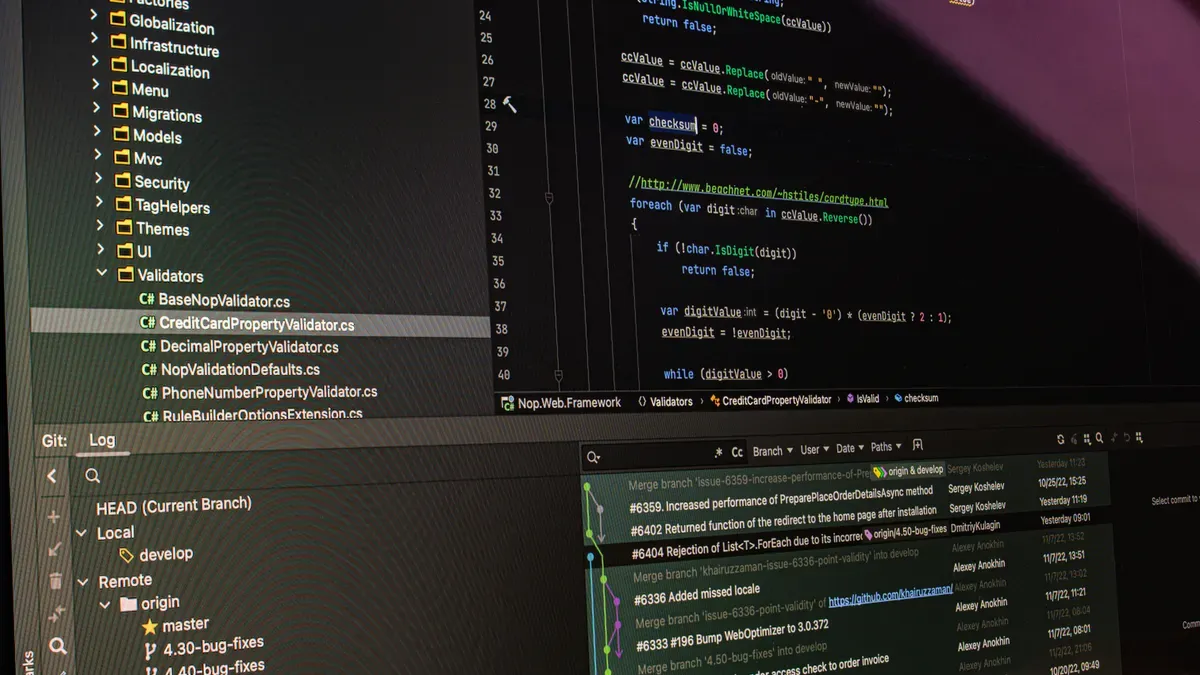
Infrastructure as Code (IaC) is a modern approach to managing and provisioning cloud infrastructure using code. Instead of manually configuring servers and resources, you define your infrastructure through scripts or configuration files. This method allows you to automate the setup and management of your cloud environment, making it more efficient and less prone to human error. By treating infrastructure like software, you gain the ability to version control your configurations, enabling easier collaboration and rollback capabilities.
Historical Context
The evolution of Infrastructure as Code has transformed how organizations manage their IT resources. Here are some key milestones in its development:
| Year | Milestone | Description |
|---|---|---|
| 1993 | CFEngine | Introduced declarative configurations for managing files, packages, and services across UNIX systems. |
| 2005 | Puppet | Offered a domain-specific language to define server states with manifest files. |
| 2006 | Amazon EC2 | Marked a shift to API-driven resource provisioning, allowing programmatic deployment of virtual machines. |
| 2009 | Chef | Built on IaC principles with a focus on configuration management. |
| 2012 | Ansible | Simplified automation with agentless architectures and YAML-based playbooks. |
| 2020 | GitOps | Extended IaC practices by synchronizing infrastructure with Git repositories for better auditability. |
These milestones highlight the significant advancements in IaC, showcasing its growing importance in cloud management.
Key Concepts
Understanding the core concepts of IaC is essential for leveraging its benefits effectively. Here are some fundamental ideas that underpin Infrastructure as Code:
- IaC combines a repeatable workflow with automated tooling.
- The IaC workflow consists of four stages: Write, Version, Provision, and Deploy.
- Automated tooling includes configuration files, version control systems, and automation engines.
- Core IaC approaches involve choosing between declarative vs. imperative and mutable vs. immutable infrastructure.
- IaC provides benefits such as faster time to production and improved consistency.
By grasping these concepts, you can better appreciate how IaC facilitates cloud resource management. It automates the provisioning and configuration of infrastructure resources, eliminating human error and ensuring consistent configurations. Additionally, IaC simplifies scaling by allowing you to adjust resources through code modifications, optimizing resource utilization. You can also codify security policies and compliance requirements, automating security checks and audits to reduce risks.
How IaC Works
Infrastructure as Code (IaC) operates on foundational principles that enhance the management of cloud resources. Understanding these principles helps you leverage IaC effectively.
Core Principles
Automation
Automation is a key principle of IaC. It allows you to manage the entire lifecycle of your infrastructure through code. This means you can provision, configure, and manage resources without manual intervention. Automation reduces the risk of human error and speeds up deployment processes.
Version Control
Version control is another essential aspect of IaC. By storing your infrastructure code in a version control system, you gain traceability and collaboration capabilities. This practice allows you to track changes over time and roll back to previous configurations if necessary.
Here’s a summary of the core principles that guide IaC implementation:
| Principle | Description |
|---|---|
| Version Control | Infrastructure code should be stored in a version control system, providing traceability, collaboration, and rollback capabilities. |
| Idempotency | An idempotent operation ensures that applying the same configuration multiple times does not change the end state of the system. |
| Automation and Orchestration | Codifying infrastructure allows for the automation of the entire lifecycle of infrastructure management, including provisioning and configuration. |
| Security Concerns | IaC introduces security considerations, such as protecting infrastructure code and ensuring secure configurations, necessitating strong access controls and regular audits. |
Declarative vs. Imperative
When working with IaC, you can choose between two main approaches: declarative and imperative. Each approach has its own strengths and use cases.
Declarative Approach
In the declarative approach, you describe what you want your infrastructure to look like. The system then figures out how to achieve that desired state. This method simplifies management, especially in complex environments. You do not need to worry about the specific steps to reach the end result.
Imperative Approach
In contrast, the imperative approach requires you to provide step-by-step instructions on how to achieve the desired outcome. This method gives you more control over the process but can become cumbersome as the complexity of your infrastructure increases.
Here’s a comparison of the two approaches:
| Approach | Description |
|---|---|
| Declarative | You describe what you want, and the system figures out how to do it. |
| Imperative | You give step-by-step instructions on how to get the result. |
In enterprise environments, the declarative approach is often favored. It allows you to define the desired outcome without needing to specify the exact steps to achieve it. This flexibility is crucial for managing complex infrastructures efficiently.
By understanding how IaC works, you can better appreciate its role in modern cloud management. The principles of automation and version control streamline your processes, while the choice between declarative and imperative approaches allows you to tailor your infrastructure management to your specific needs.
Benefits of Infrastructure as Code

Efficiency and Speed
Infrastructure as Code (IaC) significantly enhances efficiency and speed in IT operations. By automating infrastructure management, you can achieve faster deployments and reduce manual errors. Here are some key advantages:
- Deploy infrastructure in minutes instead of days or weeks.
- Achieve predictable and repeatable environments, minimizing configuration drift.
- Simplify scalability, allowing you to adjust resources based on demand without extensive manual intervention.
- Improve collaboration as IaC files are version-controlled, facilitating teamwork among IT professionals.
These benefits lead to a more agile IT environment, enabling you to respond quickly to changing business needs.
Consistency and Reliability
Consistency and reliability are crucial in cloud deployments. IaC eliminates the common issue of "it works in development but fails in production." You achieve uniform deployment across all environments—production, testing, staging, and development—using the same versioned codebase.
The primary goal of Infrastructure as Code is to increase efficiency, reliability, and consistency in the deployment and management of infrastructure.
With IaC, configurations remain consistent across environments. This reduces the risk of configuration drift and human errors. You can trust that your infrastructure behaves the same way in every environment, leading to fewer surprises during deployment.
| Evidence | Description |
|---|---|
| Version Control | IaC uses Git to store declarative configuration files, ensuring consistency in deployments. |
| Automation | Automated pipelines apply infrastructure changes consistently, minimizing manual errors and configuration drift. |
Collaboration in DevOps
IaC enhances collaboration within DevOps teams. It fosters a culture of teamwork and transparency. Here are some ways IaC improves collaboration:
- Commit History: Infrastructure changes are logged, allowing teams to see who made changes and when.
- Code Review Processes: Teams can submit pull requests for changes, promoting peer review and verification.
- Branching and Testing: Temporary branches can be created for testing, isolating changes and preventing disruptions in production.
These practices lead to improved visibility and understanding between developers and operations, fostering a strong DevOps culture. As a result, your team can work more effectively together, driving innovation and efficiency.
By embracing Infrastructure as Code, you unlock numerous benefits that streamline your cloud operations. You gain efficiency, consistency, and enhanced collaboration, all of which contribute to a more responsive and agile IT environment.
IaC Tools for Azure
When it comes to implementing Infrastructure as Code (IaC) in Azure, several tools stand out. These tools help you manage your cloud resources efficiently and effectively. Here are some of the most widely used IaC tools for Azure:
- Terraform
- OpenTofu
- ARM Templates
- Bicep Templates
- Ansible
- Pulumi
- Chef
- SaltStack
ARM Templates
Azure Resource Manager (ARM) templates serve as a powerful tool for defining and deploying Azure resources. They allow you to create a consistent deployment environment by using JSON files to specify the resources you need. ARM templates are particularly advantageous for organizations heavily invested in Azure. They provide a native deployment language that minimizes deployment friction and aligns closely with Azure's control plane. This native alignment is a significant factor in their continued relevance and adoption in Azure-centric environments.
ARM templates remain the most straightforward method for defining Azure resources. They prioritize standardization, policy compliance, and predictable behavior, making them a reliable choice for many organizations.
Bicep Language
Bicep is a newer language designed to simplify the process of writing ARM templates. It offers a more streamlined and user-friendly approach to infrastructure coding. Here are some unique features of Bicep that enhance its usability:
| Feature | Description |
|---|---|
| Simplified Syntax | Bicep provides concise syntax, ensuring readability and ease of use. |
| Modularity | The concept of modules enables the reuse of Bicep code across projects or teams. |
| Authoring Experience | Bicep enhances functionality and simplifies the user experience with a much simpler code declaration. |
| Integration with Tools | Bicep integrates seamlessly with Microsoft tools, enhancing its usability for developers. |
Bicep allows you to define required Azure resources without detailing the creation process. This declarative syntax reduces errors during development and promotes a smoother workflow.
Azure CLI
The Azure Command-Line Interface (CLI) is another essential tool for managing Azure resources. It provides a consistent workflow with commands like azd init, azd auth login, azd up, azd show, and azd down. Azure CLI promotes Infrastructure as Code through configuration files like azure.yaml and the infra folder.
Using Azure CLI, you can transition from one-off deployments to repeatable workflows. This enhances clarity and manageability in your deployment processes. The CLI enables automation, consistency, and repeatability in managing infrastructure, which are essential aspects of IaC. By allowing you to manage Azure resources through text commands, it streamlines the process of deploying and managing cloud resources efficiently.
Real-World IaC Applications
Case Studies
Many organizations have successfully implemented Infrastructure as Code (IaC) to streamline their operations. Here are some notable case studies that demonstrate the effectiveness of IaC:
| Company/Industry | Tool Used | Implementation Details | Benefits |
|---|---|---|---|
| Fintech Company | Terraform | Standardized deployments from on-premises to AWS and Azure, automating load balancers, security rules, and databases. | Speeds up work and reduces the risk of errors. |
| International E-commerce | CloudFormation | Prepared disaster recovery systems by replicating environments into another AWS region. | Saves time and protects against downtime, ensuring business continuity. |
| Telecom Provider | IaC | Streamlined Kubernetes clusters across private data centers and Google Cloud. | Avoided environment drift, keeping large infrastructures aligned. |
| Startup | Terraform | Integrated into CI/CD pipelines for automatic testing and deployment of configurations. | Immediate feedback on configuration changes, enhancing continuous delivery processes. |
| M&S Consulting | Terraform | Developed automated infrastructure provisioning in Oracle Cloud Infrastructure (OCI). | Achieved high levels of automation and standardization, enabling reliable and scalable infrastructure. |
These examples illustrate how various sectors leverage IaC to enhance efficiency, reduce errors, and ensure business continuity.
Industry Adoption
The adoption of IaC is rapidly increasing across multiple industries. Organizations recognize its potential to improve infrastructure management and operational efficiency. Here are some key insights into industry adoption:
- The retail industry leads in IaC adoption. Companies focus on digital transformation to enhance customer experiences and streamline operations.
- The IT & Telecom, finance, healthcare, and manufacturing sectors also show significant adoption rates. These industries prioritize efficient infrastructure management and regulatory compliance.
- Germany stands out as a prominent market for IaC in Europe. Organizations there adopt IaC for digital transformation initiatives.
- Manufacturing organizations involved in Industry 4.0 utilize IaC to manage cloud-connected operations effectively.
The Asia Pacific region is expected to grow at the highest CAGR of 25.5% from 2026 to 2035. Rapid digitalization and cloud platform growth drive this trend. As organizations continue to embrace IaC, they unlock numerous benefits, including dynamic scaling, integrated security, and improved collaboration.
By adopting IaC, you position your organization to thrive in a competitive landscape. The growing trend of IaC adoption reflects its importance in modern IT practices.
In summary, Infrastructure as Code (IaC) plays a vital role in modern IT operations. It streamlines processes, enhances collaboration, and reduces human error. Here are some key takeaways:
- IaC uses definition files to define infrastructure and configuration.
- These files are self-documenting and can be version-controlled, improving traceability.
- Incremental changes ensure continuous availability and dynamic provisioning.
To dive deeper into IaC, consider exploring resources like:
- Articles on effective IaC tools.
- Guides on best practices for implementing IaC.
By embracing these tools and practices, you can optimize your infrastructure management and drive your organization toward greater efficiency.
FAQ
What is Infrastructure as Code (IaC)?
Infrastructure as Code (IaC) allows you to manage cloud resources using code. This approach automates infrastructure setup, making it faster and less prone to errors.
Why should I use IaC?
Using IaC streamlines your infrastructure management. It enhances consistency, reduces manual errors, and speeds up deployment processes, making your operations more efficient.
What tools can I use for IaC?
You can use various tools for IaC, including ARM Templates, Bicep, Terraform, and Azure CLI. Each tool offers unique features to help you manage your cloud resources effectively.
How does IaC support DevOps practices?
IaC supports DevOps by promoting collaboration and automation. It allows teams to work together on infrastructure changes, ensuring consistency and speeding up deployment cycles.
Can I integrate IaC with version control systems?
Yes, you can integrate IaC with version control systems like Git. This integration allows you to track changes, collaborate with your team, and roll back configurations if needed.
Is IaC suitable for small businesses?
Absolutely! IaC benefits small businesses by automating infrastructure management. It reduces costs, minimizes errors, and allows for quick scaling as your business grows.
How do I get started with IaC?
To get started with IaC, begin by learning about the tools available. Experiment with simple projects, and gradually transition your existing infrastructure to code-based management.
🎧 Listen to this episode
Want a practical explanation of Infrastructure as Code? This episode breaks down the topic in clear language and shows why it matters for Microsoft 365, Azure, Power Platform, security, AI, and modern work.
Listen to this episode if you want to:
- Understand the key concepts behind Infrastructure as Code
- See how it fits into the wider Microsoft technology ecosystem
- Learn where it can create practical value for your organization
You may also enjoy these related M365 FM episodes:
- Azure Bicep at Scale: Modular Infrastructure as Code
- Azure Infrastructure as Code and DevOps with Maik van der Gaag [MVP]
- Power Apps Code Apps - Simply Explained
- Compliance as Code: The Architect’s Blueprint for Automated Trust
- PowerShell vs Bicep for Azure Infrastructure Automation
Discover more practical Microsoft conversations on M365 FM.
Last reviewed: July 2026.
Who Should Listen
This episode is for Microsoft practitioners, architects, business leaders, and partners who need a practical foundation before making implementation, governance, or growth decisions.
🎧 You Should Also Listen To
- Bicep — A practical next step for extending this topic.
- Azure Resource Manager — A practical next step for extending this topic.
- Azure DevOps — A practical next step for extending this topic.
🚀 Want to be part of m365.fm?
Then stop just listening… and start showing up.
👉 Connect with me on LinkedIn and let’s make something happen:
- 🎙️ Be a podcast guest and share your story
- 🎧 Host your own episode (yes, seriously)
- 💡 Pitch topics the community actually wants to hear
- 🌍 Build your personal brand in the Microsoft 365 space
This isn’t just a podcast — it’s a platform for people who take action.
🔥 Most people wait. The best ones don’t.
👉 Connect with me on LinkedIn and send me a message:
"I want in"
Let’s build something awesome 👊
1
00:00:00,000 --> 00:00:00,840
Imagine this.
2
00:00:00,840 --> 00:00:03,640
You need a test environment in Azure, nothing fancy.
3
00:00:03,640 --> 00:00:04,760
Just a virtual network,
4
00:00:04,760 --> 00:00:06,840
a couple of virtual machines and a storage account.
5
00:00:06,840 --> 00:00:08,260
So you log into the portal,
6
00:00:08,260 --> 00:00:10,640
find the resource group button and start clicking.
7
00:00:10,640 --> 00:00:12,120
One click to create the group.
8
00:00:12,120 --> 00:00:14,080
A few more to set up the virtual network
9
00:00:14,080 --> 00:00:16,600
then you walk through the VM creation wizard,
10
00:00:16,600 --> 00:00:19,120
pick the region, pick the size, pick the image,
11
00:00:19,120 --> 00:00:21,000
configure the disk, set up networking.
12
00:00:21,000 --> 00:00:22,760
That is maybe 50 clicks right there.
13
00:00:22,760 --> 00:00:24,560
Then you do it again for the second VM,
14
00:00:24,560 --> 00:00:26,160
then you configure the storage account,
15
00:00:26,160 --> 00:00:27,680
then you set up the firewall rules.
16
00:00:27,680 --> 00:00:28,560
And here's the thing.
17
00:00:28,560 --> 00:00:30,000
Every single one of those clicks
18
00:00:30,000 --> 00:00:31,360
is a chance to make a mistake.
19
00:00:31,360 --> 00:00:34,080
Pick the wrong region, your app runs slower than it should,
20
00:00:34,080 --> 00:00:37,360
choose the wrong VM size, you are overpaying from day one.
21
00:00:37,360 --> 00:00:38,600
Forget to close a port,
22
00:00:38,600 --> 00:00:40,760
you just exposed your environment to the internet
23
00:00:40,760 --> 00:00:41,800
without realizing it.
24
00:00:41,800 --> 00:00:43,680
Now multiply that by three environments.
25
00:00:43,680 --> 00:00:45,560
Dev, test, production,
26
00:00:45,560 --> 00:00:47,680
suddenly you are not doing 50 clicks,
27
00:00:47,680 --> 00:00:49,120
you are doing 150.
28
00:00:49,120 --> 00:00:50,320
And somewhere in that process,
29
00:00:50,320 --> 00:00:53,720
production ends up looking nothing like dev.
30
00:00:53,720 --> 00:00:55,320
A setting here, a checkbox there.
31
00:00:55,320 --> 00:00:57,600
Small differences that cause big headaches later.
32
00:00:57,600 --> 00:01:00,080
But what if you could describe your entire Azure setup
33
00:01:00,080 --> 00:01:02,480
in a file instead of clicking through all those screens?
34
00:01:02,480 --> 00:01:04,320
What if you could run that file once
35
00:01:04,320 --> 00:01:06,440
and get the same result every single time?
36
00:01:06,440 --> 00:01:08,040
That is what we are talking about today.
37
00:01:08,040 --> 00:01:09,440
By the end of this episode,
38
00:01:09,440 --> 00:01:13,120
you will understand what infrastructure as code actually is,
39
00:01:13,120 --> 00:01:14,920
why as your teams rely on it
40
00:01:14,920 --> 00:01:17,720
and how you can start using it without being a developer.
41
00:01:17,720 --> 00:01:21,200
What manual provisioning actually costs you?
42
00:01:21,200 --> 00:01:23,360
Let us walk through a typical Azure setup.
43
00:01:23,360 --> 00:01:25,320
You need a resource group inside that,
44
00:01:25,320 --> 00:01:27,800
a virtual network with a couple of subnets,
45
00:01:27,800 --> 00:01:29,160
then a couple of virtual machines,
46
00:01:29,160 --> 00:01:31,520
one for your web server, one for your database
47
00:01:31,520 --> 00:01:33,720
and a storage account for your application data.
48
00:01:33,720 --> 00:01:36,200
In the portal, that is a solid afternoon of clicking.
49
00:01:36,200 --> 00:01:37,200
And here is the problem.
50
00:01:37,200 --> 00:01:39,640
Every single click is a chance for a mistake.
51
00:01:39,640 --> 00:01:40,920
Maybe you pick the wrong region
52
00:01:40,920 --> 00:01:42,680
because the drop down defaults to East US
53
00:01:42,680 --> 00:01:43,920
and you meant West Europe.
54
00:01:43,920 --> 00:01:46,560
Maybe you choose a VM size that is way too expensive
55
00:01:46,560 --> 00:01:47,960
for what you actually need.
56
00:01:47,960 --> 00:01:49,680
Maybe you accidentally leave a management port
57
00:01:49,680 --> 00:01:50,800
open to the internet.
58
00:01:50,800 --> 00:01:51,960
These mistakes happen.
59
00:01:51,960 --> 00:01:53,600
They happen because the portal makes it easy
60
00:01:53,600 --> 00:01:56,000
to click fast and hard to slow down and check your work.
61
00:01:56,000 --> 00:01:57,720
And the real cost is not just the time
62
00:01:57,720 --> 00:01:59,400
you waste fixing those mistakes.
63
00:01:59,400 --> 00:02:01,280
It is the time you spend repeating the same clicks
64
00:02:01,280 --> 00:02:03,520
for dev, test, staging and production
65
00:02:03,520 --> 00:02:04,600
because here is what happens.
66
00:02:04,600 --> 00:02:05,720
You build dev on Monday.
67
00:02:05,720 --> 00:02:07,680
It takes you three hours and it works perfectly.
68
00:02:07,680 --> 00:02:09,600
On Tuesday, you build test.
69
00:02:09,600 --> 00:02:12,480
You are a little faster this time, two and a half hours.
70
00:02:12,480 --> 00:02:13,800
But you forget one setting.
71
00:02:13,800 --> 00:02:16,760
A firewall rule that was open in dev is closed in test.
72
00:02:16,760 --> 00:02:18,040
Your application behaves differently
73
00:02:18,040 --> 00:02:19,680
and you spend an hour debugging it.
74
00:02:19,680 --> 00:02:21,800
By the time you get to production on Friday,
75
00:02:21,800 --> 00:02:24,040
your environment looks nothing like dev.
76
00:02:24,040 --> 00:02:27,080
Different VM sizes, different storage configurations.
77
00:02:27,080 --> 00:02:28,800
A few settings you change because someone said,
78
00:02:28,800 --> 00:02:30,280
just try this real quick.
79
00:02:30,280 --> 00:02:31,720
That is configuration drift.
80
00:02:31,720 --> 00:02:34,840
And it is the natural result of building environments by hand.
81
00:02:34,840 --> 00:02:37,480
The real problem is that you cannot audit a mouse click.
82
00:02:37,480 --> 00:02:38,960
You cannot roll back a mouse click.
83
00:02:38,960 --> 00:02:41,360
If something breaks in production six weeks from now,
84
00:02:41,360 --> 00:02:43,880
you will not remember which checkbox you checked or unchecked.
85
00:02:43,880 --> 00:02:46,920
You will not have a record of what changed between dev and production.
86
00:02:46,920 --> 00:02:50,320
So what if you could describe your entire Azure setup in a file
87
00:02:50,320 --> 00:02:52,000
instead of clicking through screens?
88
00:02:52,000 --> 00:02:54,720
One file that says exactly what your environment should look like.
89
00:02:54,720 --> 00:02:56,560
Run it once, get the same result every time.
90
00:02:56,560 --> 00:02:58,240
Run it again, get the same result again.
91
00:02:58,240 --> 00:02:59,920
No drift, no forgotten settings,
92
00:02:59,920 --> 00:03:03,080
no production environments that look nothing like dev.
93
00:03:03,080 --> 00:03:06,120
Infrastructure as code, the one sentence definition.
94
00:03:06,120 --> 00:03:08,720
Infrastructure as code means describing your infrastructure
95
00:03:08,720 --> 00:03:10,760
in a file that Azure can read and build for you.
96
00:03:10,760 --> 00:03:11,440
That is it.
97
00:03:11,440 --> 00:03:12,400
One sentence.
98
00:03:12,400 --> 00:03:15,520
You write a file, Azure reads it, and your environment appears.
99
00:03:15,520 --> 00:03:16,880
Think of it like an office building.
100
00:03:16,880 --> 00:03:18,400
If you wanted to set up a new office,
101
00:03:18,400 --> 00:03:22,120
you could walk around and tell each worker where to put every desk and every chair.
102
00:03:22,120 --> 00:03:23,520
That is the manual approach.
103
00:03:23,520 --> 00:03:27,480
It works, but it is slow and everyone will end up with a slightly different arrangement.
104
00:03:27,480 --> 00:03:28,920
Or you could hand them a blueprint.
105
00:03:28,920 --> 00:03:31,480
One piece of paper that says exactly where everything goes.
106
00:03:31,480 --> 00:03:34,720
Every room is identical because everyone followed the same plan.
107
00:03:34,720 --> 00:03:36,520
Your ISE file is that blueprint.
108
00:03:36,520 --> 00:03:40,000
It is a single source of truth for your entire Azure environment.
109
00:03:40,000 --> 00:03:41,520
Everything your environment needs,
110
00:03:41,520 --> 00:03:43,840
the resource groups, the virtual networks, the VMs,
111
00:03:43,840 --> 00:03:47,800
the storage accounts, the firewall rules, it is all in that one file.
112
00:03:47,800 --> 00:03:49,840
Now there is an important distinction here.
113
00:03:49,840 --> 00:03:52,280
IAC uses what is called a declarative approach.
114
00:03:52,280 --> 00:03:54,920
That is a fancy way of saying you tell Azure what you want,
115
00:03:54,920 --> 00:03:57,280
not how to build it, step by step.
116
00:03:57,280 --> 00:03:59,120
You do not say create a resource group,
117
00:03:59,120 --> 00:04:01,160
then create a virtual network inside it,
118
00:04:01,160 --> 00:04:03,360
then create a subnet inside that.
119
00:04:03,360 --> 00:04:07,200
You say, I want a resource group with a virtual network that has a subnet.
120
00:04:07,200 --> 00:04:08,440
Azure figures out the order.
121
00:04:08,440 --> 00:04:12,080
This is different from the scripts that system administrators have used for years.
122
00:04:12,080 --> 00:04:13,320
Scripts are imperative.
123
00:04:13,320 --> 00:04:16,720
They tell the system exactly what to do, step by step, do this,
124
00:04:16,720 --> 00:04:17,520
then do that,
125
00:04:17,520 --> 00:04:18,520
then do this other thing.
126
00:04:18,520 --> 00:04:20,720
And if one step fails, the whole thing breaks.
127
00:04:20,720 --> 00:04:22,200
IAC is the opposite.
128
00:04:22,200 --> 00:04:25,640
You describe the end state and the system figures out how to get there.
129
00:04:25,640 --> 00:04:27,080
Here is a concrete example.
130
00:04:27,080 --> 00:04:31,160
Instead of typing 50 separate CLI commands to create a virtual machine,
131
00:04:31,160 --> 00:04:32,160
you write something like,
132
00:04:32,160 --> 00:04:35,000
I need a virtual machine with eight gigabytes of RAM,
133
00:04:35,000 --> 00:04:36,920
running Ubuntu 22.04,
134
00:04:36,920 --> 00:04:40,360
connected to this virtual network with this storage account attached.
135
00:04:40,360 --> 00:04:42,840
That is it, one description instead of 100 commands.
136
00:04:42,840 --> 00:04:46,840
And this matters for Azure specifically because the portal makes it so easy to start.
137
00:04:46,840 --> 00:04:50,280
You can have a virtual machine running in 10 minutes with a few clicks.
138
00:04:50,280 --> 00:04:53,680
But the portal does not scale when you need 10 environments instead of one,
139
00:04:53,680 --> 00:04:55,520
the portal becomes a liability.
140
00:04:55,520 --> 00:04:57,520
IAC is how you break out of that trap.
141
00:04:57,520 --> 00:04:58,560
So that sounds useful, right?
142
00:04:58,560 --> 00:05:02,760
But what tools does Microsoft actually give you to write these blueprint files?
143
00:05:02,760 --> 00:05:06,320
The Azure IAC toolkit, ARM, bicep, and the elephant in the room.
144
00:05:06,320 --> 00:05:10,200
So what tools does Microsoft actually give you to write these blueprint files?
145
00:05:10,200 --> 00:05:12,200
The original one is called ARM templates.
146
00:05:12,200 --> 00:05:14,280
ARM stands for Azure Resource Manager,
147
00:05:14,280 --> 00:05:16,520
and these templates have been around since the beginning.
148
00:05:16,520 --> 00:05:21,640
They are written in JSON, which is a data format that looks like a configuration file from 2015.
149
00:05:21,640 --> 00:05:24,640
Lots of curly braces, lots of brackets, lots of indentation.
150
00:05:24,640 --> 00:05:27,160
If you have ever looked at a JSON file, you know what I mean.
151
00:05:27,160 --> 00:05:29,960
It is functional, but it is not pleasant to read.
152
00:05:29,960 --> 00:05:33,280
ARM templates are still widely used, especially in enterprise environments.
153
00:05:33,280 --> 00:05:36,720
Big companies have invested years into building their template libraries.
154
00:05:36,720 --> 00:05:38,800
And they are not about to throw that work away.
155
00:05:38,800 --> 00:05:43,440
But if you are a beginner looking at an ARM template for the first time can be intimidating.
156
00:05:43,440 --> 00:05:45,400
It is verbose, it is easy to break.
157
00:05:45,400 --> 00:05:47,320
One missing comma and the whole thing fails.
158
00:05:47,320 --> 00:05:48,880
Writing one by hand is painful.
159
00:05:48,880 --> 00:05:50,800
Microsoft recognized this problem.
160
00:05:50,800 --> 00:05:52,160
So they built bicep.
161
00:05:52,160 --> 00:05:55,880
bicep is Microsoft's answer to ARM templates are too complicated.
162
00:05:55,880 --> 00:05:59,480
It is a newer language that compiles down to ARM templates behind the scenes.
163
00:05:59,480 --> 00:06:00,960
But the syntax is much cleaner.
164
00:06:00,960 --> 00:06:02,320
It looks like actual code.
165
00:06:02,320 --> 00:06:05,320
You write something like resource myvm, Microsoft.
166
00:06:05,320 --> 00:06:08,880
Compute virtual machines at 223.0301.
167
00:06:08,880 --> 00:06:09,680
L.O.
168
00:06:09,680 --> 00:06:11,960
Instead of pages of nested JSON.
169
00:06:11,960 --> 00:06:13,840
It is designed for humans first.
170
00:06:13,840 --> 00:06:16,920
Now there is another option you will hear about Terraform.
171
00:06:16,920 --> 00:06:20,760
Terraform is a tool from a company called Hashikorp and it works with Azure and other clouds.
172
00:06:20,760 --> 00:06:26,080
If you need to manage infrastructure across AWS, Google Cloud and Azure all at once, Terraform
173
00:06:26,080 --> 00:06:27,080
is your best bet.
174
00:06:27,080 --> 00:06:28,160
It is more portable.
175
00:06:28,160 --> 00:06:30,240
But that portability comes with a cost.
176
00:06:30,240 --> 00:06:32,680
Terraform adds a layer of abstraction between you and Azure.
177
00:06:32,680 --> 00:06:37,440
You have to learn Terraform's own language, HCl, on top of understanding Azure itself.
178
00:06:37,440 --> 00:06:40,080
It is powerful but it introduces its own complexity.
179
00:06:40,080 --> 00:06:41,640
So which one should the beginner pick?
180
00:06:41,640 --> 00:06:43,880
If you are a Zua only, start with bicep.
181
00:06:43,880 --> 00:06:44,880
The reason is simple.
182
00:06:44,880 --> 00:06:45,880
Native integration.
183
00:06:45,880 --> 00:06:48,120
bicep is built by Microsoft specifically for Azure.
184
00:06:48,120 --> 00:06:49,720
It has fewer moving parts.
185
00:06:49,720 --> 00:06:51,480
It gets Microsoft's full support.
186
00:06:51,480 --> 00:06:55,120
And because it compiles down to ARM templates, you are not locked into anything.
187
00:06:55,120 --> 00:06:58,320
You can always switch to raw ARM templates later if you need to.
188
00:06:58,320 --> 00:07:02,160
bicep is the path of least resistance for someone who just wants to get started.
189
00:07:02,160 --> 00:07:04,120
Here is how these tools work in practice.
190
00:07:04,120 --> 00:07:05,120
You write a file.
191
00:07:05,120 --> 00:07:07,560
A bicep file, an ARM template, whatever you choose.
192
00:07:07,560 --> 00:07:08,920
Then you run a command.
193
00:07:08,920 --> 00:07:12,280
A bicep that command is as deployment group create.
194
00:07:12,280 --> 00:07:13,880
Azure reads your file.
195
00:07:13,880 --> 00:07:17,440
Compares it to what already exists and builds whatever is missing or changes whatever is
196
00:07:17,440 --> 00:07:18,440
different.
197
00:07:18,440 --> 00:07:20,520
You do not have to tell Azure what order to do things in.
198
00:07:20,520 --> 00:07:22,080
It figures that out on its own.
199
00:07:22,080 --> 00:07:23,720
And here is where it gets really interesting.
200
00:07:23,720 --> 00:07:26,160
You can hook this into a CICD pipeline.
201
00:07:26,160 --> 00:07:28,120
Continuous integration, continuous deployment.
202
00:07:28,120 --> 00:07:32,160
That means every time you push a change to your code repository, Azure automatically runs
203
00:07:32,160 --> 00:07:34,640
your IAC file and updates your infrastructure.
204
00:07:34,640 --> 00:07:37,280
No manual steps, no one logging into the portal.
205
00:07:37,280 --> 00:07:40,160
That code changes flowing into production automatically.
206
00:07:40,160 --> 00:07:42,520
So you have a file that describes your infrastructure.
207
00:07:42,520 --> 00:07:44,440
You can run it and get a consistent result.
208
00:07:44,440 --> 00:07:46,640
You can even automate the whole thing with a pipeline.
209
00:07:46,640 --> 00:07:48,040
But what does that actually unlock?
210
00:07:48,040 --> 00:07:50,080
That is where things get really powerful.
211
00:07:50,080 --> 00:07:53,080
What version control does for your Azure environment?
212
00:07:53,080 --> 00:07:55,160
Here is the thing people do not talk about enough.
213
00:07:55,160 --> 00:07:57,920
The real superpower of IAC is not the template format itself.
214
00:07:57,920 --> 00:08:00,320
It is not bicep versus ARM versus Terraform.
215
00:08:00,320 --> 00:08:02,080
The real superpower is version control.
216
00:08:02,080 --> 00:08:06,600
When you store your IAC files in a repository like GitHub or Azure Repos, every single
217
00:08:06,600 --> 00:08:08,240
change becomes trackable.
218
00:08:08,240 --> 00:08:09,240
Who changed what?
219
00:08:09,240 --> 00:08:10,240
When they changed it?
220
00:08:10,240 --> 00:08:11,240
Why they changed it?
221
00:08:11,240 --> 00:08:15,040
You get a complete history of every modification to your infrastructure going back to day
222
00:08:15,040 --> 00:08:16,040
one.
223
00:08:16,040 --> 00:08:17,040
And that means you can roll back.
224
00:08:17,040 --> 00:08:20,120
If a deployment breaks something, you do not have to guess what went wrong.
225
00:08:20,120 --> 00:08:23,720
You do not have to dig through portal audit logs hoping to find the answer.
226
00:08:23,720 --> 00:08:27,160
You just revert to the last working version of your IAC file and redeploy.
227
00:08:27,160 --> 00:08:28,520
The problem disappears.
228
00:08:28,520 --> 00:08:31,440
That is something you simply cannot do with mouse clicks.
229
00:08:31,440 --> 00:08:33,920
It also means your environments stay consistent.
230
00:08:33,920 --> 00:08:36,720
You have tests and production all come from the same files.
231
00:08:36,720 --> 00:08:40,680
Not similar files, not files that started the same but drifted apart over time, the same
232
00:08:40,680 --> 00:08:41,680
files.
233
00:08:41,680 --> 00:08:43,040
You deploy dev from your main branch.
234
00:08:43,040 --> 00:08:47,080
When you are ready for test, you deploy the same files to the test subscription.
235
00:08:47,080 --> 00:08:50,280
When you are ready for production, you deploy the same files again.
236
00:08:50,280 --> 00:08:54,400
Every environment is identical because every environment was built from the same blueprint.
237
00:08:54,400 --> 00:08:58,880
And because these files live in a repository, you can do code reviews for infrastructure.
238
00:08:58,880 --> 00:09:03,280
Before anyone deploys a change, another team member has to look at it and approve it.
239
00:09:03,280 --> 00:09:06,120
It catches mistakes before they ever reach your environment.
240
00:09:06,120 --> 00:09:09,560
It is the same process software developers use for application code.
241
00:09:09,560 --> 00:09:10,880
Apply to your Azure setup.
242
00:09:10,880 --> 00:09:12,240
Here is a real world example.
243
00:09:12,240 --> 00:09:15,160
Someone on your team accidentally opens a storage account to the public.
244
00:09:15,160 --> 00:09:18,120
Without IAC, you might not notice until the bill arrives.
245
00:09:18,120 --> 00:09:20,280
Or until someone tells you your data is exposed.
246
00:09:20,280 --> 00:09:22,680
With IAC, that change is visible in the repository.
247
00:09:22,680 --> 00:09:24,280
It goes through code review.
248
00:09:24,280 --> 00:09:27,560
Someone spots it and says, "Hey, that storage account should not be public."
249
00:09:27,560 --> 00:09:30,040
The change gets blocked before it ever reaches production.
250
00:09:30,040 --> 00:09:32,680
And if it somehow slips through, you can roll it back in seconds.
251
00:09:32,680 --> 00:09:34,680
You can even use branching strategies.
252
00:09:34,680 --> 00:09:36,520
Want to experiment with a new configuration?
253
00:09:36,520 --> 00:09:40,480
Create a separate branch, make your changes, deploy to a test environment, see if it works.
254
00:09:40,480 --> 00:09:42,120
If it does merge back to the main branch.
255
00:09:42,120 --> 00:09:45,040
If it does not, delete the branch and try something else.
256
00:09:45,040 --> 00:09:48,960
Your production environment never gets touched until you are confident that change is safe.
257
00:09:48,960 --> 00:09:50,160
Consistency is great.
258
00:09:50,160 --> 00:09:53,040
But IAC also makes your Azure setup more secure.
259
00:09:53,040 --> 00:09:57,000
And that matters whether you have one person managing everything or a whole team.
260
00:09:57,000 --> 00:09:59,520
Security by design, not by accident.
261
00:09:59,520 --> 00:10:01,800
Here is something that surprises a lot of people.
262
00:10:01,800 --> 00:10:04,880
When you use IAC, security is not something you add later.
263
00:10:04,880 --> 00:10:07,200
It is baked into the template from the start.
264
00:10:07,200 --> 00:10:10,640
Instead of remembering to enable encryption on every new storage account, it is already in
265
00:10:10,640 --> 00:10:11,640
your file.
266
00:10:11,640 --> 00:10:15,200
Instead of hoping someone configured the firewall rules correctly, the rules are written
267
00:10:15,200 --> 00:10:17,320
down and enforced every single time.
268
00:10:17,320 --> 00:10:19,560
This idea has a name, policy as code.
269
00:10:19,560 --> 00:10:22,640
You encode your security rules directly into your deployment pipeline.
270
00:10:22,640 --> 00:10:27,040
So every time someone tries to deploy a storage account, the pipeline checks that HTTPS
271
00:10:27,040 --> 00:10:30,840
is enabled, that encryption is turned on, that public access is blocked.
272
00:10:30,840 --> 00:10:33,880
If the template does not meet those rules, the deployment fails.
273
00:10:33,880 --> 00:10:36,880
The insecure configuration never reaches your environment.
274
00:10:36,880 --> 00:10:38,520
Think about what that replaces.
275
00:10:38,520 --> 00:10:40,000
Dozens of manual checks.
276
00:10:40,000 --> 00:10:42,320
Someone remembering to tick the right checkbox.
277
00:10:42,320 --> 00:10:44,320
Someone else auditing those checkboxes later.
278
00:10:44,320 --> 00:10:45,680
All of that goes away.
279
00:10:45,680 --> 00:10:51,240
One secure template, one set of policies and every deployment automatically meets your security
280
00:10:51,240 --> 00:10:52,240
baseline.
281
00:10:52,240 --> 00:10:54,680
But here is where it gets really interesting, disaster recovery.
282
00:10:54,680 --> 00:10:57,880
The file that describes your infrastructure can rebuild it anywhere.
283
00:10:57,880 --> 00:11:01,600
If an attacker compromises your environment, you do not have to spend days trying to figure
284
00:11:01,600 --> 00:11:03,480
out what they changed and how to fix it.
285
00:11:03,480 --> 00:11:04,480
You tear it down.
286
00:11:04,480 --> 00:11:06,120
You redeploy from your IAC file.
287
00:11:06,120 --> 00:11:08,080
Your clean environment is back in minutes.
288
00:11:08,080 --> 00:11:10,920
That is not possible when your infrastructure was built by hand.
289
00:11:10,920 --> 00:11:13,720
And because everything is in version control, you have an audit trail.
290
00:11:13,720 --> 00:11:15,760
Every change to your infrastructure is recorded.
291
00:11:15,760 --> 00:11:16,760
Who made it?
292
00:11:16,760 --> 00:11:17,760
When?
293
00:11:17,760 --> 00:11:18,760
Why?
294
00:11:18,760 --> 00:11:20,520
That is compliance evidence without anyone having to fill out a spreadsheet.
295
00:11:20,520 --> 00:11:24,760
For small teams, without dedicated security staff, this is a force multiplier.
296
00:11:24,760 --> 00:11:28,840
You get enterprise grade security practices without hiring an enterprise grade security team.
297
00:11:28,840 --> 00:11:30,280
This all sounds great on paper.
298
00:11:30,280 --> 00:11:32,160
But getting started can feel overwhelming.
299
00:11:32,160 --> 00:11:35,040
Let me give you a realistic path forward.
300
00:11:35,040 --> 00:11:37,080
How to start without breaking anything?
301
00:11:37,080 --> 00:11:38,080
Rule one.
302
00:11:38,080 --> 00:11:39,080
Do not start with production.
303
00:11:39,080 --> 00:11:40,760
I cannot emphasize this enough.
304
00:11:40,760 --> 00:11:43,120
IAC is powerful, but it is also new.
305
00:11:43,120 --> 00:11:44,240
You will make mistakes.
306
00:11:44,240 --> 00:11:45,240
Make them somewhere.
307
00:11:45,240 --> 00:11:46,240
It does not matter.
308
00:11:46,240 --> 00:11:49,640
Pick one small piece of your Azure environment, a resource group with a single virtual
309
00:11:49,640 --> 00:11:51,600
machine or a storage account.
310
00:11:51,600 --> 00:11:53,560
Something simple that you already have running.
311
00:11:53,560 --> 00:11:54,560
Something you know works.
312
00:11:54,560 --> 00:11:55,560
Here is the trick.
313
00:11:55,560 --> 00:11:59,480
The Azure portal can actually generate arm templates from your existing resources.
314
00:11:59,480 --> 00:12:02,480
You go to your resource group, click export template.
315
00:12:02,480 --> 00:12:05,840
An Azure gives you the JSON file that describes everything in that group.
316
00:12:05,840 --> 00:12:07,000
It is not perfect.
317
00:12:07,000 --> 00:12:09,920
The exported template often includes things you do not need.
318
00:12:09,920 --> 00:12:11,320
But it is a starting point.
319
00:12:11,320 --> 00:12:14,440
You take something you build manually and convert it to code.
320
00:12:14,440 --> 00:12:17,840
That is the reverse engineer approach and it is the fastest way to learn.
321
00:12:17,840 --> 00:12:20,000
Start with bicep and the free Azure tools.
322
00:12:20,000 --> 00:12:24,080
Microsoft has a VS Code extension for bicep that gives you syntax highlighting, auto completion
323
00:12:24,080 --> 00:12:26,120
and a visual preview of what you are building.
324
00:12:26,120 --> 00:12:29,680
You can see your virtual network and your subnets rendered as a diagram before you deploy
325
00:12:29,680 --> 00:12:30,680
anything.
326
00:12:30,680 --> 00:12:33,920
That makes it much easier to understand what your code actually does.
327
00:12:33,920 --> 00:12:35,880
Use a separate subscription for testing.
328
00:12:35,880 --> 00:12:39,160
Most Azure subscriptions have spending limits and free credits.
329
00:12:39,160 --> 00:12:40,640
Create a test subscription.
330
00:12:40,640 --> 00:12:44,000
Deploy your IAC there, break things, fix them, learn.
331
00:12:44,000 --> 00:12:47,440
When you are confident, move to a non-production subscription.
332
00:12:47,440 --> 00:12:49,040
Production comes last.
333
00:12:49,040 --> 00:12:51,000
Here is the part that might surprise you.
334
00:12:51,000 --> 00:12:53,480
You do not need to be a software engineer to do this.
335
00:12:53,480 --> 00:12:55,240
The citizen developer angle is real.
336
00:12:55,240 --> 00:12:59,640
Bicep was designed for people who manage Azure infrastructure not for professional programmers.
337
00:12:59,640 --> 00:13:00,640
It is readable.
338
00:13:00,640 --> 00:13:03,080
It has less ceremony than traditional programming languages.
339
00:13:03,080 --> 00:13:04,840
It is focused on Azure and nothing else.
340
00:13:04,840 --> 00:13:08,880
If you can understand what a virtual machine is, you can learn to describe one in bicep.
341
00:13:08,880 --> 00:13:10,600
Your first practical project?
342
00:13:10,600 --> 00:13:13,040
Automate your dev environment, tear down and rebuild.
343
00:13:13,040 --> 00:13:15,560
Write a bicep file that creates your dev setup.
344
00:13:15,560 --> 00:13:18,360
Deploy it, use it, then tear it down and deploy it again.
345
00:13:18,360 --> 00:13:21,040
Do that a few times until the process feels routine.
346
00:13:21,040 --> 00:13:24,840
And exercise alone will teach you more about IAC than any tutorial.
347
00:13:24,840 --> 00:13:27,200
A few pieces of common beginner advice.
348
00:13:27,200 --> 00:13:28,880
Commit early and commit often.
349
00:13:28,880 --> 00:13:32,360
Every time you get a piece of your template working, save it to your repository that gives
350
00:13:32,360 --> 00:13:34,240
you checkpoints you can go back to.
351
00:13:34,240 --> 00:13:36,960
And always run the preview command before deploying.
352
00:13:36,960 --> 00:13:38,560
In bicep that is what if.
353
00:13:38,560 --> 00:13:41,680
It shows you exactly what will change before anything actually changes.
354
00:13:41,680 --> 00:13:43,200
No surprises.
355
00:13:43,200 --> 00:13:47,120
Even with the best intentions, there are a few traps beginners fall into.
356
00:13:47,120 --> 00:13:49,840
Let me save you some late night debugging sessions.
357
00:13:49,840 --> 00:13:51,400
Three mistakes that will haunt you.
358
00:13:51,400 --> 00:13:52,800
And how to avoid them.
359
00:13:52,800 --> 00:13:54,600
Mistake number one is the classic.
360
00:13:54,600 --> 00:13:55,600
Hard coding secrets.
361
00:13:55,600 --> 00:13:56,600
You are in a hurry.
362
00:13:56,600 --> 00:13:59,800
You need to get a template working so you drop the database password right there in the
363
00:13:59,800 --> 00:14:00,800
file.
364
00:14:00,800 --> 00:14:01,800
It works.
365
00:14:01,800 --> 00:14:02,800
You move on.
366
00:14:02,800 --> 00:14:06,080
And now your password is sitting in your IAC repository for anyone with access to see.
367
00:14:06,080 --> 00:14:07,160
Obviously in hindsight, right?
368
00:14:07,160 --> 00:14:10,760
But it is incredibly easy to do when you are focused on getting something to work.
369
00:14:10,760 --> 00:14:12,560
The solution is Azure Key Vault.
370
00:14:12,560 --> 00:14:17,640
Both bicep and ARM templates can pull secrets directly from Key Vault at deployment time.
371
00:14:17,640 --> 00:14:21,880
Your file says get the password from this vault instead of containing the actual password.
372
00:14:21,880 --> 00:14:24,000
The secret never touches your repository.
373
00:14:24,000 --> 00:14:27,800
Never put passwords, connection strings or API keys in your IAC files.
374
00:14:27,800 --> 00:14:30,560
Use Key Vault every single time.
375
00:14:30,560 --> 00:14:33,840
Mistake number two is treating IAC like a one time script.
376
00:14:33,840 --> 00:14:37,440
You write a template, deploy it, it works, and you never look at it again.
377
00:14:37,440 --> 00:14:39,000
Six months later, something breaks.
378
00:14:39,000 --> 00:14:42,040
You open the file and have no idea what half of it does.
379
00:14:42,040 --> 00:14:44,520
That parameter called Param1, no idea.
380
00:14:44,520 --> 00:14:47,840
It resorts with the cryptic name, no clue.
381
00:14:47,840 --> 00:14:51,600
Write your IAC as if someone else will maintain it six months from now because that someone
382
00:14:51,600 --> 00:14:54,720
else is probably you and you will have forgotten everything.
383
00:14:54,720 --> 00:14:57,880
Add comments, use descriptive names instead of abbreviations.
384
00:14:57,880 --> 00:14:59,800
Keep files small and focused on one thing.
385
00:14:59,800 --> 00:15:03,200
A bicep file that creates a virtual network should be about virtual networks, not about
386
00:15:03,200 --> 00:15:04,360
the whole data center.
387
00:15:04,360 --> 00:15:07,600
Mistake number three is bypassing the pipeline for quick fixes.
388
00:15:07,600 --> 00:15:09,120
The portal is always tempting.
389
00:15:09,120 --> 00:15:10,120
You need to change one setting.
390
00:15:10,120 --> 00:15:14,160
It would take five minutes to edit the template, commit and deploy through the pipeline.
391
00:15:14,160 --> 00:15:18,280
Or you can just log into the portal, click three times and be done in 30 seconds.
392
00:15:18,280 --> 00:15:20,200
That quick change creates drift.
393
00:15:20,200 --> 00:15:22,800
Your code says one thing, reality says another.
394
00:15:22,800 --> 00:15:26,520
Next time you deploy from your template, as you are trying to undo your manual change.
395
00:15:26,520 --> 00:15:31,040
Or worse, it does not notice the drift and your environment slowly diverge until production
396
00:15:31,040 --> 00:15:33,160
behaves completely differently from dev.
397
00:15:33,160 --> 00:15:34,400
The discipline is simple.
398
00:15:34,400 --> 00:15:37,120
Make the change in code, deploy through the pipeline.
399
00:15:37,120 --> 00:15:41,800
Even if it takes five extra minutes, that five minutes saves you hours of debugging later.
400
00:15:41,800 --> 00:15:45,200
One bonus tip, always run the preview command before applying changes.
401
00:15:45,200 --> 00:15:46,840
In bicep, that is what if?
402
00:15:46,840 --> 00:15:49,880
It shows you exactly what will be created, modified or destroyed.
403
00:15:49,880 --> 00:15:50,880
No surprises.
404
00:15:50,880 --> 00:15:52,280
You see the impact before it happens.
405
00:15:52,280 --> 00:15:56,680
That is, IAC in plain English, no jargon, no marketing fluff, just a practical tool that
406
00:15:56,680 --> 00:15:58,960
makes your Azure life easier.
407
00:15:58,960 --> 00:16:00,440
The one thing to try this week.
408
00:16:00,440 --> 00:16:01,440
So here is what we covered.
409
00:16:01,440 --> 00:16:06,800
IAC turns your Azure infrastructure into a version controlled, repeatable, secure blueprint.
410
00:16:06,800 --> 00:16:10,040
One file that describes everything, deployed the same way every time.
411
00:16:10,040 --> 00:16:11,360
Your challenge this week.
412
00:16:11,360 --> 00:16:14,200
One existing Azure resource as an ARM template.
413
00:16:14,200 --> 00:16:15,400
Open it in VS code.
414
00:16:15,400 --> 00:16:16,920
See if you can understand what it does.
415
00:16:16,920 --> 00:16:21,120
That single exercise will teach you more than any explanation I could give.
416
00:16:21,120 --> 00:16:25,000
Next up in this series, we walk through writing your first bicep file step by step.
417
00:16:25,000 --> 00:16:28,760
Subscribe on your favorite podcast platform and share this with a teammate who is still
418
00:16:28,760 --> 00:16:29,800
clicking through the portal.

Founder of m365.fm, m365.show and m365con.net
Mirko Peters is a Microsoft 365 expert, content creator, and founder of m365.fm, a platform dedicated to sharing practical insights on modern workplace technologies. His work focuses on Microsoft 365 governance, security, collaboration, and real-world implementation strategies.
Through his podcast and written content, Mirko provides hands-on guidance for IT professionals, architects, and business leaders navigating the complexities of Microsoft 365. He is known for translating complex topics into clear, actionable advice, often highlighting common mistakes and overlooked risks in real-world environments.
With a strong emphasis on community contribution and knowledge sharing, Mirko is actively building a platform that connects experts, shares experiences, and helps organizations get the most out of their Microsoft 365 investments.